Пользовательские ошибки, расширение Error
Когда что-то разрабатываем, то нам часто необходимы собственные классы ошибок для разных вещей, которые могут пойти не так в наших задачах. Для ошибок при работе с сетью может понадобиться HttpError, для операций с базой данных DbError, для поиска — NotFoundError и т.д.
Наши ошибки должны поддерживать базовые свойства, такие как message, name и, желательно, stack. Но также они могут иметь свои собственные свойства. Например, объекты HttpError могут иметь свойство statusCode со значениями 404, 403 или 500.
JavaScript позволяет вызывать throw с любыми аргументами, то есть технически наши классы ошибок не нуждаются в наследовании от Error. Но если использовать наследование, то появляется возможность идентификации объектов ошибок посредством obj instanceof Error. Так что лучше применять наследование.
По мере роста приложения, наши собственные ошибки образуют иерархию, например, HttpTimeoutError может наследовать от HttpError и так далее.
Расширение Error
В качестве примера рассмотрим функцию readUser(json), которая должна читать данные пользователя в формате JSON.
Пример того, как может выглядеть корректный json:
let json = `{ "name": "John", "age": 30 }`;
Внутри будем использовать JSON.parse. При получении некорректного json он будет генерировать ошибку SyntaxError. Но даже если json синтаксически верен, то это не значит, что это будет корректный пользователь, верно? Могут быть пропущены необходимые данные. Например, могут отсутствовать свойства nameи age, которые являются необходимыми для наших пользователей.
Наша функция readUser(json) будет не только читать JSON-данные, но и проверять их («валидировать»). Если необходимые поля отсутствуют или данные в неверном формате, то это будет ошибкой. Но не синтаксической ошибкой SyntaxError, потому что данные синтаксически корректны. Это будет другая ошибка.
Назовём её ошибкой валидации ValidationError и создадим для неё класс. Ошибка этого вида должна содержать информацию о поле, которое является источником ошибки.
Наш класс ValidationError должен наследовать от встроенного класса Error.
Класс Error встроенный, вот его примерный код, просто чтобы мы понимали, что расширяем:
// "Псевдокод" встроенного класса Error, определённого самим JavaScript
class Error {
  constructor(message) {
    this.message = message;
    this.name = "Error"; // (разные имена для разных встроенных классов ошибок)
    this.stack = <стек вызовов>; // нестандартное свойство, но обычно поддерживается
  }
}
Теперь давайте унаследуем от него ValidationError и попробуем новый класс в действии:
*!*
class ValidationError extends Error {
*/!*
  constructor(message) {
    super(message); // (1)
    this.name = "ValidationError"; // (2)
  }
}

function test() {
  throw new ValidationError("Упс!");
}

try {
  test();
} catch(err) {
  alert(err.message); // Упс!
  alert(err.name); // ValidationError
  alert(err.stack); // список вложенных вызовов с номерами строк для каждого
}
Обратите внимание: в строке (1) вызываем родительский конструктор. JavaScript требует от нас вызова super в дочернем конструкторе, так что это обязательно. Родительский конструктор устанавливает свойство message.
Родительский конструктор также устанавливает свойство name для "Error", поэтому в строке (2) мы сбрасываем его на правильное значение.
Попробуем использовать его в readUser(json):
class ValidationError extends Error {
  constructor(message) {
    super(message);
    this.name = "ValidationError";
  }
}

// Использование
function readUser(json) {
  let user = JSON.parse(json);

  if (!user.age) {
    throw new ValidationError("Нет поля: age");
  }
  if (!user.name) {
    throw new ValidationError("Нет поля: name");
  }

  return user;
}

// Рабочий пример с try..catch

try {
  let user = readUser('{ "age": 25 }');
} catch (err) {
  if (err instanceof ValidationError) {
*!*
    alert("Некорректные данные: " + err.message); // Некорректные данные: Нет поля: name
*/!*
  } else if (err instanceof SyntaxError) { // (*)
    alert("JSON Ошибка Синтаксиса: " + err.message);
  } else {
    throw err; // неизвестная ошибка, пробросить исключение (**)
  }
}
Блок try..catch в коде выше обрабатывает и нашу ValidationError, и встроенную SyntaxError из JSON.parse.
Обратите внимание, как мы используем instanceof для проверки конкретного типа ошибки в строке (*).
Мы можем также проверить тип, используя err.name:
// ...
// вместо (err instanceof SyntaxError)
} else if (err.name == "SyntaxError") { // (*)
// ...
Версия с instanceof гораздо лучше, потому что в будущем мы собираемся расширить ValidationError, сделав его подтипы, такие как PropertyRequiredError. И проверка instanceof продолжит работать для новых наследованных классов. Так что это на будущее.
Также важно, что если catch встречает неизвестную ошибку, то он пробрасывает её в строке (**). Блокcatch знает, только как обрабатывать ошибки валидации и синтаксические ошибки, а другие виды ошибок (из-за опечаток в коде и другие непонятные) он должен выпустить наружу.
Дальнейшее наследование
Класс ValidationError является слишком общим. Много что может пойти не так. Свойство может отсутствовать или иметь неверный формат (например, строка как значение возраста age). Поэтому для отсутствующих свойств сделаем более конкретный класс PropertyRequiredError. Он будет нести дополнительную информацию о свойстве, которое отсутствует.
class ValidationError extends Error {
  constructor(message) {
    super(message);
    this.name = "ValidationError";
  }
}

*!*
class PropertyRequiredError extends ValidationError {
  constructor(property) {
    super("Нет свойства: " + property);
    this.name = "PropertyRequiredError";
    this.property = property;
  }
}
*/!*

// Применение
function readUser(json) {
  let user = JSON.parse(json);

  if (!user.age) {
    throw new PropertyRequiredError("age");
  }
  if (!user.name) {
    throw new PropertyRequiredError("name");
  }

  return user;
}

// Рабочий пример с try..catch

try {
  let user = readUser('{ "age": 25 }');
} catch (err) {
  if (err instanceof ValidationError) {
*!*
    alert("Неверные данные: " + err.message); // Неверные данные: Нет свойства: name
    alert(err.name); // PropertyRequiredError
    alert(err.property); // name
*/!*
  } else if (err instanceof SyntaxError) {
    alert("Ошибка синтаксиса JSON: " + err.message);
  } else {
    throw err; // неизвестная ошибка, повторно выбросит исключение
  }
}
Новый класс PropertyRequiredError очень просто использовать: необходимо указать только имя свойства new PropertyRequiredError(property). Сообщение для пользователя message генерируется конструктором.
Обратите внимание, что свойство this.name в конструкторе PropertyRequiredError снова присвоено вручную. Правда, немного утомительно — присваивать this.name = <class name> в каждом классе пользовательской ошибки. Можно этого избежать, если сделать наш собственный «базовый» класс ошибки, который будет ставить this.name = this.constructor.name. И затем наследовать все ошибки уже от него.
Давайте назовём его MyError.
Вот упрощённый код с MyError и другими пользовательскими классами ошибок:
class MyError extends Error {
  constructor(message) {
    super(message);
*!*
    this.name = this.constructor.name;
*/!*
  }
}

class ValidationError extends MyError { }

class PropertyRequiredError extends ValidationError {
  constructor(property) {
    super("Нет свойства: " + property);
    this.property = property;
  }
}

// name корректное
alert( new PropertyRequiredError("field").name ); // PropertyRequiredError
Теперь пользовательские ошибки стали намного короче, особенно ValidationError,
так как мы избавились от строки "this.name = ..." в конструкторе.
Обёртывание исключений
Назначение функции readUser в приведённом выше коде — это «чтение данных пользователя». В процессе могут возникнуть различные виды ошибок. Сейчас у нас есть SyntaxError и ValidationError, но в будущем функция readUser может расшириться и, возможно, генерировать другие виды ошибок.
Код, который вызывает readUser, должен обрабатывать эти ошибки.
Сейчас в нём используются проверки if в блоке catch, которые проверяют класс и обрабатывают известные ошибки и пробрасывают дальше неизвестные. Но если функция readUser генерирует несколько видов ошибок, то мы должны спросить себя: действительно ли мы хотим проверять все типы ошибок поодиночке во всех местах в коде, где вызывается readUser?
Часто ответ «Нет»: внешний код хочет быть на один уровень выше всего этого. Он хочет иметь какую-то обобщённую ошибку чтения данных. Почему именно это произошло — часто не имеет значения (об этом говорится в сообщении об ошибке). Или даже лучше, если есть способ получить подробности об ошибке, но только если нам это нужно.
Итак, давайте создадим новый класс ReadError для представления таких ошибок. Если ошибка возникает внутри readUser, мы её перехватим и сгенерируем ReadError. Мы также сохраним ссылку на исходную ошибку в свойстве cause. Тогда внешний код должен будет только проверить наличие ReadError.
Этот код определяет ошибку ReadError и демонстрирует её использование в readUserи try..catch:
class ReadError extends Error {
  constructor(message, cause) {
    super(message);
    this.cause = cause;
    this.name = 'ReadError';
  }
}

class ValidationError extends Error { /*...*/ }
class PropertyRequiredError extends ValidationError { /* ... */ }

function validateUser(user) {
  if (!user.age) {
    throw new PropertyRequiredError("age");
  }

  if (!user.name) {
    throw new PropertyRequiredError("name");
  }
}

function readUser(json) {
  let user;

  try {
    user = JSON.parse(json);
  } catch (err) {
*!*
    if (err instanceof SyntaxError) {
      throw new ReadError("Синтаксическая ошибка", err);
    } else {
      throw err;
    }
*/!*
  }

  try {
    validateUser(user);
  } catch (err) {
*!*
    if (err instanceof ValidationError) {
      throw new ReadError("Ошибка валидации", err);
    } else {
      throw err;
    }
*/!*
  }

}

try {
  readUser('{bad json}');
} catch (e) {
  if (e instanceof ReadError) {
*!*
    alert(e);
    // Исходная ошибка: SyntaxError:Unexpected token b in JSON at position 1
    alert("Исходная ошибка: " + e.cause);
*/!*
  } else {
    throw e;
  }
}
В приведённом выше коде readUser работает так, как описано — функция распознаёт синтаксические ошибки и ошибки валидации и выдаёт вместо них ошибки ReadError (неизвестные ошибки, как обычно, пробрасываются).
Внешний код проверяет только instanceof ReadError. Не нужно перечислять все возможные типы ошибок
Этот подход называется «обёртывание исключений», потому что мы берём «исключения низкого уровня» и «оборачиваем» их в ReadError, который является более абстрактным и более удобным для использования в вызывающем коде. Такой подход широко используется в объектно-ориентированном программировании.
Итого
- Мы можем наследовать свои классы ошибок от
Errorи других встроенных классов ошибок, но нужно позаботиться о свойствеnameи не забыть вызватьsuper. - Мы можем использовать
instanceofдля проверки типа ошибок. Это также работает с наследованием. Но иногда у нас объект ошибки, возникшей в сторонней библиотеке, и нет простого способа получить класс. Тогда для проверки типа ошибки можно использовать свойствоname. - Обёртывание исключений является распространённой техникой: функция ловит низкоуровневые исключения и создаёт одно «высокоуровневое» исключение вместо разных низкоуровневых. Иногда низкоуровневые исключения становятся свойствами этого объекта, как
err.causeв примерах выше, но это не обязательно.
Throwing Exceptions in JavaScript
Errors are thrown by the engine, and exceptions are thrown by the developer. But what exactly does that mean? In JavaScript, all exceptions are simply objects. While the majority of exceptions are implementations of the global Error class, any old object can be thrown. With this in mind, there are two ways to throw an exception: directly via an Error object, and through a custom object.
Generic exceptions
While the built-in Error class is fairly well defined—including such things as the filename, line number, and stack trace to name a few—when it comes down to it, the most important thing to take note of is the message. The first—and often only—parameter to be passed during Error instantiation, the message is a human-readable error that can often be related directly to the end user. Throwing a generic exception is almost as simple as it sounds. All it takes is to instantiate an exception object—with the first parameter of the Error constructor being the error message—and then… «throw» it.
throw new Error('Exception message');error.code vs. error.message
It is important to note here that, while the error message is the human readable error data, Node.js also provides an error code that identifies the kind of error that is being thrown. This value is useful as it allows you to programmatically adapt to errors that may be thrown, regardless of the message contained within the error.
While error codes are generally used for system errors, when creating custom errors by extending the error class (see Custom exceptions below for more details), a custom code can be defined and used for more structured error definitions.
function CustomException(message) {
  const error = new Error(message);

  error.code = "THIS_IS_A_CUSTOM_ERROR_CODE";
  return error;
}

CustomException.prototype = Object.create(Error.prototype);
Custom exceptions
While it is possible to throw any object, best practice is to extend the Error object with a new class. In environments that support it, this allows for features like the automatic stack trace to be included in the exception response, which can be crucial when it comes to diagnosing issues later down the line.
function CustomException(message) {
  const error = new Error(message);
  return error;
}

CustomException.prototype = Object.create(Error.prototype);
With a custom exception object created, all we have to do is throw it like any other error:
throw new CustomException('Exception message');Another big advantage to extending the Error object, rather than throwing a generic error, is that additional metadata can be included with the error and retrieved later. This can be incredibly valuable in debugging and error reporting, as sometimes a plain text message simply isn’t enough. For example, you can include the values of local variables or state that can help you debug the problem.
function CustomException(message, metadata) {
  const error = new Error(message);
  error.metadata = metadata;
  return error;
}
Outside of the data included in the Error object, when using the Rollbar notifier for JavaScript additional data is included with the report as well. This includes contextual information like the browser and user.
// Caught errors
try {
  doSomething();
} catch (e) {
  Rollbar.error("Something went wrong", e);
}
Writing to the console
In JavaScript, the console is where all logs can be found (more on that in Where are JavaScript Errors Logged?). Thankfully, actually writing data to the console is incredibly straightforward. To accomplish this, simply call the console.log() method, with the message you would like to write to the log.
console.log("Top level");I have to admit that this is something that I often forget to do apply it to my normal coding, and I’m not here to say that you should create a ton of custom errors instances in your code, but as everything, when use it for the right reason, it can make your code more readable in my opinion.
But let’s give a quick introduction to custom errors.
Error handling with try..catch statements
A good practice when writing code, and this is just not related to JavaScript, but to any language, is to try to catch errors in your code, that could be guarding variables, or checking if an API request failed for some reasons.
Now let’s imagine we have a simple function that check a name against a valid list of names, and it logs if is valid or not, and what our function should do is to check a few things:
- The name is entered and logs a message if not
- The name is in the list
- It handles the case when the name is not in the list
And if you use a try..catch statement, your function will probably look something like this:
const isNameRight = name => {
  const validNames = ['joe', 'joan', 'jim'];
  try {
    if (!name) throw new Error('You didn't pass a name!');

    if (!validNames.includes(name)) throw new Error('This name is not valid!');

    console.log('Yes, it is right');
  } catch (error) {
    console.error(error.message);
  }
}

isNameRight(); // You didn't pass a name!
isNameRight('joe'); // Yes, it is right
isNameRight('alex'); // This name is not valid!
Enter fullscreen mode
Exit fullscreen mode
Now, if you just want to show a message, the code is fine as it is, but in some cases you want to do something more in base of the type of error.
For example the first error, is more a guard error type, that just checks if you are passing the argument needed by the function, while the second error is just a response type according to the logic of our function.
How to create a custom Error
But before we dwell in how to change our code above, we should explain first how to create a custom Error.
There are many ways to do it, one way to do it is just to create an instance of the Error class and change the name, for example:
// create custom error
const myCustomError = new Error('Some error message');
myCustomError.name = 'myCustomError';

// then in your code
try {
  if (condition) {
    throw myCustomError;
  }
  // rest of the code
} catch (error) {
  if (error.name === 'myCustomError') {
    console.error('Do something custom');
  } else {
    console.error(error.message);
  }
}
Enter fullscreen mode
Exit fullscreen mode
The code above is fine, but personally I prefer to just create a new instance, as it feels a much cleaner way to handle it for me, here how you should do it:
// With a message and a name
class MyCustomError extends Error {
  constructor(message) {
    super(message);
    this.name = 'MyCustomError';
  }
};

// then you use it like this
throw new MyCustomError('Some message');
Enter fullscreen mode
Exit fullscreen mode
But if you want you can shrink it down to something more concise:
// With no message and shorter
class MyCustomError extends Error {};

// then you use it like this
throw new MyCustomError('Some message');
Enter fullscreen mode
Exit fullscreen mode
Let’s refactor!
So now let’s try to refactor our initial function using custom errors.
First thing we need the two custom Error classes:
// Guard
class InputError extends Error {};

// Error for invalid name
class InvalidNameError extends Error {};
Enter fullscreen mode
Exit fullscreen mode
Now we can refactor our original function to this:
const isNameRight = name => {
  const validNames = ['joe', 'joan', 'jim'];
  try {
    if (!name) throw new InputError;
    if (!validNames.includes(name))  throw new InvalidNameError;
    console.log('Yes, it is right');
  } catch (error) {
    if (error instanceof InputError) {
      console.error('You didn't pass a name!');
      // some extra logic if needed
    } else if (error instanceof InvalidNameError) {
      console.error('This name is not valid!');
      // some different extra logic
    } else {
      // catch any other cases
      console.error(error.message);
    }
  }
}
Enter fullscreen mode
Exit fullscreen mode
The code above has a few pros:
- You can reuse the Error classes for other functions
- You can handle the different errors executing different actions for each of the errors
- It’s easier to test and debug as you know exactly that it is failing
But also a few negatives:
- Code is more verbose
- You probably don’t need it if the logic is very simple and you just need to print an error.
A real world example
As the code above seems more theoretical, I wanted to put a more real world scenario, where we have a function that takes some arguments and calls some API.
// errors.js
export class APIRequestError extends Error {}
export class InputError extends Error {}

// request.js
import { APIRequestError, InputError } from './errors.js';

const addToAPI = async (name, age) => {
  try {
    if (!name || !age) throw new InputError;
    const { data } = await axios.post('some/api', {
      name,
      age,
    }).catch(error => {
      throw new APIRequestError(error.message);
    });
  } catch (error) {
    if(error instanceof InputError) {
      // do something to handle missing inputs
    } else if (error instanceof APIRequestError) {
      // do something else to handle API failure
    }
  }
}
Enter fullscreen mode
Exit fullscreen mode
Conclusions
So this is a simple example, and it’s not the only way to implement this, instead of using instanceof you could achieve the same using the instance name, for example:
} catch (error) {
  if (error.name === 'InputError') {
    console.error('You didn't pass a name!');
    // some extra logic if needed
  } else if (error.name === 'InvalidNameError') {
    console.error('This name is not valid!');
    // some different extra logic
  } else {
    // catch any other cases
    console.error(error.message);
  }
}
Enter fullscreen mode
Exit fullscreen mode
It’s exactly the same, just a different way.
And again, there are always different ways to handle this problem, and this is not just the absolute best way to do it, it’s just one way to do it.
Should I use this technique all the times?
No. You should use it only when it makes sense for your application.
As everything, don’t learn one technique and copy/paste it all the time, just learn when is more appropriate to use it.
I hope this article helped you to better understand how to use custom Errors in JavaScript. And as always any comments are welcome.
The 4xx HTTP status codes may not be enough to describe the cause of the error to the client. For this reason, several companies introduced a custom error response format to provide the caller with everything they need to deal with the error. This is a great addition you can make to your backend application, especially considering that implementing it requires only a few lines of code. Let’s see what you need to get started with error response customization for 401 Unauthorized and 403 Forbidden errors in Express.
An Introduction to HTTP Error Status Codes
The HTTP status code is a code number returned by the server in response to a client’s request. The many HTTP status codes available can be grouped into the following five classes based on their number:
1xx: informational responses2xx: successful responses3xx: redirection messages4xx: client error responses5xx: server error responses
As you can see, there are only two categories of HTTP status codes that represent errors: 4xx and 5xx.
The 4xx class of HTTP status code refers to errors due to the client’s request, for example, because of a malformed request. When it comes to 4xx errors, the server should provide the client with additional info behind the error to prevent it from causing it again.
The 5xx class of HTTP status code refers to errors encountered by the server while processing the request. For security reasons, you should not provide the client with additional info about this type of error. This is because you do not want an attacker to understand how the server works based on what you returned to them.
Using the right HTTP error status codes is important to help the client understand what occurred. In fact, each 4xx or 5xx HTTP status code corresponds to a particular type of error. For example, the 400 status code should be used when the form of the client request is not as the API expects, while the 401 status code should be returned when the client provides no credentials or invalid credentials. However, with 4xx errors, the HTTP status code alone may not be enough, and you should provide the client with more info.
Let’s delve into why you might need to customize your HTTP error responses.
Why Customize Error Responses?
Considering that 4xx errors are caused by the client’s request, not receiving enough info to understand why that request failed may be frustrating. Therefore, you need to customize error responses to provide the client with more details about the problem that occurred. This means returning additional data along with the HTTP error status code.
For example, imagine a situation where an API requires a numeric customerId parameter. Now, a client calls that API without the customerId parameter or using a non-numeric string. As a result, it will receive a generic 400 Bad Request error from the server. As you can imagine, the default «Bad Request» message cannot help the caller understand how they should call the API. On the other hand, if the server returned a 400 HTTP status code response containing the «customerId required» or «customerId must be a number» message, the client could figure out how they need to call the API properly and avoid making the same mistake twice. Therefore, providing a detailed message on 4xx errors helps end-users, and it is also why several companies with public APIs use custom error responses.
Notice that customizing error responses represent a security concern. Although providing extra info in case of errors can be helpful, you should never return info that could jeopardize the security of your application. This is why you should consider customization on error responses only on
4xxerrors, which are all directly referable to the client. On the contrary, you should never provide additional info on your5xxerror responses.
Now, let’s see an interesting format for your custom error responses.
A Format for Your Error Responses
To get an idea of how to define a good custom error response format, you can have a look at what reputable companies with public APIs like Google, Apple, and Amazon do in case of errors. For example, this is what GitHub returns in case of a 401 error:
{
   "message": "Requires authentication",
   "documentation_url": "https://docs.github.com/rest/reference/repos#create-an-organization-repository"
}
Returning a string message containing the error description is a common practice, but what is particularly insightful is the documentation_url field. This is a brilliant idea to provide the caller with pathways to solutions and not just report error messages. Also, if something changes, you do not have to update your error responses. What will be changing is the content of the documentation page used in the error response. In addition, returning a public link to the documentation does not pose a security problem by definition because anyone can already access the documentation.
Now, let’s see how to customize your error responses to follow this format in an Express server.
Customize Error Responses in Express
Here, you will learn how to customize the 401 Unauthorized or 403 Forbidden HTTP errors by extending the Auth0 Hello World API. This is a good example of a demo Express application in JavaScript to start from. Also, HTTP 401 and 403 errors fall into the 4xx class and are good examples of errors that may require custom responses.
Let’s now dive into the Auth0 Express Hello World API.
Get started with the Auth0 Hello Word API
You can find the Auth0 Express Hello World API repo here. In detail, let’s focus on the basic-role-based-access-control branch. You can clone it to take a look at its code with the command below:
git clone https://github.com/auth0-developer-hub/api_express_javascript_hello-world.git --branch basic-role-based-access-controlThis codebase contains the Express.js Hello World API protected via role validation provided by Auth0. You need an Auth0 account to configure the application, If you don’t have one, sign up for free right now!
Notice that this RBAC (Role-Based Access Control) strategy depends on the Auth0 User Management features. You can learn more about the Express Hello World API with basic RBAC protection here.
Specifically, authentication and authorization error logic is handled in the error.middleware.js file as below:
// src/middleware/error.middleware.js

const errorHandler = (error, request, response, next) => {
  if (error.status === 401 && error.message === "Unauthorized") {
    const status = 401;
    const message = "Requires authentication";

    response.status(status).json({ message });

    return;
  }

  if (
    error.status === 401 &&
    error.code === "invalid_token" &&
    error.message === "Permission denied"
  ) {
    const status = 403;
    const message = error.message;

    response.status(status).json({ message });

    return;
  }

  const status = error.statusCode || error.code || 500;
  const message = error.message || "internal error";

  response.status(status).json({ message });
};

module.exports = {
  errorHandler,
};
Here, the «Unauthorized» 401 error raised by the Auth0 SDK is intercepted and transformed into the following 401 HTTP status code error response:
"Requires authentication"Similarly, the “Permission denied” 401 error generated by the Auth0 SDK is converted into the following 403 HTTP status code error response:
"Permission denied"Note that the Auth0 Express library used to provide authorization and authentication does not return a 403 error when the access token is not associated with a user with the expected role, as you might expect. This is because the Auth0 SDK team wanted to keep the library as generic as possible and always returns a generic 401 error. It is up to you to weigh in and determine whether that error returned by the SDK is the most appropriate for your use case. Here, it is not, and that is why the 401 error becomes a 403 error.
Let’s now learn more about the Auth0 library used.
How is access checked?
The Express Hello World API relies on the express-oauth2-jwt-bearer Auth0 library to implement authorization and authentication. If you are not familiar with it, express-oauth2-jwt-bearer is an authentication middleware for Express that validates bearer access tokens in JWT format.
In detail, express-oauth2-jwt-bearer is used in the src/middleware/auth0.middleware.js file as follows:
// src/middleware/auth0.middleware.js

const { auth, claimCheck } = require("express-oauth2-jwt-bearer");
const dotenv = require("dotenv");

dotenv.config();

const validateAccessToken = auth({
  issuerBaseURL: `https://${process.env.AUTH0_DOMAIN}`,
  audience: process.env.AUTH0_AUDIENCE,
});

const checkRequiredPermissions = (requiredPermissions) => {
  return (req, res, next) => {
    const permissionCheck = claimCheck((payload) => {
      const permissions = payload.permissions || [];

      return requiredPermissions.every((requiredPermission) =>
        permissions.includes(requiredPermission)
      );
    }, "Permission denied");

    permissionCheck(req, res, next);
  };
};

module.exports = {
  validateAccessToken,
  checkRequiredPermissions,
};
The validateAccessToken() function is generated by the express-oauth2-jwt-bearer auth() function, which takes a AuthOptions object and returns a middleware function that can be used to restrict an Express endpoint to authorized users. Similarly, the checkRequiredPermissions() function is generated by the express-oauth2-jwt-bearer claimCheck() function, which takes a JWTPayload object and returns a middleware function that can be used to restrict an Express endpoint to authenticated users.
The two functions can be used to provide authentication and authorization as follows:
// src/services/example.js

const express = require("express");
const {
  checkRequiredPermissions,
  validateAccessToken,
} = require("../middleware/auth0.middleware.js");

const messagesRouter = express.Router();

// a public endpoint
messagesRouter.get("/public", (req, res) => {
  res.status(200).json("Hello, World!");
});

// an Express endpoint accessible only by authenticated users
// thanks to the validateAccessToken middleware
messagesRouter.get("/protected", validateAccessToken, (req, res) => {
  res.status(200).json("Hello, World!");
});

// an Express endpoint accessible only by authenticated and authorized users
// thanks to the validateAccessToken and checkRequiredPermissions middleware
// functions respectively
messagesRouter.get(
  "/admin",
  validateAccessToken,
  checkRequiredPermissions(["read:admin-messages"]),
  (req, res) => {
    const message = getAdminMessage();

    res.status(200).json(message);
  }
);

module.exports = { messagesRouter };
Customizing 401 and 403 Error Responses
Let’s now see how to extend the basic-role-based-access-control branch application to implement custom error responses on 401 and 403 errors. You can find the full code in the GitHub repository that supports the article. To achieve the goal, simply change the file error.middleware.js as follows:
// src/middleware/error.middleware.js

const errorHandler = (error, request, response, next) => {
  if (error.status === 401 && error.message === "Unauthorized") {
    // defining the HTTP status code
    const status = 401;
    // standard HTTP 401 error message
    const message = "Unauthorized";
    // the link to the hosted version of the "how-to-handle-authentication" HTML page
    // you can find in the /docs folder
    const authority = `${request.protocol}://${request.hostname}:${process.env.PORT}`;
    const documentationLink = `${authority}/docs/how-to-handle-authentication.html`;

    // implementing a custom error response on 401 errors
    // matching the GitHub error response format
    response.status(status).json({
      message: message,
      documentationLink: documentationLink
    });

    return;
  }

  if (
      error.status === 401 &&
      error.code === "invalid_token" &&
      error.message === "Permission denied"
  ) {
    // defining the HTTP status code
    const status = 403;
    // standard HTTP 403 error message
    const message = "Forbidden";
    // the link to the hosted version of the "how-to-handle-authorization" HTML page
    // you can find in the /docs folder
    const authority = `${request.protocol}://${request.hostname}:${process.env.PORT}`;
    const documentationLink = `${authority}/docs/how-to-handle-authorization.html`;

    // implementing a custom error response on 403 errors
    // matching the GitHub error response format
    response.status(status).json({
      message: message,
      documentationLink: documentationLink
    });

    return;
  }

  const status = error.statusCode || error.code || 500;
  const message = error.message || "internal error";

  response.status(status).json({ message });
};

module.exports = {
  errorHandler,
};
This is what the 401 error response will look like:
{
   "message": "Unauthorized",
   "documentationLink": "https://your-domain.com/docs/how-to-handle-authentication.html"
}
And this is what the 403 error response will look like:
{
   "message": "Forbidden",
   "documentationLink": "https://your-domain.com/docs/how-to-handle-authorization.html"
}
Note that in both cases the error message matches the standard HTTP error message. Also, the links used in the error responses point to the hosted version of the two custom static HTML pages you can find in the /docs folder of the project.
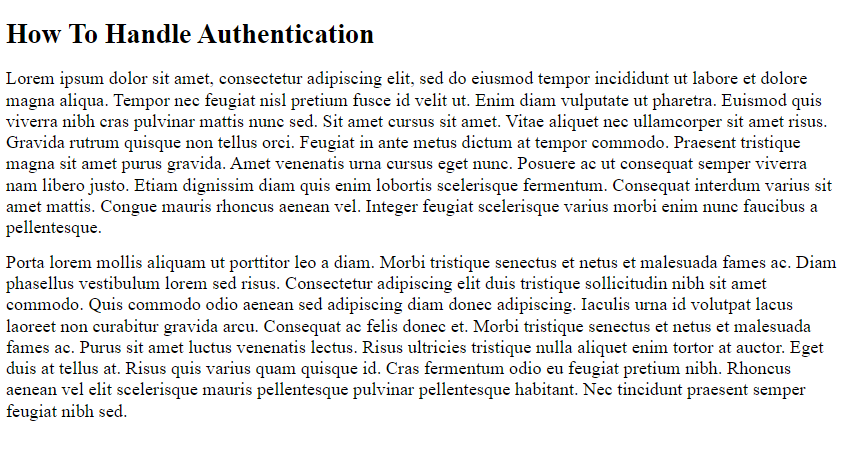
Keep in mind that these HTML documents are only sample pages with lorem ipsum text. Therefore, you should populate the pages with complete information to handle authentication and authorization errors or replace the URLs with appropriate links to your documentation.
Testing the 401 and 403 Error Response
First, clone the extended version of the basic-role-based-access-control Auth0 Hello World API branch with the following command:
git clone https://github.com/auth0-blog/extended-basic-role-based-access-controlThen, enter the extended-basic-role-based-access-control project directory with this command:
cd extended-basic-role-based-access-controlNow, install the npm project dependencies with:
npm installThen, create a .env file under the root directory of the project and populate it as follows:
PORT=6060
CLIENT_ORIGIN_URL=http://localhost:4040
AUTH0_AUDIENCE=<YOUR-AUTH0-AUDIENCE>
AUTH0_DOMAIN=<YOUR-AUTH0-DOMAIN>
Replace <YOUR-AUTH0-AUDIENCE> and <YOUR-AUTH0-DOMAIN> with the values you can find in the Auth0 dashboard. Also, you will need to retrieve a valid <AUTH0-ACCESS-TOKEN> value. Follow this guide from the official Auth0 documentation to learn how to retrieve these values.
Launch the Express.js API server with the command below:
npm run devYou are now ready to start testing the 401 error response. For example, let’s try to call the api/messages/protected API that requires authentication without the required Auth0 access token:
curl --request GET
  --url http:/localhost:6060/api/messages/protected
You will receive a 401 error response containing the following JSON:
{
   "message": "Unauthorized",
   "documentationLink": "https://your-domain.com/docs/how-to-handle-authentication.html"
}
On the contrary, let’s try to use the valid <AUTH0-ACCESS-TOKEN> retrieved earlier.
curl --request GET
  --url http:/localhost:6060/api/messages/protected
  --header 'authorization: <AUTH0-ACCESS-TOKEN>'
In this case, you would get:
{
    text: "This is a protected message."
}
Replicating a 403 error requires a little more effort. This is because you need to run a frontend client application that uses the Auth0 SDK. Follow this tutorial from the official documentation to learn how to set up RBAC in Auth0. Make sure to set up a «read:admin-messages» role and associate it with the admin user role.
Then, use any of the Auth0 frontend client demos from the list you can find here to login and access the GET /api/messages/admin endpoint exposed by the Express server launched earlier on port 6060.
When logging with an authorized admin user, you will get:
{
    "text": "This is an admin message."
}
On the other hand, when using an unauthorized user, you will receive the following JSON error response:
{
   "message": "Forbidden",
   "documentationLink": "https://your-domain.com/docs/how-to-handle-authorization.html"
}
Conclusion
In this article, we looked at how to customize error responses when dealing with REST applications developed in Express. This requires just a bunch of lines of code, but you should not take it lightheartedly. On the contrary, it should be implemented with security in mind to avoid providing attackers with useful information about how your backend works. First, we introduced HTTP error status codes and clarified why you might need error response customization on 4xx errors. Then, we studied how companies with public APIs deal with the 4xx errors to define a real-world backed error response format. Finally, we learned how to implement this format when it comes to 401 and 403 errors returned by the Auth0 Express Hello World API using the express-oauth2-jwt-bearer library for authentication and authorization.
Thanks for reading! I hope that you found this article helpful. Feel free to reach out to me with any questions, comments, or suggestions.
Update your code to assign your prototype to the Error.prototype and the instanceof and your asserts work.
function NotImplementedError(message = "") {
    this.name = "NotImplementedError";
    this.message = message;
}
NotImplementedError.prototype = Error.prototype;
However, I would just throw your own object and just check the name property.
throw {name : "NotImplementedError", message : "too lazy to implement"};
Edit based on comments
After looking at the comments and trying to remember why I would assign prototype to Error.prototype instead of new Error() like Nicholas Zakas did in his article, I created a jsFiddle with the code below:
function NotImplementedError(message = "") {
  this.name = "NotImplementedError";
  this.message = message;
}
NotImplementedError.prototype = Error.prototype;

function NotImplementedError2(message = "") {
  this.message = message;
}
NotImplementedError2.prototype = new Error();

try {
  var e = new NotImplementedError("NotImplementedError message");
  throw e;
} catch (ex1) {
  console.log(ex1.stack);
  console.log("ex1 instanceof NotImplementedError = " + (ex1 instanceof NotImplementedError));
  console.log("ex1 instanceof Error = " + (ex1 instanceof Error));
  console.log("ex1.name = " + ex1.name);
  console.log("ex1.message = " + ex1.message);
}

try {
  var e = new NotImplementedError2("NotImplementedError2 message");
  throw e;
} catch (ex1) {
  console.log(ex1.stack);
  console.log("ex1 instanceof NotImplementedError2 = " + (ex1 instanceof NotImplementedError2));
  console.log("ex1 instanceof Error = " + (ex1 instanceof Error));
  console.log("ex1.name = " + ex1.name);
  console.log("ex1.message = " + ex1.message);
}
The console output was this.
undefined
ex1 instanceof NotImplementedError = true
ex1 instanceof Error = true
ex1.name = NotImplementedError
ex1.message = NotImplementedError message
Error
    at window.onload (http://fiddle.jshell.net/MwMEJ/show/:29:34)
ex1 instanceof NotImplementedError2 = true
ex1 instanceof Error = true
ex1.name = Error
ex1.message = NotImplementedError2 message
This confirmes the «problem» I ran into was the stack property of the error was the line number where new Error() was created, and not where the throw e occurred. However, that may be better that having the side effect of a NotImplementedError.prototype.name = "NotImplementedError" line affecting the Error object.
Also, notice with NotImplementedError2, when I don’t set the .name explicitly, it is equal to «Error». However, as mentioned in the comments, because that version sets prototype to new Error(), I could set NotImplementedError2.prototype.name = "NotImplementedError2" and be OK.

Abhay
3,0311 gold badge19 silver badges28 bronze badges
answered May 16, 2009 at 3:51

Kevin HakansonKevin Hakanson
40.8k23 gold badges125 silver badges154 bronze badges
22
In ES2015, you can use class to do this cleanly:
class NotImplemented extends Error {
  constructor(message = "", ...args) {
    super(message, ...args);
    this.message = message + " has not yet been implemented.";
  }
}
This does not modify the global Error prototype, allows you to customize message, name, and other attributes, and properly captures the stack. It’s also pretty readable.
Of course, you may need to use a tool like babel if your code will be running on older browsers.
answered Jun 14, 2017 at 16:09

rattrayrattray
4,7861 gold badge33 silver badges25 bronze badges
2
All of the above answers are terrible awful — really. Even the one with 107 ups! The real answer is here guys:
Inheriting from the Error object — where is the message property?
TL;DR:
A. The reason message isn’t being set is that Error is a function that returns a new Error object and does not manipulate this in any way.
B. The way to do this right is to return the result of the apply from the constructor, as well as setting the prototype in the usual complicated javascripty way:
function MyError() {
    var temp = Error.apply(this, arguments);
    temp.name = this.name = 'MyError';
    this.message = temp.message;
    if(Object.defineProperty) {
        // getter for more optimizy goodness
        /*this.stack = */Object.defineProperty(this, 'stack', {
            get: function() {
                return temp.stack
            },
            configurable: true // so you can change it if you want
        })
    } else {
        this.stack = temp.stack
    }
}
//inherit prototype using ECMAScript 5 (IE 9+)
MyError.prototype = Object.create(Error.prototype, {
    constructor: {
        value: MyError,
        writable: true,
        configurable: true
    }
});

var myError = new MyError("message");
console.log("The message is: '" + myError.message + "'"); // The message is: 'message'
console.log(myError instanceof Error); // true
console.log(myError instanceof MyError); // true
console.log(myError.toString()); // MyError: message
console.log(myError.stack); // MyError: message n
// <stack trace ...>


//for EMCAScript 4 or ealier (IE 8 or ealier), inherit prototype this way instead of above code:
/*
var IntermediateInheritor = function() {};
IntermediateInheritor.prototype = Error.prototype;
MyError.prototype = new IntermediateInheritor();
*/
You could probably do some trickery to enumerate through all the non-enumerable properties of the tmp Error to set them rather than explicitly setting only stack and message, but the trickery isn’t supported in ie<9

answered Jul 26, 2013 at 21:12

B TB T
55.3k34 gold badges184 silver badges202 bronze badges
11
If anyone is curious on how to create a custom error and get the stack trace:
function CustomError(message) {
  this.name = 'CustomError';
  this.message = message || '';
  var error = new Error(this.message);
  error.name = this.name;
  this.stack = error.stack;
}
CustomError.prototype = Object.create(Error.prototype);

try {
  throw new CustomError('foobar');
}
catch (e) {
  console.log('name:', e.name);
  console.log('message:', e.message);
  console.log('stack:', e.stack);
}

ThomasReggi
52.4k82 gold badges226 silver badges408 bronze badges
answered Dec 22, 2014 at 2:12

ristoristo
1,2649 silver badges11 bronze badges
class NotImplementedError extends Error {
  constructor(message) {
    super(message);
    this.message = message;
  }
}
NotImplementedError.prototype.name = 'NotImplementedError';
module.exports = NotImplementedError;
and
try {
  var e = new NotImplementedError("NotImplementedError message");
  throw e;
} catch (ex1) {
  console.log(ex1.stack);
  console.log("ex1 instanceof NotImplementedError = " + (ex1 instanceof NotImplementedError));
  console.log("ex1 instanceof Error = " + (ex1 instanceof Error));
  console.log("ex1.name = " + ex1.name);
  console.log("ex1.message = " + ex1.message);
}
It is just a class representation of this answer.
output
NotImplementedError: NotImplementedError message
  ...stacktrace
ex1 instanceof NotImplementedError = true
ex1 instanceof Error = true
ex1.name = NotImplementedError
ex1.message = NotImplementedError message
answered Aug 10, 2020 at 8:57

gramchagramcha
6829 silver badges16 bronze badges
This section of the standard may explain why the Error.apply call doesn’t initialize the object:
15.11.1 The Error Constructor Called as a Function
When Error is called as a function rather than as a constructor, it creates and
initialises a new Error object. Thus the function call Error(…) is
equivalent to the object creation expression new Error(…) with the
same arguments.
In this case the Error function probably determines that it’s not being called as a constructor, so it returns a new Error instance rather than initializing the this object.
Testing with the following code seems to demonstrate that this is in fact what’s happening:
function NotImplementedError() {
   var returned = Error.apply(this, arguments);
   console.log("returned.message = '" + returned.message + "'");
   console.log("this.message = '" + this.message + "'");
}
NotImplementedError.prototype = new Error();

var nie = new NotImplementedError("some message");
The following output is generated when this is run:
returned.message = 'some message'
this.message = ''
answered Aug 12, 2011 at 6:31

DaveDave
4,3901 gold badge33 silver badges39 bronze badges
9
I like to do it like this:
- Make use of name so toString() throws
"{code}: {message}" - Return same thing to super so it appears the same in the stacktrace
- Attach code to
error.codeas checking/parsing a code is better in code than checking a message, which you might want to localize for example - Attach message to
error.messageas an alternative toerror.toString()
class AppException extends Error {
  constructor(code, message) {
    const fullMsg = message ? `${code}: ${message}` : code;
    super(fullMsg);
    this.name = code;
    this.code = code;
    this.message = fullMsg;
  }

  toString() {
    return this.message;
  }
}

// Just a code
try {
  throw new AppException('FORBIDDEN');
} catch(e) {
  console.error(e);
  console.error(e.toString());
  console.log(e.code === 'FORBIDDEN');
}

// A code and a message
try {
  throw new AppException('FORBIDDEN', 'You don't have access to this page');
} catch(e) {
  console.error(e);
  console.error(e.toString());
  console.log(e.code === 'FORBIDDEN');
}
answered Sep 21, 2018 at 23:42

DominicDominic
60.3k20 gold badges135 silver badges158 bronze badges
function InvalidValueError(value, type) {
    this.message = "Expected `" + type.name + "`: " + value;
    var error = new Error(this.message);
    this.stack = error.stack;
}
InvalidValueError.prototype = new Error();
InvalidValueError.prototype.name = InvalidValueError.name;
InvalidValueError.prototype.constructor = InvalidValueError;
answered Nov 20, 2013 at 5:43

1
Accoring to Joyent you shouldn’t mess with the stack property (which I see in lots of answers given here), because it will have a negative impact on performance. Here is what they say:
stack: generally, don’t mess with this. Don’t even augment it. V8 only computes it if someone actually reads the property, which improves performance dramatically for handlable errors. If you read the property just to augment it, you’ll end up paying the cost even if your caller doesn’t need the stack.
I like and would like to mention their idea of wrapping the original error which is a nice replacement for passing on the stack.
So here is how I create a custom error, considering the above mentioned:
es5 version:
function RError(options) {
    options = options || {}; // eslint-disable-line no-param-reassign
    this.name = options.name;
    this.message = options.message;
    this.cause = options.cause;

    // capture stack (this property is supposed to be treated as private)
    this._err = new Error();

    // create an iterable chain
    this.chain = this.cause ? [this].concat(this.cause.chain) : [this];
}
RError.prototype = Object.create(Error.prototype, {
    constructor: {
        value: RError,
        writable: true,
        configurable: true
    }
});

Object.defineProperty(RError.prototype, 'stack', {
    get: function stack() {
        return this.name + ': ' + this.message + 'n' + this._err.stack.split('n').slice(2).join('n');
    }
});

Object.defineProperty(RError.prototype, 'why', {
    get: function why() {
        var _why = this.name + ': ' + this.message;
        for (var i = 1; i < this.chain.length; i++) {
            var e = this.chain[i];
            _why += ' <- ' + e.name + ': ' + e.message;
        }
        return _why;
    }
});

// usage

function fail() {
    throw new RError({
        name: 'BAR',
        message: 'I messed up.'
    });
}

function failFurther() {
    try {
        fail();
    } catch (err) {
        throw new RError({
            name: 'FOO',
            message: 'Something went wrong.',
            cause: err
        });
    }
}

try {
    failFurther();
} catch (err) {
    console.error(err.why);
    console.error(err.stack);
    console.error(err.cause.stack);
}
es6 version:
class RError extends Error {
    constructor({name, message, cause}) {
        super();
        this.name = name;
        this.message = message;
        this.cause = cause;
    }
    [Symbol.iterator]() {
        let current = this;
        let done = false;
        const iterator = {
            next() {
                const val = current;
                if (done) {
                    return { value: val, done: true };
                }
                current = current.cause;
                if (!val.cause) {
                    done = true;
                }
                return { value: val, done: false };
            }
        };
        return iterator;
    }
    get why() {
        let _why = '';
        for (const e of this) {
            _why += `${_why.length ? ' <- ' : ''}${e.name}: ${e.message}`;
        }
        return _why;
    }
}

// usage

function fail() {
    throw new RError({
        name: 'BAR',
        message: 'I messed up.'
    });
}

function failFurther() {
    try {
        fail();
    } catch (err) {
        throw new RError({
            name: 'FOO',
            message: 'Something went wrong.',
            cause: err
        });
    }
}

try {
    failFurther();
} catch (err) {
    console.error(err.why);
    console.error(err.stack);
    console.error(err.cause.stack);
}
I’ve put my solution into a module, here it is: https://www.npmjs.com/package/rerror
answered Oct 19, 2016 at 9:48

borisdiakurborisdiakur
9,5677 gold badges65 silver badges98 bronze badges
I had a similar issue to this. My error needs to be an instanceof both Error and NotImplemented, and it also needs to produce a coherent backtrace in the console.
My solution:
var NotImplemented = (function() {
  var NotImplemented, err;
  NotImplemented = (function() {
    function NotImplemented(message) {
      var err;
      err = new Error(message);
      err.name = "NotImplemented";
      this.message = err.message;
      if (err.stack) this.stack = err.stack;
    }
    return NotImplemented;
  })();
  err = new Error();
  err.name = "NotImplemented";
  NotImplemented.prototype = err;

  return NotImplemented;
}).call(this);

// TEST:
console.log("instanceof Error: " + (new NotImplemented() instanceof Error));
console.log("instanceof NotImplemented: " + (new NotImplemented() instanceofNotImplemented));
console.log("message: "+(new NotImplemented('I was too busy').message));
throw new NotImplemented("just didn't feel like it");
Result of running with node.js:
instanceof Error: true
instanceof NotImplemented: true
message: I was too busy

/private/tmp/t.js:24
throw new NotImplemented("just didn't feel like it");
      ^
NotImplemented: just didn't feel like it
    at Error.NotImplemented (/Users/colin/projects/gems/jax/t.js:6:13)
    at Object.<anonymous> (/Users/colin/projects/gems/jax/t.js:24:7)
    at Module._compile (module.js:449:26)
    at Object.Module._extensions..js (module.js:467:10)
    at Module.load (module.js:356:32)
    at Function.Module._load (module.js:312:12)
    at Module.runMain (module.js:487:10)
    at process.startup.processNextTick.process._tickCallback (node.js:244:9)
The error passes all 3 of my criteria, and although the stack property is nonstandard, it is supported in most newer browsers which is acceptable in my case.
answered May 16, 2012 at 11:56

0
I used the Constructor Pattern to create the new error object. I defined the prototype chain such as an Error instance. See the MDN Error constructor reference.
You can check this snippet on this gist.
IMPLEMENTATION
// Creates user-defined exceptions
var CustomError = (function() {
  'use strict';

  //constructor
  function CustomError() {
    //enforces 'new' instance
    if (!(this instanceof CustomError)) {
      return new CustomError(arguments);
    }
    var error,
      //handles the arguments object when is passed by enforcing a 'new' instance
      args = Array.apply(null, typeof arguments[0] === 'object' ? arguments[0] : arguments),
      message = args.shift() || 'An exception has occurred';

    //builds the message with multiple arguments
    if (~message.indexOf('}')) {
      args.forEach(function(arg, i) {
        message = message.replace(RegExp('\{' + i + '}', 'g'), arg);
      });
    }

    //gets the exception stack
    error = new Error(message);
    //access to CustomError.prototype.name
    error.name = this.name;

    //set the properties of the instance
    //in order to resemble an Error instance
    Object.defineProperties(this, {
      stack: {
        enumerable: false,
        get: function() { return error.stack; }
      },
      message: {
        enumerable: false,
        value: message
      }
    });
  }

  // Creates the prototype and prevents the direct reference to Error.prototype;
  // Not used new Error() here because an exception would be raised here,
  // but we need to raise the exception when CustomError instance is created.
  CustomError.prototype = Object.create(Error.prototype, {
    //fixes the link to the constructor (ES5)
    constructor: setDescriptor(CustomError),
    name: setDescriptor('JSU Error')
  });

  function setDescriptor(value) {
    return {
      configurable: false,
      enumerable: false,
      writable: false,
      value: value
    };
  }

  //returns the constructor
  return CustomError;
}());
USAGE
The CustomError constructor can receive many arguments to build the message, e.g.
var err1 = new CustomError("The url of file is required"),
    err2 = new CustomError("Invalid Date: {0}", +"date"),
    err3 = new CustomError("The length must be greater than {0}", 4),
    err4 = new CustomError("Properties .{0} and .{1} don't exist", "p1", "p2");

throw err4;
And this is how the custom error looks:

answered Feb 16, 2015 at 17:33

jheraxjherax
5,2185 gold badges36 silver badges49 bronze badges
2
I just had to implement something like this and found that the stack was lost in my own error implementation. What I had to do was create a dummy error and retrieve the stack from that:
My.Error = function (message, innerException) {
    var err = new Error();
    this.stack = err.stack; // IMPORTANT!
    this.name = "Error";
    this.message = message;
    this.innerException = innerException;
}
My.Error.prototype = new Error();
My.Error.prototype.constructor = My.Error;
My.Error.prototype.toString = function (includeStackTrace) {
    var msg = this.message;
    var e = this.innerException;
    while (e) {
        msg += " The details are:n" + e.message;
        e = e.innerException;
    }
    if (includeStackTrace) {
        msg += "nnStack Trace:nn" + this.stack;
    }
    return msg;
}
answered May 31, 2012 at 11:14

JulesJules
4,3193 gold badges41 silver badges72 bronze badges
1
This is my implementation:
class HttpError extends Error {
  constructor(message, code = null, status = null, stack = null, name = null) {
    super();
    this.message = message;
    this.status = 500;

    this.name = name || this.constructor.name;
    this.code = code || `E_${this.name.toUpperCase()}`;
    this.stack = stack || null;
  }

  static fromObject(error) {
    if (error instanceof HttpError) {
      return error;
    }
    else {
      const { message, code, status, stack } = error;
      return new ServerError(message, code, status, stack, error.constructor.name);
    }
  }

  expose() {
    if (this instanceof ClientError) {
      return { ...this };
    }
    else {
      return {
        name: this.name,
        code: this.code,
        status: this.status,
      }
    }
  }
}

class ServerError extends HttpError {}

class ClientError extends HttpError { }

class IncorrectCredentials extends ClientError {
  constructor(...args) {
    super(...args);
    this.status = 400;
  }
}

class ResourceNotFound extends ClientError {
  constructor(...args) {
    super(...args);
    this.status = 404;
  }
}
Example usage #1:
app.use((req, res, next) => {
  try {
    invalidFunction();
  }
  catch (err) {
    const error = HttpError.fromObject(err);
    return res.status(error.status).send(error.expose());
  }
});
Example usage #2:
router.post('/api/auth', async (req, res) => {
  try {
    const isLogged = await User.logIn(req.body.username, req.body.password);

    if (!isLogged) {
      throw new IncorrectCredentials('Incorrect username or password');
    }
    else {
      return res.status(200).send({
        token,
      });
    }
  }
  catch (err) {
    const error = HttpError.fromObject(err);
    return res.status(error.status).send(error.expose());
  }
});
answered Sep 12, 2018 at 14:56

Rafal EndenRafal Enden
2,9181 gold badge21 silver badges16 bronze badges
The constructor needs to be like a factory method and return what you want. If you need additional methods/properties, you can add them to the object before returning it.
function NotImplementedError(message) { return new Error("Not implemented", message); }

x = new NotImplementedError();
Though I’m not sure why you’d need to do this. Why not just use new Error... ? Custom exceptions don’t really add much in JavaScript (or probably any untyped language).
answered Apr 23, 2009 at 22:42

pluckyglenpluckyglen
8197 silver badges9 bronze badges
1
This is implemented nicely in the Cesium DeveloperError:
- Docs
- Source
In it’s simplified form:
var NotImplementedError = function(message) {
    this.name = 'NotImplementedError';
    this.message = message;
    this.stack = (new Error()).stack;
}

// Later on...

throw new NotImplementedError();
answered Jan 27, 2014 at 1:34

Aram KocharyanAram Kocharyan
20k11 gold badges80 silver badges96 bronze badges
2
At the expense of not being able to use instanceof, the following preserves the original stack trace and doesn’t use any non-standard tricks.
// the function itself
var fixError = function(err, name) {
    err.name = name;
    return err;
}

// using the function
try {
    throw fixError(new Error('custom error message'), 'CustomError');
} catch (e) {
    if (e.name == 'CustomError')
        console.log('Wee! Custom Error! Msg:', e.message);
    else
        throw e; // unhandled. let it propagate upwards the call stack
}
answered Apr 28, 2013 at 14:58

GimaGima
1,87219 silver badges23 bronze badges
3
Another alternative , might not work in all enviroments.Atleast assured it works in nodejs 0.8
This approach uses a non standard way of modifying the internal proto prop
function myError(msg){
      var e = new Error(msg);
      _this = this;
      _this.__proto__.__proto__ = e;
}

kleopatra
50.7k28 gold badges99 silver badges207 bronze badges
answered Jul 30, 2013 at 9:00

ChanduChandu
4,5512 gold badges16 silver badges13 bronze badges
If you are using Node/Chrome. The following snippet will get you extension which meets the following requirements.
err instanceof Errorerr instanceof CustomErrorType- console.log() returns
[CustomErrorType]when created with a message - console.log() returns
[CustomErrorType: message]when created without a message - throw/stack provides the information at the point the error was created.
- Works optimally in Node.JS, and Chrome.
- Will pass instanceof checks in Chrome, Safari, Firefox and IE 8+, but will not have a valid stack outside of Chrome/Safari. I’m OK with that because I can debug in chrome, but code which requires specific error types will still function cross browser. If you need Node only you can easily remove the
ifstatements and you’re good to go.
Snippet
var CustomErrorType = function(message) {
    if (Object.defineProperty) {
        Object.defineProperty(this, "message", {
            value : message || "",
            enumerable : false
        });
    } else {
        this.message = message;
    }

    if (Error.captureStackTrace) {
        Error.captureStackTrace(this, CustomErrorType);
    }
}

CustomErrorType.prototype = new Error();
CustomErrorType.prototype.name = "CustomErrorType";
Usage
var err = new CustomErrorType("foo");
Output
var err = new CustomErrorType("foo");
console.log(err);
console.log(err.stack);

[CustomErrorType: foo]
CustomErrorType: foo
    at Object.<anonymous> (/errorTest.js:27:12)
    at Module._compile (module.js:456:26)
    at Object.Module._extensions..js (module.js:474:10)
    at Module.load (module.js:356:32)
    at Function.Module._load (module.js:312:12)
    at Function.Module.runMain (module.js:497:10)
    at startup (node.js:119:16)
    at node.js:906:3

/errorTest.js:30
        throw err;
              ^
CustomErrorType: foo
    at Object.<anonymous> (/errorTest.js:27:12)
    at Module._compile (module.js:456:26)
    at Object.Module._extensions..js (module.js:474:10)
    at Module.load (module.js:356:32)
    at Function.Module._load (module.js:312:12)
    at Function.Module.runMain (module.js:497:10)
    at startup (node.js:119:16)
    at node.js:906:3
answered Oct 24, 2014 at 20:31

Owen AllenOwen Allen
11k8 gold badges50 silver badges61 bronze badges
The following worked for me taken from the official Mozilla documentation Error.
function NotImplementedError(message) {
    var instance = new Error(message);
    instance.name = 'NotImplementedError';

    Object.setPrototypeOf(instance, Object.getPrototypeOf(this));
    if (Error.captureStackTrace) {
        Error.captureStackTrace(instance, NotImplementedError);
    }
    return instance;
}

NotImplementedError.prototype = Object.create(Error.prototype, {
    constructor: {
        value: Error,
        enumerable: false,
        writable: true,
        configurable: true
    }
});
answered Jan 6, 2020 at 15:21

0
Here is my solution for supporting pre-es2015 browsers. It does not do any fancy prototype tweaking and will not break debuggers.
/**  Custom Errors
    // Depends on underscore js
    // This will declare an CustError() class in both 'this' and '_exports' namespaces
    // ctor is optional
    declare_cust_error(function CustError(){}, {ns: [this, _exports], ctor:
        function cust_err_ctor(instance, clazz, name, msg, info){
            q$.called(arguments)
        }
    })

    // Usage:
    // Second param (pojso) is optional
    try {
        throw CustError.create("foo", {k1: 'v1', k2: 'v2'})
    }catch(ex){
        if(CustError.is_inst(ex)){
            console.error("its a CustError", ex)
        } else {
            throw ex
        }
    }

**/
function declare_cust_error(error_class, opts){
    var p, c, cp
    if(!error_class||!(p=error_class.prototype))throw new Error("error_class must be a Class")
    try{
        c = p.constructor; cp = c.toString()
    }catch(ex){}
    if(!cp || cp.indexOf('function ') != 0 || cp.indexOf('[native code]') > 0)
        throw new Error("error_class must be a classic proto class (pre-es6) but got: " + error_class.toString())

    opts=opts||{}

    error_class.__is_cust_error__ = true
    error_class.__cust_error_name__ = c.name

    error_class.create = function cust_error_create(msg, info){
        var instance = new Error(msg)
        instance.info = info
        instance.__is_cust_error__ = true
        instance.__cust_error_name__ = c.name
        if(_.isFunction(opts.ctor)){
            opts.ctor(instance, error_class, c.name, msg, info)
        }
        return instance
    }

    error_class.is_inst = function cust_error_is_inst(instanace){
        return ( (instanace instanceof Error) && instanace.__cust_error_name__ === error_class.__cust_error_name__ )
    }

    // Declare error in namespace(s)
    _.each(_.isArray(opts.ns)?opts.ns:[opts.ns], function(ns){ ns[c.name] = error_class })

    return error_class

}
answered Oct 24, 2022 at 16:55

Timothy C. QuinnTimothy C. Quinn
3,3911 gold badge31 silver badges42 bronze badges
Bad news: you can’t do it perfectly (at least in the console).

The last one is an actual errorIf you use a string, it looks good, but it doesn’t give a stack trace. If you throw with Error, you can’t have "Uncaught BadError: bad", so you’ll have to remove the custom error (sadly). If you throw an object, it looks kind of off, and the final one is just an average error.
I would recommend just throwing a normal Error (the second one), because it has a stack trace and looks normal, so the inspector looks the best. The NotImplementedError solution also produces funny results:

(The last one is an actual error)
answered Dec 17, 2022 at 17:15

Try a new prototype object for each instance of the user defined error type. It allows instanceof checks to behave as usual plus type and message are correctly reported in Firefox and V8 (Chome, nodejs).
function NotImplementedError(message){
    if(NotImplementedError.innercall===undefined){
        NotImplementedError.innercall = true;
        NotImplementedError.prototype = new Error(message);
        NotImplementedError.prototype.name = "NotImplementedError";
        NotImplementedError.prototype.constructor = NotImplementedError;

        return new NotImplementedError(message);
    }
    delete NotImplementedError.innercall;
}
Note that an additional entry will preceed the otherwise correct stack.
answered Aug 19, 2012 at 21:09

Augustus KlingAugustus Kling
3,2931 gold badge21 silver badges25 bronze badges
1
This is fastest way to do it:
    let thisVar = false

    if (thisVar === false) {
            throw new Error("thisVar is false. It should be true.")
    }
answered Feb 5, 2020 at 17:19

jlhsjlhs
1037 bronze badges
easier way. You could make your object inherit from the Error object.
Example:
function NotImplementError(message)
{
    this.message = message;
    Error.call();
    Error.call(message);
}
what we are doing is using the function call() which call the constructor of the Error class so is basicly the same thing as implementing a class inheritance in other object oriented languages.
answered Mar 6, 2013 at 19:27

0
MDN has an excellent example:
try {
  throw new Error('Whoops!');
} catch (e) {
  console.log(e.name + ': ' + e.message);
}
answered Sep 4, 2017 at 21:59

Ronnie RoystonRonnie Royston
15.7k6 gold badges73 silver badges87 bronze badges
Create global or application-level Exception handlers and return Custom Error Messages in Spring REST APIs.
Overview
Effective communication is the key to healthy and efficient relationships. Interestingly, the same applies to any Client and Server relationships. The client’s request may succeed or fail on the server. However, the server should provide the most appropriate status code in either of the outcomes.
Although sending a correct status code is enough for a client to take real action based on the outcome of a request, in case of failures, the client may need more details about what went wrong. For example, failure details like the exception type and an error message can help clients log the error or provide appropriate failure messages to their clients.
This article will teach How to handle different failures and return Custom Error Messages from a Spring REST API. If you don’t know how to handle exceptions in Spring REST API, please read Spring Rest Service Exception Handling.
Return a Generic Error Message using @ResponseStatus
The most basic way of returning an error message from a REST API is to use the @ResponseStatus annotation. We can add the error message in the annotation’s reason field. Although we can only return a generic error message, we can specify exception-specific error messages.
Next is an example of a @ControllerAdvice using @ResponseStatus annotations to return exception-specific error messages.
Code language: Java (java)
@ControllerAdvice public class ApplicationExceptionHandler { @ResponseStatus( value = HttpStatus.NOT_FOUND, reason = "Requested Student Not Found") @ExceptionHandler(StudentNotFoundException.class) public void handleException(StudentNotFoundException e) { } @ResponseStatus( value = HttpStatus.BAD_REQUEST, reason = "Received Invalid Input Parameters") @ExceptionHandler(InputValidationException.class) public void handleException(InputValidationException e) { } @ResponseStatus( value = HttpStatus.GATEWAY_TIMEOUT, reason = "Upstream Service Not Responding, Try Again") @ExceptionHandler(ServiceUnavailableException.class) public void handleException(ServiceUnavailableException e) { } }
The Exception handler class has three exception handlers, each of which returns a specific HTTP Response Status. Each response status specifies a reason field with a particular error message.
To view the error message in the response, ensure you have turned on include-messages in the server configuration. To learn more about Spring Boot server configurations, please visit Spring Boot Embedded Tomcat Configuration.
Code language: YAML (yaml)
server: error: include-message: always
Next is an example of a response object the REST API returns. Note that the response object has the specified error message.
Code language: JSON / JSON with Comments (json)
{ "timestamp": "", "status": 404, "error": "Not Found", "message": "Requested Student Not Found", "path": "/students/Jack" }
Although we can specify exception-specific error messages, it is still not informative. Therefore in the following sections, we will learn how to return a more specific error message from Spring REST API.
Return Error Message Using Custom Error Object
Let’s create a class representing the error message and the status code. We will return an instance of that in case of errors.
Next is the Error class representing the status code and a String message. We use a few Lombok annotations that introduce regular getter and setter methods and a constructor using the final fields.
Custom Response Error Class
Code language: Java (java)
@Data @RequiredArgsConstructor public class Error { private final HttpStatus httpStatus; private final String message; }
Now that we have an error model created, we will use it to return a detailed error message from Controller Advice.
Code language: Java (java)
@ExceptionHandler(StudentNotFoundException.class) public ResponseEntity handleException( StudentNotFoundException e) { Error error = new Error(HttpStatus.NOT_FOUND, e.getLocalizedMessage()); return new ResponseEntity<>(error, error.getHttpStatus()); }
The exception handler returns an instance of the Error class populated with the exception message and HTTP Status Code.
Now, we can throw our Not Found Exception with a custom error message.
Code language: Java (java)
throw new StudentNotFoundException ("Student service failed, studentId : " + studentId);
When the REST API cannot find the requested resource, we get a detailed error as a response.
Code language: JSON / JSON with Comments (json)
{ "httpStatus": "NOT_FOUND", "message": "Student service failed, studentId : Jack" }
Return Error Message Using HashMap
Also, instead of creating a dedicated error class, we can return a detailed error message using a simple HashMap. Next is an example of producing and returning a Custom Error Message using Java HashMap.
Code language: Java (java)
@ExceptionHandler(StudentNotFoundException.class) public ResponseEntity<Map<String, String>> handleException(StudentNotFoundException e) { Map<String, String> errorResponse = Map.of( "message", e.getLocalizedMessage(), "status", HttpStatus.NOT_FOUND.toString() ); return new ResponseEntity<>(errorResponse, HttpStatus.NOT_FOUND); }
Handle Bad Request Exceptions
The Bad Request errors are the Client errors where the client’s request doesn’t meet the requirements of the target server. This section will see how to handle Bad Request exceptions and provide a custom or detailed error response.
Type Mismatch Exceptions
The Type Mismatch Exceptions occur when Spring Controller cannot map the request parameters, path variables, or header values into controller method arguments. This section covers the handling of MethodArgumentTypeMismatchException and TypeMismatchException.
Spring throws MethodArgumentTypeMismatchException when the controller argument doesn’t have a required type. On the other hand, Spring throws TypeMismatchException when there is a type mismatch while setting Bean properties. Also, both exceptions provide a detailed error message that we can use to prepare the Error object.
To demonstrate that, next is an example of Handling MethodArgumentTypeMismatchException and TypeMismatchException and returning a detailed error message in Controller Advice.
Code language: Java (java)
@ExceptionHandler({ MethodArgumentTypeMismatchException.class, TypeMismatchException.class }) public ResponseEntity<Map<String, String>> handleException(TypeMismatchException e) { Map<String, String> errorResponse = Map.of( "message", e.getLocalizedMessage(), "status", HttpStatus.BAD_REQUEST.toString() ); return new ResponseEntity<>(errorResponse, HttpStatus.BAD_REQUEST); }
Note that the controller advice catches both exceptions; however, the method arguments accept an exception of type TypeMismatchException because it is the parent of the other exception.
Next, the snippet shows a detailed error message when we call a rest endpoint with an incompatible path variable leading to MethodArgumentTypeMismatchException.
Code language: JSON / JSON with Comments (json)
{ "httpStatus": "BAD_REQUEST", "message": "Failed to convert value of type 'java.lang.String' to required type 'java.lang.Long'; nested exception is java.lang.NumberFormatException: For input String: "Jack"" }
Bean Validation Exceptions
The Bean Validation exceptions occur when the request contents do not pass the provided validations.
The BindException occurs when the binding errors are fatal. While the MethodArgumentNotValidException occurs when validations specified by @Valid fail. Note that the MethodArgumentNotValidException is a subclass of BindException. Thus, we can handle them using the same Spring REST API’s exception handler.
Code language: Java (java)
@ExceptionHandler({ BindException.class, MethodArgumentNotValidException.class }) public ResponseEntity<Map<String, Object>> handleException(BindException e) { List<String> errors = new ArrayList<>(); e.getFieldErrors() .forEach(err -> errors.add(err.getField() + ": " + err.getDefaultMessage())); e.getGlobalErrors() .forEach(err -> errors.add(err.getObjectName() + ": " + err.getDefaultMessage())); Map<String, Object> errorResponse = Map.of( "error", errors, "message", e.getLocalizedMessage(), "status", HttpStatus.BAD_REQUEST.toString() ); return new ResponseEntity<>(errorResponse, HttpStatus.BAD_REQUEST); }
Here we have created a List<String> to represent individual binding errors and add that to the response Map. Instead, we can add a List<String> field to the Error class we created in the previous section and populate the list with individual errors.
Spring throws HttpMediaTypeNotSupportedException, when a POST, PUT, or PATCH endpoint on the server cannot handle the content type sent by the client. The REST Controllers on the server specify the content type they can support. When the media type that a client sends doesn’t match, the client gets this exception back.
To demonstrate, next is an example of handling HttpMediaTypeNotSupportedException and returning a custom error response.
Code language: Java (java)
@ExceptionHandler(HttpMediaTypeNotSupportedException.class) public ResponseEntity<Map<String, String>> handleException( HttpMediaTypeNotSupportedException e) { String provided = e.getContentType().toString(); List<String> supported = e.getSupportedMediaTypes().stream() .map(MimeType::toString) .collect(Collectors.toList()); String error = provided + " is not one of the supported media types (" + String.join(", ", supported) + ")"; Map<String, String> errorResponse = Map.of( "error", error, "message", e.getLocalizedMessage(), "status", HttpStatus.UNSUPPORTED_MEDIA_TYPE.toString() ); return new ResponseEntity<>(errorResponse, HttpStatus.UNSUPPORTED_MEDIA_TYPE); }
As seen in the exception handler above, the instance of HttpMediaTypeNotSupportedException provides detailed information about the incorrect media type we provided and a list of actually supported media types. Thus, we create a custom error message based on the available information.
Code language: JSON / JSON with Comments (json)
{ "error":"text/plain;charset=UTF-8 is not one of the supported media types ( application/octet-stream, text/plain, application/xml, text/xml, application/x-www-form-urlencoded, application/*+xml, multipart/form-data, multipart/mixed, application/json, application/*+json, */*)", "message":"Content type 'text/plain;charset=UTF-8' not supported", "status":"415 UNSUPPORTED_MEDIA_TYPE" }
The above snippet shows a client’s sample error response when it sends a request with an invalid media type.
Handle Request Body Not Readable Exception
Now we will see an example of handling HttpMessageNotReadableException and returning a custom error response. The HttpMessageNotReadableException occurs when the request body is missing or unreadable.
Code language: Java (java)
@ExceptionHandler(HttpMessageNotReadableException.class) public ResponseEntity<Map<String, String>> handleException( HttpMessageNotReadableException e) throws IOException { Map<String, String> errorResponse = Map.of( "message", e.getLocalizedMessage(), "status", HttpStatus.BAD_REQUEST.toString() ); return new ResponseEntity<>(errorResponse, HttpStatus.BAD_REQUEST); }
Handle HTTP Request Method Not Supported Exception
The HttpMethodNotSupportedException occurs when the HTTP endpoint on the REST API does not support the HTTP request method. Let’s write an exception handler for HttpMethodNotSupportedException and return a detailed error message.
Code language: Java (java)
@ExceptionHandler(HttpRequestMethodNotSupportedException.class) public ResponseEntity<Map<String, String>> handleException( HttpRequestMethodNotSupportedException e) throws IOException { String provided = e.getMethod(); List<String> supported = List.of(e.getSupportedMethods()); String error = provided + " is not one of the supported Http Methods (" + String.join(", ", supported) + ")"; Map<String, String> errorResponse = Map.of( "error", error, "message", e.getLocalizedMessage(), "status", HttpStatus.METHOD_NOT_ALLOWED.toString() ); return new ResponseEntity<>(errorResponse, HttpStatus.METHOD_NOT_ALLOWED); }
As seen in the exception handler above, the exception instance provides detailed information about the provided HTTP Method and an array of Supported HTTP Methods. We use it to form a clear error message.
Code language: JSON / JSON with Comments (json)
{ "error": "GET is not one of the supported Http Methods (POST)", "message": "Request method 'GET' not supported", "status": "405 METHOD_NOT_ALLOWED" }
The snippet showed an example response when the client attempted to execute a GET endpoint, while the REST API supports only POST.
Default Exception Handler
Similarly, we can create a default exception handler advice that handles all Exception types. Spring attempts to find the most specific handler when we have multiple exception handlers and falls back to the default handler if there is no suitable handler.
Code language: Java (java)
@ExceptionHandler(Exception.class) public ResponseEntity<Map<String, String>> handleException( Exception e) throws IOException { Map<String, String> errorResponse = Map.of( "message", e.getLocalizedMessage(), "status", HttpStatus.INTERNAL_SERVER_ERROR.toString() ); return new ResponseEntity<>(errorResponse, HttpStatus.INTERNAL_SERVER_ERROR); }
Above is an example of writing a default exception handler that returns an error message by the exception instance and an HTTP Status of 500.
Summary
This detailed tutorial taught us how to Return Custom Error Messages in Spring REST API. Firstly, we understood that Spring returns a generic error message and the most suitable HTTP Status Code by default. However, we can write our exception handlers for specific exceptions using @ControllerAdvice and produce a custom and detailed error response.
For more on Spring and Spring Boot Tutorials, please visit Spring Tutorials.