
Добавим строку
в заголовочный файл.
Использование статических функций класса:
|
QMessageBox::warning(this, «Внимание»,«Это очень важный текстn www.itmathrepetitor.ru»); |
Результат:

Наряду с warning доступны information, critical, question (и еще about, aboutQt). Описание функции:
| StandardButton | information(QWidget * parent, const QString & title, const QString & text, StandardButtons buttons = Ok, StandardButton defaultButton = NoButton) |
Создание объекта:
|
QMessageBox msgBox; msgBox.setWindowTitle(«Пример»); msgBox.setText(«Тестовое сообщение»); msgBox.exec(); |
Результат:

Обработка выбора пользователя:
|
QMessageBox msgBox; //www.itmathrepetitor.ru msgBox.setText(«Внимательно прочтите!»); msgBox.setInformativeText(«Ок — процесс пошелnCancel — замести следы»); msgBox.setStandardButtons(QMessageBox::Ok | QMessageBox::Cancel); msgBox.setIcon(QMessageBox::Information); msgBox.setDefaultButton(QMessageBox::Ok); int res = msgBox.exec(); if (res == QMessageBox::Ok) //нажата кнопка Ok doSomething(); else //отмена stopSomething(); // отмена |
Результат:

Здесь мы добавляем иконку QMessageBox::Information. Еще варианты QMessageBox::Question, QMessageBox::Warning, QMessageBox::Critical и QMessageBox::NoIcon. Их изображения:
 все материалы
В Qt имеются классы таких стандартных диалоговых окон:
- QColorDialog — Диалоговое окно для задания цвета.
- QErrorMessage — Диалоговое окно ошибки.
- QFileDialog — Диалог для выбора файла, или каталога.
- QFontDialog — Диалог для выбора шрифта.
- QInputDialog — Диалог ввода значения.
- QMessageBox — Диалоговые сообщения.
- QPrintDialog — Диалог вывода на печать.
- QProgressDialog — Обратная связь с индикатором выполнения во время длительного процесса.
Заметка! Для того, чтобы все элементы диалоговых окон были локализованы, необходимо загрузить системную локаль. Сделать это можно с помощью следующего кода в файле main.cpp:
...
#include <QTranslator>
#include <QLocale>
#include <QLibraryInfo>
...
QApplication app(argc, argv);

QString translatorFileName = QLatin1String("qt_");
translatorFileName += QLocale::system().name();
QTranslator *translator = new QTranslator(&app);
if (translator->load(translatorFileName, QLibraryInfo::location(QLibraryInfo::TranslationsPath)))
    app.installTranslator(translator);

MainWindow w;
w.show();

return app.exec();
1. Диалоговое окно для задания цвета
Вызов окна осуществляется следующим образом:
#include <QtGui>
...
QColor color = QColorDialog::getColor(Qt::red, this);
if ( color.isValid() ){
  ...
}
2. Диалоговое окно ошибки
Вывод сообщения об ошибке в специальном окошке:
#include <QtGui>
...
QErrorMessage errorMessage;
errorMessage.showMessage("Testing Error message");
errorMessage.exec();
3. Диалог для выбора файла, или каталога
-
Сохранение файла:
#include <QtGui> ... QString fileName = QFileDialog::getSaveFileName(this, QString::fromUtf8("Сохранить файл"), QDir::currentPath(), "Images (*.png *.xpm *.jpg);;All files (*.*)"); -
Открытие одного файла:
#include <QtGui> ... QString fileName = QFileDialog::getOpenFileName(this, QString::fromUtf8("Открыть файл"), QDir::currentPath(), "Images (*.png *.xpm *.jpg);;All files (*.*)"); -
Открытие нескольких файла:
#include <QtGui> ... QStringList files = QFileDialog::getOpenFileNames(this, QString::fromUtf8("Выберите один, или более файлов"), QDir::currentPath(), "Images (*.png *.xpm *.jpg);;All files (*.*)"); -
Открытие каталога:
#include <QtGui>
...
QString dir = QFileDialog::getExistingDirectory(this,
                           QString::fromUtf8("Открыть папку"),
                           QDir::currentPath(),
                           QFileDialog::ShowDirsOnly
                           | QFileDialog::DontResolveSymlinks);
4. Диалог для выбора шрифта
#include <QtGui>
...
bool ok;
QFont font = QFontDialog::getFont(&ok, QFont("Times", 12), this, QString::fromUtf8("Выберите шрифт"));
if (ok) {
    // устанавливается выбранный пользователем шрифт
} else {
    // Пользователь нажал кнопку "Cancel"; Устанавливается начальный шрифт.
    //В данном случае Times, 12.
}
5. Диалог ввода значения
-
Ввод дробного числа:
#include <QtGui>
...
bool ok;
double d = QInputDialog::getDouble(this,
                          QString::fromUtf8("Введите сумму"),
                          QString::fromUtf8("Сумма:"),
                          0.00, -10000, 10000, 3, &ok);
if (ok){
    ui->listWidget->clear();
    ui->listWidget->addItem(QString::fromUtf8("%1 денег").arg(d));
}
Параметры метода
getDouble()по порядку: (1) родительский виджет, (2) заголовок диалогового окна, (3) надпись над полем ввода, (4) стартовое значение, (5) минимальное значение, (6) максимальное значение, (7) количество знаков после запятой, (8) если была нажата кнопкаCancel, тоfalse, иначе —true. -
Ввод целого числа:
#include <QtGui> ... bool ok; int i = QInputDialog::getInt(this, QString::fromUtf8("Введите процент"), QString::fromUtf8("Процент:"), 25, 0, 100, 1, &ok); if (ok){ ui->listWidget->clear(); ui->listWidget->addItem(QString::fromUtf8("%1%").arg(i)); } -
Ввод текста:
#include <QtGui> ... bool ok; QString text = QInputDialog::getText(this, QString::fromUtf8("Введите текст"), QString::fromUtf8("Ваш текст:"), QLineEdit::Normal, QDir::home().dirName(), &ok); if (ok && !text.isEmpty()){ ui->listWidget->clear(); ui->listWidget->addItem(QString::fromUtf8("%1").arg(text)); } -
Выбор значения из списка:
#include <QtGui>
...
QStringList items;
items << QString::fromUtf8("Весна") << QString::fromUtf8("Лето")
      << QString::fromUtf8("Осень") << QString::fromUtf8("Зима");

bool ok;
QString item = QInputDialog::getItem(this,
                         QString::fromUtf8("Выберите сезон"),
                         QString::fromUtf8("Сезон:"), items, 1, false, &ok);
if (ok && !item.isEmpty()){
    ui->listWidget->clear();
    ui->listWidget->addItem(item);
}
Параметры метода
getItem()по порядку: (1) родительский виджет, (2) заголовок диалогового окна, (3) надпись над списком выбора, (4) список значений, (5) начальный элемент, (6) редактируемый список, (7) если была нажата кнопкаCancel, тоfalse, иначе —true.
6. Диалоговые сообщения
-
Окно About:
#include <QtGui>
...
QMessageBox::about(this, "Title", "Text");
-
Окно About Qt:
#include <QtGui>
...
QMessageBox::aboutQt(this, "Title About Qt");
-
Критические сообщения:
#include <QtGui> ... QMessageBox::StandardButton reply; reply = QMessageBox::critical(this, QString::fromUtf8("Критическая ошибка"), QString::fromUtf8("Сообщение при критической ошибке"), QMessageBox::Abort | QMessageBox::Retry | QMessageBox::Ignore); ui->listWidget->clear(); switch (reply){ case QMessageBox::Abort: ui->listWidget->addItem("Abort"); break; case QMessageBox::Retry: ui->listWidget->addItem("Retry"); break; case QMessageBox::Ignore: ui->listWidget->addItem("Ignore"); break; default: break; } -
Информативные сообщения:
#include <QtGui> ... QMessageBox::StandardButton reply; reply = QMessageBox::information(this, QString::fromUtf8("Сообщение"), QString::fromUtf8("Информативное сообщение")); ui->listWidget->clear(); if (reply == QMessageBox::Ok) ui->listWidget->addItem("Ok"); else ui->listWidget->addItem("Escape"); -
Вопросительные сообщения:
#include <QtGui> ... QMessageBox::StandardButton reply; reply = QMessageBox::question(this, QString::fromUtf8("Сообщение"), QString::fromUtf8("Здесь текст вопроса"), QMessageBox::Yes | QMessageBox::No | QMessageBox::Cancel); ui->listWidget->clear(); if (reply == QMessageBox::Yes) ui->listWidget->addItem("Yes"); else if (reply == QMessageBox::No) ui->listWidget->addItem("No"); else ui->listWidget->addItem("Cancel"); -
Предупредительные сообщения:
#include <QtGui>
...
QMessageBox msgBox(QMessageBox::Warning,
                   QString::fromUtf8("Предупреждение"),
                   QString::fromUtf8("Будьте осторожны..."),
                   0, this);
msgBox.addButton(QString::fromUtf8("&Сохранить снова"),
                 QMessageBox::AcceptRole);
msgBox.addButton(QString::fromUtf8("&Продолжить"),
                 QMessageBox::RejectRole);
ui->listWidget->clear();
if (msgBox.exec() == QMessageBox::AcceptRole)
    ui->listWidget->addItem("Save Again");
else
    ui->listWidget->addItem("Continue");
7. Диалог вывода на печать
#include <QtGui>
...
QPrinter printer;
QPrintDialog printDialog(&printer, this);
if (printDialog.exec() == QDialog::Accepted) {
    // print ...
}
8. Обратная связь с индикатором выполнения во время длительного процесса
Пример использования класса QProgressDialog представлен ниже:
#include <QtGui>
...
// Operation constructor
Operation::Operation(QObject *parent)
    : QObject(parent), steps(0)
{
    pd = new QProgressDialog("Operation in progress.", "Cancel", 0, 100);
    connect(pd, SIGNAL(canceled()), this, SLOT(cancel()));
    t = new QTimer(this);
    connect(t, SIGNAL(timeout()), this, SLOT(perform()));
    t->start(0);
}

void Operation::perform()
{
    pd->setValue(steps);
    //... perform one percent of the operation
    steps++;
    if (steps > pd->maximum())
        t->stop();
}

void Operation::cancel()
{
    t->stop();
    //... cleanup
}
Удачи!
I am a little rusty with QT but I’ve had to use it for projects before.
I was wondering if I could make a pop-up window, a small window with it’s height/width disabled so the user can’t expand it. It should also lock the screen until they press a button on this window.
I could do all of this in a separate class, but I was wondering. Are there any built-in QT classes that have a little popup like this that I could just modify? I mean making a class just for an error message seems to me a little wasteful. I’m trying to keep the project small.
But if a class is required to be made in order to accomplish this, that is fine. The only problem is I have no clue how to lock the application windows so that you have to do something one window before you can go back to the main application.
I’m not asking for someone to type out all this code for me, just give me a link or something. I’ve looked for it but I couldn’t find it. Cheers.
asked Apr 4, 2012 at 18:19

QMessageBox messageBox;
messageBox.critical(0,"Error","An error has occured !");
messageBox.setFixedSize(500,200);
The above code snippet will provide the required message box.
answered Apr 4, 2012 at 19:02

For a simple error message, I would suggest you look into the QMessageBox (the documentation contains little example that should show you how to easily achieve what you need), which is modal too. Using a QDialog for displaying a simple error message is possible too, but maybe too much for such a simple task.
answered Apr 4, 2012 at 18:27

talnicolastalnicolas
13.7k7 gold badges35 silver badges55 bronze badges
I believe what you are looking for is something along the lines of QDialog. Dialogs can be modal or nonmodal. Modal dialogue «block» interaction with the calling window until the Dialog window has been handled.
You can either subclass QDialog or check to see if one of the default dialog classes will be enough for what you need.
Gabriel
3,0416 gold badges34 silver badges44 bronze badges
answered Apr 4, 2012 at 18:25

nqenqe
3453 silver badges13 bronze badges
QMessageBox Class
Класс QMessageBox предоставляет модальный диалог для информирования пользователя или для того, чтобы задать пользователю вопрос и получить ответ. Более…
| Header: | #include <QMessageBox> |
| CMake: | find_package(Qt6 COMPONENTS Widgets REQUIRED) target_link_libraries(mytarget PRIVATE Qt6::Widgets) |
| qmake: | виджеты QT += |
| Inherits: | QDialog |
- Список всех членов,включая унаследованных членов
- Deprecated members
Public Types
| enum | ButtonRole { InvalidRole, AcceptRole, RejectRole, DestructiveRole, ActionRole, …, ResetRole } |
| enum | Значок { NoIcon, Вопрос, Информация, Предупреждение, Критический } |
| enum | StandardButton { Ok, Open, Save, Cancel, Close, …, ButtonMask } |
| flags | StandardButtons |
Properties
|
|
Public Functions
Public Slots
| virtual int | exec() override |
Signals
Статические общественные члены
| void | about(QWidget *parent, const QString &title, const QString &text) |
| void | aboutQt(QWidget *parent, const QString &title= QString()) |
| QMessageBox::StandardButton | critical(QWidget *parent, const QString &title, const QString &text, QMessageBox::StandardButtonsbuttons= Хорошо, QMessageBox :: StandardButtondefaultButton= NoButton) |
| QMessageBox::StandardButton | information(QWidget *parent, const QString &title, const QString &text, QMessageBox::StandardButtonsbuttons= Хорошо, QMessageBox :: StandardButtondefaultButton= NoButton) |
| QMessageBox::StandardButton | question(QWidget *parent, const QString &title, const QString &text, QMessageBox::StandardButtonsbuttons= StandardButtons (Да | Нет), QMessageBox :: StandardButtondefaultButton= NoButton) |
| QMessageBox::StandardButton | warning(QWidget *parent, const QString &title, const QString &text, QMessageBox::StandardButtonsbuttons= Хорошо, QMessageBox :: StandardButtondefaultButton= NoButton) |
Реализованные защищенные функции
Detailed Description
Окно сообщения отображает основной текст , чтобы предупредить пользователя о ситуации, информативный текст , чтобы объяснить предупреждение или задать пользователю вопрос, а также необязательный подробный текст , чтобы предоставить еще больше данных, если пользователь его запросит. Окно сообщения также может отображать значок и стандартные кнопки для принятия ответа пользователя.
Для использования QMessageBox предусмотрено два API:API на основе свойств и статические функции.Вызов одной из статических функций является более простым подходом,но он менее гибкий,чем использование API на основе свойств,и результат менее информативен.Рекомендуется использовать API на основе свойств.
API на основе свойств
Чтобы использовать API на основе свойств, создайте экземпляр QMessageBox, задайте нужные свойства и вызовите exec () для отображения сообщения. Самая простая конфигурация — установить только свойство текста сообщения .
QMessageBox msgBox;
msgBox.setText("The document has been modified.");
msgBox.exec();
Пользователь должен нажать кнопку ОК , чтобы закрыть окно сообщения. Остальная часть графического интерфейса заблокирована, пока окно сообщения не будет закрыто.
Лучший подход, чем просто оповещение пользователя о событии, — это также спросить пользователя, что с этим делать. Сохраните вопрос в свойстве информативного текста и задайте для свойства стандартных кнопок набор кнопок, который вы хотите использовать в качестве набора ответов пользователя. Кнопки задаются путем объединения значений из StandardButtons с использованием побитового оператора ИЛИ. Порядок отображения кнопок зависит от платформы. Например, в Windows « Сохранить » отображается слева от « Отмена », а в Mac OS — в обратном порядке.
Отметьте одну из стандартных кнопок как кнопку по умолчанию .
QMessageBox msgBox;
msgBox.setText("The document has been modified.");
msgBox.setInformativeText("Do you want to save your changes?");
msgBox.setStandardButtons(QMessageBox::Save | QMessageBox::Discard | QMessageBox::Cancel);
msgBox.setDefaultButton(QMessageBox::Save);
int ret = msgBox.exec();
Это подход, рекомендуемый в Руководстве по macOS . Аналогичные рекомендации применяются и для других платформ, но обратите внимание на разные способы обработки информационного текста для разных платформ.
Слот exec () возвращает значение StandardButtons кнопки, которая была нажата.
switch (ret) {
  case QMessageBox::Save:

      break;
  case QMessageBox::Discard:

      break;
  case QMessageBox::Cancel:

      break;
  default:

      break;
}
Чтобы предоставить пользователю дополнительную информацию, которая поможет ему ответить на вопрос, задайте свойство подробного текста . Если установлено свойство подробного текста , будет показана кнопка Показать подробности….
При нажатии кнопки Показать подробности … отображается подробный текст.
Богатый текст и свойство формата текста
Свойство подробного текста всегда интерпретируется как обычный текст. Свойства основного текста и информативного текста могут быть либо обычным текстом, либо форматированным текстом. Эти строки интерпретируются в соответствии с настройкой свойства текстового формата . По умолчанию используется автотекст .
Обратите внимание, что для некоторых строк простого текста, содержащих метасимволы XML, тест автоматического обнаружения форматированного текста может дать сбой, что приведет к неправильной интерпретации вашей текстовой строки как форматированного текста. В этих редких случаях используйте Qt::convertFromPlainText () для преобразования обычной текстовой строки в визуально эквивалентную расширенную текстовую строку или задайте свойство формата текста явно с помощью setTextFormat ().
Уровни тяжести и свойства иконок и растровых изображений
QMessageBox поддерживает четыре предопределенных уровня важности сообщений или типов сообщений, которые на самом деле отличаются только предопределенными значками, которые они отображают. Укажите один из четырех предопределенных типов сообщений, задав для свойства icon один из предопределенных значков . Следующие правила являются ориентиром:
|
|
Question | За то,что задал вопрос во время обычной работы. |
|
|
Information | Для предоставления информации о нормальной работе. |
|
|
Warning | Для сообщения о некритических ошибках. |
|
|
Critical | Для сообщения о критических ошибках. |
Предопределенные значки не определяются QMessageBox, а предоставляются стилем. Значение по умолчанию — Без значка . В остальном окна сообщений одинаковы для всех случаев. При использовании стандартного значка используйте тот, который рекомендован в таблице, или используйте тот, который рекомендован руководством по стилю для вашей платформы. Если ни один из стандартных значков не подходит для вашего окна сообщения, вы можете использовать собственный значок, задав свойство растрового изображения значка вместо задания свойства значка .
Таким образом,чтобы установить иконку,используйтеeither setIcon () для одной из стандартных иконок,or setIconPixmap () для пользовательского значка.
API статических функций
Построение окон сообщений с помощью API статических функций, хотя и удобно, менее гибко, чем использование API на основе свойств, поскольку в сигнатурах статических функций отсутствуют параметры для установки информативного текста и свойств подробного текста . Одним из обходных путей для этого было использование параметра title в качестве основного текста окна сообщения и параметра text в качестве информационного текста окна сообщения. Поскольку у этого есть очевидный недостаток, заключающийся в создании менее читаемого окна сообщения, руководство по платформе не рекомендует его.Рекомендации по пользовательскому интерфейсу Microsoft Windowsрекомендуется использовать имя приложения в качестве заголовка окна , что означает, что если у вас есть информативный текст в дополнение к основному тексту, вы должны объединить его с параметром text .
Обратите внимание, что сигнатуры статических функций изменились в отношении параметров их кнопок, которые теперь используются для установки стандартных кнопок и кнопки по умолчанию .
Статические функции доступны для создания информационных окон (), вопросов (), предупреждений () и критических () окон сообщений.
int ret = QMessageBox::warning(this, tr("My Application"),
                               tr("The document has been modified.n"
                                  "Do you want to save your changes?"),
                               QMessageBox::Save | QMessageBox::Discard
                               | QMessageBox::Cancel,
                               QMessageBox::Save);
Пример стандартных диалогов показывает, как использовать QMessageBox и другие встроенные диалоги Qt.
© The Qt Company Ltd
Licensed under the GNU Free Documentation License, Version 1.3.
https://doc.qt.io/qt-6.2/qmessagebox.html
Qt
6.2
- *QMenuBar::addAction(const &text, const *receiver, const char *member)
- Это перегруженная функция.
- QMessageAuthenticationCode Class
- Класс QMessageAuthenticationCode предоставляет способ генерации кодов на основе хэша.
- Advanced Usage
- Если стандартные кнопки недостаточно гибки для вашего окна сообщения, можно использовать перегрузку addButton(), которая принимает text ButtonRole custom Кнопка по умолчанию
- QMessageBox::QMessageBox( *parent = nullptr)
- Создает окно сообщения без текста и кнопок.
QMessageBox Class Reference
[QtGui module]
The QMessageBox class provides a modal dialog with a short message, an icon, and some buttons. More…
#include <QMessageBox>
Inherits QDialog.
- List of all members, including inherited members
- Qt 3 support members
Public Types
-
enum Button { Ok, Cancel, Yes, No, …, NoButton }
-
enum Icon { NoIcon, Question, Information, Warning, Critical }
Properties
-
2 properties inherited from QDialog
-
54 properties inherited from QWidget
-
1 property inherited from QObject
Public Functions
-
QMessageBox ( const QString & caption, const QString & text, Icon icon, int button0, int button1, int button2, QWidget * parent = 0, Qt::WFlags f = Qt::Dialog | Qt::MSWindowsFixedSizeDialogHint )
-
Icon icon () const
-
void setButtonText ( int button, const QString & text )
-
void setText ( const QString & )
-
QString text () const
-
9 public functions inherited from QDialog
-
188 public functions inherited from QWidget
-
28 public functions inherited from QObject
Static Public Members
-
void about ( QWidget * parent, const QString & caption, const QString & text )
-
void aboutQt ( QWidget * parent, const QString & caption = QString() )
-
int critical ( QWidget * parent, const QString & caption, const QString & text, int button0, int button1, int button2 = 0 )
-
int critical ( QWidget * parent, const QString & caption, const QString & text, const QString & button0Text = QString(), const QString & button1Text = QString(), const QString & button2Text = QString(), int defaultButtonNumber = 0, int escapeButtonNumber = -1 )
-
int information ( QWidget * parent, const QString & caption, const QString & text, int button0, int button1 = 0, int button2 = 0 )
-
int information ( QWidget * parent, const QString & caption, const QString & text, const QString & button0Text = QString(), const QString & button1Text = QString(), const QString & button2Text = QString(), int defaultButtonNumber = 0, int escapeButtonNumber = -1 )
-
int question ( QWidget * parent, const QString & caption, const QString & text, int button0, int button1 = 0, int button2 = 0 )
-
int question ( QWidget * parent, const QString & caption, const QString & text, const QString & button0Text = QString(), const QString & button1Text = QString(), const QString & button2Text = QString(), int defaultButtonNumber = 0, int escapeButtonNumber = -1 )
-
int warning ( QWidget * parent, const QString & caption, const QString & text, int button0, int button1, int button2 = 0 )
-
int warning ( QWidget * parent, const QString & caption, const QString & text, const QString & button0Text = QString(), const QString & button1Text = QString(), const QString & button2Text = QString(), int defaultButtonNumber = 0, int escapeButtonNumber = -1 )
-
4 static public members inherited from QWidget
-
4 static public members inherited from QObject
Macros
Additional Inherited Members
-
5 public slots inherited from QDialog
-
17 public slots inherited from QWidget
-
1 public slot inherited from QObject
-
3 signals inherited from QDialog
-
1 signal inherited from QWidget
-
1 signal inherited from QObject
-
39 protected functions inherited from QWidget
-
7 protected functions inherited from QObject
Detailed Description
The QMessageBox class provides a modal dialog with a short message, an icon, and some buttons.
Message boxes are used to provide informative messages and to ask simple questions.
QMessageBox provides a range of different messages, arranged roughly along two axes: severity and complexity.
Severity is
|
|
Question | For message boxes that ask a question as part of normal operation. Some style guides recommend using Information for this purpose. |
|
|
Information | For message boxes that are part of normal operation. |
|
|
Warning | For message boxes that tell the user about unusual errors. |
|
|
Critical | For message boxes that tell the user about critical errors. |


The message box has a different icon for each of the severity levels.
Complexity is one button (OK) for simple messages, or two or even three buttons for questions.
There are static functions for the most common cases.
Examples:
If a program is unable to find a supporting file, but can do perfectly well without it:
    QMessageBox::information(this, "Application name",
    "Unable to find the user preferences file.n"
    "The factory default will be used instead.");
question() is useful for simple yes/no questions:
        if (QFile::exists(filename) &&
            QMessageBox::question(
                this,
                tr("Overwrite File? -- Application Name"),
                tr("A file called %1 already exists."
                   "Do you want to overwrite it?")
                .arg(filename),
                tr("&Yes"), tr("&No"),
                QString(), 0, 1))
            return false;
warning() can be used to tell the user about unusual errors, or errors which can’t be easily fixed:
        switch(QMessageBox::warning(this, "Application name",
                                    "Could not connect to the <mumble> server.n"
                                    "This program can't function correctly "
                                    "without the server.nn",
                                    "Retry",
                                    "Quit", 0, 0, 1)) {
        case 0: // The user clicked the Retry again button or pressed Enter
            // try again
            break;
        case 1: // The user clicked the Quit or pressed Escape
            // exit
            break;
        }
The text part of all message box messages can be either rich text or plain text. If you specify a rich text formatted string, it will be rendered using the default stylesheet. See QStyleSheet::defaultSheet() for details. With certain strings that contain XML meta characters, the auto-rich text detection may fail, interpreting plain text incorrectly as rich text. In these rare cases, use QStyleSheet::convertFromPlainText() to convert your plain text string to a visually equivalent rich text string or set the text format explicitly with setTextFormat().
Note that the Microsoft Windows User Interface Guidelines recommend using the application name as the window’s caption.
Below are more examples of how to use the static member functions. After these examples you will find an overview of the non-static member functions.
Exiting a program is part of its normal operation. If there is unsaved data the user probably should be asked if they want to save the data. For example:
        switch(QMessageBox::information(this, "Application name here",
                                        "The document contains unsaved changesn"
                                        "Do you want to save the changes before exiting?",
                                        "&Save", "&Discard", "Cancel",
                                        0,      // Enter == button 0
                                        2)) { // Escape == button 2
        case 0: // Save clicked or Alt+S pressed or Enter pressed.
            // save
            break;
        case 1: // Discard clicked or Alt+D pressed
            // don't save but exit
            break;
        case 2: // Cancel clicked or Escape pressed
            // don't exit
            break;
        }
The Escape button cancels the entire exit operation, and pressing Enter causes the changes to be saved before the exit occurs.
Disk full errors are unusual and they certainly can be hard to correct. This example uses predefined buttons instead of hard-coded button texts:
        switch(QMessageBox::warning(this, "Application name here",
                                    "Could not save the user preferences,n"
                                    "because the disk is full. You can deleten"
                                    "some files and press Retry, or you cann"
                                    "abort the Save Preferences operation.",
                                    QMessageBox::Retry | QMessageBox::Default,
                                    QMessageBox::Abort | QMessageBox::Escape)) {
        case QMessageBox::Retry: // Retry clicked or Enter pressed
            // try again
            break;
        case QMessageBox::Abort: // Abort clicked or Escape pressed
            // abort
            break;
        }
The critical() function should be reserved for critical errors. In this example errorDetails is a QString or const char*, and QString is used to concatenate several strings:
        QMessageBox::critical(0, "Application name here",
                              QString("An internal error occurred. Please ") +
                              "call technical support at 1234-56789 and reportn"+
                              "these numbers:nn" + errorDetails +
                              "nnApplication will now exit.");
In this example an OK button is displayed.
QMessageBox provides a very simple About box which displays an appropriate icon and the string you provide:
        QMessageBox::about(this, "About <Application>",
                           "<Application> is a <one-paragraph blurb>nn"
                           "Copyright 1991-2003 Such-and-such. "
                           "<License words here.>nn"
                           "For technical support, call 1234-56789 or seen"
                           "http://www.such-and-such.com/Application/n");
See about() for more information.
If you want your users to know that the application is built using Qt (so they know that you use high quality tools) you might like to add an «About Qt» menu option under the Help menu to invoke aboutQt().
If none of the standard message boxes is suitable, you can create a QMessageBox from scratch and use custom button texts:
            QMessageBox mb("Application name here",
                           "Saving the file will overwrite the original file on the disk.n"
                           "Do you really want to save?",
                           QMessageBox::Information,
                           QMessageBox::Yes | QMessageBox::Default,
                           QMessageBox::No,
                           QMessageBox::Cancel | QMessageBox::Escape);
            mb.setButtonText(QMessageBox::Yes, "Save");
            mb.setButtonText(QMessageBox::No, "Discard");
            switch(mb.exec()) {
            case QMessageBox::Yes:
                // save and exit
                break;
            case QMessageBox::No:
                // exit without saving
                break;
            case QMessageBox::Cancel:
                // don't save and don't exit
                break;
            }
QMessageBox defines two enum types: Icon and an unnamed button type. Icon defines the Question, Information, Warning, and Critical icons for each GUI style. It is used by the constructor and by the static member functions question(), information(), warning() and critical(). A function called standardIcon() gives you access to the various icons.
The button types are:
- Ok — the default for single-button message boxes
- Cancel — note that this is not automatically Escape
- Yes
- No
- Abort
- Retry
- Ignore
- YesAll
- NoAll
Button types can be combined with two modifiers by using OR, ‘|’:
- Default — makes pressing Enter equivalent to clicking this button. Normally used with Ok, Yes or similar.
- Escape — makes pressing Escape equivalent to clicking this button. Normally used with Abort, Cancel or similar.
The text(), icon() and iconPixmap() functions provide access to the current text and pixmap of the message box. The setText(), setIcon() and setIconPixmap() let you change it. The difference between setIcon() and setIconPixmap() is that the former accepts a QMessageBox::Icon and can be used to set standard icons, whereas the latter accepts a QPixmap and can be used to set custom icons.
setButtonText() and buttonText() provide access to the buttons.
QMessageBox has no signals or slots.
The Standard Dialogs example shows how to use QMessageBox as well as other built-in Qt dialogs.
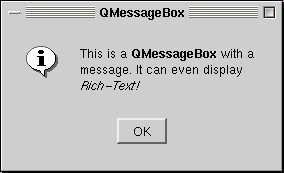
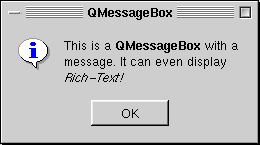
See also QDialog and GUI Design Handbook: Message Box.
Member Type Documentation
enum QMessageBox::Button
This enum describes the predefined buttons and button flags you can assign to a QMessageBox.
| Constant | Value | Description |
|---|---|---|
| QMessageBox::Ok | 1 | An «Ok» button. |
| QMessageBox::Cancel | 2 | A «Cancel» button. |
| QMessageBox::Yes | 3 | A «Yes» button. |
| QMessageBox::No | 4 | A «No» button. |
| QMessageBox::Abort | 5 | An «Abort» button. |
| QMessageBox::Retry | 6 | A «Retry» button. |
| QMessageBox::Ignore | 7 | An «Ignore» button. |
| QMessageBox::YesAll | 8 | A «Yes to all» button. |
| QMessageBox::NoAll | 9 | A «No to all» button. |
The following values are flags that can be OR’ed with the button values.
| Constant | Value | Description |
|---|---|---|
| QMessageBox::Default | 0x100 | The button is default (i.e., QPushButton::default). |
| QMessageBox::Escape | 0x200 | The button is activated by pressing the Escape key. |
The following values are masks that can be used to separate buttons from flags.
| Constant | Value | Description |
|---|---|---|
| QMessageBox::ButtonMask | 0xff | A bitmask that covers all button types. |
| QMessageBox::FlagMask | 0x300 | A bitmask that covers all button flags. |
Finally, the last value is often used as a default value.
| Constant | Value |
|---|---|
| QMessageBox::NoButton | 0 |
enum QMessageBox::Icon
This enum has the following values:
| Constant | Value | Description |
|---|---|---|
| QMessageBox::NoIcon | 0 | the message box does not have any icon. |
| QMessageBox::Question | 4 | an icon indicating that the message is asking a question. |
| QMessageBox::Information | 1 | an icon indicating that the message is nothing out of the ordinary. |
| QMessageBox::Warning | 2 | an icon indicating that the message is a warning, but can be dealt with. |
| QMessageBox::Critical | 3 | an icon indicating that the message represents a critical problem. |
Property Documentation
icon : Icon
This property holds the message box’s icon.
The icon of the message box can be one of the following predefined icons:
- QMessageBox::NoIcon
- QMessageBox::Question
- QMessageBox::Information
- QMessageBox::Warning
- QMessageBox::Critical
The actual pixmap used for displaying the icon depends on the current GUI style. You can also set a custom pixmap icon using the QMessageBox::iconPixmap property. The default icon is QMessageBox::NoIcon.
Access functions:
-
Icon icon () const
-
void setIcon ( Icon )
See also iconPixmap.
iconPixmap : QPixmap
This property holds the current icon.
The icon currently used by the message box. Note that it’s often hard to draw one pixmap that looks appropriate in all GUI styles; you may want to supply a different pixmap for each platform.
Access functions:
-
QPixmap iconPixmap () const
-
void setIconPixmap ( const QPixmap & )
See also icon.
text : QString
This property holds the message box text to be displayed.
The text will be interpreted either as a plain text or as rich text, depending on the text format setting (QMessageBox::textFormat). The default setting is Qt::AutoText, i.e. the message box will try to auto-detect the format of the text.
The default value of this property is an empty string.
Access functions:
-
QString text () const
-
void setText ( const QString & )
See also textFormat.
textFormat : Qt::TextFormat
This property holds the format of the text displayed by the message box.
The current text format used by the message box. See the Qt::TextFormat enum for an explanation of the possible options.
The default format is Qt::AutoText.
Access functions:
-
Qt::TextFormat textFormat () const
-
void setTextFormat ( Qt::TextFormat )
See also setText().
Member Function Documentation
QMessageBox::QMessageBox ( QWidget * parent = 0 )
Constructs a message box with no text and a button with the label «OK».
If parent is 0, the message box becomes an application-global modal dialog box. If parent is a widget, the message box becomes modal relative to parent.
The parent argument is passed to the QDialog constructor.
QMessageBox::QMessageBox ( const QString & caption, const QString & text, Icon icon, int button0, int button1, int button2, QWidget * parent = 0, Qt::WFlags f = Qt::Dialog | Qt::MSWindowsFixedSizeDialogHint )
Constructs a message box with a caption, a text, an icon, and up to three buttons.
The icon must be one of the following:
- QMessageBox::NoIcon
- QMessageBox::Question
- QMessageBox::Information
- QMessageBox::Warning
- QMessageBox::Critical
Each button, button0, button1 and button2, can have one of the following values:
- QMessageBox::NoButton
- QMessageBox::Ok
- QMessageBox::Cancel
- QMessageBox::Yes
- QMessageBox::No
- QMessageBox::Abort
- QMessageBox::Retry
- QMessageBox::Ignore
- QMessageBox::YesAll
- QMessageBox::NoAll
Use QMessageBox::NoButton for the later parameters to have fewer than three buttons in your message box. If you don’t specify any buttons at all, QMessageBox will provide an Ok button.
One of the buttons can be OR-ed with the QMessageBox::Default flag to make it the default button (clicked when Enter is pressed).
One of the buttons can be OR-ed with the QMessageBox::Escape flag to make it the cancel or close button (clicked when Escape is pressed).
            QMessageBox mb("Application Name",
                           "Hardware failure.nnDisk error detectednDo you want to stop?",
                           QMessageBox::Question,
                           QMessageBox::Yes | QMessageBox::Default,
                           QMessageBox::No | QMessageBox::Escape,
                           QMessageBox::NoButton);
            if (mb.exec() == QMessageBox::No) {
                // try again
If parent is 0, the message box becomes an application-global modal dialog box. If parent is a widget, the message box becomes modal relative to parent.
The parent and f arguments are passed to the QDialog constructor.
See also setWindowTitle(), setText(), and setIcon().
QMessageBox::~QMessageBox ()
Destroys the message box.
void QMessageBox::about ( QWidget * parent, const QString & caption, const QString & text ) [static]
Displays a simple about box with caption caption and text text. The about box’s parent is parent.
about() looks for a suitable icon in four locations:
- It prefers parent->icon() if that exists.
- If not, it tries the top-level widget containing parent.
- If that fails, it tries the active window.
- As a last resort it uses the Information icon.
The about box has a single button labelled «OK».
See also QWidget::windowIcon() and QApplication::activeWindow().
void QMessageBox::aboutQt ( QWidget * parent, const QString & caption = QString() ) [static]
Displays a simple message box about Qt, with caption caption and centered over parent (if parent is not 0). The message includes the version number of Qt being used by the application.
This is useful for inclusion in the Help menu of an application. See the examples/menu/menu.cpp example.
QApplication provides this functionality as a slot.
See also QApplication::aboutQt().
QString QMessageBox::buttonText ( int button ) const
Returns the text of the message box button button, or an empty string if the message box does not contain the button.
See also setButtonText().
int QMessageBox::critical ( QWidget * parent, const QString & caption, const QString & text, int button0, int button1, int button2 = 0 ) [static]
Opens a critical message box with the caption caption and the text text. The dialog may have up to three buttons. Each of the button parameters, button0, button1 and button2 may be set to one of the following values:
- QMessageBox::NoButton
- QMessageBox::Ok
- QMessageBox::Cancel
- QMessageBox::Yes
- QMessageBox::No
- QMessageBox::Abort
- QMessageBox::Retry
- QMessageBox::Ignore
- QMessageBox::YesAll
- QMessageBox::NoAll
If you don’t want all three buttons, set the last button, or last two buttons to QMessageBox::NoButton.
One button can be OR-ed with QMessageBox::Default, and one button can be OR-ed with QMessageBox::Escape.
Returns the identity (QMessageBox::Ok, or QMessageBox::No, etc.) of the button that was clicked.
If parent is 0, the message box becomes an application-global modal dialog box. If parent is a widget, the message box becomes modal relative to parent.
See also information(), question(), and warning().
int QMessageBox::critical ( QWidget * parent, const QString & caption, const QString & text, const QString & button0Text = QString(), const QString & button1Text = QString(), const QString & button2Text = QString(), int defaultButtonNumber = 0, int escapeButtonNumber = -1 ) [static]
This is an overloaded member function, provided for convenience. It behaves essentially like the above function.
Displays a critical error message box with a caption, a text, and 1, 2 or 3 buttons. Returns the number of the button that was clicked (0, 1 or 2).
button0Text is the text of the first button, and is optional. If button0Text is not supplied, «OK» (translated) will be used. button1Text is the text of the second button, and is optional, and button2Text is the text of the third button, and is optional. defaultButtonNumber (0, 1 or 2) is the index of the default button; pressing Return or Enter is the same as clicking the default button. It defaults to 0 (the first button). escapeButtonNumber is the index of the Escape button; pressing Escape is the same as clicking this button. It defaults to -1; supply 0, 1, or 2 to make pressing Escape equivalent to clicking the relevant button.
If parent is 0, the message box becomes an application-global modal dialog box. If parent is a widget, the message box becomes modal relative to parent.
See also information(), question(), and warning().
int QMessageBox::information ( QWidget * parent, const QString & caption, const QString & text, int button0, int button1 = 0, int button2 = 0 ) [static]
Opens an information message box with the caption caption and the text text. The dialog may have up to three buttons. Each of the buttons, button0, button1 and button2 may be set to one of the following values:
- QMessageBox::NoButton
- QMessageBox::Ok
- QMessageBox::Cancel
- QMessageBox::Yes
- QMessageBox::No
- QMessageBox::Abort
- QMessageBox::Retry
- QMessageBox::Ignore
- QMessageBox::YesAll
- QMessageBox::NoAll
If you don’t want all three buttons, set the last button, or last two buttons to QMessageBox::NoButton.
One button can be OR-ed with QMessageBox::Default, and one button can be OR-ed with QMessageBox::Escape.
Returns the identity (QMessageBox::Ok, or QMessageBox::No, etc.) of the button that was clicked.
If parent is 0, the message box becomes an application-global modal dialog box. If parent is a widget, the message box becomes modal relative to parent.
See also question(), warning(), and critical().
int QMessageBox::information ( QWidget * parent, const QString & caption, const QString & text, const QString & button0Text = QString(), const QString & button1Text = QString(), const QString & button2Text = QString(), int defaultButtonNumber = 0, int escapeButtonNumber = -1 ) [static]
This is an overloaded member function, provided for convenience. It behaves essentially like the above function.
Displays an information message box with caption caption, text text and one, two or three buttons. Returns the index of the button that was clicked (0, 1 or 2).
button0Text is the text of the first button, and is optional. If button0Text is not supplied, «OK» (translated) will be used. button1Text is the text of the second button, and is optional. button2Text is the text of the third button, and is optional. defaultButtonNumber (0, 1 or 2) is the index of the default button; pressing Return or Enter is the same as clicking the default button. It defaults to 0 (the first button). escapeButtonNumber is the index of the Escape button; pressing Escape is the same as clicking this button. It defaults to -1; supply 0, 1 or 2 to make pressing Escape equivalent to clicking the relevant button.
If parent is 0, the message box becomes an application-global modal dialog box. If parent is a widget, the message box becomes modal relative to parent.
Note: If you do not specify an Escape button then if the Escape button is pressed then -1 will be returned. It is suggested that you specify an Escape button to prevent this from happening.
See also question(), warning(), and critical().
int QMessageBox::question ( QWidget * parent, const QString & caption, const QString & text, int button0, int button1 = 0, int button2 = 0 ) [static]
Opens a question message box with the caption caption and the text text. The dialog may have up to three buttons. Each of the buttons, button0, button1 and button2 may be set to one of the following values:
- QMessageBox::NoButton
- QMessageBox::Ok
- QMessageBox::Cancel
- QMessageBox::Yes
- QMessageBox::No
- QMessageBox::Abort
- QMessageBox::Retry
- QMessageBox::Ignore
- QMessageBox::YesAll
- QMessageBox::NoAll
If you don’t want all three buttons, set the last button, or last two buttons to QMessageBox::NoButton.
One button can be OR-ed with QMessageBox::Default, and one button can be OR-ed with QMessageBox::Escape.
Returns the identity (QMessageBox::Yes, or QMessageBox::No, etc.) of the button that was clicked.
If parent is 0, the message box becomes an application-global modal dialog box. If parent is a widget, the message box becomes modal relative to parent.
See also information(), warning(), and critical().
int QMessageBox::question ( QWidget * parent, const QString & caption, const QString & text, const QString & button0Text = QString(), const QString & button1Text = QString(), const QString & button2Text = QString(), int defaultButtonNumber = 0, int escapeButtonNumber = -1 ) [static]
This is an overloaded member function, provided for convenience. It behaves essentially like the above function.
Displays a question message box with caption caption, text text and one, two or three buttons. Returns the index of the button that was clicked (0, 1 or 2).
button0Text is the text of the first button, and is optional. If button0Text is not supplied, «OK» (translated) will be used. button1Text is the text of the second button, and is optional. button2Text is the text of the third button, and is optional. defaultButtonNumber (0, 1 or 2) is the index of the default button; pressing Return or Enter is the same as clicking the default button. It defaults to 0 (the first button). escapeButtonNumber is the index of the Escape button; pressing Escape is the same as clicking this button. It defaults to -1; supply 0, 1 or 2 to make pressing Escape equivalent to clicking the relevant button.
If parent is 0, the message box becomes an application-global modal dialog box. If parent is a widget, the message box becomes modal relative to parent.
Note: If you do not specify an Escape button then if the Escape button is pressed then -1 will be returned. It is suggested that you specify an Escape button to prevent this from happening.
See also information(), warning(), and critical().
void QMessageBox::setButtonText ( int button, const QString & text )
Sets the text of the message box button button to text. Setting the text of a button that is not in the message box is silently ignored.
See also buttonText().
QPixmap QMessageBox::standardIcon ( Icon icon ) [static]
This is an overloaded member function, provided for convenience. It behaves essentially like the above function.
Returns the pixmap used for a standard icon. This allows the pixmaps to be used in more complex message boxes. icon specifies the required icon, e.g. QMessageBox::Question, QMessageBox::Information, QMessageBox::Warning or QMessageBox::Critical.
int QMessageBox::warning ( QWidget * parent, const QString & caption, const QString & text, int button0, int button1, int button2 = 0 ) [static]
Opens a warning message box with the caption caption and the text text. The dialog may have up to three buttons. Each of the button parameters, button0, button1 and button2 may be set to one of the following values:
- QMessageBox::NoButton
- QMessageBox::Ok
- QMessageBox::Cancel
- QMessageBox::Yes
- QMessageBox::No
- QMessageBox::Abort
- QMessageBox::Retry
- QMessageBox::Ignore
- QMessageBox::YesAll
- QMessageBox::NoAll
If you don’t want all three buttons, set the last button, or last two buttons to QMessageBox::NoButton.
One button can be OR-ed with QMessageBox::Default, and one button can be OR-ed with QMessageBox::Escape.
Returns the identity (QMessageBox::Ok, or QMessageBox::No, etc.) of the button that was clicked.
If parent is 0, the message box becomes an application-global modal dialog box. If parent is a widget, the message box becomes modal relative to parent.
See also information(), question(), and critical().
int QMessageBox::warning ( QWidget * parent, const QString & caption, const QString & text, const QString & button0Text = QString(), const QString & button1Text = QString(), const QString & button2Text = QString(), int defaultButtonNumber = 0, int escapeButtonNumber = -1 ) [static]
This is an overloaded member function, provided for convenience. It behaves essentially like the above function.
Displays a warning message box with a caption, a text, and 1, 2 or 3 buttons. Returns the number of the button that was clicked (0, 1, or 2).
button0Text is the text of the first button, and is optional. If button0Text is not supplied, «OK» (translated) will be used. button1Text is the text of the second button, and is optional, and button2Text is the text of the third button, and is optional. defaultButtonNumber (0, 1 or 2) is the index of the default button; pressing Return or Enter is the same as clicking the default button. It defaults to 0 (the first button). escapeButtonNumber is the index of the Escape button; pressing Escape is the same as clicking this button. It defaults to -1; supply 0, 1, or 2 to make pressing Escape equivalent to clicking the relevant button.
If parent is 0, the message box becomes an application-global modal dialog box. If parent is a widget, the message box becomes modal relative to parent.
Note: If you do not specify an Escape button then if the Escape button is pressed then -1 will be returned. It is suggested that you specify an Escape button to prevent this from happening.
See also information(), question(), and critical().
Macro Documentation
QT_REQUIRE_VERSION ( int argc, char ** argv, const char * version )
This macro can be used to ensure that the application is run against a recent enough version of Qt. This is especially useful if your application depends on a specific bug fix introduced in a bug-fix release (e.g., 4.0.2).
The argc and argv parameters are the main() function’s argc and argv parameters. The version parameter is a string literal that specifies which version of Qt the application requires (e.g., «4.0.2»).
Example:
    #include <QApplication>
    #include <QMessageBox>

    int main(int argc, char *argv[])
    {
        QT_REQUIRE_VERSION(argc, argv, "4.0.2")

        QApplication app(argc, argv);
        ...
        return app.exec();
    }
