Ah…error messages.
Sometimes very useful, other times not so much, but always present in a developer?s life. And that?s what today?s post is about.
Not ?error messages? in general, but one message in particular: ?String was not recognized as a valid DateTime.?

As a developer, you?re pretty much guaranteed to have to write code that handles date and time. Which means you?re also bound to have some problems while parsing strings to DateTime values, and that?s what this post will cover.
We?ll start out by talking about the causes of the issue. You’ll learn about globalization and how big a role it plays in the consistency and correction of your application. Then, we?ll close with practical advice on what you can do to prevent such problems from happening in the first place.
Let?s get started!
“String Was Not Recognized as a Valid DateTime.” Why Does That Happen?
I’ll concede?it: As far as error messages go, “String was not recognized as a valid DateTime” isn’t bad at all. It states that you’re trying to get a DateTime value out of a string that is not a valid?DateTime.
Pretty easy, right?
Well, things would be a walk in the park if you got this message only when trying to parse, say, “potato” as a DateTime. The problem is, more often than not, the offending string is something that, at least to you, looks like a perfectly normal date and time.

The really important piece in the last sentence was “at least to you,” as you’ll see in a second.
For instance, consider the following line of C# code:
DateTime d = DateTime.Parse("15/12/2019");
Go ahead, create a console app and place that line of code in it. Run the application. Did it run successfully? Or, did you get the “String was not recognized as a valid DateTime value” message?
As it turns out, whether the code works like a charm or crashes is mostly a matter of geography.
Date Formats Are Tricky
We humans have a messy relationship with time. One of the ways this messiness manifests itself is through the countless date formats used around the world.
For instance, think about the date June 14th, 2019. (There’s nothing special about that date; I got it from this Random Calendar Date Generator.)
Now consider this list, which shows just some of the possible ways that date can be represented, in actual date/time formats used by real people every day across the globe:
- 14/06/2019
- 14.06.2019
- 14-06-2019
- 14/06/19
- 06/14/2019
- 2019-06-14
It doesn’t take long to reach the conclusion that some strings that are perfectly valid dates in one format are not in others. For example, if you pass the “06/14/2019” string when the “dd/MM/yyyy” format is expected, the parsing will evidently fail, since there’s no month 14.
So, who gets to decide which format is acceptable when parsing dates? Read on to find out.
“String Not Recognized…” No More: Making the Error Go Away
Let’s revisit the code example from the previous section:
DateTime d = DateTime.Parse("15/12/2019");
We’ll now make a small edit to this line of code that will ensure it always works. (We’ll edit first and explain later.) Here’s the new version of the code:
DateTime d = DateTime.Parse(
    "15/12/2019",
     new System.Globalization.CultureInfo("pt-BR"));
Go ahead. Edit your code and run the app again. If it worked for you the first time, then it’ll just continue working with no alterations whatsoever. But if the first version crashed for you, it’ll work this time.
Why is that? What is this CultureInfo thing? And what does that “pt-BR” thing mean?
It’s All a Matter of Culture
There are many methods in the .NET BCL (Base Class Library) that are sensitive to culture. But what does culture mean in this context?
Some people will say it refers only to the language. And sure, language is involved in culture, but it’s far from being the only factor.
Here goes my definition: Culture is a set of conventions and expectations about the way information is presented. I know that sounds broad, so let’s get more specific. A given culture will contain, among other things, information about
- the calendar used in the country;
- number formats (e.g., do the people in the country use commas or periods as decimal separators); and
- a plethora of date and time formats.
In the example from the previous section, you saw the “pt-BR” string. That identifies the “Portuguese – Brazilian” culture. Since in Brazil the standard short date format is “dd/MM/yyyy”, by explicitly passing the pt-BR culture as a parameter, we enabled the parsing to work as expected.
Taking CultureInfo for Granted: Yay or Nay?
So now you know that the CultureInfo class represents a culture in the .NET BCL. But how does the concept of culture fit in the “String Not Recognized” feature?
As I said earlier, there are a lot of methods in .NET that take an instance of CultureInfo as one of its parameters. What also usually happens is that those methods have overloads that don’t take a CultureInfo as a parameter but assume the culture of the current thread instead.

Which means that the answer to the question above?to assume a default culture or not?is the dreaded “It depends.”
Consider an example. Let’s say a Brazilian developer is writing an application and needs to display the current date in the standard Brazilian short date format. To format the date, they write something like this:
var formattedDate = DateTimeOffset.Now.ToString("dd/MM/yyyy");
The code seems to work and it passes code review, so they call it a day. Not long after that, the company for which the developer works starts getting clients in the US. That’s exciting news…but Americans use a different date format. How to handle that?
If the developer in our story is unlucky enough, it won’t take long until someone suggests something like this:
var format = country == "br" ? "dd/MM/yyyy" : "MM/dd/yyyy";
var formattedDate = DateTimeOffset.Now.ToString(format);
The code above is definitely not OK, and I’m not even talking about the fact that it doesn’t handle the possibility of a third (or fourth, or fifth) format. No, the proper solution would be this:
var formattedDate = DateTimeOffset.Now.ToString("d");
The “d” format code refers to the short date format. There’s an overload for that method that takes a CultureInfo object as a parameter, but we’re not using it. Instead, we’re using the overload that assumes the current culture. That way, it will use the correct format for whatever the current culture is in the system.
Culture, Date Formats, and All That Jazz: How to Get Rid of “String Not Recognized as a Valid DateTime” for Good
As we’ve just seen, there are situations in which it makes sense for us to take the culture for granted.
However, there are scenarios in which the opposite is true. Parsing is one of those situations: More often than not, you want to explicitly declare the culture.
In C#/.NET, you have the following options for parsing DateTime values:
- DateTime.Parse
- DateTime.ParseExact
- DateTime.TryParse
- DateTime.TryParseExact
The “Try” versions of the methods return a Boolean value to indicate whether the parsing was successful or not, while their “non-try” counterparts throw when the parsing fails. The “Exact” variations allow you to explicitly pass one or more formats for the parsing.
The advice here is this: Always explicitly pass the culture, unless you’ve got a pretty decent reason not to. If you’re sure of the format the date is supposed to be in, then provide that format using the “Exact” variations of the method you’ve picked.
Tools at Your Disposal
SubMain has an offering called CodeIt.Right, which is an automated code review tool. It will check your source code against a variety of rules and give you instant feedback about its quality. As it turns out, CodeIt.Right actually has a rule that will gently nag you to always specify a CultureInfo instance whenever there’s a method overload that requires it.
Neat, right?
I suggest you download CodeIt.Right today and give it a try. It can definitely help you avoid not only “String Not Recognized…” but a lot of other nasty errors as well. Thanks for reading, and until next time!
Learn more how CodeIt.Right can help you automate code reviews, improve your code quality, and ensure your code is globalization ready.
About the author

Carlos Schults
Contributing Author
Carlos Schults is a .NET software developer with experience in both desktop and web development, and he?s now trying his hand at mobile. He has a passion for writing clean and concise code, and he?s interested in practices that help you improve app health, such as code review, automated testing, and continuous build. You can read more from Carlos at carlosschults.net.
Related
- Remove From My Forums
-
Question
-
User-300753328 posted
I am getting an error :The string was not recognized as a valid DateTime. There is a unknown word starting at index 0.
for this line of code:
fee.EndDate = Convert.ToDateTime((SqlDateTime.Null);
any suggestions? What am i missing? I tried fee.EndDate = Convert.ToDateTime((SqlDateTime.Null).ToString()); but that also throws same error
Would appreciate any help!!!
Thanks!
Answers
-
User-730341982 posted
You need to declare the variable as object. As the above post mentioned, a DateTimevariable can only be of the type DateTime
Set fee.EndDate = DateTime.MinValue (this is so it works in the application, not for the DB)
When sending to the database, check if fee.EndDate is MinValue, and if it is then pass a «null» to SQL statement.
-
Marked as answer by
Thursday, October 7, 2021 12:00 AM
-
Marked as answer by
-
User-1179452826 posted
It’s pointless converting null to datetime. If you call Convert to a value type and pass null, the default value will be taken.
DateTime d = Convert.ToDateTime(null); will have the exact same result as:
DateTime d = new DateTime()
DateTime is a value type and not a reference type. Hence, you can’t assign null to it, but you can give it a default value. The default for datetime is 1/1/0001 midnight.
If you need to assign null, use a nullable datetime:
DateTime? d = null;
Then you can use d.HasValue and d.Value. Also, when assigning, most conversions will be implicit between DateTime and DateTime?.
-
Marked as answer by
Anonymous
Thursday, October 7, 2021 12:00 AM
-
Marked as answer by
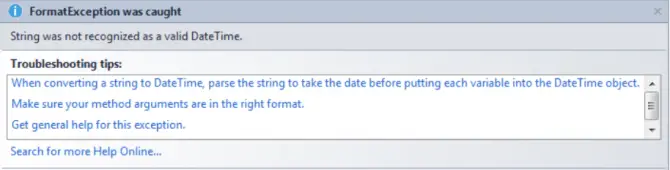
If you are having trouble with your C# code and the exception ‘string was not recognized as a valid DateTime’, you can find more information about C# and the cause of this exception. We will also show you examples that yield this error and the correct syntax in this guide.
About C#
C# is a popular modern, object-oriented programming language. Microsoft first developed this language, pronounced C-sharp, in 2000. C# was released in conjunction with the .NET framework and Visual Studio. C# is part of the Common Language Infrastructure (CLI) (again developed by Microsoft), meaning it’s a language that can be run on many different computer systems without requiring the code to be changed.
Developers use the .NET framework, Microsoft’s primary software framework, to build and run applications for the Windows operating system.
Visual Studio is an incredibly popular and robust IDE used to write code, develop software, create websites, and more.
Why should you learn and use C#?
You are going to hit stumbling blocks and lots of error codes, like the one that brought you here, when learning a new language. It’s good to remind yourself why C# is in such demand and why you should continue to learn and hone your skills. Below are a few of the top reasons to learn C#:
1. High-Level Language
C# is a high-level language, meaning it’s more like the human language than machine code. This makes C# much easier to learn than C, C++, Perl, and assembly.
2. Game Development
C# was developed for Microsoft products, which dominate the operating system market. When game developers want to create new games, they often choose C#. For example, C# is used for game development in the Unity game engine.
3. Web and Desktop Applications
C# is also highly popular for developing web and desktop applications. When developers create applications that will run on Windows operating systems, they are likely to choose C#.
4. Large Community
With a Microsoft product comes a large community. Being a part of a large community of developers means you have access to mentors, help, and new tools and software that are constantly being developed.
What does the ‘string was not recognized as a valid DateTime’ error message mean?
The ‘string was not recognized as a valid DateTime’ exception is raised when you are incorrectly trying to transform a string into a DateTime object. In C#, the DateTime class combines both date and time into one object. DateTime is a struct type that contains the methods IComparable, IFormattable, IConvertible, ISerializable, IComparable<DateTime>, and IEquatable. Because DateTime is a Value type, it must have a value and cannot be assigned a null value.
This error appears most commonly when you try to parse a string to a DateTime object. You may attempt to parse a string to a DateTime object when you need to perform operations such as the WeekDay property, which will tell you the weekday of a specific date.
There are a few build-in methods that can be used to convert from string to DateTime object. Follow the links if you need help deciding which one to use or need further documentation:
- Convert.ToDateTime(string) – converts specified string into DateTime object
- DateTime.Parse(string) – culture-sensitive, parses specific string into DateTime object
- DateTime.ParseExact(s, format, provider) – culture-sensitive, parses a specified string into DateTime object, the format of the string must match specified format EXACTLY
- DateTime.TryParse(s, provider, styles, result) – converts a specified string to DateTime object and returns value to indicate if the conversion succeeded
- DateTime.TryParseExact(s, format, provider, style, result) – parses specific string into DateTime object, format of string must match specified format EXACTLY, returns value to indicate if the conversion succeeded
Some general examples for converting or parsing a string into DateTIme object are displayed below:
CultureInfo culture = new CultureInfo("en-US");

DateTime dateTimeObj = Convert.ToDateTime("11/11/2011 11:11:11 PM", culture);
DateTime dateTimeObj = DateTime.Parse("11/11/2011 11:11:11 PM");
DateTime dateTimeObj = DateTime.ParseExact("11-11-2011", "MM-dd-yyyy", provider); // 11/11/2011 11:00:00 AM

DateTime dateTimeObj; // 11-11-2011 11:00:00 AM
bool isSuccess = DateTime.TryParse("11-11-2011", out dateTimeObj); // True

DateTime dateTimeObj; // 11/11/2011 11:00:00 AM
CultureInfo provider = CultureInfo.InvariantCulture;
bool isSuccess = DateTime.TryParseExact("11-11-2011", "MM-dd-yyyy", provider, DateTimeStyles.None, out dateTimeObj); // True
What is CultureInfo?
If you notice, the first line in the code block above references culture and CultureInfo. CultureInfo is a class that contains a set of conventions that are assigned to a specific culture. The conventions that contribute to DateTime include:
- Number formats (commas or periods)
- Different date and time formats
- Calendar specifics for different countries
Why do you get the ‘string was not recognized as a valid DateTime’ error message?
1. String is not in DateTime Format
When parsing from string to DateTime, a variety of date and time formats are expected. If the string does not match any of the formats, then the ‘string was not recognized as a valid datetime’ exception will be raised:
DateTime dateTime10 = DateTime.Parse(dateString);
dateString = "this is not a date format";
// Exception: The string was not recognized as a valid DateTime.
// There is an unknown word starting at index 0.
In this example, the string ‘this is not a date format’ is assigned to the variable dateString. When the method DateTime.Parse() is applied to the object dateString, an exception is thrown because the content ‘this is not a date format’ is in no way a DateTime format.
2. Missing CultureInfo
Different cultures around the world use different order, calendars, and punctuation for their DateTime formats. If your data contains the strings in one DateTime format, but you are trying to parse it into another DateTime format, this can cause issues.
A date like 20/11/2011 may throw an exception when parsing if the culture is not specified, especially if it is trying to use the ShortDatePattern (MM/dd/yy) for the United States (en-US). An exception will be raised:
tempDate = “20/11/2011 11:11:11 PM”
DateTime tempDate = Convert.ToDateTime(“20/11/2011 11:11:11 PM”, en-US);
3. String does not match DateTime format
Often, you are trying to carry out operations with your data. If you are using DateTime.ParseExact() and are getting the ‘string was not recognized as a valid DateTime’, you should check the format you passed with your input.
For example:
DateTime.ParseExact(row("Date").ToString.Trim,"dd/MM/yyyy HH:mm:ss",System.Globalization.CultureInfo.InvariantCulture)=TodayThe date in the “Date” row that you are attempting to parse is:
25/7/2020
15/3/2020
29/6/2020
The data is in the format dd/M/yyyy and you are trying to change it to dd/MM/yyyy HH:mm:ss. You need to make two changes to allow this to pass without exception.
How to parse a string into DateTime without the ‘string was not recognized as a valid DateTime’ error message in C#
If you need help correcting the syntax errors, like those in the examples listed above, the solutions are listed below:
1. String is not in DateTime Format
Again, the issue here is you are passing a string that has no DateTime information to be parsed into a DateTime object. You need to check that your string can be interpreted as a DateTime. Let’s recap the problem:
DateTime dateTime10 = DateTime.Parse(dateString);
dateString = "this is not a date format";
// Exception: The string was not recognized as a valid DateTime.
// There is an unknown word starting at index 0.
These are some DateTime formats that you can use:
- MM/dd/yyyy
- dddd, dd MMMM yyyy
- dddd, dd MMMM yyyy HH:mm:ss
- MM/dd/yyyy HH:mm
- MM/dd/yyyy h:mm tt
- MM/dd/yyyy HH:mm:ss
- MMMM dd
- ‘yyyy’-‘MM’-‘dd’T’HH’:’mm’:’ss.fffffffK
- ddd, dd MMM yyy HH’:’mm’:’ss ‘GMT
- yyyy’-‘MM’-‘dd’T’HH’:’mm’:’ss
- HH:mm
- hh:mm tt
- H:mm
- h:mm tt
- HH:mm:ss
- yyyy MMMM
- yyyy MMMM
If you have any questions about what the formats represent and what the result will be, you can get more information here.
The correct syntax for this example, you would need to reassign the input string to a valid DateTime format. Let’s use the ‘yyyy’-‘MM’-‘dd’T’HH’:’mm’:’ss.fffffffK format.
dateString = "2011-11-11’T’11:11:11.00.00’Z’";
DateTime dateTime10 = DateTime.Parse(dateString);
2. Missing CultureInfo
If you are missing the CultureInfo object, this exception can arise depending on the DateTime format requested. You need to include the CultureInfo object, use InvariableCulture (or CurrentCulture, depending on your inputs), or use ParseExact(). All three options are shown below:
1. ParseExact()
By using ParseExact(), no culture is needed because you are passing in the exact format string that is expected.
tempDate = “20/11/2011 11:11:11 PM”
DateTime tempDate = DateTime.ParseExact(tempDate, "dd/MM/yyyy");
2. CultureInfo
Let’s look at an example that displays the importance of the CultureInfo object by using Great Britain as a culture. Great Britain is an English-speaking country, that uses the international DateTime format, dd/MM/yy. A date like 20/11/2011 may run into parsing issues if the culture is not specified, especially if it is trying to use the ShortDatePattern (MM/dd/yy) for the United States (en-US). This may throw an exception:
tempDate = “20/11/2011 11:11:11 PM”
DateTime tempDate = Convert.ToDateTime(“20/11/2011 11:11:11 PM”);
Now, let’s change this to an applicable culture that can accept the format of this string. To specify the culture for Great Britain:
CultureInfo culture = new CultureInfo(“en-GB”);
DateTime tempDate = Convert.ToDateTime(“20/11/2011 11:11:11 PM”, culture);
3. CultureInfo.InvariantCulture
If you do not need to specify a culture for your needs, you can use the culture-independent object, InvariantCulture. InvariantCulture has no cultures assigned to it, although it is associated with the English language. Invariant Culture is best used when the string is not provided by the user:
DateTime tempDate = Convert.ToDateTime(“20/11/2011 11:11:11 PM”, CultureInfo.InvariantCulture);If the user is supplying the string, then you should instead pass CultureInfo.CurrentCulture. This will grab the settings that the user has specified in the Regional Options in the Control Panel:
DateTime tempDate = Convert.ToDateTime(“20/11/2011 11:11:11 PM”, CultureInfo.CurrentCulture);3. String does not match DateTime format
This example is similar to the first, but instead of having a string without any date or time information, you have a string but are trying to use the wrong DateTime format. Sometimes it is easier to change the format you seek for the DateTime object than to change the data. This will depend on the project and your needs. In this example, the DateTime format requested will be changed. Let’s recap the problem:
DateTime.ParseExact(row("Date").ToString.Trim,"dd/MM/yyyy HH:mm:ss",System.Globalization.CultureInfo.InvariantCulture)=TodayThe date in the “Date” row that you are attempting to parse is:
25/7/2020
15/3/2020
29/6/2020
The data is in the format dd/M/yyyy and you are trying to change it to dd/MM/yyyy HH:mm:ss. You need to remove the MM format and adjust it to M. MM requires two numbers, but M can work with one or two numbers. You also need to remove the HH:mm:ss formatting, as there is no specific time information within the data:
DateTime.ParseExact(row("Date").ToString.Trim,"dd/M/yyyy",System.Globalization.CultureInfo.InvariantCulture)=TodayLearning about the DateTime object and how to properly use its methods is important to avoid the ‘string was not recognized as a valid DateTime’ exception. The methods are used in different situations and allow different parameters to be passed in. Understanding the different DateTime formats available and the CultureInfo class are also significant in selecting the correct format for your data. If you followed the examples and syntax corrections above, you should have successfully cleared the exception.
If you are still having issues, you can find more specifics and examples in Microsoft’s Documentation for DateTime and CultureInfo.
The error shown in question might have been thrown by Convert.ToDateTime method as shown below:
string dateString = @"20/05/2012";


DateTime date = Convert.ToDateTime(dateString);
In the above code the dateString represents Date in the Day/Month/Year format.
By default the en-US culture is used by .NET according to which the Date is in Month/Day/Year format. So, when ToDateTime method is used it throws error as 20 is out of Month range.
To avoid this error the appropriate culture can be used as follows
string dateString = @"20/05/2012";
DateTime date2 = Convert.ToDateTime(dateString,
	System.Globalization.CultureInfo.GetCultureInfo("hi-IN").DateTimeFormat);
Or the ParseExact method can be used with the required custom format as shown below:
string dateString = @"20/05/2012";
DateTime date3 = DateTime.ParseExact(dateString, @"d/M/yyyy",
	System.Globalization.CultureInfo.InvariantCulture);
Here d/M/yyyy matches both single and double digit months, days like 20/05/2012, 20/5/2012. The custom format is used in conjunction with InvariantCulture.
When TryParse method is used as shown below
DateTime date4;
string dateString = @"20/05/2012";
bool result = DateTime.TryParse(dateString,out date4);
the parsing fails, but it will not throw error, rather it returns false indicating that the parsing failed.
- Remove From My Forums
-
Question
-
I have a project which works and builds fine. In that project there is a time dimension. As soon as I make a change to that dimension (doens’t matter which change) and try to build again I get this error message: «String was not recognized
as a valid DateTime.»Where do I need to look? Why is it building fine first?
Answers
-
Instead of datetime PK, how about INT PK with values such:
DateKey
20030323
20030324
20030325
20030326
Kalman Toth, SQL Server & Business Intelligence Training;
SQLUSA.com-
Proposed as answer by
Thursday, May 13, 2010 5:35 AM
-
Marked as answer by
Charles Wang — MSFT
Tuesday, May 25, 2010 7:17 AM
-
Proposed as answer by
-
SQLUSA gives a great suggestion. For performance consideration, it is always recommended that you use Integer format for datetime PK.
Besides I notice that your table defines Year, Quater, Month and Weed columns with datetime type, what kind of values are stored in these columns? I can reproduce your issue if I use your XML code to create a time dimension but the dimension looks having
some corruption since I could not see the Properties when I select the Time under dimension structure window.I do not see problems when I create a new Time dimension in BIDS. You may try removing the old Time dimension and creating a new one to see if it helps.
Please remember to mark the replies as answers if they help and unmark them if they provide no help
-
Proposed as answer by
Charles Wang — MSFT
Thursday, May 13, 2010 5:36 AM -
Marked as answer by
Charles Wang — MSFT
Tuesday, May 25, 2010 7:17 AM
-
Proposed as answer by