SSLHandshakeException appear in logs when there is some error occur while validating the certificate installed in client machine with certificate on server machine. In this post, we will learn about fixing this if you are using Apache HttpClient library to create HttpClient to connect to SSL/TLS secured URLs.
The exception logs will look like this.
Caused by: javax.net.ssl.SSLHandshakeException: Remote host closed connection during handshake
	at sun.security.ssl.SSLSocketImpl.readRecord(SSLSocketImpl.java:980)
	at sun.security.ssl.SSLSocketImpl.performInitialHandshake(SSLSocketImpl.java:1363)
	at sun.security.ssl.SSLSocketImpl.startHandshake(SSLSocketImpl.java:1391)
	at sun.security.ssl.SSLSocketImpl.startHandshake(SSLSocketImpl.java:1375)
	at org.apache.http.conn.ssl.SSLConnectionSocketFactory.createLayeredSocket(SSLConnectionSocketFactory.java:275)
	at org.apache.http.conn.ssl.SSLConnectionSocketFactory.connectSocket(SSLConnectionSocketFactory.java:254)
	at org.apache.http.impl.conn.HttpClientConnectionOperator.connect(HttpClientConnectionOperator.java:117)
	at org.apache.http.impl.conn.PoolingHttpClientConnectionManager.connect(PoolingHttpClientConnectionManager.java:314)
	at org.apache.http.impl.execchain.MainClientExec.establishRoute(MainClientExec.java:363)
	at org.apache.http.impl.execchain.MainClientExec.execute(MainClientExec.java:219)
	at org.apache.http.impl.execchain.ProtocolExec.execute(ProtocolExec.java:195)
	at org.apache.http.impl.execchain.RetryExec.execute(RetryExec.java:86)
	at org.apache.http.impl.execchain.RedirectExec.execute(RedirectExec.java:108)
	at org.apache.http.impl.client.InternalHttpClient.doExecute(InternalHttpClient.java:186)
	at org.apache.http.impl.client.CloseableHttpClient.execute(CloseableHttpClient.java:82)
	at org.apache.http.impl.client.CloseableHttpClient.execute(CloseableHttpClient.java:57)
	at org.springframework.http.client.HttpComponentsClientHttpRequest.executeInternal(HttpComponentsClientHttpRequest.java:88)
	at org.springframework.http.client.AbstractBufferingClientHttpRequest.executeInternal(AbstractBufferingClientHttpRequest.java:46)
	at org.springframework.http.client.AbstractClientHttpRequest.execute(AbstractClientHttpRequest.java:49)
	at org.springframework.web.client.RestTemplate.doExecute(RestTemplate.java:509)
	... 61 more
Caused by: java.io.EOFException: SSL peer shut down incorrectly
	at sun.security.ssl.InputRecord.read(InputRecord.java:505)
	at sun.security.ssl.SSLSocketImpl.readRecord(SSLSocketImpl.java:961)
	... 80 more
I have already posted code fix to bypass SSL matching in earlier post.
Unfortunately, that fix works in TLS and TLS 1.1 protocols. It doesn’t work in TLS 1.2 protocol. So ultimately, you need to fix the certificate issue anyway. There is ‘no code only’ fix for this.
Now there are two ways, you can utilize the imported certificate from server. Either add certificate to the JDK cacerts store; or pass certificate information in JVM aruguments.
1) Import certificate to JDK cacert store
- Import the certificate from server.
- Use given command to add the certificate to JDK store. (Remove new line characters).
keytool -import
	-noprompt
	-trustcacerts
	-alias MAVEN-ROOT
	-file C:/Users/Lokesh/keys/cert/maven.cer
	-keystore "C:/Program Files (x86)/Java/jdk8/jre/lib/security/cacerts"
	-storepass changeit
Now create HTTP client as given:
public HttpClient createTlsV2HttpClient() throws KeyManagementException,
				UnrecoverableKeyException, NoSuchAlgorithmException, KeyStoreException {

      SSLContext sslContext = SSLContext.getInstance("TLSv1.2");

      SSLConnectionSocketFactory f = new SSLConnectionSocketFactory(sslContext, new String[] { "TLSv1.2" }, null,
                   						SSLConnectionSocketFactory.ALLOW_ALL_HOSTNAME_VERIFIER);

      Registry<ConnectionSocketFactory> socketFactoryRegistry = RegistryBuilder.<ConnectionSocketFactory>create()
                   		.register("http", PlainConnectionSocketFactory.getSocketFactory())
                   		.register("https", f)
                   		.build();

      PoolingHttpClientConnectionManager cm = new PoolingHttpClientConnectionManager(socketFactoryRegistry);

      CloseableHttpClient client = HttpClients
      					.custom()
      					.setSSLSocketFactory(f)
                   		.setConnectionManager(cm)
                   		.build();
      return client;
}
Notice the code : SSLContext.getInstance("TLSv1.2"). This code picks up the certificates added to JDK cacert store. So make a note of it.
2) Pass certificate information in JVM aruguments
- Import the certicate from server.
- Add JVM arguments while starting the server. Change the parameter values as per your application.
-Djavax.net.ssl.keyStore="C:/Users/Lokeshkeysmaven.jks"
-Djavax.net.ssl.keyStorePassword="test"
-Djavax.net.ssl.trustStore="C:/Users/Lokeshkeysmaven.jks"
-Djavax.net.ssl.trustStorePassword="test"
Now create HTTP client as given:
public HttpClient createTlsV2HttpClient() throws KeyManagementException,
				UnrecoverableKeyException, NoSuchAlgorithmException, KeyStoreException {

      SSLContext sslContext = SSLContexts.createSystemDefault();

      SSLConnectionSocketFactory f = new SSLConnectionSocketFactory(sslContext, new String[] { "TLSv1.2" }, null,
                   						SSLConnectionSocketFactory.ALLOW_ALL_HOSTNAME_VERIFIER);

      Registry<ConnectionSocketFactory> socketFactoryRegistry = RegistryBuilder.<ConnectionSocketFactory>create()
                   		.register("http", PlainConnectionSocketFactory.getSocketFactory())
                   		.register("https", f)
                   		.build();

      PoolingHttpClientConnectionManager cm = new PoolingHttpClientConnectionManager(socketFactoryRegistry);

      CloseableHttpClient client = HttpClients
      					.custom()
      					.setSSLSocketFactory(f)
                   		.setConnectionManager(cm)
                   		.build();
      return client;
}
Notice the code : SSLContext.createSystemDefault(). This code picks up the certificates passed as JVM arguments. Again, make a note of it.
Summary
- Use
SSLContext.getInstance("TLSv1.2")when certificate is added to JDK cacert store. - Use
SSLContext.createSystemDefault()when SSL info is passed as JVM argument.
Drop me your questions in comments section.
Happy Learning !!
«SSLHandshake: Remote host closed connection during handshake. » «SSLHandshake: Received fatal alert: certificate_unknown»
The reason you see the error «SSLHandshake: Remote host closed connection during handshke.» because the request was sent out from web browser over the HTTPS, if all the requests or responses sent out over HTTP, you won’t see this error in Charles because all requests sent out over HTTP are plain message without any encrypted. Either request or response sent out over HTTP or HTTPS, it depends on the website itself development system. As we said message over HTTP is plain message without any encrypted, then it will have less security. But if request or response sent out over HTTPS, all message are encrypted and have more security than over HTTP.
All messages exchanged between client and server are encrypted over HTTPS. If you want to see decoded plain text message between client end of phone and server over HTTPS, you have to install SSL certificate for Charles on your phone device, to let Charles translate these encrypted message for you by passing the installed SSL certificate between client and server. Check More details.
I am going to show you here with the details about how to install Charles ssl certificate on iPhone or android devices. Check this video, it will show you how to install Charles SSL Root Certificate on android phone.
The above video shows how set up Charles on Android phone There will be the same way to install ssl certificate on iPhone and android phone for Charles Proxy.
On iPhone, now will show you how to set up Charles on iPhone:
#1. Go to Charles «Help» > «local IP Address», to found Proxy IP address.
#2 Go to iPhone Settings> Wifi network, and select Wifi that was set up from you PC.
#3 Click on a blue disclosure arrow, scroll down to the HTTP Proxy setting, tap «Manual». Enter the IP address you found in step #2 into «Server field».
#4 In port field to fill port number. the port number you can found from Charles «Proxy»> «Proxy Settings», On Proxies tab, and in Http Proxy form.
#5 Leave Authentication set to Off.
#6 Go to Proxy>SSL Proxy Settings, to make sure In SSL Proxying tab check Enable SSL Proxying. and put «*» in Host and * in Port to filter all hosts and Ports.
On Android phone,
#1. Go to Proxy> Proxy Settings
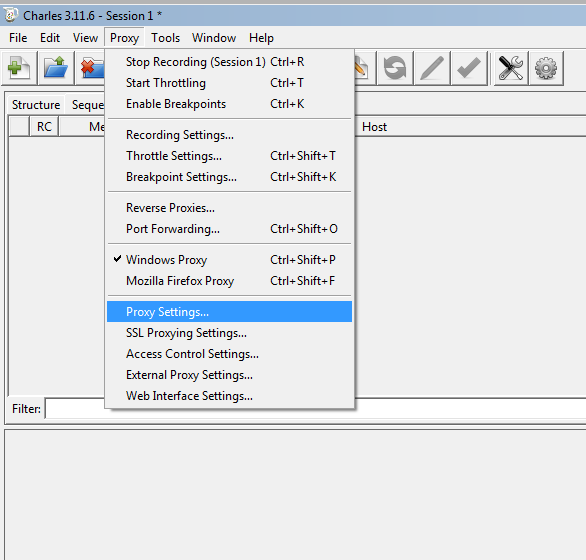
On Proxies tab, in Http Proxy form to fill out port number. Here you leave the default port number 8888 unchanged.

#2. Go to Proxy>SSL Proxy Settings

In SSL Proxying tab check Enable SSL Proxying
Click Add button to add * in Host and * in Port to filter all hosts and Ports, click OK button. Here you can put any Host or Port that you want to enable SSL Proxying for those Host and Port only.
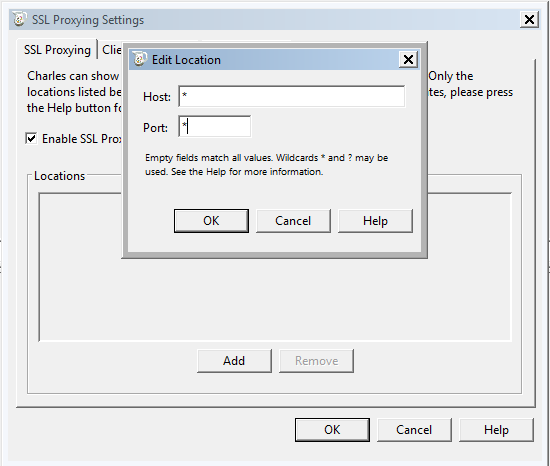
#3. Go to Help > local IP Address
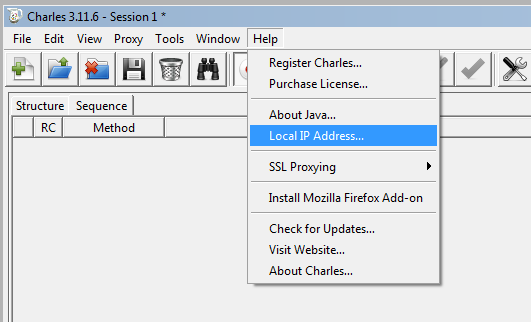
to find you proxy IP address

#4. Go to your phone Settings > Wifi
And long press the hotspot wifi that you set up from your computer, to bring up «Manage network Settings«
Fill in the password for you wifi
Check «Show advanced options«
In Proxy to choose «Manual»
Fill IP address that you get from #3 in Proxy hostname and default «8888» in Proxy port. Save it.
#5. Go to web browser on the phone, in url type www.charlesproxy.com/getssl to install Charles certificate automatically. If you failed to download SSL certificate in the browser, see my another post how to fix this installation issue. Failed to install Charles SSL Certificate due to network.
Hi All,
I’m facing this error while trying to access to invoking servlet from a applet through HTTPS protocol.
But I works fine when i uses HTTP protocol.
Error message from Java console is given below.
javax.net.ssl.SSLHandshakeException: Remote host closed connection during handshake
at com.sun.net.ssl.internal.ssl.SSLSocketImpl.a(Unknown Source)
at com.sun.net.ssl.internal.ssl.SSLSocketImpl.j(Unknown Source)
at com.sun.net.ssl.internal.ssl.SSLSocketImpl.startHandshake(Unknown Source)
at sun.net.www.protocol.https.HttpsClient.afterConnect(Unknown Source)
at sun.net.www.protocol.https.AbstractDelegateHttpsURLConnection.setProxiedClient(Unknown Source)
at sun.net.www.protocol.https.PluginDelegateHttpsURLConnection.superConnect(Unknown Source)
at sun.net.www.protocol.https.PluginDelegateHttpsURLConnection.connect(Unknown Source)
at sun.net.www.protocol.http.HttpURLConnection.getOutputStream(Unknown Source)
at sun.net.www.protocol.https.HttpsURLConnectionImpl.getOutputStream(Unknown Source)
at Test.Login.login(Login.java:127)
at Test.ConnectionDialog.makeConnection(ConnectionDialog.java:306)
at Test.ConnectionDialog$1.actionPerformed(ConnectionDialog.java:54)
at javax.swing.AbstractButton.fireActionPerformed(Unknown Source)
at javax.swing.AbstractButton$ForwardActionEvents.actionPerformed(Unknown Source)
at javax.swing.DefaultButtonModel.fireActionPerformed(Unknown Source)
at javax.swing.DefaultButtonModel.setPressed(Unknown Source)
at javax.swing.plaf.basic.BasicButtonListener.mouseReleased(Unknown Source)
at java.awt.Component.processMouseEvent(Unknown Source)
at java.awt.Component.processEvent(Unknown Source)
at java.awt.Container.processEvent(Unknown Source)
at java.awt.Component.dispatchEventImpl(Unknown Source)
at java.awt.Container.dispatchEventImpl(Unknown Source)
at java.awt.Component.dispatchEvent(Unknown Source)
at java.awt.LightweightDispatcher.retargetMouseEvent(Unknown Source)
at java.awt.LightweightDispatcher.processMouseEvent(Unknown Source)
at java.awt.LightweightDispatcher.dispatchEvent(Unknown Source)
at java.awt.Container.dispatchEventImpl(Unknown Source)
at java.awt.Window.dispatchEventImpl(Unknown Source)
at java.awt.Component.dispatchEvent(Unknown Source)
at java.awt.EventQueue.dispatchEvent(Unknown Source)
at java.awt.EventDispatchThread.pumpOneEventForHierarchy(Unknown Source)
at java.awt.EventDispatchThread.pumpEventsForHierarchy(Unknown Source)
at java.awt.EventDispatchThread.pumpEventsForHierarchy(Unknown Source)
at java.awt.Dialog$1.run(Unknown Source)
at java.awt.Dialog.show(Unknown Source)
at java.awt.Component.show(Unknown Source)
at java.awt.Component.setVisible(Unknown Source)
at Test.ConnectionDialog.construct(ConnectionDialog.java:123)
at Test.ConnectionDialog.<init>(ConnectionDialog.java:42)
at Test.Menu.openConnectionDialog(SunExchangeMenu.java:147)
at Test.Menu.access$000(SunExchangeMenu.java:11)
at Test.Menu$1.actionPerformed(SunExchangeMenu.java:62)
at javax.swing.AbstractButton.fireActionPerformed(Unknown Source)
at javax.swing.AbstractButton$ForwardActionEvents.actionPerformed(Unknown Source)
at javax.swing.DefaultButtonModel.fireActionPerformed(Unknown Source)
at javax.swing.DefaultButtonModel.setPressed(Unknown Source)
at javax.swing.AbstractButton.doClick(Unknown Source)
at javax.swing.plaf.basic.BasicMenuItemUI.doClick(Unknown Source)
at javax.swing.plaf.basic.BasicMenuItemUI$MouseInputHandler.mouseReleased(Unknown Source)
at java.awt.Component.processMouseEvent(Unknown Source)
at java.awt.Component.processEvent(Unknown Source)
at java.awt.Container.processEvent(Unknown Source)
at java.awt.Component.dispatchEventImpl(Unknown Source)
at java.awt.Container.dispatchEventImpl(Unknown Source)
at java.awt.Component.dispatchEvent(Unknown Source)
at java.awt.LightweightDispatcher.retargetMouseEvent(Unknown Source)
at java.awt.LightweightDispatcher.processMouseEvent(Unknown Source)
at java.awt.LightweightDispatcher.dispatchEvent(Unknown Source)
at java.awt.Container.dispatchEventImpl(Unknown Source)
at java.awt.Component.dispatchEvent(Unknown Source)
at java.awt.EventQueue.dispatchEvent(Unknown Source)
at java.awt.EventDispatchThread.pumpOneEventForHierarchy(Unknown Source)
at java.awt.EventDispatchThread.pumpEventsForHierarchy(Unknown Source)
at java.awt.EventDispatchThread.pumpEvents(Unknown Source)
at java.awt.EventDispatchThread.pumpEvents(Unknown Source)
at java.awt.EventDispatchThread.run(Unknown Source)
Caused by: java.io.EOFException: SSL peer shut down incorrectly
at com.sun.net.ssl.internal.ssl.InputRecord.read(Unknown Source)
… 66 more
I’m using Iplanet IWS 4.1 webserver.
Java 1.4.2
Thanks in Advance
James
Problem
I am trying to establish secure connection between our program (API) and Sterling Control Center (SCC) server but we receive message «Remote host closed connection during handshake».
A non-secure connection works fine but how do I setup secure connection between an API client and a SCC server?
.
Symptom
// EXAMPLE:
scc = new CCProxy(«myuser», «********».toCharArray(), «myhost.nsroot.net», 58080, true);
List<String> grNames = scc.getServerGroupIDs();
// OUTPUT
0 [main] DEBUG com.sterlingcommerce.scc.sdk.CCProxy — connect() invoked
with id= db11831 secure=true
0 [main] DEBUG com.sterlingcommerce.scc.sdk.CCProxy — Signing on ….
Registering hostname verifier …
120468 [main] ERROR com.sterlingcommerce.scc.sdk.CCProxy — System:
Name=AccessControlService,Type=Security.getServerGroupTable failed —
Remote host closed connection during handshake
120468 [main] ERROR com.sterlingcommerce.scc.sdk.CCProxy — com.sun.jdmk.
comm.CommunicationException: Remote host closed connection during
handshake
120468 [main] DEBUG com.sterlingcommerce.scc.sdk.CCProxy — disconnect()
invoked — connected=false
Remote host closed connection during handshake
Resolving The Problem
1. You will need a Keystore and Truststore containing System and CA certificates to secure the connection.
2. Next add the following System properties to your Java code to specify the location of the JKS files and the passwords.
3. Lastly set the secure option «true» on the CCProxy call and also ensure they connect to the default secure port 58081 and not the insecure port 58080.
// Note The following system property values must be set appropriately for your environment
// prior to initiating any Control Center requests when using a secure connection
System.setProperty(«javax.net.ssl.keyStore», «/home/scc/scc.jks»);
System.setProperty(«javax.net.ssl.keyStorePassword», «password»);
System.setProperty(«javax.net.ssl.keyStoreType», «jks»);
System.setProperty(«javax.net.ssl.trustStore», «/home/scc/scc.jks»);
System.setProperty(«javax.net.ssl.trustStorePassword», «password»);
System.setProperty(«javax.net.ssl.trustStoreType», «jks»);
// Set up a proxy for the Control Center engine using a Secure
connection scc = new CCProxy(«admin», «admin».toCharArray(), «nnn.nnn.nnn.nnn», 58081, true);
// Show currently defined Control Center objects
showAllUsers(scc);
If the JKS stores contain the correct certificates you should see a Secure connection established, for example:
.
[scc@eserver1 ~]$ java -jar sccsample.jar
#####################################################################################
0 [main] DEBUG com.sterlingcommerce.scc.sdk.CCProxy — connect() invokedwith id=admin secure=true
2 [main] DEBUG com.sterlingcommerce.scc.sdk.CCProxy — Signing on ….
Registering hostname verifier …
TYPE = SUN HTTPS
PORT = 58081
HOST = 192.168.0.60
4120 [main] DEBUG com.sterlingcommerce.scc.sdk.CCProxy — Connected
successfully!
Current User identifiers: [admin]
4176 [main] DEBUG com.sterlingcommerce.scc.sdk.CCProxy — connect()
invoked with id=admin secure=true
4177 [main] DEBUG com.sterlingcommerce.scc.sdk.CCProxy — Already
connected
=====================================================================================
User ID: admin
Host Name: null
Windows Domain: null
TCP/IP Address: null
External Authentication: false
Description: Admin User with Super user Role
Role ID: superuser
=====================================================================================
#####################################################################################
[{«Product»:{«code»:»SS9GLA»,»label»:»IBM Control Center»},»Business Unit»:{«code»:»BU059″,»label»:»IBM Software w/o TPS»},»Component»:»—«,»Platform»:[{«code»:»PF033″,»label»:»Windows»},{«code»:»PF027″,»label»:»Solaris»},{«code»:»PF016″,»label»:»Linux»},{«code»:»PF010″,»label»:»HP-UX»},{«code»:»PF002″,»label»:»AIX»}],»Version»:»5.4″,»Edition»:»»,»Line of Business»:{«code»:»LOB59″,»label»:»Sustainability Software»}}]

The remote server is dropping the connection though the specific reason on why it’s getting dropped it
something we need to discover.
The full error is as follows:
org.identityconnectors.framework.common.exceptions.ConnectorException: javax.net.ssl.SSLHandshakeException: Remote host closed connection during handshake.
Check the connection
It’s fairly safe to state that the connection between the servers is correct though it’s probably worth determining the ping/telnet request
between the servers as well as ensuring that your services are running on the remote server by performing a netstat
Check the certificate is still valid
Probably not the first thing to check though you need to ensure that your certificate remains valid. Assuming that you’ve already setup the connector server with SSL = true.
If you’re not using SSL and you have your connector server and AD IT resource setting to SSL, then you need to change that, purge the OIM cache, then retry.
If you haven’t done this already, you can follow, Configuring SSL Between Oracle Identity Manager and Connector Server. This is pretty accurate with enough detail on how to import the certificate.
To confirm the certificate is valid, you need to perform the keytool command with the list parameter. A useful reference link, Common java keytool commands will be of assistance as you’ll be using the OOTB java SDK keytool commands.
An example to see the certificates is as follows:
./keytool -list -keystore /u01/app/oracle/Middleware/wlserver_10.3/server/lib/DemoTrust.jks -storepass DemoTrust -alias mykey -v
Check the remote server
Certificate is valid, OK good. Next, check the remote server itself. The connector server services has already been checked
when you performed the action within the ‘checking the connection’ section though you need to ensure the connector server is up and running
The issue from my experience was that the HDD reached full capacity. This was a result of the connector server
growing to the point that the HDD was full. The resultant action was to cleanup the HDD then bounce the services as mentioned above, including the OIM connector server service.
This however didn’t resolve the issue. Once I did that, I needed to restart the Active Directory Web Services services, the remote registry service, and of course the connector server
connection.
Once completed, check within the connector server logs that the connection from OIM is initiated and presented within the log file
Further Issues — Authentication failed because the remote party has closed the transport stream.
One of the reasons why the logs were getting populated was because
of the following error. The error in question was getting getting populated within the ICF connector server log file at every 5 second intervals. (It’s probably worth noting that the
with the connector server service residing on the Active Directory Domain Controller).
Obviously the SSL configuration is the immediate item in question here. The work around to this was to configure the OIM and AD IT Resource to non-ssl, which removed the
error within the logs. Futhermore, this also stopped the sporadic failure for the provisioning of AD accounts.
The error, ‘ConnectorServer.exe Error: 0 : Error processing request’ seems to be a generic response by default so I would ignore that.
Of course from OIM to the connector works as expected. From the OIM perspective, the JKS had a valid certificate for the initial request.
Because OIM uses the common java keystore for it’s certificates, you can use the common command to validate the certificates. You’ll find that this website,
The Most Common Java Keytool Keystore Commands contains pretty much
all the commands needed. To access the keystore though, you would use something as follows:
./keytool -list -keystore /u01/app/oracle/Middleware/wlserver_10.3/server/lib/DemoTrust.jks -storepass DemoTrustKeyStorePassPhrase -alias mykey -v This only leaves the issue of certifications and the initial handshake over the network to be the cause to the issue, If I find out I’ll re-post though for now, we’re proceeding with non-SSL in our non-PROD environment
About the author

Daniel is a Technical Manager with over 10 years of consulting expertise in the Identity and Access Management space.
Daniel has built from scratch this blog as well as technicalconfessions.com
Follow Daniel on twitter @nervouswiggles
Comments
Other Posts
February 6, 2020
Created by: Daniel Redfern
AS I was migrating my environment into an S3 environment, I wanted to leverage off the SES services that AWS provide, more specifically, to leverage the off the SMTP functionality by sending an email via PHP
Read More…
February 24, 2019
Created by: Daniel Redfern
The WeMos D1 is a ESP8266 WiFi based board is an extension to the current out-of-the-box library that comes with the Arduino installation. Because of this,
you need to import in the libraries as well as acknowledging the specific board. This process is highly confusion with a number of different individuals talking about a number of different ways to integrate.
Read More…
August 7, 2018
Created by: Daniel Redfern
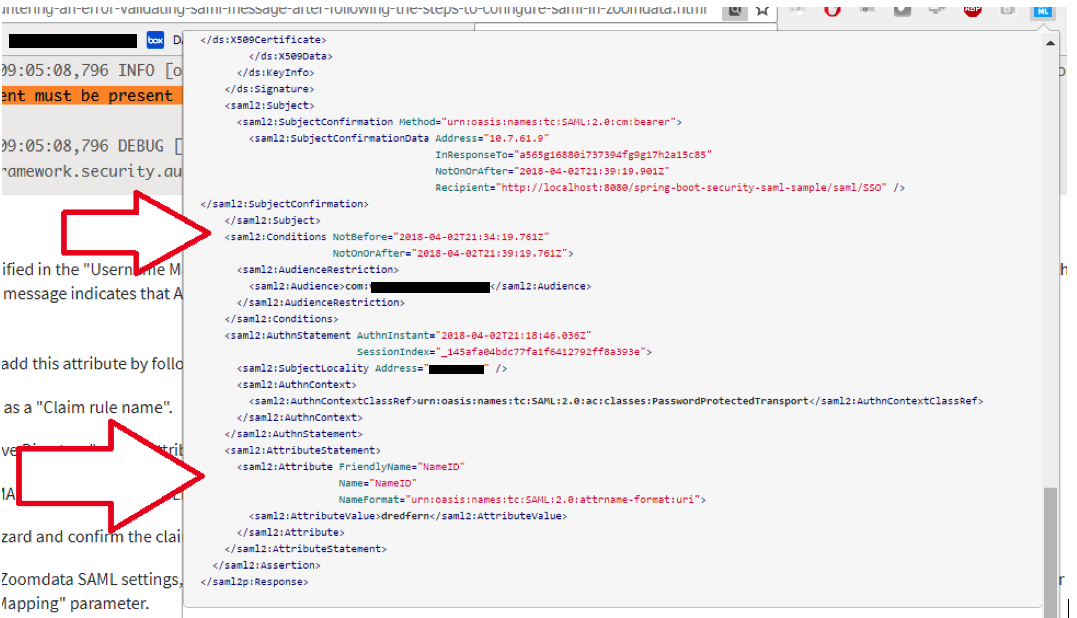
NameID element must be present as part of the Subject in the Response message, please enable it in the IDP configuration.
Read More…
June 15, 2018
Created by: Daniel Redfern
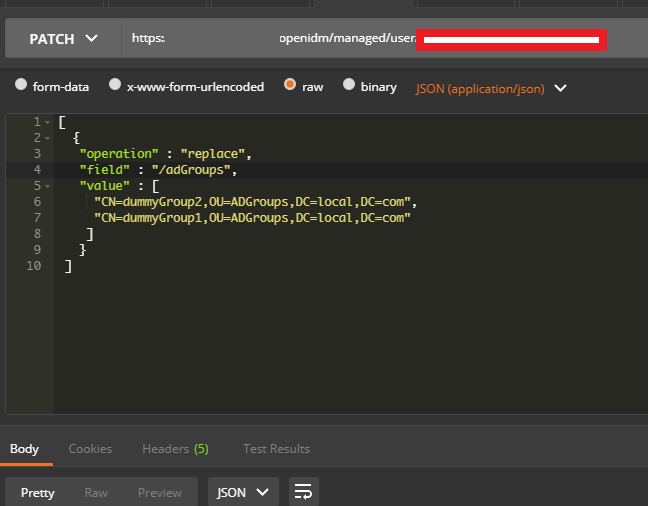
For what I see, there’s not too many supportive documentations out there that will demonstrate how provision AD group membership with the ICF connector using OpenIDM.
The use of the special ldapGroups attribute is not explained anywhere in the Integrators guides to to the date of this blog. This quick blog identifies the tasks required to provision AD group membership from OpenIDM to AD using the LDAP ICF connector.
However this doesn’t really explain what ldapGroups actually does and there’s no real worked example of how to go from an Assignment to ldapGroups to an assigned group in AD. I wrote up a wiki article for my own reference: AD group memberships automatically to users
This is just my view, others may disagree, but I think the implementation experience could be improved with some more documentation and a more detailed example here.
Read More…
November 8, 2017
Created by: Daniel Redfern
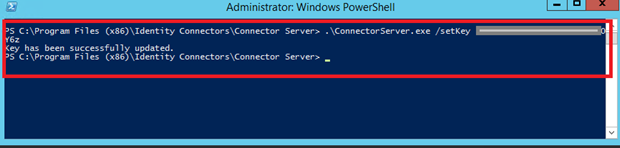
In the past, the similar error occurred though for the Oracle Identity Management solution. invalidcredentialexception remote framework key is invalid
Because they all share the ICF connector framework, the error/solution would be the same.
Read More…
November 8, 2017
Created by: Daniel Redfern
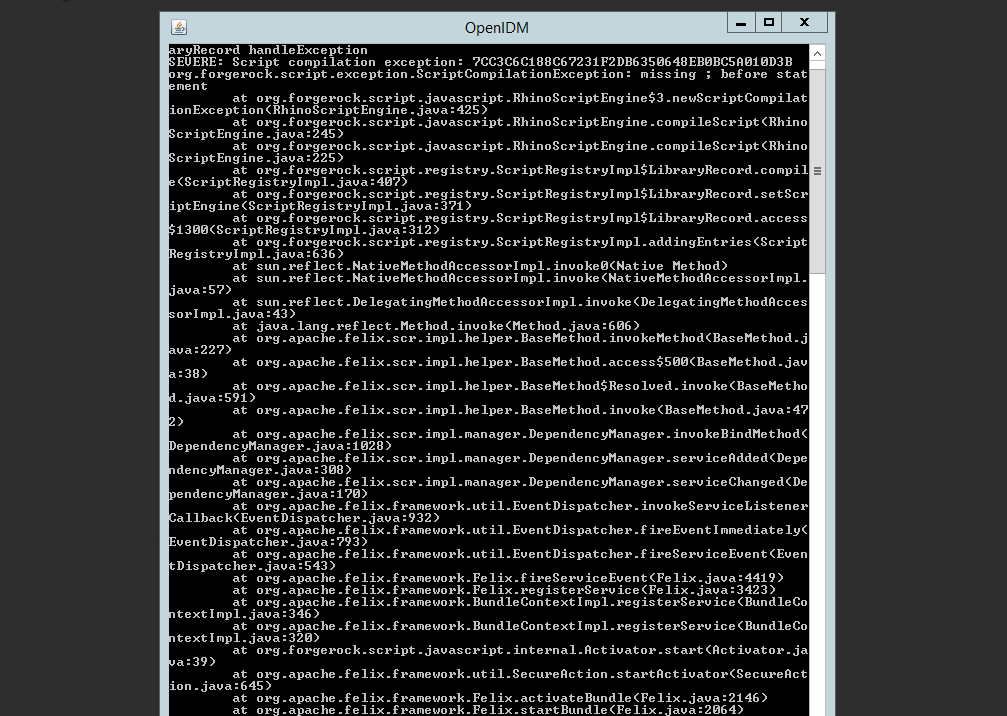
org.forgerock.script.exception.ScriptCompilationException: missing ; before statement
Read More…
September 17, 2017
Created by: Daniel Redfern
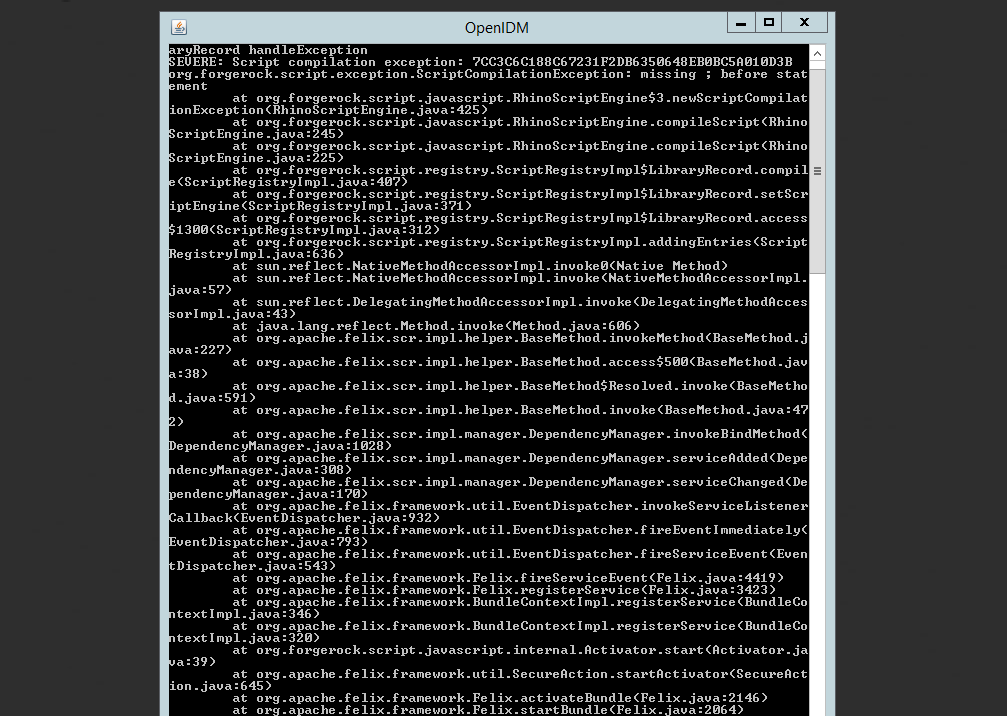
ForgeRock IDM — org.forgerock.script.exception.ScriptCompilationException: missing ; before statement
Read More…
September 17, 2017
Created by: Daniel Redfern
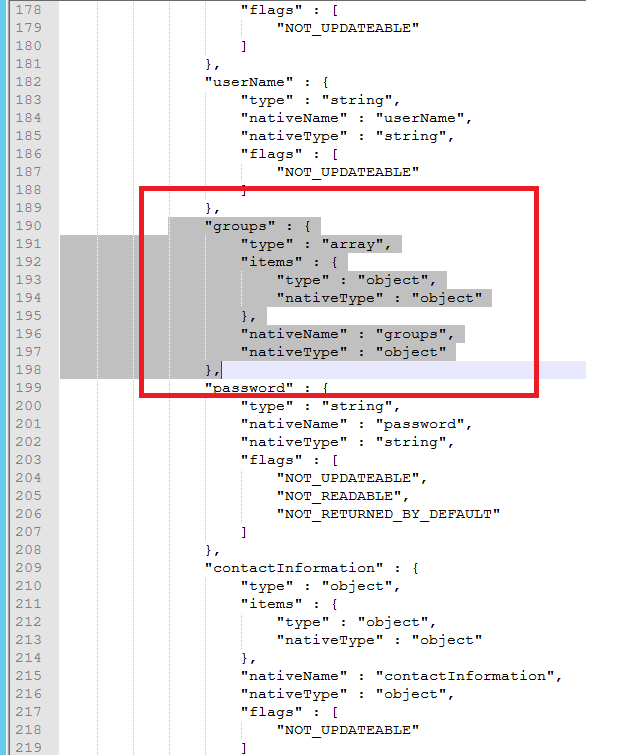
When performing the attempt of a reconciliation from ForgeRock IDM to Active Directory, I would get the following error
Read More…
September 17, 2017
Created by: Daniel Redfern
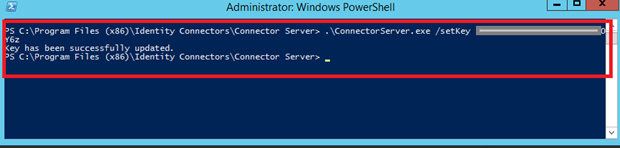
In the past, the similar error occurred though for the Oracle Identity Management solution. invalidcredentialexception remote framework key is invalid
Because they all share the ICF connector framework, the error/solution would be the same.
Read More…
September 12, 2017
Created by: Daniel Redfern
During the reconcilation from OpenIDM to the ICF google apps connector, the following
error response would occur. ERROR Caused by com.google.api.client.auth.oauth2.TokenResponseException 400 Bad Request — invalid_grant
Read More…
New issue
Have a question about this project? Sign up for a free GitHub account to open an issue and contact its maintainers and the community.
By clicking “Sign up for GitHub”, you agree to our terms of service and
privacy statement. We’ll occasionally send you account related emails.
Already on GitHub?
Sign in
to your account
Comments

Hi @johanhaleby ,
I am executing tests in multithreaded environment and i am getting below exception. Just for your info i have relaxed https validations.
RestAssured.baseURI = environmentInfoObj.getBaseUrl();
RestAssured.useRelaxedHTTPSValidation();
«Remote host closed connection during handshake.»

Rest assured is not yet safe to use in multithreaded environments. Please help out by providing pull requests or create issues for the individual problems you’re experiencing.
The exact stack trace of the problem is
javax.net.ssl.SSLHandshakeException: Remote host closed connection during handshake at sun.security.ssl.SSLSocketImpl.readRecord(SSLSocketImpl.java:992) at sun.security.ssl.SSLSocketImpl.performInitialHandshake(SSLSocketImpl.java:1375) at sun.security.ssl.SSLSocketImpl.startHandshake(SSLSocketImpl.java:1403) at sun.security.ssl.SSLSocketImpl.startHandshake(SSLSocketImpl.java:1387) at org.apache.http.conn.ssl.SSLSocketFactory.connectSocket(SSLSocketFactory.java:553) at org.apache.http.conn.ssl.SSLSocketFactory.connectSocket(SSLSocketFactory.java:412) at org.apache.http.impl.conn.DefaultClientConnectionOperator.openConnection(DefaultClientConnectionOperator.java:179) at org.apache.http.impl.conn.ManagedClientConnectionImpl.open(ManagedClientConnectionImpl.java:328) at org.apache.http.impl.client.DefaultRequestDirector.tryConnect(DefaultRequestDirector.java:612) at org.apache.http.impl.client.DefaultRequestDirector.execute(DefaultRequestDirector.java:447) at org.apache.http.impl.client.AbstractHttpClient.doExecute(AbstractHttpClient.java:884) at org.apache.http.impl.client.CloseableHttpClient.execute(CloseableHttpClient.java:82) at org.apache.http.impl.client.CloseableHttpClient.execute(CloseableHttpClient.java:55) at org.apache.http.client.HttpClient$execute$2.call(Unknown Source) at io.restassured.internal.RequestSpecificationImpl$RestAssuredHttpBuilder.doRequest(RequestSpecificationImpl.groovy:2035) at io.restassured.internal.http.HTTPBuilder.doRequest(HTTPBuilder.java:494) at io.restassured.internal.http.HTTPBuilder.request(HTTPBuilder.java:451) at io.restassured.internal.http.HTTPBuilder$request$10.call(Unknown Source) at io.restassured.internal.RequestSpecificationImpl.sendHttpRequest(RequestSpecificationImpl.groovy:1441) at sun.reflect.GeneratedMethodAccessor489.invoke(Unknown Source) at sun.reflect.DelegatingMethodAccessorImpl.invoke(DelegatingMethodAccessorImpl.java:43) at java.lang.reflect.Method.invoke(Method.java:497) at org.codehaus.groovy.reflection.CachedMethod.invoke(CachedMethod.java:93) at groovy.lang.MetaMethod.doMethodInvoke(MetaMethod.java:325) at groovy.lang.MetaClassImpl.invokeMethod(MetaClassImpl.java:1212) at groovy.lang.MetaClassImpl.invokeMethod(MetaClassImpl.java:1021) at groovy.lang.MetaClassImpl.invokeMethod(MetaClassImpl.java:812) at io.restassured.internal.RequestSpecificationImpl.invokeMethod(RequestSpecificationImpl.groovy) at org.codehaus.groovy.runtime.callsite.PogoInterceptableSite.call(PogoInterceptableSite.java:48) at org.codehaus.groovy.runtime.callsite.PogoInterceptableSite.callCurrent(PogoInterceptableSite.java:58) at io.restassured.internal.RequestSpecificationImpl.sendRequest(RequestSpecificationImpl.groovy:1228) at sun.reflect.GeneratedMethodAccessor329.invoke(Unknown Source) at sun.reflect.DelegatingMethodAccessorImpl.invoke(DelegatingMethodAccessorImpl.java:43) at java.lang.reflect.Method.invoke(Method.java:497) at org.codehaus.groovy.reflection.CachedMethod.invoke(CachedMethod.java:93) at groovy.lang.MetaMethod.doMethodInvoke(MetaMethod.java:325) at groovy.lang.MetaClassImpl.invokeMethod(MetaClassImpl.java:1212) at groovy.lang.MetaClassImpl.invokeMethod(MetaClassImpl.java:1021) at groovy.lang.MetaClassImpl.invokeMethod(MetaClassImpl.java:812) at io.restassured.internal.RequestSpecificationImpl.invokeMethod(RequestSpecificationImpl.groovy) at org.codehaus.groovy.runtime.callsite.PogoInterceptableSite.call(PogoInterceptableSite.java:48) at org.codehaus.groovy.runtime.callsite.AbstractCallSite.call(AbstractCallSite.java:149) at io.restassured.internal.filter.SendRequestFilter.filter(SendRequestFilter.groovy:30) at io.restassured.filter.Filter$filter$8.call(Unknown Source) at org.codehaus.groovy.runtime.callsite.CallSiteArray.defaultCall(CallSiteArray.java:48) at io.restassured.filter.Filter$filter$1.call(Unknown Source) at io.restassured.internal.filter.FilterContextImpl.next(FilterContextImpl.groovy:72) at io.restassured.filter.time.TimingFilter.filter(TimingFilter.java:56) at io.restassured.filter.Filter$filter$1.call(Unknown Source) at org.codehaus.groovy.runtime.callsite.CallSiteArray.defaultCall(CallSiteArray.java:48) at io.restassured.filter.Filter$filter$1.call(Unknown Source) at io.restassured.internal.filter.FilterContextImpl.next(FilterContextImpl.groovy:72) at io.restassured.filter.log.StatusCodeBasedLoggingFilter.filter(StatusCodeBasedLoggingFilter.java:93) at io.restassured.filter.log.ResponseLoggingFilter.filter(ResponseLoggingFilter.java:31) at io.restassured.filter.Filter$filter$1.call(Unknown Source) at org.codehaus.groovy.runtime.callsite.CallSiteArray.defaultCall(CallSiteArray.java:48) at io.restassured.filter.Filter$filter$1.call(Unknown Source) at io.restassured.internal.filter.FilterContextImpl.next(FilterContextImpl.groovy:72) at io.restassured.filter.log.RequestLoggingFilter.filter(RequestLoggingFilter.java:124) at io.restassured.filter.Filter$filter$1.call(Unknown Source) at org.codehaus.groovy.runtime.callsite.CallSiteArray.defaultCall(CallSiteArray.java:48) at io.restassured.filter.Filter$filter$8.call(Unknown Source) at io.restassured.internal.filter.FilterContextImpl.next(FilterContextImpl.groovy:72) at io.restassured.filter.FilterContext$next$9.call(Unknown Source) at io.restassured.internal.RequestSpecificationImpl.applyPathParamsAndSendRequest(RequestSpecificationImpl.groovy:1638) at sun.reflect.GeneratedMethodAccessor199.invoke(Unknown Source) at sun.reflect.DelegatingMethodAccessorImpl.invoke(DelegatingMethodAccessorImpl.java:43) at java.lang.reflect.Method.invoke(Method.java:497) at org.codehaus.groovy.reflection.CachedMethod.invoke(CachedMethod.java:93) at groovy.lang.MetaMethod.doMethodInvoke(MetaMethod.java:325) at groovy.lang.MetaClassImpl.invokeMethod(MetaClassImpl.java:1212) at groovy.lang.MetaClassImpl.invokeMethod(MetaClassImpl.java:1021) at groovy.lang.MetaClassImpl.invokeMethod(MetaClassImpl.java:812) at io.restassured.internal.RequestSpecificationImpl.invokeMethod(RequestSpecificationImpl.groovy) at org.codehaus.groovy.runtime.callsite.PogoInterceptableSite.call(PogoInterceptableSite.java:48) at org.codehaus.groovy.runtime.callsite.PogoInterceptableSite.callCurrent(PogoInterceptableSite.java:58) at org.codehaus.groovy.runtime.callsite.AbstractCallSite.callCurrent(AbstractCallSite.java:182) at io.restassured.internal.RequestSpecificationImpl.applyPathParamsAndSendRequest(RequestSpecificationImpl.groovy:1644) at sun.reflect.GeneratedMethodAccessor564.invoke(Unknown Source) at sun.reflect.DelegatingMethodAccessorImpl.invoke(DelegatingMethodAccessorImpl.java:43) at java.lang.reflect.Method.invoke(Method.java:497) at org.codehaus.groovy.reflection.CachedMethod.invoke(CachedMethod.java:93) at groovy.lang.MetaMethod.doMethodInvoke(MetaMethod.java:325) at groovy.lang.MetaClassImpl.invokeMethod(MetaClassImpl.java:1212) at groovy.lang.MetaClassImpl.invokeMethod(MetaClassImpl.java:1021) at groovy.lang.MetaClassImpl.invokeMethod(MetaClassImpl.java:812) at io.restassured.internal.RequestSpecificationImpl.invokeMethod(RequestSpecificationImpl.groovy) at org.codehaus.groovy.runtime.callsite.PogoInterceptableSite.call(PogoInterceptableSite.java:48) at org.codehaus.groovy.runtime.callsite.PogoInterceptableSite.callCurrent(PogoInterceptableSite.java:58) at org.codehaus.groovy.runtime.callsite.AbstractCallSite.callCurrent(AbstractCallSite.java:182) at io.restassured.internal.RequestSpecificationImpl.get(RequestSpecificationImpl.groovy:167) at io.restassured.internal.RequestSpecificationImpl.get(RequestSpecificationImpl.groovy) at utils.ApiUtil.makeGETRequest(ApiUtil.java:139) at utils.ApiUtil.makeRequest(ApiUtil.java:34) at i2.api.homepage.BindAndroid.bindAndroid(BindAndroid.java:38) at i2.api.homepage.BindAndroid.bindAndroidDeviceWithToken(BindAndroid.java:45) at i2.apitests.myaccount.AdPreviewApi.beforeMethodSetup(AdPreviewApi.java:45) at sun.reflect.NativeMethodAccessorImpl.invoke0(Native Method) at sun.reflect.NativeMethodAccessorImpl.invoke(NativeMethodAccessorImpl.java:62) at sun.reflect.DelegatingMethodAccessorImpl.invoke(DelegatingMethodAccessorImpl.java:43) at java.lang.reflect.Method.invoke(Method.java:497) at org.testng.internal.MethodInvocationHelper.invokeMethod(MethodInvocationHelper.java:86) at org.testng.internal.Invoker.invokeConfigurationMethod(Invoker.java:514) at org.testng.internal.Invoker.invokeConfigurations(Invoker.java:215) at org.testng.internal.Invoker.invokeMethod(Invoker.java:589) at org.testng.internal.Invoker.invokeTestMethod(Invoker.java:820) at org.testng.internal.Invoker.invokeTestMethods(Invoker.java:1128) at org.testng.internal.TestMethodWorker.invokeTestMethods(TestMethodWorker.java:129) at org.testng.internal.TestMethodWorker.run(TestMethodWorker.java:112) at org.testng.TestRunner.privateRun(TestRunner.java:782) at org.testng.TestRunner.run(TestRunner.java:632) at org.testng.SuiteRunner.runTest(SuiteRunner.java:366) at org.testng.SuiteRunner.access$000(SuiteRunner.java:39) at org.testng.SuiteRunner$SuiteWorker.run(SuiteRunner.java:400) at org.testng.internal.thread.ThreadUtil$2.call(ThreadUtil.java:64) at java.util.concurrent.FutureTask.run(FutureTask.java:266) at java.util.concurrent.ThreadPoolExecutor.runWorker(ThreadPoolExecutor.java:1142) at java.util.concurrent.ThreadPoolExecutor$Worker.run(ThreadPoolExecutor.java:617) at java.lang.Thread.run(Thread.java:745) Caused by: java.io.EOFException: SSL peer shut down incorrectly at sun.security.ssl.InputRecord.read(InputRecord.java:505) at sun.security.ssl.SSLSocketImpl.readRecord(SSLSocketImpl.java:973) ... 118 more
@dhirenmudgil Thanks for sharing. I don’t believe this to be a bug then.

Hi All,
Please go through the below Video, below issues would be resolved.
javax.net.ssl.SSLHandshakeException / javax.net.ssl.SSLHandshakeExceptionRemote host closed connection during handshake / Fatal transport error: Remote host closed connection during handshake
https://youtu.be/6v673WsbJis

You can set protocol versions in system property as :
overcome ssl handshake error
System.setProperty(«https.protocols», «TLSv1,TLSv1.1,TLSv1.2»);
Hi Arunkumar Balu,
Your application/Server Action is running on the Platform Server, whereas your testing takes place in Service Studio. Are those two machines (server running the OutSystems Platform Server and developer machine running Service Studio) configured the same way? apparently the SSL/HTTPS settings on the platform server seem to be the cause of the error (does the platform server have a valid SSL certificate, for instance?)
Platform server and service studio running in the same machine. This is a test machine where I am doing development and testing on the same server.
This is really confusing when it works at design time but not running when run time.
Agree with Jorge, you’re probably going to find an SSL certificate issue at play.
At design time, it is your copy of Service Studio on your desktop doing the SSL connection to the REST service, at run time it is the Java application container on the server doing the connection, they may have very different lists of trusted certificates.
J.Ja
Justin James wrote:
Agree with Jorge, you’re probably going to find an SSL certificate issue at play.
At design time, it is your copy of Service Studio on your desktop doing the SSL connection to the REST service, at run time it is the Java application container on the server doing the connection, they may have very different lists of trusted certificates.
J.Ja
I don’t think so. During design time, I am connected to the environment and test connection call is going from the environment where I have connected.
Earlier, even the test connection was failing. I have imported the SSL certificate into the server environment, then the test connection (design time) has started working. I thought everything would be fine then, but surprised when it is not working during run time. (Please dev and front-end is the same server)
I think that proves that design time and run time is in the same environment. However, one work others don’t
Hi Arunkumar.
Did you follow the instructions to install the certificate on a Windows machine or a Linux machine?
The error you provided is a Java error, which means your platform server is running on a Linux machine. Your development environment (Service Studio) is a Windows desktop application. So they cannot be the same machine.
I suspect that you have installed the certificate on your development environment (the Windows machine running Service Studio). If that’s the case, then you must also install the certificate on the Linux machine running your platform server.
I have followed the instruction given for the Linux machine. I have installed the certificate on the linux server where the platform server installed. But still the error.
Fortunately, I have another windows environment. I follow the instruction given on the same page. I have installed the certificate there. It is working if I connect to windows environment. So that I am able to continue.
But still, it is an issue with Linux stack.
Your error is a closed connection by remote host, so it would be good if you could obtain logs from the remote host to see if there’s any reason why it’s rejecting the linux requests.
This could be related to the TLS version being supported by the remote host. If the remote host supports only TLS 1.2, and weblogic is trying to connect using TLS 1.0 or 1.1, then you won’t be able to connect, even though you have correctly installed the certificate.
There are online tools that show which TLS versions your server is accepting, for example: https://www.ssllabs.com/ssltest/. On your weblogic client, you can add the option -javax.net.debug=ssl to the JVM initialization script, and this will log information about the SSL handshake, including the TLS version being used. You can then compare the versions and see if there’s a mismatch.