Причина
Вкратце
Вы пытаетесь воспользоваться чем-то, что равно null (или Nothing в VB.NET). Это означает, что либо вы присвоили это значение, либо вы ничего не присваивали.
Как и любое другое значение, null может передаваться от объекта к объекту, от метода к методу. Если нечто равно null в методе «А», вполне может быть, что метод «В» передал это значение в метод «А».
Остальная часть статьи описывает происходящее в деталях и перечисляет распространённые ошибки, которые могут привести к исключению NullReferenceException.
Более подробно
Если среда выполнения выбрасывает исключение NullReferenceException, то это всегда означает одно: вы пытаетесь воспользоваться ссылкой. И эта ссылка не инициализирована (или была инициализирована, но уже не инициализирована).
Это означает, что ссылка равна null, а вы не сможете вызвать методы через ссылку, равную null. В простейшем случае:
string foo = null;
foo.ToUpper();
Этот код выбросит исключение NullReferenceException на второй строке, потому что вы не можете вызвать метод ToUpper() у ссылки на string, равной null.
Отладка
Как определить источник ошибки? Кроме изучения, собственно, исключения, которое будет выброшено именно там, где оно произошло, вы можете воспользоваться общими рекомендациями по отладке в Visual Studio: поставьте точки останова в ключевых точках, изучите значения переменных, либо расположив курсор мыши над переменной, либо открыв панели для отладки: Watch, Locals, Autos.
Если вы хотите определить место, где значение ссылки устанавливается или не устанавливается, нажмите правой кнопкой на её имени и выберите «Find All References». Затем вы можете поставить точки останова на каждой найденной строке и запустить приложение в режиме отладки. Каждый раз, когда отладчик остановится на точке останова, вы можете удостовериться, что значение верное.
Следя за ходом выполнения программы, вы придёте к месту, где значение ссылки не должно быть null, и определите, почему не присвоено верное значение.
Примеры
Несколько общих примеров, в которых возникает исключение.
Цепочка
ref1.ref2.ref3.member
Если ref1, ref2 или ref3 равно null, вы получите NullReferenceException. Для решения проблемы и определения, что именно равно null, вы можете переписать выражение более простым способом:
var r1 = ref1;
var r2 = r1.ref2;
var r3 = r2.ref3;
r3.member
Например, в цепочке HttpContext.Current.User.Identity.Name, значение может отсутствовать и у HttpContext.Current, и у User, и у Identity.
Неявно
public class Person {
    public int Age { get; set; }
}
public class Book {
    public Person Author { get; set; }
}
public class Example {
    public void Foo() {
        Book b1 = new Book();
        int authorAge = b1.Author.Age; // Свойство Author не было инициализировано
                                       // нет Person, у которого можно вычислить Age.
    }
}
То же верно для вложенных инициализаторов:
Book b1 = new Book { Author = { Age = 45 } };
Несмотря на использование ключевого слова new, создаётся только экземпляр класса Book, но экземпляр Person не создаётся, поэтому свойство Author остаётся null.
Массив
int[] numbers = null;
int n = numbers[0]; // numbers = null. Нет массива, чтобы получить элемент по индексу
Элементы массива
Person[] people = new Person[5];
people[0].Age = 20; // people[0] = null. Массив создаётся, но не
                    // инициализируется. Нет Person, у которого можно задать Age.
Массив массивов
long[][] array = new long[1][];
array[0][0] = 3; // = null, потому что инициализировано только первое измерение.
                 // Сначала выполните array[0] = new long[2].
Collection/List/Dictionary
Dictionary<string, int> agesForNames = null;
int age = agesForNames["Bob"]; // agesForNames = null.
                               // Экземпляр словаря не создан.
LINQ
public class Person {
    public string Name { get; set; }
}
var people = new List<Person>();
people.Add(null);
var names = from p in people select p.Name;
string firstName = names.First(); // Исключение бросается здесь, хотя создаётся
                                  // строкой выше. p = null, потому что
                                  // первый добавленный элемент = null.
События
public class Demo
{
    public event EventHandler StateChanged;

    protected virtual void OnStateChanged(EventArgs e)
    {
        StateChanged(this, e); // Здесь бросится исключение, если на
                               // событие StateChanged никто не подписался
    }
}
Неудачное именование переменных
Если бы в коде ниже у локальных переменных и полей были разные имена, вы бы обнаружили, что поле не было инициализировано:
public class Form1 {
    private Customer customer;

    private void Form1_Load(object sender, EventArgs e) {
        Customer customer = new Customer();
        customer.Name = "John";
    }

    private void Button_Click(object sender, EventArgs e) {
        MessageBox.Show(customer.Name);
    }
}
Можно избежать проблемы, если использовать префикс для полей:
private Customer _customer;
Цикл жизни страницы ASP.NET
public partial class Issues_Edit : System.Web.UI.Page
{
    protected TestIssue myIssue;

    protected void Page_Load(object sender, EventArgs e)
    {
        if (!IsPostBack)
        {
            // Выполняется только на первой загрузке, но не когда нажата кнопка
            myIssue = new TestIssue();
        }
    }

    protected void SaveButton_Click(object sender, EventArgs e)
    {
        myIssue.Entry = "NullReferenceException здесь!";
    }
}
Сессии ASP.NET
// Если сессионная переменная "FirstName" ещё не была задана,
// то эта строка бросит NullReferenceException.
string firstName = Session["FirstName"].ToString();
Пустые вью-модели ASP.NET MVC
Если вы возвращаете пустую модель (или свойство модели) в контроллере, то вью бросит исключение при попытке доступа к ней:
// Controller
public class Restaurant:Controller
{
    public ActionResult Search()
    {
         return View();  // Модель не задана.
    }
}

// Razor view
@foreach (var restaurantSearch in Model.RestaurantSearch)  // Исключение.
{
}
Способы избежать
Явно проверять на null, пропускать код
Если вы ожидаете, что ссылка в некоторых случаях будет равна null, вы можете явно проверить на это значение перед доступом к членам экземпляра:
void PrintName(Person p) {
    if (p != null) {
        Console.WriteLine(p.Name);
    }
}
Явно проверять на null, использовать значение по умолчанию
Методы могут возвращать null, например, если не найден требуемый экземпляр. В этом случае вы можете вернуть значение по умолчанию:
string GetCategory(Book b) {
    if (b == null)
        return "Unknown";
    return b.Category;
}
Явно проверять на null, выбрасывать своё исключение
Вы также можете бросать своё исключение, чтобы позже его поймать:
string GetCategory(string bookTitle) {
    var book = library.FindBook(bookTitle);  // Может вернуть null
    if (book == null)
        throw new BookNotFoundException(bookTitle);  // Ваше исключение
    return book.Category;
}
Использовать Debug.Assert для проверки на null для обнаружения ошибки до бросания исключения
Если во время разработки вы знаете, что метод может, но вообще-то не должен возвращать null, вы можете воспользоваться Debug.Assert для быстрого обнаружения ошибки:
string GetTitle(int knownBookID) {
    // Вы знаете, что метод не должен возвращать null
    var book = library.GetBook(knownBookID);

    // Исключение будет выброшено сейчас, а не в конце метода.
    Debug.Assert(book != null, "Library didn't return a book for known book ID.");

    // Остальной код...

    return book.Title; // Не выбросит NullReferenceException в режиме отладки.
}
Однако эта проверка не будет работать в релизной сборке, и вы снова получите NullReferenceException, если book == null.
Использовать GetValueOrDefault() для Nullable типов
DateTime? appointment = null;
Console.WriteLine(appointment.GetValueOrDefault(DateTime.Now));
// Отобразит значение по умолчанию, потому что appointment = null.

appointment = new DateTime(2022, 10, 20);
Console.WriteLine(appointment.GetValueOrDefault(DateTime.Now));
// Отобразит дату, а не значение по умолчанию.
Использовать оператор ?? (C#) или If() (VB)
Краткая запись для задания значения по умолчанию:
IService CreateService(ILogger log, Int32? frobPowerLevel)
{
    var serviceImpl = new MyService(log ?? NullLog.Instance);
    serviceImpl.FrobPowerLevel = frobPowerLevel ?? 5;
}
Использовать операторы ?. и ?[ (C# 6+, VB.NET 14+):
Это оператор безопасного доступа к членам, также известный как оператор Элвиса за специфическую форму. Если выражение слева от оператора равно null, то правая часть игнорируется, и результатом считается null. Например:
var title = person.Title.ToUpper();
Если свойство Title равно null, то будет брошено исключение, потому что это попытка вызвать метод ToUpper на значении, равном null. В C# 5 и ниже можно добавить проверку:
var title = person.Title == null ? null : person.Title.ToUpper();
Теперь вместо бросания исключения переменной title будет присвоено null. В C# 6 был добавлен более короткий синтаксис:
var title = person.Title?.ToUpper();
Разумеется, если переменная person может быть равна null, то надо проверять и её. Также можно использовать операторы ?. и ?? вместе, чтобы предоставить значение по умолчанию:
// обычная проверка на null
int titleLength = 0;
if (title != null)
    titleLength = title.Length;

// совмещаем операторы `?.` и `??`
int titleLength = title?.Length ?? 0;
Если любой член в цепочке может быть null, то можно полностью обезопасить себя (хотя, конечно, архитектуру стоит поставить под сомнение):
int firstCustomerOrderCount = customers?[0]?.Orders?.Count() ?? 0;
The “Object reference not set to an instance of an object” is a very famous error in C# that appears when you get a NullReferenceException. This occurs when you try to access a property or method of an object that points to a null value. They can be fixed using Null conditional operators and handled using try-catch blocks.
In this post, we will learn more about the error and the ways to fix it.
What is “NullReferenceException: Object reference not set to an instance of an object” error?
As mentioned earlier, the NullReferenceException indicates that your code is trying to work with an object that has a null value as its reference. This means that the reference object has not been initialized.
This is a runtime exception that can be caught using a try-catch block.
Example code
try
{
    string a = null;
    a.ToString();
}
catch (NullReferenceException e)
{
    //Code to do something with e
}
How to fix this error?
You can fix this error by using the following methods:
- Using Null conditional operators
- Using the Null Coalescing operator
- Using nullable datatypes in C#
1) Using Null conditional operators
This method is easier than using an if-else condition to check whether the variable value is null. Look at this example,
int? length = customers?.Length; // this will return null if customers is null, instead of throwing the exception2) Using the Null Coalescing operator
This operator looks like “??” and provides a default value to variables that have a null value. It is compatible with all nullable datatypes.
Example
int length = customers?.Length ?? 0; // 0 is provided by default if customers is null 3) Using nullable datatypes in C#
All reference types in C# can have a null value. But some data types such as int and Boolean cannot take null values unless they are explicitly defined. This is done by using Nullable data types.
For example,
static int Add(string roll_numbers)
{
return roll_numbers.Split(","); // This code might throw a NullReferenceException as roll_numbers variable can be null
}
Correct code
static int Add(string? roll_numbers) // As roll_numbers argument can now be null, the NullReferenceException can be avoided
{
return roll_numbers.Split(",");
}
The best way to avoid the «NullReferenceException: Object reference not set to an instance of an object” error is to check the values of all variables while coding. You can also use a simple if-else statement to check for null values, such as if (numbers!=null) to avoid this exception.
Ошибка «Object reference not set to an instance of an object» расшифровывается как «Ссылка не указывает на экземпляр объекта».
Данная ошибка означает, что происходит попытка обратиться к null, т.е. к тому, чего не существует. Рассмотрим пример:
using System;
public class Program
{
static string someString;
public static void Main()
{
Console.WriteLine(someString[0]);
}
}
При попытке запустить такую программу в среде разработки получаем ошибку
Run-time exception (line 8): Object reference not set to an instance of an object.
Stack Trace:
[System.NullReferenceException: Object reference not set to an instance of an object.]
at Program.Main() :line 8
В данном случае происходит попытка обратиться к первому символу строки someString, но поскольку там нет никакого значения, а отсутствие значения означает null для string, поэтому происходит ошибка Nullreferenceexception «Object reference not set to an instance of an object».
Попробуем пофиксить ошибку «Ссылка не указывает на экземпляр объекта», присвоим значение строке someString:
using System;
public class Program
{
static string someString;
public static void Main()
{
someString = «some»;
Console.WriteLine(someString[0]);
}
}
Запустим программу и увидим результат, как мы и хотели — получили первый символ строки someString, в данном случае был выведен результат — первая буква s.
If you’re seeing the «Object reference not set to an instance of an object» error when using Microsoft Visual Studio on Windows, this article will help you fix it.
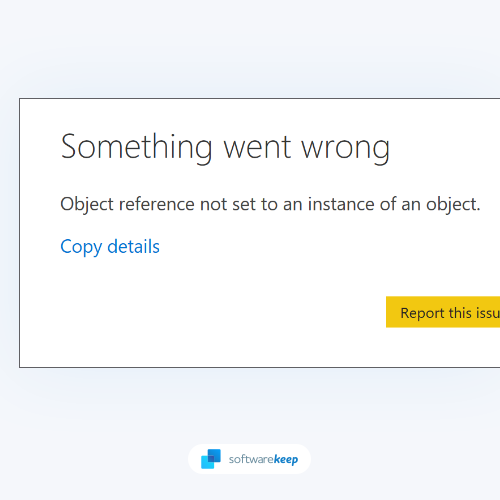
The error message «Object reference not set to an instance of an object» means that perhaps you’re referring to an object that doesn’t exist or cleaned up, or was deleted. It’s one of the many mysterious and frustrating Windows errors that occur when you’re using Microsoft Visual Studio.
In many cases, it’s better to avoid a NullReferenceException than wait to handle it after it occurs.
So, this article will show you how to fix this error in a few easy steps to get your computer up and running again!
What Is the «Object Reference Not Set to an Instance of an Object» Error in Windows?
The problem «Object reference not set to an instance of an object» is a common Windows error caused by a Microsoft Visual Studio bug. This error code will show when a Microsoft Visual Studio object is missing, categorized as null, or cannot be accessible.
If you receive the «Object reference not set to an instance of an object» error on your Windows computer, it might be caused by a problem with your .NET Framework. This can be fixed by uninstalling and reinstalling the .NET Framework.
If you still see the error after trying this fix, it might be caused by a corrupt registry key. To fix this, you can use a registry cleaner tool to scan for and fix any corrupted keys.
What Causes the «Object Reference Not Set to an Instance of an Object» Error?
As it turns out, this problem isn’t limited to Microsoft Visual Studio developers; other apps that rely on Microsoft Visual Studio dependencies can also cause problems. Here’s a list of suspects who are most likely to blame for the problem:
- Windows 10 Update 1803 isn’t installed: If you’re using Windows 10, the issue is most likely caused by a conflict between some of your system drivers and some of the touchscreen devices you have installed (most commonly experienced with Surface devices).
- Corrupted data in Visual Studio: If you’re having trouble using Microsoft Visual Studio, it’s likely due to your current user data corruption. You’ll need to reset the user data connected to your account to fix this issue.
- Missing Microsoft Visual Studio permissions: This issue can occur if the Microsoft Visual Studio application lacks the requisite permissions to override files. To fix this problem, you’ll need to force the application to open with administrator privileges.
- Microsoft Visual Studio extensions: Make sure all of your Visual Studio extensions are up to date if you’re using them in your projects. Several users have confirmed that they were able to resolve the issue by updating or disabling all Visual Studio extensions in use.
- Interference from an antivirus or firewall: In some situations, you may encounter this issue if your active antivirus prevents the execution of another executable from the Vault environment. In this situation, you may either whitelist the flagged executable or remove the overprotective suite to fix the problem.
These are some of the main causes of the «Object reference not set to an instance of an object» error in Windows. If you still see the error after trying all these fixes or need detailed steps, continue reading to troubleshoot further!
Solved: «Object Reference Not Set to an Instance of an Object» Error in Windows
Let’s get started on fixing this problem! Check out each potential fix and try them out to resolve «Object reference not set to an instance of an object.»
Method 1. Make Sure the 1803 Update is Installed on Windows 10
If you’re using Windows 10, you should first make sure that you have the 1803 update installed. This update from Microsoft has been known to resolve conflicts between drivers and touchscreen devices, which can cause the «Object reference not set to an instance of an object» error.
- Click on the Windows icon in the bottom left of your screen to bring up the Start menu. Choose Settings, or use the Windows + I shortcut.

- Click on the Update & Security tile. This is where you can find most of your Windows Update settings and choose when to receive updates.

- Make sure to stay on the default Windows Update tab. Click on the Check for updates button and wait for Windows to find available updates.

- If any updates are displayed, click on the View all optional updates link to see and install them.

- When Windows finds a new update, it automatically starts installing on your computer. Wait for Windows to download and apply the necessary updates.
Method 2. Run Microsoft Visual Studio as an Administrator
If you’re having trouble using Microsoft Visual Studio, it might be because the application doesn’t have the necessary permissions to access certain files. To fix this, you should try running Microsoft Visual Studio as an administrator.
To do this, right-click on the Microsoft Visual Studio shortcut and select «Run as administrator» from the drop-down menu.

If you’re still having trouble, try resetting the user data associated with your account. This will delete all of your current settings and preferences, but it will also clear any corruption that might be causing problems.
Method 3. Reset Your Visual Studio User Data
If you’re still having trouble with the «Object reference not set to an instance of an object» error, it’s likely because there is corruption in your current user data. It can also mean you have some general application bugs within your installation.
Don’t worry, this is normal! Application bugs may happen if you’ve been using your software for a long time. You can fix this by resetting the user data associated with your account.
- Open Visual Studio and go to Tools > Import and Export Settings.
- Select «Reset all settings» in the window that appears and click «Next.»
- On the next screen, select «No, just reset settings, overwriting my current settings» and click «Finish.»
This will delete all of your current Visual Studio settings and preferences, but it will also clear any corruption that might be causing problems.
Method 4. Update Microsoft Visual Studio to the Latest Version
If you’re still having trouble with Microsoft Visual Studio, you may be using an outdated software version. You should update Microsoft Visual Studio to the latest version to fix this.
To do this, open the Microsoft Visual Studio installer and click «Update.» Microsoft Visual Studio will now check for updates and install them automatically. Here are the step-by-step instructions:
- On your PC, look for the Visual Studio Installer. Search for «installer» in the Windows Start menu and select Visual Studio Installer from the results.

- Look for the Visual Studio installation that you want to upgrade in the Visual Studio Installer. Click on the Update button to download and install the update.

The Visual Studio Installer may prompt you to reboot your system after completing the upgrade.
If you aren’t prompted to restart your computer, select Launch from the Visual Studio Installer to launch Visual Studio.
Method 5. Update Your Microsoft Visual Studio Extensions
The «Object reference not set to an instance of an object» error message may also appear due to outdated extensions. You should update your Microsoft Visual Studio extensions to the latest version to fix this.
- Open Microsoft Visual Studio and go to Tools > Extensions and Updates.
- Select «Updates» from the left-hand sidebar in the window that appears.
- If any updates are available, they will be listed here. Select the extension that you want to update and click «Update.»
Once the updates are finished, restart your computer and use Microsoft Visual Studio again.
Method 6. Disable Touch Keyboard and Handwriting Panel (if Applicable)
If you’re using a touchscreen device, the «Object reference not set to an instance of an object» error message may be caused by the Touch Keyboard and Handwriting Panel service. This service is known to cause conflicts with drivers and can cause problems with certain applications.
To disable this service, follow the steps below:
- On your keyboard, press the Windows + R keys. This will launch the Run application.
- Without quotation marks, type «services.msc» and hit the Enter key on your keyboard. The Services application will be launched as a result of this.

- Scroll down until you see the Touch Keyboard and Handwriting Panel service in the alphabetical list. Right-click on it, and then choose Properties from the context menu.

- Use the drop-down menu to change the Startup type to Disabled. When done, click Apply, close the pop-up window, and reboot your computer.
- After restarting your computer, see if the problem has been resolved by doing the same action that caused the «Object reference not set to an instance of an object» error.
Method 7. Temporarily Disable Your Antivirus Software
If you’re still having trouble with Microsoft Visual Studio, your antivirus software may be causing the problem. To fix this, you should temporarily disable your antivirus software and try using Microsoft Visual Studio again.
To disable your antivirus, follow these steps:
- Right-click on an empty space in your taskbar and choose Task Manager from the context menu.

- Switch to the Startup tab using the header menu located at the top of the window. Here, find your antivirus application from the list and select it by clicking on it once.
- Click on the Disable button now visible in the bottom-right of the window. This will disable the application from launching when you start your device.

- Restart your computer and see if you can use Visual Studio in your next startup.
TL;DR
- Suppose you’re having trouble using Microsoft Visual Studio because of the «Object reference not set to an instance of an object» error. In that case, it might be because the application doesn’t have the necessary permissions to access certain files.
- If you haven’t upgraded to Windows 11 yet, update your system to the latest available version!
- To fix «Object reference not set to an instance of an object,» you should try running Microsoft Visual Studio as an administrator.
- You can also try resetting the user data associated with your account or updating Microsoft Visual Studio to the latest version. This will make sure no application bugs are interfering with your installation.
- If you’re still having trouble, try updating your Microsoft Visual Studio extensions or disabling the Touch Keyboard and Handwriting Panel service (if applicable).
- Finally, if all else fails, you can try temporarily disabling your antivirus software.
Conclusion
We hope this article was helpful in resolving the «Object reference not set to an instance of an object» error and preventing future errors similar to it. If you are still experiencing difficulties, please read more articles on our Blog or contact us for assistance.
Our team is here to help you keep your business running smoothly with the best software and technology available. Thanks for reading!
That’s all for this article on how to fix the «Object reference not set to an instance of an object» error when trying to use Microsoft Visual Studio. Be sure to check out our Blog for more great content like this!
One More Thing
Looking for more tips? Check out our other guides in our Blog or visit our Help Center for a wealth of information on how to troubleshoot various issues.
Sign up for our newsletter and access our blog posts, promotions, and discount codes early. Plus, you’ll be the first to know about our latest guides, deals, and other exciting updates!
Recommended Articles
» Process Exited With Code 1 in Command Prompt? Here’s How To Fix It
» Fix: «explorer.exe Class Not Registered» on Windows 11/10
» Fixed: Bluetooth Is Not Available on This Device on Windows 10
Feel free to reach out with questions or requests you’d like us to cover.