Разрабатывая тему для сайта столкнулся со следующей проблемой – 404 ошибка при использовании пагинации в файле category.php с помощью функции the_posts_pagination()
Задавшись вопросом почему не работает функция the_posts_pagination () стал искать ответ в рунете. Как ни странно конкретного ответа на этот вопрос найти не получилось, но я понял, что не первый, кто с ней столкнулся и вырисовывалась следующая картинка.
Итак, что же происходит?
Данная ситуация возникает тогда, когда в настройках сайта, в разделе “Настройки постоянных ссылок” выбран произвольный формат:
/%category%/%postname%/
И вроде бы сначала, все хорошо, но когда мы переходим на вторую страницу WordPress отправляет нас на страницу похожую на эту:
www.your_site.ru/your_taxonomy/page/2
В итоге добавленные /page/2 конфликтуют с настройкой постоянных ссылок, что и приводит к 404-ой ошибке.
Какое решение?
Нам нужно добиться двух вещей, чтобы решить эту проблему.
Во-первых, нам нужно, чтобы удалить часть URL из-за которого происходит ошибка, прежде чем WordPress пытается обработать запрашиваемый адрес. Для этого добавим следующий код в файл functions.php:
function codernote_request($query_string ) {
  if ( isset( $query_string['page'] ) ) {
    if ( ''!=$query_string['page'] ) {
      if ( isset( $query_string['name'] ) ) {
        unset( $query_string['name'] ); }
      }
    }
    return $query_string;
}
add_filter('request', 'codernote_request');
Во-вторых, реализуем механизм получения номера запрашиваемой страницы из URL и добавим его в запрос WordPress в требуемом формате. Опять же в файл functions.php добавим код:
add_action('pre_get_posts', 'codernote_pre_get_posts');
function codernote_pre_get_posts( $query ) {
  if ( $query->is_main_query() && !$query->is_feed() && !is_admin() ) {
    $query->set( 'paged', str_replace( '/', '', get_query_var( 'page' ) ) );
  }
}
Что делать если нет доступа к function.php или не знаю что это?!
В этом случае вы можете использовать плагин Category pagination fix Но лично я не очень люблю использовать плагины там, где можно что то сделать самому =)

Исправляем ошибку 404 на страницах записей в WordPress
Ошибка может проявляться явно и не явно. Когда при открытии страницы записи вы сразу же попадается на страницу 404, то это явно указывает Вам на то, что произошел глюк. Но бывают случаи, когда страница записи нормально открываться, при этом отдаёт не код 200, а 404. Существует 3 метода решения этой проблемы:
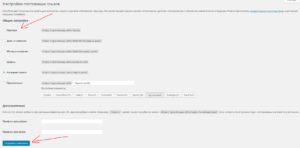
- Пересохранение постоянных ссылок в WordPress. Заходим в Настройки -> Постоянные ссылки -> Выбираем «Простые» -> Нажимаем «Сохранить».
Пробуем зайти в запись, если всё нормально, то включите снова тот режим постоянных ссылок, какой был и перейдём ко второму методу.
- Исходя из того, что при «простом» режиме постоянных ссылок возможно всё заработало, или даже если нет, то попробуем проверить оригинальность файла .htaccess. Находится он в корневой папке на FTP. Перейдите по ссылки и откройте Ваш файл .htaccess в редакторе. Можете даже не сравнивать, а просто скопировать код с сайта WordPress и заменить в своем файле.
- Третий метод предусматривает банальное отключение плагинов. Так же попробуйте переключится на стандартную тему оформления. Рекомендую делать всё поочерёдно: отключили плагин -> проверили работу страницы записи. В конце, если отключение плагинов не помогло, то включите стандартную тему оформления. Если переключение темы помогло, то придётся копаться в вашей теме. Особенно следует обратить внимание на такие файлы: functions.php и single.php, а так же 404.php. В любом случае в итоге нужно пересмотреть код всех файлов темы, искать код влияющий на URL и совершающий различное перенаправление.
Исправляем ошибку 404 на страницах пагинации в WordPress
Почему возникает ошибка 404 на страницах пагинации? Замечено, что ситуация возникает, когда в настройках постоянных ссылок выставлен произвольный режим в формате /%category%/%postname%/. Предполагается, что на другой режим менять нежелательно. Поэтому открываем файл functions.php и лепим туда этот код обязательно между <?php … ?>:
function codernote_request($query_string ) {

  if ( isset( $query_string['page'] ) ) {

    if ( ''!=$query_string['page'] ) {

      if ( isset( $query_string['name'] ) ) {

        unset( $query_string['name'] ); }

      }

    }

    return $query_string;

}

add_filter('request', 'codernote_request');
Код выше убирает из URL пагинации то, что вызывает ошибку 404, но при этом ломает запрос. Поэтому, что бы запрос страницы пагинации срабатывал, добавляем ещё код:
add_action('pre_get_posts', 'codernote_pre_get_posts');

function codernote_pre_get_posts( $query ) {

  if ( $query->is_main_query() && !$query->is_feed() && !is_admin() ) {

    $query->set( 'paged', str_replace( '/', '', get_query_var( 'page' ) ) );

  }

}
I had the same problem and I noticed that in the 'posts_per_page = 6' and 'Settings/Reading on ‘options-reading’ WordPress argument, I was set to 10. When I put everything to the same value (6 in my case) everything started working again.

Johansson♦
15k10 gold badges36 silver badges77 bronze badges
answered Mar 10, 2018 at 14:56

6
In my case with custom links: /%category%/%postname%/
I had a problem with: /news/page/2/
And finally this works for me (add to functions.php):
function remove_page_from_query_string($query_string)
{
    if ($query_string['name'] == 'page' && isset($query_string['page'])) {
        unset($query_string['name']);
        $query_string['paged'] = $query_string['page'];
    }
    return $query_string;
}
add_filter('request', 'remove_page_from_query_string');
answered Dec 6, 2018 at 15:48

3
Tried several hours, until I found a working solution in this article.
In your functions.php file, add
/**
 * Fix pagination on archive pages
 * After adding a rewrite rule, go to Settings > Permalinks and click Save to flush the rules cache
 */
function my_pagination_rewrite() {
    add_rewrite_rule('blog/page/?([0-9]{1,})/?$', 'index.php?category_name=blog&paged=$matches[1]', 'top');
}
add_action('init', 'my_pagination_rewrite');
Replace blog with your category name in the code above.
After adding this code, make sure you go to Settings > Permalinks and click Save to flush the rules cache, or else the rule will not be applied.
Hope this helps!
answered Jul 17, 2018 at 11:11

kreguskregus
2412 silver badges4 bronze badges
2
I found changing the permalink structure work for me, look:
The permalink was like this in custom structure:
/index.php/%year%/%monthnum%/%day%/%postname%/
Then I changed it to: Day and name (just select the radio button) and it will look like this:
/%year%/%monthnum%/%day%/%postname%/
I tried this and it works!

Burgi
3631 silver badge15 bronze badges
answered Aug 16, 2017 at 2:36

1
my solution is in 3 step:
1- the first one : Installing this plugin : https://wordpress.org/plugins/category-pagination-fix/
2-then : mach your cod with this structure
<?php $paged = ( get_query_var( 'paged' ) ) ? get_query_var( 'paged' ) : 1; ?>
        <?php

        $q=new wp_Query(
            array(
                 "posts_per_page"=>10,
                 "post_type"=>"",
                 "meta_key"=>"",
                 "orderby"=>"meta_value_num",
                 "order"=>"asc",
                 "paged" => $paged,

            )
        );
 while($q->have_posts())

        {
            $q->the_post();
            ?>
<li></li>
 <?php
        }
        wp_reset_postdata();

        ?>


<div class="pagination">
<?php
global $q;
$big = 999999999; // need an unlikely integer
echo paginate_links( array(
        'base' => str_replace( $big, '%#%', esc_url( get_pagenum_link( $big ) ) ),
        'format' => '?paged=%#%',
        'current' => max( 1, get_query_var('paged') ),
        'total' => $q->max_num_pages
) );
?>
</div>
3-go in wordpress setting > reading > most number of posts per page of blog
then input number 1

fuxia♦
105k34 gold badges246 silver badges447 bronze badges
answered Jan 19, 2019 at 10:50

As others had mentioned. Make sure your ‘posts_per_page = 6’ is equal or less than the WordPress Settings > Reading > Blog pages show at most setting.
I ran into this issue recently and the issue was that I control the posts per page completely from the template file. If There are not enough posts for the final page it will 404.
for example. I have my posts per page set to 9, but I had 25 posts. page one and 2 would work but page 3 would 404. I set the WordPress setting to 1 and left my template file at 9 and it is now functioning as expected.
answered Jan 31, 2019 at 21:14

EspiEspi
215 bronze badges
In my case, using Divi and the PageNavi plugin, the reason I was getting the 404 was that the page template (archive in my case) was getting the paged query parameter using get_query_var( 'paged' ), instead all I had to do was use the global variable like below:
<?php
/*
Template Name: Archives
*/
get_header(); ?>

<?php

    // $paged is a global variable provider by the theme?
    global $paged;

    $args = array(
        'posts_per_page' => 4,
        'post_type' => 'axis',
        'paged' => $paged,
    );

    $myposts = new WP_Query($args);
?>

<div div style="width: 50%; margin: 0 auto;">

    <?php while ( $myposts->have_posts() ) : $myposts->the_post(); ?>

            <div class="media-body">
                <?php the_content(); ?>
            </div>


    <?php endwhile; wp_reset_postdata(); ?>

    <?php wp_pagenavi( array( 'query' => $myposts ) ); ?>

</div>

<?php get_sidebar(); ?>
<?php get_footer(); ?>
This code corrected linked and resolved post-name/page/N formatter posts.
The permalink setting is set to «Post Name» i.e. http://localhost/sample-post/
answered Jul 20, 2019 at 18:45

In my case I had this in a loop:
if (is_category()) $args['posts_per_page'] = 8;
And in Settings->Reading I had 10 posts per page for blog and syndication
I changed to 8 posts per page in Settings->Reading and now the 404 disappeared and everything seems to work.
I have no idea why but probably this could help someone in the future
answered Mar 17, 2020 at 22:24

NicolaNicola
1177 bronze badges
Here’s a generalization of kregus’s answer that fixes all categories at once:
/**
 * Fix pagination on archive pages
 */
function my_pagination_rewrite() {
    $categories = '(' . implode('|', array_map(function($category){return $category->slug;}, get_categories())) . ')';
    add_rewrite_rule($categories . '/page/?([0-9]{1,})/?$', 'index.php?category_name=$matches[1]&paged=$matches[2]', 'top');
}
add_action('init', 'my_pagination_rewrite');
answered Aug 22, 2020 at 4:10

I’m getting the error 404 when I head back to the url with /page/2/.... So I go to my WordPress 404 page and add this javascript on the top of the error page:
<script src="https://code.jquery.com/jquery-1.10.2.js"></script>
<script>
   var getreurl = window.location.href;
   if(getreurl != ""){
     var res = getreurl.split("/?");
       if(res[1] != ""){
         var resd = "http://www.yourwebsite.com/list/?"+res[1];
         window.location = resd;
     }
 }
 </script>
When I head back to the 404 page it carries the URL, I parse the URL and get URL string that I need and rebuild a new link then redirect on the new rebuilt link.
Burgi
3631 silver badge15 bronze badges
answered Jan 19, 2017 at 7:28

1
Found the solution!
Installing this plugin solved the problem:
https://wordpress.org/plugins/category-pagination-fix/
I also had to make changes in Settings > Reading to show less than 10 posts per page (I’m showing 6 posts per page now, but anything below 10 should work).
Hope it works for you all. 🙂
answered Nov 27, 2015 at 19:53

2
Итак, суть проблемы – при переходе на 2-3 и так далее страницы блога возникает 404 ошибка, если в пермалинках у нас установлены нестандартные ЧПУ.
Для начала на странице Permalink Settings просто нажмите Save Changes, это вызовет обновление файла .htaccess и обновление пермалинок на сайте, например, эту операцию нужно произвести после добавления кастомных типов записей, чтобы обновили (добавились) урлы для новых типов записей. Иногда эта операция помогает с 404 ошибками и сайт начинает работать как надо. Если 404 ошибка при пагинации осталась, двигаемся дальше.
Допустим, в Permalink Settings у нас стоят такие параметры
Custom Structure
/blog/%category%/%postname%/
А в Category base
В таком случае при переходе на страницу https://site.com/blog/nature/page/2/ получим 404 ошибку, что для меня было неожиданностью. Лечится данный баг добавлением в файл функций нижепредставленного кода
function wphelp_custom_pre_get_posts($query)
{
    if ($query->is_main_query() && !$query->is_feed() && !is_admin() && is_category()) {
        $query->set('paged', str_replace('/', '', get_query_var('page')));
    }
}

add_action('pre_get_posts', 'wphelp_custom_pre_get_posts');

function wphelp_custom_request($query_string)
{
    if (isset($query_string['page'])) {
        if ('' != $query_string['page']) {
            if (isset($query_string['name'])) {
                unset($query_string['name']);
            }
        }
    }
    return $query_string;
}

add_filter('request', 'wphelp_custom_request');
После этого, пагинация по сайту работает без проблем.
Главная
> PHP > WordPress, ошибка 404 при пагинации в пользовательском типе данных
Как решить проблему с ошибкой 404 в своем типе данных?
Этот вопрос меня терзал два дня, пока я искал кучу всяких решений на просторах интернета.
Проблема была в том, что при переключении между страницами, выскакивала ошибка 404 и не хотела убегать, ниже поделюсь своей не внимательностью.
Если вы делаете пагинацию по принципу:
<?php
$temp = $wp_query;
$wp_query = null;
$wp_query = new WP_Query();
$wp_query->query(‘showposts=6&post_type=tours’.’&paged=’.$paged);
$i = 1;
while ($wp_query->have_posts()) : $wp_query->the_post();
?>
тут вывод данных в шаблоне
<?php
endwhile;
previous_posts_link(‘← НОВЫЕ ПОСТЫ’)
next_posts_link(‘СТАРЫЕ ПОСТЫ →’)
$wp_query = null;
$wp_query = $temp;
?>
А в настройках вордпреса в разделе «Настройки» -«Чтение» — «На страницах блога отображать не более» стоит значение больше или меньше того которое у меня выделено красным цветом, то будет ошибка 404, по этому, либо просто ставьте такое же значение либо убирайте из запроса параметр showposts, таким образом запрос для правильной работы и вытаскивания системных настроек пагинации должен быть вот таким $wp_query->query(‘post_type=tours’.’&paged=’.$paged);
Удачи.
 Загрузка…
If you use customized permalinks such as /%category%/%postname%/ you may receive a 404 error when trying to access your WordPress page, https://yoursite.com/page/2/ and so on.

This is an error that has been occurring since WordPress 2.7, and even today it happens more than reasonable when accessing the web page, no matter what theme you have.
This happens more than I thought but, like everything in WordPress, it has one or several possible solutions.
Change the permalinks
The first solution is obvious, to change the structure of permalinks.
Go to your WordPress desktop and under Settings > Permalinks, change the current custom structure to “postname“.
I understand that you may not always be able to make this change, mainly due to SEO issues, but I recommend you at least to try it.
Change the structure as I say and try to see if the pagination works. Then, if you can make the perfect permalink change, you can keep this structure and make the 301 or regex redirects that are necessary to not lose positioning.
Delete .htaccess
Also, on occasion, permanent links may not be properly written from the server. To check this, nothing is easier than deleting the current .htaccess file (it will be in the root folder where WordPress is installed).
Then go to the WordPress desktop, to Settings > Permalinks, and save changes without touching any settings.
Use a function that corrects the paging error
If none of the above works, or you can’t apply it, the following code will fix the problem in 99% of the cases.
Code language: PHP (php)
function wphelp_custom_pre_get_posts( $query ) { if( $query->is_main_query() && !$query->is_feed() && !is_admin() && is_category()) { $query->set( 'paged', str_replace( '/', '', get_query_var( 'page' ) ) ); } } add_action('pre_get_posts','wphelp_custom_pre_get_posts'); function wphelp_custom_request($query_string ) { if( isset( $query_string['page'] ) ) { if( ''!=$query_string['page'] ) { if( isset( $query_string['name'] ) ) { unset( $query_string['name'] ); } } } return $query_string; } add_filter('request', 'wphelp_custom_request');
Add the code to the end of the functions.php file of the active theme or to your miscellaneous customizations plugin, save the changes and it will almost certainly be fixed.
Read this post in Spanish: Cómo arreglar el error 404 en la paginación con enlaces permanentes personalizados
I’ve recently had a load of WordPress work.
Much of these jobs are similar, so I’ve had a good chance to try and learn more about better theme and plugin design.
One of these sites had a strange error when paginating the posts page. Permalinks were set to Day and Name, with the category base set to news and blog index set to the news page.
This creates the illusion of a standard site with all news namespaced under /news.
Calling mysite.com/news gave the first page of posts, using the index.php template file. Calling mysite.com/news/my-category/ gave the latest posts within that category, and pagination worked correctly when calling mysite.com/news/my-category/page/2.
But, annoyingly, calling mysite.com/news/page/2 gave a 404 error.
I googled far and wide but could not find an exact match to my problem (although it seems to be common with custom post types).
Changing permalinks back to the default setting worked, so I left it at that so I could dig deeper.
After some googling I found a recommendation to use the Debug This plugin. It gives detailed breakdowns of debugging data on any page or post. I was only interested in the rewrite rules so this is as far as I got with it.
Using Debug This to list the rewrite rules, I could see which one was being matched and what the redirect was doing in the background. It’s done with the Debug This menu item, and selecting Query > Rewrites.
When I called mysite.com/news this was the output:
Matched Rule: (.?.+?)(/[0-9]+)?/?$
Matched Query: pagename=news&page=
Calling mysite.com/news/my-category/ gave:
Matched Rule: news/(.+?)/?$
Matched Query: category_name=my-category
And mysite.com/news/my-category/page/2 gave:
Matched Rule: news/(.+?)/page/?([0-9]{1,})/?$
Matched Query: category_name=my-category&paged=2
Strangely mysite.com/news/page/2 did not match any rules. So the quickest option was to add my own rule to get things going again.
The third matched rule above is close to what I want, just without the category part of the url. So news/page/?([0-9]{1,})/?$ should work OK, provided that it was checked before the other rules.
In functions.php I added the following code:
function mg_news_pagination_rewrite() {
  add_rewrite_rule(get_option('category_base').'/page/?([0-9]{1,})/?$', 'index.php?pagename='.get_option('category_base').'&paged=$matches[1]', 'top');
}
add_action('init', 'mg_news_pagination_rewrite');
This simply adds a rewrite rule for pagination of the category_base value.
I added top as a third argument to insert the rule at the beginning of the list. It would otherwise match news/(.+?)/?$ (as it did originally) where it would throw a 404 error after failing to find a page category.
I’ve purposely used get_option('category_base') instead of news here too, so you can copy and paste into your own functions.php file.
The Source of the Problem
After writing this post I tried to replicate this on a fresh install, to see if it’s a problem within WordPress or not.
Setting the blog index to a static page, e.g. blog, works fine. Posts are viewed under /blog and pagination works automatically, following the standard blog/page/2 pattern.
The problem arose as I had the category base set to news.
The WordPress rewrite rule list has the category rewrites at the beginning, followed by tags, comments, author, posts by date etc, then finally the wildcards for pages. You can view a sample full list of rules on the WordPress plugin API pages.
In this case news was right at the top, so the match was made before reaching the page wildcard rules.
This is how it’s meant to happen, and my trick to imitate a sub directory of news would not work by design.
However, I think that the solution above is valid.
I had the same issue, and Lauren’s fix helped me. My problem was that with this code the current page didn’t change, it got stuck on page 1.
In functions.php i added the following code:
function custom_pre_get_posts($query)
{
    if ($query->is_main_query() && !$query->is_feed() && !is_admin() && is_category()) {
        $query->set('page_val', get_query_var('paged'));
        $query->set('paged', 0);
    }
}

add_action('pre_get_posts', 'custom_pre_get_posts');
and in category template (category.php) i used this code:
  $paged = (get_query_var('page_val') ? get_query_var('page_val') : 1);
  $query = new WP_Query(array(
    'posts_per_page' => 3,
    'cat' => $cat,
    'orderby' => 'date',
    'paged' => $paged,
    'order' => 'DESC'));
for pagination i changed this code like this. Hope my solution helps:
$big = 999999999;
echo paginate_links(array(
                        'base' => str_replace($big, '%#%', esc_url(get_pagenum_link($big))),
                        'format' => '/page/%#%',
                        'current' => max(1, $paged),
                        'prev_text' => __('Previous Page'),
                        'next_text' => __('Next Page'),
                        'show_all' => true,
                        'total' => $query->max_num_pages
                    ));
Суть проблемы в том, что основной запрос WP (который не нужен в этом случае) все же делается и мешает нормальной работе карты сайта.
Смоделируем проблему
Для этого создадим 5 записей типа page, 1 запись типа post и ограничим кол-во ссылок на странице карты до 1, таким кодом:
add_filter( 'wp_sitemaps_max_urls', function(){
	return 1;
} );
Теперь зайдя на страницу карты сайта /wp-sitemap-posts-page-4.xml мы увидим 4 страницу пагинации карты сайта, все вроде бы ОК, но если посмотреть на статус ответа, то мы увидим 404 (такой статус не подходит для поисковиков).
Почему так происходит
Когда мы заходим на страницу /wp-sitemap-posts-page-4.xml сначала делается основной WP запрос WP::main():
    public function main( $query_args = '' ) {
		$this->init();

		$this->parse_request( $query_args );
		$this->send_headers();
		$this->query_posts();  //> — делает запрос
		$this->handle_404();   //> — проверяет есть ли данные, если нет ставит статус 404
		$this->register_globals();

		do_action_ref_array( 'wp', array( &$this ) );
	}
В этом случае основной запрос выглядит так:
SELECT SQL_CALC_FOUND_ROWS  wp_posts.* FROM wp_posts
	WHERE 1=1  AND wp_posts.post_type = 'post'
		AND (wp_posts.post_status = 'publish' OR wp_posts.post_status = 'private')
	ORDER BY wp_posts.post_date DESC
	LIMIT 30, 10
Как мы видим этот запрос вообще не связан с картой сайта и текущими параметрами запроса. Этот запрос вернет пустой результат, потому что записей типа post у нас столько нет.
Далее сработает метод WP::handle_404() который выставит status_header( 404 ); потому что $wp_query->posts = array() — запрос не получил никаких данных.
Далее срабатывает хук template_redirect на котором запускается вся логика карты сайта. Но 404 статус уже установлен!
Решение (в виде костыля)
Вариант 3:
// Fix for sitemaps pagination bug. Additionally improve performance a little.
// @see https://core.trac.wordpress.org/ticket/51912
// TODO: check necessity and maybe delete this code
add_action( 'parse_request', 'fix_sitemaps_pagination_wp_bug' );
function fix_sitemaps_pagination_wp_bug( $wp ){

	if( empty( $wp->query_vars['sitemap'] ) && empty( $wp->query_vars['sitemap-stylesheet'] ) )
		return;

	$GLOBALS['wp_query']->query_vars = $wp->query_vars;

	wp_sitemaps_get_server()->render_sitemaps();
}
Вариант 2:
// Fix sitemaps pagination bug. Additionally improve performance a little.
// @see https://core.trac.wordpress.org/ticket/51912
// TODO: check necessity and maybe delete
add_action( 'parse_query', 'fix_sitemaps_pagination_wp_bug' );
function fix_sitemaps_pagination_wp_bug( $wp_query ){

	// change render_sitemaps() call to run it before main query but after query vars are set.
	if(
		isset( $wp_query->query['sitemap'] ) &&
		$wp_query->is_main_query() &&
		remove_action( 'template_redirect', [ wp_sitemaps_get_server(), 'render_sitemaps' ] )
	){
		wp_sitemaps_get_server()->render_sitemaps();
	}

}
Вариант 1:
// Fix for sitemaps pagination bug. Additionally improve performance a little.
// @see https://core.trac.wordpress.org/ticket/51912
// TODO: check necessity and maybe delete
add_filter( 'posts_request', 'fix_sitemaps_pagination_wp_bug', 10, 2 );
function fix_sitemaps_pagination_wp_bug( $request, $wp_query ){
	global $wpdb;

	if( isset( $wp_query->query['sitemap'] ) && $wp_query->is_main_query() ){
		return "SELECT * FROM $wpdb->posts LIMIT 1";
	}

	return $request;
}