Эта группа кодов статуса HTTP означает, что запрос клиента не может быть выполнен — либо запрос ошибочный, либо на подобные запросы настройками сервера наложены ограничения. Ошибки этой группы не связаны со сбоем или перегрузкой сервера (ошибки сервера отражает группа статусов 500 – 599).
После заголовка с таким статусом (за исключением ответа на HEAD-запросы) сервер обязательно должен отправлять HTML-страницу с текстовым объяснением ситуации. Пользовательский агент (браузер) обязательно должен отображать присланную страницу. Эти статусы применимы в ответ на любой вид запроса.
400 Bad Request
Запрос не был распознан сервером из-за возможной ошибки синтаксиса. Клиент не должен повторно отправлять этот запрос без модификации.
Запрос требует авторизации пользователя1). С этим статусом сервер должен отправить в заголовке поле WWW-Authenticate с запросом авторизации. Клиент может повторно отправить свой запрос с включением в заголовок реквизитов авторизации (поле Authorization). Если запрос клиента уже содержал заголовок с реквизитами, ответ 401 означает, что реквизиты неверны и авторизация не состоялась. При получении статуса 401 пользователю должна быть представлена форма для ввода реквизитов доступа.
402 Payment Required
Данный ответ подразумевает оплату доступа к ресурсу. Не используется, зарезервирован для применения в будущем2).
403 Forbidden
Доступ запрещен. Сервер распознал запрос, но в доступе отказано. Отказ не связан с авторизацией, а обусловлен настройками сервера, клиент не должен повторять запрос к запрещенной области. Сервер должен отправить сообщение с объяснением отказа. Если доступ невозможен временно и сообщение о запрете нежелательно, то вместо этого статуса нужно использовать 404.
404 Not Found
В данный момент документ недоступен. Сервер не находит документа, соответствующего запрошенному URI. При этом не уточняется, постоянно или временно отсутствует доступ. Такой статус обычно отправляется, когда невозможно сообщить точную причину отказа и неприменим никакой более точный ответ. Если известно, что документ по этому адресу больше не существует, сервер должен отправлять вместо этого статуса 410 Gone.
405 Method Not Allowed
Метод доступа, указанный в запросе, не разрешен для ресурса, адресуемого запрошенным URI. Ответ сервера должен включать поле заголовка Allow, содержащее список допустимых методов для данного ресурса.
406 Not Acceptable
Ресурс по запрошенному URI отдает контент, который не соответствует характеристикам, приемлемым согласно полю Accept в заголовке запроса. Кроме случаев, когда в запросе указан метод HEAD, ответ сервера должен содержать список доступных характеристик ресурса и адрес, по которому можно выбрать наиболее подходящие. Формат ресурса задается медиатипом, указанным в поле заголовка ответа Content-type. Выбор может быть сделан автоматически в зависимости от возможностей клиента, но спецификация HTTP/1.1 не определяет какого-либо стандарта автоматического выбора.
В настоящий момент этот ответ реализуется упрощенно — если медиатип ресурса не совпадает ни с одним из списка типов, перечисленных в поле Accept запроса, то в ответ посылается статус 406 и сообщение о несоответствии.
407 Proxy Authentication Required
Этот ответ аналогичен 401, но требует от клиента авторизации на прокси-сервере. Прокси должен прислать в ответе поле заголовка Proxy-Authenticate, клиент может повторить запрос с соответствующим полем заголовка Proxy-Authorization. В остальном действует та же процедура HTTP-авторизации.
408 Request Timeout
Клиент не послал запрос в течение того интервала времени, когда сервер его ожидал. Запрос может быть отправлен повторно.
409 Conflict
Запрос не может быть выполнен из-за конфликта с текущим состоянием ресурса. Такой статус применим в тех редких случаях, когда на сервере реализован метод PUT и выполнение PUT-запроса вызывает конфликт с результатом предыдущего запроса.
410 Gone
Запрошенный документ больше не существует. Это состояние следует понимать как постоянное — точно известно, что документ удален с сервера, а не перемещен на какой-либо другой адрес. Клиенту рекомендуется по согласованию с пользователем удалить ссылки на запрошенный URI и больше по нему не обращаться.
В настоящее время поисковые системы «понимают» статус 410 так же, как и статус 4043). Со стороны Google были обещания реализовать автоматическое удаление ссылок, по которым получен ответ со статусом 410. Сроки предполагаемой реализации неизвестны.
411 Length Required
Сервер отказал в доступе по запросу с не определенным полем Content-Length в заголовке. Клиент может повторить запрос, если добавит в заголовок поле Content-Length с указанием длины «тела» запроса. Обычно применимо для POST-запросов.
412 Precondition Failed
Неудачная обработка условного запроса. Одно или более из условий, заданных в заголовке запроса, при попытке интерпретации сервером привело к ошибке.
413 Request Entity Too Large
Сервер отказывает в обработке запроса, поскольку запрошенный объект слишком велик — больше, чем сервер в состоянии обработать. Сервер может закрыть соединение, чтобы помешать клиенту продолжать запрос. Если это состояние является временным, сервер должен включить в заголовок ответа поле Retry-After с указанием, через какое время клиент может попытаться повторить запрос.
414 Request-URI Too Long
Запрошенный URI слишком длинный — длиннее, чем сервер может обработать. Этот сравнительно редкий отклик применяется, когда клиент некорректно преобразует POST-запрос в GET, передавая информацию в параметрах URI. Также используется в качестве защиты от бесконечной переадресации, когда клиент посылает запрос к редиректному URI-префиксу с тем же URI в качестве суффикса.
Практически этот отклик иногда приходит от поисковой системы Google, когда в поисковую форму вводится слишком длинный фрагмент текста (с учетом кодировки utf-8 и URL-кодирования актуально для длинных русскоязычных запросов).
415 Unsupported Media Type
Формат объекта запроса не поддерживается запрашиваемым ресурсом для данного метода запроса.
416 Requested Range Not Satisfiable
Сервер должен отправить такой статус, если в заголовке запроса есть поле Range и его значение не укладывается в диапазон допустимых значений для ресурса, при этом поле If-Range в запросе отсутствует. Для байтового диапазона это означает, что указанная в запросе позиция первого байта превышает общую длину запрошенного объекта.
С этим статусом сервер должен отправить в заголовке поле Content-Range с указанием актуальной длины запрошенного объекта.
417 Expectation Failed
Ожидаемая реакция сервера, указанная в поле Expect заголовка запроса, недостижима. Или, в случае прокси-сервера, точно известно, что следующий сервер не способен удовлетворить ожидания клиента.
На текущий момент это полный список возможных откликов на ошибочные запросы, точно определенных в RFC 2616.
Наверх
2 января, 2015 12:50 пп
15 294 views
| Комментариев нет
Cloud Server
При обращении к веб-серверу или приложению каждый поступивший HTTP-запрос получает в качестве ответа код состояния HTTP (англ. HTTP status code). Коды состояния HTTP – это трехзначные коды, сгруппированные в пять различных классов. Класс кода состояния можно определить по первой цифре:
- 1хх – информационные коды;
- 2хх – успех;
- 3хх – перенаправление;
- 4хх – ошибка клиента;
- 5хх – ошибка сервера.
Это руководство фокусируется на выявлении и устранении наиболее часто встречающихся кодов ошибок HTTP (то есть кодов состояния 4xx и 5xx) с точки зрения системного администратора. В некоторых ситуациях веб-сервер отвечает на запрос определенным кодом ошибки; рассмотрим общие возможные причины и решения.
Краткий обзор ошибок клиента и сервера
Ошибки клиента (коды состояния HTTP 400-499) возникают из-за HTTP-запросов, отправленных клиентом (веб-браузером или другим клиентом HTTP). Хотя данные типы ошибок связаны непосредственно с клиентом, системному администратору полезно знать, с какими кодами ошибок может столкнуться пользователь, чтобы определить, можно ли решить эту проблему в конфигурациях сервера.
Ошибки сервера (коды состояния HTTP 500-599) возникают тогда, когда веб-сервер не в состоянии обработать запрос из-за какой-либо ошибки или сбоя.
Общие советы по устранению ошибок HTTP
- При использовании веб-браузера для тестирования веб-сервера не забудьте обновить браузер после внесения изменений в настройки сервера.
- Проверяйте логи сервера, чтобы получить подробные сведения о том, как сервер обрабатывает запросы. Например, веб-серверы Apache и Nginx создают два файла по имени access.log и error.log, в которых можно найти соответствующую информацию.
- Запомните: определения кодов состояния HTTP являются частью стандарта, который реализуется обслуживающим запросы приложением. Это означает, что фактический код состояния, который возвращается в результате, зависит от того, как программное обеспечение сервера обрабатывает конкретную ошибку.
Ознакомившись с основными понятиями кодов состояния HTTP, приступим к обзору наиболее часто встречающихся ошибок.
Ошибка 400 Bad Request
Код статуса 400, или ошибка Bad Request («неверный запрос») означает, что синтаксис запроса HTTP, отправленного на сервер, неверен.
Как правило, причины возникновения ошибки 400 Bad Request таковы:
- Куки пользователя, связанные с сайтом, повреждены. Чтобы решить эту проблему,, попробуйте очистить кэш браузера и файлы cookie.
- Искаженный запрос из-за неисправного браузера.
- Искаженный запрос из-за ошибки пользователя при формировании HTTP-запроса вручную (например, неправильное использование curl).
Ошибка 401 Unauthorized
Код статуса 401, или ошибка Unauthorized («неавторизован») значит, что пользователь, пытающийся получить доступ к ресурсу, не прошел авторизацию (или не смог пройти ее, указав неверные учетные данные). Чтобы иметь возможность просматривать защищенный ресурс, пользователь должен предоставить корректные учетные данные.
Например, ошибка 401 Unauthorized может возникнуть, если пользователь пытается получить доступ к ресурсу, который защищен HTTP-авторизацией (как в этом руководстве по Nginx). В подобной ситуации ошибка 401 будет появляться снова и снова до тех пор, пока пользователь не предоставит корректный логин и пароль (который внесен в файл .htpasswd).
Ошибка 403 Forbidden
Код состояния 403, или ошибка Forbidden («запрещено») значит, что запрос пользователя был отправлен верно, но сервер отказывается обслуживать его в связи с отсутствием разрешения на доступ к запрашиваемому ресурсу. В этом разделе описаны наиболее распространенные причины возникновения ошибки 403.
Права на файл
Как правило, ошибка 403 случается, если пользователь, который запускает процесс веб-сервера, не имеет прав на чтение запрашиваемого файла.
Чтобы привести пример устранения ошибки 403, предположим, что:
- пользователь пытается получить доступ к индексному файлу (http://example.com/index.html);
- рабочий процесс веб-сервера принадлежит пользователю www-data;
- индексный файл на сервере находится в /usr/share/nginx/html/index.html.
Итак, если пользователь получает ошибку 403 Forbidden, убедитесь, что пользователь www-data имеет права на чтение файла. Как правило, в подобной ситуации нужно просто изменить права на файл. Это можно сделать несколькими способами, но в данном случае подойдет вот эта команда:
sudo chmod o=r /usr/share/nginx/html/index.html
Файл .htaccess
Еще одна потенциальная причина возникновения ошибки 403 (часто это делается намеренно) – использование файла .htaccess. При помощи файла .htaccess можно запретить конкретным IP-адресам (или диапазонам адресов) доступ к определенным ресурсам.
Если пользователи неожиданно получают ошибку 403 Forbidden, убедитесь, что она не была вызвана настройками файла .htaccess.
Несуществующий индексный файл
Если пользователь пытается получить доступ к каталогу, который не имеет стандартного индексного файла, а листинг каталога (directory listing) отключен, веб-сервер будет возвращать ошибку 403 Forbidden. Такое случится, если, например, пользователь попытается получить доступ к каталогу http://example.com/emptydir/, а в каталоге emptydir на сервере нет индексного файла. Листинг каталога можно включить в конфигурациях сервера.
Ошибка 404 Not Found
Код статуса 404, или ошибка Not Found («не найдено») значит, что пользователь может взаимодействовать с сервером, но требуемый файл или ресурс отсутствует.
Ошибки 404 могут возникнуть в самых различных ситуациях. Ниже приведен список советов, которые помогут устранить проблему в случае, если пользователь неожиданно получил 404 Not Found:
- Проверьте ссылку, которая направляет пользователя на сервер, на наличие ошибок или опечаток.
- Возможно, пользователь ввел неверный URL.
- Может быть, нужного файла не существует в указанном месте на сервере; убедитесь, что запрашиваемый ресурс не был перемещен или удален с сервера.
- Проверьте, правильно ли указано местонахождение корневого каталога (document root) в конфигурации сервера.
- Возможно, пользователь, которому принадлежит рабочий процесс веб-сервера, не имеет соответствующих прав, чтобы открыть каталог, в котором находится запрашиваемый файл. Для доступа к каталогу нужны права на чтение и выполнение.
- Если пользователь переходит к ресурсу по символической ссылке, убедитесь, что веб-сервер настроен для поддержки символических ссылок.
Ошибка 500 Internal Server Error
Код состояния 500, или ошибка Internal Server Error («внутренняя ошибка сервера») означает, что сервер не может обработать запрос по неизвестной причине. Иногда этот код появляется в ситуациях, когда более подходящими являются другие сообщения об ошибках 5xx.
Как правило, причиной данной ошибки является неправильная настройка сервера (например, искаженный файл .htaccess) или нехватка некоторых пакетов (к примеру, запуск файла PHP без предварительно установленного PHP).
Ошибка 502 Bad Gateway
Код состояния 502, или ошибка Bad Gateway («ошибочный шлюз») значит, что запрашиваемый сервер является шлюзом или прокси-сервером, и он не получает валидных ответов от серверов бэкэнда, которые на самом деле выполнили запрос.
Если речь идет об обратном прокси-сервере (например, о балансировщике нагрузки), убедитесь, что:
- с серверами бэкэнда (на которые пересылаются HTTP-запросы) все в порядке;
- обратный прокси настроен правильно, в его настройках указаны корректные бэкэнды;
- сетевое соединение между серверами бэкэнда и обратным прокси-сервером в порядке. Если серверы могут взаимодействовать на других портах, убедитесь, что эти порты не заблокированы брандмауэром;
- нужные сокеты существуют в корректном местонахождении и имеют соответствующие разрешения (если веб-приложение настроено слушать сокеты).
Ошибка 503 Service Unavailable
Код состояния 503, или ошибка Service Unavailable («сервис недоступен») означает, что сервер перегружен или находится на обслуживании; такой сервис должен стать доступным в течение некоторого времени.
Если сервер не находится на обслуживании, эта ошибка может указывать на то, что серверу не хватает ресурсов процессора или памяти для обработки всех входящих запросов, или что нужно настроить веб-сервер для обслуживания большего количества пользователей или процессов.
Ошибка 504 Gateway Timeout
Код состояния 504, или ошибка Gateway Timeout («шлюз не отвечает») значит, что данный сервер является шлюзом или прокси-сервером, и он не получает ответа от бэкэнда в пределах допустимого периода времени.
Как правило, это происходит по следующим причинам:
- Плохое сетевое соединение между серверами;
- Внутренний сервер, который выполняет запрос, работает слишком медленно;
- В настройках сервера задано слишком короткое время ожидания шлюза или прокси-сервера.
Заключение
Теперь вы знакомы с основными кодами ошибок HTTP и знаете некоторые пути решения этих проблем.
Если же вы столкнулись с ошибкой, которая не была охвачена данной статьей, или знаете другие удобные способы устранения ошибок HTTP, пожалуйста, опишите их в комментариях ниже.
Tags: Cloud Server, HTTP, HTTP status code, VPS
Время прочтения: 10 мин.
Каждый из нас хоть раз сталкивался с ошибками, которые отображаться в клиентском браузере при попытке получить доступ к содержимому того или иного сайта. Технически это происходит так: сервер на каждый запрос браузера (или клиента) возвращает числовой код, указывающий на состояние ответа.
Код состояния HTTP — это стандартизированные трехзначные коды, которые веб-сервер возвращает в ответ на HTTP-запросы сетевых клиентов. Первая цифра указывает на класс состояния. В настоящее время выделено пять классов кодов состояния (в зависимости от которого нужно предпринимать определенные действия):
- Информационные (100–199).
- Успешные (200–299).
- Перенаправление (300–399).
- Ошибка клиента (400–499).
- Ошибка сервера (500–599).
Успешные и информационные ответы сервера остаются невидимыми, тогда как коды, обозначающие ошибку обработки запроса, выводятся на экран. В данной статье мы разберем основные стандартные виды ошибок и возможные причины их возникновения.
Ошибки класса 4** (400-499).
Коды состояния HTTP 400-499, как правило, указывают на возникновение ошибки на стороне клиентского браузера. Например, запрос несуществующей страницы или отсутствие достоверных сведений для проверки подлинности. Их причиной могу быть неправильные настройки веб-сервера, скриптов сайта и т. п.
Ошибка 400. Неверный запрос/Bad Request.
Говорит о том, что запрос не может быть понят сервером, так как составлен неправильно. Возможно указан неверный URL, или произошел технический сбой при передаче данных по одной из следующих причин:
- нестабильное соединение;
- блокирование передачи данных антивирусом или брандмауэром;
- попытка браузера загрузить слишком большой файл;
- поврежденные или устаревшие файлы cookie у пользователя.
Ошибка 401. Неавторизованный запрос/Unauthorized.
Этот код означает, что для доступа к ресурсу требуется аутентификация. Серверу необходимы логин и пароль, которые отсутствуют в запросе.
Ошибка 403. Доступ к ресурсу запрещен/Forbidden.
Сервер не может выполнить запрос из-за ограничений в доступе указанного ресурса. Проще говоря, администратором сервера или разработчиками были наложены ограничения. Причинами могут послужить попытка доступа к системным ресурсам веб-сервера, таким как файлы .htaccess или .htpasswd или с заблокированного IP-адреса.
Ошибка 404. Ресурс не найден/Not Found.
Является самым распространенным кодом ошибки. Серверу не удается найти файл или страницу. Причиной может быть:
- неправильный адрес страницы;
- перемещенная или удаленная страница, которая размещалась по-указанному адресу;
- технический сбой, из-за которого страница временно недоступна.
Код ошибки 404 используют также, чтобы скрыть истинную причину отказа от обработки запроса. Из соображений безопасности ошибка 403 может быть замаскирована под ошибку 404.
Ошибка 405. Недопустимый метод/Method Not Allowed.
Для каждого типа операций (загрузка, передача данных) HTTP-протокол предусматривает использование своего метода: GET, POST и другие. Данная ошибка означает, что метод, определенный в строке запроса (Request-Line), нельзя применить к текущему ресурсу. Отображается, например, при попытке обработки файлов с помощью метода POST вместо сервера Apache или некорректной настройке взаимодействия метода POST и модуля FastCGI.
Ошибка 406. Неприемлемый запрос/Not Acceptable.
Встречается крайне редко. При данной ошибке сервер выдает информацию в виде, который не может распознать браузер или поисковый робот из-за сжатия данных или неподдерживаемого формата.
Ошибка 407. Требуется идентификация прокси, файервола/Proxy Authentication Required.
Ошибка, аналогичная коду 401, только аутентификация необходима для прокси-сервера. Очень часто текст ответа содержит рекомендации по ее устранению.
Ошибка 408. Время запроса истекло/Request Timeout.
Расшифровывается, как “время ожидания сервером передачи от клиента истекло”. Возникает при передаче больших файлов, временного сбоя подключения к сети интернет или временной перегрузке сервера. Решить эту проблему можно обычной перезагрузкой страницы, а так же проверкой интернет-соединения и попыткой загрузить ресурс позже.
Ошибка 409. Конфликт/Conflict.
Означает, что произошел конфликт запроса и конфигураций сервера. Возможные причины:
- конфликт с прокси, через которые идет обращение к серверу;
- конфликт обращений между файлами на самом сервере;
- вирусное ПО на устройстве пользователя;
- сбой в работе браузера.
Ошибка 410. Ресурс недоступен/Gone.
Схожа с ошибкой 404: страница или документ, к которому обращается запрос, недоступен. Однако ошибка 410 выдается тогда затребованный ресурс был удален окончательно.
Ошибка 411. Необходимо указать длину/Length Required.
Возникает при передаче файлов определенными методами и выставленных ограничениях на передаваемый объем. В этих случаях сервер отказывается принимать запрос без заголовка Content-Length.
Ошибка 412. Сбой при обработке предварительного условия/Precondition Failed.
Ошибка значит, что был обнаружен сбой или ошибка при обработке предварительного условия при проверке одного или нескольких полей заголовка запроса. Чтобы исправить ошибку, обычно достаточно почистить cash и cookie-файлы.
Ошибка 413. Тело запроса превышает допустимый размер/Request Entity Too Large.
Происходит в случае, когда объем запроса больше, чем веб-сервер может обработать, например, при загрузке слишком большого файла. Для устранения рекомендуется:
- сжать изображение или видео перед загрузкой, чтоб уменьшить размер файла;
- не загружать несколько файлов одновременно;
- увеличить допустимый объем файлов, изменив настройки веб-сервера, которые отвечают за загрузку.
Ошибка 414. Недопустимая длина URI запроса/Request-URI Too Long.
Сервер отклоняет запрос из-за слишком длинного указанного URI. Ошибка может возникнуть при некорректно настроенном коде CMS: в административной панели сайта при каждом переходе со страницы на страницу к URL-адресу добавляются данные с параметрами, пока ссылка не превысит лимит. Так же частотность отображения ошибки 414 может свидетельствовать о попытках взлома.
Ошибка 415. Неподдерживаемый MIME тип/Unsupported Media Type.
Сервер отказывается обрабатывать запрос с указанным типом данных, потому что тело запроса имеет неподдерживаемый формат.
Ошибка 416. Диапазон не может быть обработан/Range Not Satisfiable.
Сервер не может обработать запрос, потому что значение поля Range в заголовке запроса указан диапазон за пределами ресурса.
Ошибка 417. Сбой при ожидании/Expectation Failed.
Сервер по каким-то причинам не может удовлетворить значению поля Expect заголовка запроса и отказывается обрабатывать запрос.
Ошибка 422. Необрабатываемый элемент/Unprocessable Entity.
Данная ошибка свидетельствует о том, что сервер не может произвести операцию над ресурсом, так как в одном или нескольких элементах запроса возможна логическая ошибка.
Ошибка 423. Заблокировано/Locked.
Сервер отказывается обработать запрос, так как один из требуемых ресурсов заблокирован от применения к нему указанного метода.
Ошибка 424. Неверная зависимость/Failed Dependency.
Сервер выдает данную ошибку в случае, когда реализация сервером текущего запроса зависит от другой операции, которая не может быть выполнена
Ошибка 426. Требуется обновление/Upgrade Required.
Сервер запросил обновить протокол соединения, но SSL не поддерживается клиентом.
Ошибка 429. Слишком много запросов/Too Many Requests.
Свидетельствует о большом количестве запросов за короткое время. Часто сопровождается рекомендациями о времени повторных запросов. Может указывать на попытку DDoS-атаки.
Ошибка 451. Недоступно по юридическим причинам/Unavailable For Legal Reasons.
Означает, что доступ к ресурсу был закрыт по юридическим причинам. Это может быть требование органов государственной власти или правообладателей при нарушении авторских прав.
Ошибка 499. Клиент закрыл соединение/Client Closed Request.
Является нестандартным кодом для случаев, когда клиент закрыл соединение, не дождавшись ответа на запрос.
Ошибки класса 5** (500-599).
Данные коды выделены под ошибки на стороне сервера. Они говорят о том, что запрос является корректным, и отвечает всем требованиям сервера, но на данный момент сервер не может его обработать. Обычно, вместе с кодом, отображается объяснение ошибки.
Ошибка 500. Внутренняя ошибка сервера/Internal Server Error.
Данная ошибка отображает любую внутреннюю ошибку сервера, которая не входит в диапазон класса. Сервер не может определить проблему или столкнулся с непредвиденным условием, которое не позволяет ему выполнить запрос.
Ошибка 501. Метод не поддерживается/Not Implemented.
В отличие от ошибки 405, когда используется неправильный метод запроса, данная ошибка свидетельствует, что сервер не распознает метод запроса и не способен его обработать.
Ошибка 502. Ошибка шлюза/Bad Gateway.
Ошибка указывает на недействительное ответное сообщение от вышестоящего сервера в случае, когда запрос проходит через прокси-сервер, и какой-то из серверов в цепочке не может обработать запрос. Это возможно по следующим причинам:
- неисправность сервера;
- отсутствие связи между участками запроса;
- блокирование запроса файерволом;
- неправильная настройка сервера;
- конфликт настроек между серверами.
Ошибка 503. Служба недоступна/Service Unavailable.
Сервер не может обрабатывать запросы из-за временной перегрузки или сервисного обслуживания:
- на сервер одновременно поступило большое количество запросов, и у него не хватает мощности их обработать;
- на сервере проводятся технические работы;
- ограничение на максимальное одновременное подключение пользователей, установленное на сервере превышено.
Также данная ошибка может свидетельствовать о DDoS-атаке или перегрузке сервера из-за недостаточных мощностей сервера.
Ошибка 504. Время прохождения через межсетевой шлюз истекло/Gateway Timeout.
Означает, что сервер, выступающей в качестве прокси-сервера, не дождался отклика от вышестоящего сервера, к которому он обратился для выполнения запроса. Причинами могут быть как слишком короткий таймаут в настройках, так и нестабильное интернет-соединение между серверами или перегрузка сервера запросами.
Ошибка 505. Версия НТТР не поддерживается/Version Not Supported.
Такой ответ можно получить, если сервер не поддерживает версию HTTP-протокола, переданную в заголовке запроса. Обычно ответ содержит объяснение причины.
Ошибка 507. Недостаточно места/Not Extended.
Сервер не может успешно обработать запрос из-за недостатка места на диске. Проблема может носить временный характер.
Ошибка 510. Отсутствуют расширения/Not Extended.
Сервер не может обработать запрос, так как запрашиваемое расширение отсутствует. Вместе с ошибкой можно получить информацию о доступных серверу расширениях.
Вот такой внушительный список получился. И это только стандартные ошибки! В данный список не включены ни экспериментальные, ни черновые. Как показывает практика, самыми распространенными являются ошибки 403, 404, 504, которые легко запомнить. В остальных случаях всегда можно обратиться к блогу LLHOST INC., который еженедельно пополняет вашу “копилку знаний”.
Но это не все преимущества! До 11 ноября 2022 года на все виртуальные и VPN сервера LLHOST INC. действует промокод #httpcodes. Это значит, что любой тарифный план виртуальных серверов (OVS) или VPN серверов (PVS) можно приобрести со скидкой -12% на 3 месяца при ежемесячном платежном цикле. И пусть ошибки вам встречаются как можно реже!
принят и клиент может продолжать присылать запросы либо проигнорировать
этот ответ, если запрос был завершён.
клиента, содержащий заголовок
Upgrade:, и указывает, чтосервер переключился на протокол, который был указан в заголовке. Эта
возможность позволяет перейти на несовместимую версию протокола и обычно
не используется.
обрабатывает его, но обработка ещё не завершена.
загружены заранее, пока сервер будет подготавливать основной ответ.
RFC 8297 (Experimental).
OK
метода HTTP, который был запрошен:
-
GET: «ПОЛУЧИТЬ». Запрошенный ресурс был найден и передан в теле
ответа. - HEAD: «ЗАГОЛОВОК». Заголовки переданы в ответе.
-
POST: «ПОСЫЛКА». Ресурс, описывающий результат действия сервера на
запрос, передан в теле ответа. -
TRACE: «ОТСЛЕЖИВАТЬ». Тело ответа содержит тело запроса полученного
сервером.
Этот код обычно присылается в ответ на запрос PUT «ПОМЕСТИТЬ».
нет способа с помощью HTTP отправить асинхронный ответ позже, который
будет показывать итог обработки запроса. Это предназначено для случаев,
когда запрос обрабатывается другим процессом или сервером, либо для
пакетной обработки.
которая возвращена, была предоставлена не от исходного сервера, а из
какого-нибудь другого источника. Во всех остальных ситуациях более
предпочтителен код ответа 200 OK.
ответа, которые могут быть полезны, присылаются. Клиент может
использовать их для обновления кешированных заголовков полученных ранее
для этого ресурса.
чтобы сообщить клиенту, что необходимо сбросить отображение документа,
который прислал этот запрос.
присылает заголовок диапазона, чтобы выполнить загрузку отдельно, в
несколько потоков.
«Множественный выбор». Этот код ответа присылается, когда запрос имеет
более чем один из возможных ответов. И User-agent или пользователь
должен выбрать один из ответов. Не существует стандартизированного
способа выбора одного из полученных ответов.
«Перемещён на постоянной основе». Этот код ответа значит, что URI
запрашиваемого ресурса был изменён. Возможно, новый URI будет
предоставлен в ответе.
«Найдено». Этот код ответа значит, что запрошенный ресурс
временно изменён. Новые изменения в URI могут быть доступны в
будущем. Таким образом, этот URI, должен быть использован клиентом в
будущих запросах.
направлять клиента для получения запрашиваемого ресурса в другой URI с
запросом GET.
значит, что запрошенный ресурс не был изменён. Таким образом, клиент
может продолжать использовать кешированную версию ответа.
доступен через прокси. Этот код ответа в основном не поддерживается из
соображений безопасности.
запросы должны использовать указанный прокси.»
получил запрошенный ресурс на другой URL-адрес с тем же методом, который
использовал предыдущий запрос. Данный код имеет ту же семантику, что код
ответа
302 Found, за исключением того, что агентпользователя не должен изменять используемый метод HTTP: если в первом
запросе использовался
POST, то во втором запросе такжедолжен использоваться
POST.
«Перенаправление на постоянной основе». Это означает, что ресурс
теперь постоянно находится в другом URI, указанном в заголовке
Location: HTTP Response. Данный код ответа имеет ту же
семантику, что и код ответа 301 Moved Permanently, за
исключением того, что агент пользователя не должен изменять
используемый метод HTTP: если POST использовался в первом
запросе, POST должен использоваться и во втором запросе.
Примечание: Это экспериментальный код ответа,
Спецификация которого в настоящее время находится в черновом виде.
из-за неверного синтаксиса.
аутентификация. Статус похож на статус 403, но,в этом случае,
аутентификация возможна.
использования. Первоначальная цель для создания этого кода была в
использовании его для цифровых платёжных систем(на данный момент не
используется).
отказывается дать надлежащий ответ.
ответа, наверно, самый известный из-за частоты его появления в вебе.
деактивирован и не может быть использован. Два обязательных метода,
GET и HEAD, никогда не должны бытьдеактивированы и не должны возвращать этот код ошибки.
Этот ответ отсылается, когда веб сервер после выполнения
server-driven content negotiation, не нашёл контента, отвечающего критериям, полученным из user agent.
прокси сервера.
означает, что сервер хотел бы отключить это неиспользуемое соединение.
Этот метод используется все чаще с тех пор, как некоторые браузеры,
вроде Chrome и IE9, стали использовать
HTTP механизмы предварительного соединения
для ускорения сёрфинга (смотрите баг 634278, будущей
реализации этого механизма в Firefox). Также учитывайте, что некоторые
серверы прерывают соединения не отправляя подобных сообщений.
Этот ответ отсылается, когда запрос конфликтует с текущим состоянием
сервера.
Этот ответ отсылается, когда запрашиваемый контент удалён с сервера.
Запрос отклонён, потому что сервер требует указание заголовка
Content-Length, но он не указан.
выполнить
Размер запроса превышает лимит, объявленный сервером. Сервер может
закрыть соединение, вернув заголовок Retry-After
его обработать
запрос отклонён
Range не может бытьвыполнен; возможно, он выходит за пределы переданного URI
Expect, не может быть выполнено сервером.
не знает как обработать.
обработан. Единственные методы, которые сервера должны поддерживать (и,
соответственно, не должны возвращать этот код) —
GET иHEAD.
качестве шлюза для получения ответа, нужного для обработки запроса,
получил недействительный (недопустимый) ответ.
причинами являются отключение сервера или то, что он перегружен.
Обратите внимание, что вместе с этим ответом удобная для
пользователей(user-friendly) страница должна отправлять объяснение
проблемы. Этот ответ должен использоваться для временных условий и
Retry-After: HTTP-заголовок должен, если возможно,содержать предполагаемое время до восстановления сервиса. Веб-мастер
также должен позаботиться о заголовках, связанных с кешем, которые
отправляются вместе с этим ответом, так как эти ответы, связанные с
временными условиями, обычно не должны кешироваться.
не может получить ответ вовремя.
поддерживается сервером.

From Wikipedia, the free encyclopedia
This is a list of Hypertext Transfer Protocol (HTTP) response status codes. Status codes are issued by a server in response to a client’s request made to the server. It includes codes from IETF Request for Comments (RFCs), other specifications, and some additional codes used in some common applications of the HTTP. The first digit of the status code specifies one of five standard classes of responses. The optional message phrases shown are typical, but any human-readable alternative may be provided, or none at all.
Unless otherwise stated, the status code is part of the HTTP standard (RFC 9110).
The Internet Assigned Numbers Authority (IANA) maintains the official registry of HTTP status codes.[1]
All HTTP response status codes are separated into five classes or categories. The first digit of the status code defines the class of response, while the last two digits do not have any classifying or categorization role. There are five classes defined by the standard:
- 1xx informational response – the request was received, continuing process
- 2xx successful – the request was successfully received, understood, and accepted
- 3xx redirection – further action needs to be taken in order to complete the request
- 4xx client error – the request contains bad syntax or cannot be fulfilled
- 5xx server error – the server failed to fulfil an apparently valid request
1xx informational response
An informational response indicates that the request was received and understood. It is issued on a provisional basis while request processing continues. It alerts the client to wait for a final response. The message consists only of the status line and optional header fields, and is terminated by an empty line. As the HTTP/1.0 standard did not define any 1xx status codes, servers must not[note 1] send a 1xx response to an HTTP/1.0 compliant client except under experimental conditions.
- 100 Continue
- The server has received the request headers and the client should proceed to send the request body (in the case of a request for which a body needs to be sent; for example, a POST request). Sending a large request body to a server after a request has been rejected for inappropriate headers would be inefficient. To have a server check the request’s headers, a client must send
Expect: 100-continueas a header in its initial request and receive a100 Continuestatus code in response before sending the body. If the client receives an error code such as 403 (Forbidden) or 405 (Method Not Allowed) then it should not send the request’s body. The response417 Expectation Failedindicates that the request should be repeated without theExpectheader as it indicates that the server does not support expectations (this is the case, for example, of HTTP/1.0 servers).[2] - 101 Switching Protocols
- The requester has asked the server to switch protocols and the server has agreed to do so.
- 102 Processing (WebDAV; RFC 2518)
- A WebDAV request may contain many sub-requests involving file operations, requiring a long time to complete the request. This code indicates that the server has received and is processing the request, but no response is available yet.[3] This prevents the client from timing out and assuming the request was lost.
- 103 Early Hints (RFC 8297)
- Used to return some response headers before final HTTP message.[4]
2xx success
This class of status codes indicates the action requested by the client was received, understood, and accepted.[1]
- 200 OK
- Standard response for successful HTTP requests. The actual response will depend on the request method used. In a GET request, the response will contain an entity corresponding to the requested resource. In a POST request, the response will contain an entity describing or containing the result of the action.
- 201 Created
- The request has been fulfilled, resulting in the creation of a new resource.[5]
- 202 Accepted
- The request has been accepted for processing, but the processing has not been completed. The request might or might not be eventually acted upon, and may be disallowed when processing occurs.
- 203 Non-Authoritative Information (since HTTP/1.1)
- The server is a transforming proxy (e.g. a Web accelerator) that received a 200 OK from its origin, but is returning a modified version of the origin’s response.[6][7]
- 204 No Content
- The server successfully processed the request, and is not returning any content.
- 205 Reset Content
- The server successfully processed the request, asks that the requester reset its document view, and is not returning any content.
- 206 Partial Content
- The server is delivering only part of the resource (byte serving) due to a range header sent by the client. The range header is used by HTTP clients to enable resuming of interrupted downloads, or split a download into multiple simultaneous streams.
- 207 Multi-Status (WebDAV; RFC 4918)
- The message body that follows is by default an XML message and can contain a number of separate response codes, depending on how many sub-requests were made.[8]
- 208 Already Reported (WebDAV; RFC 5842)
- The members of a DAV binding have already been enumerated in a preceding part of the (multistatus) response, and are not being included again.
- 226 IM Used (RFC 3229)
- The server has fulfilled a request for the resource, and the response is a representation of the result of one or more instance-manipulations applied to the current instance.[9]
3xx redirection
This class of status code indicates the client must take additional action to complete the request. Many of these status codes are used in URL redirection.[1]
A user agent may carry out the additional action with no user interaction only if the method used in the second request is GET or HEAD. A user agent may automatically redirect a request. A user agent should detect and intervene to prevent cyclical redirects.[10]
- 300 Multiple Choices
- Indicates multiple options for the resource from which the client may choose (via agent-driven content negotiation). For example, this code could be used to present multiple video format options, to list files with different filename extensions, or to suggest word-sense disambiguation.
- 301 Moved Permanently
- This and all future requests should be directed to the given URI.
- 302 Found (Previously «Moved temporarily»)
- Tells the client to look at (browse to) another URL. The HTTP/1.0 specification (RFC 1945) required the client to perform a temporary redirect with the same method (the original describing phrase was «Moved Temporarily»),[11] but popular browsers implemented 302 redirects by changing the method to GET. Therefore, HTTP/1.1 added status codes 303 and 307 to distinguish between the two behaviours.[10]
- 303 See Other (since HTTP/1.1)
- The response to the request can be found under another URI using the GET method. When received in response to a POST (or PUT/DELETE), the client should presume that the server has received the data and should issue a new GET request to the given URI.
- 304 Not Modified
- Indicates that the resource has not been modified since the version specified by the request headers If-Modified-Since or If-None-Match. In such case, there is no need to retransmit the resource since the client still has a previously-downloaded copy.
- 305 Use Proxy (since HTTP/1.1)
- The requested resource is available only through a proxy, the address for which is provided in the response. For security reasons, many HTTP clients (such as Mozilla Firefox and Internet Explorer) do not obey this status code.
- 306 Switch Proxy
- No longer used. Originally meant «Subsequent requests should use the specified proxy.»
- 307 Temporary Redirect (since HTTP/1.1)
- In this case, the request should be repeated with another URI; however, future requests should still use the original URI. In contrast to how 302 was historically implemented, the request method is not allowed to be changed when reissuing the original request. For example, a POST request should be repeated using another POST request.
- 308 Permanent Redirect
- This and all future requests should be directed to the given URI. 308 parallel the behaviour of 301, but does not allow the HTTP method to change. So, for example, submitting a form to a permanently redirected resource may continue smoothly.
4xx client errors
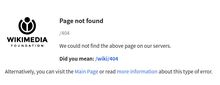
This class of status code is intended for situations in which the error seems to have been caused by the client. Except when responding to a HEAD request, the server should include an entity containing an explanation of the error situation, and whether it is a temporary or permanent condition. These status codes are applicable to any request method. User agents should display any included entity to the user.
- 400 Bad Request
- The server cannot or will not process the request due to an apparent client error (e.g., malformed request syntax, size too large, invalid request message framing, or deceptive request routing).
- 401 Unauthorized
- Similar to 403 Forbidden, but specifically for use when authentication is required and has failed or has not yet been provided. The response must include a WWW-Authenticate header field containing a challenge applicable to the requested resource. See Basic access authentication and Digest access authentication. 401 semantically means «unauthorised», the user does not have valid authentication credentials for the target resource.
- Some sites incorrectly issue HTTP 401 when an IP address is banned from the website (usually the website domain) and that specific address is refused permission to access a website.[citation needed]
- 402 Payment Required
- Reserved for future use. The original intention was that this code might be used as part of some form of digital cash or micropayment scheme, as proposed, for example, by GNU Taler,[13] but that has not yet happened, and this code is not widely used. Google Developers API uses this status if a particular developer has exceeded the daily limit on requests.[14] Sipgate uses this code if an account does not have sufficient funds to start a call.[15] Shopify uses this code when the store has not paid their fees and is temporarily disabled.[16] Stripe uses this code for failed payments where parameters were correct, for example blocked fraudulent payments.[17]
- 403 Forbidden
- The request contained valid data and was understood by the server, but the server is refusing action. This may be due to the user not having the necessary permissions for a resource or needing an account of some sort, or attempting a prohibited action (e.g. creating a duplicate record where only one is allowed). This code is also typically used if the request provided authentication by answering the WWW-Authenticate header field challenge, but the server did not accept that authentication. The request should not be repeated.
- 404 Not Found
- The requested resource could not be found but may be available in the future. Subsequent requests by the client are permissible.
- 405 Method Not Allowed
- A request method is not supported for the requested resource; for example, a GET request on a form that requires data to be presented via POST, or a PUT request on a read-only resource.
- 406 Not Acceptable
- The requested resource is capable of generating only content not acceptable according to the Accept headers sent in the request. See Content negotiation.
- 407 Proxy Authentication Required
- The client must first authenticate itself with the proxy.
- 408 Request Timeout
- The server timed out waiting for the request. According to HTTP specifications: «The client did not produce a request within the time that the server was prepared to wait. The client MAY repeat the request without modifications at any later time.»
- 409 Conflict
- Indicates that the request could not be processed because of conflict in the current state of the resource, such as an edit conflict between multiple simultaneous updates.
- 410 Gone
- Indicates that the resource requested was previously in use but is no longer available and will not be available again. This should be used when a resource has been intentionally removed and the resource should be purged. Upon receiving a 410 status code, the client should not request the resource in the future. Clients such as search engines should remove the resource from their indices. Most use cases do not require clients and search engines to purge the resource, and a «404 Not Found» may be used instead.
- 411 Length Required
- The request did not specify the length of its content, which is required by the requested resource.
- 412 Precondition Failed
- The server does not meet one of the preconditions that the requester put on the request header fields.
- 413 Payload Too Large
- The request is larger than the server is willing or able to process. Previously called «Request Entity Too Large» in RFC 2616.[18]
- 414 URI Too Long
- The URI provided was too long for the server to process. Often the result of too much data being encoded as a query-string of a GET request, in which case it should be converted to a POST request. Called «Request-URI Too Long» previously in RFC 2616.[19]
- 415 Unsupported Media Type
- The request entity has a media type which the server or resource does not support. For example, the client uploads an image as image/svg+xml, but the server requires that images use a different format.
- 416 Range Not Satisfiable
- The client has asked for a portion of the file (byte serving), but the server cannot supply that portion. For example, if the client asked for a part of the file that lies beyond the end of the file. Called «Requested Range Not Satisfiable» previously RFC 2616.[20]
- 417 Expectation Failed
- The server cannot meet the requirements of the Expect request-header field.[21]
- 418 I’m a teapot (RFC 2324, RFC 7168)
- This code was defined in 1998 as one of the traditional IETF April Fools’ jokes, in RFC 2324, Hyper Text Coffee Pot Control Protocol, and is not expected to be implemented by actual HTTP servers. The RFC specifies this code should be returned by teapots requested to brew coffee.[22] This HTTP status is used as an Easter egg in some websites, such as Google.com’s «I’m a teapot» easter egg.[23][24][25] Sometimes, this status code is also used as a response to a blocked request, instead of the more appropriate 403 Forbidden.[26][27]
- 421 Misdirected Request
- The request was directed at a server that is not able to produce a response (for example because of connection reuse).
- 422 Unprocessable Entity
- The request was well-formed but was unable to be followed due to semantic errors.[8]
- 423 Locked (WebDAV; RFC 4918)
- The resource that is being accessed is locked.[8]
- 424 Failed Dependency (WebDAV; RFC 4918)
- The request failed because it depended on another request and that request failed (e.g., a PROPPATCH).[8]
- 425 Too Early (RFC 8470)
- Indicates that the server is unwilling to risk processing a request that might be replayed.
- 426 Upgrade Required
- The client should switch to a different protocol such as TLS/1.3, given in the Upgrade header field.
- 428 Precondition Required (RFC 6585)
- The origin server requires the request to be conditional. Intended to prevent the ‘lost update’ problem, where a client GETs a resource’s state, modifies it, and PUTs it back to the server, when meanwhile a third party has modified the state on the server, leading to a conflict.[28]
- 429 Too Many Requests (RFC 6585)
- The user has sent too many requests in a given amount of time. Intended for use with rate-limiting schemes.[28]
- 431 Request Header Fields Too Large (RFC 6585)
- The server is unwilling to process the request because either an individual header field, or all the header fields collectively, are too large.[28]
- 451 Unavailable For Legal Reasons (RFC 7725)
- A server operator has received a legal demand to deny access to a resource or to a set of resources that includes the requested resource.[29] The code 451 was chosen as a reference to the novel Fahrenheit 451 (see the Acknowledgements in the RFC).
5xx server errors
The server failed to fulfil a request.
Response status codes beginning with the digit «5» indicate cases in which the server is aware that it has encountered an error or is otherwise incapable of performing the request. Except when responding to a HEAD request, the server should include an entity containing an explanation of the error situation, and indicate whether it is a temporary or permanent condition. Likewise, user agents should display any included entity to the user. These response codes are applicable to any request method.
- 500 Internal Server Error
- A generic error message, given when an unexpected condition was encountered and no more specific message is suitable.
- 501 Not Implemented
- The server either does not recognize the request method, or it lacks the ability to fulfil the request. Usually this implies future availability (e.g., a new feature of a web-service API).
- 502 Bad Gateway
- The server was acting as a gateway or proxy and received an invalid response from the upstream server.
- 503 Service Unavailable
- The server cannot handle the request (because it is overloaded or down for maintenance). Generally, this is a temporary state.[30]
- 504 Gateway Timeout
- The server was acting as a gateway or proxy and did not receive a timely response from the upstream server.
- 505 HTTP Version Not Supported
- The server does not support the HTTP version used in the request.
- 506 Variant Also Negotiates (RFC 2295)
- Transparent content negotiation for the request results in a circular reference.[31]
- 507 Insufficient Storage (WebDAV; RFC 4918)
- The server is unable to store the representation needed to complete the request.[8]
- 508 Loop Detected (WebDAV; RFC 5842)
- The server detected an infinite loop while processing the request (sent instead of 208 Already Reported).
- 510 Not Extended (RFC 2774)
- Further extensions to the request are required for the server to fulfill it.[32]
- 511 Network Authentication Required (RFC 6585)
- The client needs to authenticate to gain network access. Intended for use by intercepting proxies used to control access to the network (e.g., «captive portals» used to require agreement to Terms of Service before granting full Internet access via a Wi-Fi hotspot).[28]
Unofficial codes
The following codes are not specified by any standard.
- 419 Page Expired (Laravel Framework)
- Used by the Laravel Framework when a CSRF Token is missing or expired.
- 420 Method Failure (Spring Framework)
- A deprecated response used by the Spring Framework when a method has failed.[33]
- 420 Enhance Your Calm (Twitter)
- Returned by version 1 of the Twitter Search and Trends API when the client is being rate limited; versions 1.1 and later use the 429 Too Many Requests response code instead.[34] The phrase «Enhance your calm» comes from the 1993 movie Demolition Man, and its association with this number is likely a reference to cannabis.[citation needed]
- 430 Request Header Fields Too Large (Shopify)
- Used by Shopify, instead of the 429 Too Many Requests response code, when too many URLs are requested within a certain time frame.[35]
- 450 Blocked by Windows Parental Controls (Microsoft)
- The Microsoft extension code indicated when Windows Parental Controls are turned on and are blocking access to the requested webpage.[36]
- 498 Invalid Token (Esri)
- Returned by ArcGIS for Server. Code 498 indicates an expired or otherwise invalid token.[37]
- 499 Token Required (Esri)
- Returned by ArcGIS for Server. Code 499 indicates that a token is required but was not submitted.[37]
- 509 Bandwidth Limit Exceeded (Apache Web Server/cPanel)
- The server has exceeded the bandwidth specified by the server administrator; this is often used by shared hosting providers to limit the bandwidth of customers.[38]
- 529 Site is overloaded
- Used by Qualys in the SSLLabs server testing API to signal that the site can’t process the request.[39]
- 530 Site is frozen
- Used by the Pantheon web platform to indicate a site that has been frozen due to inactivity.[40]
- 598 (Informal convention) Network read timeout error
- Used by some HTTP proxies to signal a network read timeout behind the proxy to a client in front of the proxy.[41]
- 599 Network Connect Timeout Error
- An error used by some HTTP proxies to signal a network connect timeout behind the proxy to a client in front of the proxy.
Internet Information Services
Microsoft’s Internet Information Services (IIS) web server expands the 4xx error space to signal errors with the client’s request.
- 440 Login Time-out
- The client’s session has expired and must log in again.[42]
- 449 Retry With
- The server cannot honour the request because the user has not provided the required information.[43]
- 451 Redirect
- Used in Exchange ActiveSync when either a more efficient server is available or the server cannot access the users’ mailbox.[44] The client is expected to re-run the HTTP AutoDiscover operation to find a more appropriate server.[45]
IIS sometimes uses additional decimal sub-codes for more specific information,[46] however these sub-codes only appear in the response payload and in documentation, not in the place of an actual HTTP status code.
nginx
The nginx web server software expands the 4xx error space to signal issues with the client’s request.[47][48]
- 444 No Response
- Used internally[49] to instruct the server to return no information to the client and close the connection immediately.
- 494 Request header too large
- Client sent too large request or too long header line.
- 495 SSL Certificate Error
- An expansion of the 400 Bad Request response code, used when the client has provided an invalid client certificate.
- 496 SSL Certificate Required
- An expansion of the 400 Bad Request response code, used when a client certificate is required but not provided.
- 497 HTTP Request Sent to HTTPS Port
- An expansion of the 400 Bad Request response code, used when the client has made a HTTP request to a port listening for HTTPS requests.
- 499 Client Closed Request
- Used when the client has closed the request before the server could send a response.
Cloudflare
Cloudflare’s reverse proxy service expands the 5xx series of errors space to signal issues with the origin server.[50]
- 520 Web Server Returned an Unknown Error
- The origin server returned an empty, unknown, or unexpected response to Cloudflare.[51]
- 521 Web Server Is Down
- The origin server refused connections from Cloudflare. Security solutions at the origin may be blocking legitimate connections from certain Cloudflare IP addresses.
- 522 Connection Timed Out
- Cloudflare timed out contacting the origin server.
- 523 Origin Is Unreachable
- Cloudflare could not reach the origin server; for example, if the DNS records for the origin server are incorrect or missing.
- 524 A Timeout Occurred
- Cloudflare was able to complete a TCP connection to the origin server, but did not receive a timely HTTP response.
- 525 SSL Handshake Failed
- Cloudflare could not negotiate a SSL/TLS handshake with the origin server.
- 526 Invalid SSL Certificate
- Cloudflare could not validate the SSL certificate on the origin web server. Also used by Cloud Foundry’s gorouter.
- 527 Railgun Error
- Error 527 indicates an interrupted connection between Cloudflare and the origin server’s Railgun server.[52]
- 530
- Error 530 is returned along with a 1xxx error.[53]
AWS Elastic Load Balancer
Amazon’s Elastic Load Balancing adds a few custom return codes
- 460
- Client closed the connection with the load balancer before the idle timeout period elapsed. Typically when client timeout is sooner than the Elastic Load Balancer’s timeout.[54]
- 463
- The load balancer received an X-Forwarded-For request header with more than 30 IP addresses.[54]
- 561 Unauthorized
- An error around authentication returned by a server registered with a load balancer. You configured a listener rule to authenticate users, but the identity provider (IdP) returned an error code when authenticating the user.[55]
Caching warning codes (obsoleted)
The following caching related warning codes were specified under RFC 7234. Unlike the other status codes above, these were not sent as the response status in the HTTP protocol, but as part of the «Warning» HTTP header.[56][57]
Since this «Warning» header is often neither sent by servers nor acknowledged by clients, this header and its codes were obsoleted by the HTTP Working Group in 2022 with RFC 9111.[58]
- 110 Response is Stale
- The response provided by a cache is stale (the content’s age exceeds a maximum age set by a Cache-Control header or heuristically chosen lifetime).
- 111 Revalidation Failed
- The cache was unable to validate the response, due to an inability to reach the origin server.
- 112 Disconnected Operation
- The cache is intentionally disconnected from the rest of the network.
- 113 Heuristic Expiration
- The cache heuristically chose a freshness lifetime greater than 24 hours and the response’s age is greater than 24 hours.
- 199 Miscellaneous Warning
- Arbitrary, non-specific warning. The warning text may be logged or presented to the user.
- 214 Transformation Applied
- Added by a proxy if it applies any transformation to the representation, such as changing the content encoding, media type or the like.
- 299 Miscellaneous Persistent Warning
- Same as 199, but indicating a persistent warning.
See also
- Custom error pages
- List of FTP server return codes
- List of HTTP header fields
- List of SMTP server return codes
- Common Log Format
Explanatory notes
- ^ Emphasised words and phrases such as must and should represent interpretation guidelines as given by RFC 2119
References
- ^ a b c «Hypertext Transfer Protocol (HTTP) Status Code Registry». Iana.org. Archived from the original on December 11, 2011. Retrieved January 8, 2015.
- ^ «RFC 9110: HTTP Semantics and Content, Section 10.1.1 «Expect»«.
- ^ Goland, Yaronn; Whitehead, Jim; Faizi, Asad; Carter, Steve R.; Jensen, Del (February 1999). HTTP Extensions for Distributed Authoring – WEBDAV. IETF. doi:10.17487/RFC2518. RFC 2518. Retrieved October 24, 2009.
- ^ Oku, Kazuho (December 2017). An HTTP Status Code for Indicating Hints. IETF. doi:10.17487/RFC8297. RFC 8297. Retrieved December 20, 2017.
- ^ Stewart, Mark; djna. «Create request with POST, which response codes 200 or 201 and content». Stack Overflow. Archived from the original on October 11, 2016. Retrieved October 16, 2015.
- ^ «RFC 9110: HTTP Semantics and Content, Section 15.3.4».
- ^ «RFC 9110: HTTP Semantics and Content, Section 7.7».
- ^ a b c d e Dusseault, Lisa, ed. (June 2007). HTTP Extensions for Web Distributed Authoring and Versioning (WebDAV). IETF. doi:10.17487/RFC4918. RFC 4918. Retrieved October 24, 2009.
- ^ Delta encoding in HTTP. IETF. January 2002. doi:10.17487/RFC3229. RFC 3229. Retrieved February 25, 2011.
- ^ a b «RFC 9110: HTTP Semantics and Content, Section 15.4 «Redirection 3xx»«.
- ^ Berners-Lee, Tim; Fielding, Roy T.; Nielsen, Henrik Frystyk (May 1996). Hypertext Transfer Protocol – HTTP/1.0. IETF. doi:10.17487/RFC1945. RFC 1945. Retrieved October 24, 2009.
- ^ «The GNU Taler tutorial for PHP Web shop developers 0.4.0». docs.taler.net. Archived from the original on November 8, 2017. Retrieved October 29, 2017.
- ^ «Google API Standard Error Responses». 2016. Archived from the original on May 25, 2017. Retrieved June 21, 2017.
- ^ «Sipgate API Documentation». Archived from the original on July 10, 2018. Retrieved July 10, 2018.
- ^ «Shopify Documentation». Archived from the original on July 25, 2018. Retrieved July 25, 2018.
- ^ «Stripe API Reference – Errors». stripe.com. Retrieved October 28, 2019.
- ^ «RFC2616 on status 413». Tools.ietf.org. Archived from the original on March 7, 2011. Retrieved November 11, 2015.
- ^ «RFC2616 on status 414». Tools.ietf.org. Archived from the original on March 7, 2011. Retrieved November 11, 2015.
- ^ «RFC2616 on status 416». Tools.ietf.org. Archived from the original on March 7, 2011. Retrieved November 11, 2015.
- ^ TheDeadLike. «HTTP/1.1 Status Codes 400 and 417, cannot choose which». serverFault. Archived from the original on October 10, 2015. Retrieved October 16, 2015.
- ^ Larry Masinter (April 1, 1998). Hyper Text Coffee Pot Control Protocol (HTCPCP/1.0). doi:10.17487/RFC2324. RFC 2324.
Any attempt to brew coffee with a teapot should result in the error code «418 I’m a teapot». The resulting entity body MAY be short and stout.
- ^ I’m a teapot
- ^ Barry Schwartz (August 26, 2014). «New Google Easter Egg For SEO Geeks: Server Status 418, I’m A Teapot». Search Engine Land. Archived from the original on November 15, 2015. Retrieved November 4, 2015.
- ^ «Google’s Teapot». Retrieved October 23, 2017.[dead link]
- ^ «Enable extra web security on a website». DreamHost. Retrieved December 18, 2022.
- ^ «I Went to a Russian Website and All I Got Was This Lousy Teapot». PCMag. Retrieved December 18, 2022.
- ^ a b c d Nottingham, M.; Fielding, R. (April 2012). «RFC 6585 – Additional HTTP Status Codes». Request for Comments. Internet Engineering Task Force. Archived from the original on May 4, 2012. Retrieved May 1, 2012.
- ^ Bray, T. (February 2016). «An HTTP Status Code to Report Legal Obstacles». ietf.org. Archived from the original on March 4, 2016. Retrieved March 7, 2015.
- ^ alex. «What is the correct HTTP status code to send when a site is down for maintenance?». Stack Overflow. Archived from the original on October 11, 2016. Retrieved October 16, 2015.
- ^ Holtman, Koen; Mutz, Andrew H. (March 1998). Transparent Content Negotiation in HTTP. IETF. doi:10.17487/RFC2295. RFC 2295. Retrieved October 24, 2009.
- ^ Nielsen, Henrik Frystyk; Leach, Paul; Lawrence, Scott (February 2000). An HTTP Extension Framework. IETF. doi:10.17487/RFC2774. RFC 2774. Retrieved October 24, 2009.
- ^ «Enum HttpStatus». Spring Framework. org.springframework.http. Archived from the original on October 25, 2015. Retrieved October 16, 2015.
- ^ «Twitter Error Codes & Responses». Twitter. 2014. Archived from the original on September 27, 2017. Retrieved January 20, 2014.
- ^ «HTTP Status Codes and SEO: what you need to know». ContentKing. Retrieved August 9, 2019.
- ^ «Screenshot of error page». Archived from the original (bmp) on May 11, 2013. Retrieved October 11, 2009.
- ^ a b «Using token-based authentication». ArcGIS Server SOAP SDK. Archived from the original on September 26, 2014. Retrieved September 8, 2014.
- ^ «HTTP Error Codes and Quick Fixes». Docs.cpanel.net. Archived from the original on November 23, 2015. Retrieved October 15, 2015.
- ^ «SSL Labs API v3 Documentation». github.com.
- ^ «Platform Considerations | Pantheon Docs». pantheon.io. Archived from the original on January 6, 2017. Retrieved January 5, 2017.
- ^ «HTTP status codes — ascii-code.com». www.ascii-code.com. Archived from the original on January 7, 2017. Retrieved December 23, 2016.
- ^
«Error message when you try to log on to Exchange 2007 by using Outlook Web Access: «440 Login Time-out»«. Microsoft. 2010. Retrieved November 13, 2013. - ^ «2.2.6 449 Retry With Status Code». Microsoft. 2009. Archived from the original on October 5, 2009. Retrieved October 26, 2009.
- ^ «MS-ASCMD, Section 3.1.5.2.2». Msdn.microsoft.com. Archived from the original on March 26, 2015. Retrieved January 8, 2015.
- ^ «Ms-oxdisco». Msdn.microsoft.com. Archived from the original on July 31, 2014. Retrieved January 8, 2015.
- ^ «The HTTP status codes in IIS 7.0». Microsoft. July 14, 2009. Archived from the original on April 9, 2009. Retrieved April 1, 2009.
- ^ «ngx_http_request.h». nginx 1.9.5 source code. nginx inc. Archived from the original on September 19, 2017. Retrieved January 9, 2016.
- ^ «ngx_http_special_response.c». nginx 1.9.5 source code. nginx inc. Archived from the original on May 8, 2018. Retrieved January 9, 2016.
- ^ «return» directive Archived March 1, 2018, at the Wayback Machine (http_rewrite module) documentation.
- ^ «Troubleshooting: Error Pages». Cloudflare. Archived from the original on March 4, 2016. Retrieved January 9, 2016.
- ^ «Error 520: web server returns an unknown error». Cloudflare. Retrieved November 1, 2019.
- ^ «527 Error: Railgun Listener to origin error». Cloudflare. Archived from the original on October 13, 2016. Retrieved October 12, 2016.
- ^ «Error 530». Cloudflare. Retrieved November 1, 2019.
- ^ a b «Troubleshoot Your Application Load Balancers – Elastic Load Balancing». docs.aws.amazon.com. Retrieved August 27, 2019.
- ^ «Troubleshoot your Application Load Balancers — Elastic Load Balancing». docs.aws.amazon.com. Retrieved January 24, 2021.
- ^ «Hypertext Transfer Protocol (HTTP/1.1): Caching». datatracker.ietf.org. Retrieved September 25, 2021.
- ^ «Warning — HTTP | MDN». developer.mozilla.org. Retrieved August 15, 2021.
 Some text was copied from this source, which is available under a Creative Commons Attribution-ShareAlike 2.5 Generic (CC BY-SA 2.5) license.
- ^ «RFC 9111: HTTP Caching, Section 5.5 «Warning»«. June 2022.
External links
- «RFC 9110: HTTP Semantics and Content, Section 15 «Status Codes»«.
- Hypertext Transfer Protocol (HTTP) Status Code Registry
From Wikipedia, the free encyclopedia
(Redirected from 449 Retry With)
This is a list of Hypertext Transfer Protocol (HTTP) response status codes. Status codes are issued by a server in response to a client’s request made to the server. It includes codes from IETF Request for Comments (RFCs), other specifications, and some additional codes used in some common applications of the HTTP. The first digit of the status code specifies one of five standard classes of responses. The optional message phrases shown are typical, but any human-readable alternative may be provided, or none at all.
Unless otherwise stated, the status code is part of the HTTP standard (RFC 9110).
The Internet Assigned Numbers Authority (IANA) maintains the official registry of HTTP status codes.[1]
All HTTP response status codes are separated into five classes or categories. The first digit of the status code defines the class of response, while the last two digits do not have any classifying or categorization role. There are five classes defined by the standard:
- 1xx informational response – the request was received, continuing process
- 2xx successful – the request was successfully received, understood, and accepted
- 3xx redirection – further action needs to be taken in order to complete the request
- 4xx client error – the request contains bad syntax or cannot be fulfilled
- 5xx server error – the server failed to fulfil an apparently valid request
1xx informational response
An informational response indicates that the request was received and understood. It is issued on a provisional basis while request processing continues. It alerts the client to wait for a final response. The message consists only of the status line and optional header fields, and is terminated by an empty line. As the HTTP/1.0 standard did not define any 1xx status codes, servers must not[note 1] send a 1xx response to an HTTP/1.0 compliant client except under experimental conditions.
- 100 Continue
- The server has received the request headers and the client should proceed to send the request body (in the case of a request for which a body needs to be sent; for example, a POST request). Sending a large request body to a server after a request has been rejected for inappropriate headers would be inefficient. To have a server check the request’s headers, a client must send
Expect: 100-continueas a header in its initial request and receive a100 Continuestatus code in response before sending the body. If the client receives an error code such as 403 (Forbidden) or 405 (Method Not Allowed) then it should not send the request’s body. The response417 Expectation Failedindicates that the request should be repeated without theExpectheader as it indicates that the server does not support expectations (this is the case, for example, of HTTP/1.0 servers).[2] - 101 Switching Protocols
- The requester has asked the server to switch protocols and the server has agreed to do so.
- 102 Processing (WebDAV; RFC 2518)
- A WebDAV request may contain many sub-requests involving file operations, requiring a long time to complete the request. This code indicates that the server has received and is processing the request, but no response is available yet.[3] This prevents the client from timing out and assuming the request was lost.
- 103 Early Hints (RFC 8297)
- Used to return some response headers before final HTTP message.[4]
2xx success
This class of status codes indicates the action requested by the client was received, understood, and accepted.[1]
- 200 OK
- Standard response for successful HTTP requests. The actual response will depend on the request method used. In a GET request, the response will contain an entity corresponding to the requested resource. In a POST request, the response will contain an entity describing or containing the result of the action.
- 201 Created
- The request has been fulfilled, resulting in the creation of a new resource.[5]
- 202 Accepted
- The request has been accepted for processing, but the processing has not been completed. The request might or might not be eventually acted upon, and may be disallowed when processing occurs.
- 203 Non-Authoritative Information (since HTTP/1.1)
- The server is a transforming proxy (e.g. a Web accelerator) that received a 200 OK from its origin, but is returning a modified version of the origin’s response.[6][7]
- 204 No Content
- The server successfully processed the request, and is not returning any content.
- 205 Reset Content
- The server successfully processed the request, asks that the requester reset its document view, and is not returning any content.
- 206 Partial Content
- The server is delivering only part of the resource (byte serving) due to a range header sent by the client. The range header is used by HTTP clients to enable resuming of interrupted downloads, or split a download into multiple simultaneous streams.
- 207 Multi-Status (WebDAV; RFC 4918)
- The message body that follows is by default an XML message and can contain a number of separate response codes, depending on how many sub-requests were made.[8]
- 208 Already Reported (WebDAV; RFC 5842)
- The members of a DAV binding have already been enumerated in a preceding part of the (multistatus) response, and are not being included again.
- 226 IM Used (RFC 3229)
- The server has fulfilled a request for the resource, and the response is a representation of the result of one or more instance-manipulations applied to the current instance.[9]
3xx redirection
This class of status code indicates the client must take additional action to complete the request. Many of these status codes are used in URL redirection.[1]
A user agent may carry out the additional action with no user interaction only if the method used in the second request is GET or HEAD. A user agent may automatically redirect a request. A user agent should detect and intervene to prevent cyclical redirects.[10]
- 300 Multiple Choices
- Indicates multiple options for the resource from which the client may choose (via agent-driven content negotiation). For example, this code could be used to present multiple video format options, to list files with different filename extensions, or to suggest word-sense disambiguation.
- 301 Moved Permanently
- This and all future requests should be directed to the given URI.
- 302 Found (Previously «Moved temporarily»)
- Tells the client to look at (browse to) another URL. The HTTP/1.0 specification (RFC 1945) required the client to perform a temporary redirect with the same method (the original describing phrase was «Moved Temporarily»),[11] but popular browsers implemented 302 redirects by changing the method to GET. Therefore, HTTP/1.1 added status codes 303 and 307 to distinguish between the two behaviours.[10]
- 303 See Other (since HTTP/1.1)
- The response to the request can be found under another URI using the GET method. When received in response to a POST (or PUT/DELETE), the client should presume that the server has received the data and should issue a new GET request to the given URI.
- 304 Not Modified
- Indicates that the resource has not been modified since the version specified by the request headers If-Modified-Since or If-None-Match. In such case, there is no need to retransmit the resource since the client still has a previously-downloaded copy.
- 305 Use Proxy (since HTTP/1.1)
- The requested resource is available only through a proxy, the address for which is provided in the response. For security reasons, many HTTP clients (such as Mozilla Firefox and Internet Explorer) do not obey this status code.
- 306 Switch Proxy
- No longer used. Originally meant «Subsequent requests should use the specified proxy.»
- 307 Temporary Redirect (since HTTP/1.1)
- In this case, the request should be repeated with another URI; however, future requests should still use the original URI. In contrast to how 302 was historically implemented, the request method is not allowed to be changed when reissuing the original request. For example, a POST request should be repeated using another POST request.
- 308 Permanent Redirect
- This and all future requests should be directed to the given URI. 308 parallel the behaviour of 301, but does not allow the HTTP method to change. So, for example, submitting a form to a permanently redirected resource may continue smoothly.
4xx client errors
This class of status code is intended for situations in which the error seems to have been caused by the client. Except when responding to a HEAD request, the server should include an entity containing an explanation of the error situation, and whether it is a temporary or permanent condition. These status codes are applicable to any request method. User agents should display any included entity to the user.
- 400 Bad Request
- The server cannot or will not process the request due to an apparent client error (e.g., malformed request syntax, size too large, invalid request message framing, or deceptive request routing).
- 401 Unauthorized
- Similar to 403 Forbidden, but specifically for use when authentication is required and has failed or has not yet been provided. The response must include a WWW-Authenticate header field containing a challenge applicable to the requested resource. See Basic access authentication and Digest access authentication. 401 semantically means «unauthorised», the user does not have valid authentication credentials for the target resource.
- Some sites incorrectly issue HTTP 401 when an IP address is banned from the website (usually the website domain) and that specific address is refused permission to access a website.[citation needed]
- 402 Payment Required
- Reserved for future use. The original intention was that this code might be used as part of some form of digital cash or micropayment scheme, as proposed, for example, by GNU Taler,[13] but that has not yet happened, and this code is not widely used. Google Developers API uses this status if a particular developer has exceeded the daily limit on requests.[14] Sipgate uses this code if an account does not have sufficient funds to start a call.[15] Shopify uses this code when the store has not paid their fees and is temporarily disabled.[16] Stripe uses this code for failed payments where parameters were correct, for example blocked fraudulent payments.[17]
- 403 Forbidden
- The request contained valid data and was understood by the server, but the server is refusing action. This may be due to the user not having the necessary permissions for a resource or needing an account of some sort, or attempting a prohibited action (e.g. creating a duplicate record where only one is allowed). This code is also typically used if the request provided authentication by answering the WWW-Authenticate header field challenge, but the server did not accept that authentication. The request should not be repeated.
- 404 Not Found
- The requested resource could not be found but may be available in the future. Subsequent requests by the client are permissible.
- 405 Method Not Allowed
- A request method is not supported for the requested resource; for example, a GET request on a form that requires data to be presented via POST, or a PUT request on a read-only resource.
- 406 Not Acceptable
- The requested resource is capable of generating only content not acceptable according to the Accept headers sent in the request. See Content negotiation.
- 407 Proxy Authentication Required
- The client must first authenticate itself with the proxy.
- 408 Request Timeout
- The server timed out waiting for the request. According to HTTP specifications: «The client did not produce a request within the time that the server was prepared to wait. The client MAY repeat the request without modifications at any later time.»
- 409 Conflict
- Indicates that the request could not be processed because of conflict in the current state of the resource, such as an edit conflict between multiple simultaneous updates.
- 410 Gone
- Indicates that the resource requested was previously in use but is no longer available and will not be available again. This should be used when a resource has been intentionally removed and the resource should be purged. Upon receiving a 410 status code, the client should not request the resource in the future. Clients such as search engines should remove the resource from their indices. Most use cases do not require clients and search engines to purge the resource, and a «404 Not Found» may be used instead.
- 411 Length Required
- The request did not specify the length of its content, which is required by the requested resource.
- 412 Precondition Failed
- The server does not meet one of the preconditions that the requester put on the request header fields.
- 413 Payload Too Large
- The request is larger than the server is willing or able to process. Previously called «Request Entity Too Large» in RFC 2616.[18]
- 414 URI Too Long
- The URI provided was too long for the server to process. Often the result of too much data being encoded as a query-string of a GET request, in which case it should be converted to a POST request. Called «Request-URI Too Long» previously in RFC 2616.[19]
- 415 Unsupported Media Type
- The request entity has a media type which the server or resource does not support. For example, the client uploads an image as image/svg+xml, but the server requires that images use a different format.
- 416 Range Not Satisfiable
- The client has asked for a portion of the file (byte serving), but the server cannot supply that portion. For example, if the client asked for a part of the file that lies beyond the end of the file. Called «Requested Range Not Satisfiable» previously RFC 2616.[20]
- 417 Expectation Failed
- The server cannot meet the requirements of the Expect request-header field.[21]
- 418 I’m a teapot (RFC 2324, RFC 7168)
- This code was defined in 1998 as one of the traditional IETF April Fools’ jokes, in RFC 2324, Hyper Text Coffee Pot Control Protocol, and is not expected to be implemented by actual HTTP servers. The RFC specifies this code should be returned by teapots requested to brew coffee.[22] This HTTP status is used as an Easter egg in some websites, such as Google.com’s «I’m a teapot» easter egg.[23][24][25] Sometimes, this status code is also used as a response to a blocked request, instead of the more appropriate 403 Forbidden.[26][27]
- 421 Misdirected Request
- The request was directed at a server that is not able to produce a response (for example because of connection reuse).
- 422 Unprocessable Entity
- The request was well-formed but was unable to be followed due to semantic errors.[8]
- 423 Locked (WebDAV; RFC 4918)
- The resource that is being accessed is locked.[8]
- 424 Failed Dependency (WebDAV; RFC 4918)
- The request failed because it depended on another request and that request failed (e.g., a PROPPATCH).[8]
- 425 Too Early (RFC 8470)
- Indicates that the server is unwilling to risk processing a request that might be replayed.
- 426 Upgrade Required
- The client should switch to a different protocol such as TLS/1.3, given in the Upgrade header field.
- 428 Precondition Required (RFC 6585)
- The origin server requires the request to be conditional. Intended to prevent the ‘lost update’ problem, where a client GETs a resource’s state, modifies it, and PUTs it back to the server, when meanwhile a third party has modified the state on the server, leading to a conflict.[28]
- 429 Too Many Requests (RFC 6585)
- The user has sent too many requests in a given amount of time. Intended for use with rate-limiting schemes.[28]
- 431 Request Header Fields Too Large (RFC 6585)
- The server is unwilling to process the request because either an individual header field, or all the header fields collectively, are too large.[28]
- 451 Unavailable For Legal Reasons (RFC 7725)
- A server operator has received a legal demand to deny access to a resource or to a set of resources that includes the requested resource.[29] The code 451 was chosen as a reference to the novel Fahrenheit 451 (see the Acknowledgements in the RFC).
5xx server errors
The server failed to fulfil a request.
Response status codes beginning with the digit «5» indicate cases in which the server is aware that it has encountered an error or is otherwise incapable of performing the request. Except when responding to a HEAD request, the server should include an entity containing an explanation of the error situation, and indicate whether it is a temporary or permanent condition. Likewise, user agents should display any included entity to the user. These response codes are applicable to any request method.
- 500 Internal Server Error
- A generic error message, given when an unexpected condition was encountered and no more specific message is suitable.
- 501 Not Implemented
- The server either does not recognize the request method, or it lacks the ability to fulfil the request. Usually this implies future availability (e.g., a new feature of a web-service API).
- 502 Bad Gateway
- The server was acting as a gateway or proxy and received an invalid response from the upstream server.
- 503 Service Unavailable
- The server cannot handle the request (because it is overloaded or down for maintenance). Generally, this is a temporary state.[30]
- 504 Gateway Timeout
- The server was acting as a gateway or proxy and did not receive a timely response from the upstream server.
- 505 HTTP Version Not Supported
- The server does not support the HTTP version used in the request.
- 506 Variant Also Negotiates (RFC 2295)
- Transparent content negotiation for the request results in a circular reference.[31]
- 507 Insufficient Storage (WebDAV; RFC 4918)
- The server is unable to store the representation needed to complete the request.[8]
- 508 Loop Detected (WebDAV; RFC 5842)
- The server detected an infinite loop while processing the request (sent instead of 208 Already Reported).
- 510 Not Extended (RFC 2774)
- Further extensions to the request are required for the server to fulfill it.[32]
- 511 Network Authentication Required (RFC 6585)
- The client needs to authenticate to gain network access. Intended for use by intercepting proxies used to control access to the network (e.g., «captive portals» used to require agreement to Terms of Service before granting full Internet access via a Wi-Fi hotspot).[28]
Unofficial codes
The following codes are not specified by any standard.
- 419 Page Expired (Laravel Framework)
- Used by the Laravel Framework when a CSRF Token is missing or expired.
- 420 Method Failure (Spring Framework)
- A deprecated response used by the Spring Framework when a method has failed.[33]
- 420 Enhance Your Calm (Twitter)
- Returned by version 1 of the Twitter Search and Trends API when the client is being rate limited; versions 1.1 and later use the 429 Too Many Requests response code instead.[34] The phrase «Enhance your calm» comes from the 1993 movie Demolition Man, and its association with this number is likely a reference to cannabis.[citation needed]
- 430 Request Header Fields Too Large (Shopify)
- Used by Shopify, instead of the 429 Too Many Requests response code, when too many URLs are requested within a certain time frame.[35]
- 450 Blocked by Windows Parental Controls (Microsoft)
- The Microsoft extension code indicated when Windows Parental Controls are turned on and are blocking access to the requested webpage.[36]
- 498 Invalid Token (Esri)
- Returned by ArcGIS for Server. Code 498 indicates an expired or otherwise invalid token.[37]
- 499 Token Required (Esri)
- Returned by ArcGIS for Server. Code 499 indicates that a token is required but was not submitted.[37]
- 509 Bandwidth Limit Exceeded (Apache Web Server/cPanel)
- The server has exceeded the bandwidth specified by the server administrator; this is often used by shared hosting providers to limit the bandwidth of customers.[38]
- 529 Site is overloaded
- Used by Qualys in the SSLLabs server testing API to signal that the site can’t process the request.[39]
- 530 Site is frozen
- Used by the Pantheon web platform to indicate a site that has been frozen due to inactivity.[40]
- 598 (Informal convention) Network read timeout error
- Used by some HTTP proxies to signal a network read timeout behind the proxy to a client in front of the proxy.[41]
- 599 Network Connect Timeout Error
- An error used by some HTTP proxies to signal a network connect timeout behind the proxy to a client in front of the proxy.
Internet Information Services
Microsoft’s Internet Information Services (IIS) web server expands the 4xx error space to signal errors with the client’s request.
- 440 Login Time-out
- The client’s session has expired and must log in again.[42]
- 449 Retry With
- The server cannot honour the request because the user has not provided the required information.[43]
- 451 Redirect
- Used in Exchange ActiveSync when either a more efficient server is available or the server cannot access the users’ mailbox.[44] The client is expected to re-run the HTTP AutoDiscover operation to find a more appropriate server.[45]
IIS sometimes uses additional decimal sub-codes for more specific information,[46] however these sub-codes only appear in the response payload and in documentation, not in the place of an actual HTTP status code.
nginx
The nginx web server software expands the 4xx error space to signal issues with the client’s request.[47][48]
- 444 No Response
- Used internally[49] to instruct the server to return no information to the client and close the connection immediately.
- 494 Request header too large
- Client sent too large request or too long header line.
- 495 SSL Certificate Error
- An expansion of the 400 Bad Request response code, used when the client has provided an invalid client certificate.
- 496 SSL Certificate Required
- An expansion of the 400 Bad Request response code, used when a client certificate is required but not provided.
- 497 HTTP Request Sent to HTTPS Port
- An expansion of the 400 Bad Request response code, used when the client has made a HTTP request to a port listening for HTTPS requests.
- 499 Client Closed Request
- Used when the client has closed the request before the server could send a response.
Cloudflare
Cloudflare’s reverse proxy service expands the 5xx series of errors space to signal issues with the origin server.[50]
- 520 Web Server Returned an Unknown Error
- The origin server returned an empty, unknown, or unexpected response to Cloudflare.[51]
- 521 Web Server Is Down
- The origin server refused connections from Cloudflare. Security solutions at the origin may be blocking legitimate connections from certain Cloudflare IP addresses.
- 522 Connection Timed Out
- Cloudflare timed out contacting the origin server.
- 523 Origin Is Unreachable
- Cloudflare could not reach the origin server; for example, if the DNS records for the origin server are incorrect or missing.
- 524 A Timeout Occurred
- Cloudflare was able to complete a TCP connection to the origin server, but did not receive a timely HTTP response.
- 525 SSL Handshake Failed
- Cloudflare could not negotiate a SSL/TLS handshake with the origin server.
- 526 Invalid SSL Certificate
- Cloudflare could not validate the SSL certificate on the origin web server. Also used by Cloud Foundry’s gorouter.
- 527 Railgun Error
- Error 527 indicates an interrupted connection between Cloudflare and the origin server’s Railgun server.[52]
- 530
- Error 530 is returned along with a 1xxx error.[53]
AWS Elastic Load Balancer
Amazon’s Elastic Load Balancing adds a few custom return codes
- 460
- Client closed the connection with the load balancer before the idle timeout period elapsed. Typically when client timeout is sooner than the Elastic Load Balancer’s timeout.[54]
- 463
- The load balancer received an X-Forwarded-For request header with more than 30 IP addresses.[54]
- 561 Unauthorized
- An error around authentication returned by a server registered with a load balancer. You configured a listener rule to authenticate users, but the identity provider (IdP) returned an error code when authenticating the user.[55]
Caching warning codes (obsoleted)
The following caching related warning codes were specified under RFC 7234. Unlike the other status codes above, these were not sent as the response status in the HTTP protocol, but as part of the «Warning» HTTP header.[56][57]
Since this «Warning» header is often neither sent by servers nor acknowledged by clients, this header and its codes were obsoleted by the HTTP Working Group in 2022 with RFC 9111.[58]
- 110 Response is Stale
- The response provided by a cache is stale (the content’s age exceeds a maximum age set by a Cache-Control header or heuristically chosen lifetime).
- 111 Revalidation Failed
- The cache was unable to validate the response, due to an inability to reach the origin server.
- 112 Disconnected Operation
- The cache is intentionally disconnected from the rest of the network.
- 113 Heuristic Expiration
- The cache heuristically chose a freshness lifetime greater than 24 hours and the response’s age is greater than 24 hours.
- 199 Miscellaneous Warning
- Arbitrary, non-specific warning. The warning text may be logged or presented to the user.
- 214 Transformation Applied
- Added by a proxy if it applies any transformation to the representation, such as changing the content encoding, media type or the like.
- 299 Miscellaneous Persistent Warning
- Same as 199, but indicating a persistent warning.
See also
- Custom error pages
- List of FTP server return codes
- List of HTTP header fields
- List of SMTP server return codes
- Common Log Format
Explanatory notes
- ^ Emphasised words and phrases such as must and should represent interpretation guidelines as given by RFC 2119
References
- ^ a b c «Hypertext Transfer Protocol (HTTP) Status Code Registry». Iana.org. Archived from the original on December 11, 2011. Retrieved January 8, 2015.
- ^ «RFC 9110: HTTP Semantics and Content, Section 10.1.1 «Expect»«.
- ^ Goland, Yaronn; Whitehead, Jim; Faizi, Asad; Carter, Steve R.; Jensen, Del (February 1999). HTTP Extensions for Distributed Authoring – WEBDAV. IETF. doi:10.17487/RFC2518. RFC 2518. Retrieved October 24, 2009.
- ^ Oku, Kazuho (December 2017). An HTTP Status Code for Indicating Hints. IETF. doi:10.17487/RFC8297. RFC 8297. Retrieved December 20, 2017.
- ^ Stewart, Mark; djna. «Create request with POST, which response codes 200 or 201 and content». Stack Overflow. Archived from the original on October 11, 2016. Retrieved October 16, 2015.
- ^ «RFC 9110: HTTP Semantics and Content, Section 15.3.4».
- ^ «RFC 9110: HTTP Semantics and Content, Section 7.7».
- ^ a b c d e Dusseault, Lisa, ed. (June 2007). HTTP Extensions for Web Distributed Authoring and Versioning (WebDAV). IETF. doi:10.17487/RFC4918. RFC 4918. Retrieved October 24, 2009.
- ^ Delta encoding in HTTP. IETF. January 2002. doi:10.17487/RFC3229. RFC 3229. Retrieved February 25, 2011.
- ^ a b «RFC 9110: HTTP Semantics and Content, Section 15.4 «Redirection 3xx»«.
- ^ Berners-Lee, Tim; Fielding, Roy T.; Nielsen, Henrik Frystyk (May 1996). Hypertext Transfer Protocol – HTTP/1.0. IETF. doi:10.17487/RFC1945. RFC 1945. Retrieved October 24, 2009.
- ^ «The GNU Taler tutorial for PHP Web shop developers 0.4.0». docs.taler.net. Archived from the original on November 8, 2017. Retrieved October 29, 2017.
- ^ «Google API Standard Error Responses». 2016. Archived from the original on May 25, 2017. Retrieved June 21, 2017.
- ^ «Sipgate API Documentation». Archived from the original on July 10, 2018. Retrieved July 10, 2018.
- ^ «Shopify Documentation». Archived from the original on July 25, 2018. Retrieved July 25, 2018.
- ^ «Stripe API Reference – Errors». stripe.com. Retrieved October 28, 2019.
- ^ «RFC2616 on status 413». Tools.ietf.org. Archived from the original on March 7, 2011. Retrieved November 11, 2015.
- ^ «RFC2616 on status 414». Tools.ietf.org. Archived from the original on March 7, 2011. Retrieved November 11, 2015.
- ^ «RFC2616 on status 416». Tools.ietf.org. Archived from the original on March 7, 2011. Retrieved November 11, 2015.
- ^ TheDeadLike. «HTTP/1.1 Status Codes 400 and 417, cannot choose which». serverFault. Archived from the original on October 10, 2015. Retrieved October 16, 2015.
- ^ Larry Masinter (April 1, 1998). Hyper Text Coffee Pot Control Protocol (HTCPCP/1.0). doi:10.17487/RFC2324. RFC 2324.
Any attempt to brew coffee with a teapot should result in the error code «418 I’m a teapot». The resulting entity body MAY be short and stout.
- ^ I’m a teapot
- ^ Barry Schwartz (August 26, 2014). «New Google Easter Egg For SEO Geeks: Server Status 418, I’m A Teapot». Search Engine Land. Archived from the original on November 15, 2015. Retrieved November 4, 2015.
- ^ «Google’s Teapot». Retrieved October 23, 2017.[dead link]
- ^ «Enable extra web security on a website». DreamHost. Retrieved December 18, 2022.
- ^ «I Went to a Russian Website and All I Got Was This Lousy Teapot». PCMag. Retrieved December 18, 2022.
- ^ a b c d Nottingham, M.; Fielding, R. (April 2012). «RFC 6585 – Additional HTTP Status Codes». Request for Comments. Internet Engineering Task Force. Archived from the original on May 4, 2012. Retrieved May 1, 2012.
- ^ Bray, T. (February 2016). «An HTTP Status Code to Report Legal Obstacles». ietf.org. Archived from the original on March 4, 2016. Retrieved March 7, 2015.
- ^ alex. «What is the correct HTTP status code to send when a site is down for maintenance?». Stack Overflow. Archived from the original on October 11, 2016. Retrieved October 16, 2015.
- ^ Holtman, Koen; Mutz, Andrew H. (March 1998). Transparent Content Negotiation in HTTP. IETF. doi:10.17487/RFC2295. RFC 2295. Retrieved October 24, 2009.
- ^ Nielsen, Henrik Frystyk; Leach, Paul; Lawrence, Scott (February 2000). An HTTP Extension Framework. IETF. doi:10.17487/RFC2774. RFC 2774. Retrieved October 24, 2009.
- ^ «Enum HttpStatus». Spring Framework. org.springframework.http. Archived from the original on October 25, 2015. Retrieved October 16, 2015.
- ^ «Twitter Error Codes & Responses». Twitter. 2014. Archived from the original on September 27, 2017. Retrieved January 20, 2014.
- ^ «HTTP Status Codes and SEO: what you need to know». ContentKing. Retrieved August 9, 2019.
- ^ «Screenshot of error page». Archived from the original (bmp) on May 11, 2013. Retrieved October 11, 2009.
- ^ a b «Using token-based authentication». ArcGIS Server SOAP SDK. Archived from the original on September 26, 2014. Retrieved September 8, 2014.
- ^ «HTTP Error Codes and Quick Fixes». Docs.cpanel.net. Archived from the original on November 23, 2015. Retrieved October 15, 2015.
- ^ «SSL Labs API v3 Documentation». github.com.
- ^ «Platform Considerations | Pantheon Docs». pantheon.io. Archived from the original on January 6, 2017. Retrieved January 5, 2017.
- ^ «HTTP status codes — ascii-code.com». www.ascii-code.com. Archived from the original on January 7, 2017. Retrieved December 23, 2016.
- ^
«Error message when you try to log on to Exchange 2007 by using Outlook Web Access: «440 Login Time-out»«. Microsoft. 2010. Retrieved November 13, 2013. - ^ «2.2.6 449 Retry With Status Code». Microsoft. 2009. Archived from the original on October 5, 2009. Retrieved October 26, 2009.
- ^ «MS-ASCMD, Section 3.1.5.2.2». Msdn.microsoft.com. Archived from the original on March 26, 2015. Retrieved January 8, 2015.
- ^ «Ms-oxdisco». Msdn.microsoft.com. Archived from the original on July 31, 2014. Retrieved January 8, 2015.
- ^ «The HTTP status codes in IIS 7.0». Microsoft. July 14, 2009. Archived from the original on April 9, 2009. Retrieved April 1, 2009.
- ^ «ngx_http_request.h». nginx 1.9.5 source code. nginx inc. Archived from the original on September 19, 2017. Retrieved January 9, 2016.
- ^ «ngx_http_special_response.c». nginx 1.9.5 source code. nginx inc. Archived from the original on May 8, 2018. Retrieved January 9, 2016.
- ^ «return» directive Archived March 1, 2018, at the Wayback Machine (http_rewrite module) documentation.
- ^ «Troubleshooting: Error Pages». Cloudflare. Archived from the original on March 4, 2016. Retrieved January 9, 2016.
- ^ «Error 520: web server returns an unknown error». Cloudflare. Retrieved November 1, 2019.
- ^ «527 Error: Railgun Listener to origin error». Cloudflare. Archived from the original on October 13, 2016. Retrieved October 12, 2016.
- ^ «Error 530». Cloudflare. Retrieved November 1, 2019.
- ^ a b «Troubleshoot Your Application Load Balancers – Elastic Load Balancing». docs.aws.amazon.com. Retrieved August 27, 2019.
- ^ «Troubleshoot your Application Load Balancers — Elastic Load Balancing». docs.aws.amazon.com. Retrieved January 24, 2021.
- ^ «Hypertext Transfer Protocol (HTTP/1.1): Caching». datatracker.ietf.org. Retrieved September 25, 2021.
- ^ «Warning — HTTP | MDN». developer.mozilla.org. Retrieved August 15, 2021. Some text was copied from this source, which is available under a Creative Commons Attribution-ShareAlike 2.5 Generic (CC BY-SA 2.5) license.
- ^ «RFC 9111: HTTP Caching, Section 5.5 «Warning»«. June 2022.
External links
- «RFC 9110: HTTP Semantics and Content, Section 15 «Status Codes»«.
- Hypertext Transfer Protocol (HTTP) Status Code Registry
From Wikipedia, the free encyclopedia
(Redirected from 449 Retry With)
This is a list of Hypertext Transfer Protocol (HTTP) response status codes. Status codes are issued by a server in response to a client’s request made to the server. It includes codes from IETF Request for Comments (RFCs), other specifications, and some additional codes used in some common applications of the HTTP. The first digit of the status code specifies one of five standard classes of responses. The optional message phrases shown are typical, but any human-readable alternative may be provided, or none at all.
Unless otherwise stated, the status code is part of the HTTP standard (RFC 9110).
The Internet Assigned Numbers Authority (IANA) maintains the official registry of HTTP status codes.[1]
All HTTP response status codes are separated into five classes or categories. The first digit of the status code defines the class of response, while the last two digits do not have any classifying or categorization role. There are five classes defined by the standard:
- 1xx informational response – the request was received, continuing process
- 2xx successful – the request was successfully received, understood, and accepted
- 3xx redirection – further action needs to be taken in order to complete the request
- 4xx client error – the request contains bad syntax or cannot be fulfilled
- 5xx server error – the server failed to fulfil an apparently valid request
1xx informational response
An informational response indicates that the request was received and understood. It is issued on a provisional basis while request processing continues. It alerts the client to wait for a final response. The message consists only of the status line and optional header fields, and is terminated by an empty line. As the HTTP/1.0 standard did not define any 1xx status codes, servers must not[note 1] send a 1xx response to an HTTP/1.0 compliant client except under experimental conditions.
- 100 Continue
- The server has received the request headers and the client should proceed to send the request body (in the case of a request for which a body needs to be sent; for example, a POST request). Sending a large request body to a server after a request has been rejected for inappropriate headers would be inefficient. To have a server check the request’s headers, a client must send
Expect: 100-continueas a header in its initial request and receive a100 Continuestatus code in response before sending the body. If the client receives an error code such as 403 (Forbidden) or 405 (Method Not Allowed) then it should not send the request’s body. The response417 Expectation Failedindicates that the request should be repeated without theExpectheader as it indicates that the server does not support expectations (this is the case, for example, of HTTP/1.0 servers).[2] - 101 Switching Protocols
- The requester has asked the server to switch protocols and the server has agreed to do so.
- 102 Processing (WebDAV; RFC 2518)
- A WebDAV request may contain many sub-requests involving file operations, requiring a long time to complete the request. This code indicates that the server has received and is processing the request, but no response is available yet.[3] This prevents the client from timing out and assuming the request was lost.
- 103 Early Hints (RFC 8297)
- Used to return some response headers before final HTTP message.[4]
2xx success
This class of status codes indicates the action requested by the client was received, understood, and accepted.[1]
- 200 OK
- Standard response for successful HTTP requests. The actual response will depend on the request method used. In a GET request, the response will contain an entity corresponding to the requested resource. In a POST request, the response will contain an entity describing or containing the result of the action.
- 201 Created
- The request has been fulfilled, resulting in the creation of a new resource.[5]
- 202 Accepted
- The request has been accepted for processing, but the processing has not been completed. The request might or might not be eventually acted upon, and may be disallowed when processing occurs.
- 203 Non-Authoritative Information (since HTTP/1.1)
- The server is a transforming proxy (e.g. a Web accelerator) that received a 200 OK from its origin, but is returning a modified version of the origin’s response.[6][7]
- 204 No Content
- The server successfully processed the request, and is not returning any content.
- 205 Reset Content
- The server successfully processed the request, asks that the requester reset its document view, and is not returning any content.
- 206 Partial Content
- The server is delivering only part of the resource (byte serving) due to a range header sent by the client. The range header is used by HTTP clients to enable resuming of interrupted downloads, or split a download into multiple simultaneous streams.
- 207 Multi-Status (WebDAV; RFC 4918)
- The message body that follows is by default an XML message and can contain a number of separate response codes, depending on how many sub-requests were made.[8]
- 208 Already Reported (WebDAV; RFC 5842)
- The members of a DAV binding have already been enumerated in a preceding part of the (multistatus) response, and are not being included again.
- 226 IM Used (RFC 3229)
- The server has fulfilled a request for the resource, and the response is a representation of the result of one or more instance-manipulations applied to the current instance.[9]
3xx redirection
This class of status code indicates the client must take additional action to complete the request. Many of these status codes are used in URL redirection.[1]
A user agent may carry out the additional action with no user interaction only if the method used in the second request is GET or HEAD. A user agent may automatically redirect a request. A user agent should detect and intervene to prevent cyclical redirects.[10]
- 300 Multiple Choices
- Indicates multiple options for the resource from which the client may choose (via agent-driven content negotiation). For example, this code could be used to present multiple video format options, to list files with different filename extensions, or to suggest word-sense disambiguation.
- 301 Moved Permanently
- This and all future requests should be directed to the given URI.
- 302 Found (Previously «Moved temporarily»)
- Tells the client to look at (browse to) another URL. The HTTP/1.0 specification (RFC 1945) required the client to perform a temporary redirect with the same method (the original describing phrase was «Moved Temporarily»),[11] but popular browsers implemented 302 redirects by changing the method to GET. Therefore, HTTP/1.1 added status codes 303 and 307 to distinguish between the two behaviours.[10]
- 303 See Other (since HTTP/1.1)
- The response to the request can be found under another URI using the GET method. When received in response to a POST (or PUT/DELETE), the client should presume that the server has received the data and should issue a new GET request to the given URI.
- 304 Not Modified
- Indicates that the resource has not been modified since the version specified by the request headers If-Modified-Since or If-None-Match. In such case, there is no need to retransmit the resource since the client still has a previously-downloaded copy.
- 305 Use Proxy (since HTTP/1.1)
- The requested resource is available only through a proxy, the address for which is provided in the response. For security reasons, many HTTP clients (such as Mozilla Firefox and Internet Explorer) do not obey this status code.
- 306 Switch Proxy
- No longer used. Originally meant «Subsequent requests should use the specified proxy.»
- 307 Temporary Redirect (since HTTP/1.1)
- In this case, the request should be repeated with another URI; however, future requests should still use the original URI. In contrast to how 302 was historically implemented, the request method is not allowed to be changed when reissuing the original request. For example, a POST request should be repeated using another POST request.
- 308 Permanent Redirect
- This and all future requests should be directed to the given URI. 308 parallel the behaviour of 301, but does not allow the HTTP method to change. So, for example, submitting a form to a permanently redirected resource may continue smoothly.
4xx client errors
This class of status code is intended for situations in which the error seems to have been caused by the client. Except when responding to a HEAD request, the server should include an entity containing an explanation of the error situation, and whether it is a temporary or permanent condition. These status codes are applicable to any request method. User agents should display any included entity to the user.
- 400 Bad Request
- The server cannot or will not process the request due to an apparent client error (e.g., malformed request syntax, size too large, invalid request message framing, or deceptive request routing).
- 401 Unauthorized
- Similar to 403 Forbidden, but specifically for use when authentication is required and has failed or has not yet been provided. The response must include a WWW-Authenticate header field containing a challenge applicable to the requested resource. See Basic access authentication and Digest access authentication. 401 semantically means «unauthorised», the user does not have valid authentication credentials for the target resource.
- Some sites incorrectly issue HTTP 401 when an IP address is banned from the website (usually the website domain) and that specific address is refused permission to access a website.[citation needed]
- 402 Payment Required
- Reserved for future use. The original intention was that this code might be used as part of some form of digital cash or micropayment scheme, as proposed, for example, by GNU Taler,[13] but that has not yet happened, and this code is not widely used. Google Developers API uses this status if a particular developer has exceeded the daily limit on requests.[14] Sipgate uses this code if an account does not have sufficient funds to start a call.[15] Shopify uses this code when the store has not paid their fees and is temporarily disabled.[16] Stripe uses this code for failed payments where parameters were correct, for example blocked fraudulent payments.[17]
- 403 Forbidden
- The request contained valid data and was understood by the server, but the server is refusing action. This may be due to the user not having the necessary permissions for a resource or needing an account of some sort, or attempting a prohibited action (e.g. creating a duplicate record where only one is allowed). This code is also typically used if the request provided authentication by answering the WWW-Authenticate header field challenge, but the server did not accept that authentication. The request should not be repeated.
- 404 Not Found
- The requested resource could not be found but may be available in the future. Subsequent requests by the client are permissible.
- 405 Method Not Allowed
- A request method is not supported for the requested resource; for example, a GET request on a form that requires data to be presented via POST, or a PUT request on a read-only resource.
- 406 Not Acceptable
- The requested resource is capable of generating only content not acceptable according to the Accept headers sent in the request. See Content negotiation.
- 407 Proxy Authentication Required
- The client must first authenticate itself with the proxy.
- 408 Request Timeout
- The server timed out waiting for the request. According to HTTP specifications: «The client did not produce a request within the time that the server was prepared to wait. The client MAY repeat the request without modifications at any later time.»
- 409 Conflict
- Indicates that the request could not be processed because of conflict in the current state of the resource, such as an edit conflict between multiple simultaneous updates.
- 410 Gone
- Indicates that the resource requested was previously in use but is no longer available and will not be available again. This should be used when a resource has been intentionally removed and the resource should be purged. Upon receiving a 410 status code, the client should not request the resource in the future. Clients such as search engines should remove the resource from their indices. Most use cases do not require clients and search engines to purge the resource, and a «404 Not Found» may be used instead.
- 411 Length Required
- The request did not specify the length of its content, which is required by the requested resource.
- 412 Precondition Failed
- The server does not meet one of the preconditions that the requester put on the request header fields.
- 413 Payload Too Large
- The request is larger than the server is willing or able to process. Previously called «Request Entity Too Large» in RFC 2616.[18]
- 414 URI Too Long
- The URI provided was too long for the server to process. Often the result of too much data being encoded as a query-string of a GET request, in which case it should be converted to a POST request. Called «Request-URI Too Long» previously in RFC 2616.[19]
- 415 Unsupported Media Type
- The request entity has a media type which the server or resource does not support. For example, the client uploads an image as image/svg+xml, but the server requires that images use a different format.
- 416 Range Not Satisfiable
- The client has asked for a portion of the file (byte serving), but the server cannot supply that portion. For example, if the client asked for a part of the file that lies beyond the end of the file. Called «Requested Range Not Satisfiable» previously RFC 2616.[20]
- 417 Expectation Failed
- The server cannot meet the requirements of the Expect request-header field.[21]
- 418 I’m a teapot (RFC 2324, RFC 7168)
- This code was defined in 1998 as one of the traditional IETF April Fools’ jokes, in RFC 2324, Hyper Text Coffee Pot Control Protocol, and is not expected to be implemented by actual HTTP servers. The RFC specifies this code should be returned by teapots requested to brew coffee.[22] This HTTP status is used as an Easter egg in some websites, such as Google.com’s «I’m a teapot» easter egg.[23][24][25] Sometimes, this status code is also used as a response to a blocked request, instead of the more appropriate 403 Forbidden.[26][27]
- 421 Misdirected Request
- The request was directed at a server that is not able to produce a response (for example because of connection reuse).
- 422 Unprocessable Entity
- The request was well-formed but was unable to be followed due to semantic errors.[8]
- 423 Locked (WebDAV; RFC 4918)
- The resource that is being accessed is locked.[8]
- 424 Failed Dependency (WebDAV; RFC 4918)
- The request failed because it depended on another request and that request failed (e.g., a PROPPATCH).[8]
- 425 Too Early (RFC 8470)
- Indicates that the server is unwilling to risk processing a request that might be replayed.
- 426 Upgrade Required
- The client should switch to a different protocol such as TLS/1.3, given in the Upgrade header field.
- 428 Precondition Required (RFC 6585)
- The origin server requires the request to be conditional. Intended to prevent the ‘lost update’ problem, where a client GETs a resource’s state, modifies it, and PUTs it back to the server, when meanwhile a third party has modified the state on the server, leading to a conflict.[28]
- 429 Too Many Requests (RFC 6585)
- The user has sent too many requests in a given amount of time. Intended for use with rate-limiting schemes.[28]
- 431 Request Header Fields Too Large (RFC 6585)
- The server is unwilling to process the request because either an individual header field, or all the header fields collectively, are too large.[28]
- 451 Unavailable For Legal Reasons (RFC 7725)
- A server operator has received a legal demand to deny access to a resource or to a set of resources that includes the requested resource.[29] The code 451 was chosen as a reference to the novel Fahrenheit 451 (see the Acknowledgements in the RFC).
5xx server errors
The server failed to fulfil a request.
Response status codes beginning with the digit «5» indicate cases in which the server is aware that it has encountered an error or is otherwise incapable of performing the request. Except when responding to a HEAD request, the server should include an entity containing an explanation of the error situation, and indicate whether it is a temporary or permanent condition. Likewise, user agents should display any included entity to the user. These response codes are applicable to any request method.
- 500 Internal Server Error
- A generic error message, given when an unexpected condition was encountered and no more specific message is suitable.
- 501 Not Implemented
- The server either does not recognize the request method, or it lacks the ability to fulfil the request. Usually this implies future availability (e.g., a new feature of a web-service API).
- 502 Bad Gateway
- The server was acting as a gateway or proxy and received an invalid response from the upstream server.
- 503 Service Unavailable
- The server cannot handle the request (because it is overloaded or down for maintenance). Generally, this is a temporary state.[30]
- 504 Gateway Timeout
- The server was acting as a gateway or proxy and did not receive a timely response from the upstream server.
- 505 HTTP Version Not Supported
- The server does not support the HTTP version used in the request.
- 506 Variant Also Negotiates (RFC 2295)
- Transparent content negotiation for the request results in a circular reference.[31]
- 507 Insufficient Storage (WebDAV; RFC 4918)
- The server is unable to store the representation needed to complete the request.[8]
- 508 Loop Detected (WebDAV; RFC 5842)
- The server detected an infinite loop while processing the request (sent instead of 208 Already Reported).
- 510 Not Extended (RFC 2774)
- Further extensions to the request are required for the server to fulfill it.[32]
- 511 Network Authentication Required (RFC 6585)
- The client needs to authenticate to gain network access. Intended for use by intercepting proxies used to control access to the network (e.g., «captive portals» used to require agreement to Terms of Service before granting full Internet access via a Wi-Fi hotspot).[28]
Unofficial codes
The following codes are not specified by any standard.
- 419 Page Expired (Laravel Framework)
- Used by the Laravel Framework when a CSRF Token is missing or expired.
- 420 Method Failure (Spring Framework)
- A deprecated response used by the Spring Framework when a method has failed.[33]
- 420 Enhance Your Calm (Twitter)
- Returned by version 1 of the Twitter Search and Trends API when the client is being rate limited; versions 1.1 and later use the 429 Too Many Requests response code instead.[34] The phrase «Enhance your calm» comes from the 1993 movie Demolition Man, and its association with this number is likely a reference to cannabis.[citation needed]
- 430 Request Header Fields Too Large (Shopify)
- Used by Shopify, instead of the 429 Too Many Requests response code, when too many URLs are requested within a certain time frame.[35]
- 450 Blocked by Windows Parental Controls (Microsoft)
- The Microsoft extension code indicated when Windows Parental Controls are turned on and are blocking access to the requested webpage.[36]
- 498 Invalid Token (Esri)
- Returned by ArcGIS for Server. Code 498 indicates an expired or otherwise invalid token.[37]
- 499 Token Required (Esri)
- Returned by ArcGIS for Server. Code 499 indicates that a token is required but was not submitted.[37]
- 509 Bandwidth Limit Exceeded (Apache Web Server/cPanel)
- The server has exceeded the bandwidth specified by the server administrator; this is often used by shared hosting providers to limit the bandwidth of customers.[38]
- 529 Site is overloaded
- Used by Qualys in the SSLLabs server testing API to signal that the site can’t process the request.[39]
- 530 Site is frozen
- Used by the Pantheon web platform to indicate a site that has been frozen due to inactivity.[40]
- 598 (Informal convention) Network read timeout error
- Used by some HTTP proxies to signal a network read timeout behind the proxy to a client in front of the proxy.[41]
- 599 Network Connect Timeout Error
- An error used by some HTTP proxies to signal a network connect timeout behind the proxy to a client in front of the proxy.
Internet Information Services
Microsoft’s Internet Information Services (IIS) web server expands the 4xx error space to signal errors with the client’s request.
- 440 Login Time-out
- The client’s session has expired and must log in again.[42]
- 449 Retry With
- The server cannot honour the request because the user has not provided the required information.[43]
- 451 Redirect
- Used in Exchange ActiveSync when either a more efficient server is available or the server cannot access the users’ mailbox.[44] The client is expected to re-run the HTTP AutoDiscover operation to find a more appropriate server.[45]
IIS sometimes uses additional decimal sub-codes for more specific information,[46] however these sub-codes only appear in the response payload and in documentation, not in the place of an actual HTTP status code.
nginx
The nginx web server software expands the 4xx error space to signal issues with the client’s request.[47][48]
- 444 No Response
- Used internally[49] to instruct the server to return no information to the client and close the connection immediately.
- 494 Request header too large
- Client sent too large request or too long header line.
- 495 SSL Certificate Error
- An expansion of the 400 Bad Request response code, used when the client has provided an invalid client certificate.
- 496 SSL Certificate Required
- An expansion of the 400 Bad Request response code, used when a client certificate is required but not provided.
- 497 HTTP Request Sent to HTTPS Port
- An expansion of the 400 Bad Request response code, used when the client has made a HTTP request to a port listening for HTTPS requests.
- 499 Client Closed Request
- Used when the client has closed the request before the server could send a response.
Cloudflare
Cloudflare’s reverse proxy service expands the 5xx series of errors space to signal issues with the origin server.[50]
- 520 Web Server Returned an Unknown Error
- The origin server returned an empty, unknown, or unexpected response to Cloudflare.[51]
- 521 Web Server Is Down
- The origin server refused connections from Cloudflare. Security solutions at the origin may be blocking legitimate connections from certain Cloudflare IP addresses.
- 522 Connection Timed Out
- Cloudflare timed out contacting the origin server.
- 523 Origin Is Unreachable
- Cloudflare could not reach the origin server; for example, if the DNS records for the origin server are incorrect or missing.
- 524 A Timeout Occurred
- Cloudflare was able to complete a TCP connection to the origin server, but did not receive a timely HTTP response.
- 525 SSL Handshake Failed
- Cloudflare could not negotiate a SSL/TLS handshake with the origin server.
- 526 Invalid SSL Certificate
- Cloudflare could not validate the SSL certificate on the origin web server. Also used by Cloud Foundry’s gorouter.
- 527 Railgun Error
- Error 527 indicates an interrupted connection between Cloudflare and the origin server’s Railgun server.[52]
- 530
- Error 530 is returned along with a 1xxx error.[53]
AWS Elastic Load Balancer
Amazon’s Elastic Load Balancing adds a few custom return codes
- 460
- Client closed the connection with the load balancer before the idle timeout period elapsed. Typically when client timeout is sooner than the Elastic Load Balancer’s timeout.[54]
- 463
- The load balancer received an X-Forwarded-For request header with more than 30 IP addresses.[54]
- 561 Unauthorized
- An error around authentication returned by a server registered with a load balancer. You configured a listener rule to authenticate users, but the identity provider (IdP) returned an error code when authenticating the user.[55]
Caching warning codes (obsoleted)
The following caching related warning codes were specified under RFC 7234. Unlike the other status codes above, these were not sent as the response status in the HTTP protocol, but as part of the «Warning» HTTP header.[56][57]
Since this «Warning» header is often neither sent by servers nor acknowledged by clients, this header and its codes were obsoleted by the HTTP Working Group in 2022 with RFC 9111.[58]
- 110 Response is Stale
- The response provided by a cache is stale (the content’s age exceeds a maximum age set by a Cache-Control header or heuristically chosen lifetime).
- 111 Revalidation Failed
- The cache was unable to validate the response, due to an inability to reach the origin server.
- 112 Disconnected Operation
- The cache is intentionally disconnected from the rest of the network.
- 113 Heuristic Expiration
- The cache heuristically chose a freshness lifetime greater than 24 hours and the response’s age is greater than 24 hours.
- 199 Miscellaneous Warning
- Arbitrary, non-specific warning. The warning text may be logged or presented to the user.
- 214 Transformation Applied
- Added by a proxy if it applies any transformation to the representation, such as changing the content encoding, media type or the like.
- 299 Miscellaneous Persistent Warning
- Same as 199, but indicating a persistent warning.
See also
- Custom error pages
- List of FTP server return codes
- List of HTTP header fields
- List of SMTP server return codes
- Common Log Format
Explanatory notes
- ^ Emphasised words and phrases such as must and should represent interpretation guidelines as given by RFC 2119
References
- ^ a b c «Hypertext Transfer Protocol (HTTP) Status Code Registry». Iana.org. Archived from the original on December 11, 2011. Retrieved January 8, 2015.
- ^ «RFC 9110: HTTP Semantics and Content, Section 10.1.1 «Expect»«.
- ^ Goland, Yaronn; Whitehead, Jim; Faizi, Asad; Carter, Steve R.; Jensen, Del (February 1999). HTTP Extensions for Distributed Authoring – WEBDAV. IETF. doi:10.17487/RFC2518. RFC 2518. Retrieved October 24, 2009.
- ^ Oku, Kazuho (December 2017). An HTTP Status Code for Indicating Hints. IETF. doi:10.17487/RFC8297. RFC 8297. Retrieved December 20, 2017.
- ^ Stewart, Mark; djna. «Create request with POST, which response codes 200 or 201 and content». Stack Overflow. Archived from the original on October 11, 2016. Retrieved October 16, 2015.
- ^ «RFC 9110: HTTP Semantics and Content, Section 15.3.4».
- ^ «RFC 9110: HTTP Semantics and Content, Section 7.7».
- ^ a b c d e Dusseault, Lisa, ed. (June 2007). HTTP Extensions for Web Distributed Authoring and Versioning (WebDAV). IETF. doi:10.17487/RFC4918. RFC 4918. Retrieved October 24, 2009.
- ^ Delta encoding in HTTP. IETF. January 2002. doi:10.17487/RFC3229. RFC 3229. Retrieved February 25, 2011.
- ^ a b «RFC 9110: HTTP Semantics and Content, Section 15.4 «Redirection 3xx»«.
- ^ Berners-Lee, Tim; Fielding, Roy T.; Nielsen, Henrik Frystyk (May 1996). Hypertext Transfer Protocol – HTTP/1.0. IETF. doi:10.17487/RFC1945. RFC 1945. Retrieved October 24, 2009.
- ^ «The GNU Taler tutorial for PHP Web shop developers 0.4.0». docs.taler.net. Archived from the original on November 8, 2017. Retrieved October 29, 2017.
- ^ «Google API Standard Error Responses». 2016. Archived from the original on May 25, 2017. Retrieved June 21, 2017.
- ^ «Sipgate API Documentation». Archived from the original on July 10, 2018. Retrieved July 10, 2018.
- ^ «Shopify Documentation». Archived from the original on July 25, 2018. Retrieved July 25, 2018.
- ^ «Stripe API Reference – Errors». stripe.com. Retrieved October 28, 2019.
- ^ «RFC2616 on status 413». Tools.ietf.org. Archived from the original on March 7, 2011. Retrieved November 11, 2015.
- ^ «RFC2616 on status 414». Tools.ietf.org. Archived from the original on March 7, 2011. Retrieved November 11, 2015.
- ^ «RFC2616 on status 416». Tools.ietf.org. Archived from the original on March 7, 2011. Retrieved November 11, 2015.
- ^ TheDeadLike. «HTTP/1.1 Status Codes 400 and 417, cannot choose which». serverFault. Archived from the original on October 10, 2015. Retrieved October 16, 2015.
- ^ Larry Masinter (April 1, 1998). Hyper Text Coffee Pot Control Protocol (HTCPCP/1.0). doi:10.17487/RFC2324. RFC 2324.
Any attempt to brew coffee with a teapot should result in the error code «418 I’m a teapot». The resulting entity body MAY be short and stout.
- ^ I’m a teapot
- ^ Barry Schwartz (August 26, 2014). «New Google Easter Egg For SEO Geeks: Server Status 418, I’m A Teapot». Search Engine Land. Archived from the original on November 15, 2015. Retrieved November 4, 2015.
- ^ «Google’s Teapot». Retrieved October 23, 2017.[dead link]
- ^ «Enable extra web security on a website». DreamHost. Retrieved December 18, 2022.
- ^ «I Went to a Russian Website and All I Got Was This Lousy Teapot». PCMag. Retrieved December 18, 2022.
- ^ a b c d Nottingham, M.; Fielding, R. (April 2012). «RFC 6585 – Additional HTTP Status Codes». Request for Comments. Internet Engineering Task Force. Archived from the original on May 4, 2012. Retrieved May 1, 2012.
- ^ Bray, T. (February 2016). «An HTTP Status Code to Report Legal Obstacles». ietf.org. Archived from the original on March 4, 2016. Retrieved March 7, 2015.
- ^ alex. «What is the correct HTTP status code to send when a site is down for maintenance?». Stack Overflow. Archived from the original on October 11, 2016. Retrieved October 16, 2015.
- ^ Holtman, Koen; Mutz, Andrew H. (March 1998). Transparent Content Negotiation in HTTP. IETF. doi:10.17487/RFC2295. RFC 2295. Retrieved October 24, 2009.
- ^ Nielsen, Henrik Frystyk; Leach, Paul; Lawrence, Scott (February 2000). An HTTP Extension Framework. IETF. doi:10.17487/RFC2774. RFC 2774. Retrieved October 24, 2009.
- ^ «Enum HttpStatus». Spring Framework. org.springframework.http. Archived from the original on October 25, 2015. Retrieved October 16, 2015.
- ^ «Twitter Error Codes & Responses». Twitter. 2014. Archived from the original on September 27, 2017. Retrieved January 20, 2014.
- ^ «HTTP Status Codes and SEO: what you need to know». ContentKing. Retrieved August 9, 2019.
- ^ «Screenshot of error page». Archived from the original (bmp) on May 11, 2013. Retrieved October 11, 2009.
- ^ a b «Using token-based authentication». ArcGIS Server SOAP SDK. Archived from the original on September 26, 2014. Retrieved September 8, 2014.
- ^ «HTTP Error Codes and Quick Fixes». Docs.cpanel.net. Archived from the original on November 23, 2015. Retrieved October 15, 2015.
- ^ «SSL Labs API v3 Documentation». github.com.
- ^ «Platform Considerations | Pantheon Docs». pantheon.io. Archived from the original on January 6, 2017. Retrieved January 5, 2017.
- ^ «HTTP status codes — ascii-code.com». www.ascii-code.com. Archived from the original on January 7, 2017. Retrieved December 23, 2016.
- ^
«Error message when you try to log on to Exchange 2007 by using Outlook Web Access: «440 Login Time-out»«. Microsoft. 2010. Retrieved November 13, 2013. - ^ «2.2.6 449 Retry With Status Code». Microsoft. 2009. Archived from the original on October 5, 2009. Retrieved October 26, 2009.
- ^ «MS-ASCMD, Section 3.1.5.2.2». Msdn.microsoft.com. Archived from the original on March 26, 2015. Retrieved January 8, 2015.
- ^ «Ms-oxdisco». Msdn.microsoft.com. Archived from the original on July 31, 2014. Retrieved January 8, 2015.
- ^ «The HTTP status codes in IIS 7.0». Microsoft. July 14, 2009. Archived from the original on April 9, 2009. Retrieved April 1, 2009.
- ^ «ngx_http_request.h». nginx 1.9.5 source code. nginx inc. Archived from the original on September 19, 2017. Retrieved January 9, 2016.
- ^ «ngx_http_special_response.c». nginx 1.9.5 source code. nginx inc. Archived from the original on May 8, 2018. Retrieved January 9, 2016.
- ^ «return» directive Archived March 1, 2018, at the Wayback Machine (http_rewrite module) documentation.
- ^ «Troubleshooting: Error Pages». Cloudflare. Archived from the original on March 4, 2016. Retrieved January 9, 2016.
- ^ «Error 520: web server returns an unknown error». Cloudflare. Retrieved November 1, 2019.
- ^ «527 Error: Railgun Listener to origin error». Cloudflare. Archived from the original on October 13, 2016. Retrieved October 12, 2016.
- ^ «Error 530». Cloudflare. Retrieved November 1, 2019.
- ^ a b «Troubleshoot Your Application Load Balancers – Elastic Load Balancing». docs.aws.amazon.com. Retrieved August 27, 2019.
- ^ «Troubleshoot your Application Load Balancers — Elastic Load Balancing». docs.aws.amazon.com. Retrieved January 24, 2021.
- ^ «Hypertext Transfer Protocol (HTTP/1.1): Caching». datatracker.ietf.org. Retrieved September 25, 2021.
- ^ «Warning — HTTP | MDN». developer.mozilla.org. Retrieved August 15, 2021. Some text was copied from this source, which is available under a Creative Commons Attribution-ShareAlike 2.5 Generic (CC BY-SA 2.5) license.
- ^ «RFC 9111: HTTP Caching, Section 5.5 «Warning»«. June 2022.
External links
- «RFC 9110: HTTP Semantics and Content, Section 15 «Status Codes»«.
- Hypertext Transfer Protocol (HTTP) Status Code Registry
When managing and maintaining a website, there are a handful of HTTP status codes to be aware of. Some, such as the HTTP 499 error, can cause a timeout that interrupts your workflow. Therefore, you’ll need to ensure that your site is configured properly to avoid this issue.
Whether you’re seeing the HTTP 499 status code frequently or for the first time, it may indicate an issue with your website that needs to be addressed. The good news is that there are multiple steps you can take to resolve it.
Check Out Our Video Guide to Fixing the 499 Error
In this post, we’ll explain the HTTP 499 status code and what can cause the error. Then we’ll walk you through five potential solutions you can use to fix it. Let’s get started!
What the HTTP 499 Status Code Means
The HTTP 499 status code, also known as a “client closed request,” is a special case of the 502 Bad Gateway Error. It indicates that the client has closed the connection while the server is still processing the request.
HTTP 499 falls within the category of client-based errors. This means the issue is on the client side. Other common errors in this category include HTTP 400 Bad Request and HTTP 404 Not Found. With these errors, the problems are usually easy to define. However, HTTP 499 is more general.
The HTTP 499 error can happen on both Nginx and Apache servers. However, it is more common on Nginx servers because it was created by Nginx.
HTTP 499 is more common on Nginx because the server software handles client connections differently than Apache. With Nginx, each client connection is processed in a separate thread. Therefore, if one client connection takes a long time to process, it won’t slow down the other clients.
However, with Apache, all client connections are processed in the same thread. This can cause problems if one client connection takes a long time to process because it will slow down all other clients.
The HTTP 499 error can cause a timeout that interrupts your workflow- but with a little help from this guide, you can get right back on track 👩💻Click to Tweet
What Causes the HTTP 499 Error
Typically, the HTTP 499 error appears in Nginx logs. This can happen for several reasons, but most commonly, it’s due to either a browser timing out or a user canceling the request.
For example, a website may encounter an HTTP code 499 when it’s loaded with too much traffic. Alternatively, the error can happen when the request comes from algorithms that create issues within the site.
In some cases, this status code may also display when there is no response from the server, and the client has timed out waiting for a response. In these cases, it’s usually best to just try again later. However, if you are consistently getting this status code from a particular server, it may be worth investigating further to see if there is an overarching issue.
How To Fix the HTTP 499 Error (5 Potential Solutions)
Now that we understand more about the HTTP 499 error, let’s look at how to resolve it. Below are five potential solutions for the HTTP 499 status code!
1. Clear Your Browser Cache and Try Again
As we mentioned earlier, this error may be a temporary issue that can be resolved by simply trying to load the page again. It might be that your host or server is overloaded. Therefore, we recommend clearing your browser cache and trying again.
The process for clearing the cache will vary depending on your browser. If you’re using Google Chrome, you can navigate to the three vertical dots in the upper right-hand corner of the window, then go to More tools > Clear browsing data:
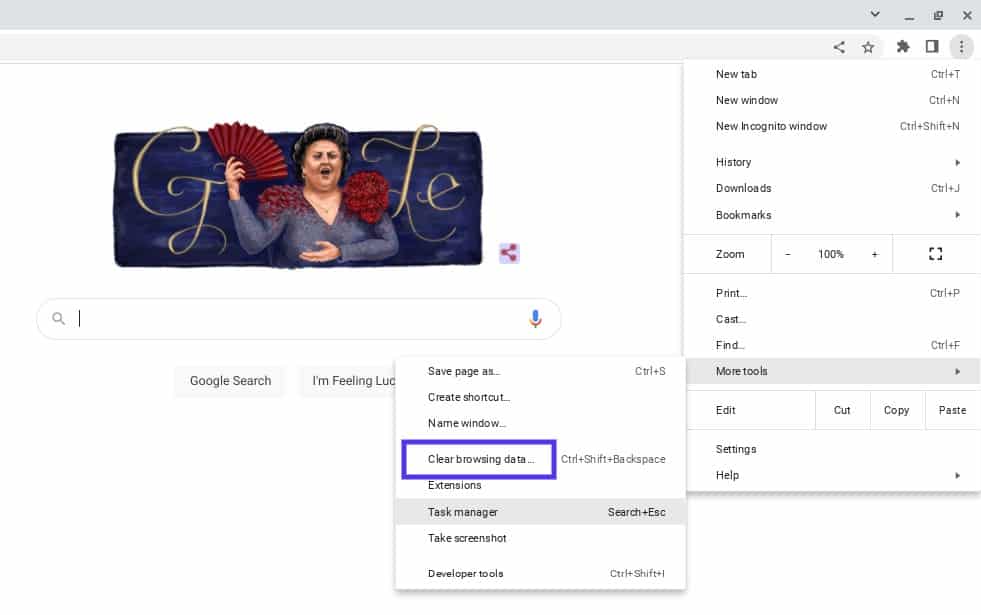
You’ll then be prompted to choose which data to clear from your browser cache:
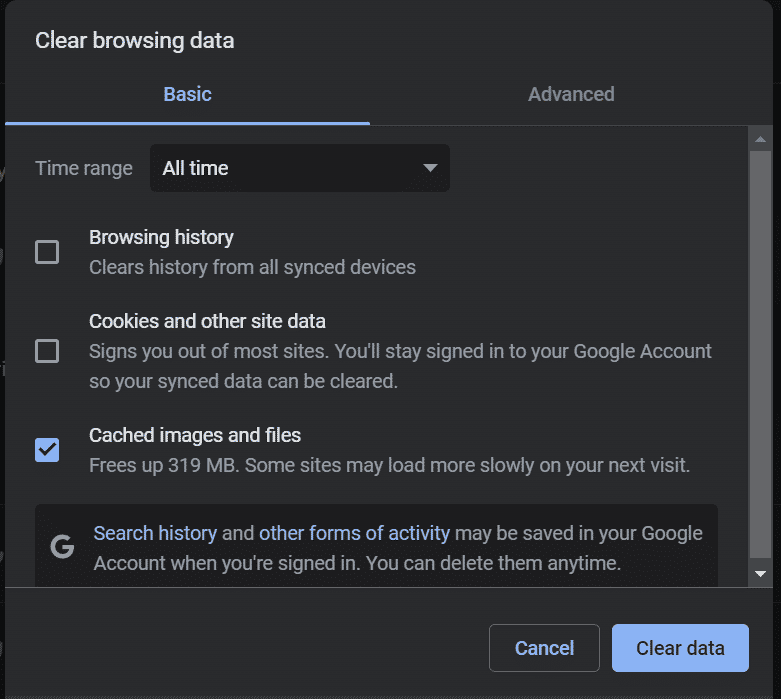
When you’re done, reload your browser. You can also try using a different browser in the meantime. Then revisit your site to see whether the error message is still showing.
2. Disable Your Plugins and Extensions
Some users have reported that certain plugins cause the HTTP 499 status code error. Therefore, we recommend temporarily disabling your plugins to see if this resolves the issue.
You can do this by navigating to your Plugins screen in the WordPress dashboard, selecting all of them, then clicking on Deactivate > Apply from the bulk actions menu:
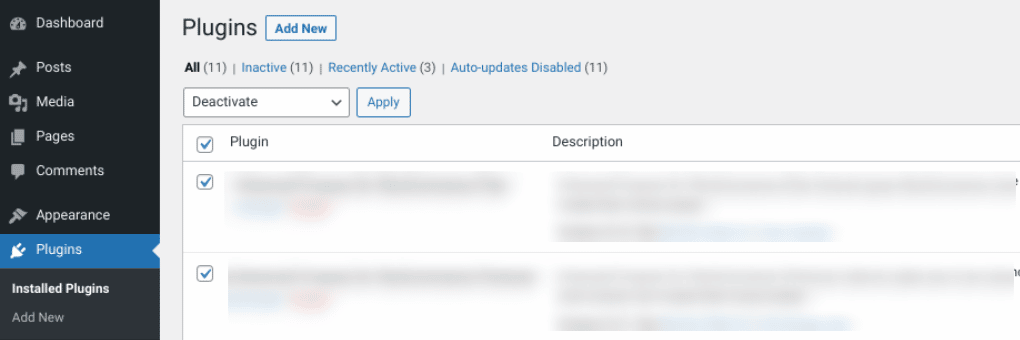
You can also connect to your site via a File Transfer Protocol (FTP) client or File Manager, then navigate to your plugins folder (wp_content > plugins). Right-click on the plugins folder and rename it to something such as “plugins_old.”
This will deactivate all of the plugins on your WordPress site. You can revisit your website to see whether the error message is still showing. If not, you can try activating your plugins one by one until you find the tool causing the issue.
3. Check Your Error Logs
When troubleshooting the HTTP 499 code, it’s essential to leverage your error logs. This approach will make it easier to narrow down the issue and determine whether it results from a specific plugin or tool.
If you’re not a Kinsta user, you can enable and view error logs by turning on WordPress debugging mode. However, if you’re a Kinsta user, you can quickly and easily see errors in the Log viewer from your MyKinsta dashboard:
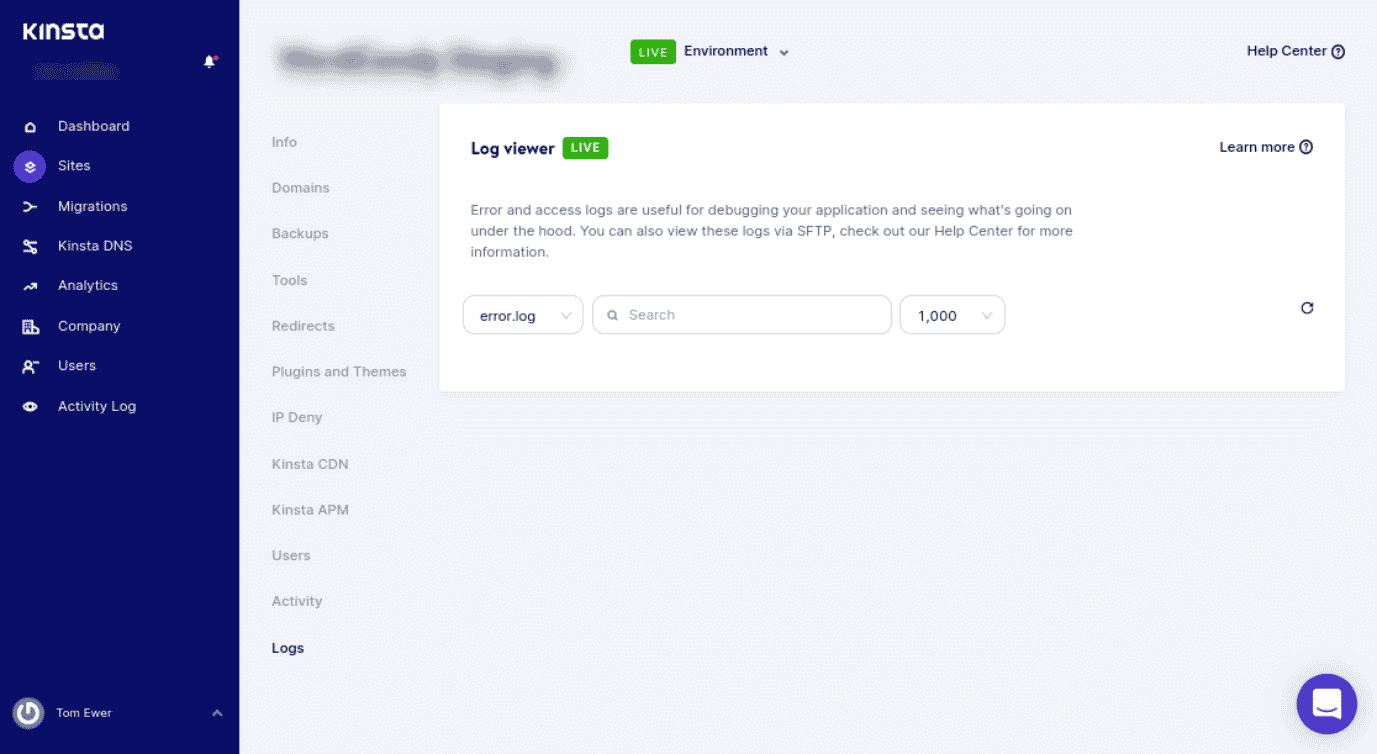
You can also check your log files in Nginx (/var/log/nginx.error.log) and Apache (/var/log/apache2/error.log). Furthermore, Kinsta users can take advantage of our analytics tool to take a closer look at errors on your site. Then you can understand how often they’re occurring and whether the HTTP 499 error is an ongoing issue.
4. Use an Application Performance Monitoring (APM) Tool
When managing a website, it’s important to have reliable solutions for identifying and troubleshooting errors on your site. We recommend using an Application Performance Monitoring (APM) tool.
APM tools can help you narrow down which script or plugin may lead to various errors, such as HTTP 499. We include our Kinsta APM, as well as a variety of other DevKinsta tools, with all of our plans:
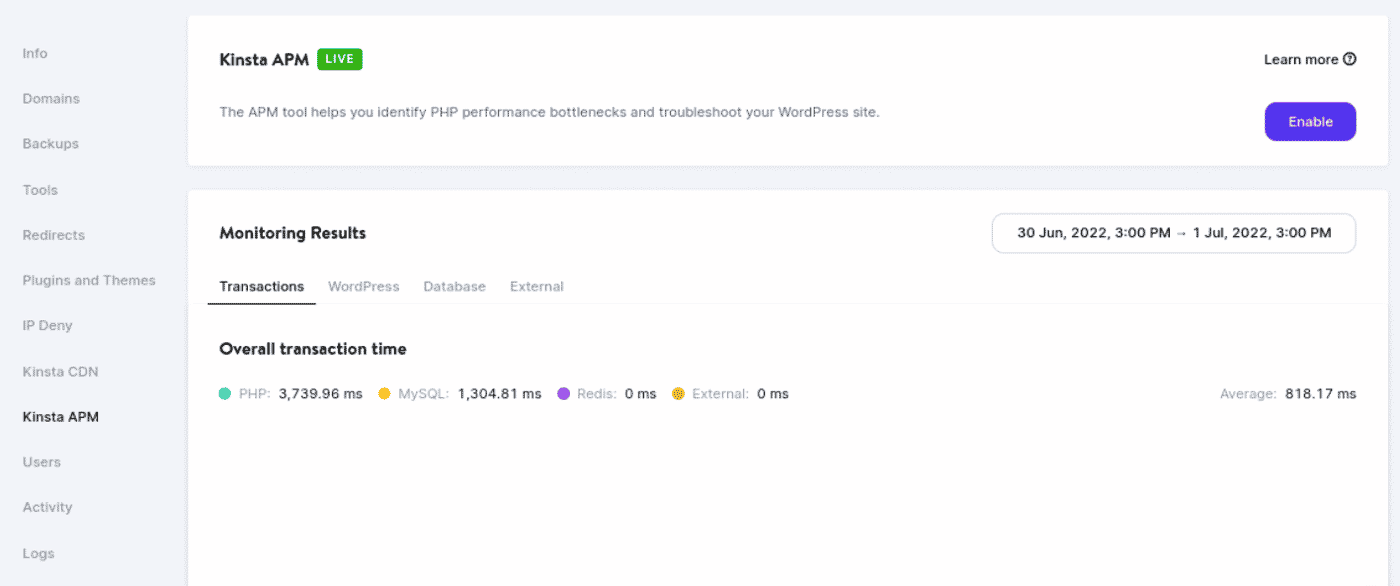
For example, your APM tool can help you collect valuable data and determine which applications are causing delays. Once enabled, you can use KinstaAPM to view the slowest transactions on your site, trace their timelines, and figure out the causes of issues. Our APM also provides insight into your PHP processes, MySQL queries, external HTTP requests, and more.
5. Contact Your Web Host and Request a Timeout Increase
As we’ve discussed, sometimes HTTP 499 errors can occur when a request is canceled because it’s taking too long. Some hosting providers use a ”kill script”.
In short, a kill script forces a request to be terminated after a certain amount of time. This script is often used in shared hosting environments to prevent long requests from impacting other sites.
If you’re a Kinsta user, this isn’t something you need to worry about. Each site hosted on our platform runs on an isolated software container that includes all resources and software. Everything is completely private, and none of your resources are shared, so we don’t run kill scripts.
However, when it comes to the HTTP 499 error, it’s important to note that the “client” may be a proxy, such as a Content Delivery Network (CDN) or load balancer. A load balancing service can act as a client to the Nginx server and proxy data between your server and users. This can cause a timeout that cancels the request to the Nginx server.
PHP timeouts happen if a process runs longer than the maximum execution time (max_execution_time) or max_input_time specified in your server’s PHP configuration. You may encounter timeouts if you have a busy website or scripts that need longer execution times. Therefore, it might be necessary to extend your timeout value.
Let’s say you have a request that is expected to take 20 seconds to complete. If you have an application with a timeout value of 10 seconds, the application will probably time out before completing the request. You’ll likely see the HTTP 499 status code in such an instance.
Therefore, it’s wise to check with your host about the values set on your server. At Kinsta, the default max_execution_time and max_input_time values are set to 300 seconds (5 minutes). The maximum PHP timeout values vary depending on your plan.
If necessary, you can reach out to your hosting provider to request a timeout increase. As a Kinsta user, you can open a ticket with our support team.
With help from this guide, you can ensure your site is properly configured to avoid seeing this error in the future. ✅ Here’s how… 🚀Click to Tweet
Summary
There are a wide variety of HTTP status codes to be aware of as a website owner. Some of the trickiest are client-based errors, such as the HTTP 499 code. The good news is that you can take a handful of steps to resolve this issue.
In this post, we discussed five potential solutions you can use to fix the HTTP 499 status code error. All of them are viable options; if one doesn’t work, another one should.
Do you want to troubleshoot and resolve issues in WordPress as painlessly as possible? Check out Kinsta hosting plans to learn how our APM tool and other solutions can streamline your website maintenance and management!
Get all your applications, databases and WordPress sites online and under one roof. Our feature-packed, high-performance cloud platform includes:
- Easy setup and management in the MyKinsta dashboard
- 24/7 expert support
- The best Google Cloud Platform hardware and network, powered by Kubernetes for maximum scalability
- An enterprise-level Cloudflare integration for speed and security
- Global audience reach with up to 35 data centers and 275+ PoPs worldwide
Test it yourself with $20 off your first month of Application Hosting or Database Hosting. Explore our plans or talk to sales to find your best fit.