Home / VBA / VBA Subscript Out of Range Runtime Error (Error 9)
Subscript Out of Range Error (Run Time: Error 9) occurs when you refer to an object or try to use a variable in a code that doesn’t exist in the code, in that case, VBA will show this error. As every code that you write is unique, so the cause of the error would be.

In the following example, you have tried to activate the “Sheet1” which is an object. But as you can see in the workbook no worksheet exists with the name “Sheet1” (instead you have “Sheet2”) so VBA show “Subscript Out of Range” to notify you that there’s something wrong with the code.

Subscript Out of Range
There could be one more situation when you have to face the error “Subscript Out of Range Error” when you are trying to declare a dynamic array but forget to use the DIM and ReDim statement to redefine the length of the array.

Now in the above code, you have an array with the name “myArray” and to make it dynamic we have initially left the array length blank. But before you add an item you need to redefine the array length using the ReDim statement.
And that’s the mistake we have made in the above code and VBA has returned the “Script Out of Range” error.
Sub myMacro()
Dim myArray() As Variant
myArray(1) = "One"
End Sub
How Do I Fix Subscript Out of Range in Excel?
The best way to deal with this Subscript Out of Range is to write effective codes and make sure to debug the code that you have written (Step by Step).

When you run a code step by step it is easy for you to know on which line of that code you have an error as VBA will show you the error message for Error 9 and highlight that line with yellow color.
The other thing that you can do is to use an “Error Handler” to jump to a specific line of error when it happens.
In the following code, we have written a line to activate the sheet but before that, we have used the goto statement to move to the error handler. In the error handler, you have a message box that shows you a message with the Err. Description that an error has occurred.

So, when you run this code and the “Sheet1” is not in the workbook where you are trying to activate it. It will show you a message box just like below.

And if the “Sheet1” is there then there won’t be any message at all.
Sub myMacro()

Dim wks As Worksheet

On Error GoTo myError
Sheets("Sheet1").Activate

myError:
MsgBox "There's an error in the code: " & Err.Description & _
". That means there's some problem with the sheet " & _
"that you want to activate"

End Sub
More on VBA Errors
Type Mismatch (Error 13) | Runtime (Error 1004) | Object Required (Error 424) | Out of Memory (Error 7) | Object Doesn’t Support this Property or Method (Error 438) | Invalid Procedure Call Or Argument (Error 5) | Overflow (Error 6) | Automation error (Error 440) | VBA Error 400
Subscript out of range is an error we encounter in VBA when we try to reference something or a variable that does not exist in a code. For example, suppose we do not have a variable named x. Then, if we use the MsgBox function on x, we will encounter a “Subscript out of range” error.
VBA “Subscript out of range” error occurs because the object we are trying to access does not exist. It is an error type in VBA codingVBA code refers to a set of instructions written by the user in the Visual Basic Applications programming language on a Visual Basic Editor (VBE) to perform a specific task.read more, a “Run Time Error 9.” It is important to understand the concepts to write efficient code. It is even more important to understand the error of your VBA codeVBA error handling refers to troubleshooting various kinds of errors encountered while working with VBA. read more to debug the code efficiently.
If you make a coding error and do not know what that error is when you are gone.
A doctor cannot give medicine to his patient without knowing what the disease is. Doctors and patients both know there is a disease (error), but it is more important to understand the disease (error) rather than give medicine to it. If you can understand the error perfectly, it is much easier to find the solution.
Similarly, this article will see one of the important errors we regularly encounter, i.e., the “Subscript out of range” error in Excel VBA.
Table of contents
- Excel VBA Subscript Out of Range
- What is Subscript out of Range Error in Excel VBA?
- Why Subscript Out of Range Error Occurs?
- VBA Subscript Error in Arrays
- How to Show Errors at the End of the VBA Code?
- Recommended Articles
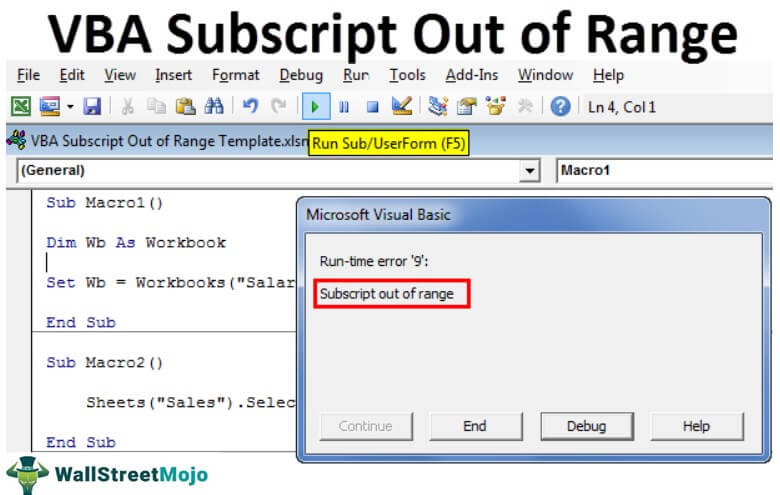
You are free to use this image on you website, templates, etc., Please provide us with an attribution linkArticle Link to be Hyperlinked
For eg:
Source: VBA Subscript Out of Range (wallstreetmojo.com)
What is Subscript out of Range Error in Excel VBA?
For example, if you are referring to the sheet, not the workbook, then we get Run-time error ‘9’: “Subscript out of range.”
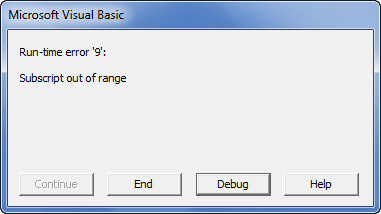
If you click on the “End” button, it will end the sub procedure. If you click on “Debug,” it will take you to the line of code where it encountered an error, and help will take you to the Microsoft website page.
Why Does Subscript Out of Range Error Occur?
As we said, as a doctor, it is important to find the deceased before thinking about the medicine. VBA “Subscript out of range” error occurs when the line of code does not read the object we entered.
For example, look at the below image. We have three sheets: Sheet1, Sheet2, and Sheet3.
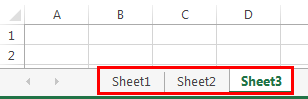
Now in the code, we have written the code to select the sheet “Sales.”
Code:
Sub Macro2()

   Sheets("Sales").Select

End Sub
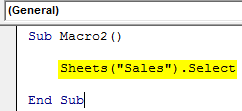
If we run this code using the F5 key or manually, we will get the Run-time error ‘9’: “Subscript out of range.”
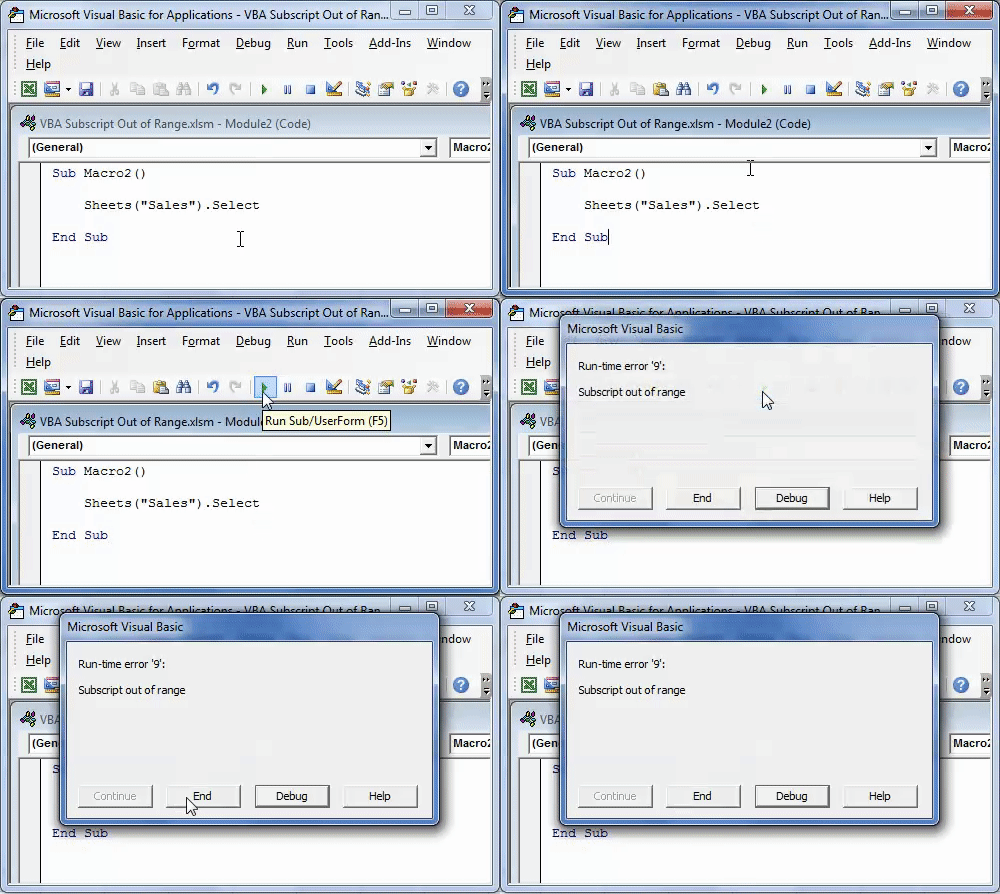
It is because we tried accessing the worksheet object “Sales,” which does not exist in the workbook. It is a run time error because it occurred while running the code.
Another common subscript error is when we refer to the workbook, which is not there. For example, look at the below code.
Code:
Sub Macro1()

  Dim Wb As Workbook

  Set Wb = Workbooks("Salary Sheet.xlsx")

End Sub
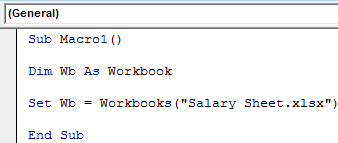
The above code says variable WB should be equal to the workbook “Salary Sheet.xlsx.” As of now, this workbook is not open on the computer. If we run this code manually or through the F5 key, we will get Run time error 9: “Subscript out of Range.“
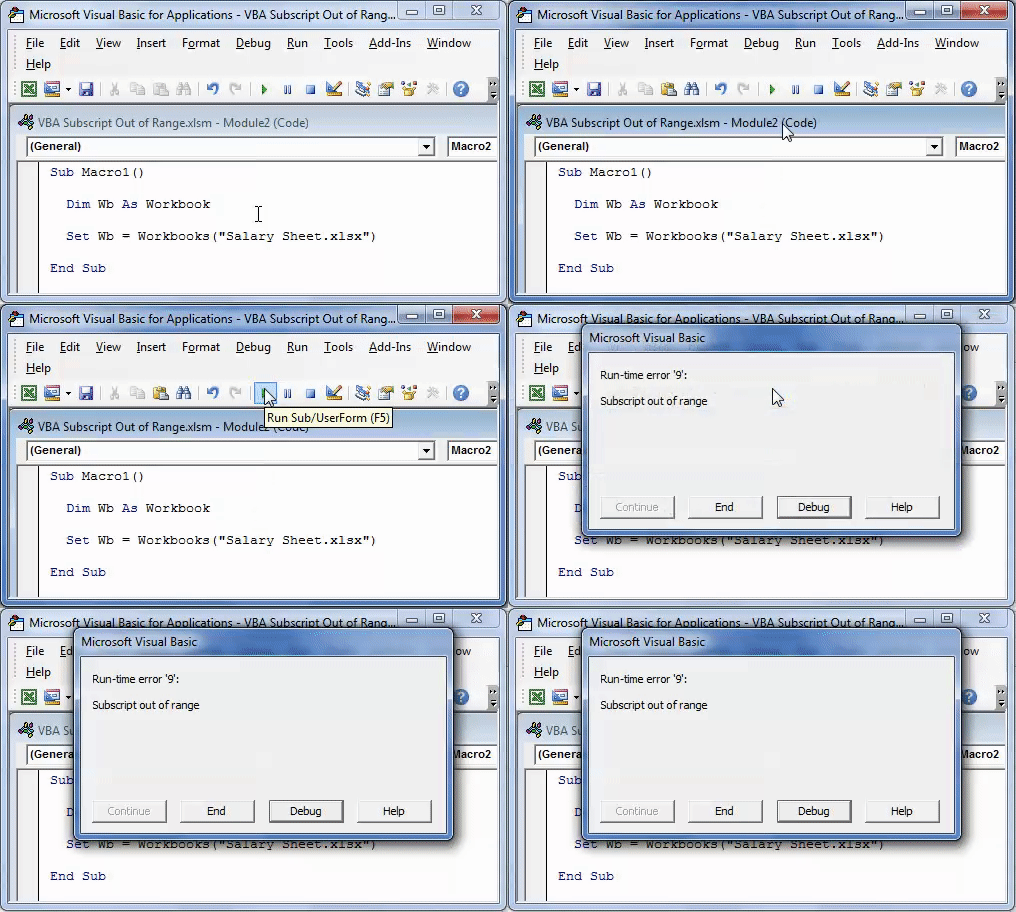
It is due to the workbook we are referring to which is either not open or does not exist at all.
VBA Subscript Error in Arrays
When you declare the array as the dynamic array, and if you don’t use the word DIM or REDIM in VBAThe VBA Redim statement increases or decreases the storage space available to a variable or an array. If Preserve is used with this statement, a new array with a different size is created; otherwise, the current variable’s array size is changed.read more to define the length of an array, we usually get the VBA “Subscript out of range” error. For example, look at the below code.
Code:
Sub Macro3()

   Dim MyArray() As Long

   MyArray(1) = 25

End Sub
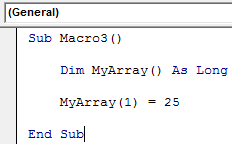
In the above, we have declared the variable as an array but have not assigned a start and ending point. Rather, we have assigned the first array the value of 25.
If we run this code using the F5 key or manually, we will get Run time error ‘9’: “Subscript out of Range.”
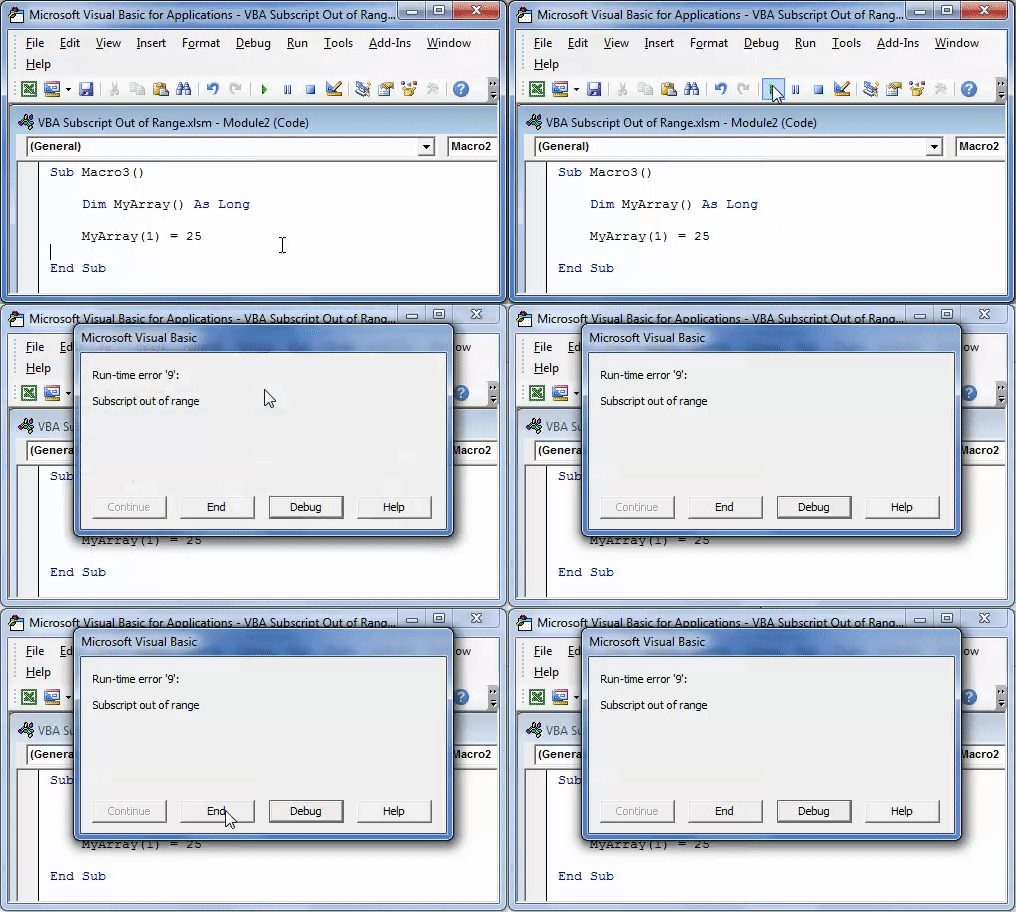
To fix this issue, we need to assign the length of an array by using the “ReDim” word.
Code:
Sub Macro3()

   Dim MyArray() As Long
   ReDim MyArray(1 To 5)

   MyArray(1) = 25

End Sub
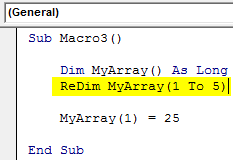
This code does not give any errors.
How to Show Errors at the End of the VBA Code?
If you do not want to see the error while the code is up and running but needs an error list at the end, then you need to use the “On Error Resume” error handler. For example, look at the below code.
Code:
Sub Macro1()

Dim Wb As Workbook
On Error Resume Next
Set Wb = Workbooks("Salary Sheet.xlsx")

MsgBox Err.Description

End Sub
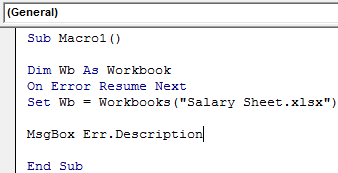
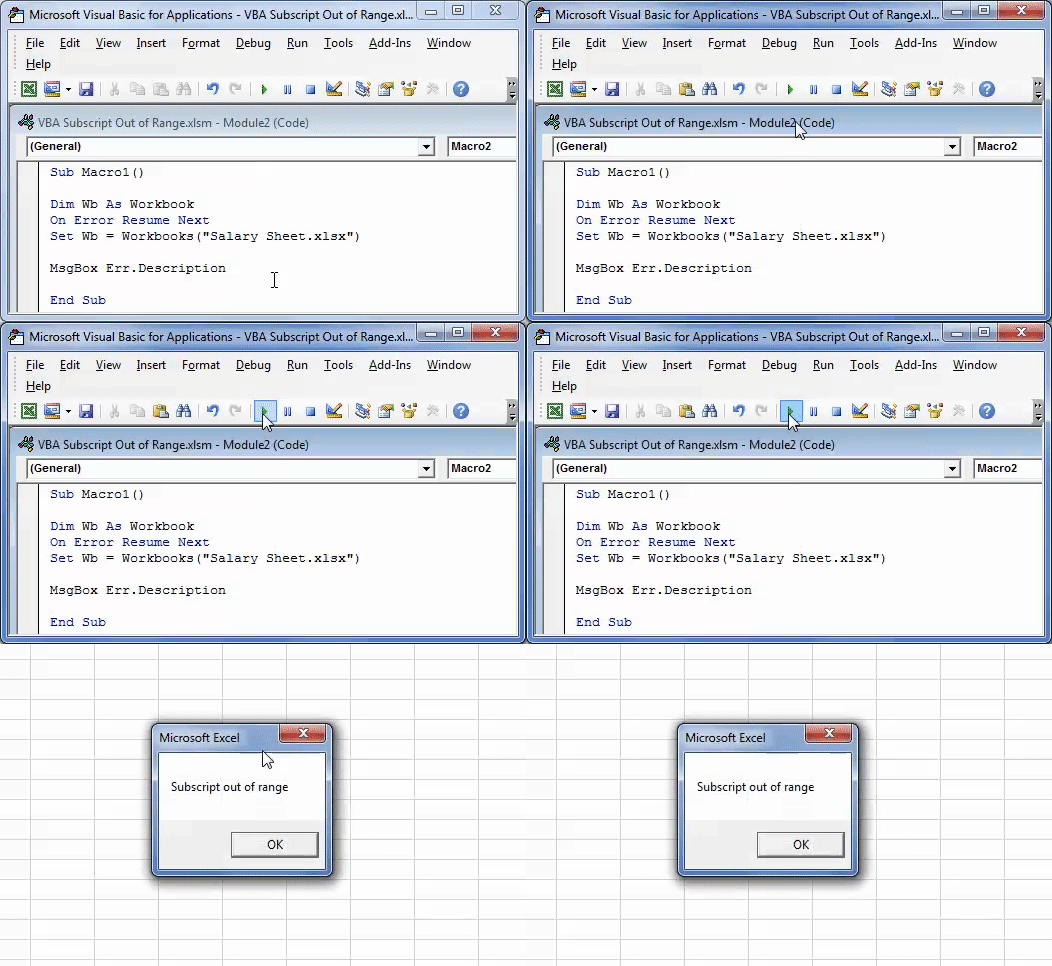
As we have seen, this code will throw Run time error 9: “Subscript out of range” in Excel VBA. But we must use the error handler On Error Resume Next in VBAVBA On Error Resume Statement is an error-handling aspect used for ignoring the code line because of which the error occurred and continuing with the next line right after the code line with the error.read more while running the code. So, we will not get any error messages. Rather, the end message box shows me the error description like this.
You can download the Excel VBA Subscript Out of Range Template here:- VBA Subscript Out of Range Template
Recommended Articles
This article has been a guide to VBA Subscript Out of Range. Here, we learned the Error called “Subscript out of range” (Run-time error’9′) in Excel VBA, along with practical examples and a downloadable template. Below you can find some useful Excel VBA articles: –
- Declare Global Variables in VBA
- VBA AutoFill
- Clear Contents in VBA
- Excel VBA UCase Function
I have a problem in excel Vba when I try to run this code, I have an error of subscript out of range:
Private Sub UserForm_Initialize()
  n_users = Worksheets(Aux).Range("C1").Value

  Debug.Print Worksheets(Aux).Range("B1:B" & n_users).Value

  ListBox1.RowSource = Worksheets(Aux).Range("B1:B" & n_users).Value

  ComboBox1.RowSource = Worksheets(Aux).Range("B1:B" & n_users).Value
  ComboBox2.RowSource = Worksheets(Aux).Range("B1:B" & n_users).Value

End Sub
And Debug.Print works well, so the only problem is in Range(«B1:B» & n_users).Value.
asked Oct 19, 2013 at 15:15

user2898085user2898085
492 gold badges4 silver badges14 bronze badges
5
If the name of your sheet is «Aux», change each Worksheets(Aux) reference to Worksheets("Aux"). Unless you make Aux a string variable, for example:
Dim Aux As String
Aux = "YourWorksheetName"
n_users = Worksheets(Aux).Range(C1).Value
you must use quatations around sheet references.
answered Oct 19, 2013 at 16:36

ARichARich
3,2004 gold badges30 silver badges56 bronze badges
1
Firstly, unless you have Aux defined somewhere in the actual code, this will not work. The sheet-name reference must be a string value, not an empty variable (which ARich explains in his answer).
Second, the way in which you are trying to populate the rowsource value is incorrect. The rowsource property of a combobox is set using a string value that references the target range. By this I mean the same string value you would use in an excel formula to reference a cell in another sheet. For instance, if your worksheet is named «Aux» then this would be your code:
ComboBox1.RowSource = "Aux!B1:B" & n_users
I think you can also use named ranges. This link explains it a little.
answered Oct 19, 2013 at 18:13

Ross BrasseauxRoss Brasseaux
3,8411 gold badge27 silver badges46 bronze badges
2
I can’t see how you can get an Error 9 on that line. As others have pointed out repeatedly, the place you’ll get it is if the variable Aux doesn’t have a string value representing the name of a worksheet. That aside, I’m afraid that there is a LOT wrong with that code. See the comments in the below revision of it, which as near as I can figure is what you’re trying to get to:
Private Sub UserForm_Initialize()

  'See below re this.
  aux = "Sheet2"

  'You should always use error handling.
  On Error GoTo ErrorHandler

  'As others have pointed out, THIS is where you'll get a
  'subscript out of range if you don't have "aux" defined previously.
  'I'm also not a fan of NOT using Option Explicit, which
  'would force you to declare exactly what n_users is.
  '(And if you DO have it declared elsewhere, I'm not a fan of using
  'public variables when module level ones will do, or module
  'level ones when local will do.)

  n_users = Worksheets(aux).Range("C1").Value

  'Now, I would assume that C1 contains a value giving the number of
  'rows in the range in column B. However this:

  '*****Debug.Print Worksheets(aux).Range("B1:B" & n_users).Value
   'will only work for the unique case where that value is 1.
   'Why? Because CELLS have values. Multi-cell ranges, as a whole,
   'do not have single values. So let's get rid of that.

  'Have you consulted the online Help (woeful though
  'it is in current versions) about what the RowSource property
  'actually accepts? It is a STRING, which should be the address
  'of the relevant range. So again, unless
  'Range("B1:B" & n_users) is a SINGLE CELL that contains such a string
  '(in which case there's no point having n_users as a variable)
  'this will fail as well when you get to it. Let's get rid of it.
  '****ListBox1.RowSource = Worksheets(aux).Range("B1:B" & n_users).Value

  'I presume that this is just playing around so we'll
  'ignore these for the moment.
  'ComboBox1.RowSource = Worksheets(aux).Range("B1:B" & n_users).Value
  'ComboBox2.RowSource = Worksheets(aux).Range("B1:B" & n_users).Value

  'This should get you what you want. I'm assigning to
  'variables just for clarity; you can skip that if you want.

    Dim l_UsersValue As Long
    Dim s_Address As String
    l_UsersValue = 0
    s_Address = ""

    'Try to get the n_users value and test for validity
    On Error Resume Next
    l_UsersValue = Worksheets(aux).Range("C1").Value
    On Error GoTo ErrorHandler

    l_UsersValue = CLng(l_UsersValue)

    If l_UsersValue < 1 Or l_UsersValue > Worksheets(aux).Rows.Count Then
        Err.Raise vbObjectError + 20000, , "User number range is outside acceptable boundaries. " _
        & "It must be from 1 to the number of rows on the sheet."
    End If

    'Returns the cell address
    s_Address = Worksheets(aux).Range("B1:B" & n_users).Address

    'Add the sheet name to qualify the range address
    s_Address = aux & "!" & s_Address

    'And now that we have a string representing the address, we can assign it.

    ListBox1.RowSource = s_Address

ExitPoint:

   Exit Sub

ErrorHandler:

MsgBox "Error: " & Err.Description

Resume ExitPoint

End Sub
answered Oct 19, 2013 at 20:09

Alan KAlan K
1,9473 gold badges19 silver badges30 bronze badges
5
|
tgg  Пользователь Сообщений: 12 |
Добрый вечер знатоки. Простой макрос стал прерываться ошибка runtime error 9 subscript out of range, долго искал причину.. а оказалось дело в следующем. При открытии другой Книги, или работая в другой книге в момент когда запускаются макросы (2 шт.каждые 60сек) в Книге1 и вылетает error Изменено: tgg — 16.03.2018 10:48:28 |
|
А где собственно вопрос? С уважением, |
|
|
tgg Пользователь Сообщений: 12 |
#3 27.03.2015 20:31:46 На строке With Worksheets(«Лист1») всё и происходит!
Изменено: tgg — 31.03.2015 22:50:24 |
||
|
Казанский Пользователь Сообщений: 8839 |
#4 27.03.2015 20:46:12 Начало второй процедуры:
Аналогично переделайте все квадратные скобки. |
||
|
tgg Пользователь Сообщений: 12 |
Вот в чём вопрос?? Изменено: tgg — 31.03.2015 22:50:35 |
|
1. Worksheets(«Лист1») — без указания принадлежности к книге, относится к активной в момент запуска макроса книге. Видимо, в ней нет листа Лист1. |
|
|
tgg Пользователь Сообщений: 12 |
Еще раз огромное спасибо!! |
|
Юрий М  Модератор Сообщений: 60343 Контакты см. в профиле |
tgg, два момента: |
|
tgg Пользователь Сообщений: 12 |
#9 19.06.2015 22:03:22 Доброго времени суток! Не прошло и полгода …. Я к Вам с поклоном и вопросом. http://www.planetaexcel.ru/forum/?FID=8&PAGE_NAME=read&TID=30902 ), с той лишь разностью, что работает с диапазоном — If Not Intersect(ActiveCell, Range(«E18:E27»)) Is Nothing Then. Вот собственно сам макрос:
Но старая песня, опять при открытии другой книги excel этот макрос зачем-то срабатывает и встаёт на 2 строке. |
||
|
Johny  Пользователь Сообщений: 2737 |
Когда открывается книга, то она становится активной, и поэтому Ваш диапазон Range(«E18:E27») относится уже к ОТКРЫТОЙ книге. There is no knowledge that is not power |
|
tgg Пользователь Сообщений: 12 |
Пробовались разные варианты, это первый вариант макроса, с указанием листа и принадлежности к книге. Но результат всегда был один и тот же. |
|
Johny Пользователь Сообщений: 2737 |
#12 19.06.2015 22:20:38
Ну так покажите эти «разные» варианты. There is no knowledge that is not power |
||
|
tgg Пользователь Сообщений: 12 |
Так они ведь не работают как надо! |
|
Rjn  Пользователь Сообщений: 6 |
#14 16.03.2018 09:08:30 Добрый день!
|
||
|
Rjn Пользователь Сообщений: 6 |
В чем ошибка??? |
|
Hugo Пользователь Сообщений: 23101 |
Ведь естественно — если файл закрыт, то при попытке его сохранения должна быть ошибка. |
|
Sanja Пользователь Сообщений: 14837 |
#17 16.03.2018 09:19:33
Вы же выше сами написали, что
Макрос написан именно так, что файл должен быть предварительно открыт Согласие есть продукт при полном непротивлении сторон. |
||||
|
Rjn Пользователь Сообщений: 6 |
А где и как исправить макрос, что бы он работал при закрытом файле? |
|
vikttur Пользователь Сообщений: 47199 |
1. Код в сообщении следует оформлять кнопкой <…> |
|
vsahno  Пользователь Сообщений: 42 |
#20 21.02.2019 19:08:28
У меня не были прописаны ПОЛНЫЕ ИМЕНА ФАЙЛОВ! — только название, без расширения: |
||

How to fix the Runtime Code 9 Subscript out of range
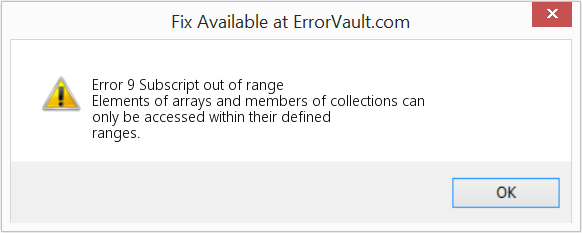
This article features error number Code 9, commonly known as Subscript out of range described as Elements of arrays and members of collections can only be accessed within their defined ranges.
About Runtime Code 9
Runtime Code 9 happens when Windows fails or crashes whilst it’s running, hence its name. It doesn’t necessarily mean that the code was corrupt in some way, but just that it did not work during its run-time. This kind of error will appear as an annoying notification on your screen unless handled and corrected. Here are symptoms, causes and ways to troubleshoot the problem.
Definitions (Beta)
Here we list some definitions for the words contained in your error, in an attempt to help you understand your problem. This is a work in progress, so sometimes we might define the word incorrectly, so feel free to skip this section!
- Arrays — An array is an ordered data structure consisting of a collection of elements values or variables, each identified by one single dimensional array or vector or multiple indexes
- Collections — Collections APIs provide developers with a set of classes and interfaces that make it easier to handle collections of objects.
- Defined — A definition is an unambiguous statement for the meaning of a word or phrase
- Elements — Entities that are single members of a bigger collection set, list, group….
- Range — A range is an extent of values between its lower and upper bound
- Subscript — A subscript is a number, figure, symbol, or indicator that is smaller than the normal line of type and is set slightly below the baseline.
- Elements — In metadata, the term data element is an atomic unit of data that has precise meaning or precise semantics.
Symptoms of Code 9 — Subscript out of range
Runtime errors happen without warning. The error message can come up the screen anytime Windows is run. In fact, the error message or some other dialogue box can come up again and again if not addressed early on.
There may be instances of files deletion or new files appearing. Though this symptom is largely due to virus infection, it can be attributed as a symptom for runtime error, as virus infection is one of the causes for runtime error. User may also experience a sudden drop in internet connection speed, yet again, this is not always the case.
(For illustrative purposes only)
Causes of Subscript out of range — Code 9
During software design, programmers code anticipating the occurrence of errors. However, there are no perfect designs, as errors can be expected even with the best program design. Glitches can happen during runtime if a certain error is not experienced and addressed during design and testing.
Runtime errors are generally caused by incompatible programs running at the same time. It may also occur because of memory problem, a bad graphics driver or virus infection. Whatever the case may be, the problem must be resolved immediately to avoid further problems. Here are ways to remedy the error.
Repair Methods
Runtime errors may be annoying and persistent, but it is not totally hopeless, repairs are available. Here are ways to do it.
If a repair method works for you, please click the upvote button to the left of the answer, this will let other users know which repair method is currently working the best.
Please note: Neither ErrorVault.com nor it’s writers claim responsibility for the results of the actions taken from employing any of the repair methods listed on this page — you complete these steps at your own risk.
Method 3 — Update your Virus protection program or download and install the latest Windows Update
Virus infection causing runtime error on your computer must immediately be prevented, quarantined or deleted. Make sure you update your virus program and run a thorough scan of the computer or, run Windows update so you can get the latest virus definition and fix.
Method 1 — Close Conflicting Programs
When you get a runtime error, keep in mind that it is happening due to programs that are conflicting with each other. The first thing you can do to resolve the problem is to stop these conflicting programs.
- Open Task Manager by clicking Ctrl-Alt-Del at the same time. This will let you see the list of programs currently running.
- Go to the Processes tab and stop the programs one by one by highlighting each program and clicking the End Process buttom.
- You will need to observe if the error message will reoccur each time you stop a process.
- Once you get to identify which program is causing the error, you may go ahead with the next troubleshooting step, reinstalling the application.
Method 2 — Update / Reinstall Conflicting Programs
Using Control Panel
- For Windows 7, click the Start Button, then click Control panel, then Uninstall a program
- For Windows 8, click the Start Button, then scroll down and click More Settings, then click Control panel > Uninstall a program.
- For Windows 10, just type Control Panel on the search box and click the result, then click Uninstall a program
- Once inside Programs and Features, click the problem program and click Update or Uninstall.
- If you chose to update, then you will just need to follow the prompt to complete the process, however if you chose to Uninstall, you will follow the prompt to uninstall and then re-download or use the application’s installation disk to reinstall the program.
Using Other Methods
- For Windows 7, you may find the list of all installed programs when you click Start and scroll your mouse over the list that appear on the tab. You may see on that list utility for uninstalling the program. You may go ahead and uninstall using utilities available in this tab.
- For Windows 10, you may click Start, then Settings, then choose Apps.
- Scroll down to see the list of Apps and features installed in your computer.
- Click the Program which is causing the runtime error, then you may choose to uninstall or click Advanced options to reset the application.
Method 4 — Re-install Runtime Libraries
You might be getting the error because of an update, like the MS Visual C++ package which might not be installed properly or completely. What you can do then is to uninstall the current package and install a fresh copy.
- Uninstall the package by going to Programs and Features, find and highlight the Microsoft Visual C++ Redistributable Package.
- Click Uninstall on top of the list, and when it is done, reboot your computer.
- Download the latest redistributable package from Microsoft then install it.
Method 5 — Run Disk Cleanup
You might also be experiencing runtime error because of a very low free space on your computer.
- You should consider backing up your files and freeing up space on your hard drive
- You can also clear your cache and reboot your computer
- You can also run Disk Cleanup, open your explorer window and right click your main directory (this is usually C: )
- Click Properties and then click Disk Cleanup
Method 6 — Reinstall Your Graphics Driver
If the error is related to a bad graphics driver, then you may do the following:
- Open your Device Manager, locate the graphics driver
- Right click the video card driver then click uninstall, then restart your computer
Method 7 — IE related Runtime Error
If the error you are getting is related to the Internet Explorer, you may do the following:
- Reset your browser.
- For Windows 7, you may click Start, go to Control Panel, then click Internet Options on the left side. Then you can click Advanced tab then click the Reset button.
- For Windows 8 and 10, you may click search and type Internet Options, then go to Advanced tab and click Reset.
- Disable script debugging and error notifications.
- On the same Internet Options window, you may go to Advanced tab and look for Disable script debugging
- Put a check mark on the radio button
- At the same time, uncheck the «Display a Notification about every Script Error» item and then click Apply and OK, then reboot your computer.
If these quick fixes do not work, you can always backup files and run repair reinstall on your computer. However, you can do that later when the solutions listed here did not do the job.
Other languages:
Wie beheben Fehler 9 (Tiefgestellt außerhalb des zulässigen Bereichs) — Auf Elemente von Arrays und Mitglieder von Sammlungen kann nur innerhalb ihrer definierten Bereiche zugegriffen werden.
Come fissare Errore 9 (Pedice fuori range) — È possibile accedere agli elementi degli array e ai membri delle raccolte solo all’interno degli intervalli definiti.
Hoe maak je Fout 9 (Abonnement buiten bereik) — Elementen van arrays en leden van collecties zijn alleen toegankelijk binnen hun gedefinieerde bereiken.
Comment réparer Erreur 9 (Indice hors limites) — Les éléments des tableaux et les membres des collections ne sont accessibles que dans leurs plages définies.
어떻게 고치는 지 오류 9 (첨자가 범위를 벗어남) — 배열의 요소와 컬렉션의 멤버는 정의된 범위 내에서만 액세스할 수 있습니다.
Como corrigir o Erro 9 (Subscrito fora do intervalo) — Elementos de matrizes e membros de coleções só podem ser acessados dentro de seus intervalos definidos.
Hur man åtgärdar Fel 9 (Prenumeration utanför räckvidd) — Element i matriser och medlemmar i samlingar kan endast nås inom deras definierade intervall.
Как исправить Ошибка 9 (Индекс вне диапазона) — Доступ к элементам массивов и членам коллекций можно получить только в пределах их определенных диапазонов.
Jak naprawić Błąd 9 (Indeks dolny poza zakresem) — Dostęp do elementów tablic i członków kolekcji jest możliwy tylko w ich zdefiniowanych zakresach.
Cómo arreglar Error 9 (Subíndice fuera de rango) — Solo se puede acceder a los elementos de matrices y miembros de colecciones dentro de sus rangos definidos.
 About The Author: Phil Hart has been a Microsoft Community Contributor since 2010. With a current point score over 100,000, they’ve contributed more than 3000 answers in the Microsoft Support forums and have created almost 200 new help articles in the Technet Wiki.
Follow Us: 


Last Updated:
28/11/22 03:56 : A Windows 10 user voted that repair method 3 worked for them.
This repair tool can fix common computer problems such as blue screens, crashes and freezes, missing DLL files, as well as repair malware/virus damage and more by replacing damaged and missing system files.
STEP 1:
Click Here to Download and install the Windows repair tool.
STEP 2:
Click on Start Scan and let it analyze your device.
STEP 3:
Click on Repair All to fix all of the issues it detected.
DOWNLOAD NOW
Compatibility

Requirements
1 Ghz CPU, 512 MB RAM, 40 GB HDD
This download offers unlimited scans of your Windows PC for free. Full system repairs start at $19.95.
Article ID: ACX010986EN
Applies To: Windows 10, Windows 8.1, Windows 7, Windows Vista, Windows XP, Windows 2000
Speed Up Tip #86
Upgrade To A Faster Operating System:
If you are unsatisfied with the performance of Windows Vista or Windows 7, you can always upgrade to a faster Windows 10. Also, even though it might be considered an extreme move, but switching to MacOS or Linux can also be an option.
Click Here for another way to speed up your Windows PC
Microsoft & Windows® logos are registered trademarks of Microsoft. Disclaimer: ErrorVault.com is not affiliated with Microsoft, nor does it claim such affiliation. This page may contain definitions from https://stackoverflow.com/tags under the CC-BY-SA license. The information on this page is provided for informational purposes only. © Copyright 2018
Excel VBA Subscript out of Range
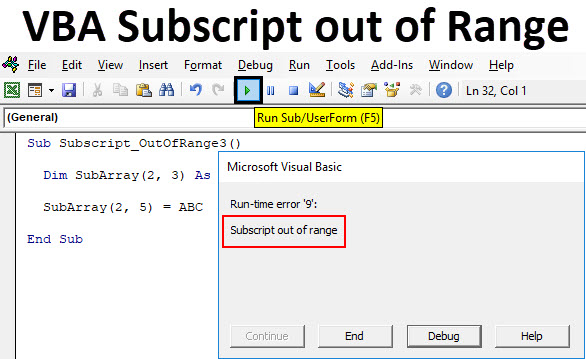
VBA Subscript out of Range or majorly knows as Run-Time Error 9 happens when we select such cell or sheet or workbook which actually does not come under range or criteria defined in Excel. It is like we have selected the range of 100 cells or a column and we have called out the values stored in 120 cells of the same column. Which means that we are going out of range to select and call out the values which are not in our defined criteria. When this kind of situation happens, we get a “Run-Time Error 9” message while compiling or running the code. VBA Subscript out of Range error message guides us to rectify the error which is related to the range we have selected in Excel.
Example of Excel VBA Subscript out of Range
Below are the different examples of VBA Subscript out of Range in Excel.
You can download this VBA Subscript out of Range Excel Template here – VBA Subscript out of Range Excel Template
VBA Subscript out of Range – Example #1
We will first consider a simple example. For this, we need to go to VBA windows and add a new module by going in Insert menu option as shown below.
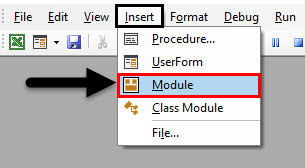
We will get a white blank window of Module. This is where we need to do coding work.
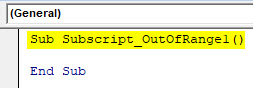
Now write Subcategory of performed function, for best practice keep the name of a function in Subcategory, as we did here for VBA Subscript out of Range.
Code:
Sub Subscript_OutOfRange1()

End Sub
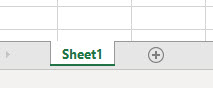
Here in excel, we have only one sheet named as “Sheet1” as shown below.
But we will write a code to select a sheet which is not even added and see what happens.
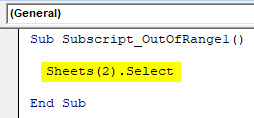
Now go to VBA window and write Sheets(2) followed by Select function as shown below. Which means, we are selecting Sheet sequence of 2nd position with Select function.
Code:
Sub Subscript_OutOfRange1()

  Sheets(2).Select

End Sub
Now compile the complete code or do it step by step to know which part of the code is an error. As we have only one line of code, we can directly run the code by clicking on the play button below the menu bar. We will get an error Message saying “Run-Time error 9, Subscript out of range” in the VBA as shown below.
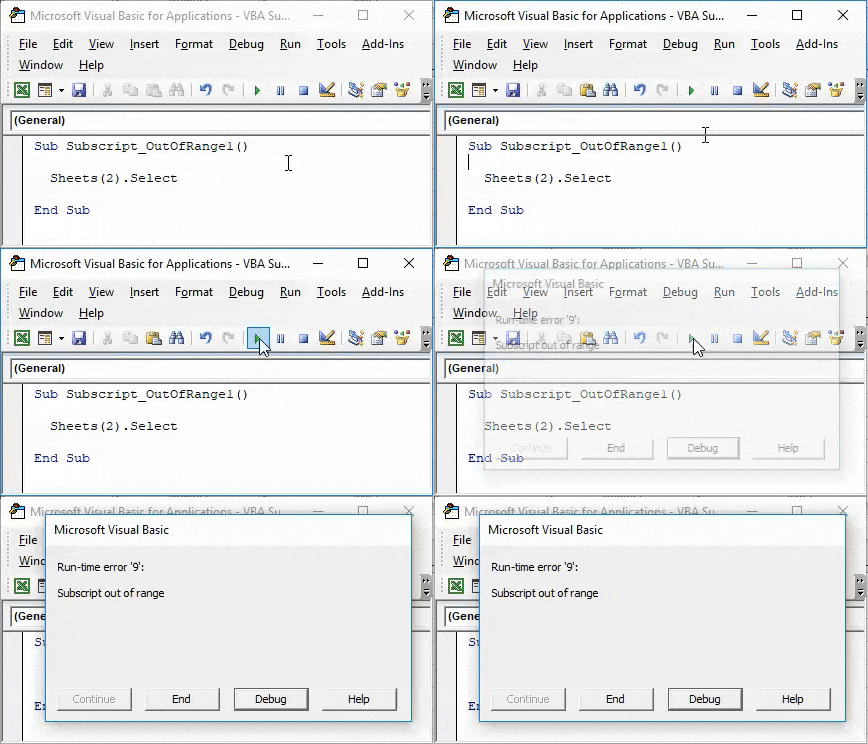
This shows that we are trying to select that sheet which doesn’t exist. If we add a new sheet or change the sheet sequence in code from 2nd to 1st then we may get a successful code run. Let’s add another sheet and see what happens.
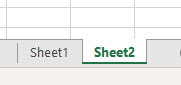
Now again run the code. And as we did not see any error, which means our code completes the successful run.
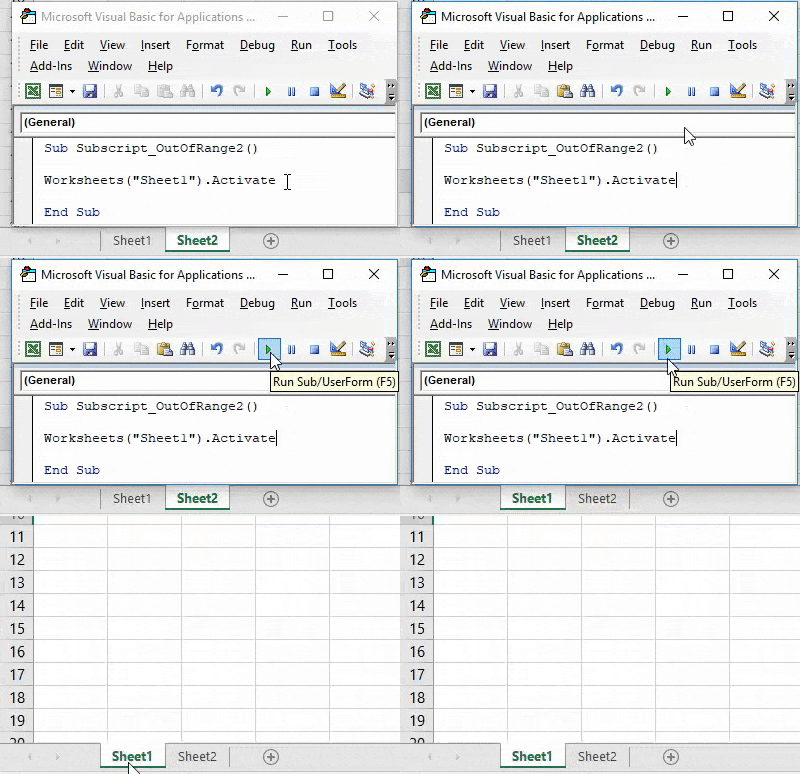
VBA Subscript out of Range – Example #2
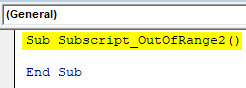
In another example, we will see again a simple code of activating a Worksheet. For this again we will write the code. Start writing the Subcategory in the name of a performed function or in any other name as shown below.
Code:
Sub Subscript_OutOfRange2()

End Sub
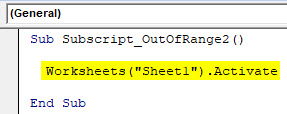
Now with the help of Worksheet, we will activate Sheet1 as shown below.
Code:
Sub Subscript_OutOfRange2()

  Worksheets("Sheet1").Activate

End Sub
Now compile the complete code and run. We will notice there is no error message been popped-up which means code run is successful. Now let’s put the space in between “Sheet 1”
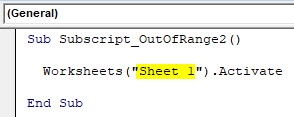
Again compile and run the code.
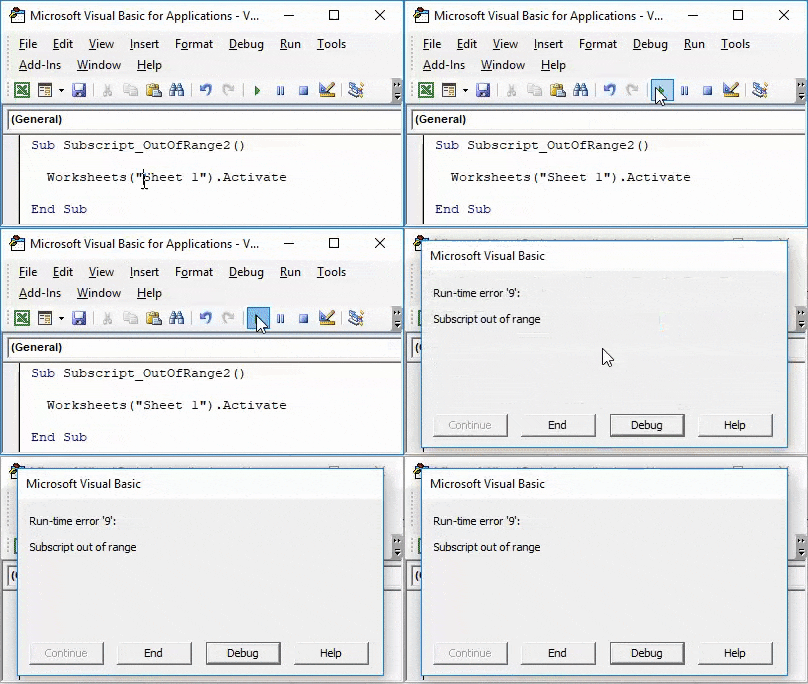
As we can see above, even if our complete process and way of writing the code are correct but we have taken in correct sheet name as “Sheet 1”. Which in reality has no space between “Sheet1”.
This shows, there are the still chances of getting an error if do not spell or write correct sheet name or workbook name.
VBA Subscript out of Range – Example #3
In this example, we will see how choosing incorrect Array range may create and show Run-time error 9. Start writing Subcategory again in the name of the performed function as shown below.
Code:
Sub Subscript_OutOfRange3()

End Sub
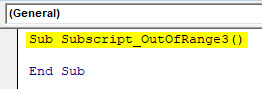
Now with the help of DIM define an Array of any size and gives it to String or Integers. Which depends, what we want to store in Array, numbers or text.
Here we have considered an array of 2×3 as String as shown below.
Code:
Sub Subscript_OutOfRange3()

  Dim SubArray(2, 3) As String

End Sub
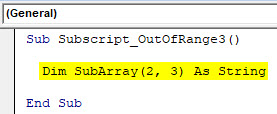
By this, it will form a table for 2 rows and 3 columns and we can store any values as per our need. As we have selected String then we will consider text or alphabets in it.
Now in the second line of code, select the created array but with an extra or more column and assign a text as ABC or any other text as per your choice. Here, we have selected an Array of 2×5 as shown below.
Code:
Sub Subscript_OutOfRange3()

  Dim SubArray(2, 3) As String

  SubArray(2, 5) = ABC

End Sub
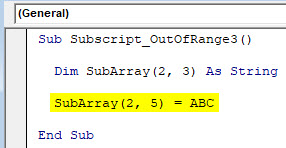
Now compile and run the code. As we can see in below screenshot, we got a VBA Subscript out of Range error message of Run-time error 9.
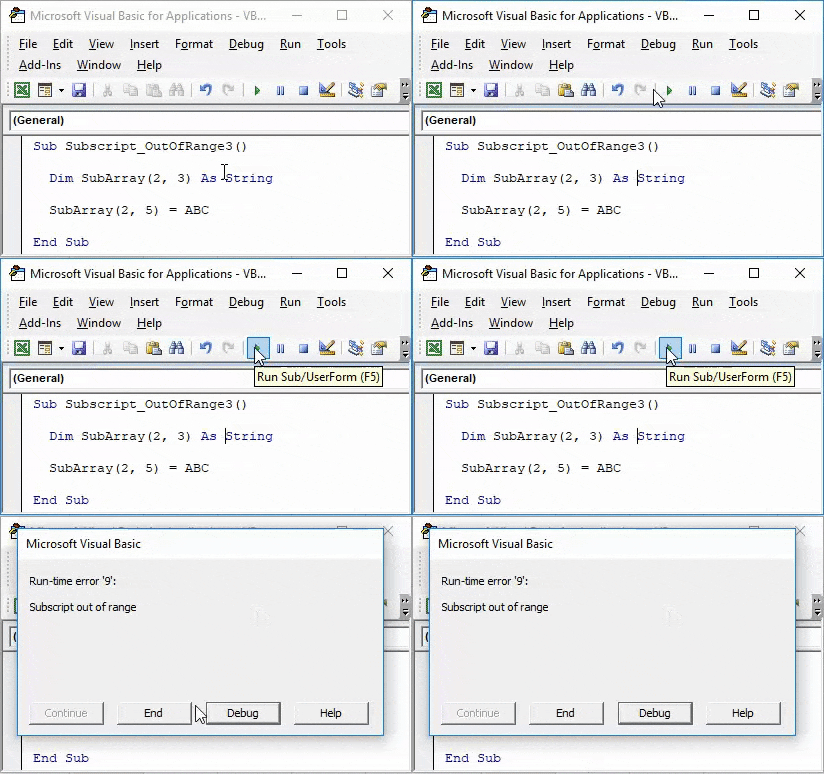
Reason for getting this error is because we have selected an incorrect Array range within 2 extra columns from 2×3 to 2×5, which is beyond the limit of code. Now if we again select the correct range of array as 2×3 and see what happens.
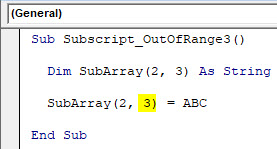
After compiling and running the code. We will see we did not receive any error which means our code run was successful.
Pros of Excel VBA Subscript out of Range
- VBA Subscript out of Range allows us to know what kind of error has happened. So that we can specifically find the solution of the obtained error code.
- As VBA subscript out of range ‘Run-time error 9’ is quite useful in knowing what kind of error has occurred in excel.
Things to Remember
- It is recommended to use Subcategory in the name of the performed function with a sequence of code so that it would be easy to track it properly.
- Save the file as Macro-Enabled Workbook to avoid losing written code.
- If you have huge lines of code then it is better to compile each line of code one by one by pressing F8 key. This method compiles each step of code so that we can directly know which portion of code actually has the error in the first go.
Recommended Articles
This has been a guide to Excel VBA Subscript out of Range. Here we discussed why VBA Subscript out of Range error occurs (Run-time Error 9) along with some practical examples and downloadable excel template. You can also go through our other suggested articles –
- VBA IsError
- VBA Get Cell Value
- VBA On Error
- VBA XML
In this post I want to present You the most common error associated with array creation which is Run-time error ‘9’: Subscript out of range.

At the beginning of my arrays experience I was having that same error over and over again.
Let me show You the example array and the main issue I am writing about.
Code
Sub tests()

Dim arr As Variant
Dim lastRow As Long

With ThisWorkbook.Sheets("Sheet1")
    lastRow = .Cells(Rows.Count, 1).End(xlUp).Row
    arr = .Range(.Cells(1, 1), .Cells(lastRow, 1))
End With

Debug.Print arr(1)

End Sub
In this code I am creating array from only 1 column. After that, I want to print out the value of first element. Instead of this I get Run-time error ‘9’: Subscript out of range. Never know what is wrong, why I am getting error with 1 column array?!
Then one day I found out about Watches. In my words, it is an additional window, which can give a live preview of variables. I mean whole structure, for example properties, values or types. To turn it on You need to right click variable, choose Add Watch… and click OK.
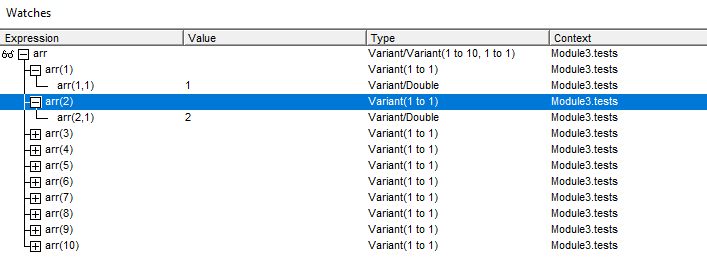
My array have 10 elements. We can see from the screenshot, that every element have specified 2 dimensions! My mind have never thought about second dimension in one-column array. To get rid of the Run-time error ‘9’ modify your array code like this:
Debug.Print arr(1, 1)When I saw this problem mentioned on StackOverflow I realized, that I am not the only one who was struggling with it.
But don’t worry, there is also another solution for this issue!
You can approach to print out array values like in original code, but to do this array must be transposed. After setting array range You need to add:
arr = Application.Transpose(arr)Then your array structure looks like this:
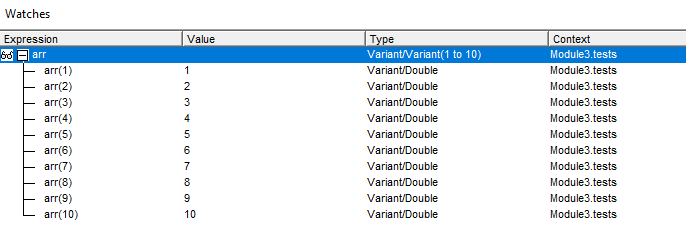
Whole code should looks like this:
Sub tests()

Dim arr As Variant
Dim lastRow As Long

With ThisWorkbook.Sheets("Sheet1")
    lastRow = .Cells(Rows.Count, 1).End(xlUp).Row
    arr = .Range(.Cells(1, 1), .Cells(lastRow, 1))
    arr = Application.Transpose(arr)
End With

Debug.Print arr(1)

End Sub
I hope You guys will never have such problems from now. Remember that using this method of setting array it will always have 2 dimensions, even if it is 1 column range.

I’m very advanced in VBA, Excel, also easily linking VBA with other Office applications (e.g. PowerPoint) and external applications (e.g. SAP). I take part also in RPA processes (WebQuery, DataCache, IBM Access Client Solutions) where I can also use my SQL basic skillset. I’m trying now to widen my knowledge into TypeScript/JavaScript direction.
View all posts by Tomasz Płociński
 |
Номер ошибки: | Ошибка во время выполнения 9 |
| Название ошибки: | Subscript out of range | |
| Описание ошибки: | Elements of arrays and members of collections can only be accessed within their defined ranges. | |
| Разработчик: | Microsoft Corporation | |
| Программное обеспечение: | Windows Operating System | |
| Относится к: | Windows XP, Vista, 7, 8, 10, 11 |
Обзор «Subscript out of range»
Как правило, практикующие ПК и сотрудники службы поддержки знают «Subscript out of range» как форму «ошибки во время выполнения». Когда дело доходит до программного обеспечения, как Windows Operating System, инженеры могут использовать различные инструменты, чтобы попытаться сорвать эти ошибки как можно скорее. Ошибки, такие как ошибка 9, иногда удаляются из отчетов, оставляя проблему остается нерешенной в программном обеспечении.
После установки программного обеспечения может появиться сообщение об ошибке «Elements of arrays and members of collections can only be accessed within their defined ranges.». Во время возникновения ошибки 9 конечный пользователь может сообщить о проблеме в Microsoft Corporation. Microsoft Corporation может устранить обнаруженные проблемы, а затем загрузить измененный файл исходного кода, позволяя пользователям обновлять свою версию. Чтобы исправить такие ошибки 9 ошибки, устанавливаемое обновление программного обеспечения будет выпущено от поставщика программного обеспечения.
Почему возникает ошибка времени выполнения 9?
В большинстве случаев вы увидите «Subscript out of range» во время загрузки Windows Operating System. Вот три наиболее распространенные причины, по которым происходят ошибки во время выполнения ошибки 9:
Ошибка 9 Crash — Ошибка 9 может привести к полному замораживанию программы, что не позволяет вам что-либо делать. Если данный ввод недействителен или не соответствует ожидаемому формату, Windows Operating System (или OS) завершается неудачей.
Утечка памяти «Subscript out of range» — если есть утечка памяти в Windows Operating System, это может привести к тому, что ОС будет выглядеть вялой. Есть некоторые потенциальные проблемы, которые могут быть причиной получения проблем во время выполнения, с неправильным кодированием, приводящим к бесконечным циклам.
Ошибка 9 Logic Error — логическая ошибка возникает, когда компьютер производит неправильный вывод, даже если вход правильный. Это видно, когда исходный код Microsoft Corporation включает дефект в анализе входных данных.
Subscript out of range проблемы часто являются результатом отсутствия, удаления или случайного перемещения файла из исходного места установки Windows Operating System. В большинстве случаев скачивание и замена файла Microsoft Corporation позволяет решить проблему. Мы также рекомендуем выполнить сканирование реестра, чтобы очистить все недействительные ссылки на Subscript out of range, которые могут являться причиной ошибки.
Распространенные сообщения об ошибках в Subscript out of range
Обнаруженные проблемы Subscript out of range с Windows Operating System включают:
- «Ошибка программы Subscript out of range. «
- «Ошибка программного обеспечения Win32: Subscript out of range»
- «Subscript out of range столкнулся с проблемой и закроется. «
- «Subscript out of range не может быть найден. «
- «Subscript out of range не может быть найден. «
- «Проблема при запуске приложения: Subscript out of range. «
- «Файл Subscript out of range не запущен.»
- «Отказ Subscript out of range.»
- «Неверный путь к приложению: Subscript out of range.»
Эти сообщения об ошибках Microsoft Corporation могут появляться во время установки программы, в то время как программа, связанная с Subscript out of range (например, Windows Operating System) работает, во время запуска или завершения работы Windows, или даже во время установки операционной системы Windows. Документирование проблем Subscript out of range в Windows Operating System является ключевым для определения причины проблем с электронной Windows и сообщения о них в Microsoft Corporation.
Причины ошибок в файле Subscript out of range
Проблемы Subscript out of range могут быть отнесены к поврежденным или отсутствующим файлам, содержащим ошибки записям реестра, связанным с Subscript out of range, или к вирусам / вредоносному ПО.
Более конкретно, данные ошибки Subscript out of range могут быть вызваны следующими причинами:
- Поврежденная или недопустимая запись реестра Subscript out of range.
- Вирус или вредоносное ПО, повреждающее Subscript out of range.
- Другая программа (не связанная с Windows Operating System) удалила Subscript out of range злонамеренно или по ошибке.
- Другое приложение, конфликтующее с Subscript out of range или другими общими ссылками.
- Поврежденная загрузка или неполная установка программного обеспечения Windows Operating System.
Продукт Solvusoft
Загрузка
WinThruster 2022 — Проверьте свой компьютер на наличие ошибок.
Совместима с Windows 2000, XP, Vista, 7, 8, 10 и 11
Установить необязательные продукты — WinThruster (Solvusoft) | Лицензия | Политика защиты личных сведений | Условия | Удаление