В общем разобрался с этой я проблемой, был конфликтный мод и криво установленный форж. Как только я все наладил появилась необходимость все снести нафиг и поставить ядро caildron так как нужны и плагины и моды.
Сервер без модов запускается на раз и два а вот как только втюхаешь моды то выдает ошибку в конце,
pw.mods.fml.common.launcher.FMLServerTweaker
[00:03:12] [main/INFO]: Using primary tweak class name cpw.mods.fml.common.launcher.FMLServerTweaker
[00:03:12] [main/INFO]: Calling tweak class cpw.mods.fml.common.launcher.FMLServerTweaker
[00:03:12] [main/INFO]: Forge Mod Loader version 7.10.114.1388 for Minecraft 1.7.10 loading
[00:03:13] [main/INFO]: Java is Java HotSpot 64-Bit Server VM, version 1.8.0_121, running on Windows 10:amd64:10.0, installed at C:Program FilesJavajre1.8.0_121
[00:03:13] [main/INFO]: [HOOKLIB] Obfuscated: true
[00:03:13] [main/WARN]: The following coremods do not have a @MCVersion annotation. They may cause problems if this is not the correct version of Minecraft for them.
[00:03:13] [main/WARN]: Missing @MCVersion: mods.battlegear2.coremod.BattlegearLoadingPlugin mixac1.dangerrpg.hook.RPGHookLoader
[00:03:13] [main/INFO]: Loading tweak class name cpw.mods.fml.common.launcher.FMLInjectionAndSortingTweaker
[00:03:13] [main/INFO]: Loading tweak class name cpw.mods.fml.common.launcher.FMLDeobfTweaker
[00:03:13] [main/INFO]: Calling tweak class cpw.mods.fml.common.launcher.FMLInjectionAndSortingTweaker
[00:03:13] [main/INFO]: Calling tweak class cpw.mods.fml.common.launcher.FMLInjectionAndSortingTweaker
[00:03:13] [main/INFO]: Calling tweak class cpw.mods.fml.relauncher.CoreModManager$FMLPluginWrapper
[00:03:15] [main/INFO]: Calling tweak class cpw.mods.fml.relauncher.CoreModManager$FMLPluginWrapper
[00:03:15] [main/INFO]: Calling tweak class cpw.mods.fml.relauncher.CoreModManager$FMLPluginWrapper
[00:03:15] [main/INFO]: [gloomyfolken.hooklib.asm.HookLogger$SystemOutLogger:debug:17]: [DEBUG] Parsing hooks contatiner gloomyfolken.hooklib.minecraft.SecondaryTransformerHook
[00:03:15] [main/INFO]: Calling tweak class cpw.mods.fml.common.launcher.FMLDeobfTweaker
[00:03:16] [main/INFO]: [gloomyfolken.hooklib.asm.HookLogger$SystemOutLogger:debug:17]: [DEBUG] Injecting hooks into class cpw.mods.fml.common.Loader
[00:03:16] [main/INFO]: [gloomyfolken.hooklib.asm.HookLogger$SystemOutLogger:debug:17]: [DEBUG] Successfully injected 1 hook to cpw.mods.fml.common.Loader
[00:03:16] [main/INFO]: [gloomyfolken.hooklib.asm.HookLogger$SystemOutLogger:debug:17]: [DEBUG] Methods dictionary loaded in 4 ms
[00:03:16] [main/INFO]: Calling tweak class cpw.mods.fml.relauncher.CoreModManager$FMLPluginWrapper
[00:03:20] [main/INFO]: Loading tweak class name cpw.mods.fml.common.launcher.TerminalTweaker
[00:03:20] [main/INFO]: Calling tweak class cpw.mods.fml.common.launcher.TerminalTweaker
[00:03:21] [main/INFO]: [gloomyfolken.hooklib.asm.HookLogger$SystemOutLogger:debug:17]: [DEBUG] Injecting hooks into class net.minecraft.entity.player.EntityPlayer
[00:03:21] [main/INFO]: [gloomyfolken.hooklib.asm.HookLogger$SystemOutLogger:debug:17]: [DEBUG] Successfully injected 3 hooks to net.minecraft.entity.player.EntityPlayer
[00:03:21] [main/INFO]: [gloomyfolken.hooklib.asm.HookLogger$SystemOutLogger:warning:22]: [WARNING] Can not found target method of hook AsmHook: net.minecraft.entity.player.EntityPlayer#getItemIcon(Lnet/minecraft/item/ItemStack;I)Lnet/minecraft/util/IIcon; -> mixac1.dangerrpg.hook.HookItemBow#getItemIcon(Lnet/minecraft/entity/player/EntityPlayer;Lnet/minecraft/item/ItemStack;ILnet/minecraft/util/IIcon;)Lnet/minecraft/util/IIcon;, ReturnCondition=ALWAYS, ReturnValue=HOOK_RETURN_VALUE, InjectorFactory: gloomyfolken.hooklib.asm.HookInjectorFactory$MethodExit
[00:03:21] [main/INFO]: M&B — Patching Class EntityPlayer (yz)
[00:03:21] [main/INFO]: Adding new fields to EntityPlayer
[00:03:21] [main/INFO]: Patching constructor in EntityPlayer
[00:03:21] [main/INFO]: Patching method onUpdate in EntityPlayer
[00:03:21] [main/INFO]: Patching method onItemUseFinish in EntityPlayer
[00:03:21] [main/INFO]: Patching method interactWith in EntityPlayer
[00:03:21] [main/INFO]: Patching method setCurrentItemOrArmor in EntityPlayer
[00:03:21] [main/INFO]: Creating new methods in EntityPlayer
[00:03:21] [main/INFO]: M&B — Patching Class EntityPlayer done
[00:03:21] [main/INFO]: [gloomyfolken.hooklib.asm.HookLogger$SystemOutLogger:debug:17]: [DEBUG] Injecting hooks into class net.minecraft.entity.EntityLivingBase
[00:03:21] [main/INFO]: [gloomyfolken.hooklib.asm.HookLogger$SystemOutLogger:debug:17]: [DEBUG] Successfully injected 1 hook to net.minecraft.entity.EntityLivingBase
[00:03:21] [main/INFO]: [gloomyfolken.hooklib.asm.HookLogger$SystemOutLogger:debug:17]: [DEBUG] Injecting hooks into class net.minecraft.entity.Entity
[00:03:21] [main/INFO]: [gloomyfolken.hooklib.asm.HookLogger$SystemOutLogger:debug:17]: [DEBUG] Successfully injected 1 hook to net.minecraft.entity.Entity
[00:03:21] [main/INFO]: Launching wrapped minecraft {net.minecraft.server.MinecraftServer}
[00:03:21] [main/INFO]: [gloomyfolken.hooklib.asm.HookLogger$SystemOutLogger:debug:17]: [DEBUG] Injecting hooks into class net.minecraft.item.Item
[00:03:21] [main/INFO]: [gloomyfolken.hooklib.asm.HookLogger$SystemOutLogger:debug:17]: [DEBUG] Successfully injected 4 hooks to net.minecraft.item.Item
[00:03:22] [main/INFO]: [gloomyfolken.hooklib.asm.HookLogger$SystemOutLogger:debug:17]: [DEBUG] Injecting hooks into class net.minecraft.entity.monster.EntityIronGolem
[00:03:22] [main/INFO]: [gloomyfolken.hooklib.asm.HookLogger$SystemOutLogger:debug:17]: [DEBUG] Successfully injected 1 hook to net.minecraft.entity.monster.EntityIronGolem
[00:03:22] [main/INFO]: [gloomyfolken.hooklib.asm.HookLogger$SystemOutLogger:debug:17]: [DEBUG] Injecting hooks into class net.minecraft.item.ItemBow
[00:03:22] [main/INFO]: [gloomyfolken.hooklib.asm.HookLogger$SystemOutLogger:debug:17]: [DEBUG] Successfully injected 1 hook to net.minecraft.item.ItemBow
[00:03:22] [main/INFO]: [gloomyfolken.hooklib.asm.HookLogger$SystemOutLogger:debug:17]: [DEBUG] Injecting hooks into class net.minecraft.entity.SharedMonsterAttributes
[00:03:22] [main/INFO]: [gloomyfolken.hooklib.asm.HookLogger$SystemOutLogger:debug:17]: [DEBUG] Successfully injected 1 hook to net.minecraft.entity.SharedMonsterAttributes
[00:03:22] [main/INFO]: [gloomyfolken.hooklib.asm.HookLogger$SystemOutLogger:debug:17]: [DEBUG] Injecting hooks into class net.minecraft.item.ItemStack
[00:03:22] [main/INFO]: [gloomyfolken.hooklib.asm.HookLogger$SystemOutLogger:debug:17]: [DEBUG] Successfully injected 2 hooks to net.minecraft.item.ItemStack
[00:03:22] [main/INFO]: M&B — Patching Class ItemStack (add)
[00:03:22] [main/INFO]: M&B — Patching Class ItemStack done
[00:03:23] [main/INFO]: [gloomyfolken.hooklib.asm.HookLogger$SystemOutLogger:debug:17]: [DEBUG] Injecting hooks into class net.minecraft.entity.projectile.EntityLargeFireball
[00:03:23] [main/INFO]: [gloomyfolken.hooklib.asm.HookLogger$SystemOutLogger:debug:17]: [DEBUG] Successfully injected 1 hook to net.minecraft.entity.projectile.EntityLargeFireball
[00:03:23] [main/INFO]: [gloomyfolken.hooklib.asm.HookLogger$SystemOutLogger:debug:17]: [DEBUG] Injecting hooks into class net.minecraft.entity.projectile.EntitySmallFireball
[00:03:23] [main/INFO]: [gloomyfolken.hooklib.asm.HookLogger$SystemOutLogger:debug:17]: [DEBUG] Successfully injected 1 hook to net.minecraft.entity.projectile.EntitySmallFireball
[00:03:23] [main/INFO]: [gloomyfolken.hooklib.asm.HookLogger$SystemOutLogger:debug:17]: [DEBUG] Injecting hooks into class net.minecraft.entity.projectile.EntityWitherSkull
[00:03:23] [main/INFO]: [gloomyfolken.hooklib.asm.HookLogger$SystemOutLogger:debug:17]: [DEBUG] Successfully injected 1 hook to net.minecraft.entity.projectile.EntityWitherSkull
[00:03:23] [main/INFO]: [gloomyfolken.hooklib.asm.HookLogger$SystemOutLogger:debug:17]: [DEBUG] Injecting hooks into class net.minecraft.entity.monster.EntitySkeleton
[00:03:23] [main/INFO]: [gloomyfolken.hooklib.asm.HookLogger$SystemOutLogger:debug:17]: [DEBUG] Successfully injected 1 hook to net.minecraft.entity.monster.EntitySkeleton
[00:03:23] [main/INFO]: [gloomyfolken.hooklib.asm.HookLogger$SystemOutLogger:debug:17]: [DEBUG] Injecting hooks into class net.minecraft.entity.monster.EntitySlime
[00:03:23] [main/INFO]: [gloomyfolken.hooklib.asm.HookLogger$SystemOutLogger:debug:17]: [DEBUG] Successfully injected 1 hook to net.minecraft.entity.monster.EntitySlime
[00:03:23] [main/INFO]: [gloomyfolken.hooklib.asm.HookLogger$SystemOutLogger:debug:17]: [DEBUG] Injecting hooks into class net.minecraft.entity.boss.EntityDragon
[00:03:23] [main/INFO]: [gloomyfolken.hooklib.asm.HookLogger$SystemOutLogger:debug:17]: [DEBUG] Successfully injected 1 hook to net.minecraft.entity.boss.EntityDragon
[00:03:23] [main/INFO]: [gloomyfolken.hooklib.asm.HookLogger$SystemOutLogger:debug:17]: [DEBUG] Injecting hooks into class net.minecraft.entity.passive.EntityWolf
[00:03:23] [main/INFO]: [gloomyfolken.hooklib.asm.HookLogger$SystemOutLogger:debug:17]: [DEBUG] Successfully injected 1 hook to net.minecraft.entity.passive.EntityWolf
[00:03:25] [server thread/INFO]: Starting minecraft server version 1.7.10
[00:03:25] [server thread/INFO]: Attempting early MinecraftForge initialization
[00:03:25] [server thread/INFO]: MinecraftForge v10.13.3.1388 Initialized
[00:03:25] [server thread/INFO]: Replaced 183 ore recipies
[00:03:25] [server thread/INFO]: Preloading CrashReport classes
[00:03:25] [server thread/INFO]: net.minecraft.world.World$1
[00:03:25] [server thread/INFO]: net.minecraft.world.World$2
[00:03:25] [server thread/INFO]: net.minecraft.world.World$3
[00:03:25] [server thread/INFO]: net.minecraft.world.World$4
[00:03:25] [server thread/INFO]: net.minecraft.world.chunk.Chunk$1
[00:03:25] [server thread/INFO]: net.minecraft.crash.CrashReportCategory$1
[00:03:25] [server thread/INFO]: net.minecraft.crash.CrashReportCategory$2
[00:03:25] [server thread/INFO]: net.minecraft.crash.CrashReportCategory$3
[00:03:25] [server thread/INFO]: net.minecraft.entity.Entity$1
[00:03:25] [server thread/INFO]: net.minecraft.entity.Entity$2
[00:03:25] [server thread/INFO]: net.minecraft.entity.EntityTracker$1
[00:03:25] [server thread/INFO]: net.minecraft.world.gen.layer.GenLayer$1
[00:03:25] [server thread/INFO]: net.minecraft.world.gen.layer.GenLayer$2
[00:03:25] [server thread/INFO]: net.minecraft.entity.player.InventoryPlayer$1
[00:03:25] [server thread/INFO]: net.minecraft.world.gen.structure.MapGenStructure$1
[00:03:25] [server thread/INFO]: net.minecraft.world.gen.structure.MapGenStructure$2
[00:03:25] [server thread/INFO]: net.minecraft.world.gen.structure.MapGenStructure$3
[00:03:25] [server thread/INFO]: net.minecraft.server.MinecraftServer$3
[00:03:25] [server thread/INFO]: net.minecraft.server.MinecraftServer$4
[00:03:25] [server thread/INFO]: net.minecraft.server.MinecraftServer$5
[00:03:25] [server thread/INFO]: net.minecraft.nbt.NBTTagCompound$1
[00:03:25] [server thread/INFO]: net.minecraft.nbt.NBTTagCompound$2
[00:03:25] [server thread/INFO]: net.minecraft.network.NetHandlerPlayServer$2
[00:03:25] [server thread/INFO]: net.minecraft.network.NetworkSystem$3
[00:03:25] [server thread/INFO]: net.minecraft.tileentity.TileEntity$1
[00:03:25] [server thread/INFO]: net.minecraft.tileentity.TileEntity$2
[00:03:25] [server thread/INFO]: net.minecraft.tileentity.TileEntity$3
[00:03:25] [server thread/INFO]: net.minecraft.world.storage.WorldInfo$1
[00:03:25] [server thread/INFO]: net.minecraft.world.storage.WorldInfo$2
[00:03:25] [server thread/INFO]: net.minecraft.world.storage.WorldInfo$3
[00:03:25] [server thread/INFO]: net.minecraft.world.storage.WorldInfo$4
[00:03:25] [server thread/INFO]: net.minecraft.world.storage.WorldInfo$5
[00:03:25] [server thread/INFO]: net.minecraft.world.storage.WorldInfo$6
[00:03:25] [server thread/INFO]: net.minecraft.world.storage.WorldInfo$7
[00:03:25] [server thread/INFO]: net.minecraft.world.storage.WorldInfo$8
[00:03:25] [server thread/INFO]: net.minecraft.world.storage.WorldInfo$9
[00:03:25] [server thread/INFO]: net.minecraft.server.dedicated.DedicatedServer$3
[00:03:25] [server thread/INFO]: net.minecraft.server.dedicated.DedicatedServer$4
[00:03:25] [server thread/INFO]: Completed early MinecraftForge initialization
[00:03:26] [server thread/INFO]: Searching C:UsersднсDesktopНовая папка (3)mods for mods
[00:03:27] [server thread/INFO]: Forge Mod Loader has identified 7 mods to load
[00:03:27] [server thread/ERROR]: The mod BiomesOPlenty (Biomes O’ Plenty) requires mod versions [Forge@[10.13.4.1566,)] to be available
[00:03:27] [server thread/ERROR]: Encountered an unexpected exception
cpw.mods.fml.common.MissingModsException:
Missing Mods:
Forge : [10.13.4.1566,)
at cpw.mods.fml.common.Loader.sortModList(Loader.java:244) ~[Loader.class:git-Cauldron-Reloaded-1.7.10-1.1388.1.0]
at cpw.mods.fml.common.Loader.loadMods(Loader.java:472) ~[Loader.class:git-Cauldron-Reloaded-1.7.10-1.1388.1.0]
at cpw.mods.fml.server.FMLServerHandler.beginServerLoading(FMLServerHandler.java:87) ~[FMLServerHandler.class:git-Cauldron-Reloaded-1.7.10-1.1388.1.0]
at cpw.mods.fml.common.FMLCommonHandler.onServerStart(FMLCommonHandler.java:318) ~[FMLCommonHandler.class:git-Cauldron-Reloaded-1.7.10-1.1388.1.0]
at net.minecraft.server.dedicated.DedicatedServer.func_71197_b(DedicatedServer.java:176) ~[lt.class:?]
at net.minecraft.server.MinecraftServer.run(MinecraftServer.java:620) [MinecraftServer.class:?]
at java.lang.Thread.run(Unknown Source) [?:1.8.0_121]
[00:03:27] [server thread/ERROR]: This crash report has been saved to: C:UsersднсDesktopНовая папка (3).crash-reportscrash-2017-03-09_00.03.27-server.txt
[00:03:27] [server thread/WARN]: Can’t revert to frozen GameData state without freezing first.
[00:03:27] [server thread/INFO]: Applying holder lookups
[00:03:27] [server thread/INFO]: Holder lookups applied
[00:03:27] [server thread/INFO]: The state engine was in incorrect state CONSTRUCTING and forced into state SERVER_STOPPED. Errors may have been discarded.
Нигде не могу найти однозначный ответ. В общем ошибка где то в ядре, как только я поставил сервер на форжу, моды работали и с ними можно было играть нормально. Провожу те же манипуляции уже на cauldrone и начинает материть.
Содержание
- Error solution: “Internal Exception: io.netty.handler.codec.DecoderException:java.”
- Internal exception io netty handler codec decoderexception index 25 size 5 что делать
- Minecraft Forums
- HELP! I can’t connect to ANY servers! :((
- Io netty handler, Java IO IOException или внутреннее исключение в Minecraft: что делать
- что делать, когда в Minecraft отваливается подключение с ошибкой io netty handler или Java IO IOException
- перенастраиваем DNS
Error solution: “Internal Exception: io.netty.handler.codec.DecoderException:java.”

In this article we will give you the solution to the following Minecraft bug: Internal Exception: io.netty.handler.DecoderException: java.lang.IndexOutOfBoundsException: Index: 25, Size: 5
This error usually occurs when playing in multiplayer servers and the steps to solve it are the following:
1- The first thing to do is to go to your web browser, either Google Chrome, Mozilla or whatever you prefer and there we go to the “TLauncher” page. For your convenience here is the link to the official site.
2- Once here in the official site of “TLauncher” we must create a new account, because the error “Internal Exception: io.netty.handler.DecoderException: java.lang.IndexOutOfBoundsException: Index: 25, Size: 5” is an error in the account and has nothing to do with your computer or the installation of the game or its configuration. To create a new account you must look for the “Sign Up” button. You must enter a new email and a new password for this second account.You should choose a name that is not too long, as many users also have this problem when the username is too long.

3- Once the new account is created, you only have to open again the “TLauncher” to add the new account, just created. To add a new account you must go to the section that says accounts as shown in the following image.

Add the newly created account and the corresponding password. Save the username and start playing with the new account as the internal exception error will be fixed and you will be able to play in multiplayer mode.
Some users in addition to this step must enter the Aternos page and in “Whitelist” add you to the list of players, for this add the user name of the new account created.
Источник
Internal exception io netty handler codec decoderexception index 25 size 5 что делать
#A fatal error has been detected by the Java Runtime Environment:
#
# EXCEPTION_ACCESS_VIOLATION (0xc0000005) at pc=0x46bce470, pid=7616, tid=2432
#
# JRE version: Java(TM) SE Runtime Environment (8.0_65-b17) (build 1.8.0_65-b17)
# Java VM: Java HotSpot(TM) Client VM (25.65-b01 mixed mode windows-x86 )
# Problematic frame:
# C [awt.dll+0x1e470]
#
# Failed to write core dump. Minidumps are not enabled by default on client versions of Windows
#
# If you would like to submit a bug report, please visit:
# http://bugreport.java.com/bugreport/crash.jsp
# The crash happened outside the Java Virtual Machine in native code.
# See problematic frame for where to report the bug.
#
Current thread (0x45c63400): JavaThread «AWT-Windows» daemon [_thread_in_native, stack(0x46e60000,0x46eb0000)]
siginfo: ExceptionCode=0xc0000005, reading address 0x00000000
Registers:
EAX=0x46eaf4f4, EBX=0x000000c0, ECX=0x0000007e, EDX=0x000000c0
ESP=0x46eaf4dc, EBP=0x00000000, ESI=0x45cedc90, EDI=0x00000000
EIP=0x46bce470, EFLAGS=0x00010216
Top of Stack: (sp=0x46eaf4dc)
0x46eaf4dc: 46eaf4f4 00001000 00000000 00000001
0x46eaf4ec: 45c63df0 0010000f 46c968ca 46bc558b
0x46eaf4fc: 00000000 00000000 45c63df0 46bc566a
0x46eaf50c: 00000000 45c63df0 00000001 46bc576e
0x46eaf51c: 45c63df0 46bc1d90 45c1e288 00000000
0x46eaf52c: 46bc83fa 00000001 46ca6104 00000000
0x46eaf53c: 45c1e288 46bc98f2 46ca60fc 46bc9aeb
0x46eaf54c: 46ca60fc 46c55e99 00000000 c69d455a
Instructions: (pc=0x46bce470)
0x46bce450: d8 53 1b c0 57 8b be 10 a0 00 00 25 00 f0 ff ff
0x46bce460: 05 00 20 00 00 50 c1 e2 05 8d 44 24 14 50 8b da
0x46bce470: 8b 17 53 c1 e1 05 51 8b 4a 2c 57 ff d1 33 ff 3b
0x46bce480: c7 0f 8c 8f 00 00 00 8b 56 04 8b 4c 24 10 c1 e2
Register to memory mapping:
EAX=0x46eaf4f4 is pointing into the stack for thread: 0x45c63400
EBX=0x000000c0 is an unknown value
ECX=0x0000007e is an unknown value
EDX=0x000000c0 is an unknown value
ESP=0x46eaf4dc is pointing into the stack for thread: 0x45c63400
EBP=0x00000000 is an unknown value
ESI=0x45cedc90 is an unknown value
EDI=0x00000000 is an unknown value
Источник
Minecraft Forums
HELP! I can’t connect to ANY servers! :((


I’m using minecraft 1.7.4. So far the only versions I can play is 1.7.4 and 1.7.9.
Btw, is there any good virus scanners that you can introduce?

- Newly Spawned
- Join Date: 4/19/2014
- Posts: 1
- Member Details

- Out of the Water
- Join Date: 4/7/2014
- Posts: 7
- Member Details
- Out of the Water
- Join Date: 4/7/2014
- Posts: 7
- Member Details
- Out of the Water
- Join Date: 4/18/2014
- Posts: 3
- Member Details

- Coal Miner
- Join Date: 10/18/2013
- Posts: 109
- Minecraft: zeldalover52
- Xbox: NOPE
- PSN: NOPE
- Member Details
Notch just said creepers are ready to be able to live with humans!
WE’RE ALL GONNA DIE.
I told you you would be scared.

- Out of the Water
- Join Date: 6/10/2014
- Posts: 2
- Member Details

- Tree Puncher
- Join Date: 12/11/2011
- Posts: 38
- Minecraft: DragonZlayerX
- Member Details
- Out of the Water
- Join Date: 6/10/2014
- Posts: 2
- Member Details

- Out of the Water
- Join Date: 12/15/2014
- Posts: 8
- Member Details

- The Meaning of Life, the Universe, and Everything.
- Join Date: 1/25/2014
- Posts: 42
- Member Details
So I was playing minecraft earlier today but when I tried to connect to multiplayer servers, it keep saying the following:
Internal Exception: io.netty.handler.codec.DecoderException: java.util.zip.ZipException: invalid bit length repeat
Internal Exception: io.netty.handler.codec.DecoderException: java.util.zip.ZipException: Bad packet id **********
Internal Exception: io.netty.handler.codec.DecoderException: java.io.IOException: Bad compressed data format
Failed to login: Invalid session (Try restarting your game)
Источник
Io netty handler, Java IO IOException или внутреннее исключение в Minecraft: что делать
Ошибка «внутреннее исключение» или Internal Exception с io netty handler либо Java IO IOException в Minecraft случаются по причине того, что игра теряет подключение к серверу.
А вот сбоить подключение, как известно, может по самым разным причинам. Следовательно, в каждом отдельном случае устраняется проблема тоже разными способами, притом вполне себе стандартными.
О них и расскажем. Итак.
что делать, когда в Minecraft отваливается подключение с ошибкой io netty handler или Java IO IOException
Значит, первым делом просто проверяем подключение (перезагружаем роутер, переподключаем комп к Wi-Fi заново, переподключаем его напрямую через кабель, перезагружаем, запускаем Minecraft от имени администратора, проверяем и отключаем родительский контроль и т.д.) далее действуем следующим порядком:
#1 — проверяем состояние сервера
… для того, чтобы определить где именно случился сбой подключения — на стороне сервера, или локально. А для того, чтобы оперативно проверить и текущее состояние сервера игры, и текущее состояние подключения со своей стороны, просто подключаемся к тестовому серверу с IP: test.prisonfun.com.
Если подключится получается без проблем, то с клиентом игры и с настройками компа все в порядке. Данный сервер поддерживает все версии Minecraft и обновляется регулярно, потому оптимально подходит для оперативного выявления любых потенциально возможных проблем с подключением.
В противном же случае, то есть, когда подключиться именно к этому серверу не получилось, то, вероятнее всего, сбой подключения случился на стороне пользователя. И надо его устранять. Потому идем дальше.
#2 — отключаем брандмауэр, антивирус и VPN
Мера это временная, но крайне необходимая в случае, когда нужно быстро определить и устранить причину ошибок io netty handler или Java IO IOException в Minecraft. Поэтому:
- отключаем брандмауэр Windows:
- жмем Win+R с клавиатуры, в строке «Выполнить» пишем control и жмем Enter;
- в окне Панели управления кликаем «Система и безопасность» и далее — «Брандмауэр Windows«;
- в следующем окне слева жмем «Включение и отключение брандмауэра Windows«;
- отключаем брандмауэр для обоих типов сети — для домашней и рабочей и для общественной;
- кликаем ОК.
После этого снова пробуем подключиться к IP: test.prisonfun.com. Если снова не получилось то:
- отключаем антивирус — через панель управления программы;
- отключаем VPN
И снова подключаемся тестовому IP: test.prisonfun.com.
Опять безрезультатно? Тогда..
#3 — обновляем Java
Minecraft без Java не работает (и не должен). Более того, во избежание проблем с игрой Java на компе желательно иметь в самой последней версии. Обновляется эта самая версия стандартно:
- идем на официальную страницу загрузки Java — [ССЫЛКА];
- качаем и устанавливаем самую свежую версию Java.
Попутно в случае с проблемкой «внутреннего исключения» (ошибка io.netty.handler и Java.IO.IOException) не лишним также будет включить функцию Java Native Sandbox, а для этого:
- жмем «Пуск«, в строке поиска системы пишем java и в результатах выше кликаем «Configure Java«;
- в открывшемся окне переходим во вкладку «Advanced«;
- список параметров прокручиваем до раздела «Advanced security settings» и активируем опцию «Enable the operating system’s restricted environment (native sandbox)«;
- жмем «Применить» и «ОК«.
После перерезагружаем комп (это важно!), запускаем Minecraft и подключаемся к IP: test.prisonfun.com. Снова никак?
перенастраиваем DNS
Процедура тоже стандартная:
- жмем Win+R с клавиатуры, в строке «Выполнить» пишем control и жмем Enter;
- в окне Панели управления кликаем «Сеть и Интернет» и далее — «Центр управления сетями и общим доступом«;
- находим с списке сетей свое текущее подключение («Ethernet» или «WiFi») и кликаем ссылку «сетевое соединение«;
- в следующем окне жмем кнопку «Свойства» и далее в окне свойств подключения:
-
- двойным кликом кликаем по строке «Протокол интернета версии 4 (IPv4)» в компонентах;
- в открывшемся окошке активируем опцию «Использовать следующие адреса DNS-серверов» и ниже
- для «Предпочитаемый DNS-сервер» прописываем 8.8.8.8
- для «Альтернативный DNS-сервер» прописываем 8.8.4.4
- и жмем ОК.
Перезагружаем комп, запускаем Minecraft и пробуем подключиться к IP: test.prisonfun.com.
Если после перенастройки DNS (и всех предыдущих мер) устранить проблему не удалось, то, очень вероятно, что причина сбоя — в самой игре, а точнее в имеющейся сборке и/или в установленных модах. Поэтому
#4 — выполняем чистую переустановку Minecraft
То есть, качаем последнюю версию Minecraft с официального сайта и устанавливаем её безо всяких модов. Сделать нужно следующее:
- открываем официальный лаунчер Minecraft (либо сначала качаем его и устанавливаем — [ССЫЛКА] — и затем открываем);
- в главном меню открываем вкладку «Установки» (вверху) и жмем «Новая установка«;
- выбираем версию Minecraft (разработчик рекомендует ставить самую последнюю) и жмем «Загрузить«;
- далее проверяем, чтобы в меню лаунчера выбрана была именно нужная версия и жмем «Играть«;
- после запуска Minecraft проверяем подключение через IP: test.prisonfun.com.
Ну а если игра снова выдает «внутреннее исключение» с io netty handler либо Java IO IOException (а такое тоже может быть), значит придется переустановить её в другое место. Для этого:
- открываем официальный лаунчер Minecraft (ссылку см. выше);
- в главном меню открываем вкладку «Установки» (вверху) и жмем «Новая установка«;
- выбираем самую новую (рекомендуется);
- жмем кнопку «Обзор» и указываем другое место установки игры (либо просто кликаем «Рабочий стол«) и жмем ОК;
- теперь кликаем «Загрузить«;
- далее проверяем, чтобы в меню лаунчера выбрана была именно нужная версия и жмем «Играть«.
Источник
Hey guys,
I have a huge problem on my server right now. Everytime someone joins one of my servers they get a message that says:
Internal Exception: io.netty.handler.codec.DecoderException: java.lang.IndexOutOfBoundsException: readerIndex(9) +length(1) exceeds writerIndex (9_: UnpooledHeapByteBuf(ridx: 9, widx, cap: 9)
This error also occurs on my factions server. They can join the server perfectly but once they start running, after an extended period of time they also get that message. I do not understand what is wrong. We are fine on our storage. 7400/20000. Cpu is fine. But this error is bad.
On the console it says when the user is kicked:
13.06 15:26:10 [Disconnect] User DjNegroBlack has disconnected, reason: Disconnected
13.06 15:26:10 [Server] ERROR io.netty.handler.codec.EncoderException: String too big (was 32789 bytes encoded, max 32767)
13.06 15:26:10 [Server] ERROR io.netty.handler.codec.EncoderException: String too big (was 32789 bytes encoded, max 32767)
13.06 15:26:10 [Server] ERROR io.netty.handler.codec.EncoderException: String too big (was 32789 bytes encoded, max 32767)
13.06 15:26:10 [Server] ERROR io.netty.handler.codec.EncoderException: String too big (was 32789 bytes encoded, max 32767)
13.06 15:26:10 [Server] ERROR io.netty.handler.codec.EncoderException: String too big (was 32789 bytes encoded, max 32767)
13.06 15:26:10 [Server] ERROR io.netty.handler.codec.EncoderException: String too big (was 32789 bytes encoded, max 32767)
13.06 15:26:10 [Server] ERROR io.netty.handler.codec.EncoderException: String too big (was 32789 bytes encoded, max 32767)
13.06 15:26:10 [Server] ERROR io.netty.handler.codec.EncoderException: String too big (was 32789 bytes encoded, max 32767)
13.06 15:26:10 [Server] ERROR io.netty.handler.codec.EncoderException: String too big (was 32789 bytes encoded, max 32767)
13.06 15:26:10 [Server] ERROR io.netty.handler.codec.EncoderException: String too big (was 32789 bytes encoded, max 32767)
13.06 15:26:10 [Server] ERROR io.netty.handler.codec.EncoderException: String too big (was 32789 bytes encoded, max 32767)
13.06 15:26:10 [Server] ERROR io.netty.handler.codec.EncoderException: String too big (was 32789 bytes encoded, max 32767)
13.06 15:26:10 [Server] ERROR io.netty.handler.codec.EncoderException: String too big (was 32789 bytes encoded, max 32767)
13.06 15:26:10 [Server] ERROR io.netty.handler.codec.EncoderException: String too big (was 32789 bytes encoded, max 32767)
13.06 15:26:10 [Server] ERROR io.netty.handler.codec.EncoderException: String too big (was 32789 bytes encoded, max 32767)
13.06 15:26:10 [Server] ERROR io.netty.handler.codec.EncoderException: String too big (was 32789 bytes encoded, max 32767)
13.06 15:26:10 [Server] ERROR io.netty.handler.codec.EncoderException: String too big (was 32789 bytes encoded, max 32767)
13.06 15:26:10 [Server] ERROR io.netty.handler.codec.EncoderException: String too big (was 32789 bytes encoded, max 32767)
13.06 15:26:10 [Server] ERROR io.netty.handler.codec.EncoderException: String too big (was 32789 bytes encoded, max 32767)
If you would like to see the problems yourself the server ip is mc.raidpvp.us.
Thank you for the help,
IDCHAHA
Describe the bug
Every time I try to cconnect to my server, I get:
Minecraft Error internal exception io.netty.handler.codec.decoderexception java.lang.nullpointerexception
To Reproduce
Steps to reproduce the behavior:
- Connect to an online server
Screenshots

Additional context
I tried Java8/11 on client and server and curseapp and MultiMC. Sometimes I am able to connect, my friends dont have the problem. Server was started the usual way and with itzg docker java11 image, no changes.
Logs
Server-Log:
[20Sep2021 15:09:36.907] [Netty Epoll Server IO #1/INFO] [codechicken.lib.config.ConfigSyncManager/]: Skipping config sync, No mods have registered a syncable config.
[20Sep2021 15:09:36.972] [Netty Epoll Server IO #1/WARN] [com.connectivity.Connectivity/]: Login payload for Registry minecraft:item is using 101.1916% of max allowed vanilla size and will cause errors during login if connectivity is not present on client side.
[20Sep2021 15:09:36.978] [Netty Epoll Server IO #1/WARN] [com.connectivity.Connectivity/]: Login payload for Registry minecraft:block is using 74.1844% of max allowed vanilla size
[20Sep2021 15:09:37.380] [User Authenticator #11/INFO] [net.minecraft.network.login.ServerLoginNetHandler/]: UUID of player RuN_Kino is ac8806d4-146c-4457-bc4c-b79f0f74f63c
[20Sep2021 15:09:59.945] [Server thread/INFO] [net.minecraftforge.common.AdvancementLoadFix/]: Using new advancement loading for net.minecraft.advancements.PlayerAdvancements@49baa56a
[20Sep2021 15:09:59.962] [Server thread/ERROR] [com.lothrazar.cyclic.ModCyclic/]: ? overwrite PlayerEvent.LoadFromFile {inv:{Size:36,Items:[]},spectatorTicks:0,flyTicks:0,storage:0b,tasks:[]}
[20Sep2021 15:09:59.962] [Server thread/ERROR] [com.lothrazar.cyclic.ModCyclic/]: C PlayerEvent.LoadFromFile {inv:{Size:36,Items:[]},spectatorTicks:0,flyTicks:0,storage:0b,tasks:[]}
[20Sep2021 15:09:59.962] [Server thread/INFO] [net.minecraft.server.management.PlayerList/]: RuN_Kino[/91.6.50.107:56661] logged in with entity id 54877 at (1675.1016693144347, 75.0, -413.6278762443339)
[20Sep2021 15:09:59.977] [Server thread/INFO] [net.minecraft.server.dedicated.DedicatedServer/]: RuN_Kino joined the game
[20Sep2021 15:10:00.085] [Server thread/INFO] [mcjty.lib.setup.DefaultModSetup/]: Client logged in: sending dimlet packages
[20Sep2021 15:10:01.014] [Server thread/INFO] [net.minecraft.network.play.ServerPlayNetHandler/]: RuN_Kino lost connection: Disconnected
[20Sep2021 15:10:01.015] [Server thread/INFO] [net.minecraft.server.dedicated.DedicatedServer/]: RuN_Kino left the game
Client-Log:
https://gist.github.com/Gamewalker/a20441681416c18a902704a71b688a6d
While Minecraft isn’t one of the most graphically intensive games, it can still cause problems for players; especially those trying to play Minecraft multiplayer on Minecraft servers.
For those facing the error with Internal Exception while trying to connect to a Minecraft server, it can be challenging to fix it. This can be due to several different reasons.
This guide will dive into the best ways players can hopefully fix the Internal Exception error when trying to play the game.
How do you fix the Minecraft Internal Exception (io.netty.handler) (Java.IO.IOException) errors?
Simply put, a connection problem causes this error. This could be due to several things. Players can try each of the standard solutions listed below to see if one happens to rectify the issue.
First, check if the server you are trying to join has an error
Players should first check whether the connection issue causing the Internal Exception error message is coming from the server or their side.
If the error is from the server-side, players can rest assured that nothing is wrong with their copy of Minecraft or their PC settings. It is simply a problem with the server itself.
The best way to check if the server has an error is by connecting to this testing server with IP: test.prisonfun.com
If the connection to this server is successful, there is no problem with the game client or PC settings. This particular server supports all versions of Minecraft and is always up to date, so it is the best place to test any potential connection problems.
If the connection to this server is unsuccessful, then there is an issue on the player’s side, not the server. Players can try the proposed solutions below to try and fix them.
Update Java
Minecraft is a Java application and needs Java to run. Players should ensure they have the latest official Java version:
- Go to the official Java Download found here
- Download the latest version of Java available
- Complete the installation
- Retry on Minecraft to join server IP: test.prisonfun.com
Turn off Firewall + Antivirus + VPN
Minecraft multiplayer is sensitive to specific Firewall rules, Antivirus settings and VPNs.
Players can try and disable all three of these and retry the connection:
Turn off firewall
- Press Windows Key + R (or type «run» in the start menu)
- Type «control» in the Run menu and hit enter
- Press «System and Security»
- Press «Windows Firewall»
- On the left-hand side, press «Turn windows defender firewall on or off»
- Turn off the firewall for both public and private network
- Retry on MC to join server IP: test.prisonfun.com
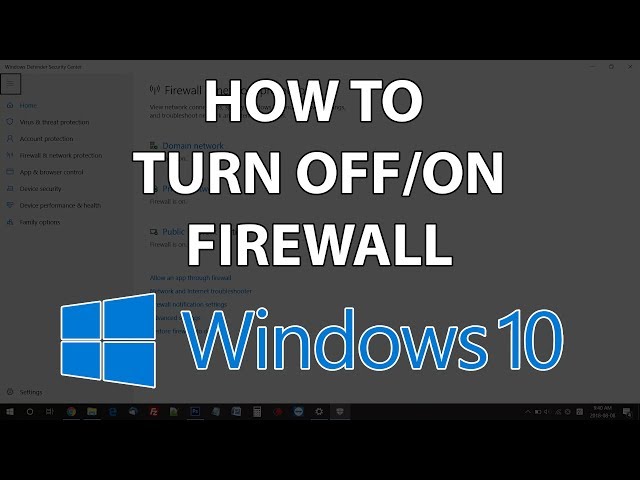
Turning off the antivirus and VPN is less straightforward than turning off the firewall. It will depend on the specific antivirus and VPN being used.
Turn off AntiVirus
If players are using a specific type of antiviruses such as Norton, McAffee, or Avast, they must be fully disabled in their control panels. After doing this, players can retry to connect to the server IP: test.prisonfun.com
Turn off VPN
If players are connected to any VPN, it should be turned off and disconnected. After doing this, players can retry their connection to the server IP: test.prisonfun.com
Change DNS Server Address
The DNS server can have an impact on failed connections. It is important to make sure it is up to date and accurate.
- Press Windows Key + R (or type «run» in the start menu)
- Type «control» in the Run menu and hit enter
- Navigate to the «Network and internet» tab
- Press «Network and sharing center»
- Select the connection (usually either «Ethernet» or «wifi»)
- Press «Properties»
- Click «Internet Protocol Version 4» (IPv4)
- Select «Use the following DNS server addresses»
- For the primary DNS server, use 8.8.8.8
- For an alternate DNS server, use 8.8.4.4
- Press «OK»
- Retry on Minecraft to join server IP: test.prisonfun.com
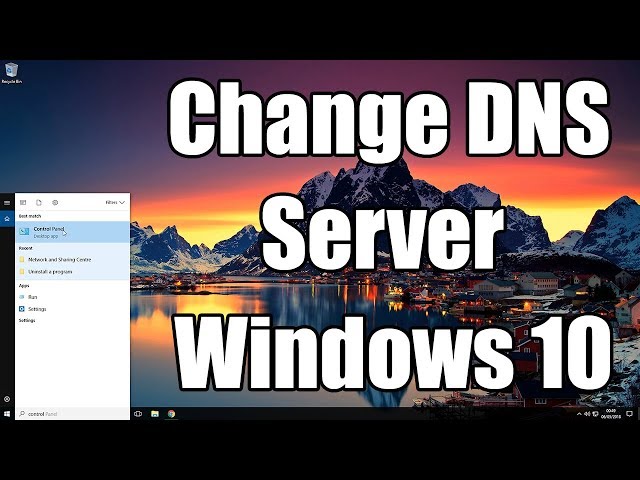
Users may want to watch this video below on how to change the DNS server (it works for Windows 10 and 11).
Re-download a fresh Installation of Minecraft
There may be something wrong with the Minecraft installation. Players should try to re-download a fresh copy with no modifications enabled.
- Open the official Minecraft launcher (download it here if you don’t have it)
- On the main launcher menu, click the «Installations» button (it should be at the top of the screen on the navbar)
- Press «New installation»
- Select the version of Minecraft you want to use (Latest release is recommended)
- Press the green «Create» button on the bottom right of the installation menu
- Make sure the newly created version is selected on the main launcher menu
- Hit the big green «Play» button on the main launcher menu
- Retry on Minecraft to join server IP: test.prisonfun.com
Install Minecraft to a new directory
If re-downloading a fresh installation of Minecraft is unsuccessful, players can try and install a new Minecraft directory altogether.
- Open the official Minecraft launcher (download it here if you don’t have it)
- On the main launcher menu, click the «Installations» button (it should be at the top of the screen on the navbar)
- Press «New installation»
- Select the version of the game you want to use (Latest release is recommended)
- For the «Game Directory» option, press «Browse» and select any place where you want to install the game on your PC if you don’t know where just press «Desktop» at the top.
- Hit OK
- Press the green «Create» button on the bottom right to create the new installation profile
- Make sure the newly created installation profile is selected on the main launcher menu before launching the game
- Hit the big green «Play» button on the main launcher menu
- Retry on MC to join server IP: test.prisonfun.com

Try VPN or a different wifi network
If nothing has worked so far, there might be an issue with the local network. Players can confirm if this is the case by connecting to a different wifi network or simply via a free VPN downloaded online.
Players are free to use their VPN, or they can try out the one in the video tutorial below.

After a VPN is connected to it, players can once again try and connect to the test server IP: test.prisonfun.com
Enable Java Native Sandbox
Enabling the Java Native Sandbox option has helped some users clear up their issues related to io.netty.handler and Java.IO.IOException.
- Press the Windows key (or click the start menu icon)
- Type Configure Java and press enter
- Navigate to the «Advanced» tab and scroll down to the «Advanced security settings» and enable the option «enable the operating system’s restricted environment (native sandbox).»
- Press Apply, then press OK
- Reboot the PC. This is very important.
- Retry on Minecraft to join server IP: test.prisonfun.com
Restart Router
Sometimes, the connection problem can originate from the local router needing a reboot. This is for various technical reasons, but restarting a router can assign a new IP and much more, which can help fix the underlying problem.
- Unplug the network router
- Wait a few minutes (restart your computer during this time)
- Plugin the network router
- Retry on MC to join server IP: test.prisonfun.com
Ensure there are no parental or admin restrictions on the PC/Network
Another major cause of the io.netty.handler and Java.IO.IOException problems is due to restrictions that are applied by parental control software (e.g., NetNanny, Norton Family, Qustodio, etc…) and network administrators.
Unfortunately, the only way to fix this is to turn them off entirely, which varies in each case due to different software being used.
Should players be aware that parental or admin restrictions are applied to the machine or network, these could most certainly be the underlying cause of the problems.
Once these restrictions are fully turned off, players can once again try and connect to the server with IP: test.prisonfun.com
For detailed guides, walkthroughs, tips & more, check out SK Minecraft Wiki
Edited by Srijan Sen
Thank You!
GIF
 Reply
Reply
❯
-
16.03.2020, 10:03
#1
Уже более полу часа не заходит на сервер Classic
Перестало заходить на сервер Classic, при попытке залогиниться на сервере выдаёт следующуюю ошибку:
Internal Exception: io.netty.handler.codec.DecoderException: java.lang.IndexOutOfBoundsException: readerIndex(30) + length(1) exceeds writerIndex(30): PooledUsafeDirectByteBuf(ridx:30, widx:30, cap:30)
Помогите пожалуйста
-
16.03.2020, 10:05
#2
-
16.03.2020, 10:09
#3
Наверное тогда это у всех, просто ждать остаётся пока починят

-
16.03.2020, 10:11
#4
так кто то же играет все равно, как то не повлияло на них
-
16.03.2020, 10:29
#5
Давай джаву попробуем обновить или переустановить
-
16.03.2020, 10:39
#6
Вы пробовали полностью перезаходить в игру? Там обновление вышло, должно скачаться и тогда пустит на сервер.
-
16.03.2020, 10:41
#7
принудительно обновлял. не катит
-
16.03.2020, 10:42
#8
 Сообщение от Marzia

Вы пробовали полностью перезаходить в игру? Там обновление вышло, должно скачаться и тогда пустит на сервер.
Да, перезаход не помогает.
-
16.03.2020, 10:43
#9
Напиши мне в дс — Marzia#4780 и скачай TeamViewer
-
16.03.2020, 10:50
#10
киньте полный лог ошибки, а не тот огрызок из первого поста)
-
16.03.2020, 10:54
#11
Сообщение от Goodie
киньте полный лог ошибки, а не тот огрызок из первого поста)
[10:39:20] [Netty Client IO #6/ERROR] [FML]: NetworkDispatcher exception
io.netty.handler.codec.DecoderException: java.lang.IndexOutOfBoundsException: readerIndex(30) + length(1) exceeds writerIndex(30): PooledUnsafeDirectByteBuf(ridx: 30, widx: 30, cap: 30)
at io.netty.handler.codec.ByteToMessageDecoder.callDe code(ByteToMessageDecoder.java:442) ~[ByteToMessageDecoder.class:2.8.1]
at io.netty.handler.codec.ByteToMessageDecoder.channe lRead(ByteToMessageDecoder.java:248) ~[ByteToMessageDecoder.class:2.8.1]
at io.netty.channel.AbstractChannelHandlerContext.inv okeChannelRead(AbstractChannelHandlerContext.java: 362) [AbstractChannelHandlerContext.class:2.8.1]
at io.netty.channel.AbstractChannelHandlerContext.inv okeChannelRead(AbstractChannelHandlerContext.java: 348) [AbstractChannelHandlerContext.class:2.8.1]
at io.netty.channel.AbstractChannelHandlerContext.fir eChannelRead(AbstractChannelHandlerContext.java:34 0) [AbstractChannelHandlerContext.class:2.8.1]
at io.netty.handler.codec.ByteToMessageDecoder.fireCh annelRead(ByteToMessageDecoder.java:293) [ByteToMessageDecoder.class:2.8.1]
at io.netty.handler.codec.ByteToMessageDecoder.channe lRead(ByteToMessageDecoder.java:267) [ByteToMessageDecoder.class:2.8.1]
at io.netty.channel.AbstractChannelHandlerContext.inv okeChannelRead(AbstractChannelHandlerContext.java: 362) [AbstractChannelHandlerContext.class:2.8.1]
at io.netty.channel.AbstractChannelHandlerContext.inv okeChannelRead(AbstractChannelHandlerContext.java: 348) [AbstractChannelHandlerContext.class:2.8.1]
at io.netty.channel.AbstractChannelHandlerContext.fir eChannelRead(AbstractChannelHandlerContext.java:34 0) [AbstractChannelHandlerContext.class:2.8.1]
at io.netty.handler.codec.ByteToMessageDecoder.fireCh annelRead(ByteToMessageDecoder.java:293) [ByteToMessageDecoder.class:2.8.1]
at io.netty.handler.codec.ByteToMessageDecoder.fireCh annelRead(ByteToMessageDecoder.java:280) [ByteToMessageDecoder.class:2.8.1]
at io.netty.handler.codec.ByteToMessageDecoder.callDe code(ByteToMessageDecoder.java:396) [ByteToMessageDecoder.class:2.8.1]
at io.netty.handler.codec.ByteToMessageDecoder.channe lRead(ByteToMessageDecoder.java:248) [ByteToMessageDecoder.class:2.8.1]
at io.netty.channel.AbstractChannelHandlerContext.inv okeChannelRead(AbstractChannelHandlerContext.java: 362) [AbstractChannelHandlerContext.class:2.8.1]
at io.netty.channel.AbstractChannelHandlerContext.inv okeChannelRead(AbstractChannelHandlerContext.java: 348) [AbstractChannelHandlerContext.class:2.8.1]
at io.netty.channel.AbstractChannelHandlerContext.fir eChannelRead(AbstractChannelHandlerContext.java:34 0) [AbstractChannelHandlerContext.class:2.8.1]
at io.netty.handler.codec.MessageToMessageDecoder.cha nnelRead(MessageToMessageDecoder.java:102) [MessageToMessageDecoder.class:2.8.1]
at io.netty.channel.AbstractChannelHandlerContext.inv okeChannelRead(AbstractChannelHandlerContext.java: 362) [AbstractChannelHandlerContext.class:2.8.1]
at io.netty.channel.AbstractChannelHandlerContext.inv okeChannelRead(AbstractChannelHandlerContext.java: 348) [AbstractChannelHandlerContext.class:2.8.1]
at io.netty.channel.AbstractChannelHandlerContext.fir eChannelRead(AbstractChannelHandlerContext.java:34 0) [AbstractChannelHandlerContext.class:2.8.1]
at io.netty.handler.timeout.IdleStateHandler.channelR ead(IdleStateHandler.java:287) [IdleStateHandler.class:2.8.1]
at io.netty.channel.AbstractChannelHandlerContext.inv okeChannelRead(AbstractChannelHandlerContext.java: 362) [AbstractChannelHandlerContext.class:2.8.1]
at io.netty.channel.AbstractChannelHandlerContext.inv okeChannelRead(AbstractChannelHandlerContext.java: 348) [AbstractChannelHandlerContext.class:2.8.1]
at io.netty.channel.AbstractChannelHandlerContext.fir eChannelRead(AbstractChannelHandlerContext.java:34 0) [AbstractChannelHandlerContext.class:2.8.1]
at io.netty.channel.DefaultChannelPipeline$HeadContex t.channelRead(DefaultChannelPipeline.java:1334) [DefaultChannelPipeline$HeadContext.class:2.8.1]
at io.netty.channel.AbstractChannelHandlerContext.inv okeChannelRead(AbstractChannelHandlerContext.java: 362) [AbstractChannelHandlerContext.class:2.8.1]
at io.netty.channel.AbstractChannelHandlerContext.inv okeChannelRead(AbstractChannelHandlerContext.java: 348) [AbstractChannelHandlerContext.class:2.8.1]
at io.netty.channel.DefaultChannelPipeline.fireChanne lRead(DefaultChannelPipeline.java:926) [DefaultChannelPipeline.class:2.8.1]
at io.netty.channel.nio.AbstractNioByteChannel$NioByt eUnsafe.read(AbstractNioByteChannel.java:134) [AbstractNioByteChannel$NioByteUnsafe.class:2.8.1]
at io.netty.channel.nio.NioEventLoop.processSelectedK ey(NioEventLoop.java:624) [NioEventLoop.class:2.8.1]
at io.netty.channel.nio.NioEventLoop.processSelectedK eysOptimized(NioEventLoop.java:559) [NioEventLoop.class:2.8.1]
at io.netty.channel.nio.NioEventLoop.processSelectedK eys(NioEventLoop.java:476) [NioEventLoop.class:2.8.1]
at io.netty.channel.nio.NioEventLoop.run(NioEventLoop .java:438) [NioEventLoop.class:2.8.1]
at io.netty.util.concurrent.SingleThreadEventExecutor $5.run(SingleThreadEventExecutor.java:858) [SingleThreadEventExecutor$5.class:2.8.1]
at java.lang.Thread.run(Thread.java:745) [?:1.8.0_25]
Caused by: java.lang.IndexOutOfBoundsException: readerIndex(30) + length(1) exceeds writerIndex(30): PooledUnsafeDirectByteBuf(ridx: 30, widx: 30, cap: 30)
at io.netty.buffer.AbstractByteBuf.checkReadableBytes 0(AbstractByteBuf.java:1396) ~[AbstractByteBuf.class:2.8.1]
at io.netty.buffer.AbstractByteBuf.readByte(AbstractB yteBuf.java:687) ~[AbstractByteBuf.class:2.8.1]
at net.minecraft.network.PacketBuffer.readByte(Packet Buffer.java:864) ~[gy.class:?]
at net.minecraft.network.PacketBuffer.func_150793_b(P acketBuffer.java:303) ~[gy.class:?]
at net.minecraft.network.PacketBuffer.func_150791_c(P acketBuffer.java:361) ~[gy.class:?]
at net.minecraft.network.datasync.DataSerializers$6.f unc_187159_a(DataSerializers.java:124) ~[na$11.class:?]
at net.minecraft.network.datasync.DataSerializers$6.f unc_187159_a(DataSerializers.java:117) ~[na$11.class:?]
at net.minecraft.network.datasync.EntityDataManager.f unc_187215_b(EntityDataManager.java:302) ~[nb.class:?]
at net.minecraft.network.play.server.SPacketEntityMet adata.func_148837_a(SourceFile:31) ~[kd.class:?]
at net.minecraft.network.NettyPacketDecoder.decode(So urceFile:40) ~[gz.class:?]
at io.netty.handler.codec.ByteToMessageDecoder.callDe code(ByteToMessageDecoder.java:411) ~[ByteToMessageDecoder.class:2.8.1]
… 35 moreКогда первый раз заходил игра ещё давала 1-2 минуты побегать. На второй уже не пускала)
Последний раз редактировалось youngjh999; 16.03.2020 в 11:43.
-
16.03.2020, 11:06
#12
алко не получается никак пока что заходить?
-
16.03.2020, 11:26
#13
фиксед, перезайдите в клиент.
-
2 пользователей сказали cпасибо Goodie за это полезное сообщение:
Alcorage (16.03.2020),SenatorPL (16.03.2020)
Информация о теме
Пользователи, просматривающие эту тему
Эту тему просматривают: 1 (пользователей: 0 , гостей: 1)

Ваши права
- Вы не можете создавать новые темы
- Вы не можете отвечать в темах
- Вы не можете прикреплять вложения
- Вы не можете редактировать свои сообщения
- BB коды Вкл.
- Смайлы Вкл.
- [IMG] код Вкл.
- HTML код Выкл.
Правила форума
Ошибка «внутреннее исключение» или Internal Exception с io netty handler либо Java IO IOException в Minecraft случаются по причине того, что игра теряет подключение к серверу.
А вот сбоить подключение, как известно, может по самым разным причинам. Следовательно, в каждом отдельном случае устраняется проблема тоже разными способами, притом вполне себе стандартными.
О них и расскажем. Итак,..
что делать, когда в Minecraft отваливается подключение с ошибкой io netty handler или Java IO IOException
Значит, первым делом просто проверяем подключение (перезагружаем роутер, переподключаем комп к Wi-Fi заново, переподключаем его напрямую через кабель, перезагружаем, запускаем Minecraft от имени администратора, проверяем и отключаем родительский контроль и т.д.) далее действуем следующим порядком:
#1 — проверяем состояние сервера
… для того, чтобы определить где именно случился сбой подключения — на стороне сервера, или локально. А для того, чтобы оперативно проверить и текущее состояние сервера игры, и текущее состояние подключения со своей стороны, просто подключаемся к тестовому серверу с IP: test.prisonfun.com.
Не пропустите: ОШИБКА С КОДОМ 0X803F8001 В MINECRAFT: ЧТО ЗНАЧИТ И КАК УСТРАНЯТЬ
Если подключится получается без проблем, то с клиентом игры и с настройками компа все в порядке. Данный сервер поддерживает все версии Minecraft и обновляется регулярно, потому оптимально подходит для оперативного выявления любых потенциально возможных проблем с подключением.
В противном же случае, то есть, когда подключиться именно к этому серверу не получилось, то, вероятнее всего, сбой подключения случился на стороне пользователя. И надо его устранять. Потому идем дальше.
#2 — отключаем брандмауэр, антивирус и VPN
Мера это временная, но крайне необходимая в случае, когда нужно быстро определить и устранить причину ошибок io netty handler или Java IO IOException в Minecraft. Поэтому:
- отключаем брандмауэр Windows:
- жмем Win+R с клавиатуры, в строке «Выполнить» пишем control и жмем Enter;
- в окне Панели управления кликаем «Система и безопасность» и далее — «Брандмауэр Windows«;
- в следующем окне слева жмем «Включение и отключение брандмауэра Windows«;
- отключаем брандмауэр для обоих типов сети — для домашней и рабочей и для общественной;
- кликаем ОК.
После этого снова пробуем подключиться к IP: test.prisonfun.com. Если снова не получилось то:
- отключаем антивирус — через панель управления программы;
- отключаем VPN
И снова подключаемся тестовому IP: test.prisonfun.com.
Не пропустите: MINECRAFT RTX С ТРАССИРОВКОЙ ЛУЧЕЙ: ЕСЛИ НЕ ВКЛЮЧАЕТСЯ И ПРОЧИЕ ПРОБЛЕМЫ
Опять безрезультатно? Тогда..
#3 — обновляем Java
Minecraft без Java не работает (и не должен). Более того, во избежание проблем с игрой Java на компе желательно иметь в самой последней версии. Обновляется эта самая версия стандартно:
- идем на официальную страницу загрузки Java — [ССЫЛКА];
- качаем и устанавливаем самую свежую версию Java.
Попутно в случае с проблемкой «внутреннего исключения» (ошибка io.netty.handler и Java.IO.IOException) не лишним также будет включить функцию Java Native Sandbox, а для этого:
- жмем «Пуск«, в строке поиска системы пишем java и в результатах выше кликаем «Configure Java«;
- в открывшемся окне переходим во вкладку «Advanced«;
- список параметров прокручиваем до раздела «Advanced security settings» и активируем опцию «Enable the operating system’s restricted environment (native sandbox)«;
- жмем «Применить» и «ОК«.
После перерезагружаем комп (это важно!), запускаем Minecraft и подключаемся к IP: test.prisonfun.com. Снова никак?
Не пропустите: MINECRAFT CLASSIC В БРАУЗЕРЕ: ПОЧЕМУ ТОРМОЗИТ И КАК ПОДНЯТЬ FPS
перенастраиваем DNS
Процедура тоже стандартная:
- жмем Win+R с клавиатуры, в строке «Выполнить» пишем control и жмем Enter;
- в окне Панели управления кликаем «Сеть и Интернет» и далее — «Центр управления сетями и общим доступом«;
- находим с списке сетей свое текущее подключение («Ethernet» или «WiFi») и кликаем ссылку «сетевое соединение«;
- в следующем окне жмем кнопку «Свойства» и далее в окне свойств подключения:
-
- двойным кликом кликаем по строке «Протокол интернета версии 4 (IPv4)» в компонентах;
- в открывшемся окошке активируем опцию «Использовать следующие адреса DNS-серверов» и ниже
- для «Предпочитаемый DNS-сервер» прописываем 8.8.8.8
- для «Альтернативный DNS-сервер» прописываем 8.8.4.4
- и жмем ОК.
Перезагружаем комп, запускаем Minecraft и пробуем подключиться к IP: test.prisonfun.com.
Не пропустите: КАК СОЗДАТЬ НАСТОЯЩИЙ КОМПЬЮТЕР В MINECRAFT: О ВОЗМОЖНОСТЯХ КРАСНОГО КАМНЯ
Если после перенастройки DNS (и всех предыдущих мер) устранить проблему не удалось, то, очень вероятно, что причина сбоя — в самой игре, а точнее в имеющейся сборке и/или в установленных модах. Поэтому
#4 — выполняем чистую переустановку Minecraft
То есть, качаем последнюю версию Minecraft с официального сайта и устанавливаем её безо всяких модов. Сделать нужно следующее:
- открываем официальный лаунчер Minecraft (либо сначала качаем его и устанавливаем — [ССЫЛКА] — и затем открываем);
- в главном меню открываем вкладку «Установки» (вверху) и жмем «Новая установка«;
- выбираем версию Minecraft (разработчик рекомендует ставить самую последнюю) и жмем «Загрузить«;
- далее проверяем, чтобы в меню лаунчера выбрана была именно нужная версия и жмем «Играть«;
- после запуска Minecraft проверяем подключение через IP: test.prisonfun.com.
Не пропустите: УСТАРЕВШИЙ КЛИЕНТ MINECRAFT: ПОЧЕМУ, И ЧТО С ЭТИМ ДЕЛАТЬ?
Ну а если игра снова выдает «внутреннее исключение» с io netty handler либо Java IO IOException (а такое тоже может быть), значит придется переустановить её в другое место. Для этого:
- открываем официальный лаунчер Minecraft (ссылку см. выше);
- в главном меню открываем вкладку «Установки» (вверху) и жмем «Новая установка«;
- выбираем самую новую (рекомендуется);
- жмем кнопку «Обзор» и указываем другое место установки игры (либо просто кликаем «Рабочий стол«) и жмем ОК;
- теперь кликаем «Загрузить«;
- далее проверяем, чтобы в меню лаунчера выбрана была именно нужная версия и жмем «Играть«.
После запуска Minecraft проверяем подключение через IP: test.prisonfun.com. Если опять никак, то тогда еще раз, еще внимательнее проверяем подключение, а также «родительский контроль«. Вероятно, дело как раз в последнем…