Kyocera FS3040MFP and FS3140MFP C7000 Error Code
1369 Views 0
Kyocera FS3040MFP and FS3140MFP C7000 Error Code Instructions
Below you will find the service manual information for the Kyocera FS3040MFP and FS3140MFP C7000 Error Code along with additional details to explain what can cause the problem and followed by solutions that might help you fix it. If I have additional information from past experiences I will try to add it.

Service Manual Instructions for the Kyocera FS3040MFP and FS3140MFP C7000 Error Code
7000 Toner motor lock error
Description :
During driving the toner motor, a motor over current signal is detected for 5 s.
Causes :
Lump of toner inside toner container.
Defective drive transmission system of the toner motor.
Defective toner motor.
Defective engine PWB.
Solutions :
Replace the toner container.
Replace the developing unit
Replace the engine PWB and check for correct operation
Remember, not every error is exactly the same. What fixes the Kyocera FS3040MFP and FS3140MFP C7000 Error Code one time might not solve it the next time. While the information above comes from the service manual and generally should get your machine up and running, sometimes other factors might be in play.
If you are reading this article and have experience with this error and would like to contribute please leave a comment below. Or, if you have read this article and have additional questions then ask. If I have experience with the issue then I will respond.
Все современные копировальные аппараты, мфу и принтеры Kyocera имеют возможность диагностировать все узлы устройства в режиме запуска и во время работы аппарата. По этому, если во время включения или во время работы произошел сбой, то техника Kyocera сможет сообщить о наличии ошибки.
В большинстве случаев у аппаратов Kyocera код ошибки отображается на дисплее, в остальных случаях тип ошибки зависит от последовательности и количества миганий индикаторов.
Если Ваш копировальный аппарат, МФУ или принтер Kyocera выдал на дисплее некий код, то узнать причину, описание возникновения ошибки, а так же в каком узле аппарата стоит искать проблему, Вы можете в этом разделе выбрав интересующую модель из списка.
Но диагностика не решит проблему сбоя аппарата, для этого лучше обратиться к профессиональным и опытным сервисным специалистам компании Kyomart! Позвоните нам по телефону
8 (343) 288-23-45 или отправьте запрос на электронную почту: sales@kyomart.ru , и мы обязательно свяжемся с Вами в кратчайшие сроки.
Processing with the fax software was disabled due to a hardware problem.
Abnormal detection of FAX PWB incompatibility In the initial communication with the FAX PWB, any normal communication command is not transmitted.
For data in which the MAC address is invalid.
Detecting control PWB EEPROM (U17) communication error.
Machine number of main and engine does not match.
Communication error between control PWB and optional paper feeder.
A checksum error occurred with the program of the FAX PWB.
The time is judged to go back based on the comparison of the RTC time and the current time or five years or more have passed.
High-capacity data transfer between the FAX PWB and the control PWB of the machine was not normally performed even if the data transfer was retried the specified times.
The backup data is not retained for file system abnormality of flash memory of the FAX PWB.
During driving the lift motor, a motor overcurrent signal is detected for 5 s. This error is detected five times successively.
The main motor ready input is not given for 2 s during the main motor is ON.
The drum motor ready input is not given for 2 s during the drum motor is ON.
The exposure lamp is not turned on.
After AGC, correct input is not obtained at CCD.
An error code is detected.
The polygon motor ready input is not given for 6 s during the polygon motor is ON.
Mismatch of reading data from two locations occurs eight times successively. Mismatch between writing data and reading data occurs eight times successively.
Mismatch of reading data from two locations occurs eight times successively. Mismatch between writing data and reading data occurs eight times successively.
Five pages have been printed with the main charger output short-circuited.
The temperature does not reach 100°C/212°F after the fuser heater has been turned on continuously for 30 s. The temperature does not rise by 1°C/1.8°F after the fuser heater lamp has been turned on continuously for 15 s during warm-up or at standby.(Only when the detection temperature is less than 200°C.)
Fuser thermistor detects abnormally temperature.
Input from fuser thermistor is 0 (A/D value).
The temperature of the fuser thermistor 1 detects 255°C/491°F or more continuously for 3 s.
average AD value input from fuser thermistor 1 for 1.8 seconds is less than one.
The zero cross signal does not reach the control PWB for specified time.
During driving the toner motor, a motor overcurrent signal is detected for 5 s.
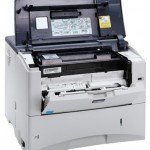 Принтеры Kyocera всегда покоряли своей надежностью и неприхотливостью. К сожалению, информация, об ошибке выдаваемая на дисплей имеет недружелюбную форму. В очередной раз после установки картриджа в аппарат на дисплее принтера высветилась ошибка call service7000:0285540. Для того что бы понимать, что делать в такой ситуации, нужно прежде всего расшифровать код ошибки (вот интересно где по мнению представителей Kyocera пользователи найдут расшифровку кода ошибки?).
Ошибка call service7000: — это ошибка подкачки тонера в блок DV (девелопер-юнит) или как написано в сервис-мануале «Toner motor lock error A motor over-current signal is detected continuously for 5 seconds since the toner motor is activated». Вторая часть ошибки 0285540 — это счетчик пробега блока DV (девелопер-юнит) на момент появления ошибки.
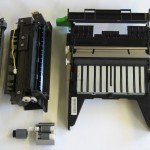 Причины возникновения ошибки:
1) В 90% случаях возникновение этой ошибки происходит при неправильной установки тубы с тонером. Для устранения этой неисправности достаточно вытащить и снова ставить тубу. Если изначально туба была вставлена неправильно, то вытаскиваться она будет с великим трудом 🙂
2) Повреждение шестерен или других частей в тубе или в девелопер-юните участвующих в процессе подкачки тонера. Необходимо провести визуальный осмотр на предмет повреждения и заменить тубу или девелопер-юнит.
3) Неисправна плата engine PWB — замену этой платы можно произвести только сервисным центром.
P.S. В нашем случае была виновата не правильно установленная туба с тонером
 Загрузка…
2JZ/2JX/2JV/2H7-1
Code
C7000
Toner motor problem
After driving of the toner motor starts, the
error signal is not at the H level for 500
ms continuously.
C7100
Toner container motor error
The rated speed achievement signal
does not turn to L within 2 s since toner
container motor is activated.
The rated speed achievement signal is
at the H level for 1 s continuously after
toner container motor is stabilized.
C7101
Toner sensor K problem
Sensor output value of 60 or less or 944
or more continued for 3 s.
C7102
Toner sensor C problem
Sensor output value of 60 or less or 944
or more continued for 3 s.
C7103
Toner sensor M problem
Sensor output value of 60 or less or 944
or more continued for 3 s.
C7104
Toner sensor Y problem
Sensor output value of 60 or less or 944
or more continued for 3 s.
1-4-46
Contents
Causes
Check procedures/corrective measures
Poor contact in the
Check the connection of connector YC26 on
connector termi-
the engine PWB and the connector of the
nals.
toner motor, and the continuity across the
connector terminals. Repair or replace if
necessary.
Broken the gear.
Check visually and replace the gear if nec-
essary.
Defective toner
Run maintenance item U135 and check if
motor M/C/Y/K.
the toner motor operates. If not, replace the
toner motor.
Defective engine
Replace the engine PWB and check for cor-
PWB.
rect operation.
Poor contact in the
Check the connection of connector YC26 on
connector termi-
the engine PWB and the connector on the
nals.
toner container motor, and the continuity
across the connector terminals. Repair or
replace if necessary.
Defective drive
Check if the rollers and gears rotate
transmission sys-
smoothly. If not, grease the bushings and
tem.
gears. Check for broken gears and replace if
any.
Defective toner
Run maintenance item U030 and check if
container motor.
the toner container motor operates when
YC26-A7 (remote signal) on the engine
PWB goes low. If not, replace the toner con-
tainer motor.
Defective engine
Run maintenance item U030 and check if
PWB.
YC26-A7 (remote signal) on the engine
PWB goes low. If not, replace the engine
PWB.
Defective develop-
Replace the developing unit K (see page 1-
ing unit K.
5-34).
Defective PWB.
Replace the main front PWB or engine PWB
and check for correct operation.
Defective develop-
Replace the developing unit C (see page 1-
ing unit C.
5-34).
Defective PWB.
Replace the sub front PWB or engine PWB
and check for correct operation.
Defective develop-
Replace the developing unit M (see page 1-
ing unit M.
5-34).
Defective PWB.
Replace the sub front PWB or engine PWB
and check for correct operation.
Defective develop-
Replace the developing unit Y (see page 1-
ing unit Y.
5-34).
Defective PWB.
Replace the sub front PWB or engine PWB
and check for correct operation.
Remarks
 Thanks: 0
 Likes: 0
 Dislikes: 0
-
02-19-2014
#1
c7000 supply tonor motor error task alfa 250ci
based on technical bulletin 6 c7000 is supply toner motor error… its the toner motor above the developer cleaner combo color motor set and developer cleaner combo black set
question…. how do I get it out of the machine and where exactly is it… ???
I opened the back of the machine… unlatched the swivel that has the board and hard drive on it… opened up and no motor… just a board… I decided to go in from the front… but decided to check the parts and service manuals… from the parts manual… it looks like you remove it from the back… but not really sure where it is because I don’t see it… this is the motor labeled as E in the technical bulletin…
any guidance would be helpful…
Sad To Say I Don’t Have a Life
I do this stuff on the weekends too
-
02-19-2014
#2

Field Supervisor
500+ Posts

- Rep Power
- 29
Re: c7000 supply tonor motor error task alfa 250ci
From what I remember you get to from the front. But with this model you always take the back cover off and make sure that all the motors are turning at predrive.
-
02-19-2014
#3
Re: c7000 supply tonor motor error task alfa 250ci
ok… so you open the front bay door…
take out the waste toner bucket
take out the four screws…
pop off the contraption that supplies toner and collects waste toner…
thats where I am stuck…I can futz around and figure it out… but I am just curious if anyone’s done it… so they can give me an idea of whats next…
I don’t want to futz around with this machine too much because…. its so easy to mess up the cables in this machine and the cables can give you so much bleepin error codes…
and concerning the repair… customer is going to junk the machine… but I am really curious how to actually get to the toner supply motor…
Sad To Say I Don’t Have a Life
I do this stuff on the weekends too
-
02-19-2014
#4
Re: c7000 supply tonor motor error task alfa 250ci
The toner motors are accessed from below the top exit tray/print engine top cover. They’re mounted to the front side of the rear frame. =^..^=
If you’d like a serious answer to your request:
1) demonstrate that you’ve read the manual
2) demonstrate that you made some attempt to fix it.
3) if you’re going to ask about jams include the jam code.
4) if you’re going to ask about an error code include the error code.
5) You are the person onsite. Only you can make observations.
blackcat: Master Of The Obvious =^..^=
-
02-19-2014
#5
Re: c7000 supply tonor motor error task alfa 250ci
well once you got the toner supply unit off you’ll see the two front pwb boards…those gotta come out….the top inner cover has to come out….the black guides for the toner cartridges have to come out…then the inner back cover as well…that should get you where you need to be…the motor in there is the same or similar to the dev cleaning motors if I recall….it’s not really hard…just a lot of crap to get to it…
«In a cruel and evil world, being cynical can allow you to get some entertainment out of it.»
-
02-20-2014
#6
Re: c7000 supply tonor motor error task alfa 250ci
bleep bleep…. sounds like bleep bleep…. my marriage…. bleep… frackin… bleep… bleep….
ok… I have calmed down…
great googly moogly….
thanks…
I appreciate… the information…
thanks again…
Sad To Say I Don’t Have a Life
I do this stuff on the weekends too
Tags for this Thread
Bookmarks
Bookmarks

Posting Permissions
- You may not post new threads
- You may not post replies
- You may not post attachments
- You may not edit your posts
- BB code is On
- Smilies are On
- [IMG] code is On
- [VIDEO] code is On
- HTML code is Off
Forum Rules