Игровая консоль Nintendo Switch в продаже уже больше 5 лет (с 2017-го) и, очевидно, пользуется стабильной популярностью.
Девайс как минимум очень удобный — играть на Switch-е можно и дома (на большом экране), и в мобильном режиме вообще где угодно.
Но всякие сбои, баги, ошибки и прочие неприятности у Switch-а, как известно, тоже случаются. О чем мы повествуем регулярно и, есть такое подозрение, повествовать будем еще не раз.
И в продолжение темы — вот наш большой справочник по кодам ошибок Nintendo Switch, в котором мы постарались собрать все самые распространенные из них. С кратким описанием по каждой из проблем и, разумеется, с предложениями относительно того, что и как в каждом отдельном случае надо делать.
Пост этот мы наверняка будем дополнять (по мере сил и возможностей), но пока получается примерно следующее. Итак, по порядку:
#1 — Проблемы с аппаратной частью консоли
| Код | Описание проблемы | Что делать |
| 2153-0321 | Сбой системы воспроизведения аудио | • пробуем просто включить/выключить опцию «Отключать звук при отсоединенных наушниках«; • если это не помогает, то везем Switch в сервис-центр (СЦ). |
| 2168-0002 | Повреждение консоли или пиратский контент | • проверяем и удаляем любой нелегальный контент, и перезагружаем Switch; • проверяем и устанавливаем последнюю версию прошивки; • если ничего не помогает, везем Switch в СЦ. |
| 2115-0096 | Switch не принимает фигурку Amiibo | • проверяем и устанавливаем последнюю версию прошивки; • проверяем правый джойкон; • выполняем сброс данных Amiibo — [ИНСТРУКЦИЯ] |
| 2153-1540 | Switch не работает | • перезагружаем Switch; • проверяем и устанавливаем последнюю версию прошивки; • если ничего не помогает, везем Switch в СЦ. |
| 2139-0006 | Switch сбоит или не работает | Звоним в СЦ. |
Не пропустите: ОШИБКА 2002-3537 У SWITCH: ЧТО НАДО СДЕЛАТЬ
#2 — Общие проблемы Switch
| Код | Описание проблемы | Что делать |
| 2162-0002 | Switch вылетает | • перезагружаем Switch; • заряжаем джойконы; • проверяем и устанавливаем последнюю версию прошивки; • если ничего не помогает, везем Switch в СЦ. |
| 2813-6838 / 2813-6561 | Код карты eShop не срабатывает | • проверяем и вводим код еще раз (код также должен соответствовать региону); • пишем запрос в службу поддержки. |
| 2801-7199 | Не получается выгрузить контент в Facebook | • проверяем подключение консоли и перезаходим в аккаунт Facebook; • проверяем разрешения на загрузку файлов в настройках аккаунта Facebook; • пробуем выложить контент через некоторое время. |
| 2124-4009 | Не получается зайти на сайт (проблема с подключением к сервису) | • перезагружаем Switch; • проверяем подключение консоли и статус серверов сервиса; • пробуем зайти на сайт через некоторое время. |
| 2124-4517 /2181-4017 | Не получается зайти на сайт (проблема с подключением к сервису) | Пробуем зайти на сайт через некоторое время. |
| 2124-3080 | Не получается зайти в сетевую игру (не работает мультиплеер) | • вероятнее всего сетевая версия игры не доступна в вашем регионе. |
| 2124-4007 | Доступ к онлайн-сервисам заблокирован Nintendo (БАН!) | • пишем запрос в службу поддержки Nintendo [ПОДРОБНЕЕ] |
| 2813-0055 | Switch не принимаем код, поскольку ПО еще не вышло официально | Ждем релиз |
| 2813-1470 | Кредитная карта отклонена | Удаляем карты и затем регистрируем её в eShop заново |
| 2813-0040 | Этот код уже погашен (был введен ранее) | Проверяем код |
| 2005-0005 / 2005-0004 | Проблема сервиса Nintendo | • выключаем Switch полностью (ничего удалять пока не нужно); • включаем Switch, проверяем и обновляем прошивку (если доступна свежая версия); • удаляем любые свежеустановленные дополнения и весь пиратский контент; • пробуем другую (новую) карту MicroSD или форматируем имеющуюся. |
| 2124-0291 | Не получается перенести учетную запись на другой Switch | • проверяем, чтобы учетная запись не была привязана к другой (еще одной консоли); • отвязываем учетку и выполняем перенос еще раз. |
Не пропустите: ОШИБКА 2123-1502 У SWITCH-А ПОСЛЕ ОБНОВЫ: ЧТО МОЖНО СДЕЛАТЬ САМОМУ
#3 — Проблемы с ПО Switch
| Код | Описание проблемы | Что делать |
| 2164-0020 / 2122-0082 | Игра не запускается или вылетает | • меню HOME > выбираем проблемную игру > открываем настройки игры (кнопкой +/-) > Управление данными > Удалить программу; • перезагружаем Switch; • устанавливаем игру заново. |
| 2162-0101 | Игра не запускается | Проверяем версию и обновляем игру |
| 2306-0819 | Онлайн-игры не запускаются | • перезагружаем Switch;• проверяем подключение; • проверяем и обновляем прошивку консоли. |
| 2021-0003 / 2000-0000 / 2101-0002 /2107-0427 | Устаревшее ПО | Проверяем и обновляем |
| 2124-3000 / 2137-1508 | Switch не подключается к онлайн-сервисам из-за устаревшей версии прошивки | Обновляем прошивку консоли |
| 2813-0071 | Switch не подключается к eShop. | Проверяем подключение, перезагружаем консоль и подключаемся по-новой. |
| 2142-1099 / 2155-0400 | Приложение «Родительский контроль» не может подключиться к Интернету | Обновляем прошивку консоли |
Не пропустите: ЕСЛИ MORTAL KOMBAT 11 НА SWITCH ВЫЛЕТАЕТ: ЧТО ДЕЛАТЬ? [АРХИВЪ]
#4 — Проблемы с подключением Switch
| Код | Описание проблемы | Что делать |
| 2110-1100 | Switch не определяет сеть Wi-Fi | • проверяем подключение, перезагружаем консоль и маршрутизатор; • проверяем корректность пароля; • переносим Switch в другое место (где нет помех для подключения и/или поближе к роутеру) и подключаем к Wi-Fi заново; • звоним в СЦ. |
| 2811-7001 | Ошибка онлайн-сервиса (eShop) | • проверяем подключение, перезагружаем консоль и маршрутизатор; • проверяем статус серверов Nintendo. |
| 2110-2004 | Switch не определяет сеть Wi-Fi | • проверяем подключение, перезагружаем консоль и маршрутизатор; • проверяем корректность пароля; • переносим Switch в другое место (где нет помех для подключения и/или поближе к роутеру) и подключаем к Wi-Fi заново; • проверяем и обновляем прошивку маршрутизатора; • звоним в СЦ. |
| 2110-2091 | Сетевой адаптер обнаружен, но Switch не подключается к роутеру | • проверяем качество подключения кабеля Ethernet; • перезагружаем маршрутизатор; • подключаем кабель к другому порту маршрутизатора; • пробуем другой кабель. |
| 2110-2201 / 2110-2214 | Неправильный пароль | • проверяем корректность пароля; • проверяем подключение, перезагружаем консоль и маршрутизатор. |
| 2110-1100 | Switch не видит сеть Wi-Fi (или не настроен USB LAN) | • проверяем подключение, перезагружаем консоль и маршрутизатор; • настраиваем новое беспроводное подключение — [ИНСТРУКЦИЯ]; • переносим Switch в другое место (где нет помех для подключения и/или поближе к роутеру) и подключаем к Wi-Fi заново; |
| 2110-2091 | Switch не подключается к Сети через кабель | • проверяем связь (подключение к Интернету); • перезагружаем маршрутизатор; • проверяем настройки DNS. |
| 2110-2003 | Switch не видит сетевой адаптер | • проверяем связь (подключение к Интернету); • проверяем качество подключения кабеля Ethernet; • перезагружаем маршрутизатор; • подключаем кабель к другому порту маршрутизатора; • пробуем другой кабель. |
| 2110-2004 / 2110-2220 / 2110-2201 / 2110-2214 | Не получается подключиться к определенной сети Wi-Fi | • проверяем подключение, перезагружаем консоль и маршрутизатор; • проверяем корректность пароля; • переносим Switch в другое место (где нет помех для подключения и/или поближе к роутеру) и подключаем к Wi-Fi заново; • проверяем настройки сети. |
| 2110-3127 | Не получается подключиться к определенной сети (Wi-Fi или проводной) | Проверяем настройки DNS |
| 2110-3400 | Не получается подключиться к определенной сети (Wi-Fi или проводной) | Требуется проверка подлинности через браузер (например, согласие с условиями обслуживания или ввод имени пользователя и пароля) |
| 2122-2403 / 2211-0524 | Switch не подключается к интернету | • проверяем подключение, перезагружаем консоль и маршрутизатор; • обновляем прошивку консоли; • перезагружаем Switch. |
| 2811-1006 | Switch не подключается к учетной записи Nintendo | • проверяем подключение, перезагружаем консоль и маршрутизатор; • проверяем корректность пароля; • переносим Switch в другое место (где нет помех для подключения и/или поближе к роутеру) и подключаем к Wi-Fi заново. |
| 2811-5001 / 2811-1028 | Switch не подключается к eShop или другим сервисам | см. выше |
| 2155-8006 | Switch не подключается к учетной записи Nintendo (из-за некорректных настроек DNS) | см. выше |
| 2618-0513 | Сбой подбора игроков в игре | • пробуем еще раз; • проверяем связь; • перезагружаем консоль и маршрутизатор; • проверяем статус серверов игры и Nintendo; • пишем запрос в службу поддержки. |
| 2160-0103 / 2306-0520 / 2618-0006 / 2618-0201 / 2618-0516 | Сбой подключения в игре | • проверяем связь; • перезагружаем консоль и маршрутизатор; • проверяем статус серверов игры и Nintendo; • проверяем настройки DNS; • перезаходим в игру через некоторое время. |
| 2160-0202 | Сбой подключения | • проверяем подключение, перезагружаем консоль и маршрутизатор; • проверяем корректность пароля; • переносим Switch в другое место (где нет помех для подключения и/или поближе к роутеру) и подключаем к Wi-Fi заново; • подключаемся к другой сети Wi-Fi |
| 2155-8006 | Switch не подключается к учетной записи Nintendo (из-за некорректных настроек DNS) | см. выше |
| 2124-8006 / 2137-8006 | Не удается завершить загрузку | см. выше |
| 2810-1224 | Не получается залогиниться | см. выше |
| 2137-0240 | Не удается завершить загрузку | см. выше |
| 2124-8028 | Не получается залогиниться | см. выше |
| 2124-8006-2124-8007 | Сбой подключения | см. выше |
| 2160-8006-2160-8007 | Не удается завершить тес сети | см. выше |
| 2618-0203 | Switch не подключается к учетной записи Nintendo | см. выше |
| 2142-0507 | Приложение «Родительский контроль» не может подключиться к Интернету | см. выше |
Не пропустите: ОШИБКА 2137-8056 В SWITCH: ЧТО ОЗНАЧАЕТ И КАК УСТРАНИТЬ [АРХИВЪ]
#5 — Проблемы на стороне сервера
| Код | Описание | Что делать |
| 2813-0002 | Не получается зайти в eShop — сбой сервиса | Заходим через время |
| 2618-0542 | Не получается зайти в сетевую игру — слишком много игроков | Заходим через время |
| 2613-1400 | Оплата картой не проходит — сбой сервиса | Ждем и потом пробуем еще раз |
| 2306-0811 | Switch не подключается к онлайн-сервису — сбой на стороне сервера | Заходим через время |
| 2801-7002 | Не получается загрузить контент в Twitter — сбой на стороне сервера | Заходим через время |
| 2124-5119 / 2124-5249 | Сбой на стороне серверов Nintendo | Заходим через время |
| 902-5998 | Сервер Nintendo eShop остановлен на ТО | Заходим через время |
| 2810-1500 | Не получается зайти в Facebook | • перезагружаем консоль • перезаходим позже |
| 2124-5002 / 2124-5200 | Не получается зайти в учетную запись Nintendo | Заходим позже |
| 2813-0009 / 2813-1400 / 2813-6835 / 2813-9804 /2813-9712 | Сбой на стороне сервера Nintendo eShop | перезагружаем магазин и/или заходим позже |
| 2811-7503, 2811-7504 | Сбой на стороне сервера Nintendo eShop | Заходим позже |
| 2816-0700 / 2817-0700 | Сбой на стороне сервера | Заходим позже |
Не пропустите: КОГДА ДОК-СТАНЦИЯ SWITCH МИГАЕТ ЗЕЛЕНЫМ И НЕ РАБОТАЕТ: ЧТО ДЕЛАТЬ?
#6 — Проблемы с картой памяти MicroSD
| Код | Описание | Что делать |
| 2002-2049-2002-2064 2002-4690 / 2002-6201 / 2016-0247 / 2016-0602 / 2016-0641 | Ошибка карты памяти на этапе загрузки или обновления игры | • вынимаем карту из слота и затем вставляем снова ставим её на место; • перезагружаем Switch, проверяем версию прошивки и обновляем (если доступна свежая); • выполняем проверку файлов игры — [ИНСТРУКЦИЯ] • форматируем карту (НО учитываем, что при этом все данные с карты будут стёрты без возможности восстановления!); • берем другую/новую MicroSD или ставим игру в память Switch. |
| 2002-2001 /2016-0390 / 2205-0123 | Нет доступа к карте памяти microSD | см. выше |
| 2002-4517 / 2002-4641-2002-4660 /2002-4741-2002-4760 / 2002-0007-2002-0008 /2002-4683 | Не получается скачать игру или прогу из eShop — сбой карты памяти | см. выше |
| 2002-4301-2002-4463 / 2002-3005 /2002-3500-2002-3999 / 2002-0001 /2016-0601 / 2101-0001 / 2107-0445 | Ошибка карты памяти в игре и/или после включения Switch | см. выше |
| 2002-1002 / 2002-2629-2002-2669 | Игра не загружается или не запускается — сбой карты памяти | см. выше |
| 2002-2085 | Switch не распознает карту памяти microSD | см. выше |
| 2005-0003 | Игра не загружается или не запускается — сбой карты памяти | см. выше |
Не пропустите: ЕСЛИ ЛАГАЕТ ЗВУК У SWITCH ПОСЛЕ ПОДКЛЮЧЕНИЯ К ТЕЛЕКУ: ЧТО МОЖНО СДЕЛАТЬ?
#7 — Проблемы Switch в некоторых играх
| Код | Описание | Что делать |
| 2306-0820 | Не запускается Splatoon 2 Global Testfire | Эта «демка» уже недоступна |
| 2-ARVHA-0000 |
Не работает YouTube | ПОДРОБНЕЕ >>> |
| 2-AABQA-1021 | Не получается зайти в сетевую игру в Arms | Проверяем подключение, перезагружаем Switch и перезаходим в игру |
| 2-BABBE-1000 | Не получается зайти в сетевую игру в Ultra Street Fighter 2 | Обновляем игру, проверяем подключение, перезагружаем Switch и перезаходим в игру |
| 2306-0112 | Сбой подключения к серверу в Pokemon Sword and Shield | ПОДРОБНЕЕ >>> |
| 1618-0521 |
Консоль не отвечает в Animal Crossing: New Horizons | ПОДРОБНЕЕ >>> |
You should upgrade or use an alternative browser.
-
Thread startergamecaptor
-
Start dateNov 11, 2019
-
Views
18,819 -
Replies
9
-
#1
My setup is SX OS v2.9.2 with an EmuNAND CFW.
I went to test out a game and it required an update. I can’t recall what version the CFW OS was previously, but I was updating to 9.0.1. Here is the first mistake I made. I did the update via the CFW Switch OS. Now when it boots (after both the Nintendo and Switch logos) it says:
Error Code: 2168-0002
Oops! Something went wrong.
Your switch ran into a problem and needs to be restart.
To restart SX OS press the power button.
(p.s. that bad grammar is not mine, that’s really what it says).
SO THEN I remembered the right way to update the CFW OS was via ChoiDujourNX.
I followed the instructions below to update the original (non-EmuNAND) CFW to 9.0.1 so I can try said new game and now I get the same error message on it. The original CFW is now having the same error as the EmuNAND CFW:
Error Code: 2168-0002
https://team-xecuter.com/community/…ine-nintendo-switch-with-choidujournx.128170/
So at the moment only the official Switch FW is booting fine (v9.0.1) and I’m not touching it!
Any recommendations on how to clear this up? I’m good with wiping everything out and starting over if this is what it takes. This is just my test before I buy Switch so there is nothing important on it.
I’ve also been reading there really isn’t a big need for the EmuNAND. Is that the general consensus or is it a good thing to have/use?
Thanks in advance!
GC
-
#2
Let me begin by stating I am a dumb @$$. I haven’t touched my hacked Switch in a while and I should have done more homework prior to me doing anything with it.My setup is SX OS v2.9.2 with an EmuNAND CFW.
I went to test out a game and it required an update. I can’t recall what version the CFW OS was previously, but I was updating to 9.0.1. Here is the first mistake I made. I did the update via the CFW Switch OS. Now when it boots (after both the Nintendo and Switch logos) it says:
Error Code: 2168-0002
Oops! Something went wrong.
Your switch ran into a problem and needs to be restart.
To restart SX OS press the power button.(p.s. that bad grammar is not mine, that’s really what it says).
SO THEN I remembered the right way to update the CFW OS was via ChoiDujourNX.
I followed the instructions below to update the original (non-EmuNAND) CFW to 9.0.1 so I can try said new game and now I get the same error message on it. The original CFW is now having the same error as the EmuNAND CFW:
Error Code: 2168-0002
https://team-xecuter.com/community/…ine-nintendo-switch-with-choidujournx.128170/So at the moment only the official Switch FW is booting fine (v9.0.1) and I’m not touching it!
Any recommendations on how to clear this up? I’m good with wiping everything out and starting over if this is what it takes. This is just my test before I buy Switch so there is nothing important on it.
I’ve also been reading there really isn’t a big need for the EmuNAND. Is that the general consensus or is it a good thing to have/use?
Thanks in advance!
GC
Have you tried using Atmosphere?
-
#3
-
#4
Let me begin by stating I am a dumb @$$. I haven’t touched my hacked Switch in a while and I should have done more homework prior to me doing anything with it.My setup is SX OS v2.9.2 with an EmuNAND CFW.
I went to test out a game and it required an update. I can’t recall what version the CFW OS was previously, but I was updating to 9.0.1. Here is the first mistake I made. I did the update via the CFW Switch OS. Now when it boots (after both the Nintendo and Switch logos) it says:
Error Code: 2168-0002
Oops! Something went wrong.
Your switch ran into a problem and needs to be restart.
To restart SX OS press the power button.(p.s. that bad grammar is not mine, that’s really what it says).
SO THEN I remembered the right way to update the CFW OS was via ChoiDujourNX.
I followed the instructions below to update the original (non-EmuNAND) CFW to 9.0.1 so I can try said new game and now I get the same error message on it. The original CFW is now having the same error as the EmuNAND CFW:
Error Code: 2168-0002
https://team-xecuter.com/community/…ine-nintendo-switch-with-choidujournx.128170/So at the moment only the official Switch FW is booting fine (v9.0.1) and I’m not touching it!
Any recommendations on how to clear this up? I’m good with wiping everything out and starting over if this is what it takes. This is just my test before I buy Switch so there is nothing important on it.
I’ve also been reading there really isn’t a big need for the EmuNAND. Is that the general consensus or is it a good thing to have/use?
Thanks in advance!
GC
I don’t think SX OS has been updated to support 9.0.1 yet.
If you don’t care about online and you’re sure you won’t use it in the future then yeah there’s not much point to emuNAND. I still think it’s a good idea though as there have been malicious NSPs before and emuNAND would save you a lot of hassle as if your emuNAND was bricked you could easily create a new one or just flash the SYS partition from sysNAND over to emuNAND to fix it without losing data, without needing to dig up a NAND backup stored on a PC which sometimes get lost or corrupted, usually due to user error but not always. If you have any legit purchased games though it is easier to keep them up to date on a clean sysNAND where you can actually go online and update them normally, without needing to look for update nsps that take a while to get released. So it makes sense to keep legit and CFW stuff separate even if you don’t care about online play.
-
#5
- Joined
- Aug 19, 2019
- Messages
- 16
- Trophies
- 0
- Age
- 34
- XP
-
140
- Country
-

-
#6
So I’m having a quite similar issue.
I was playing, and then I got that same error message.
So I pushed Power but nothing happened. I can’t even boot on OFW and the console doesn’t seem to boot at all.
So I tried to inject the payload from TegraRCM on my laptop. TegraRCM recognized my Switch and I can switch between RCM ON/OFF.
But when I inject the payload, nothing happens. I tried everything… Nothing seems to work. I’m quite desperate here. Do anyone knows what’s going on?
-
#7
Hi!So I’m having a quite similar issue.
I was playing, and then I got that same error message.So I pushed Power but nothing happened. I can’t even boot on OFW and the console doesn’t seem to boot at all.
So I tried to inject the payload from TegraRCM on my laptop. TegraRCM recognized my Switch and I can switch between RCM ON/OFF.
But when I inject the payload, nothing happens. I tried everything… Nothing seems to work. I’m quite desperate here. Do anyone knows what’s going on?
dumb question: have you tried updating to the latest version?
- Joined
- Aug 19, 2019
- Messages
- 16
- Trophies
- 0
- Age
- 34
- XP
-
140
- Country
-
-
#8
dumb question: have you tried updating to the latest version?
Nope, I did not try. My Switch is always on airplane mode, so not connected.
-
#9
Nope, I did not try. My Switch is always on airplane mode, so not connected.
……actually, i meant updated to 2.9.4 from here:
-snip-
Apr 22, 2020, Reason: Removed sx link
Similar threads
You may also like…
- No one is chatting at the moment.

@
M4x1mumReZ:
@sombrerosonic, Use a better PC. Job done!
3 minutes ago
Содержание
- Unable to launch atmosphere, error code 2168-0001 & 2168-0002 #1582
- Comments
- oriooctopus commented Jul 30, 2021
- Bug Report
- What’s the issue you encountered?
- How can the issue be reproduced?
- Here is a link to the exact files I downloaded: https://www.sdsetup.com/console?switch#atmosphere;atmos_musthave;hekate_musthave;tesla_menu;atmos_ovlloader;atmos_sys-clk;atmos_sysftpd;ovl_sysmodules;appstorenx;hbmenu;edizon;goldleaf;nxdumptool;hekate;lockpick_rcm;
- Crash Report
- System Firmware Version
- Environment?
- Additional context?
- Error when trying to install an app from the homebrew store #695
- Comments
- XianLen commented Nov 11, 2019
- How can the issue be reproduced?
- System Firmware Version
- Environment?
- Additional context?
- austin5623 commented Nov 11, 2019
- SciresM commented Nov 11, 2019
- XianLen commented Nov 11, 2019
- XianLen commented Nov 11, 2019
- SciresM commented Nov 11, 2019
- XianLen commented Nov 11, 2019
- Hacking Suggestion For those who also have trouble with homebrew (atmosphere 2168-0002 error)
- Treskatae
- Hacking Question Error Code 2168-0002 booting SX OS
- gamecaptor
- Hacking Updated to 9.1.0 — Error 2168-0002 on atmosphere boot (emunand)
- onibaku
Unable to launch atmosphere, error code 2168-0001 & 2168-0002 #1582
Bug Report
Unable to launch atmosphere
What’s the issue you encountered?
This is my first time trying to hack a switch, so I hope I’m just doing something wrong. Here is a screenshot of the error 
I have reinstalled all the files a couple of times, and reformatted my SD card (format is MSDOS fat-32) in an effort to try every possible solution. I could really use some help as I’m totally stuck.
How can the issue be reproduced?
I put in the SD card, the dongle on the right, and the injector, successfully loaded Hekate, went to launch > CFS (sysMMC). The Nintendo logo and Atmopshere logo loaded, and then I received the above error, with code 2168-0001
Here is a link to the exact files I downloaded:
https://www.sdsetup.com/console?switch#atmosphere;atmos_musthave;hekate_musthave;tesla_menu;atmos_ovlloader;atmos_sys-clk;atmos_sysftpd;ovl_sysmodules;appstorenx;hbmenu;edizon;goldleaf;nxdumptool;hekate;lockpick_rcm;
Crash Report
[ Crash reports can be found under /atmosphere/crash_reports . ]
[ If your issue caused Atmosphère to crash, include the crash report(s) by creating a gist and pasting the link here. ]
[ If you don’t include a crash report in instances of crash related issues, we will ask you one to provide one. ]
System Firmware Version
[ Replace X’s with system firmware version at time of crash. ]
[ You can find your firmware version in the Settings -> System, under «System Update». ]
[ If it says «Update Pending», you can clear the pending update by rebooting to Maintenance Mode. ]
Environment?
hekate/fusee was used, and I used the files shown in the above link at sdsetup.com
Additional context?
I bought a used switch online that has been banned from the internet. I am using RCMLoader One. The files used are the generic install recommended for fussee-gelee in switch.homebrew.guide. The SDcard is a micro-sd card
The text was updated successfully, but these errors were encountered:
Источник
Error when trying to install an app from the homebrew store #695
##What’s the issue you encountered?
Received Error code: 2168-0002 (0x4a8)
after trying to install any app within the homebrew store.
How can the issue be reproduced?
Tried to install a different app and issue persisted.
System Firmware Version
Environment?
- What bootloader (fusèe, hekate, etc) was Atmosphère launched by: Hekate
- Official release or unofficial build: official 5.0.2
- Do you have additional kips or sysmodules you’re loading: NO
- Homebrew software installed: None since it wouldn’t let me
Additional context?
- Additional info about your environment:
Running CFW through EMUMMC SanDisk 128GB exFAT SD Card
The text was updated successfully, but these errors were encountered:
Open hbmenu from a title. Also format your sd as fat32, exfat is asking for a bad time.
«2168-0002» is a userland data abort, sounds not like an atmosphere problem.
Also, «homebrew store» is not supported or recommended.
Open hbmenu from a title. Also format your sd as fat32, exfat is asking for a bad time.
What do you mean open from a title?
«2168-0002» is a userland data abort, sounds not like an atmosphere problem.
Also, «homebrew store» is not supported or recommended.
Could you please elaborate? I understood the homebrew store not being supported or recommended but what does the userland abort mean? do I need to fix something in my files?
It means that the homebrew’s code is accessing invalid memory — it’s a homebrew store problem, not an atmosphere problem.
It means that the homebrew’s code is accessing invalid memory — it’s a homebrew store problem, not an atmosphere problem.
Thank you, now I understand the issue. I will find the app and open in a different way via .nro I guess.
Источник
Hacking Suggestion For those who also have trouble with homebrew (atmosphere 2168-0002 error)
Treskatae
Member
If you get error 2168-0002 or similar errors when trying to use homebrew apps, or trying to install any .nro’s or nsp’s, this is what I did to fix it. After days of throwing everything at the damn thing, I’m up and running and back to normal. I’ll list everything I did, but I’m pretty sure what fixed it is installing ReinX and removing atmosphere AND/OR upgrading my firmware.
- First thing I did was remove Atmosphere and tried setting it up from a fresh download.
- After that didn’t work, I tried launching the homebrew app store by running the nro through goldleaf (people online were saying you have to do this because there’s not enough memory in applet mode).
- After that also didn’t work and I tried to weasel my way around it 6 ways from Sunday, I nuked my sd card totally reformatted. First I formatted through the Switch’s options, then I formatted to FAT32 via PC. Then I tried building a whole new SD card from the set-up. Surely it would work this time.
- You get the idea by now it didn’t work of course it didn’t. So then I tried just installing ReinX and hbmenu to see if I could do that.
- It worked! Just kidding. It didn’t work either. At first. First it wouldn’t let me into the menu at all. Title override was not functioning. I read that you can get around this by using hekate, so I installed all that stuff. This caused ReinX to hang after the first splash image. Something told me I should try again, but copy over the ReinX files from the sd builder with the files I had downloaded directly from ReinX’s website.
Finally I was able to get into the menu, get into the app store, and tried installing something. After homebrew installs causing my Switch to crash 379 times I just knew it was going to crash again. But it didn’t. What a freaking escapade just to use a different SD card.
Only problem I have now is that Goldbricks either freezes when I connect to USB, or it can’t find any files. I’m using an alternative method that works fine, though.
The problem started after I tried using a new SD.
Источник
Hacking Question Error Code 2168-0002 booting SX OS
gamecaptor
R.I.P. Densetsu. Legends never die!
Let me begin by stating I am a dumb @$$. I haven’t touched my hacked Switch in a while and I should have done more homework prior to me doing anything with it.
My setup is SX OS v2.9.2 with an EmuNAND CFW.
I went to test out a game and it required an update. I can’t recall what version the CFW OS was previously, but I was updating to 9.0.1. Here is the first mistake I made. I did the update via the CFW Switch OS. Now when it boots (after both the Nintendo and Switch logos) it says:
Error Code: 2168-0002
Oops! Something went wrong.
Your switch ran into a problem and needs to be restart.
To restart SX OS press the power button.
(p.s. that bad grammar is not mine, that’s really what it says).
SO THEN I remembered the right way to update the CFW OS was via ChoiDujourNX.
I followed the instructions below to update the original (non-EmuNAND) CFW to 9.0.1 so I can try said new game and now I get the same error message on it. The original CFW is now having the same error as the EmuNAND CFW:
Error Code: 2168-0002
https://team-xecuter.com/community/. ine-nintendo-switch-with-choidujournx.128170/
So at the moment only the official Switch FW is booting fine (v9.0.1) and I’m not touching it!
Any recommendations on how to clear this up? I’m good with wiping everything out and starting over if this is what it takes. This is just my test before I buy Switch so there is nothing important on it.
I’ve also been reading there really isn’t a big need for the EmuNAND. Is that the general consensus or is it a good thing to have/use?
Источник
Hacking Updated to 9.1.0 — Error 2168-0002 on atmosphere boot (emunand)
onibaku
Lurker
I have an ipatched unit on 4.1.0. I have emunand set up and I did the following:
updated to atmosphere 0.10.1 (replaced the old 0.9.4 atmosphere contents with the new)
updated hekate (replaced the old hekate contents with the 5.1.0 contents)
updated sigpatches (via the sweet patches thread)
I then updated my emunand firmware using choidujourNX from 9.0.1 to 9.1.0 (fat32 and im sure i selected the correct option) but when i try to boot into atmosphere, i get the error message «Error 2168-0002». I tried multiple times but the same error pops up immediately on boot. I saw the lockscreen once for a split second before the error popped up.. any idea what could be causing this?
I have previously tested my SD card using h2testw and it is a legit SD card.
Thanks in advance..
EDIT: So I tried to redownload all the atmosphere files and replace them again however, the same error pops up. any help would be greatly appreciated as I’ll be travelling soon and would really like to take my Switch with me
should i just format everything and redo the entire partition process and emunand setup process? I was hoping there would be an easier fix..
FINAL EDIT: I managed to fix it by removing the atmosphere, bootloader and sept folders from my sd card and putting fresh ones in from the latest updates.
Источник
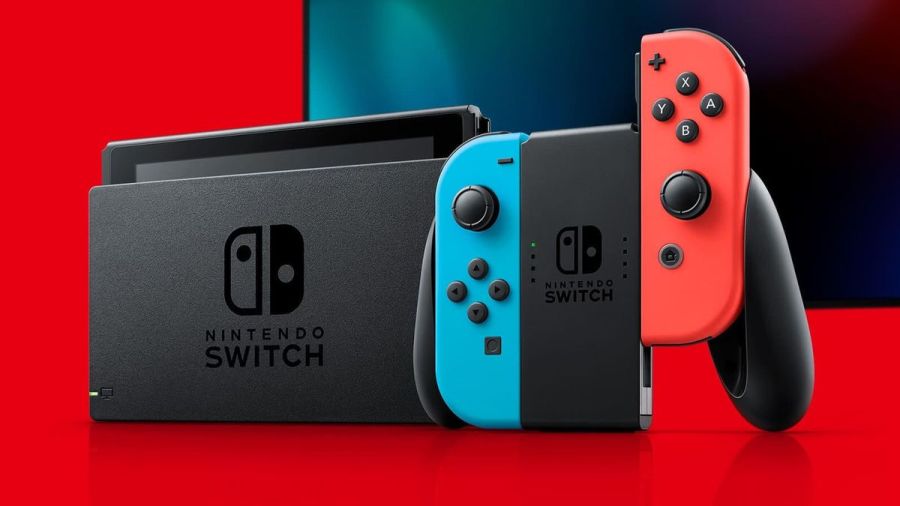
Image via Nintendo
The Nintendo Switch is an innovative console that has taken the world by storm. It has amazing capabilities that continue to wow users. Functionality is top-rate and usually pretty reliable. But what happens when that console isn’t working and is throwing up error codes?
It’s time to diagnose issues on the Nintendo Switch and fix it!
Note: To find the specific error code needed, hit ctrl+f on the keyboard.
Hardware
2153-0321
- This code means there is a serious audio-hardware issue
- The console will need to be physically repaired. Call Nintendo support for more info.
- A temporary workaround that works for some, but not all: turn off the «mute volume when headphones are unplugged» setting.
2168-0002
- This is a console crash error. It could be caused by either corrupted hardware or pirated content.
- If there is any pirated content on the Switch, delete the files immediately.
- Try rebooting the console.
- If rebooting doesn’t work, try making sure the system is up to date.
- If the above fails, the Switch may need to be physically repaired.
2115-0096
- Amiibo figure is not being accepted on the Switch.
- Check for system updates.
- Check the right Joy-Con to make sure it is working properly.
- Reset Amiibo data.
2153-1540
- This error code indicates the Switch is not functional.
- Restart the Switch.
- Check for updates.
- If this doesn’t work, call Nintendo Support. The Switch may need repairing.
2139-0006
- There is something wrong with the hardware.
- Call Nintendo Support. The console will need to be prepared.
General
2162-0002
- This is a crash error with multiple causes.
- Try restarting the console.
- Making sure Joy-Cons are charged.
- Once rebooted, make sure all parts of the Switch are up to date.
- If the crash error persists, contact Nintendo Support.
2813-6838 / 2813-6561
- The Nintendo eShop Card code attempting to be used is unable to be processed.
- Try the code again, checking the numbers carefully.
- Make sure the code isn’t intended for a different region.
- If the above doesn’t work, contact Nintendo Support.
2801-7199
- Facebook upload is not working.
- Try unlinking, then relinking the Facebook account.
- If this fails, check Facebook permissions on the Facebook site/app.
- If the error code persists, wait and try again later.
2124-4009
- This is a general functionality error code.
- Restart the Switch.
- If problems persist, there may be maintenance or an outage. Try again later.
2124-4517 /2181-4017
- Usually, there flagged unusual behavior on the Switch, preventing online service access.
- Wait and try again later.
- If the problem persists, contact Nintendo Support.
2124-3080
- The Switch cannot connect to online match-making.
- Online multiplayer is likely not available in your region.
2124-4007
- The Switch console being used has been permanently banned from connecting online, likely due to a breach of Terms of Service.
- Contact Nintendo Support.
2813-0055
- The Switch cannot redeem a download code because the software is not released to the public yet.
- Wait until the release date.
2813-1470
- The credit card being used in the eShop has been rejected.
- Delete and set up the card again.
2813-0040
- The download code attempting to be used has already been redeemed.
- Double-check the download code.
2005-0005 / 2005-0004
- This error means something in the Nintendo is likely corrupted.
- Turn off the Switch. Do not delete any data yet.
- Turn it back on and make sure the system is up to date.
- If this does not work, delete any offending DLC or pirated content.
- If the above doesn’t work, try a new MicroSD or format the current one.
2124-0291
- Transfer of user account to another Switch cannot be finished.
- Check that the user account isn’t already linked in some way to the second console.
- If so, delete that data and try the transfer again.
Software
2164-0020 / 2122-0082
- There is software on the Switch causing an error.
- Go to manage software.
- Delete the software causing this issue (likely the game that caused the crash).
- Restart the Switch. Put the game card back in, if it is not digital.
- Reinstall the software.
2162-0101
- A game cannot start because an update is required.
- Check for software updates.
2306-0819
- The Switch is unable to connect to online games.
- Make sure the Switch software is up to date.
2021-0003 / 2000-0000 / 2101-0002 /2107-0427
- The latest software is not being used.
- Check for software updates.
- Check for corrupted data.
2124-3000 / 2137-1508
- The Switch is unable to connect to an online service because it is not up to date.
- Update the console.
2813-0071
- The software is having a general issue with downloading on the eShop.
- Restart the console and try again.
2142-1099 / 2155-0400
- The Parental Controls app cannot connect to the internet. The console needs to be up to date.
- Update the console.
Internet Connection
2110-1100
- The Switch is unable to determine a network.
- Run through all internet troubleshooting settings:
- Make sure no objects are blocking the Switch.
- Check the network password again and retry.
- If failure, try either power cycling the home network or moving closer to the router.
- If the connection fails again, try turning off password requirements for the network.
- If all steps fail, check network settings for the home network.
- If this still fails, call Nintendo Support as there may be additional solutions. In some cases, the Switch may need repair.
- Run through all internet troubleshooting settings:
2811-7001
- An error in using an online service like eShop has occurred.
- Restart the console.
- Check internet connection.
- Restart network devices.
2110-2004
- The Switch is unable to determine a network.
- Run through all internet troubleshooting settings:
- Make sure no objects are blocking the Switch.
- Check the network password again and retry.
- If failure, try either power cycling the home network or moving closer to the router.
- If the connection fails again, try turning off password requirements for the network.
- If all steps fail, check network settings for the home network.
- Update the Router’s firmware.
- If the above doesn’t work, factory reset the router.
- If this still fails, call Nintendo Support as there may be additional solutions. In some cases, the Switch may need repair.
- Run through all internet troubleshooting settings:
2110-2091
- LAN Adapter is detected, but the Switch could not make a connection with the router or modem.
- Check to make sure the ethernet cable is secure.
- Try power cycling your home network.
- Use a different port on the router.
- Try a different ethernet cable.
2110-2201 / 2110-2214
- The router or access point alerted the Switch that an incorrect password was used.
- Confirm the connection password.
- Troubleshoot internet connection:
- Move the Switch closer to the router.
- Create a wireless internet connection file.
- Power cycle your network.
2110-1100
- A wireless network connection cannot be made. This is due to the Switch not detecting a network. (This can also sometimes mean, for those that have USB LAN, that the USB LAN is not properly set up)
- Create a new internet connection file.
- Move the Switch closer to the router.
- Power cycle the home network.
- Move anything blocking the Switch or router.
2110-2091
- The Switch cannot connect to a wired network.
- Check internet connection.
- Restart the Switch.
- Check DNS settings.
2110-2003
- There are connection issues related to failure to detect the LAN Adapter.
- Make sure the ethernet is attached.
- Power cycle the home network.
- Try a different router port.
- Try a different ethernet cable.
2110-2004 / 2110-2220 / 2110-2201 / 2110-2214
- Cannot connect to a specific wireless network. Usually, this is due to incorrect password use.
- Make sure no objects are blocking the Switch.
- Check the network password again and retry.
- If this does not work, try either power cycling the home network or moving closer to the router.
- If the connection fails again, try turning off password requirements for the network.
- If all steps fail, check network settings for the home network.
2110-3127
- Cannot connect to a specific wireless or wired network.
- Check DNS settings and make sure they are correct.
2110-3400
- Cannot connect to a specific wireless or wired network.
- Check web authentication permissions.
2122-2403 / 2211-0524
- This is a general error, usually caused by a needed software update or connection issues.
- Make sure your Switch is up to date.
- Check internet connection.
- Restart the console.
2811-1006
- The Switch is unable to connect to the Nintendo Account
- Make sure no objects are blocking the Switch.
- Check the network password again and retry.
- If failure, try either power cycling the home network or moving closer to the router.
- If the connection fails again, try turning off password requirements for the network.
- If all steps fail, check network settings for the home network.
2811-5001 / 2811-1028
- The Switch is unable to connect to the eShop or other online features.
- Make sure no objects are blocking the Switch.
- Check the network password again and retry.
- If failure, try either power cycling the home network or moving closer to the router.
- If the connection fails again, try turning off password requirements for the network.
- If all steps fail, check network settings for the home network.
2155-8006
- The Switch is unable to link a new Nintendo account to the console. This is usually due to a DNS error or general connection timeout.
- Make sure no objects are blocking the Switch.
- Check the network password again and retry.
- If failure, try either power cycling the home network or moving closer to the router.
- If the connection fails again, try turning off password requirements for the network.
- If all steps fail, check network settings for the home network.
2618-0513
- The Switch is unable to complete a match-making process.
- Try again.
- Test your internet connection.
- Power cycle your gateway.
- If this does not work, try updating your gateway’s firmware.
- If the above fails, contact Nintendo Support.
2160-0103 / 2306-0520 / 2618-0006 / 2618-0201 / 2618-0516
- Joining an online match, starting/completing the match-making process, or completing a match has failed. This is very likely a connection issue.
- Restart the console.
- Check the connection.
- Try a manual DNS alternate.
- Try power cycling your home network.
2160-0202
- Connecting to an online service has failed. This is likely a connection timeout issue.
- Make sure no objects are blocking the Switch.
- Check the network password again and retry.
- Try either power cycling the home network or moving closer to the router.
- If the connection fails again, try turning off password requirements for the network.
- If all steps fail, check network settings for the home network.
2155-8006
- The Switch is unable to link a new Nintendo account to the console. This is usually due to a DNS error or general connection timeout.
- Make sure no objects are blocking the Switch.
- Check the network password again and retry.
- If failure, try either power cycling the home network or moving closer to the router.
- If the connection fails again, try turning off password requirements for the network.
- If all steps fail, check network settings for the home network.
2124-8006 / 2137-8006
- A download cannot be completed. Usually, this is caused by connection timeout.
- Check DNS settings.
- Restart the console.
- Run through internet troubleshooting:
- If this does not work, manually enter an alternate DNS.
- If the above does not work, try either power cycling the home network or moving closer to the router.
- If the connection fails again, try turning off password requirements for the network.
- Try connecting to an alternate wireless band as the last step.
- Contact Nintendo Support if problems persist.
2810-1224
- Sign-in to either the Account or eShop has failed. The connection may also be an issue.
- Restart the console.
- Check connection signal. Then attempt regular activity again.
- If the above fails, contact Nintendo Support.
2137-0240
- Downloads cannot be completed. This is because of an internet issue, likely a timeout.
- Check internet connection.
- Troubleshoot internet issues:
- Power cycle the home network.
- Move any objects blocking the Switch or router.
- If able, connect to another wireless band.
- For wired connection troubleshooting:
- Restart network devices.
- If all the above fails, try updating the router’s firmware.
2124-8028
- Nintendo sign-in has failed. This is due to poor internet speeds or wireless issues.
- Check internet speed.
- Troubleshoot internet issues:
- Power cycle the home network.
- Move any objects blocking the Switch or router.
- If able, connect to another wireless band.
2124-8006-2124-8007
- This is an error code associated with a connection timeout or DNS error. It could also be a weak signal or slow internet.
- Check internet connection.
- Restart the Switch.
- Enter a different DNS.
- Run through internet troubleshooting:
- Move any objects blocking the Switch (if wireless).
- If the above does not work, try either power cycling the home network or moving closer to the wireless router.
- If the connection fails again, try turning off password requirements for the network.
- Try connecting to an alternate wireless band as the last step.
2160-8006-2160-8007
- A connection test cannot be completed.
- Check internet connection.
- Make sure you are connecting to the right network.
2618-0203
- Nintendo Switch cannot connect to an online service. This is possible due to issues with the DNS.
- Restart the console.
- Check the DNS settings.
- Try power cycling your home network.
- Manually enter an alternate DNS.
- Test the internet connection.
2142-0507
- The Parental Controls app cannot connect to the internet. The internet is not detected, likely due to a timeout.
- Restart the Switch.
- Check internet connection.
- Power cycle home network.
- Use a different network.
Related: 8 Best JRPGs on Nintendo Switch 2020
Maintenance and Server Issues
2813-0002
- There is a service outage preventing connection to the Nintendo eShop.
- Wait and try again later.
2618-0542
- The Switch is unable to join an online match. This is due to too many players.
- Wait and try and join a match later.
2613-1400
- The Switch will not create a credit card purchase. This is likely due to maintenance or server issues.
- Wait and try again later.
2306-0811
- The Switch will not connect to an online service. This is likely due to maintenance or server issues.
- Wait and try again later.
2801-7002
- Twitter uploads cannot be completed. This is likely due to maintenance or server issues.
- Wait and try again later.
2124-5119 / 2124-5249
- Nintendo Account Services is experiencing server issues or undergoing maintenance.
- Wait and try again later.
902-5998
- The Nintendo eShop is experiencing maintenance.
- Wait and try again later.
2810-1500
- Facebook sign-in cannot be completed.
- Restart the console.
- If the problem persists, it may be may server issues. Try again later.
2124-5002 / 2124-5200
- Sign-in to a pre-existing Nintendo Account has failed. This specific code determines this is an outage on Nintendo’s side.
- Wait and try again later.
2813-0009 / 2813-1400 / 2813-6835 / 2813-9804 /2813-9712
- There is a temporary service issue with the Nintendo eShop. It may have also timed out due to inactivity.
- If inactivity, relaunch the store.
- Wait and try again later.
2811-7503, 2811-7504
- There is a network outage to the Nintendo eShop.
- Wait and try again later.
2816-0700 / 2817-0700
- A maintenance error is popping up on general application use.
- Wait again and try later.
MicroSD
2002-2049-2002-2064 /2002-4690 / 2002-6201 / 2016-0247 / 2016-0602 / 2016-0641
- An error code while downloading software or updating a game has occurred. The MicroSD is likely at fault.
- Reset and check the MicroSD.
- Make sure data isn’t corrupted.
- Remove and reinsert MicroSD
- If the above doesn’t work, format the MicroSD.
- If all of the tips above do not work, try getting a new MicroSD or downloading directly to the Switch.
2002-2001 /2016-0390 / 2205-0123
- The MicroSD card cannot be accessed.
- Reset and check the MicroSD.
- Remove and reinsert MicroSD
- If the above doesn’t work, format the MicroSD.
- If all of the tips above do not work, try getting a new MicroSD or downloading directly to the Switch.
2002-4517 / 2002-4641-2002-4660 /2002-4741-2002-4760 / 2002-0007-2002-0008 /2002-4683
- Software for or from the eShop cannot be downloaded. This is a MicroSD issue.
- If a MicroSD is not being used, restart the console.
- Check for software updates.
- Remove and reinsert MicroSD
- If the above doesn’t work, format the MicroSD.
- If all of the tips above do not work, try getting a new MicroSD or downloading directly to the Switch.
2002-4301-2002-4463 / 2002-3005 /2002-3500-2002-3999 / 2002-0001 /2016-0601 / 2101-0001 / 2107-0445
- A MicroSD error has occurred while playing a game powering the Switch on (or waking from sleep mode).
- Restart the Switch.
- Check for software updates.
- Remove and reinsert MicroSD
- If the above doesn’t work, format the MicroSD.
- If all of the tips above do not work, try getting a new MicroSD or downloading directly to the Switch.
2002-1002 / 2002-2629-2002-2669
- A game cannot download or start. This will happen with a MicroSD.
- Check for software updates.
- Remove and reinsert MicroSD
- If the above doesn’t work, format the MicroSD.
- If all of the tips above do not work, try getting a new MicroSD or downloading directly to the Switch.
2002-2085
- The MicroSD cannot be recognized.
- Check for software updates.
- Remove and reinsert MicroSD
- If the above doesn’t work, format the MicroSD.
- If all do not work, try getting a new MicroSD or downloading directly to the Switch.
2005-0003
- There is an issue with the MicroSD and it is preventing downloads.
- Make sure the system is up to date.
- Find a new MicroSD or Repair the current MicroSD.
- If repairs fail and there is no other MicroSD for use, try downloading the software on the Switch system for later use.
Ranges
These sets of ranges tend to have the same meaning within their group. Make sure to search the specific code if these general tips do not help.
2110-1000 — 2110-1999
- An error code within this range means the Switch cannot connect to the wireless or wired network. Usually, the error occurred before, not as a timeout.
- Try power cycling your gateway.
- Place the Switch in a DMZ in gateway settings. Within those settings, forward ports to the Switch.
- Restart the console.
2110-2000 — 2110-2899 / 2110-2900 — 2110-2999 / 2110-3000 — 2110-3999
- An error code in this range means a connection was not made to a wireless or wired network. This error usually occurs during the action, such as a connection loss. The connection loss also could have occurred while obtaining the IP address.
- Make sure no objects are blocking the Switch.
- Check the network password again and retry.
- If failure, try either power cycling the home network or moving closer to the router.
- If the connection fails again, try turning off password requirements for the network.
- If all steps fail, check network settings for the home network.
2618-0501, 2618-0502 / 2306-0501, 2306-0502
- This error occurs when the Switch fails to join an online match.
- Make sure no objects are blocking the Switch.
- Check the network password again and retry.
- If the above doesn’t work, try either power cycling the home network or moving closer to the router.
- If the connection fails again, try turning off password requirements for the network.
- If all steps fail, check network settings for the home network.
2124-0200 — 2124-0269
- The user is attempting to use an online game feature while not logged in.
- Log in to the intended Nintendo account.
Games
These error codes are for specific video game titles.
2306-0820
- The Splatoon 2 Global Testfire demo will not launch.
- The demo sessions for this game are no longer available.
2-AABQA-1021
- An online match in Arms will not connect.
- Check your internet connection and try again.
2-BABBE-1000
- Ultra Street Fighter 2 Online will not connect.
- Check for a software update on the game.
- If this doesn’t work, check the internet connection.
Want to read more about Nintendo? Read Best Switch Multiplayer Games on Pro Game Guides.
Follow us on Twitter and Facebook to get updates on your favorite games!
Image via Nintendo
The Nintendo Switch is an innovative console that has taken the world by storm. It has amazing capabilities that continue to wow users. Functionality is top-rate and usually pretty reliable. But what happens when that console isn’t working and is throwing up error codes?
It’s time to diagnose issues on the Nintendo Switch and fix it!
Note: To find the specific error code needed, hit ctrl+f on the keyboard.
Hardware
2153-0321
- This code means there is a serious audio-hardware issue
- The console will need to be physically repaired. Call Nintendo support for more info.
- A temporary workaround that works for some, but not all: turn off the «mute volume when headphones are unplugged» setting.
2168-0002
- This is a console crash error. It could be caused by either corrupted hardware or pirated content.
- If there is any pirated content on the Switch, delete the files immediately.
- Try rebooting the console.
- If rebooting doesn’t work, try making sure the system is up to date.
- If the above fails, the Switch may need to be physically repaired.
2115-0096
- Amiibo figure is not being accepted on the Switch.
- Check for system updates.
- Check the right Joy-Con to make sure it is working properly.
- Reset Amiibo data.
2153-1540
- This error code indicates the Switch is not functional.
- Restart the Switch.
- Check for updates.
- If this doesn’t work, call Nintendo Support. The Switch may need repairing.
2139-0006
- There is something wrong with the hardware.
- Call Nintendo Support. The console will need to be prepared.
General
2162-0002
- This is a crash error with multiple causes.
- Try restarting the console.
- Making sure Joy-Cons are charged.
- Once rebooted, make sure all parts of the Switch are up to date.
- If the crash error persists, contact Nintendo Support.
2813-6838 / 2813-6561
- The Nintendo eShop Card code attempting to be used is unable to be processed.
- Try the code again, checking the numbers carefully.
- Make sure the code isn’t intended for a different region.
- If the above doesn’t work, contact Nintendo Support.
2801-7199
- Facebook upload is not working.
- Try unlinking, then relinking the Facebook account.
- If this fails, check Facebook permissions on the Facebook site/app.
- If the error code persists, wait and try again later.
2124-4009
- This is a general functionality error code.
- Restart the Switch.
- If problems persist, there may be maintenance or an outage. Try again later.
2124-4517 /2181-4017
- Usually, there flagged unusual behavior on the Switch, preventing online service access.
- Wait and try again later.
- If the problem persists, contact Nintendo Support.
2124-3080
- The Switch cannot connect to online match-making.
- Online multiplayer is likely not available in your region.
2124-4007
- The Switch console being used has been permanently banned from connecting online, likely due to a breach of Terms of Service.
- Contact Nintendo Support.
2813-0055
- The Switch cannot redeem a download code because the software is not released to the public yet.
- Wait until the release date.
2813-1470
- The credit card being used in the eShop has been rejected.
- Delete and set up the card again.
2813-0040
- The download code attempting to be used has already been redeemed.
- Double-check the download code.
2005-0005 / 2005-0004
- This error means something in the Nintendo is likely corrupted.
- Turn off the Switch. Do not delete any data yet.
- Turn it back on and make sure the system is up to date.
- If this does not work, delete any offending DLC or pirated content.
- If the above doesn’t work, try a new MicroSD or format the current one.
2124-0291
- Transfer of user account to another Switch cannot be finished.
- Check that the user account isn’t already linked in some way to the second console.
- If so, delete that data and try the transfer again.
Software
2164-0020 / 2122-0082
- There is software on the Switch causing an error.
- Go to manage software.
- Delete the software causing this issue (likely the game that caused the crash).
- Restart the Switch. Put the game card back in, if it is not digital.
- Reinstall the software.
2162-0101
- A game cannot start because an update is required.
- Check for software updates.
2306-0819
- The Switch is unable to connect to online games.
- Make sure the Switch software is up to date.
2021-0003 / 2000-0000 / 2101-0002 /2107-0427
- The latest software is not being used.
- Check for software updates.
- Check for corrupted data.
2124-3000 / 2137-1508
- The Switch is unable to connect to an online service because it is not up to date.
- Update the console.
2813-0071
- The software is having a general issue with downloading on the eShop.
- Restart the console and try again.
2142-1099 / 2155-0400
- The Parental Controls app cannot connect to the internet. The console needs to be up to date.
- Update the console.
Internet Connection
2110-1100
- The Switch is unable to determine a network.
- Run through all internet troubleshooting settings:
- Make sure no objects are blocking the Switch.
- Check the network password again and retry.
- If failure, try either power cycling the home network or moving closer to the router.
- If the connection fails again, try turning off password requirements for the network.
- If all steps fail, check network settings for the home network.
- If this still fails, call Nintendo Support as there may be additional solutions. In some cases, the Switch may need repair.
- Run through all internet troubleshooting settings:
2811-7001
- An error in using an online service like eShop has occurred.
- Restart the console.
- Check internet connection.
- Restart network devices.
2110-2004
- The Switch is unable to determine a network.
- Run through all internet troubleshooting settings:
- Make sure no objects are blocking the Switch.
- Check the network password again and retry.
- If failure, try either power cycling the home network or moving closer to the router.
- If the connection fails again, try turning off password requirements for the network.
- If all steps fail, check network settings for the home network.
- Update the Router’s firmware.
- If the above doesn’t work, factory reset the router.
- If this still fails, call Nintendo Support as there may be additional solutions. In some cases, the Switch may need repair.
- Run through all internet troubleshooting settings:
2110-2091
- LAN Adapter is detected, but the Switch could not make a connection with the router or modem.
- Check to make sure the ethernet cable is secure.
- Try power cycling your home network.
- Use a different port on the router.
- Try a different ethernet cable.
2110-2201 / 2110-2214
- The router or access point alerted the Switch that an incorrect password was used.
- Confirm the connection password.
- Troubleshoot internet connection:
- Move the Switch closer to the router.
- Create a wireless internet connection file.
- Power cycle your network.
2110-1100
- A wireless network connection cannot be made. This is due to the Switch not detecting a network. (This can also sometimes mean, for those that have USB LAN, that the USB LAN is not properly set up)
- Create a new internet connection file.
- Move the Switch closer to the router.
- Power cycle the home network.
- Move anything blocking the Switch or router.
2110-2091
- The Switch cannot connect to a wired network.
- Check internet connection.
- Restart the Switch.
- Check DNS settings.
2110-2003
- There are connection issues related to failure to detect the LAN Adapter.
- Make sure the ethernet is attached.
- Power cycle the home network.
- Try a different router port.
- Try a different ethernet cable.
2110-2004 / 2110-2220 / 2110-2201 / 2110-2214
- Cannot connect to a specific wireless network. Usually, this is due to incorrect password use.
- Make sure no objects are blocking the Switch.
- Check the network password again and retry.
- If this does not work, try either power cycling the home network or moving closer to the router.
- If the connection fails again, try turning off password requirements for the network.
- If all steps fail, check network settings for the home network.
2110-3127
- Cannot connect to a specific wireless or wired network.
- Check DNS settings and make sure they are correct.
2110-3400
- Cannot connect to a specific wireless or wired network.
- Check web authentication permissions.
2122-2403 / 2211-0524
- This is a general error, usually caused by a needed software update or connection issues.
- Make sure your Switch is up to date.
- Check internet connection.
- Restart the console.
2811-1006
- The Switch is unable to connect to the Nintendo Account
- Make sure no objects are blocking the Switch.
- Check the network password again and retry.
- If failure, try either power cycling the home network or moving closer to the router.
- If the connection fails again, try turning off password requirements for the network.
- If all steps fail, check network settings for the home network.
2811-5001 / 2811-1028
- The Switch is unable to connect to the eShop or other online features.
- Make sure no objects are blocking the Switch.
- Check the network password again and retry.
- If failure, try either power cycling the home network or moving closer to the router.
- If the connection fails again, try turning off password requirements for the network.
- If all steps fail, check network settings for the home network.
2155-8006
- The Switch is unable to link a new Nintendo account to the console. This is usually due to a DNS error or general connection timeout.
- Make sure no objects are blocking the Switch.
- Check the network password again and retry.
- If failure, try either power cycling the home network or moving closer to the router.
- If the connection fails again, try turning off password requirements for the network.
- If all steps fail, check network settings for the home network.
2618-0513
- The Switch is unable to complete a match-making process.
- Try again.
- Test your internet connection.
- Power cycle your gateway.
- If this does not work, try updating your gateway’s firmware.
- If the above fails, contact Nintendo Support.
2160-0103 / 2306-0520 / 2618-0006 / 2618-0201 / 2618-0516
- Joining an online match, starting/completing the match-making process, or completing a match has failed. This is very likely a connection issue.
- Restart the console.
- Check the connection.
- Try a manual DNS alternate.
- Try power cycling your home network.
2160-0202
- Connecting to an online service has failed. This is likely a connection timeout issue.
- Make sure no objects are blocking the Switch.
- Check the network password again and retry.
- Try either power cycling the home network or moving closer to the router.
- If the connection fails again, try turning off password requirements for the network.
- If all steps fail, check network settings for the home network.
2155-8006
- The Switch is unable to link a new Nintendo account to the console. This is usually due to a DNS error or general connection timeout.
- Make sure no objects are blocking the Switch.
- Check the network password again and retry.
- If failure, try either power cycling the home network or moving closer to the router.
- If the connection fails again, try turning off password requirements for the network.
- If all steps fail, check network settings for the home network.
2124-8006 / 2137-8006
- A download cannot be completed. Usually, this is caused by connection timeout.
- Check DNS settings.
- Restart the console.
- Run through internet troubleshooting:
- If this does not work, manually enter an alternate DNS.
- If the above does not work, try either power cycling the home network or moving closer to the router.
- If the connection fails again, try turning off password requirements for the network.
- Try connecting to an alternate wireless band as the last step.
- Contact Nintendo Support if problems persist.
2810-1224
- Sign-in to either the Account or eShop has failed. The connection may also be an issue.
- Restart the console.
- Check connection signal. Then attempt regular activity again.
- If the above fails, contact Nintendo Support.
2137-0240
- Downloads cannot be completed. This is because of an internet issue, likely a timeout.
- Check internet connection.
- Troubleshoot internet issues:
- Power cycle the home network.
- Move any objects blocking the Switch or router.
- If able, connect to another wireless band.
- For wired connection troubleshooting:
- Restart network devices.
- If all the above fails, try updating the router’s firmware.
2124-8028
- Nintendo sign-in has failed. This is due to poor internet speeds or wireless issues.
- Check internet speed.
- Troubleshoot internet issues:
- Power cycle the home network.
- Move any objects blocking the Switch or router.
- If able, connect to another wireless band.
2124-8006-2124-8007
- This is an error code associated with a connection timeout or DNS error. It could also be a weak signal or slow internet.
- Check internet connection.
- Restart the Switch.
- Enter a different DNS.
- Run through internet troubleshooting:
- Move any objects blocking the Switch (if wireless).
- If the above does not work, try either power cycling the home network or moving closer to the wireless router.
- If the connection fails again, try turning off password requirements for the network.
- Try connecting to an alternate wireless band as the last step.
2160-8006-2160-8007
- A connection test cannot be completed.
- Check internet connection.
- Make sure you are connecting to the right network.
2618-0203
- Nintendo Switch cannot connect to an online service. This is possible due to issues with the DNS.
- Restart the console.
- Check the DNS settings.
- Try power cycling your home network.
- Manually enter an alternate DNS.
- Test the internet connection.
2142-0507
- The Parental Controls app cannot connect to the internet. The internet is not detected, likely due to a timeout.
- Restart the Switch.
- Check internet connection.
- Power cycle home network.
- Use a different network.
Related: 8 Best JRPGs on Nintendo Switch 2020
Maintenance and Server Issues
2813-0002
- There is a service outage preventing connection to the Nintendo eShop.
- Wait and try again later.
2618-0542
- The Switch is unable to join an online match. This is due to too many players.
- Wait and try and join a match later.
2613-1400
- The Switch will not create a credit card purchase. This is likely due to maintenance or server issues.
- Wait and try again later.
2306-0811
- The Switch will not connect to an online service. This is likely due to maintenance or server issues.
- Wait and try again later.
2801-7002
- Twitter uploads cannot be completed. This is likely due to maintenance or server issues.
- Wait and try again later.
2124-5119 / 2124-5249
- Nintendo Account Services is experiencing server issues or undergoing maintenance.
- Wait and try again later.
902-5998
- The Nintendo eShop is experiencing maintenance.
- Wait and try again later.
2810-1500
- Facebook sign-in cannot be completed.
- Restart the console.
- If the problem persists, it may be may server issues. Try again later.
2124-5002 / 2124-5200
- Sign-in to a pre-existing Nintendo Account has failed. This specific code determines this is an outage on Nintendo’s side.
- Wait and try again later.
2813-0009 / 2813-1400 / 2813-6835 / 2813-9804 /2813-9712
- There is a temporary service issue with the Nintendo eShop. It may have also timed out due to inactivity.
- If inactivity, relaunch the store.
- Wait and try again later.
2811-7503, 2811-7504
- There is a network outage to the Nintendo eShop.
- Wait and try again later.
2816-0700 / 2817-0700
- A maintenance error is popping up on general application use.
- Wait again and try later.
MicroSD
2002-2049-2002-2064 /2002-4690 / 2002-6201 / 2016-0247 / 2016-0602 / 2016-0641
- An error code while downloading software or updating a game has occurred. The MicroSD is likely at fault.
- Reset and check the MicroSD.
- Make sure data isn’t corrupted.
- Remove and reinsert MicroSD
- If the above doesn’t work, format the MicroSD.
- If all of the tips above do not work, try getting a new MicroSD or downloading directly to the Switch.
2002-2001 /2016-0390 / 2205-0123
- The MicroSD card cannot be accessed.
- Reset and check the MicroSD.
- Remove and reinsert MicroSD
- If the above doesn’t work, format the MicroSD.
- If all of the tips above do not work, try getting a new MicroSD or downloading directly to the Switch.
2002-4517 / 2002-4641-2002-4660 /2002-4741-2002-4760 / 2002-0007-2002-0008 /2002-4683
- Software for or from the eShop cannot be downloaded. This is a MicroSD issue.
- If a MicroSD is not being used, restart the console.
- Check for software updates.
- Remove and reinsert MicroSD
- If the above doesn’t work, format the MicroSD.
- If all of the tips above do not work, try getting a new MicroSD or downloading directly to the Switch.
2002-4301-2002-4463 / 2002-3005 /2002-3500-2002-3999 / 2002-0001 /2016-0601 / 2101-0001 / 2107-0445
- A MicroSD error has occurred while playing a game powering the Switch on (or waking from sleep mode).
- Restart the Switch.
- Check for software updates.
- Remove and reinsert MicroSD
- If the above doesn’t work, format the MicroSD.
- If all of the tips above do not work, try getting a new MicroSD or downloading directly to the Switch.
2002-1002 / 2002-2629-2002-2669
- A game cannot download or start. This will happen with a MicroSD.
- Check for software updates.
- Remove and reinsert MicroSD
- If the above doesn’t work, format the MicroSD.
- If all of the tips above do not work, try getting a new MicroSD or downloading directly to the Switch.
2002-2085
- The MicroSD cannot be recognized.
- Check for software updates.
- Remove and reinsert MicroSD
- If the above doesn’t work, format the MicroSD.
- If all do not work, try getting a new MicroSD or downloading directly to the Switch.
2005-0003
- There is an issue with the MicroSD and it is preventing downloads.
- Make sure the system is up to date.
- Find a new MicroSD or Repair the current MicroSD.
- If repairs fail and there is no other MicroSD for use, try downloading the software on the Switch system for later use.
Ranges
These sets of ranges tend to have the same meaning within their group. Make sure to search the specific code if these general tips do not help.
2110-1000 — 2110-1999
- An error code within this range means the Switch cannot connect to the wireless or wired network. Usually, the error occurred before, not as a timeout.
- Try power cycling your gateway.
- Place the Switch in a DMZ in gateway settings. Within those settings, forward ports to the Switch.
- Restart the console.
2110-2000 — 2110-2899 / 2110-2900 — 2110-2999 / 2110-3000 — 2110-3999
- An error code in this range means a connection was not made to a wireless or wired network. This error usually occurs during the action, such as a connection loss. The connection loss also could have occurred while obtaining the IP address.
- Make sure no objects are blocking the Switch.
- Check the network password again and retry.
- If failure, try either power cycling the home network or moving closer to the router.
- If the connection fails again, try turning off password requirements for the network.
- If all steps fail, check network settings for the home network.
2618-0501, 2618-0502 / 2306-0501, 2306-0502
- This error occurs when the Switch fails to join an online match.
- Make sure no objects are blocking the Switch.
- Check the network password again and retry.
- If the above doesn’t work, try either power cycling the home network or moving closer to the router.
- If the connection fails again, try turning off password requirements for the network.
- If all steps fail, check network settings for the home network.
2124-0200 — 2124-0269
- The user is attempting to use an online game feature while not logged in.
- Log in to the intended Nintendo account.
Games
These error codes are for specific video game titles.
2306-0820
- The Splatoon 2 Global Testfire demo will not launch.
- The demo sessions for this game are no longer available.
2-AABQA-1021
- An online match in Arms will not connect.
- Check your internet connection and try again.
2-BABBE-1000
- Ultra Street Fighter 2 Online will not connect.
- Check for a software update on the game.
- If this doesn’t work, check the internet connection.
Want to read more about Nintendo? Read Best Switch Multiplayer Games on Pro Game Guides.
Follow us on Twitter and Facebook to get updates on your favorite games!