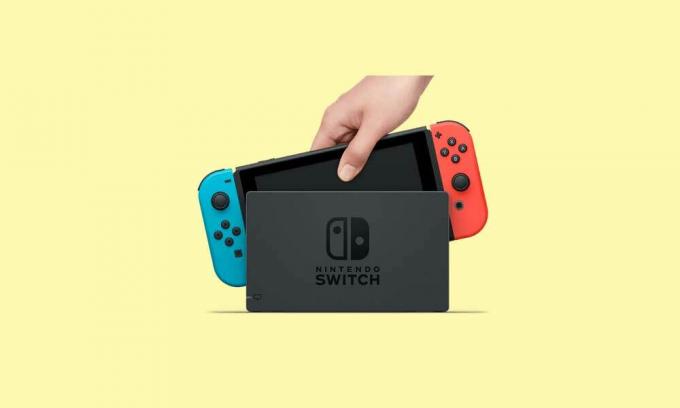
Игровая консоль Nintendo Switch в продаже уже больше 5 лет (с 2017-го) и, очевидно, пользуется стабильной популярностью.
Девайс как минимум очень удобный — играть на Switch-е можно и дома (на большом экране), и в мобильном режиме вообще где угодно.
Но всякие сбои, баги, ошибки и прочие неприятности у Switch-а, как известно, тоже случаются. О чем мы повествуем регулярно и, есть такое подозрение, повествовать будем еще не раз.
И в продолжение темы — вот наш большой справочник по кодам ошибок Nintendo Switch, в котором мы постарались собрать все самые распространенные из них. С кратким описанием по каждой из проблем и, разумеется, с предложениями относительно того, что и как в каждом отдельном случае надо делать.
Пост этот мы наверняка будем дополнять (по мере сил и возможностей), но пока получается примерно следующее. Итак, по порядку:
#1 — Проблемы с аппаратной частью консоли
| Код | Описание проблемы | Что делать |
| 2153-0321 | Сбой системы воспроизведения аудио | • пробуем просто включить/выключить опцию «Отключать звук при отсоединенных наушниках«; • если это не помогает, то везем Switch в сервис-центр (СЦ). |
| 2168-0002 | Повреждение консоли или пиратский контент | • проверяем и удаляем любой нелегальный контент, и перезагружаем Switch; • проверяем и устанавливаем последнюю версию прошивки; • если ничего не помогает, везем Switch в СЦ. |
| 2115-0096 | Switch не принимает фигурку Amiibo | • проверяем и устанавливаем последнюю версию прошивки; • проверяем правый джойкон; • выполняем сброс данных Amiibo — [ИНСТРУКЦИЯ] |
| 2153-1540 | Switch не работает | • перезагружаем Switch; • проверяем и устанавливаем последнюю версию прошивки; • если ничего не помогает, везем Switch в СЦ. |
| 2139-0006 | Switch сбоит или не работает | Звоним в СЦ. |
Не пропустите: ОШИБКА 2002-3537 У SWITCH: ЧТО НАДО СДЕЛАТЬ
#2 — Общие проблемы Switch
| Код | Описание проблемы | Что делать |
| 2162-0002 | Switch вылетает | • перезагружаем Switch; • заряжаем джойконы; • проверяем и устанавливаем последнюю версию прошивки; • если ничего не помогает, везем Switch в СЦ. |
| 2813-6838 / 2813-6561 | Код карты eShop не срабатывает | • проверяем и вводим код еще раз (код также должен соответствовать региону); • пишем запрос в службу поддержки. |
| 2801-7199 | Не получается выгрузить контент в Facebook | • проверяем подключение консоли и перезаходим в аккаунт Facebook; • проверяем разрешения на загрузку файлов в настройках аккаунта Facebook; • пробуем выложить контент через некоторое время. |
| 2124-4009 | Не получается зайти на сайт (проблема с подключением к сервису) | • перезагружаем Switch; • проверяем подключение консоли и статус серверов сервиса; • пробуем зайти на сайт через некоторое время. |
| 2124-4517 /2181-4017 | Не получается зайти на сайт (проблема с подключением к сервису) | Пробуем зайти на сайт через некоторое время. |
| 2124-3080 | Не получается зайти в сетевую игру (не работает мультиплеер) | • вероятнее всего сетевая версия игры не доступна в вашем регионе. |
| 2124-4007 | Доступ к онлайн-сервисам заблокирован Nintendo (БАН!) | • пишем запрос в службу поддержки Nintendo [ПОДРОБНЕЕ] |
| 2813-0055 | Switch не принимаем код, поскольку ПО еще не вышло официально | Ждем релиз |
| 2813-1470 | Кредитная карта отклонена | Удаляем карты и затем регистрируем её в eShop заново |
| 2813-0040 | Этот код уже погашен (был введен ранее) | Проверяем код |
| 2005-0005 / 2005-0004 | Проблема сервиса Nintendo | • выключаем Switch полностью (ничего удалять пока не нужно); • включаем Switch, проверяем и обновляем прошивку (если доступна свежая версия); • удаляем любые свежеустановленные дополнения и весь пиратский контент; • пробуем другую (новую) карту MicroSD или форматируем имеющуюся. |
| 2124-0291 | Не получается перенести учетную запись на другой Switch | • проверяем, чтобы учетная запись не была привязана к другой (еще одной консоли); • отвязываем учетку и выполняем перенос еще раз. |
Не пропустите: ОШИБКА 2123-1502 У SWITCH-А ПОСЛЕ ОБНОВЫ: ЧТО МОЖНО СДЕЛАТЬ САМОМУ
#3 — Проблемы с ПО Switch
| Код | Описание проблемы | Что делать |
| 2164-0020 / 2122-0082 | Игра не запускается или вылетает | • меню HOME > выбираем проблемную игру > открываем настройки игры (кнопкой +/-) > Управление данными > Удалить программу; • перезагружаем Switch; • устанавливаем игру заново. |
| 2162-0101 | Игра не запускается | Проверяем версию и обновляем игру |
| 2306-0819 | Онлайн-игры не запускаются | • перезагружаем Switch;• проверяем подключение; • проверяем и обновляем прошивку консоли. |
| 2021-0003 / 2000-0000 / 2101-0002 /2107-0427 | Устаревшее ПО | Проверяем и обновляем |
| 2124-3000 / 2137-1508 | Switch не подключается к онлайн-сервисам из-за устаревшей версии прошивки | Обновляем прошивку консоли |
| 2813-0071 | Switch не подключается к eShop. | Проверяем подключение, перезагружаем консоль и подключаемся по-новой. |
| 2142-1099 / 2155-0400 | Приложение «Родительский контроль» не может подключиться к Интернету | Обновляем прошивку консоли |
Не пропустите: ЕСЛИ MORTAL KOMBAT 11 НА SWITCH ВЫЛЕТАЕТ: ЧТО ДЕЛАТЬ? [АРХИВЪ]
#4 — Проблемы с подключением Switch
| Код | Описание проблемы | Что делать |
| 2110-1100 | Switch не определяет сеть Wi-Fi | • проверяем подключение, перезагружаем консоль и маршрутизатор; • проверяем корректность пароля; • переносим Switch в другое место (где нет помех для подключения и/или поближе к роутеру) и подключаем к Wi-Fi заново; • звоним в СЦ. |
| 2811-7001 | Ошибка онлайн-сервиса (eShop) | • проверяем подключение, перезагружаем консоль и маршрутизатор; • проверяем статус серверов Nintendo. |
| 2110-2004 | Switch не определяет сеть Wi-Fi | • проверяем подключение, перезагружаем консоль и маршрутизатор; • проверяем корректность пароля; • переносим Switch в другое место (где нет помех для подключения и/или поближе к роутеру) и подключаем к Wi-Fi заново; • проверяем и обновляем прошивку маршрутизатора; • звоним в СЦ. |
| 2110-2091 | Сетевой адаптер обнаружен, но Switch не подключается к роутеру | • проверяем качество подключения кабеля Ethernet; • перезагружаем маршрутизатор; • подключаем кабель к другому порту маршрутизатора; • пробуем другой кабель. |
| 2110-2201 / 2110-2214 | Неправильный пароль | • проверяем корректность пароля; • проверяем подключение, перезагружаем консоль и маршрутизатор. |
| 2110-1100 | Switch не видит сеть Wi-Fi (или не настроен USB LAN) | • проверяем подключение, перезагружаем консоль и маршрутизатор; • настраиваем новое беспроводное подключение — [ИНСТРУКЦИЯ]; • переносим Switch в другое место (где нет помех для подключения и/или поближе к роутеру) и подключаем к Wi-Fi заново; |
| 2110-2091 | Switch не подключается к Сети через кабель | • проверяем связь (подключение к Интернету); • перезагружаем маршрутизатор; • проверяем настройки DNS. |
| 2110-2003 | Switch не видит сетевой адаптер | • проверяем связь (подключение к Интернету); • проверяем качество подключения кабеля Ethernet; • перезагружаем маршрутизатор; • подключаем кабель к другому порту маршрутизатора; • пробуем другой кабель. |
| 2110-2004 / 2110-2220 / 2110-2201 / 2110-2214 | Не получается подключиться к определенной сети Wi-Fi | • проверяем подключение, перезагружаем консоль и маршрутизатор; • проверяем корректность пароля; • переносим Switch в другое место (где нет помех для подключения и/или поближе к роутеру) и подключаем к Wi-Fi заново; • проверяем настройки сети. |
| 2110-3127 | Не получается подключиться к определенной сети (Wi-Fi или проводной) | Проверяем настройки DNS |
| 2110-3400 | Не получается подключиться к определенной сети (Wi-Fi или проводной) | Требуется проверка подлинности через браузер (например, согласие с условиями обслуживания или ввод имени пользователя и пароля) |
| 2122-2403 / 2211-0524 | Switch не подключается к интернету | • проверяем подключение, перезагружаем консоль и маршрутизатор; • обновляем прошивку консоли; • перезагружаем Switch. |
| 2811-1006 | Switch не подключается к учетной записи Nintendo | • проверяем подключение, перезагружаем консоль и маршрутизатор; • проверяем корректность пароля; • переносим Switch в другое место (где нет помех для подключения и/или поближе к роутеру) и подключаем к Wi-Fi заново. |
| 2811-5001 / 2811-1028 | Switch не подключается к eShop или другим сервисам | см. выше |
| 2155-8006 | Switch не подключается к учетной записи Nintendo (из-за некорректных настроек DNS) | см. выше |
| 2618-0513 | Сбой подбора игроков в игре | • пробуем еще раз; • проверяем связь; • перезагружаем консоль и маршрутизатор; • проверяем статус серверов игры и Nintendo; • пишем запрос в службу поддержки. |
| 2160-0103 / 2306-0520 / 2618-0006 / 2618-0201 / 2618-0516 | Сбой подключения в игре | • проверяем связь; • перезагружаем консоль и маршрутизатор; • проверяем статус серверов игры и Nintendo; • проверяем настройки DNS; • перезаходим в игру через некоторое время. |
| 2160-0202 | Сбой подключения | • проверяем подключение, перезагружаем консоль и маршрутизатор; • проверяем корректность пароля; • переносим Switch в другое место (где нет помех для подключения и/или поближе к роутеру) и подключаем к Wi-Fi заново; • подключаемся к другой сети Wi-Fi |
| 2155-8006 | Switch не подключается к учетной записи Nintendo (из-за некорректных настроек DNS) | см. выше |
| 2124-8006 / 2137-8006 | Не удается завершить загрузку | см. выше |
| 2810-1224 | Не получается залогиниться | см. выше |
| 2137-0240 | Не удается завершить загрузку | см. выше |
| 2124-8028 | Не получается залогиниться | см. выше |
| 2124-8006-2124-8007 | Сбой подключения | см. выше |
| 2160-8006-2160-8007 | Не удается завершить тес сети | см. выше |
| 2618-0203 | Switch не подключается к учетной записи Nintendo | см. выше |
| 2142-0507 | Приложение «Родительский контроль» не может подключиться к Интернету | см. выше |
Не пропустите: ОШИБКА 2137-8056 В SWITCH: ЧТО ОЗНАЧАЕТ И КАК УСТРАНИТЬ [АРХИВЪ]
#5 — Проблемы на стороне сервера
| Код | Описание | Что делать |
| 2813-0002 | Не получается зайти в eShop — сбой сервиса | Заходим через время |
| 2618-0542 | Не получается зайти в сетевую игру — слишком много игроков | Заходим через время |
| 2613-1400 | Оплата картой не проходит — сбой сервиса | Ждем и потом пробуем еще раз |
| 2306-0811 | Switch не подключается к онлайн-сервису — сбой на стороне сервера | Заходим через время |
| 2801-7002 | Не получается загрузить контент в Twitter — сбой на стороне сервера | Заходим через время |
| 2124-5119 / 2124-5249 | Сбой на стороне серверов Nintendo | Заходим через время |
| 902-5998 | Сервер Nintendo eShop остановлен на ТО | Заходим через время |
| 2810-1500 | Не получается зайти в Facebook | • перезагружаем консоль • перезаходим позже |
| 2124-5002 / 2124-5200 | Не получается зайти в учетную запись Nintendo | Заходим позже |
| 2813-0009 / 2813-1400 / 2813-6835 / 2813-9804 /2813-9712 | Сбой на стороне сервера Nintendo eShop | перезагружаем магазин и/или заходим позже |
| 2811-7503, 2811-7504 | Сбой на стороне сервера Nintendo eShop | Заходим позже |
| 2816-0700 / 2817-0700 | Сбой на стороне сервера | Заходим позже |
Не пропустите: КОГДА ДОК-СТАНЦИЯ SWITCH МИГАЕТ ЗЕЛЕНЫМ И НЕ РАБОТАЕТ: ЧТО ДЕЛАТЬ?
#6 — Проблемы с картой памяти MicroSD
| Код | Описание | Что делать |
| 2002-2049-2002-2064 2002-4690 / 2002-6201 / 2016-0247 / 2016-0602 / 2016-0641 | Ошибка карты памяти на этапе загрузки или обновления игры | • вынимаем карту из слота и затем вставляем снова ставим её на место; • перезагружаем Switch, проверяем версию прошивки и обновляем (если доступна свежая); • выполняем проверку файлов игры — [ИНСТРУКЦИЯ] • форматируем карту (НО учитываем, что при этом все данные с карты будут стёрты без возможности восстановления!); • берем другую/новую MicroSD или ставим игру в память Switch. |
| 2002-2001 /2016-0390 / 2205-0123 | Нет доступа к карте памяти microSD | см. выше |
| 2002-4517 / 2002-4641-2002-4660 /2002-4741-2002-4760 / 2002-0007-2002-0008 /2002-4683 | Не получается скачать игру или прогу из eShop — сбой карты памяти | см. выше |
| 2002-4301-2002-4463 / 2002-3005 /2002-3500-2002-3999 / 2002-0001 /2016-0601 / 2101-0001 / 2107-0445 | Ошибка карты памяти в игре и/или после включения Switch | см. выше |
| 2002-1002 / 2002-2629-2002-2669 | Игра не загружается или не запускается — сбой карты памяти | см. выше |
| 2002-2085 | Switch не распознает карту памяти microSD | см. выше |
| 2005-0003 | Игра не загружается или не запускается — сбой карты памяти | см. выше |
Не пропустите: ЕСЛИ ЛАГАЕТ ЗВУК У SWITCH ПОСЛЕ ПОДКЛЮЧЕНИЯ К ТЕЛЕКУ: ЧТО МОЖНО СДЕЛАТЬ?
#7 — Проблемы Switch в некоторых играх
| Код | Описание | Что делать |
| 2306-0820 | Не запускается Splatoon 2 Global Testfire | Эта «демка» уже недоступна |
| 2-ARVHA-0000 |
Не работает YouTube | ПОДРОБНЕЕ >>> |
| 2-AABQA-1021 | Не получается зайти в сетевую игру в Arms | Проверяем подключение, перезагружаем Switch и перезаходим в игру |
| 2-BABBE-1000 | Не получается зайти в сетевую игру в Ultra Street Fighter 2 | Обновляем игру, проверяем подключение, перезагружаем Switch и перезаходим в игру |
| 2306-0112 | Сбой подключения к серверу в Pokemon Sword and Shield | ПОДРОБНЕЕ >>> |
| 1618-0521 |
Консоль не отвечает в Animal Crossing: New Horizons | ПОДРОБНЕЕ >>> |
Errors on Nintendo Switch are rare events. The console is a very stable device and issues occur very rarely. However, when they do occur, things get complicated because fixing them is not an easy task.
So, if you’re getting error 2137 on your Nintendo Switch, we think we can help. In this article, we’ll list some of the best solutions that you can use to fix the most frequent error 2137 variations.
Steps to fix Nintendo Switch error 2137-8006
Fix 1 – Restart your console
As we’ve said it so many times before, restarting your device often works wonders. So, press the power button for about 5 seconds, go to Power Options and select Restart.
Fix 2 – Change DNS
DNS issues may also cause this error code. Change DNS and set 8.8.8.8 as Primary DNS and 8.8.4.4 as Secondary DNS. Here are the steps to follow:
- Go to System Settings > Internet Settings > Connection Settings
- Select the connection file > go to Change Settings
- Select the right arrow >go to DNS
- Select no for the ‘Auto-Obtain DNS’ option > select Detailed Setup.
- Select Primary DNS and delete the current value by holding the left arrow > enter 8.8.8.8 >OK
- Now, select Secondary DNS and enter 8.8.4.4
Fix 3 – Reduce the distance between the modem/router and the console
If you’re far away from the Wi-Fi router, this could generate signal strength issues. So, move the console closer to the wireless router.
Make sure that nothing is interfering with your Wi-Fi signal. If you’ve got any speakers, phones, microwave ovens or other similar items near your console, move them away.
Fix 4 – Change Wi-Fi frequncy band
Try to connect to a different wireless band if your router supports this. For more information about the type of connection that your router supports, check out its user guide.
This is a simple error to fix — all you need to do it update your console. Go to System Settings > System > System Update and install the available updates.
Fix Nintendo Switch error 2137-8035
This error code is also accompanied by the following description: Unable to communicate with the server. The network may be busy or the signal strength may be poor. Please try again later.
To fix it, follow all the troubleshooting steps listed above.
Fix Nintendo Switch error 2137-0240
This error code is usually caused by slow Internet connection issues, Wi-Fi range problems or time out issues.
Just as in the case of the previous error, you can use all the solutions listed so far in this article. If nothing works, try removing the Switch from the dock as well.
Alright, we hope that these suggestions helped you fix error 2137 on your Nintendo Switch. Let us know which one worked for you.
Используете ли вы Nintendo Switch или Switch Lite в качестве одной из ваших основных игровых консолей, она может довольно часто сталкиваться с множеством ошибок или ошибок. Поскольку игры на платформе Nintendo полностью зависят от онлайн-сервисов, таких как Nintendo eShop, проблемы с подключением к онлайн-сервисам являются обычными, как и код ошибки Nintendo Switch 2137-7503.
Если вы также сталкиваетесь с тем же кодом ошибки при попытке доступа к онлайн-сервисам Nintendo и терпите неудачу, значит, вы не одиноки. Здесь мы поделились всеми возможными обходными путями, которые должны вам помочь. Получив такие уведомления об ошибках, большинство затронутых пользователей могут подумать, что они потеряли доступ к приобретенным играм или даже к своим сохраненным игровым данным. Но это не так.
Исправлено: код ошибки Nintendo Switch 2137-7503
В соответствии с Служба поддержки Nintendo, эта ошибка в основном указывает на то, что в данный момент возможно временное отключение сервиса или чрезмерное количество активных игроков, которые подключаются к сервисам Nintendo, таким как eShop и т. д.
Другими словами, код ошибки Nintendo Switch 2137-7503 появляется всякий раз, когда консольная система не может получить доступ к онлайн-сервисам, таким как Nintendo eShop. Как мы все знаем, во время отключения сервера или технического обслуживания нам придется либо подождать пару часов, либо поэтому, пока проблема не будет решена, или проверьте состояние вашей сети, чтобы убедиться, что в вашем конец.
1. Проверить статус службы Nintendo
Излишне говорить, что существует несколько кодов ошибок, которые могут появиться из-за проблем с подключением к онлайн-сервису, помимо 2137-7503. Прежде всего, вам нужно посетить официальный Страница статуса сервера Nintendo чтобы проверить информацию о сервере в реальном времени. Обязательно выберите свой регион, в котором у вас возникла такая проблема.
2. Проверить статус сети
Если в данный момент проблема с сервисом Nintendo Online Service отсутствует, но вы все еще довольно часто сталкиваетесь с конкретным кодом ошибки, вам следует повторно проверить подключение к Интернету. Иногда более низкая скорость интернета или нестабильное интернет-соединение могут вызвать несколько проблем с подключением к онлайн-сервисам.
Вы также можете попробовать переключить свою сеть Wi-Fi на проводное (Ethernet) соединение, чтобы проверить скорость или стабильность. Если все в порядке и вы можете играть в онлайн-игры или просматривать страницы в Интернете на других устройствах, вам следует обратиться в службу поддержки Nintendo за дополнительной помощью.
Вот и все, ребята. Оставайтесь с нами для получения дополнительной информации. Вы можете оставить комментарий ниже для дальнейших запросов.

Errors onВ Nintendo Switch are rare events. The console is a very stable device and issues occur very rarely. However, when they do occur, things get complicated because fixing them is not an easy task.
So, if you’re getting error 2137 on your Nintendo Switch, we think we can help. In this article, we’ll list some of the best solutions that you can use to fix the most frequent error 2137 variations.
Steps to fix Nintendo Switch error 2137-8006
Fix 1 – Restart your console
As we’ve said it so many times before, restarting your device often works wonders. So, press the power button for about 5 seconds, go to Power Options and select Restart.
Fix 2 – Change DNS
Fix 3 – Reduce the distance between the modem/router and the console
If you’re far away from the Wi-Fi router, this could generate signal strength issues. So, move the console closer to the wireless router.
Make sure that nothing is interfering with your Wi-Fi signal. If you’ve got any speakers, phones, microwave ovens or other similar items near your console, move them away.
Fix 4 – Change Wi-Fi frequncy band
Try to connect to a different wireless band if your router supports this. For more information about the type of connection that your router supports, check out its user guide.
This is a simple error to fix — all you need to do it update your console. Go to System Settings > System > System Update and install the available updates.
FixВ Nintendo Switch error 2137-8035
This error code is also accompanied by the following description: Unable to communicate with the server. The network may be busy or the signal strength may be poor. Please try again later.
To fix it, follow all the troubleshooting steps listed above.
FixВ Nintendo Switch error 2137-0240
This error code is usually caused by slow Internet connection issues, Wi-Fi range problems or time out issues.
Just as in the case of the previous error, you can use all the solutions listed so far in this article. If nothing works, try removing the Switch from the dock as well.
Alright, we hope that these suggestions helped you fix error 2137 on your Nintendo Switch. Let us know which one worked for you.
How to Fix Error Code 2002-4153 on Nintendo Switch

Sometimes it took days for the error to pop up and at times it just pops up every time I play something on my Switch.
It’s frustrating, to say the least, and just like you, I tried to look for a way to fix it.
This guide contains every possible solution to fixing this error code 2002-4153 on Nintendo Switch plus the ones that I personally tried. Personally deleting and redownloading the game worked wonders for me although that lasted not long as the error popped up again.
Each solution is elaborated and written step-by-step so that it’s drop-dead easy for you to follow.
Let’s dive right in. ?
How to Fix Error Code 2002-4153 on Nintendo Switch: 7 Ways
1. Make Sure your Nintendo Switch is Kept Up-To-Date.
It’s important to keep your Switch updated because why not?
There’s tons of great stuff with each Nintendo update and I would say if you were to compare the Switch with other devices, Nintendo actually does a good job in squashing bugs and patching up errors. (I am not affiliated with Nintendo if you’re asking, although that would be pretty sick. 👌)
Note
Most of the time, your Nintendo Switch downloads the most recent Nintendo system update on its own while it is still connected online. So check and verify your current version first for your Nintendo Switch. I’ll show you how next.
Help! How do I check which version my Nintendo Switch is in?
From your Switch’s HOME menu, click on System Settings. Next, scroll down and select System from the left-hand side. Lastly, you can find the version of your Nintendo Switch written underneath System Update.
Here’s how you update your Nintendo Switch:
Step 1: From your Switch’s HOME menu, click on System Settings.

Step 2: Next, scroll down and select System from the left-hand side.
Step 3: Finally, to update your Nintendo Switch, select System Update to start the system update process. It may take a while so hang in there! During the process what it will do is your Switch will perform a check to determine if there is any new system update available to download. If there is an update available, the download will begin.

Help! I can’t perform the system update. It’s not working.
If you find that there is a new version update released by Nintendo but it is not available for you to download, then simply restart your Nintendo Switch and then try again.
Once you’ve updated your Switch you can try once again to go about playing or trying some of the previous software to see if the error has been fixed.
2. Check for Corrupt Data.
Checking for corrupted data is a way we can find out where the root of the problem lies.
Here’s how you do check for corrupt data on Nintendo Switch:
Step 1: Jump into your Switch’s HOME menu and then select System Settings.
Step 2: Next, scroll down the list of options on the left and look for the option Data Management. Select Data Management.
Step 3: Now on the right-hand side select Manage Software and then select the most recently used software you used. Try checking the software that gave you the error in the first place to see if it is in any way corrupted.
Step 4: Lastly, just select the Check for Corrupt Data to begin the examining process.
You can provide the information right to Nintendo’s Customer Service for them to help.
You can also try the other methods in this guide to hopefully fix it.
3. The Problem Could Most Likely Be with Your microSD Card.
If the error code 2002-4153 persists on your Nintendo Switch, then it is most likely that the issue could originate from your microSD card (if you’re using one otherwise it is something system-wide which would require assistance from Nintendo)
Note
Please make sure that you back up everything (screenshots, pictures, any data etc.) on the microSD card before you format it. Here’s a great guide on how to back up information from your Nintendo Switch to your microSD card written by Nintendo: How to Back Up Save Data | Nintendo Support
Once you’ve formatted your microSD card, try the microSD once again with your Switch to see if the error is still present.
4. Try using a different microSD card.
Another way to test out whether the error lies with your microSD card is to try another microSD card with your Nintendo Switch.
See if the error persists once again.
5. ReDownload the Problematic Software.
If the error is still not solved, try powering off your Switch and then remove the microSD card.
Proceed to use the Switch like how you normally would.
If you encountered the error while using a game, then delete the problematic software and then re-download it directly to your Switch’s system memory. I’ll show you step-by-step on how to do this next.
Step 1: Jump into your HOME menu and then choose the game that you want to delete (the one that is showing the error code 2002-4153)
Step 2: Next press the + icon on your right Joy-Con stick or – icon on your left Joy-Con stick to calling up the game’s options menu.
Step 3: Now select the option Manage Software from the left.

Head’s up!
The next step involves deleting the game. This means it will be uninstalled and removed from your Home screen. This will not delete any game save data. You can pick up where you left off anytime by downloading the game back.
Step 4: Lastly, select Delete Software. You will be asked to confirm, again select Delete.

Step 5: To re-download the game back, simply jump into your eShop from the HOME screen, select the profile which you originally purchased the game.
Step 6: Finally, just select ReDownload from the menu on the left. You need to select the download cloud icon for the game you had deleted.

Done! You will see the game appear in your Switch once again. ?
You can try once again to see if this has fixed the error code from popping up.
6. Get in Touch With Nintendo.
You’ve tried everything above and nothing worked.
As a matter of fact, trying these methods allowed us to understand where the problem lies.
We now know our microSD works fine and it is not the cause of the error since we tried every possible way to see if it was corrupted or broken in any way.
We also know that the games and the software are not the problems either.
So the problem has to be that either there’s a worldwide SD card slot failure (which is unlikely) or it could be a bug in the system software.
The best way to proceed with this now is to contact Nintendo’s support and talk to them of the problem you’re having. You can mention the steps you took to try to solve the issue so that they can better understand where the problem lies.
Источники:
https://bestgamingtips. com/nintendo-switch-error-2137-fix/
https://www. saintlad. com/fix-error-code-2002-4153-on-nintendo-switch/
The Nintendo Switch launched globally with a huge bang in 2017. It is the first device designed to be played at home and on the go, which was the first take on a hybrid console at the time.
But, like every device on the gaming market, sometimes the console just won’t work. From hardware to general errors, here’s the full rundown of error codes on the Nintendo Switch, what they mean, and how to fix them.
Hardware
| Error Code | What does it mean | How to fix it |
| 2153-0321 | Audio-hardware issue. | Temporary workaround for some users: turn off the “mute volume when headphones are unplugged” setting. If it doesn’t work, the console will need to be physically repaired. Call Nintendo support. |
| 2168-0002 | Console crash error, caused by corrupted hardware or pirated content. | Delete the pirated files immediately. Try to reboot the console. If it doesn’t work, check if the system is up to date. If none of this works, you might need to repair physically your console. |
| 2115-0096 | Amiibo figure is not accepted on the Switch. | Check for system updates. Check the right Joy-Con to see if it’s working properly. Reset Amiibo’s data. |
| 2153-1540 | This code indicates the Switch is not functional. | Restart the Switch. Check for updates. If it still doesn’t work, call Nintendo Support. The Switch may need repairing. |
| 2139-0006 | There’s something wrong with the hardware. | Call support. |
General
| Error Code | What does it mean | How to fix it |
| 2162-0002 | Multiple causes. | Restart the console. Charge your Joy-Cons. Once rebooted, make sure all parts are up to date. If the crash error persists, contact Support. |
| 2813-6838 / 2813-6561 | The Nintendo eShop Card code attempting to be used is unable to be processed. | Try the code again, and check the numbers. Make sure the code is not intended for a different region. If it doesn’t work, contact support. |
| 2801-7199 | Facebook upload is not working. | Try unlinking, then relinking the Facebook account. If it fails, check your Facebook permissions. If the error code persists, wait and try again later. |
| 2124-4009 | This is a general functionality error code. | Restart the Switch. If problems persist, there may be maintenance or an outage. Try again later. |
| 2124-4517 /2181-4017 | Usually, there flagged unusual behavior on the Switch, preventing online service access. | Wait and try again later. If the problem persists, contact Nintendo Support. |
| 2124-3080 | The Switch cannot connect to online match-making. | Online multiplayer is likely not available in your region. |
| 2124-4007 | The Switch console being used has been permanently banned from connecting online, likely due to a breach of Terms of Service. | Contact Support. |
| 2813-0055 | The Switch cannot redeem a download code because the software is not released to the public yet. | Wait until the release date. |
| 2813-1470 | The credit card being used in the eShop has been rejected. | Delete and set up the card again. |
| 2813-0040 | The download code attempting to be used has already been redeemed. | Double-check the download code. |
| 2005-0005 / 2005-0004 | This error means something in the Nintendo is likely corrupted. | Turn off the Switch. Do not delete any data yet. Turn it back on and make sure the system is up to date. If this does not work, delete any offending DLC or pirated content. If the above doesn’t work, try a new MicroSD or format the current one. |
| 2124-0291 | Transfer of user account to another Switch cannot be finished. | Check that the user account isn’t already linked in some way to the second console. If so, delete that data and try the transfer again. |
Software
| Error Code | What does it mean | How to fix it |
| 2164-0020 / 2122-0082 | There is software on the Switch causing an error. | Go to manage software. Delete the software causing this issue (likely the game that caused the crash). Restart the Switch. Put the game card back in, if it is not digital. Reinstall the software. |
| 2162-0101 | A game cannot start because an update is required. | Check for software updates. |
| 2306-0819 | The Switch is unable to connect to online games. | Make sure the Switch software is up to date. |
| 2021-0003 / 2000-0000 / 2101-0002 /2107-0427 | The latest software is not being used. | Check for software updates. Check for corrupted data. |
| 2124-3000 / 2137-1508 | The Switch is unable to connect to an online service because it is not up to date. | Update the console. |
| 2813-0071 | The software is having a general issue with downloading on the eShop. | Restart the console and try again. |
| 2142-1099 / 2155-0400 | The Parental Controls app cannot connect to the internet. The console needs to be up to date. | Update the console. |
Internet Connection
| Error Code | What does it mean | How to fix it |
| 2110-1100 | The Switch is unable to determine a network. | Run through all internet troubleshooting settings: Make sure no objects are blocking the Switch. Check the network password again and retry. If failure, try either power cycling the home network or moving closer to the router. If the connection fails again, try turning off password requirements for the network. If all steps fail, check network settings for the home network. If this still fails, call Support as there may be additional solutions. In some cases, the Switch may need repair. |
| 2811-7001 | An error in using an online service like eShop has occurred. | Restart the console. Check internet connection. Restart network devices. |
| 2110-2004 | The Switch is unable to determine a network. | Run through all internet troubleshooting settings: Make sure no objects are blocking the Switch. Check the network password again and retry. If failure, try either power cycling the home network or moving closer to the router. If the connection fails again, try turning off password requirements for the network. If all steps fail, check network settings for the home network. Update the Router’s firmware. If the above doesn’t work, factory reset the router. If this still fails, call Nintendo Support as there may be additional solutions. In some cases, the Switch may need repair. |
| 2110-2091 | LAN Adapter is detected, but the Switch could not make a connection with the router or modem. | Check to make sure the ethernet cable is secure. Try power cycling your home network. Use a different port on the router. Try a different ethernet cable. |
| 2110-2201 / 2110-2214 | The router or access point alerted the Switch that an incorrect password was used. | Confirm the connection password. Troubleshoot internet connection: Move the Switch closer to the router. Create a wireless internet connection file. Power cycle your network. |
| 2110-1100 | A wireless network connection cannot be made. This is due to the Switch not detecting a network. (This can also sometimes mean, for those that have USB LAN, that the USB LAN is not properly set up) | Create a new internet connection file. Move the Switch closer to the router. Power cycle the home network. Move anything blocking the Switch or router. |
| 2110-2091 | The Switch cannot connect to a wired network. | Check internet connection. Restart the Switch. Check DNS settings. |
| 2110-2003 | There are connection issues related to the failure to detect the LAN Adapter. | Make sure the ethernet is attached. Power cycle the home network. Try a different router port. Try a different ethernet cable. |
| 2110-2004 / 2110-2220 / 2110-2201 / 2110-2214 | Cannot connect to a specific wireless network. Usually, this is due to incorrect password use. | Make sure no objects are blocking the Switch. Check the network password again and retry. If this does not work, try either power cycling the home network or moving closer to the router. If the connection fails again, try turning off password requirements for the network. If all steps fail, check network settings for the home network. |
| 2110-3127 | Cannot connect to a specific wireless or wired network. | Check DNS settings and make sure they are correct. |
| 2110-3400 | Cannot connect to a specific wireless or wired network. | Check web authentication permissions. |
| 2122-2403 / 2211-0524 | This is a general error, usually caused by a needed software update or connection issues. | Make sure your Switch is up to date. Check internet connection. Restart the console. |
| 2811-1006 | The Switch is unable to connect to the Nintendo Account. | Make sure no objects are blocking the Switch. Check the network password again and retry. If failure, try either power cycling the home network or moving closer to the router. If the connection fails again, try turning off password requirements for the network. If all steps fail, check network settings for the home network. |
| 2811-5001 / 2811-1028 | The Switch is unable to connect to the eShop or other online features. | Make sure no objects are blocking the Switch. Check the network password again and retry. If failure, try either power cycling the home network or moving closer to the router. If the connection fails again, try turning off password requirements for the network. If all steps fail, check network settings for the home network. |
| 2155-8006 | The Switch is unable to link a new Nintendo account to the console. This is usually due to a DNS error or general connection timeout. | Make sure no objects are blocking the Switch. Check the network password again and retry. If failure, try either power cycling the home network or moving closer to the router. If the connection fails again, try turning off password requirements for the network. If all steps fail, check network settings for the home network. |
| 2618-0513 | The Switch is unable to complete a match-making process. | Try again. Test your internet connection. Power cycle your gateway. If this does not work, try updating your gateway’s firmware. If the above fails, contact Nintendo Support. |
| 2160-0103 / 2306-0520 / 2618-0006 / 2618-0201 / 2618-0516 | Joining an online match, starting/completing the match-making process, or completing a match has failed. This is very likely a connection issue. | Restart the console. Check the connection. Try a manual DNS alternate. Try power cycling your home network. |
| 2160-0202 | Connecting to an online service has failed. This is likely a connection timeout issue. | Make sure no objects are blocking the Switch. Check the network password again and retry. Try either power cycling the home network or moving closer to the router. If the connection fails again, try turning off password requirements for the network. If all steps fail, check network settings for the home network. |
| 2155-8006 | The Switch is unable to link a new Nintendo account to the console. This is usually due to a DNS error or general connection timeout. | Make sure no objects are blocking the Switch. Check the network password again and retry. If failure, try either power cycling the home network or moving closer to the router. If the connection fails again, try turning off password requirements for the network. If all steps fail, check network settings for the home network. |
| 2124-8006 / 2137-8006 | A download cannot be completed. Usually, this is caused by connection timeout. | Check DNS settings. Restart the console. Run through internet troubleshooting:If this does not work, manually enter an alternate DNS. If the above does not work, try either power cycling the home network or moving closer to the router. If the connection fails again, try turning off password requirements for the network. Try connecting to an alternate wireless band as the last step. Contact Nintendo Support if problems persist. |
| 2810-1224 | Sign-in to either the Account or eShop has failed. The connection may also be an issue. | Restart the console. Check connection signal. Then attempt regular activity again. If the above fails, contact Nintendo Support. |
| 2137-0240 | Downloads cannot be completed. This is because of an internet issue, likely a timeout. | Check internet connection. Troubleshoot internet issues: Power cycle the home network. Move any objects blocking the Switch or router. If able, connect to another wireless band. For wired connection troubleshooting: Restart network devices. If all the above fails, try updating the router’s firmware. |
| 2124-8028 | Nintendo sign-in has failed. This is due to poor internet speeds or wireless issues. | Check internet speed. Troubleshoot internet issues: Power cycle the home network. Move any objects blocking the Switch or router. If able, connect to another wireless band. |
| 2124-8006-2124-8007 | This is an error code associated with a connection timeout or DNS error. It could also be a weak signal or slow internet. | Check internet connection. Restart the Switch. Enter a different DNS. Run through internet troubleshooting: Move any objects blocking the Switch (if wireless). If the above does not work, try either power cycling the home network or moving closer to the wireless router. If the connection fails again, try turning off password requirements for the network. Try connecting to an alternate wireless band as the last step. |
| 2160-8006-2160-8007 | A connection test cannot be completed. | Check internet connection. Make sure you are connecting to the right network. |
| 2618-0203 | Nintendo Switch cannot connect to an online service. This is possible due to issues with the DNS. | Restart the console. Check the DNS settings. Try power cycling your home network. Manually enter an alternate DNS. Test the internet connection. |
| 2142-0507 | The Parental Controls app cannot connect to the internet. The internet is not detected, likely due to a timeout. | Restart the Switch. Check internet connection. Power cycle home network. Use a different network. |
Maintenance and server
| Error Code | What does it mean | How to fix it |
| 2813-0002 | There is a service outage preventing connection to the Nintendo eShop. | Wait and try again later. |
| 2618-0542 | The Switch is unable to join an online match. This is due to too many players. | Wait and try and join a match later. |
| 2613-1400 | The Switch will not create a credit card purchase. This is likely due to maintenance or server issues. | Wait and try again later. |
| 2306-0811 | The Switch will not connect to an online service. This is likely due to maintenance or server issues. | Wait and try again later. |
| 2801-7002 | Twitter uploads cannot be completed. This is likely due to maintenance or server issues. | Wait and try again later. |
| 2124-5119 / 2124-5249 | Nintendo Account Services is experiencing server issues or undergoing maintenance. | Wait and try again later. |
| 902-5998 | The Nintendo eShop is experiencing maintenance. | Wait and try again later. |
| 2810-1500 | Facebook sign-in cannot be completed. | Restart the console. If the problem persists, it may be may server issues. Try again later. |
| 2124-5002 / 2124-5200 | Sign-in to a pre-existing Nintendo Account has failed. This specific code determines this is an outage on Nintendo’s side. | Wait and try again later. |
| 2813-0009 / 2813-1400 / 2813-6835 / 2813-9804 /2813-9712 | There is a temporary service issue with the Nintendo eShop. It may have also timed out due to inactivity. | If inactivity, relaunch the store. Wait and try again later. |
| 2811-7503, 2811-7504 | There is a network outage to the Nintendo eShop. | Wait and try again later. |
| 2816-0700 / 2817-0700 | A maintenance error is popping up on general application use. | Wait and try again later. |
MicroSD
| Error Code | What does it mean | How to fix it |
| 2002-2049-2002-2064 /2002-4690 / 2002-6201 / 2016-0247 / 2016-0602 / 2016-0641 | An error code while downloading software or updating a game has occurred. The MicroSD is likely at fault. | Reset and check the MicroSD. Make sure data isn’t corrupted. Remove and reinsert MicroSD If the above doesn’t work, format the MicroSD. If all of the tips above do not work, try getting a new MicroSD or downloading directly to the Switch. |
| 2002-2001 /2016-0390 / 2205-0123 | The MicroSD card cannot be accessed. | Reset and check the MicroSD. Remove and reinsert MicroSD If the above doesn’t work, format the MicroSD. If all of the tips above do not work, try getting a new MicroSD or downloading directly to the Switch. |
| 2002-4517 / 2002-4641-2002-4660 /2002-4741-2002-4760 / 2002-0007-2002-0008 /2002-4683 | Software for or from the eShop cannot be downloaded. This is a MicroSD issue. | If a MicroSD is not being used, restart the console. Check for software updates. Remove and reinsert MicroSD If the above doesn’t work, format the MicroSD. If all of the tips above do not work, try getting a new MicroSD or downloading directly to the Switch. |
| 2002-4301-2002-4463 / 2002-3005 /2002-3500-2002-3999 / 2002-0001 /2016-0601 / 2101-0001 / 2107-0445 | A MicroSD error has occurred while playing a game powering the Switch on (or waking from sleep mode). | Restart the Switch. Check for software updates. Remove and reinsert MicroSD If the above doesn’t work, format the MicroSD. If all of the tips above do not work, try getting a new MicroSD or downloading directly to the Switch. |
| 2002-1002 / 2002-2629-2002-2669 | A game cannot download or start. This will happen with a MicroSD. | Check for software updates. Remove and reinsert MicroSD If the above doesn’t work, format the MicroSD. If all of the tips above do not work, try getting a new MicroSD or downloading directly to the Switch. |
| 2002-2085 | The MicroSD cannot be recognized. | Check for software updates. Remove and reinsert MicroSD If the above doesn’t work, format the MicroSD. If all do not work, try getting a new MicroSD or downloading directly to the Switch. |
| 2005-0003 | There is an issue with the MicroSD and it is preventing downloads. | Make sure the system is up to date. Find a new MicroSD or Repair the current MicroSD. If repairs fail and there is no other MicroSD for use, try downloading the software on the Switch system for later use. |
Specific errors in games
| Error Codes | What does it mean | How to fix it |
| 2306-0820 | The Splatoon 2 Global Testfire demo will not launch. | The demo sessions for this game are no longer available. |
| 2-AABQA-1021 | An online match in Arms will not connect. | Check your internet connection and try again. |
| 2-BABBE-1000 | Ultra Street Fighter 2 Online will not connect. | Check for a software update on the game. If this doesn’t work, check the internet connection. |