Hello,
I have code designed to create an archive of my main sheet (as a .xlsx) by copying the sheet > saving the copied sheet in a new workbook > doing things to the sheet within the new workbook > saving and closing new workbook then continuing the rest of my code.
Everything works as coded except when the user selects (or keeps selected) the same file location, in the SaveAs dialog, that the original file (with the running VBA) is in. It returns a «Method ‘SaveAs’ of object ‘_Workbook’ failed» error.
I created an «If» check to see if the selected file location from the SaveAs dialog is the same as the file location of the original and was able to create an error handler (avoid the error), but not an error solution. I want to default to the same file location as the original, and regardless I want the user to be able to save into the same file location, especially since that is a very typical thing to do.
Line (59) with error 1004:
ActiveWorkbook.SaveAs fileName:=PathAndFile_Name, FileFormat:=xlOpenXMLWorkbook
ShiftYear (what code is in) and PleaseWait are userforms, and «Troop to Task — Tracker» is the sheet I’m copying.
Code with error:
'<PREVIOUS CODE THAT DOESN'T PERTAIN TO THE SAVEAS ISSUE>

'''Declare variables:
'General:
Dim NewGenYear As Integer, LastGenYear As Integer, year_create_counter As Integer
NewGenYear = 0: LastGenYear = 0: year_create_counter = 0
'Personnel:
Dim cell_person As Range, cell_num As Range
Dim cell_num_default As Range
'Archive:
Dim Sheet_Archive As Worksheet, ShVal As Integer
Dim ObFD As FileDialog
Dim File_Name As String
Dim PathAndFile_Name As String
Dim Shape_Clr As Shape
Dim cell_color_convert As Range

'<A WHOLE BUNCH OF OTHER CHECKS AND CODE THAT DOESN'T PERTAIN TO THE SAVEAS ISSUE>

'Set then launch SaveAs dialog:
If ShiftYear.CheckBox5.Value = True Then 'Archive <=5 year(s) data externally - Checked:
    For Each Sheet_Archive In ThisWorkbook.Sheets
    Select Case Sheet_Archive.CodeName
    Case Is = "Sheet4", "Sheet5", "Sheet6", "Sheet7"
    ShVal = Sheet_Archive.Name
    If Sheet_Archive.Range("A2").Value <> "N/A" And ShVal <> ShiftYear.Shift_3.Value Then
    File_Name = "Archive " & Sheet_Archive.Name & "_" & ThisWorkbook.Name 'Set default (suggested) File Name
    Set ObFD = Application.FileDialog(msoFileDialogSaveAs)
    With ObFD
        .Title = "Archive Year(s) - Personnel Tracker"
        .ButtonName = "A&rchive"
        .InitialFileName = ThisWorkbook.Path & "" & File_Name 'Default file location and File Name
        .FilterIndex = 1 'File Type (.xlsx)
        .AllowMultiSelect = False
        .InitialView = msoFileDialogViewDetails
        .Show
        If .SelectedItems.count = 0 Then
        MsgBox "Generation and archiving canceled. No year(s) were created, shifted, or overwritten. To continue generating without archiving, uncheck the ""Archive <=5 year(s) calendar/personnel data externally before overwriting"" box then click ""Generate"" again." _
        , vbExclamation, "Year Shift & Creation - Personnel Tracker"
        '<MY CODE THAT TURNS OFF MACRO ENHANCEMENT>
        Exit Sub
        Else
        PathAndFile_Name = .SelectedItems(1)
        End If
    End With
    Application.DisplayAlerts = False

'Load year to be archived:
    Worksheets("Formula & Code Data").Range("I7").Value = Sheet_Archive.Name
    Worksheets("Formula & Code Data").Range("I13").Value = "No"
    Call Load_Year.Load_Year

'Copy Troop to Task - Tracker sheet into new workbook and format:
    PleaseWait.Label2.Caption = "Creating " & Sheet_Archive.Name & " archive file ..."
    DoEvents
    File_Name = Right(PathAndFile_Name, Len(PathAndFile_Name) - InStrRev(PathAndFile_Name, "")) 'Update File Name to user's input
    ThisWorkbook.Sheets("Troop to Task - Tracker").Copy

    ActiveWorkbook.SaveAs fileName:=PathAndFile_Name, FileFormat:=xlOpenXMLWorkbook 'New workbook save and activate

    '<ALL MY CODE THAT CHANGES THE NEW WORKBOOK>

    Excel.Workbooks(File_Name).Activate
    Excel.Workbooks(File_Name).Close savechanges:=True 'New workbook save and close
    Application.DisplayAlerts = True
    End If
    End Select
    If (Sheet_Archive.CodeName = "Sheet4" Or Sheet_Archive.CodeName = "Sheet5" _
    Or Sheet_Archive.CodeName = "Sheet6" Or Sheet_Archive.CodeName = "Sheet7") _
    And ShVal <> ShiftYear.Shift_3.Value Then
    PleaseWait.Label2.Caption = "" & Sheet_Archive.Name & " archive file complete"
    DoEvents
    Else: PleaseWait.Label2.Caption = "Initailizing archive ..."
    DoEvents: End If
    Next Sheet_Archive
ElseIf ShiftYear.CheckBox5.Value = False Then 'Archive <=5 year(s) data externally - Unchecked:
    'Do Nothing
End If 'Archive <=5 year(s) data externally - END

'<CONTINUING CODE THAT DOESN'T PERTAIN TO THE SAVEAS ISSUE>
Code with error handler:
'<PREVIOUS CODE THAT DOESN'T PERTAIN TO THE SAVEAS ISSUE>

'''Declare variables:
'General:
Dim NewGenYear As Integer, LastGenYear As Integer, year_create_counter As Integer
NewGenYear = 0: LastGenYear = 0: year_create_counter = 0
'Personnel:
Dim cell_person As Range, cell_num As Range
Dim cell_num_default As Range
'Archive:
Dim Sheet_Archive As Worksheet, ShVal As Integer
Dim ObFD As FileDialog
Dim File_Name As String
Dim PathAndFile_Name As String
Dim Shape_Clr As Shape
Dim cell_color_convert As Range

'<A WHOLE BUNCH OF OTHER CHECKS AND CODE THAT DOESN'T PERTAIN TO THE SAVEAS ISSUE>

'Set then launch SaveAs dialog:
If ShiftYear.CheckBox5.Value = True Then 'Archive <=5 year(s) data externally - Checked:
    For Each Sheet_Archive In ThisWorkbook.Sheets
    Select Case Sheet_Archive.CodeName
    Case Is = "Sheet4", "Sheet5", "Sheet6", "Sheet7"
Archive_Error:
    ShVal = Sheet_Archive.Name
    If Sheet_Archive.Range("A2").Value <> "N/A" And ShVal <> ShiftYear.Shift_3.Value Then
    File_Name = "Archive " & Sheet_Archive.Name & "_" & ThisWorkbook.Name 'Set default (suggested) File Name
    Set ObFD = Application.FileDialog(msoFileDialogSaveAs)
    With ObFD
        .Title = "Archive Year(s) - Personnel Tracker"
        .ButtonName = "A&rchive"
        .InitialFileName = ThisWorkbook.Path & "" & File_Name 'Default file location and File Name
        .FilterIndex = 1 'File Type (.xlsx)
        .AllowMultiSelect = False
        .InitialView = msoFileDialogViewDetails
        .Show
        If .SelectedItems.count = 0 Then
        MsgBox "Generation and archiving canceled. No year(s) were created, shifted, or overwritten. To continue generating without archiving, uncheck the ""Archive <=5 year(s) calendar/personnel data externally before overwriting"" box then click ""Generate"" again." _
        , vbExclamation, "Year Shift & Creation - Personnel Tracker"
        '<MY CODE THAT TURNS OFF MACRO ENHANCEMENT>
        Exit Sub
        Else
        PathAndFile_Name = .SelectedItems(1)
        End If
    End With
    Application.DisplayAlerts = False

'Load year to be archived:
    Worksheets("Formula & Code Data").Range("I7").Value = Sheet_Archive.Name
    Worksheets("Formula & Code Data").Range("I13").Value = "No"
    Call Load_Year.Load_Year

'Copy Troop to Task - Tracker sheet into new workbook and format:
    PleaseWait.Label2.Caption = "Creating " & Sheet_Archive.Name & " archive file ..."
    DoEvents
    File_Name = Right(PathAndFile_Name, Len(PathAndFile_Name) - InStrRev(PathAndFile_Name, "")) 'Update File Name to user's input
    ThisWorkbook.Sheets("Troop to Task - Tracker").Copy

    If PathAndFile_Name = ThisWorkbook.Path & "" & File_Name Then 'Error handler
Archive_Error_Actual:
    MsgBox "You cannot save into the same location as this Tracker, in this version. Please select a different file location." _
    , vbExclamation, "Year Shift & Creation - Personnel Tracker"
    'UPDATE MESSAGE AND FIGURE OUT WAY TO FIX RUNTIME ERROR WHEN SAVING TO SAME LOCATION AS THE TRACKER!!!
    ActiveWorkbook.Close savechanges:=False
    GoTo Archive_Error
    End If
    On Error GoTo Archive_Error_Actual
    ActiveWorkbook.SaveAs fileName:=PathAndFile_Name, FileFormat:=xlOpenXMLWorkbook 'New workbook save and activate

    '<ALL MY CODE THAT CHANGES THE NEW WORKBOOK>

    Excel.Workbooks(File_Name).Activate
    Excel.Workbooks(File_Name).Close savechanges:=True 'New workbook save and close
    Application.DisplayAlerts = True
    End If
    End Select
    If (Sheet_Archive.CodeName = "Sheet4" Or Sheet_Archive.CodeName = "Sheet5" _
    Or Sheet_Archive.CodeName = "Sheet6" Or Sheet_Archive.CodeName = "Sheet7") _
    And ShVal <> ShiftYear.Shift_3.Value Then
    PleaseWait.Label2.Caption = "" & Sheet_Archive.Name & " archive file complete"
    DoEvents
    Else: PleaseWait.Label2.Caption = "Initailizing archive ..."
    DoEvents: End If
    Next Sheet_Archive
ElseIf ShiftYear.CheckBox5.Value = False Then 'Archive <=5 year(s) data externally - Unchecked:
    'Do Nothing
End If 'Archive <=5 year(s) data externally - END

'<CONTINUING CODE THAT DOESN'T PERTAIN TO THE SAVEAS ISSUE>
Any solution to this is much appreciated!
As Hugo stated, it could be an issue with the mapped drive. I prefer to use the full UNC path (\Thismachine…), in case the workbook gets used on a machine that doesn’t have the mapped drive set up.
I thought the missing extension could be the problem, but I just tested it in Excel 2013 and it automatically added .xlsx to the filename.
The issue is probably due to the wbNew reference. It’s completely unnecessary and should not be combined with ActiveWorkbook. Basically, you should have either a reference to a workbook, or use the predefined ActiveWorkbook reference. I’d also recommend using ThisWorkbook instead, since the user might click on another book while code is running.
Public Sub Copy_Save_R2()
    Dim wbNew As Workbook
    Dim fDate As Date

    fDate = Worksheets("Update").Range("D3").Value

    Application.DisplayAlerts = False
    ThisWorkbook.SaveAs Filename:="Q:R2 Portfolio Prints#Archive - R2 PortfolioR2 Portfolio - CEC A " & Format(fDate, "mm-dd-yyyy") & ".xlsx"
    Application.DisplayAlerts = True

    ThisWorkbook.Sheets("Update").Activate
End Sub
Edit: Added Application.DisplayAlerts commands to prevent any Save popups, such as using .xlsx instead of .xlsm, and overwriting an existing copy.
Edit 2018-08-11: Added escape backslashes to fix UNC path display. Added strike-through to inaccurate statement about the With statement (see comments below). Basically, since nothing between With and End With begins with a ., the statement isn’t doing anything at all.
|
xseed  Пользователь Сообщений: 15 |
#1 05.08.2016 17:50:04 Добрый день! Есть файл xls2txt с макросом, экспортирующий другой файл xls в текст:
при попытке выполнить который выдается это сообщение: Run-time error ‘1004’: Method ‘Saveas’ of object ‘_workbook’ failed Debug переходит на строку
Суть проблемы в том, если файл 1.xls не запаролен, он отрабатывает успешно, без ошибок. Но когда я пытаюсь запустить файл, имеющий запароленный макрос, вываливается эта ошибка. При этом, если сохранять вручную, никаких проблем не возникает. Проблемный файл 1.xls прилагаю. Прикрепленные файлы
Изменено: xseed — 05.08.2016 18:07:23 |
||||
|
The_Prist  Пользователь Сообщений: 13958 Профессиональная разработка приложений для MS Office |
Тут все просто. Вы пытаетесь сохранить файл, который уже открыт под тем же именем самим Excel. Поэтому VBA и генерирует ошибку — файл занят процессом и не может быть перезаписан. Это недопустимо. Сохраняйте либо в другую папку, либо под другими именем. Даже самый простой вопрос можно превратить в огромную проблему. Достаточно не уметь формулировать вопросы… |
|
xseed Пользователь Сообщений: 15 |
#3 05.08.2016 17:59:05
Я открываю файл xls2txt.xls. Выполняю в нем макрос1. Открывается файл 1.xls, сохраняется как 1.txt. Где тут сохранение под тем же именем? Имя то же. но расширение txt. причем, когда я делал запись макроса, excel спрашивал меня. что файл 1.txt уже существует. заменить? Я согласился, нажав Да. Изменено: xseed — 05.08.2016 17:59:30 |
||
|
The_Prist Пользователь Сообщений: 13958 Профессиональная разработка приложений для MS Office |
#4 05.08.2016 18:02:04 Да, проглядел расширение. Сказывается, видимо, пятница
P.S. Оформляйте код соответствующим тегом(<…>), а не шрифтом. Так нагляднее будет. Изменено: The_Prist — 05.08.2016 18:02:36 Даже самый простой вопрос можно превратить в огромную проблему. Достаточно не уметь формулировать вопросы… |
||

|
xseed Пользователь Сообщений: 15 |
The_Prist
, нет, файл 1.txt тут ни причем. Если вы выполните мой макрос с обычным xls файлом, никаких ошибок не возникнет, файл сохранится как txt, даже если он существует. Проблема возникнет, только если выполнить макрос с прикрепленным файлом 1.xls (причем его надо поместить в каталог C:nnCronthebat!) PS: прикрепил файл с макросом xls2txt.xls Изменено: xseed — 05.08.2016 18:12:04 |
|
The_Prist Пользователь Сообщений: 13958 Профессиональная разработка приложений для MS Office |
Пароль к проекту какой? Может там еще какое событие срабатывает. Изменено: The_Prist — 05.08.2016 18:17:59 Даже самый простой вопрос можно превратить в огромную проблему. Достаточно не уметь формулировать вопросы… |
|
xseed Пользователь Сообщений: 15 |
Это не мой файл, пароля не знаю. Изменено: xseed — 05.08.2016 18:29:52 |
|
xseed Пользователь Сообщений: 15 |
А можно тогда, если уж макрос не получается выполнить на запаролленом файле, не выполнять его вообще? То есть, можно ли предварительно перед выполнением макроса проверить файл на защиту и если она установлена — не выполнять макрос? Как это сделать? Изменено: xseed — 05.08.2016 18:33:47 |
|
The_Prist Пользователь Сообщений: 13958 Профессиональная разработка приложений для MS Office |
#9 05.08.2016 18:32:39 Тогда сделайте так:
больше одного листа все равно не сохраните в txt Даже самый простой вопрос можно превратить в огромную проблему. Достаточно не уметь формулировать вопросы… |
||
|
xseed Пользователь Сообщений: 15 |
#10 05.08.2016 18:40:31
Спасибо! Изменено: xseed — 05.08.2016 18:40:53 |
||
|
The_Prist Пользователь Сообщений: 13958 Профессиональная разработка приложений для MS Office |
#11 05.08.2016 18:44:31 Эта команда копирует один(в данном случае первый) лист в новую книгу. Книга создается автоматически. Даже самый простой вопрос можно превратить в огромную проблему. Достаточно не уметь формулировать вопросы… |
Hello,
I have code designed to create an archive of my main sheet (as a .xlsx) by copying the sheet > saving the copied sheet in a new workbook > doing things to the sheet within the new workbook > saving and closing new workbook then continuing the rest of my code.
Everything works as coded except when the user selects (or keeps selected) the same file location, in the SaveAs dialog, that the original file (with the running VBA) is in. It returns a «Method ‘SaveAs’ of object ‘_Workbook’ failed» error.
I created an «If» check to see if the selected file location from the SaveAs dialog is the same as the file location of the original and was able to create an error handler (avoid the error), but not an error solution. I want to default to the same file location as the original, and regardless I want the user to be able to save into the same file location, especially since that is a very typical thing to do.
Line (59) with error 1004:
ActiveWorkbook.SaveAs fileName:=PathAndFile_Name, FileFormat:=xlOpenXMLWorkbook
ShiftYear (what code is in) and PleaseWait are userforms, and «Troop to Task — Tracker» is the sheet I’m copying.
Code with error:
'<PREVIOUS CODE THAT DOESN'T PERTAIN TO THE SAVEAS ISSUE>

'''Declare variables:
'General:
Dim NewGenYear As Integer, LastGenYear As Integer, year_create_counter As Integer
NewGenYear = 0: LastGenYear = 0: year_create_counter = 0
'Personnel:
Dim cell_person As Range, cell_num As Range
Dim cell_num_default As Range
'Archive:
Dim Sheet_Archive As Worksheet, ShVal As Integer
Dim ObFD As FileDialog
Dim File_Name As String
Dim PathAndFile_Name As String
Dim Shape_Clr As Shape
Dim cell_color_convert As Range

'<A WHOLE BUNCH OF OTHER CHECKS AND CODE THAT DOESN'T PERTAIN TO THE SAVEAS ISSUE>

'Set then launch SaveAs dialog:
If ShiftYear.CheckBox5.Value = True Then 'Archive <=5 year(s) data externally - Checked:
    For Each Sheet_Archive In ThisWorkbook.Sheets
    Select Case Sheet_Archive.CodeName
    Case Is = "Sheet4", "Sheet5", "Sheet6", "Sheet7"
    ShVal = Sheet_Archive.Name
    If Sheet_Archive.Range("A2").Value <> "N/A" And ShVal <> ShiftYear.Shift_3.Value Then
    File_Name = "Archive " & Sheet_Archive.Name & "_" & ThisWorkbook.Name 'Set default (suggested) File Name
    Set ObFD = Application.FileDialog(msoFileDialogSaveAs)
    With ObFD
        .Title = "Archive Year(s) - Personnel Tracker"
        .ButtonName = "A&rchive"
        .InitialFileName = ThisWorkbook.Path & "" & File_Name 'Default file location and File Name
        .FilterIndex = 1 'File Type (.xlsx)
        .AllowMultiSelect = False
        .InitialView = msoFileDialogViewDetails
        .Show
        If .SelectedItems.count = 0 Then
        MsgBox "Generation and archiving canceled. No year(s) were created, shifted, or overwritten. To continue generating without archiving, uncheck the ""Archive <=5 year(s) calendar/personnel data externally before overwriting"" box then click ""Generate"" again." _
        , vbExclamation, "Year Shift & Creation - Personnel Tracker"
        '<MY CODE THAT TURNS OFF MACRO ENHANCEMENT>
        Exit Sub
        Else
        PathAndFile_Name = .SelectedItems(1)
        End If
    End With
    Application.DisplayAlerts = False

'Load year to be archived:
    Worksheets("Formula & Code Data").Range("I7").Value = Sheet_Archive.Name
    Worksheets("Formula & Code Data").Range("I13").Value = "No"
    Call Load_Year.Load_Year

'Copy Troop to Task - Tracker sheet into new workbook and format:
    PleaseWait.Label2.Caption = "Creating " & Sheet_Archive.Name & " archive file ..."
    DoEvents
    File_Name = Right(PathAndFile_Name, Len(PathAndFile_Name) - InStrRev(PathAndFile_Name, "")) 'Update File Name to user's input
    ThisWorkbook.Sheets("Troop to Task - Tracker").Copy

    ActiveWorkbook.SaveAs fileName:=PathAndFile_Name, FileFormat:=xlOpenXMLWorkbook 'New workbook save and activate

    '<ALL MY CODE THAT CHANGES THE NEW WORKBOOK>

    Excel.Workbooks(File_Name).Activate
    Excel.Workbooks(File_Name).Close savechanges:=True 'New workbook save and close
    Application.DisplayAlerts = True
    End If
    End Select
    If (Sheet_Archive.CodeName = "Sheet4" Or Sheet_Archive.CodeName = "Sheet5" _
    Or Sheet_Archive.CodeName = "Sheet6" Or Sheet_Archive.CodeName = "Sheet7") _
    And ShVal <> ShiftYear.Shift_3.Value Then
    PleaseWait.Label2.Caption = "" & Sheet_Archive.Name & " archive file complete"
    DoEvents
    Else: PleaseWait.Label2.Caption = "Initailizing archive ..."
    DoEvents: End If
    Next Sheet_Archive
ElseIf ShiftYear.CheckBox5.Value = False Then 'Archive <=5 year(s) data externally - Unchecked:
    'Do Nothing
End If 'Archive <=5 year(s) data externally - END

'<CONTINUING CODE THAT DOESN'T PERTAIN TO THE SAVEAS ISSUE>
Code with error handler:
'<PREVIOUS CODE THAT DOESN'T PERTAIN TO THE SAVEAS ISSUE>

'''Declare variables:
'General:
Dim NewGenYear As Integer, LastGenYear As Integer, year_create_counter As Integer
NewGenYear = 0: LastGenYear = 0: year_create_counter = 0
'Personnel:
Dim cell_person As Range, cell_num As Range
Dim cell_num_default As Range
'Archive:
Dim Sheet_Archive As Worksheet, ShVal As Integer
Dim ObFD As FileDialog
Dim File_Name As String
Dim PathAndFile_Name As String
Dim Shape_Clr As Shape
Dim cell_color_convert As Range

'<A WHOLE BUNCH OF OTHER CHECKS AND CODE THAT DOESN'T PERTAIN TO THE SAVEAS ISSUE>

'Set then launch SaveAs dialog:
If ShiftYear.CheckBox5.Value = True Then 'Archive <=5 year(s) data externally - Checked:
    For Each Sheet_Archive In ThisWorkbook.Sheets
    Select Case Sheet_Archive.CodeName
    Case Is = "Sheet4", "Sheet5", "Sheet6", "Sheet7"
Archive_Error:
    ShVal = Sheet_Archive.Name
    If Sheet_Archive.Range("A2").Value <> "N/A" And ShVal <> ShiftYear.Shift_3.Value Then
    File_Name = "Archive " & Sheet_Archive.Name & "_" & ThisWorkbook.Name 'Set default (suggested) File Name
    Set ObFD = Application.FileDialog(msoFileDialogSaveAs)
    With ObFD
        .Title = "Archive Year(s) - Personnel Tracker"
        .ButtonName = "A&rchive"
        .InitialFileName = ThisWorkbook.Path & "" & File_Name 'Default file location and File Name
        .FilterIndex = 1 'File Type (.xlsx)
        .AllowMultiSelect = False
        .InitialView = msoFileDialogViewDetails
        .Show
        If .SelectedItems.count = 0 Then
        MsgBox "Generation and archiving canceled. No year(s) were created, shifted, or overwritten. To continue generating without archiving, uncheck the ""Archive <=5 year(s) calendar/personnel data externally before overwriting"" box then click ""Generate"" again." _
        , vbExclamation, "Year Shift & Creation - Personnel Tracker"
        '<MY CODE THAT TURNS OFF MACRO ENHANCEMENT>
        Exit Sub
        Else
        PathAndFile_Name = .SelectedItems(1)
        End If
    End With
    Application.DisplayAlerts = False

'Load year to be archived:
    Worksheets("Formula & Code Data").Range("I7").Value = Sheet_Archive.Name
    Worksheets("Formula & Code Data").Range("I13").Value = "No"
    Call Load_Year.Load_Year

'Copy Troop to Task - Tracker sheet into new workbook and format:
    PleaseWait.Label2.Caption = "Creating " & Sheet_Archive.Name & " archive file ..."
    DoEvents
    File_Name = Right(PathAndFile_Name, Len(PathAndFile_Name) - InStrRev(PathAndFile_Name, "")) 'Update File Name to user's input
    ThisWorkbook.Sheets("Troop to Task - Tracker").Copy

    If PathAndFile_Name = ThisWorkbook.Path & "" & File_Name Then 'Error handler
Archive_Error_Actual:
    MsgBox "You cannot save into the same location as this Tracker, in this version. Please select a different file location." _
    , vbExclamation, "Year Shift & Creation - Personnel Tracker"
    'UPDATE MESSAGE AND FIGURE OUT WAY TO FIX RUNTIME ERROR WHEN SAVING TO SAME LOCATION AS THE TRACKER!!!
    ActiveWorkbook.Close savechanges:=False
    GoTo Archive_Error
    End If
    On Error GoTo Archive_Error_Actual
    ActiveWorkbook.SaveAs fileName:=PathAndFile_Name, FileFormat:=xlOpenXMLWorkbook 'New workbook save and activate

    '<ALL MY CODE THAT CHANGES THE NEW WORKBOOK>

    Excel.Workbooks(File_Name).Activate
    Excel.Workbooks(File_Name).Close savechanges:=True 'New workbook save and close
    Application.DisplayAlerts = True
    End If
    End Select
    If (Sheet_Archive.CodeName = "Sheet4" Or Sheet_Archive.CodeName = "Sheet5" _
    Or Sheet_Archive.CodeName = "Sheet6" Or Sheet_Archive.CodeName = "Sheet7") _
    And ShVal <> ShiftYear.Shift_3.Value Then
    PleaseWait.Label2.Caption = "" & Sheet_Archive.Name & " archive file complete"
    DoEvents
    Else: PleaseWait.Label2.Caption = "Initailizing archive ..."
    DoEvents: End If
    Next Sheet_Archive
ElseIf ShiftYear.CheckBox5.Value = False Then 'Archive <=5 year(s) data externally - Unchecked:
    'Do Nothing
End If 'Archive <=5 year(s) data externally - END

'<CONTINUING CODE THAT DOESN'T PERTAIN TO THE SAVEAS ISSUE>
Any solution to this is much appreciated!
Hello,
I have code designed to create an archive of my main sheet (as a .xlsx) by copying the sheet > saving the copied sheet in a new workbook > doing things to the sheet within the new workbook > saving and closing new workbook then continuing the rest of my code.
Everything works as coded except when the user selects (or keeps selected) the same file location, in the SaveAs dialog, that the original file (with the running VBA) is in. It returns a «Method ‘SaveAs’ of object ‘_Workbook’ failed» error.
I created an «If» check to see if the selected file location from the SaveAs dialog is the same as the file location of the original and was able to create an error handler (avoid the error), but not an error solution. I want to default to the same file location as the original, and regardless I want the user to be able to save into the same file location, especially since that is a very typical thing to do.
Line (59) with error 1004:
ActiveWorkbook.SaveAs fileName:=PathAndFile_Name, FileFormat:=xlOpenXMLWorkbook
ShiftYear (what code is in) and PleaseWait are userforms, and «Troop to Task — Tracker» is the sheet I’m copying.
Code with error:
'<PREVIOUS CODE THAT DOESN'T PERTAIN TO THE SAVEAS ISSUE>

'''Declare variables:
'General:
Dim NewGenYear As Integer, LastGenYear As Integer, year_create_counter As Integer
NewGenYear = 0: LastGenYear = 0: year_create_counter = 0
'Personnel:
Dim cell_person As Range, cell_num As Range
Dim cell_num_default As Range
'Archive:
Dim Sheet_Archive As Worksheet, ShVal As Integer
Dim ObFD As FileDialog
Dim File_Name As String
Dim PathAndFile_Name As String
Dim Shape_Clr As Shape
Dim cell_color_convert As Range

'<A WHOLE BUNCH OF OTHER CHECKS AND CODE THAT DOESN'T PERTAIN TO THE SAVEAS ISSUE>

'Set then launch SaveAs dialog:
If ShiftYear.CheckBox5.Value = True Then 'Archive <=5 year(s) data externally - Checked:
    For Each Sheet_Archive In ThisWorkbook.Sheets
    Select Case Sheet_Archive.CodeName
    Case Is = "Sheet4", "Sheet5", "Sheet6", "Sheet7"
    ShVal = Sheet_Archive.Name
    If Sheet_Archive.Range("A2").Value <> "N/A" And ShVal <> ShiftYear.Shift_3.Value Then
    File_Name = "Archive " & Sheet_Archive.Name & "_" & ThisWorkbook.Name 'Set default (suggested) File Name
    Set ObFD = Application.FileDialog(msoFileDialogSaveAs)
    With ObFD
        .Title = "Archive Year(s) - Personnel Tracker"
        .ButtonName = "A&rchive"
        .InitialFileName = ThisWorkbook.Path & "" & File_Name 'Default file location and File Name
        .FilterIndex = 1 'File Type (.xlsx)
        .AllowMultiSelect = False
        .InitialView = msoFileDialogViewDetails
        .Show
        If .SelectedItems.count = 0 Then
        MsgBox "Generation and archiving canceled. No year(s) were created, shifted, or overwritten. To continue generating without archiving, uncheck the ""Archive <=5 year(s) calendar/personnel data externally before overwriting"" box then click ""Generate"" again." _
        , vbExclamation, "Year Shift & Creation - Personnel Tracker"
        '<MY CODE THAT TURNS OFF MACRO ENHANCEMENT>
        Exit Sub
        Else
        PathAndFile_Name = .SelectedItems(1)
        End If
    End With
    Application.DisplayAlerts = False

'Load year to be archived:
    Worksheets("Formula & Code Data").Range("I7").Value = Sheet_Archive.Name
    Worksheets("Formula & Code Data").Range("I13").Value = "No"
    Call Load_Year.Load_Year

'Copy Troop to Task - Tracker sheet into new workbook and format:
    PleaseWait.Label2.Caption = "Creating " & Sheet_Archive.Name & " archive file ..."
    DoEvents
    File_Name = Right(PathAndFile_Name, Len(PathAndFile_Name) - InStrRev(PathAndFile_Name, "")) 'Update File Name to user's input
    ThisWorkbook.Sheets("Troop to Task - Tracker").Copy

    ActiveWorkbook.SaveAs fileName:=PathAndFile_Name, FileFormat:=xlOpenXMLWorkbook 'New workbook save and activate

    '<ALL MY CODE THAT CHANGES THE NEW WORKBOOK>

    Excel.Workbooks(File_Name).Activate
    Excel.Workbooks(File_Name).Close savechanges:=True 'New workbook save and close
    Application.DisplayAlerts = True
    End If
    End Select
    If (Sheet_Archive.CodeName = "Sheet4" Or Sheet_Archive.CodeName = "Sheet5" _
    Or Sheet_Archive.CodeName = "Sheet6" Or Sheet_Archive.CodeName = "Sheet7") _
    And ShVal <> ShiftYear.Shift_3.Value Then
    PleaseWait.Label2.Caption = "" & Sheet_Archive.Name & " archive file complete"
    DoEvents
    Else: PleaseWait.Label2.Caption = "Initailizing archive ..."
    DoEvents: End If
    Next Sheet_Archive
ElseIf ShiftYear.CheckBox5.Value = False Then 'Archive <=5 year(s) data externally - Unchecked:
    'Do Nothing
End If 'Archive <=5 year(s) data externally - END

'<CONTINUING CODE THAT DOESN'T PERTAIN TO THE SAVEAS ISSUE>
Code with error handler:
'<PREVIOUS CODE THAT DOESN'T PERTAIN TO THE SAVEAS ISSUE>

'''Declare variables:
'General:
Dim NewGenYear As Integer, LastGenYear As Integer, year_create_counter As Integer
NewGenYear = 0: LastGenYear = 0: year_create_counter = 0
'Personnel:
Dim cell_person As Range, cell_num As Range
Dim cell_num_default As Range
'Archive:
Dim Sheet_Archive As Worksheet, ShVal As Integer
Dim ObFD As FileDialog
Dim File_Name As String
Dim PathAndFile_Name As String
Dim Shape_Clr As Shape
Dim cell_color_convert As Range

'<A WHOLE BUNCH OF OTHER CHECKS AND CODE THAT DOESN'T PERTAIN TO THE SAVEAS ISSUE>

'Set then launch SaveAs dialog:
If ShiftYear.CheckBox5.Value = True Then 'Archive <=5 year(s) data externally - Checked:
    For Each Sheet_Archive In ThisWorkbook.Sheets
    Select Case Sheet_Archive.CodeName
    Case Is = "Sheet4", "Sheet5", "Sheet6", "Sheet7"
Archive_Error:
    ShVal = Sheet_Archive.Name
    If Sheet_Archive.Range("A2").Value <> "N/A" And ShVal <> ShiftYear.Shift_3.Value Then
    File_Name = "Archive " & Sheet_Archive.Name & "_" & ThisWorkbook.Name 'Set default (suggested) File Name
    Set ObFD = Application.FileDialog(msoFileDialogSaveAs)
    With ObFD
        .Title = "Archive Year(s) - Personnel Tracker"
        .ButtonName = "A&rchive"
        .InitialFileName = ThisWorkbook.Path & "" & File_Name 'Default file location and File Name
        .FilterIndex = 1 'File Type (.xlsx)
        .AllowMultiSelect = False
        .InitialView = msoFileDialogViewDetails
        .Show
        If .SelectedItems.count = 0 Then
        MsgBox "Generation and archiving canceled. No year(s) were created, shifted, or overwritten. To continue generating without archiving, uncheck the ""Archive <=5 year(s) calendar/personnel data externally before overwriting"" box then click ""Generate"" again." _
        , vbExclamation, "Year Shift & Creation - Personnel Tracker"
        '<MY CODE THAT TURNS OFF MACRO ENHANCEMENT>
        Exit Sub
        Else
        PathAndFile_Name = .SelectedItems(1)
        End If
    End With
    Application.DisplayAlerts = False

'Load year to be archived:
    Worksheets("Formula & Code Data").Range("I7").Value = Sheet_Archive.Name
    Worksheets("Formula & Code Data").Range("I13").Value = "No"
    Call Load_Year.Load_Year

'Copy Troop to Task - Tracker sheet into new workbook and format:
    PleaseWait.Label2.Caption = "Creating " & Sheet_Archive.Name & " archive file ..."
    DoEvents
    File_Name = Right(PathAndFile_Name, Len(PathAndFile_Name) - InStrRev(PathAndFile_Name, "")) 'Update File Name to user's input
    ThisWorkbook.Sheets("Troop to Task - Tracker").Copy

    If PathAndFile_Name = ThisWorkbook.Path & "" & File_Name Then 'Error handler
Archive_Error_Actual:
    MsgBox "You cannot save into the same location as this Tracker, in this version. Please select a different file location." _
    , vbExclamation, "Year Shift & Creation - Personnel Tracker"
    'UPDATE MESSAGE AND FIGURE OUT WAY TO FIX RUNTIME ERROR WHEN SAVING TO SAME LOCATION AS THE TRACKER!!!
    ActiveWorkbook.Close savechanges:=False
    GoTo Archive_Error
    End If
    On Error GoTo Archive_Error_Actual
    ActiveWorkbook.SaveAs fileName:=PathAndFile_Name, FileFormat:=xlOpenXMLWorkbook 'New workbook save and activate

    '<ALL MY CODE THAT CHANGES THE NEW WORKBOOK>

    Excel.Workbooks(File_Name).Activate
    Excel.Workbooks(File_Name).Close savechanges:=True 'New workbook save and close
    Application.DisplayAlerts = True
    End If
    End Select
    If (Sheet_Archive.CodeName = "Sheet4" Or Sheet_Archive.CodeName = "Sheet5" _
    Or Sheet_Archive.CodeName = "Sheet6" Or Sheet_Archive.CodeName = "Sheet7") _
    And ShVal <> ShiftYear.Shift_3.Value Then
    PleaseWait.Label2.Caption = "" & Sheet_Archive.Name & " archive file complete"
    DoEvents
    Else: PleaseWait.Label2.Caption = "Initailizing archive ..."
    DoEvents: End If
    Next Sheet_Archive
ElseIf ShiftYear.CheckBox5.Value = False Then 'Archive <=5 year(s) data externally - Unchecked:
    'Do Nothing
End If 'Archive <=5 year(s) data externally - END

'<CONTINUING CODE THAT DOESN'T PERTAIN TO THE SAVEAS ISSUE>
Any solution to this is much appreciated!
- Remove From My Forums
-
Question
-
Hello,
I am getting error 1004 — «SaveAs method of Workbook class failed» — from Workbook.SaveAs method. The error occurs regularly under specific conditions described below.My application (MyApp) creates an instance of Excel.Application ActiveX object and after adding a workbook to the Excel.Application object and filling in its sheet saves the workbook by calling the SaveAs method. MyApp process gets created by a scheduler
application (SchedApp) which can run as a Windows service or a standard application.If MyApp is spawned by SchedApp running as a Windows service, the call to the Workbook.SaveAs method fails returning 1004 — «SaveAs method of Workbook class failed».
If MyApp is spawned by SchedApp running as a standard application the call to Workbook.SaveAs method succeeds and produces .xsls file.Following is the list of tests I have made so far to find out the cause of the SaveAs failure:
1) SchedApp as a service runs under Local System account (NT AUTHORITYSYSTEM). I changed the account under which the service runs to an account which belongs to Administrators group. The new account was the same account under which SchedApp runs as
a standard application when call to the SaveAs method succeeds. SaveAs method failed anyway.2) Excel.Application and other Excel ActiveX objects are hosted by out-of-process COM server (EXCEL.EXE). This fact made me believe the cause of the SaveAs error is in privileges granted to the EXCEL.EXE out-of-process server which are too low to enable
the Workbook instance to write into the output path. In order to verify I created my own out-of-process COM server whose test object creates a file named identically to the .xsls file and in the same path as the path of .xsls file SaveAs is supposed to create.
I updated MyApp’s code to create an instance of the test object and attempt to create the output file. The test object successfully created and wrote arbitrary text to the .xsls file even if MyApp was spawned by SchedApp running as a service.3) I changed the output path where SaveAs is supposed to create .xsls file to the temporary file folder specific for the account under which MyApp is running. SaveAs method failed anyway.
4) I changed element in EXCELL.EXE manifest file (excel.exe.manifest) from
<requestedExecutionLevel level=»asInvoker» uiAccess=»false»>
to<requestedExecutionLevel level=»requireAdministrator» uiAccess=»false»>.
SaveAs method failed anyway.
5) In order to rule out possibility of the error being data dependent I removed the part of code in MyApp which fills in the Excel sheet so the output .xsls file would constitute an empty sheet. SaveAs method failed anyway.
6) I tested the aforementioned points (1-5) on Windows 2003 Server R2, Windows Vista, Windows 7, Windows 2012 R2. Save for Windows 2003 Server R2, the SaveAs method failed on all OSs — i.e. failed on Windows Vista, Windows 7, Windows 2012 R2. The only
exception was on Windows 2003 Server R2 where the SaveAs method succeeded no matter whether SchedApp was running as a service or a standard application.The bottom line seems to be the Workbook.SaveAs method fails whenever MyApp process gets created by SchedApp running as a service (with the exception of Windows 2003 Server R2 mentioned in point 6).
Would you know why the SaveAs method fails when SchedApp is running as a service and hot to make it work?
Thank you,
Radovan
Answers
-
-
Marked as answer by
Thursday, October 13, 2016 8:33 AM
-
Marked as answer by
Содержание
- Error message when you run a Visual Basic for Applications macro in Excel: «Method ‘SaveAs’ of object ‘_Worksheet’ failed»
- Symptoms
- Cause
- Workaround
- Status
- Error message when you run a Visual Basic for Applications macro in Excel: «Method ‘SaveAs’ of object ‘_Worksheet’ failed»
- Symptoms
- Cause
- Workaround
- Status
- Error message when you run a Visual Basic for Applications macro in Excel: «Method ‘SaveAs’ of object ‘_Worksheet’ failed»
- Symptoms
- Cause
- Workaround
- Status
- Vba saveas error 1004
- Asked by:
- Question
- VBA Error 1004 – Application-Defined or Object-Defined Error
- VBA Error 1004 – Object does not exist
- VBA Error 1004 – Name Already Taken
- VBA Error 1004 – Incorrectly Referencing an Object
- VBA Error 1004 – Object Not Found
- VBA Coding Made Easy
- VBA Code Examples Add-in
Error message when you run a Visual Basic for Applications macro in Excel: «Method ‘SaveAs’ of object ‘_Worksheet’ failed»
Symptoms
When you run a Visual Basic for Applications macro in Microsoft Excel, you may receive the following or similar error message:
Run-time error ‘1004’:
Method ‘SaveAs’ of object ‘_Worksheet’ failed
Cause
This behavior can occur when both the following conditions are true:
You are using a Visual Basic for Applications macro to save a worksheet.
You specify the file format as the constant xlWorkbookNormal.
For example, the following code causes this error to occur:
Workaround
Microsoft provides programming examples for illustration only, without warranty either expressed or implied, including, but not limited to, the implied warranties of merchantability and/or fitness for a particular purpose. This article assumes that you are familiar with the programming language being demonstrated and the tools used to create and debug procedures. Microsoft support professionals can help explain the functionality of a particular procedure, but they will not modify these examples to provide added functionality or construct procedures to meet your specific needs.
If you have limited programming experience, you may want to contact a Microsoft Certified Partner or Microsoft Advisory Services. For more information, visit these Microsoft Web sites:
For more information about the support options that are available and about how to contact Microsoft, visit the following Microsoft Web site:http://support.microsoft.com/default.aspx?scid=fh;EN-US;CNTACTMS
To work around this behavior, change the file format specification from the constant xlWorkbookNormal to 1. The example code functions normally if changed to:
NOTE Even though you are saving a worksheet, all worksheets in the selected workbook are saved when the file format is set to xlWorkbookNormal or 1.
Status
Microsoft has confirmed that this is a problem in the Microsoft products that are listed at the beginning of this article.
Источник
Error message when you run a Visual Basic for Applications macro in Excel: «Method ‘SaveAs’ of object ‘_Worksheet’ failed»
Symptoms
When you run a Visual Basic for Applications macro in Microsoft Excel, you may receive the following or similar error message:
Run-time error ‘1004’:
Method ‘SaveAs’ of object ‘_Worksheet’ failed
Cause
This behavior can occur when both the following conditions are true:
You are using a Visual Basic for Applications macro to save a worksheet.
You specify the file format as the constant xlWorkbookNormal.
For example, the following code causes this error to occur:
Workaround
Microsoft provides programming examples for illustration only, without warranty either expressed or implied, including, but not limited to, the implied warranties of merchantability and/or fitness for a particular purpose. This article assumes that you are familiar with the programming language being demonstrated and the tools used to create and debug procedures. Microsoft support professionals can help explain the functionality of a particular procedure, but they will not modify these examples to provide added functionality or construct procedures to meet your specific needs.
If you have limited programming experience, you may want to contact a Microsoft Certified Partner or Microsoft Advisory Services. For more information, visit these Microsoft Web sites:
For more information about the support options that are available and about how to contact Microsoft, visit the following Microsoft Web site:http://support.microsoft.com/default.aspx?scid=fh;EN-US;CNTACTMS
To work around this behavior, change the file format specification from the constant xlWorkbookNormal to 1. The example code functions normally if changed to:
NOTE Even though you are saving a worksheet, all worksheets in the selected workbook are saved when the file format is set to xlWorkbookNormal or 1.
Status
Microsoft has confirmed that this is a problem in the Microsoft products that are listed at the beginning of this article.
Источник
Error message when you run a Visual Basic for Applications macro in Excel: «Method ‘SaveAs’ of object ‘_Worksheet’ failed»
Symptoms
When you run a Visual Basic for Applications macro in Microsoft Excel, you may receive the following or similar error message:
Run-time error ‘1004’:
Method ‘SaveAs’ of object ‘_Worksheet’ failed
Cause
This behavior can occur when both the following conditions are true:
You are using a Visual Basic for Applications macro to save a worksheet.
You specify the file format as the constant xlWorkbookNormal.
For example, the following code causes this error to occur:
Workaround
Microsoft provides programming examples for illustration only, without warranty either expressed or implied, including, but not limited to, the implied warranties of merchantability and/or fitness for a particular purpose. This article assumes that you are familiar with the programming language being demonstrated and the tools used to create and debug procedures. Microsoft support professionals can help explain the functionality of a particular procedure, but they will not modify these examples to provide added functionality or construct procedures to meet your specific needs.
If you have limited programming experience, you may want to contact a Microsoft Certified Partner or Microsoft Advisory Services. For more information, visit these Microsoft Web sites:
For more information about the support options that are available and about how to contact Microsoft, visit the following Microsoft Web site:http://support.microsoft.com/default.aspx?scid=fh;EN-US;CNTACTMS
To work around this behavior, change the file format specification from the constant xlWorkbookNormal to 1. The example code functions normally if changed to:
NOTE Even though you are saving a worksheet, all worksheets in the selected workbook are saved when the file format is set to xlWorkbookNormal or 1.
Status
Microsoft has confirmed that this is a problem in the Microsoft products that are listed at the beginning of this article.
Источник
Vba saveas error 1004
This forum has migrated to Microsoft Q&A. Visit Microsoft Q&A to post new questions.
Asked by:

Question
I am using MS Excel 2007 on Windows XP Professional Version 2002 SP3.
I am using VBA to create a temporary workbook, TempWorkBK, in which I copy over several sheets. I am using TempWorkBk and saving the book using the .SaveAs method. The TempWorkBk is emailed to various users then it is deleted. The first time through the code it works great. However, if I execute the code the second time, it creates the TempWorkBk fine, but when the .SaveAs is executed, I get an error 1004: ‘Microsoft Office Excel cannot access the file C:Program FilesMicrosoft OfficeOffice1263E04100′. There are several possible reasons: blah, blah, blah.’
First of all, I don’t understand why on the second SaveAs it is giving this weird file number because each time the error occurs it is a different number. Second, I am not trying to access this file directly in the code. I have searched through various 1004 error responses on numerous forums but none have indicated this strange numbered file.
The code is below, but please be kind because I don’t have error trapping yet, and it needs some more cleanup work. I am debugging within VBA by stepping through the code. Checking the flow of line 4,5 and 6, DIR(TempWorkbk.FullName) <> «», it does not find this file (because I delete it each time after it is emailed.)
LINE 7 IS THE CULPRIT. FIRST TIME THROUGH IS GOOD. SECOND TIME THROUGH NOT SO GOOD! What am I doing wrong?
1. Set TempWorkBk = Workbooks.Add(1)
2. TempName = «MOM — End of Day — » & Format(Now(), «yyyy-mmm-dd») & «.xlsx»
3. Application.DisplayAlerts = False
4. If Dir(TempWorkBk.FullName) <> «» Then
5. MsgBox «The file » & TempWorkBk.FullName & » already exists.», vbOKOnly
6. End If
7. TempWorkBk.SaveAs TempName, xlOpenXMLWorkbook, False, , , , xlNoChange, xlLocalSessionChanges
8. Workbooks(WorkingBook).Sheets(«TRUCK»).Copy Before:=Workbooks(TempName).Sheets(«Sheet1»)
9. Workbooks(WorkingBook).Sheets(«USPS»).Copy Before:=Workbooks(TempName).Sheets(«TRUCK»)
10. Workbooks(WorkingBook).Sheets(«FEDEX»).Copy Before:=Workbooks(TempName).Sheets(«USPS»)
11. Workbooks(WorkingBook).Sheets(«UPS — DOCK»).Copy Before:=Workbooks(TempName).Sheets(«FEDEX»)
12. Workbooks(WorkingBook).Sheets(«UPS GROUND»).Copy Before:=Workbooks(TempName).Sheets(«UPS — DOCK»)
13. Workbooks(WorkingBook).Sheets(«UPS AIR»).Copy Before:=Workbooks(TempName).Sheets(«UPS GROUND»)
Источник
VBA Error 1004 – Application-Defined or Object-Defined Error
In this Article
This tutorial will explain the VBA Error 1004- Application-Defined or Object-Defined Error.
VBA run-time error 1004 is known as an Application-Defined or Object-Defined error which occurs while the code is running. Making coding errors (See our Error Handling Guide) is an unavoidable aspect learning VBA but knowing why an error occurs helps you to avoid making errors in future coding.
VBA Error 1004 – Object does not exist
If we are referring to an object in our code such as a Range Name that has not been defined, then this error can occur as the VBA code will be unable to find the name.
The example above will copy the values from the named range “CopyFrom” to the named range “CopyTo” – on condition of course that these are existing named ranges! If they do not exist, then the Error 1004 will display.
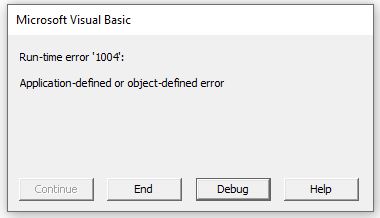
The simplest way to avoid this error in the example above is to create the range names in the Excel workbook, or refer to the range in the traditional row and column format eg: Range(“A1:A10”).
VBA Error 1004 – Name Already Taken
The error can also occur if you are trying to rename an object to an object that already exists – for example if we are trying to rename Sheet1 but the name you are giving the sheet is already the name of another sheet.
If we already have a Sheet2, then the error will occur.
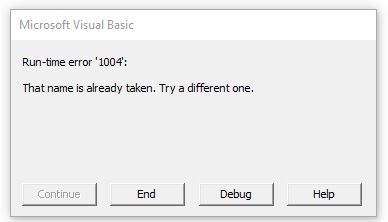
VBA Error 1004 – Incorrectly Referencing an Object
The error can also occur when you have incorrectly referenced an object in your code. For example:
This will once again give us the Error 10004
Correct the code, and the error will no longer be shown.
VBA Error 1004 – Object Not Found
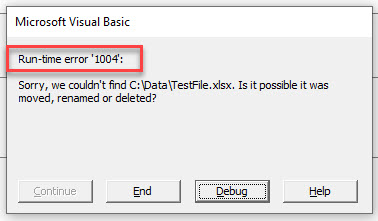
This error can also occur when we are trying to open a workbook and the workbook is not found – the workbook in this instance being the object that is not found.
Although the message will be different in the error box, the error is still 1004.
VBA Coding Made Easy
Stop searching for VBA code online. Learn more about AutoMacro — A VBA Code Builder that allows beginners to code procedures from scratch with minimal coding knowledge and with many time-saving features for all users! 
VBA Code Examples Add-in
Easily access all of the code examples found on our site.
Simply navigate to the menu, click, and the code will be inserted directly into your module. .xlam add-in.
Источник
-
#1
Hi,
I have the following code that I have been using for a few days with no problem, and today I started getting ‘Run time 1004’ error messages.
I am creating a new workbook, combining the contents of cell B1 and Y2 to create a file name and saving it as a .xlsm file.
Code:
Code:
Sub NewWB()
Dim name1 As String
Dim name2 As String

name1 = ActiveWorkbook.Sheets(1).Range("B1").Value
name2 = ActiveWorkbook.Sheets(1).Range("Y2").Value

Application.ScreenUpdating = False
Workbooks.Add
'Saving the Workbook
ActiveWorkbook.SaveAs "C:DRCp and Cpk" & name1 & " " & name2 & ".xlsm", FileFormat:=xlOpenXMLWorkbookMacroEnabled, CreateBackup:=False

Workbooks("SPC V1.xlsm").Sheets("Job dimensions").Activate
Call data
ActiveWorkbook.Save
ActiveWindow.Close
End Sub
Any help with this would be greatly appreciated.
Regards
DR
Workdays for a market open Mon, Wed, Friday?
Yes! Use «0101011» for the weekend argument in NETWORKDAYS.INTL or WORKDAY.INTL. The 7 digits start on Monday. 1 means it is a weekend.
-
#2
Not sure this is the issue as you have used it before but I wouldn’t have thought you need the » before name1
ActiveWorkbook.SaveAs «C:DRCp and Cpk» name1 & » » & name2 & «.xlsm», FileFormat:=xlOpenXMLWorkbookMacroEnabled, CreateBackup:=False
-
#3
Hi
One of the reasons would be an invalid name
Before the saving check the value of the name:
Code:
MsgBox "C:DRCp and Cpk" & name1 & " " & name2 & ".xlsm"What do you get (when the saving fires the error)?
-
#4
Hi, by adding in this line, I get a msgbox saying C:DRCp and Cpk .xlsm, which appears to be the problem, vba is not pulling data from B1 and Y2 to create the file name. But nothing has changed since it was working. Are name1 and name2 defined correctly (dim as string)?
-
#5
I have removed the activesheet line where name1 and name2 were defined and added in the specific location, i.e. Workbook, sheet and cell range and now it appears to be working.
Code:
name1 = Workbooks("SPC V1.xlsm").Sheets("Job dimensions").Range("B1").Value
name2 = Workbooks("SPC V1.xlsm").Sheets("Job dimensions").Range("Y2").Value
instead of:
Code:
name1 = ActiveWorkbook.Sheets(1).Range("B1").Value name2 = ActiveWorkbook.Sheets(1).Range("Y2").Value
-
#6
I’m glad you figured it out and it’s working now.

-
09-12-2014, 11:11 AM
#1

Registered User

Runtime Error ‘1004’ Method ‘SaveAs’ of object’_Workbook Failed
Hi Everyone
This Forum has been a life saver on numerous occasions.
The code that follows has been courtesy of this forum and the extensive help i received from everyone.But after an year of using the following code it is giving me the following error:
Runtime Error ‘1004’ Method ‘SaveAs’ of object’_Workbook Failed
It worked for a while ( 1 year) and then suddenly failed.
A little background on the code.
The code basically is suppose to compare the system date (date on your computer) to a date on the excel file. If the system year is larger than date on the excel file then the system will complete a sort function and then save the file in the following locations
myPath = «S:AdminDocsFinancePurchasingCommonNon-Conforming POs-DatabaseArchive» in other words does a backup.
The system does the same for month and for date. So if system year is same as excel file year then we compare the month, and if month on the system is higher then the system does a sort and a backup.
That’s where the SaveAs runtime error comes in. As far as I know that’s where it is failing. I am a bit confused what is causing this problem.
I would really appreciate help, I am so frustrated.
Thanks
Last edited by Angsome; 09-12-2014 at 12:30 PM.
-
09-12-2014, 11:50 AM
#2
Re: Runtime Error ‘1004’ Method ‘SaveAs’ of object’_Workbook Failed
I think you need to change
FileFormat:=1
to
FileFormat:=51
Bernie Deitrick
Excel MVP 2000-2010
-
09-12-2014, 12:57 PM
#3
Registered User
Re: Runtime Error ‘1004’ Method ‘SaveAs’ of object’_Workbook Failed
Hi Bernie
Thanks for the replyI have tried them all. Here is a list of alternatives I have tried thus far. Starting with the most recent. So 51 was my original number.
‘.SaveAs myPath
‘.SaveAs myPath, FileFormat:=0
‘.SaveAs «S:AdminDocsFinancePurchasingCommonNon-Conforming POs-DatabaseArchive1sName.xlsx»
‘ .SaveAs myPath _
& «» & sName & «.xlsx», _
FileFormat:=1‘.SaveAs myPath _
& «» & sName & «.xlsx», _
FileFormat:=51Hope this helps and I hope you can help out
-
09-12-2014, 01:30 PM
#4
Re: Runtime Error ‘1004’ Method ‘SaveAs’ of object’_Workbook Failed
Where is your macro located? Are you trying to save Thisworkbook?
-
09-12-2014, 02:36 PM
#5
Registered User
Re: Runtime Error ‘1004’ Method ‘SaveAs’ of object’_Workbook Failed
my location of folder location was wrong. Thanks for the advice everyone.
-
09-12-2014, 02:39 PM
#6
Registered User
Re: Runtime Error ‘1004’ Method ‘SaveAs’ of object’_Workbook Failed
how do i mark it as solved gentleman?
-
09-12-2014, 02:58 PM
#7
Re: Runtime Error ‘1004’ Method ‘SaveAs’ of object’_Workbook Failed
Click Thread Tools above your first post, select «Mark your thread as Solved». Or click the Edit button on your first post in the thread, Click Go Advanced, select [SOLVED] from the Prefix dropdown, then click Save Changes.
-
03-03-2017, 07:52 AM
#1
Run-time error ‘1004’: Method ‘SaveAs’ of object’_Workbook’ failed
Hello
I am trying to create a macro to take data from a worksheet and create and save separate workbooks based upon unique values in a specific column. I found some code which I managed to modify, (with help), and it gets to the point of creating the first workbook but it hangs on the SaveAs. I have tried researching file formats, etc., and changing the location where it saves but I am still getting this «
Run-time error ‘1004’: Method ‘SaveAs’ of object’_Workbook’ failed» error at this line: wb.SaveAs ThisWorkbook.Path & «C:Usersburls5DesktopCreated Files» & c.Value & «.xlsx»
Advice appreciated.
Sub splitCUbycolumn()
Dim wb As Workbook, sh As Worksheet, ssh As Worksheet, lr As Long, rng As Range, c As Range, lc As Long
Set sh = Sheets(1)
lr = sh.Cells(Rows.Count, "M").End(xlUp).Row
lc = sh.Cells.Find("*", , xlFormulas, xlPart, xlByColumns, xlPrevious).Column
sh.Range("A" & lr + 2).CurrentRegion.Clear
sh.Range("M1:M" & lr).AdvancedFilter xlFilterCopy, , sh.Range("A" & lr + 2), True
Set rng = sh.Range("A" & lr + 3, sh.Cells(Rows.Count, 1).End(xlUp))
    For Each c In rng
        Set wb = Workbooks.Add
        Set ssh = wb.Sheets(1)
        ssh.Name = c.Value
        sh.Range("A1", sh.Cells(lr, lc)).AutoFilter 12, c.Value
        sh.Range("A1", sh.Cells(lr, lc)).SpecialCells(xlCellTypeVisible).Copy ssh.Range("A1")
        sh.AutoFilterMode = False
    wb.SaveAs ThisWorkbook.Path & "C:Usersburls5DesktopCreated Files" & c.Value & ".xlsx"
    wb.Close False
    Set wb = Nothing
    Next
sh.Range("A" & lr + 2, sh.Cells(Rows.Count, 1).End(xlUp)).Delete
End Sub
-
03-03-2017, 08:09 AM
#2
This puts the Path in twice
wb.SaveAs ThisWorkbook.Path & "C:Usersburls5DesktopCreated Files" & c.Value & ".xlsx"
Try something like this
MsgBox ThisWorkbook.Path & "Created Files" & c.Value & ".xlsx" (Delete when correct)

wb.SaveAs ThisWorkbook.Path & "Created Files" & c.Value & ".xlsx"
———————————————————————————————————————
Paul
Remember: Tell us WHAT you want to do, not HOW you think you want to do it
1. Use [CODE] ….[/CODE ] Tags for readability
[CODE]PasteYourCodeHere[/CODE ] — (or paste your code, select it, click [#] button)
2. Upload an example
Go Advanced / Attachments — Manage Attachments / Add Files / Select Files / Select the file(s) / Upload Files / Done
3. Mark the thread as [Solved] when you have an answer
Thread Tools (on the top right corner, above the first message)
4. Read the Forum FAQ, especially the part about cross-posting in other forums
http://www.vbaexpress.com/forum/faq…._new_faq_item3
-
03-03-2017, 08:30 AM
#3
Thank-you, that worked perfectly!