Executing
Gradle task: eclipse
Build
info: MCreator 2021.1.18117, forge-1.16.5, 64-bit, 6083 MB, Windows 10,
JVM 1.8.0_275, JAVA_HOME: C:Program FilesPyloMCreatorjdk
org.gradle.tooling.GradleConnectionException:
Could not install Gradle distribution from
‘https://services.gradle.org/distributions/gradle-6.8.1-all.zip’.
at
org.gradle.tooling.internal.consumer.DistributionFactory$ZippedDistribution.getToolingImplementationClasspath(
DistributionFactory.java:139
)
at
org.gradle.tooling.internal.consumer.loader.CachingToolingImplementationLoader.create(
CachingToolingImplementationLoader.java:41
)
at
org.gradle.tooling.internal.consumer.loader.SynchronizedToolingImplementationLoader.create(
SynchronizedToolingImplementationLoader.java:44
)
at
org.gradle.tooling.internal.consumer.connection.LazyConsumerActionExecutor.onStartAction(
LazyConsumerActionExecutor.java:161
)
at
org.gradle.tooling.internal.consumer.connection.LazyConsumerActionExecutor.run(
LazyConsumerActionExecutor.java:143
)
at
org.gradle.tooling.internal.consumer.connection.CancellableConsumerActionExecutor.run(
CancellableConsumerActionExecutor.java:45
)
at
org.gradle.tooling.internal.consumer.connection.ProgressLoggingConsumerActionExecutor.run(
ProgressLoggingConsumerActionExecutor.java:61
)
at
org.gradle.tooling.internal.consumer.connection.RethrowingErrorsConsumerActionExecutor.run(
RethrowingErrorsConsumerActionExecutor.java:38
)
at
org.gradle.tooling.internal.consumer.async.DefaultAsyncConsumerActionExecutor$1$1.run(
DefaultAsyncConsumerActionExecutor.java:67
)
at
org.gradle.internal.concurrent.ExecutorPolicy$CatchAndRecordFailures.onExecute(
ExecutorPolicy.java:64
)
at org.gradle.internal.concurrent.ManagedExecutorImpl$1.run(
ManagedExecutorImpl.java:48
)
at java.util.concurrent.ThreadPoolExecutor.runWorker(
ThreadPoolExecutor.java:1149
)
at java.util.concurrent.ThreadPoolExecutor$Worker.run(
ThreadPoolExecutor.java:624
)
at
org.gradle.internal.concurrent.ThreadFactoryImpl$ManagedThreadRunnable.run(
ThreadFactoryImpl.java:56
)
at java.lang.Thread.run(
Thread.java:748
)
Caused
by: javax.net.ssl.SSLHandshakeException: PKIX path building failed:
sun.security.provider.certpath.SunCertPathBuilderException: unable to find
valid certification path to requested target
at sun.security.ssl.Alert.createSSLException(
Alert.java:131
)
at sun.security.ssl.TransportContext.fatal(
TransportContext.java:324
)
at sun.security.ssl.TransportContext.fatal(
TransportContext.java:267
)
at sun.security.ssl.TransportContext.fatal(
TransportContext.java:262
)
at
sun.security.ssl.CertificateMessage$T12CertificateConsumer.checkServerCerts(
CertificateMessage.java:654
)
at
sun.security.ssl.CertificateMessage$T12CertificateConsumer.onCertificate(
CertificateMessage.java:473
)
at sun.security.ssl.CertificateMessage$T12CertificateConsumer.consume(
CertificateMessage.java:369
)
at sun.security.ssl.SSLHandshake.consume(
SSLHandshake.java:377
)
at sun.security.ssl.HandshakeContext.dispatch(
HandshakeContext.java:444
)
at sun.security.ssl.HandshakeContext.dispatch(
HandshakeContext.java:422
)
at sun.security.ssl.TransportContext.dispatch(
TransportContext.java:182
)
at sun.security.ssl.SSLTransport.decode(
SSLTransport.java:149
)
at sun.security.ssl.SSLSocketImpl.decode(
SSLSocketImpl.java:1143
)
at sun.security.ssl.SSLSocketImpl.readHandshakeRecord(
SSLSocketImpl.java:1054
)
at sun.security.ssl.SSLSocketImpl.startHandshake(
SSLSocketImpl.java:394
)
at sun.net.www.protocol.https.HttpsClient.afterConnect(
HttpsClient.java:559
)
at sun.net.www.protocol.https.AbstractDelegateHttpsURLConnection.connect(
AbstractDelegateHttpsURLConnection.java:185
)
at sun.net.www.protocol.http.HttpURLConnection.getInputStream0(
HttpURLConnection.java:1570
)
at sun.net.www.protocol.http.HttpURLConnection.getInputStream(
HttpURLConnection.java:1498
)
at sun.net.www.protocol.https.HttpsURLConnectionImpl.getInputStream(
HttpsURLConnectionImpl.java:268
)
at org.gradle.wrapper.Download.downloadInternal(
Download.java:87
)
at org.gradle.wrapper.Download.download(
Download.java:67
)
at org.gradle.tooling.internal.consumer.DistributionInstaller$1.run(
DistributionInstaller.java:128
)
Caused
by: sun.security.validator.ValidatorException: PKIX path building failed:
sun.security.provider.certpath.SunCertPathBuilderException: unable to find
valid certification path to requested target
at sun.security.validator.PKIXValidator.doBuild(
PKIXValidator.java:456
)
at sun.security.validator.PKIXValidator.engineValidate(
PKIXValidator.java:323
)
at sun.security.validator.Validator.validate(
Validator.java:271
)
at sun.security.ssl.X509TrustManagerImpl.validate(
X509TrustManagerImpl.java:315
)
at sun.security.ssl.X509TrustManagerImpl.checkTrusted(
X509TrustManagerImpl.java:223
)
at sun.security.ssl.X509TrustManagerImpl.checkServerTrusted(
X509TrustManagerImpl.java:129
)
at
sun.security.ssl.CertificateMessage$T12CertificateConsumer.checkServerCerts(
CertificateMessage.java:638
)
… 18 more
Caused
by: sun.security.provider.certpath.SunCertPathBuilderException: unable to
find valid certification path to requested target
at sun.security.provider.certpath.SunCertPathBuilder.build(
SunCertPathBuilder.java:141
)
at sun.security.provider.certpath.SunCertPathBuilder.engineBuild(
SunCertPathBuilder.java:126
)
at java.security.cert.CertPathBuilder.build(
CertPathBuilder.java:280
)
at sun.security.validator.PKIXValidator.doBuild(
PKIXValidator.java:451
)
… 24 more
TASK
EXECUTION FAILED
Task
completed in less than a second
can somme one help me pls
Gradle setup and build errors
It can happen that you get gradle errors during the setup of MCreator or even later when suddenly builds stop working. Most of these errors are related to file permissions, firewalls and other OS elements that block MCreator from operating properly. To find the solution for your case, check the error log in the Console tab and look for error messages similar to the titles on this page and if you find one of these, go to the section under this title to look for the solution.
The most common solution
In most cases all Gradle errors are caused by one of these:
- Firewall or antivirus blocking MCreator
- Slow internet connection
- Your ISP blocking certain websites
- Too slow VPN or VPN with blocked domains that MCreator needs to access
- Any other software blocking access to download repository
The most common errors from Gradle are caused by firewalls or antivirus software. If you have any issues, we recommend you to temporarily turn off this software and try again. If this works, add MCreator as an exception to your firewall or antivirus or reconfigure the software properly to not block programs such as MCreator.
It can also happen that the servers from which Gradle downloads files (Minecraft servers, Minecraft Forge repo, Maven repository) are down and you might just need to try again later in such cases.
In some cases of unstable or slow connections, running the setup multiple times and when it fails with errors related to the internet connection (timeout errors, failed to connect, failed to GET, HEAD, . ) clicking re-run the setup multiple times resolves the issue as eventually, all files get properly downloaded.
The second most common solution
In some cases, Gradle caches that make sure the build process does not take too long can get corrupted. In such a case, go to:
<your user home folder>/.mcreator/gradle
In this folder, there is a folder called caches. Delete this folder and open MCreator again. Next build will take a bit longer as caches need to be rebuilt. If you can not delete all files in this folder (which is necessary), reboot the computer first to remove any potential file locks.
If this is not enough to make things work, delete the entire gradle folder, not just caches, and try again.
If even this fails, try to delete the entire <your user home folder>/.mcreator/gradle folder, create a new workspace with the same generator version as the version of the workspace failing, after the setup of this new workspace is done, open your current workspace, and click Build & run -> Build workspace, then Build & run -> Reload gradle project and then Build & run -> Regenerate code and build.
Common error types
Could not get unknown property ‘runClient’ for root project ‘forge’
The first thing to check is to do The second most common solution described above.
Another solution is to make sure MCreator can write to the folder where the workspace is stored.
If none of this helps, do The second most common solution and reinstall MCreator before opening it again.
ValidatorException: PKIX path building failed
Example of the error log in the Console tab:
The most common cause for this issue is Antivirus with any advanced SSL or HTTPS security turned on. Such Antiviruses can alter certificates and cause Gradle to no properly recognize them. This can be caused by a firewall too.
Could not resolve all dependencies for configuration ‘:classpath’.
Example of the error log in the Console tab:
This issue is resolved by The most common solution described above.
java.util.zip.ZipException: error in opening zip file
Example of the error log in the Console tab:
This issue is resolved by The second most common solution described above (but delete the entire gradle folder, not just the folder caches in it). You might need to restart your computer before opening MCreator again too.
Timeout of 120000 reached waiting for exclusive access to file
Example of the error log in the Console tab:
Close MCreator and reboot your computer. Then read and do The second most common solution described above (but delete the entire gradle folder, not just the folder caches in it).
Could not connect to the Gradle daemon
Example of the error log in the Console tab:
In most cases, this error can be fixed by rebooting MCreator. If this does not help, do The second most common solution described above.
Failed to load native library ‘native-platform.dll’ for Windows 10 amd64
Example of the error log in the Console tab:
<your user home folder>/.mcreator/gradle
In this folder, there is a folder called native. Delete this folder and open MCreator again. If this does not help, try reinstalling Minecraft on your computer and check your graphics card drivers (update them if there are updates).
org.lwjgl.LWJGLException: Pixel format not accelerated
Example of the error log in the Console tab:
This error usually means that you have an unsupported graphics card for Minecraft our outdated graphics card drivers. These pages could help:
Sometimes reinstallation of Minecraft can help too.
Expected BEGIN_OBJECT but was STRING at line 1 column 1
Example of the error log in the Console tab:
This issue is resolved by The second most common solution described above (but delete the entire gradle folder, not just the folder caches in it). You might need to restart your computer before opening MCreator again too.
Gradle task compileJava FAILED with errors of type «Override is not a repeatable annotation type»
In some cases, links to the libraries from the Gradle build system can get lost and MCreator builds will stop working. Especially some mod elements such as GUIs and dimensions are prone to this happening. When this happens, the following solution usually fixes this error:
Go to the Build & run menu and click the following two options in the given order
- Reload Gradle project
- Regenerate code and build
Wait for the workspace code to be regenerated and the error should be gone.
Gradle task compileJava FAILED with 100 errors of type «cannot find symbol»
This issue is resolved by The second most common solution described at the top of this page. After applying the solution, run the build again.
Error occurred during initialization of VM: Picked up _JAVA_OPTIONS
This error indicates there is an override for JAVA_OPTIONS defined somewhere. There are multiple possible places:
- Check your computer environment variables (system and user) and if there is a parameter _JAVA_OPTIONS or JAVA_OPTIONS present, remove it from the list
- It was reported that Razer Synapse software can override this parameter and cause compatibility problems. In this case, consider disabling or uninstalling this software
If these two do not help, make sure you are using a 64-bit version of MCreator if your computer is 64-bit, as this may cause such a problem too.
Donate to MCreator
By donating to developers you can speed up development, as with more resources, we can dedicate more time to MCreator. It is a free project made by developers working on it in their free time.
GeckoLib + MCreator | Ошибка при установке.
Столкнулся с проблемой загрузки GeckoLib в программу MCreator .
При компиляции или после перегенерации кода выскакивает ошибка:
По инструкции и гайдам требуется скачать плагин — Feder’s Geckolib 2.0.0 Plugin | MCreator и поместить его в папку plagins
после зайти во вкладку » Рабочее пространство/Настройки рабочего пространства. /Внешние API » и поставить галочку на против пункта GeckoLib API .
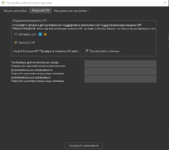
После чего по «сюжету» мы перегенерируем код.
Но тут же в консоли выскакивает ошибка

Все эти ссылки не работают.
На форумах пусто.
В интернете ничего нет.
Дальше forge_grable путь не сходится.
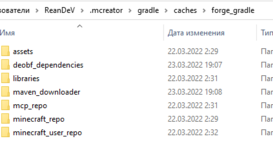
В чем может быть проблема? Есть ли те, кого всё работает? Какую версию Mc вы используете и может ли скинуть архивом папку bernie с всем содержимым?
Буду очень признателен.
Problems With MCreator? (Fix Tutorial)(OLD, MIGHT NOT HELP ANYMORE)
Hey, i tried making a mod for 1.7.10 version 1.7.3 everything goes well at first but when i try and launch the game it just crashed before the menu screen pops up, its a custom model with custom textures btw.
did not work in 1.12.2 either
Executing gradle command: cleanCache clean setupDecompWorkspace —refresh-dependencies
Microsoft Windows [Version 6.1.7601]
Copyright (c) 2009 Microsoft Corporation. All rights reserved.
C:PyloMCreator176>cd forge
C:PyloMCreator176forge>SET «JAVA_HOME=C:PyloMCreator176jdk32»
C:PyloMCreator176forge>SET JAVA_EXE=%JAVA_HOME%binjava.exe
C:PyloMCreator176forge>SET PATH=%JAVA_HOME%bin;%PATH%
C:PyloMCreator176forge>gradlew -Dorg.gradle.jvmargs=»-Xms512m -Xmx1024m» cleanCache clean setupDecompWorkspace —refresh-dependencies
This mapping ‘snapshot_20170624’ was designed for MC 1.12! Use at your own peril.
#################################################
ForgeGradle 2.3-SNAPSHOT-583d1ba
github.com/MinecraftForge/ForgeGradle
#################################################
Powered by MCP unknown
modcoderpack.com
by: Searge, ProfMobius, Fesh0r,
R4wk, ZeuX, IngisKahn, bspkrs
#################################################
:cleanCache
:clean
:deobfCompileDummyTask
:deobfProvidedDummyTask
:getVersionJson
:extractUserdev
:extractDependencyATs SKIPPED
:extractMcpData
:extractMcpMappings
:genSrgs
:downloadClient
:downloadServer
:splitServerJar
:mergeJars
:deobfMcSRG
Applying SpecialSource.
Applying Exceptor.
:decompileMc
Error occurred during initialization of VM
Could not reserve enough space for 3145728KB object heap
:decompileMc FAILED
FAILURE: Build failed with an exception.
* What went wrong:
Execution failed for task ‘:decompileMc’.
> Process ‘command ‘C:PyloMCreator176jdk32binjava.exe» finished with non-zero exit value 1
* Try:
Run with —stacktrace option to get the stack trace. Run with —info or —debug option to get more log output.
BUILD FAILED
Total time: 2 mins 38.748 secs
C:PyloMCreator176forge>
Task completed with return code 0 in 161306 milliseconds
I have this error on Mcreator.
(This report is from the console)
for some reason the «test game» doesn’t load and sends me this report:
here it is:
/>player$444055 />
Дело в том что вылазит ошибка на Testing status of code.В чём проблема ? Очень долго в интернете рылся так и не нашел ответ на свою проблему. Может как то эту программу заменить на другую подобную можно? если да то какую)
Моя задача переделать мир на более читерский.типа
заранее спасибо всем откликнувшимся
———
я всё правильно написал гражданин ya can ru, я говорю про обычную игру Minecraft! В программе mccreator абсолютно ничего нельзя сделать в мультиплеере, это только для синглплеера. Проблема так и не решилась. Спасибо всем кто помогал!
[color=gray][size=9]Редактировалось 6 раз(а), последний 2014-02-04 19:03:31[/size][/color]
hello im the same person as before and i fixed the other issue by my self but now i have a new problem and its still on the setup heres the issue:
Executing gradle command: setupDecompWorkspace —refresh-dependencies
Build info: MCreator 1.9.1, 64-bit, 3919 MB, Windows 10 — cmd, JVM 1.8.0_222, JAVA_HOME: C:Program FilesPyloMCreatorjdk
C:UsersAdministratorDocumentsyah>gradlew -Dorg.gradle.java.home=»C:/Program Files/Pylo/MCreator/jdk» -Dorg.gradle.parallel=false -Dorg.gradle.jvmargs=»-Xms625m -Xmx2048m» setupDecompWorkspace —refresh-dependencies
This program is blocked by group policy. For more information, contact your system administrator.
C:UsersAdministratorDocumentsyah>
Task completed with return code 0 in 1980 milliseconds
Executing gradle command: setupDecompWorkspace —refresh-dependencies
Build info: MCreator 1.9.1, 64-bit, 3919 MB, Windows 10 — cmd, JVM 1.8.0_222, JAVA_HOME: C:Program FilesPyloMCreatorjdk
C:UsersAdministratorDocumentsyah>gradlew -Dorg.gradle.java.home=»C:/Program Files/Pylo/MCreator/jdk» -Dorg.gradle.parallel=false -Dorg.gradle.jvmargs=»-Xms625m -Xmx2048m» setupDecompWorkspace —refresh-dependencies
This program is blocked by group policy. For more information, contact your system administrator.
C:UsersAdministratorDocumentsyah>
Task completed with return code 0 in 631 milliseconds
I dont know what is blocked but if someone can tell me what is blocked i might be able to unblock it thanks
Workspace setup failed while setting up gradle project.
Details
- MCreator version: 2021.2
- Generator type: forge-1.16.5-36.2.0
- OS: Windows 10
Steps To Reproduce
Create a workspace
Minimal reproducible example workspace
None
Logs
If applicable, include game or build logs (full logs, do not crop them, in text format,
screenshots of logs are not acceptable) from the Console tab or terminal and steps to reproduce the bug in your workspace.
Longer logs should be posted on a paste service and linked here.
`Executing Gradle task: eclipse
Build info: MCreator 2021.2.36710, forge-1.16.5, 64-bit, 16061 MB, Windows 10, JVM 11.0.11, JAVA_HOME: C:Program FilesPyloMCreatorjdk
FAILURE: Build failed with an exception.
- What went wrong:
Gradle could not start your build.
Could not create service of type GradleInternal using GradleModelProvider.createGradleModel().
Could not create an instance of type org.gradle.invocation.DefaultGradle.
Could not configure services using GradleScopeCompileServices.configure().
- Try:
Run with —stacktrace option to get the stack trace. Run with —info or —debug option to get more log output. Run with —scan to get full insights. - Get more help at https://help.gradle.org
BUILD FAILED in 7s
BUILD FAILED
Task completed in 7 seconds`
Содержание
- Gradle setup and build errors
- The most common solution
- The second most common solution
- Common error types
- Could not get unknown property ‘runClient’ for root project ‘forge’
- ValidatorException: PKIX path building failed
- Could not resolve all dependencies for configuration ‘:classpath’.
- java.util.zip.ZipException: error in opening zip file
- Timeout of 120000 reached waiting for exclusive access to file
- Could not connect to the Gradle daemon
- Failed to load native library ‘native-platform.dll’ for Windows 10 amd64
- org.lwjgl.LWJGLException: Pixel format not accelerated
- Expected BEGIN_OBJECT but was STRING at line 1 column 1
- Gradle task compileJava FAILED with errors of type «Override is not a repeatable annotation type»
- Gradle task compileJava FAILED with 100 errors of type «cannot find symbol»
- Error occurred during initialization of VM: Picked up _JAVA_OPTIONS
- MCreator 1.7.9 Build failed with an exception. [SOLVED]
- runClient Failure
Gradle setup and build errors
It can happen that you get gradle errors during the setup of MCreator or even later when suddenly builds stop working. Most of these errors are related to file permissions, firewalls and other OS elements that block MCreator from operating properly. To find the solution for your case, check the error log in the Console tab and look for error messages similar to the titles on this page and if you find one of these, go to the section under this title to look for the solution.
The most common solution
In most cases all Gradle errors are caused by one of these:
- Firewall or antivirus blocking MCreator
- Slow internet connection
- Your ISP blocking certain websites
- Too slow VPN or VPN with blocked domains that MCreator needs to access
- Any other software blocking access to download repository
The most common errors from Gradle are caused by firewalls or antivirus software. If you have any issues, we recommend you to temporarily turn off this software and try again. If this works, add MCreator as an exception to your firewall or antivirus or reconfigure the software properly to not block programs such as MCreator.
It can also happen that the servers from which Gradle downloads files (Minecraft servers, Minecraft Forge repo, Maven repository) are down and you might just need to try again later in such cases.
In some cases of unstable or slow connections, running the setup multiple times and when it fails with errors related to the internet connection (timeout errors, failed to connect, failed to GET, HEAD, . ) clicking re-run the setup multiple times resolves the issue as eventually, all files get properly downloaded.
The second most common solution
In some cases, Gradle caches that make sure the build process does not take too long can get corrupted. In such a case, go to:
In this folder, there is a folder called caches. Delete this folder and open MCreator again. Next build will take a bit longer as caches need to be rebuilt. If you can not delete all files in this folder (which is necessary), reboot the computer first to remove any potential file locks.
If this is not enough to make things work, delete the entire gradle folder, not just caches, and try again.
If even this fails, try to delete the entire /.mcreator/gradle folder, create a new workspace with the same generator version as the version of the workspace failing, after the setup of this new workspace is done, open your current workspace, and click Build & run -> Build workspace, then Build & run -> Reload gradle project and then Build & run -> Regenerate code and build.
Common error types
Could not get unknown property ‘runClient’ for root project ‘forge’
The first thing to check is to do The second most common solution described above.
Another solution is to make sure MCreator can write to the folder where the workspace is stored.
If none of this helps, do The second most common solution and reinstall MCreator before opening it again.
ValidatorException: PKIX path building failed
Example of the error log in the Console tab:
The most common cause for this issue is Antivirus with any advanced SSL or HTTPS security turned on. Such Antiviruses can alter certificates and cause Gradle to no properly recognize them. This can be caused by a firewall too.
Could not resolve all dependencies for configuration ‘:classpath’.
Example of the error log in the Console tab:
This issue is resolved by The most common solution described above.
java.util.zip.ZipException: error in opening zip file
Example of the error log in the Console tab:
This issue is resolved by The second most common solution described above (but delete the entire gradle folder, not just the folder caches in it). You might need to restart your computer before opening MCreator again too.
Timeout of 120000 reached waiting for exclusive access to file
Example of the error log in the Console tab:
Close MCreator and reboot your computer. Then read and do The second most common solution described above (but delete the entire gradle folder, not just the folder caches in it).
Could not connect to the Gradle daemon
Example of the error log in the Console tab:
In most cases, this error can be fixed by rebooting MCreator. If this does not help, do The second most common solution described above.
Failed to load native library ‘native-platform.dll’ for Windows 10 amd64
Example of the error log in the Console tab:
In this folder, there is a folder called native. Delete this folder and open MCreator again. If this does not help, try reinstalling Minecraft on your computer and check your graphics card drivers (update them if there are updates).
org.lwjgl.LWJGLException: Pixel format not accelerated
Example of the error log in the Console tab:
This error usually means that you have an unsupported graphics card for Minecraft our outdated graphics card drivers. These pages could help:
Sometimes reinstallation of Minecraft can help too.
Expected BEGIN_OBJECT but was STRING at line 1 column 1
Example of the error log in the Console tab:
This issue is resolved by The second most common solution described above (but delete the entire gradle folder, not just the folder caches in it). You might need to restart your computer before opening MCreator again too.
Gradle task compileJava FAILED with errors of type «Override is not a repeatable annotation type»
In some cases, links to the libraries from the Gradle build system can get lost and MCreator builds will stop working. Especially some mod elements such as GUIs and dimensions are prone to this happening. When this happens, the following solution usually fixes this error:
Go to the Build & run menu and click the following two options in the given order
- Reload Gradle project
- Regenerate code and build
Wait for the workspace code to be regenerated and the error should be gone.
Gradle task compileJava FAILED with 100 errors of type «cannot find symbol»
This issue is resolved by The second most common solution described at the top of this page. After applying the solution, run the build again.
Error occurred during initialization of VM: Picked up _JAVA_OPTIONS
This error indicates there is an override for JAVA_OPTIONS defined somewhere. There are multiple possible places:
- Check your computer environment variables (system and user) and if there is a parameter _JAVA_OPTIONS or JAVA_OPTIONS present, remove it from the list
- It was reported that Razer Synapse software can override this parameter and cause compatibility problems. In this case, consider disabling or uninstalling this software
If these two do not help, make sure you are using a 64-bit version of MCreator if your computer is 64-bit, as this may cause such a problem too.
Источник
MCreator 1.7.9 Build failed with an exception. [SOLVED]

- Modifications:
- Forum topics:
- Wiki pages:
- Tracker tickets:
- MCreator plugins:
- Comments:
FAILURE: Build failed with an exception.
* What went wrong:
A problem occurred configuring root project ‘forge’.
> Could not resolve all dependencies for configuration ‘:classpath’.
> Could not resolve net.minecraftforge.gradle:ForgeGradle:2.3-SNAPSHOT.
Required by:
:forge:unspecified
> No cached version of net.minecraftforge.gradle:ForgeGradle:2.3-SNAPSHOT available for offline mode.
> No cached version of net.minecraftforge.gradle:ForgeGradle:2.3-SNAPSHOT available for offline mode.
* Try:
Run with —stacktrace option to get the stack trace. Run with —info or —debug option to get more log output.
BUILD FAILED
Total time: 1.453 secs
Picked up _JAVA_OPTIONS: -Xmx1024M
C:Mcreator 1.12.2forge>
Task completed with return code 0 in 1820 milliseconds
The also give me a pop-up window saying :
Gradle task failed!
Gradle task failed and Mcreator was not able to detect the reason for the error bla bla bla .
Error Code :Gradle_Build_failed [-23]
I love mcreator but hate it at the same time .
And if u know a solution please comment it step by step cuz i noob. Much appreciation . :3 :3
- Modifications:
- Forum topics:
- Wiki pages:
- Tracker tickets:
- MCreator plugins:
- Comments:
AAANNNNNDDD now after putting «offline=false» in C:Users(moopmeep).mcreatorPreferences
, and recompiling , it downloads lotsa stuff but then i exit mcreator cuz for some reason the download just stopped
and then i return to offline mode and recompile bla bla bla and then this happens :
Источник
runClient Failure
- Modifications:
- Forum topics:
- Wiki pages:
- Tracker tickets:
- MCreator plugins:
- Comments:
Minecraft crashed while it was loading.
AL lib: (EE) alc_cleanup: 1 device not closed
:runClient FAILED
FAILURE: Build failed with an exception.
* What went wrong:
Execution failed for task ‘:runClient’.
> Process ‘command ‘C:Program FilesPyloMCreatorjdkbinjava.exe» finished with non-zero exit value -1
* Try:
Run with —stacktrace option to get the stack trace. Run with —info or —debug option to get more log output. Run with —scan to get full insights.
* Get more help at https://help.gradle.org
BUILD FAILED in 31s
13 actionable tasks: 6 executed, 7 up-to-date
BUILD FAILED
Task completed in 31103 milliseconds
- Modifications:
- Forum topics:
- Wiki pages:
- Tracker tickets:
- MCreator plugins:
- Comments:
full log please.
- Modifications:
- Forum topics:
- Wiki pages:
- Tracker tickets:
- MCreator plugins:
- Comments:
Executing Gradle task: runClient
Build info: MCreator 2020.2.14217, 1.12.2, 64-bit, 8080 MB, Windows 10, JVM 1.8.0_232, JAVA_HOME: C:Program FilesPyloMCreatorjdk
This mapping ‘snapshot_20171003’ was designed for MC 1.12! Use at your own peril.
#################################################
ForgeGradle 2.3-SNAPSHOT-6084129e
https://github.com/MinecraftForge/ForgeGradle
#################################################
Powered by MCP
http://modcoderpack.com
by: Searge, ProfMobius, R4wk, ZeuX
Fesh0r, IngisKahn, bspkrs, LexManos
#################################################
:deobfCompileDummyTask
:deobfProvidedDummyTask
:sourceApiJava UP-TO-DATE
:compileApiJava NO-SOURCE
:processApiResources NO-SOURCE
:apiClasses UP-TO-DATE
:sourceMainJava UP-TO-DATE
:compileJava UP-TO-DATE
:processResources UP-TO-DATE
:classes UP-TO-DATE
:jar UP-TO-DATE
:getVersionJson
:extractNatives SKIPPED
:extractUserdev UP-TO-DATE
:getAssetIndex UP-TO-DATE
:getAssets
Current status: 678/1305 51%
Current status: 1072/1305 82%
:makeStart
:runClient
08:38.26 [main/INFO] [GradleStart]: Extra: []
08:38.26 [main/INFO] [GradleStart]: Running with arguments: [—userProperties, <>, —assetsDir, C:/Users/Brayden Mitchell/.mcreator/gradle/caches/minecraft/assets, —assetIndex, 1.12, —accessToken, —version, 1.12.2, —tweakClass, net.minecraftforge.fml.common.launcher.FMLTweaker, —tweakClass, net.minecraftforge.gradle.tweakers.CoremodTweaker]
08:38.26 [main/INFO] [LaunchWrapper]: Loading tweak class name net.minecraftforge.fml.common.launcher.FMLTweaker
08:38.26 [main/INFO] [LaunchWrapper]: Using primary tweak class name net.minecraftforge.fml.common.launcher.FMLTweaker
08:38.26 [main/INFO] [LaunchWrapper]: Loading tweak class name net.minecraftforge.gradle.tweakers.CoremodTweaker
08:38.26 [main/INFO] [LaunchWrapper]: Calling tweak class net.minecraftforge.fml.common.launcher.FMLTweaker
08:38.26 [main/INFO] [FML]: Forge Mod Loader version 14.23.5.2768 for Minecraft 1.12.2 loading
08:38.26 [main/INFO] [FML]: Java is OpenJDK 64-Bit Server VM, version 1.8.0_232, running on Windows 10:amd64:10.0, installed at C:Program FilesPyloMCreatorjdkjre
08:38.26 [main/ERROR] [FML]: Apache Maven library folder was not in the format expected. Using default libraries directory.
08:38.26 [main/ERROR] [FML]: Full: C:UsersBrayden Mitchell.mcreatorgradlecachesmodules-2files-2.1org.apache.mavenmaven-artifact3.5.37dc72b6d6d8a6dced3d294ed54c2cc3515ade9f4maven-artifact-3.5.3.jar
08:38.26 [main/ERROR] [FML]: Trimmed: c:/users/brayden mitchell/.mcreator/gradle/caches/modules-2/files-2.1/org.apache.maven/maven-artifact/3.5.3/
08:38.26 [main/INFO] [FML]: Managed to load a deobfuscated Minecraft name- we are in a deobfuscated environment. Skipping runtime deobfuscation
08:38.26 [main/INFO] [FML]: Detected deobfuscated environment, loading log configs for colored console logs.
08:38.27 [main/INFO] [FML]: Ignoring missing certificate for coremod FMLCorePlugin (net.minecraftforge.fml.relauncher.FMLCorePlugin), we are in deobf and it’s a forge core plugin
08:38.27 [main/INFO] [FML]: Ignoring missing certificate for coremod FMLForgePlugin (net.minecraftforge.classloading.FMLForgePlugin), we are in deobf and it’s a forge core plugin
08:38.27 [main/INFO] [FML]: Searching C:UsersBrayden MitchellMCreatorWorkspacesvirtualdominoesrun.mods for mods
08:38.27 [main/INFO] [LaunchWrapper]: Calling tweak class net.minecraftforge.gradle.tweakers.CoremodTweaker
08:38.27 [main/INFO] [GradleStart]: Injecting location in coremod net.minecraftforge.fml.relauncher.FMLCorePlugin
08:38.27 [main/INFO] [GradleStart]: Injecting location in coremod net.minecraftforge.classloading.FMLForgePlugin
08:38.27 [main/INFO] [LaunchWrapper]: Loading tweak class name net.minecraftforge.fml.common.launcher.FMLInjectionAndSortingTweaker
08:38.27 [main/INFO] [LaunchWrapper]: Loading tweak class name net.minecraftforge.fml.common.launcher.FMLDeobfTweaker
08:38.27 [main/INFO] [LaunchWrapper]: Loading tweak class name net.minecraftforge.gradle.tweakers.AccessTransformerTweaker
08:38.27 [main/INFO] [LaunchWrapper]: Calling tweak class net.minecraftforge.fml.common.launcher.FMLInjectionAndSortingTweaker
08:38.27 [main/INFO] [LaunchWrapper]: Calling tweak class net.minecraftforge.fml.common.launcher.FMLInjectionAndSortingTweaker
08:38.27 [main/INFO] [LaunchWrapper]: Calling tweak class net.minecraftforge.fml.relauncher.CoreModManager$FMLPluginWrapper
08:38.29 [main/ERROR] [FML]: FML appears to be missing any signature data. This is not a good thing
08:38.29 [main/INFO] [LaunchWrapper]: Calling tweak class net.minecraftforge.fml.relauncher.CoreModManager$FMLPluginWrapper
08:38.29 [main/INFO] [LaunchWrapper]: Calling tweak class net.minecraftforge.fml.common.launcher.FMLDeobfTweaker
08:38.29 [main/INFO] [LaunchWrapper]: Calling tweak class net.minecraftforge.gradle.tweakers.AccessTransformerTweaker
08:38.29 [main/INFO] [LaunchWrapper]: Loading tweak class name net.minecraftforge.fml.common.launcher.TerminalTweaker
08:38.29 [main/INFO] [LaunchWrapper]: Calling tweak class net.minecraftforge.fml.common.launcher.TerminalTweaker
08:38.29 [main/INFO] [LaunchWrapper]: Launching wrapped minecraft
08:38.30 [main/INFO] [minecraft/Minecraft]: Setting user: Player821
08:38.33 [main/INFO] [minecraft/Minecraft]: LWJGL Version: 2.9.4
08:38.34 [main/INFO] [FML]: — System Details —
Details:
Minecraft Version: 1.12.2
Operating System: Windows 10 (amd64) version 10.0
Java Version: 1.8.0_232, BellSoft
Java VM Version: OpenJDK 64-Bit Server VM (mixed mode),
Memory: 181038784 bytes (172 MB) / 386400256 bytes (368 MB) up to 1884815360 bytes (1797 MB)
JVM Flags: 0 total;
IntCache: cache: 0, tcache: 0, allocated: 0, tallocated: 0
FML:
Loaded coremods (and transformers):
GL info: ‘ Vendor: ‘Intel’ Version: ‘4.4.0 — Build 21.20.16.4821’ Renderer: ‘Intel(R) HD Graphics 520’
08:38.34 [main/INFO] [FML]: MinecraftForge v14.23.5.2768 Initialized
08:38.34 [main/INFO] [FML]: Starts to replace vanilla recipe ingredients with ore ingredients.
08:38.34 [main/INFO] [FML]: Replaced 1036 ore ingredients
08:38.35 [main/INFO] [FML]: Searching C:UsersBrayden MitchellMCreatorWorkspacesvirtualdominoesrun.mods for mods
08:38.37 [main/INFO] [FML]: Forge Mod Loader has identified 5 mods to load
08:38.37 [main/INFO] [FML]: Attempting connection with missing mods [minecraft, mcp, FML, forge, virtualdominoes] at CLIENT
08:38.37 [main/INFO] [FML]: Attempting connection with missing mods [minecraft, mcp, FML, forge, virtualdominoes] at SERVER
08:38.37 [Thread-3/INFO] [FML]: Using sync timing. 200 frames of Display.update took 387747000 nanos
08:38.38 [main/INFO] [minecraft/SimpleReloadableResourceManager]: Reloading ResourceManager: Default, FMLFileResourcePack:Forge Mod Loader, FMLFileResourcePack:Minecraft Forge, FMLFileResourcePack:Virtual Dominoes
08:38.38 [main/INFO] [FML]: Processing ObjectHolder annotations
08:38.38 [main/INFO] [FML]: Found 1169 ObjectHolder annotations
08:38.38 [main/INFO] [FML]: Identifying ItemStackHolder annotations
08:38.38 [main/INFO] [FML]: Found 0 ItemStackHolder annotations
08:38.38 [main/INFO] [FML]: Configured a dormant chunk cache size of 0
08:38.38 [Forge Version Check/INFO] [forge.VersionCheck]: [forge] Starting version check at http://files.minecraftforge.net/maven/net/minecraftforge/forge/promotio…
08:38.38 [main/INFO] [FML]: OBJLoader: Domain virtualdominoes has been added.
08:38.38 [main/INFO] [FML]: Applying holder lookups
08:38.38 [main/INFO] [FML]: Holder lookups applied
08:38.38 [main/INFO] [FML]: Applying holder lookups
08:38.38 [main/INFO] [FML]: Holder lookups applied
08:38.38 [main/INFO] [FML]: Applying holder lookups
08:38.38 [main/INFO] [FML]: Holder lookups applied
08:38.38 [main/INFO] [FML]: Applying holder lookups
08:38.38 [main/INFO] [FML]: Holder lookups applied
08:38.38 [main/INFO] [FML]: Injecting itemstacks
08:38.38 [main/INFO] [FML]: Itemstack injection complete
08:38.39 [Forge Version Check/INFO] [forge.VersionCheck]: [forge] Found status: UP_TO_DATE Target: null
08:38.42 [Sound Library Loader/INFO] [minecraft/SoundManager]: Starting up SoundSystem.
08:38.43 [Thread-5/INFO] [minecraft/SoundManager]: Initializing LWJGL OpenAL
08:38.43 [Thread-5/INFO] [minecraft/SoundManager]: (The LWJGL binding of OpenAL. For more information, see http://www.lwjgl.org)
08:38.43 [Thread-5/INFO] [minecraft/SoundManager]: OpenAL initialized.
08:38.43 [Sound Library Loader/INFO] [minecraft/SoundManager]: Sound engine started
08:38.48 [main/INFO] [FML]: Max texture size: 16384
08:38.49 [main/WARN] [minecraft/TextureMap]: Texture virtualdominoes:textures/blocks/lack.png with size 1×1 will have visual artifacts at mip level 2, it can only support level 0. Please report to the mod author that the texture should be some multiple of 16×16.
08:38.49 [main/INFO] [STDOUT]: [net.minecraft.init.Bootstrap:printToSYSOUT:629 —- Minecraft Crash Report —-
// I let you down. Sorry 🙁
Time: 5/8/20 8:38 AM
Description: Generating mipmaps for frame
java.lang.ArrayIndexOutOfBoundsException: 1
at net.minecraft.client.renderer.texture.TextureUtil.generateMipmapData(TextureUtil.java:68)
at net.minecraft.client.renderer.texture.TextureUtil.generateMipmapData(TextureUtil.java:68)
at net.minecraft.client.renderer.texture.TextureAtlasSprite.generateMipmaps(TextureAtlasSprite.java:345)
at net.minecraft.client.renderer.texture.TextureAtlasSprite.generateMipmaps(TextureAtlasSprite.java:345)
at net.minecraft.client.renderer.texture.TextureMap.generateMipmaps(TextureMap.java:302)
at net.minecraft.client.renderer.texture.TextureMap.generateMipmaps(TextureMap.java:302)
at net.minecraft.client.renderer.texture.TextureMap.loadTexture(TextureMap.java:185)
at net.minecraft.client.renderer.texture.TextureMap.loadTexture(TextureMap.java:185)
at net.minecraft.client.renderer.texture.TextureMap.loadTextureAtlas(TextureMap.java:110)
at net.minecraft.client.renderer.texture.TextureMap.loadTextureAtlas(TextureMap.java:110)
at net.minecraft.client.renderer.texture.TextureMap.loadSprites(TextureMap.java:91)
at net.minecraft.client.renderer.texture.TextureMap.loadSprites(TextureMap.java:91)
at net.minecraftforge.client.model.ModelLoader.setupModelRegistry(ModelLoader.java:159)
at net.minecraftforge.client.model.ModelLoader.setupModelRegistry(ModelLoader.java:159)
at net.minecraft.client.renderer.block.model.ModelManager.onResourceManagerReload(ModelManager.java:28)
at net.minecraft.client.renderer.block.model.ModelManager.onResourceManagerReload(ModelManager.java:28)
at net.minecraft.client.resources.SimpleReloadableResourceManager.registerReloadListener(SimpleReloadableResourceManager.java:121)
at net.minecraft.client.resources.SimpleReloadableResourceManager.registerReloadListener(SimpleReloadableResourceManager.java:121)
at net.minecraft.client.Minecraft.init(Minecraft.java:559)
at net.minecraft.client.Minecraft.init(Minecraft.java:559)
at net.minecraft.client.Minecraft.run(Minecraft.java:421)
at net.minecraft.client.Minecraft.run(Minecraft.java:421)
at net.minecraft.client.main.Main.main(Main.java:118)
at net.minecraft.client.main.Main.main(Main.java:118)
at sun.reflect.NativeMethodAccessorImpl.invoke0(Native Method)
at sun.reflect.NativeMethodAccessorImpl.invoke(NativeMethodAccessorImpl.java:62)
at sun.reflect.NativeMethodAccessorImpl.invoke(NativeMethodAccessorImpl.java:62)
at sun.reflect.DelegatingMethodAccessorImpl.invoke(DelegatingMethodAccessorImpl.java:43)
at sun.reflect.DelegatingMethodAccessorImpl.invoke(DelegatingMethodAccessorImpl.java:43)
at java.lang.reflect.Method.invoke(Method.java:498)
at java.lang.reflect.Method.invoke(Method.java:498)
at net.minecraft.launchwrapper.Launch.launch(Launch.java:135)
at net.minecraft.launchwrapper.Launch.launch(Launch.java:135)
at net.minecraft.launchwrapper.Launch.main(Launch.java:28)
at net.minecraft.launchwrapper.Launch.main(Launch.java:28)
at sun.reflect.NativeMethodAccessorImpl.invoke0(Native Method)
at sun.reflect.NativeMethodAccessorImpl.invoke(NativeMethodAccessorImpl.java:62)
at sun.reflect.NativeMethodAccessorImpl.invoke(NativeMethodAccessorImpl.java:62)
at sun.reflect.DelegatingMethodAccessorImpl.invoke(DelegatingMethodAccessorImpl.java:43)
at sun.reflect.DelegatingMethodAccessorImpl.invoke(DelegatingMethodAccessorImpl.java:43)
at java.lang.reflect.Method.invoke(Method.java:498)
at java.lang.reflect.Method.invoke(Method.java:498)
at net.minecraftforge.gradle.GradleStartCommon.launch(GradleStartCommon.java:97)
at net.minecraftforge.gradle.GradleStartCommon.launch(GradleStartCommon.java:97)
at GradleStart.main( .GradleStart:25″>GradleStart.java:25)
at GradleStart.main( .GradleStart:25″>GradleStart.java:25)
A detailed walkthrough of the error, its code path and all known details is as follows:
—————————————————————————————
— Head —
Thread: Client thread
Stacktrace:
at net.minecraft.client.renderer.texture.TextureUtil.generateMipmapData(TextureUtil.java:68)
at net.minecraft.client.renderer.texture.TextureUtil.generateMipmapData(TextureUtil.java:68)
— Frame being iterated —
Details:
Frame index: 0
Frame sizes: 1, null, null
Stacktrace:
at net.minecraft.client.renderer.texture.TextureAtlasSprite.generateMipmaps(TextureAtlasSprite.java:345)
at net.minecraft.client.renderer.texture.TextureAtlasSprite.generateMipmaps(TextureAtlasSprite.java:345)
— Sprite being mipmapped —
Details:
Sprite name: virtualdominoes:blocks/lack
Sprite size: 1 x 1
Sprite frames: 1 frames
Mipmap levels: 2
Stacktrace:
at net.minecraft.client.renderer.texture.TextureMap.generateMipmaps(TextureMap.java:302)
at net.minecraft.client.renderer.texture.TextureMap.generateMipmaps(TextureMap.java:302)
at net.minecraft.client.renderer.texture.TextureMap.loadTexture(TextureMap.java:185)
at net.minecraft.client.renderer.texture.TextureMap.loadTexture(TextureMap.java:185)
at net.minecraft.client.renderer.texture.TextureMap.loadTextureAtlas(TextureMap.java:110)
at net.minecraft.client.renderer.texture.TextureMap.loadTextureAtlas(TextureMap.java:110)
at net.minecraft.client.renderer.texture.TextureMap.loadSprites(TextureMap.java:91)
at net.minecraft.client.renderer.texture.TextureMap.loadSprites(TextureMap.java:91)
at net.minecraftforge.client.model.ModelLoader.setupModelRegistry(ModelLoader.java:159)
at net.minecraftforge.client.model.ModelLoader.setupModelRegistry(ModelLoader.java:159)
at net.minecraft.client.renderer.block.model.ModelManager.onResourceManagerReload(ModelManager.java:28)
at net.minecraft.client.renderer.block.model.ModelManager.onResourceManagerReload(ModelManager.java:28)
at net.minecraft.client.resources.SimpleReloadableResourceManager.registerReloadListener(SimpleReloadableResourceManager.java:121)
at net.minecraft.client.resources.SimpleReloadableResourceManager.registerReloadListener(SimpleReloadableResourceManager.java:121)
at net.minecraft.client.Minecraft.init(Minecraft.java:559)
at net.minecraft.client.Minecraft.init(Minecraft.java:559)
— Initialization —
Details:
Stacktrace:
at net.minecraft.client.Minecraft.run(Minecraft.java:421)
at net.minecraft.client.Minecraft.run(Minecraft.java:421)
at net.minecraft.client.main.Main.main(Main.java:118)
at net.minecraft.client.main.Main.main(Main.java:118)
at sun.reflect.NativeMethodAccessorImpl.invoke0(Native Method)
at sun.reflect.NativeMethodAccessorImpl.invoke(NativeMethodAccessorImpl.java:62)
at sun.reflect.NativeMethodAccessorImpl.invoke(NativeMethodAccessorImpl.java:62)
at sun.reflect.DelegatingMethodAccessorImpl.invoke(DelegatingMethodAccessorImpl.java:43)
at sun.reflect.DelegatingMethodAccessorImpl.invoke(DelegatingMethodAccessorImpl.java:43)
at java.lang.reflect.Method.invoke(Method.java:498)
at java.lang.reflect.Method.invoke(Method.java:498)
at net.minecraft.launchwrapper.Launch.launch(Launch.java:135)
at net.minecraft.launchwrapper.Launch.launch(Launch.java:135)
at net.minecraft.launchwrapper.Launch.main(Launch.java:28)
at net.minecraft.launchwrapper.Launch.main(Launch.java:28)
at sun.reflect.NativeMethodAccessorImpl.invoke0(Native Method)
at sun.reflect.NativeMethodAccessorImpl.invoke(NativeMethodAccessorImpl.java:62)
at sun.reflect.NativeMethodAccessorImpl.invoke(NativeMethodAccessorImpl.java:62)
at sun.reflect.DelegatingMethodAccessorImpl.invoke(DelegatingMethodAccessorImpl.java:43)
at sun.reflect.DelegatingMethodAccessorImpl.invoke(DelegatingMethodAccessorImpl.java:43)
at java.lang.reflect.Method.invoke(Method.java:498)
at java.lang.reflect.Method.invoke(Method.java:498)
at net.minecraftforge.gradle.GradleStartCommon.launch(GradleStartCommon.java:97)
at net.minecraftforge.gradle.GradleStartCommon.launch(GradleStartCommon.java:97)
at GradleStart.main( .GradleStart:25″>GradleStart.java:25)
at GradleStart.main( .GradleStart:25″>GradleStart.java:25)
— System Details —
Details:
Minecraft Version: 1.12.2
Operating System: Windows 10 (amd64) version 10.0
Java Version: 1.8.0_232, BellSoft
Java VM Version: OpenJDK 64-Bit Server VM (mixed mode),
Memory: 403870144 bytes (385 MB) / 663748608 bytes (633 MB) up to 1884815360 bytes (1797 MB)
JVM Flags: 0 total;
IntCache: cache: 0, tcache: 0, allocated: 0, tallocated: 0
FML: MCP 9.42 Powered by Forge 14.23.5.2768 5 mods loaded, 5 mods active
States: ‘U’ = Unloaded ‘L’ = Loaded ‘C’ = Constructed ‘H’ = Pre-initialized ‘I’ = Initialized ‘J’ = Post-initialized ‘A’ = Available ‘D’ = Disabled ‘E’ = Errored
| State | ID | Version | Source | Signature |
|:—— |:————— |:———— |:——————————— |:——— |
| UCH | minecraft | 1.12.2 | minecraft.jar | None |
| UCH | mcp | 9.42 | minecraft.jar | None |
| UCH | FML | 8.0.99.99 | forgeSrc-1.12.2-14.23.5.2768.jar | None |
| UCH | forge | 14.23.5.2768 | forgeSrc-1.12.2-14.23.5.2768.jar | None |
| UCH | virtualdominoes | 1.0.0 | modid-1.0.jar | None |
Loaded coremods (and transformers):
GL info: ‘ Vendor: ‘Intel’ Version: ‘4.4.0 — Build 21.20.16.4821’ Renderer: ‘Intel(R) HD Graphics 520’
Launched Version: 1.12.2
LWJGL: 2.9.4
OpenGL: Intel(R) HD Graphics 520 GL version 4.4.0 — Build 21.20.16.4821, Intel
GL Caps: Using GL 1.3 multitexturing.
Using GL 1.3 texture combiners.
Using framebuffer objects because OpenGL 3.0 is supported and separate blending is supported.
Shaders are available because OpenGL 2.1 is supported.
VBOs are available because OpenGL 1.5 is supported.
Using VBOs: Yes
Is Modded: Definitely; Client brand changed to ‘fml,forge’
Type: Client (map_client.txt)
Resource Packs:
Current Language: English (US)
Profiler Position: N/A (disabled)
CPU: 4x Intel(R) Core(TM) i5-6200U CPU @ 2.30GHz
08:38.49 [main/INFO] [STDOUT]: [net.minecraft.init.Bootstrap:printToSYSOUT:629 #@!@# Game crashed! Crash report saved to: #@!@# C:UsersBrayden MitchellMCreatorWorkspacesvirtualdominoesrun.crash-reportscrash-2020-05-08_08.38.49-client.txt
AL lib: (EE) alc_cleanup: 1 device not closed
:runClient FAILED
FAILURE: Build failed with an exception.
* What went wrong:
Execution failed for task ‘:runClient’.
> Process ‘command ‘C:Program FilesPyloMCreatorjdkbinjava.exe» finished with non-zero exit value -1
* Try:
Run with —stacktrace option to get the stack trace. Run with —info or —debug option to get more log output. Run with —scan to get full insights.
* Get more help at https://help.gradle.org
BUILD FAILED in 48s
13 actionable tasks: 6 executed, 7 up-to-date
BUILD FAILED
Task completed in 48792 milliseconds
- Modifications:
- Forum topics:
- Wiki pages:
- Tracker tickets:
- MCreator plugins:
- Comments:
08:38.49 [main/WARN] [minecraft/TextureMap]: Texture virtualdominoes:textures/blocks/lack.png with size 1×1 will have visual artifacts at mip level 2, it can only support level 0. Please report to the mod author that the texture should be some multiple of 16×16.
- Modifications:
- Forum topics:
- Wiki pages:
- Tracker tickets:
- MCreator plugins:
- Comments:
Read the log next time
- Modifications:
- Forum topics:
- Wiki pages:
- Tracker tickets:
- MCreator plugins:
- Comments:
Hi, I cannot seem to find out why my client isn’t working, i have read it and reread it, but it shows no main/error main/warn or other mishaps. Here is my log. Hopefully you guys can help me on this one
Источник