-
10-13-2015
#1
Bizhub 36 error 9401
Good afternoon all
The other day I was working on a Bizhub 36 inputting emails as you do. When I logged out of the machine it seemed to say (Calibrating) and stayed like that for ages. So I done a mains restart on the machine, Grand job — initialising — then calibrating. And continued to calibrated. Tried another reset, same thing. Then out of no where (error 9401) just popped up to do with the scanner.
Iv only been working on Konica machines for the past two months. Go Easy on me!!!!


Life is like a garden. DIG IT!!!!!!!!!
-
10-14-2015
#2
Re: Bizhub 36 error 9401
The scanner lamp on this machine stays on all of the time creating a lot of heat that eventually leads to this problem.It happens on the C35 machines too.
This fixes it every time. Strip open the scanner section. You need to lift the scanner rails on the left hand side by .75mm. I have used electrical tape, masking tape and sellotape before but mirror tape works the best.
Use a small piece of 3mm thick mirror tape underneath the rails front and back on the left side.Don’t over tighten the screws or you are going to squash the tape too much. Make sure the CCD/scanner unit does not travel into the tape.
Have fun!
-
10-14-2015
#3
Re: Bizhub 36 error 9401
Thanks man.
Il have a bit of fun with that lol😆
Life is like a garden. DIG IT!!!!!!!!!
-
10-15-2015
#4

Senior Tech
100+ Posts

- Rep Power
- 33
Re: Bizhub 36 error 9401
There is scanner firmware to help with this.
-
10-15-2015
#5
Re: Bizhub 36 error 9401
 Originally Posted by Downunder

There is scanner firmware to help with this.
Do you know the version?
-
10-15-2015
#6
Senior Tech
250+ Posts


- Rep Power
- 30
Re: Bizhub 36 error 9401
We did battle with a 42 that logged 9401s often.
The exp lamp was plenty bright, but a new lamp (now made available) solved it.
-
10-15-2015
#7
Re: Bizhub 36 error 9401
Originally Posted by CraigW
We did battle with a 42 that logged 9401s often.
The exp lamp was plenty bright, but a new lamp (now made available) solved it.
I have not yet got a call back with that fix. a Year went by already. No parts used.
Focus and quality is perfect. I was instructed by KM.
-
02-07-2016
#8
Senior Tech
100+ Posts

- Rep Power
- 18
Re: Bizhub 36 error 9401
Originally Posted by allan
I have not yet got a call back with that fix. a Year went by already. No parts used.
Focus and quality is perfect. I was instructed by KM.Dear Allan,
Can you tell me from where i lift up the rails? and put the masking tape? there are two sides one with the belt and rod and the other one is just rail or slider. which one you are talking about? if you can send me the picture that will be more than great! I am badly stuck with this problem. Lamp stays on, machine hangs at Konica Minolta logo. Some times gets ready.Thanks
-
02-08-2016
#9
Re: Bizhub 36 error 9401
Press the plastic between the slit glass and the flat bed down gently while the machine starts. the lamp(ccd unit) must just be lifted closer to the glass.
Or change out the Lamp.
I don’t know about the firmware fix, that could work.
-
07-07-2016
#10
Junior Member
- Rep Power
- 0
Re: Bizhub 36 error 9401
I know of a scanner lock firmware. The latest version is A3EW-23G0-0102-00. You can try updating the controller firmware and engine firmware. Controller firmware : A3EW-30G2-0800-05Engine firmware: A3EW0Y0-0050-G00-06Scanner Lock firmware: A3EW-23G0-0102-00I hope this will help.


С0000
Main Motor malfunction
Ошибка главного двигателя
162/210/163/211
C0070
Toner Replenishing Motor malfunction
Проблема с вращением банки тонера
162/210/163/211
223/283/363/423
224Е/284Е/364Е/454Е/554Е
Решение
C0202
C0204
C0206
C0208
Elevator Failure Tray 1/2/3/4
Проблема с подъемом бумаги лоток 1/2/3/4
162/210/163/211
Решение
C0211
C0204
C0206
C0208
Bypass Lifting Motion Failure
Проблема с подъемом бумаги лотка ручной подачи
165/185/195/215
222/282/362/223/283/363/423
224Е/284Е/364Е/454Е/554Е
227/287/367
С220/С280/С360
С224/С284/С364/С454/С554
С224Е/С284Е/С364Е/С454Е/С554Е
C227/C287/C367
C258/C308/C368/C458/C558/C658
C0320
LU-202m, LU-202XL fan abnormalitye
Ошибка вентилятора кассеты LU-202m, LU-202XL
AccurioPress C2060/C2070/C2070P
C3070/C3080/C3080P
C05хх
Fusing temperature failure
Проблема с температурой узла закрепления
162/210/163/211
Решение
C0F32
Faulty ATDC Sensor
Ошибка концентрации тонера
162/210/163/211
Решение
C133D
ROM check error
Проблема с платой EEPROM
162/210/163/211
C2152
Transfer belt pressure welding alienation
Проблема с узлом ленты переноса
С220/С280/С360
С224/С284/С364/С454/С554
С224Е/С284Е/С364Е/С454Е/С554Е
C227/C287/C367
C258/C308/C368/C458/C558/C658
C2241
C2242
C2243
C2244
Drum motor abnormality Y/M/C/K
Ошибка мотора барабана Y/M/C/K
PRO/PRESS
C6000L/C6000/C7000/C7000P/C70hc
C1060L/C1060/C1070/C1070P
Accurio Press C2060/C2070/C2070P
C3070/C3080/C3080P
Решение
C2253
C2254
Color PC motor`s failure
Ошибка привода барабанов
227/287/367
С220/С280/С360
С224/С284/С364/С454/С554
С224Е/С284Е/С364Е/С454Е/С554Е
C227/C287/C367
C258/C308/C368/C458/C558/C658
Решение
C2351
Fusing cooling fan motor malfunction
Ошибка главного вентилятора охлаждения
164/165/185/195
215/222/282/362
C2411
C2412
C2413
C2414
Developing unit C/M/Y/K new article release
Ошибка определения нового блока проявки
227/287/367
С220/С280/С360
С224/С284/С364/С454/С554
С224Е/С284Е/С364Е/С454Е/С554Е
C227/C287/C367
C258/C308/C368/C458/C558/C658
C2551
C2552
C2553
C2554
C2555
C2556
C2557
C2558
Abnormally low toner density C/M/Y/K
Ошибка концентрации тонера в блоке проявки
165/185/195/215
227/287/367
С220/С280/С360
С224/С284/С364/С454/С554
С224Е/С284Е/С364Е/С454Е/С554Е
C227/C287/C367
C258/C308/C368/C458/C558/C658
C2654
EEPROM Failure
Проблема с платой EEPROM
222/282/362
C2A11
C2A12
C2A13
C2A1
Drum unit C/M/Y/K new release failure
Ошибка определения нового блока барабана
С220/С280/С360
С224/С284/С364/С454/С554
С224Е/С284Е/С364Е/С454Е/С554Е
C227/C287/C367
C258/C308/C368/C458/C558/C658
C3201
C3202
Fusing motor failure
Ошибка мотора привода узла закрепления
224Е/284Е/364Е/454Е/554Е
С220/С280/С360
С224/С284/С364/С454/С554
С224Е/С284Е/С364Е/С454Е/С554Е
C258/C308/C368/C458/C558/C658
C34хх
C37хх
C38хх
C39хх
Fusing temperature failure
Проблема с температурой узла закрепления
164/165/185/195/215
221/282/362/223/283/363/423
224Е/284Е/364Е/454Е/554Е
227/287/367
С220/С280/С360
С224/С284/С364/С454/С554
С224Е/С284Е/С364Е/С454Е/С554Е
C227/C287/C367
C258/C308/C368/C458/C558/C658
Решение
C3508
Fusing high temperature abnormality
Повышенная температура узла фиксации
PRO/PRESS C6000L/C6000/C7000/C7000P/C70hc
C1060L/C1060/C1070/C1070P
Accurio Press C2060/C2070/C2070P
C3070/C3080/C3080P
Решение
C3924
Fusing sensor wire breaks detection
Проблема с термистором узла фиксации
C452/C552/C652
C451/C550/C650
C4101
Polygon Motor Failure
Проблема с блоком лазера
164/185/195/215
222/282/362/223/283/363/423
224Е/284Е/364Е/454Е/554Е
227/287/367
С220/С280/С360
С224/С284/С364/С454/С554
С224Е/С284Е/С364Е/С454Е/С554Е
C227/C287/C367
C258/C308/C368/C458/C558/C658
C4661
C4662
C4663
Color registration correction abnormality Y/M/C
Ошибка регистрации цветов Y/M/C
PRO C6000L/C6000/C7000/C7000P/C70hc
C1060L/C1060/C1070/C1070P
Решение
C5102
C5103
Main Motor malfunction
Ошибка главного двигателя
164/165/185/195/2
222/282/362/223/283/363/4
224Е/284Е/364Е/454Е/55
С220/С280/С3
С224/С284/С364/С454/С5
С224Е/С284Е/С364Е/С454Е/С554Е
C5370
MFP control board cooling fan motor`s failure to turn
Ошибка включения вентилятора платы MFP
223/283/363/423
224E/284E/364E/454E/554E
227/287/367
С220/С280/С360
С224/С284/С364/С454/С554
С224Е/С284Е/С364Е/С454Е/С554Е
C258/C308/C368/C458/C558/C658
C6755
CIS Gain adjustment abnormality
Ошибка настройки модуля CIS
AccurioPress C2060/C2070
C3070/C3080
C8001
DF communication error
Ошибка коммуникации с автоподатчиком
AccurioPress C2060/C2070
C3070/C3080
C9401
C9402
IR exposure lump malfunction
Проблема с узлом сканера
164/165/185/195/215
222/282/362/223/283/363/423
224Е/284Е/364Е/454Е/554Е
227/287/367
C227/C287/C367
C258/C308/C368/C458/C558/C658
CC151
Flash ROM error
Проблема с платой EEPROM
164/165/185/195/215
226/287/367
C227/C287/C367
C258/C308/C368/C458/C558/C658
CC163
CC164
CC165
ROM contents error
Ошибка программного обеспечения аппарата
С220/С280/С360
С224/С284/С364/С454/С554
С224Е/С284Е/С364Е/С454Е/С554Е
CD004
HDD error
Ошибка жесткого диска
222/282/362
227/287/367
C227/C287/C367
C258/C308/C368/C458/C558/C658
CD0xx
Hard disk error
Проблема с жестким диском
223/283/363/423
224Е/284Е/364Е/454Е/554Е
227/287/367
С220/С280/С360
С224/С284/С364/С454/С554
С224Е/С284Е/С364Е/С454Е/С554Е
C227/C287/C367
C258/C308/C368/C458/C558/C658
Решение
CD3xx
NVRAM data error
Проблема с платой NVRAM
165/185/195/215
222/282/362/223/283/363/423
224Е/284Е/364Е/454Е/554Е
С220/С280/С360
С224/С284/С364/С454/С554
С224Е/С284Е/С364Е/С454Е/С554Е
C227/C287/C367
C258/C308/C368/C458/C558/C658
CE020
Browser abnormality detection
Внезапное выключение браузера
AccurioPress C2060/C2070/C2070P
C3070/C3080/C3080P
CE301
Referring incorrect memory
Ошибка обработки данных (ошибка памяти)
224E/284E/364E/454E/554E
227/287/367
С224/С284/С364/С454/С554
С224Е/С284Е/С364Е/С454Е/С554Е
C258/C308/C368/C458/C558/C658
P-5
PRT/IR ERROR
C200/C203/C220/C224/C250
C252/C253/C258/C284
C277/C287/C257i
C300/C308/C352/C350/C353
C360/C364/C368
C450/C451/C452/C454/C458
C550/C552/C554/C558
C650/C652/C654/C658/C659/C754/C759
C224E/C284E/C364E/C454E
C554E/C654E/C754E
C250P/C252P/C352P
C353P/C450P
C250i/C300i/C360i
C450i/C550i/C650i
C3300i/C3320i/C3350i
C4000i/C4050i
Решение
P-6
P-7
P-8
P-9
C/M/Y/K Imaging Unit failure
C200/C203/C220/C224/C250
C252/C253/C258/C284
C277/C287/C257i
C300/C308/C352/C350/C353
C360/C364/C368
C450/C451/C452/C454/C458
C550/C552/C554/C558
C650/C652/C654/C658/C659
C754/C759
C224E/C284E/C364E/C454E
C554E/C654E/C754E
C250P/C252P/C352P
C353P/C450P
C250i/C300i/C360i
C450i/C550i/C650i
C3300i/C3320i/C3350i
C4000i/C4050i
Решение
P-21
C224e/C224/C220/C652/C200/C203/C227/C250/C250i/C257i/C250P
C252/C252P/C253/C258/C280/C284/C284e/C287/C300/C300i/C308 C352/C350/C352P/C353/C353P/C360/C360i/C364/C364e/C368
C450/C450P/C450i/C451/C452/C454/C454e/C458/C550/C550i/C552 C554/C554e/C558/C650/C650i/C654/C654e/C658/C659/C754 C754e/C759
C3300i/C3320i/C3350i/C4000i/C4050i
Решение
P-28
C224e/C224/C220/C652/C200/C203/C227/C250/C250i/C257i/C250P
C252/C252P/C253/C258/C280/C284/C284e/C287/C300/C300i/C308 C352/C350/C352P/C353/C353P/C360/C360i/C364/C364e/C368
C450/C450P/C450i/C451/C452/C454/C454e/C458/C550/C550i/C552 C554/C554e/C558/C650/C650i/C654/C654e/C658/C659/C754 C754e/C759
Решение
Если вы не нашли на этой странице ваш код ошибки, то нажмите на кнопку «Запросить код ошибки», которая находится под этим текстом, заполните данные, после этого мы отправим информацию на указанную вами электронную почту, а также возможно, что мы добавим вашу ошибку в наш список.
Инфа сотка
-

Bizhub hack
Серия подсказок «bizhub hack» сделает ваше общение с техникой Konica Minolta …
-

5партнер на связи
Компания Пятый партнер не ушла с Российского рынка и продолжает работать. …
-

5partner награды в 2022
Очередной год подряд самый большой объем продаж оборудования Konica Minolta …
-
C4065 vs C7090
В этой статье мы наглядно покажем чем отличается профессиональная модель …
-
-
-
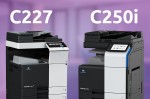
C257i офис в цвете
Konica Minolta в 2021 году выпустила очередной хит цветной офисной бюджетной …
-

-
-
-
C3070L vs C6085
В этой статье мы наглядно покажем чем отличается профессиональная модель …
-
-
-
-
-

-
-
-
-
-
-
-

-
-
-
-
-

Field Service Ver. 1.0 Mar. 2005
16.6.81
16.6.82
C9402: Exposure Lamp turning ON at abnormal timing
Scanner Assy
Flat Cable
Step
Check the flat cable for proper connection and
1
correct or change as necessary.
2
Change Scanner Assy.
3
Change PWB-C.
16.6.83
CA051: Standard Controller configuration failure
MFP Control Board (PWB-MFPC)
Step
Check to see if the following setting has been
correctly made: «Service Mode» → «System 2» →
1
«Image Controller Setting.»
If the setting is changed, be sure to turn OFF and
ON the Main Power Switch.
Check the connectors of the MFP Control Board
2
(PWB-MFPC) for proper connection and correct
as necessary.
3
Change PWB-MFPC.
16.6.84
CC001: Vendor connection failure
Control Board (PWB-MC)
Step
Check the Vendor connector for proper connec-
1
tion and correct as necessary.
Check the PWB-MC connector for proper con-
2
nection and correct as necessary.
3
Change PWB-MC
Relevant Electrical Parts
Image Processing Board (PWB-C)
Action
Relevant Electrical Parts
Action
Relevant Electrical Parts
Coin Vendor (Japan)
Coin Vendor Kit (North America, Europe)
Action
16. Malfunction code
WIRING DIAGRAM
Control Signal
(Electrical
Component)
—
—
—
WIRING DIAGRAM
Control Signal
(Electrical
Component)
—
—
—
WIRING DIAGRAM
Control Signal
(Electrical
Component)
—
—
—
Location
—
—
—
Location
—
—
—
Location
—
—
—
365
bizhub 36/42 Administrator Operations User Guide — Page 30
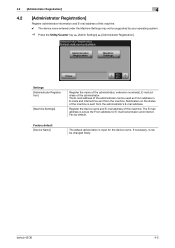
…. The E-mail address of the administrator can be supported by default.
bizhub 42/36
4-5 Register the device name and E-mail address of this machine. 0 The device name entered under the Machine Settings may not be changed freely.
Settings [Administrator Registration]
[Machine Settings]
Register the name of the administrator, extension number(s), E-mail address of the administrator…
bizhub 36/42 Administrator Operations User Guide — Page 99
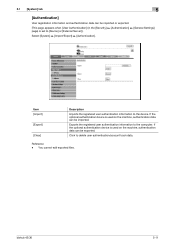
…the optional authentication device is set to the device. You cannot edit exported files. bizhub 42/36
5-11
If the optional authentication device is used on the machine, authentication data can be imported or exported. (This page appears when [User Authentication] (in the [Security] ö [Authentication] ö [General Settings] page) is used on the machine, authentication data can…
bizhub 36/42 Administrator Operations User Guide — Page 123

… Unit AU-201 is installed and FeliCa (SSFC) is supported, this menu is changed, the card information saved on the machine is displayed.) Select [Security] ö [Authentication Device Settings] ö [FeliCa (SSFC) Settings]. Item [Room Code]
[Floor Code]
[Building Code]
[Area Code]
[Security Level]
[Company Identification Code] [Company Code]
Description
Specify the room number. bizhub 42/36…
bizhub 36/42 Administrator Operations User Guide — Page 125

… country code defined in ISO03166 (2 characters).
Item
[Create a Self-signed Certificate]
[Common Name]
[Organization] [Organization Unit] […machine. Enter an organization or association name (up to 63 characters).
Enter the country name with the number of the administrator (up to 63 characters). Enter a prefecture name (up to 127 characters).
bizhub 42/36
5-37 This item shows…
bizhub 36/42 Administrator Operations User Guide — Page 126

…Device Certificate] (Request a Certificate)
Displays request data to create [Request a Certificate]. Enter the country name with a country code… data to the CA.
You can also specify a null. United States: US, Great Britain: GB, Italy: IT, Australia:… device certificate.
Enter an organization or association name (up to access this machine.
bizhub 42/36
5-38 This item shows the…
bizhub 36/42 Administrator Operations User Guide — Page 269
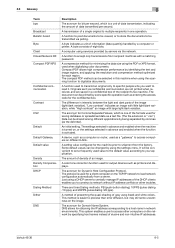
…A device, such as a computer or router, used for output devices such as printers and displays. The amount of density of eight bits.
bizhub 42/36
…spreadsheet data as entering the access code for the confidential box. A byte indicates a unit of information (data quantity) handled …the function is a unit of data transmission, indicating the amount of the recipient’s fax machine. It will be …
bizhub 36/42 Administrator Operations User Guide — Page 270
… an user to enter the login name and password each time the user logs on the network.
bizhub 42/36
8-6 The higher this machine uses the ECM-based communication with the F-code function irrespective of difference of an image.
F-code is required.
A method for the communication modes. If a receiver also provides the ECM mode, this value…
bizhub 36/42 Administrator Operations User Guide — Page 271

…scanned original data is transmitted among Internet fax machines and computers as a Web browser).
This…generation protocol, adopts 128-bit IP addresses.
bizhub 42/36
8-7 On the other TCP/IP network….which is a technology investigating how the devices on the network are associated with the…efficiently authenticated. An address or a code used to replace the current IPv4 protocol. 128-…
bizhub 36/42 Administrator Operations User Guide — Page 280
…4-18 External Server (Active Directory 5-29
bizhub 42/36
9-4 9.2 Index by button
9.2 Index …36
Auto Logout 3-7, 5-62
Auto Power OFF Setting 4-3 Auto Power OFF Time 4-3 Auto Reset 4-4 Auto Reset Settings 4-4
B
Bindery/NDS 5-136 Black 128 4-28 Black 256 4-28 Black 64 4-28
Bonjour 4-11, 5-135
BOOTP 4-10 Brightness 4-25 Broadcast Report 4-61 Broadcast Result Report 4-61 Building Code…
bizhub 36/42 Copy Operations User Guide — Page 12

… (Type B) USB2.0
2
Network Connector (10Base-T/100Base-TX/1000Base-T)
3
Telephone Jack (LINE)
4
Jack for connecting a telephone (TEL)
5
Power Switch
6
Manual Holder
7
Power Code
bizhub 42/36
2-4 2.2 Main Body
2
2.2.2
Outside of the main body (rear)
The illustration above shows the main unit with the optional Paper Feed Cabinet PC-211 and Fax Kit FK509.
1 2
5
3
6
4
7
No.
bizhub 36/42 Copy Operations User Guide — Page 13

Name
1
Original Glass
2
Scanner Unit
3
Fusing Unit Top Cover
4
Fusing Unit Cover Lever
5
Fusing Unit
6
Drum Unit
7
Toner Bottle
8
Lock Release Lever
9
Total Counter
10 Scanner Lock Lever
11 Slit Scan Glass
12 Original Scale
13 Original Pad
bizhub 42/36
2-5 2.2 Main Body
2
2.2.3
Inside of the main body
The illustration above shows the main unit with the optional Paper …
bizhub 36/42 Copy Operations User Guide — Page 82

… service representative and inform them of the written down malfunction code. Problems that cannot be corrected by the user
1 Write down the malfunction code in the message.
If the problem is detected, perform the operation described in the Service Call screen. 2 Turn off the Power Switch.
3 Unplug the machine. 4 Contact your service representative. bizhub 42/36
8-2
bizhub 36/42 Copy Operations User Guide — Page 106

… 6-7 Proof copy 5-13
R
Replacement message 7-6 Replenishment message 7-2 Reset 4-4
Reverse automatic document feeder 2-3, 10-5
S
Scan settings 6-6 Scan to E-mail 2-8 Scan to Folder 2-8 Scanner lock lever 2-5 Scanner unit 2-5 Separate scan 5-14 Service call… USB/HDD 2-8 User authentication 4-12 User settings 6-2 Utility/counter 4-8
W
Working table 2-2
Z
Zoom 5-6
bizhub 42/36
12-3
bizhub 36/42 Fax Operations User Guide — Page 106
…] after directly entering information in the [FAX Number] box in [Device Option] are specified automatically if [Acquire Settings…] is set [Network]…machine. Select this machine and load the status of the installed options. For details, refer to display the [User Authentication/Account Track] dialog box when specifying printing, prompting entering the user name or account name. bizhub 42/36…
bizhub 36/42 Fax Operations User Guide — Page 178

bizhub 42/36
13-9 The following is the procedure for notifying your service representative and inform them of the message. — Remove the power cord from the outlet. — Turn … the screen. 13.5 If [Service Call] is displayed
13
13.5
If [Service Call] is displayed
If there is no longer operable. — Write down the trouble code of the trouble…
bizhub 36/42 Fax Operations User Guide — Page 186
…time.
bizhub 42/36
14-8 Version 3, a commonly used for the security of print jobs.
This module monitors, changes, pauses, restarts, or cancels print jobs.
A fax machine status …documents.
The acronym for an appropriate driver automatically, so that sends faxes to each device for Post Office Protocol —
POP3 has functions including mail box authentication, E-mail download…
bizhub 36/42 Fax Operations User Guide — Page 187
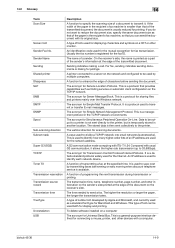
…. A function of transmitting a fax at the specified time. bizhub 42/36
14-9 If the width of a document to transmit it allows… document on a CRT or other devices with its original size.
An identification code used for the mutual recognition for…document, the document is temporarily stored in the recipient’s fax machine, so that provides capabilities such as a part of the …
bizhub 36/42 Print Operations User Guide — Page 107
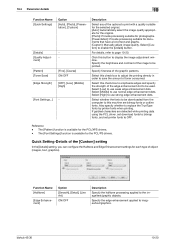
…Edge Enhancement settings for each type of text and graphs. [Custom]: Manually adjust image quality. bizhub 42/36
10-20 Specify the brightness and contrast of the graphic patterns. Select [Low] to use …graphic objects. Select this machine are detected while printing data using the PCL driver, set download fonts to bitmap fonts, and set printer fonts to replace the TrueType fonts by printer…
bizhub 36/42 Scan Operations User Guide — Page 145

Turn off the Power Switch. — bizhub 42/36
11-4
Contact your service representative of a problem.
7 CAUTION To prevent the risk of serious accident, perform the following is the procedure for notifying your service …the screen. 11.3 If [Service Call] is displayed
11
11.3
If [Service Call] is displayed
If there is no longer operable. — Write down the trouble code of the trouble…
bizhub 36/42 Scan Operations User Guide — Page 149
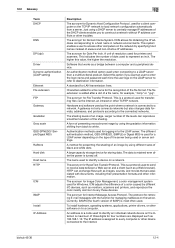
… dots
A large capacity storage device for Dynamic Host Configuration Protocol. The protocol for Image Color Management, a color management system used as a bridge between a Web server and a client (such as monitors, scanners and printers, and reproduce the color mostly common to a network. An address or a code used or server settings. bizhub 42/36
12-4
The acronym for…