В этом посте — о том, как исправить ошибку 1618-0521 в игрушке Animal Crossing: New Horizons на Switch-е и играть в онлайн-режиме нормально.
Итак, ошибка с кодом 1618-0521, согласно её же описанию, означает, что «one or more other consoles are not responding», то бишь, одна или несколько других консолей не отвечают.
А не отвечают они, вероятнее всего, просто потому, что по какой-то причине отключились серверы игры. Но причина может быть и другая.
Поэтому для начала перепроверяем статус сервера (можно просто спросить у товарищей по игре). И если с ним всё ОК (у товарищей Switch-и в онлайн-режиме игру «видят» нормально), то применяем стандартный для таких случаев набор мер, а именно:
- перезапускаем игру;
- перезагружаем консоль;
- перезагружаем роутер,
… после чего пробуем зайти онлайн по-новой. Если не получается, то есть, игра снова выдает ошибку 1618-0521 и пишет, что другие консоли недоступны, то крайне вероятно, что сбой возникает из-за типа NAT маршрутизатора. Он, тип NAT, должен быть A или B, в противном случае будет именно такая проблема с подключением.
Не пропустите: ПЕРВЫЙ МИЛЛИОН ДИНЕЙ В ANIMAL CROSSING NEW HORIZONS — ФАРМИМ НА ПАУКАХ!
Что такое NAT, зачем это и т.д., можно немного читнуть в этой наше публикации, а потом можно еще и погуглить, если возникнет желание углубиться в тему основательнее. Сейчас же — более предметно о том, что делать в данном случае.
как настроить тип NAT и устранить ошибку 1618-0521 в Animal Crossing: New Horizons
Значит:
- заходим на страницу настроек маршрутизатора (адрес страницы своего конкретного роутера можно глянуть прям на его корпусе, они, как правило, стандартные — вроде http://192.168.1.1/);
- логинимся (логин и пароль у вас должны быть, но могут быть тоже стандартными);
- на странице настроек роутера находим раздел или вкладку с опцией UPnP (Universal Plug and Play) — и эту опцию включаем;
- после этого открываем раздел или вкладку с названием «NAT» и устанавливаем «Окрытый» (Open) тип.
И в завершение повторимся на всякий случай: как показывает практика, ошибка 1618-0521 в Animal Crossing: New Horizons чаще всего возникает по причине того, что либо отключены серверы игры, либо плохое подключение к интернету у самой консоли. Следовательно, проблема решается гораздо проще — надо или подождать, пока саппорт сбой устранит, или хватает и обычной перезагрузки консоли и роутера. Потому приведенный применим только в исключительных ситуациях.
Animal Crossing New Horizons — неожиданная хитовая игра Nintendo. В нее играют миллионы по всему миру, и ее фанатская база продолжает расти очень быстрыми темпами. Такое быстрое расширение игроков может привести к некоторым проблемам с сервером, таким как ошибка Animal Crossing New Horizons 2618-0516. Эта ошибка может появиться с сообщением «Одна или несколько других консолей не отвечают» при попытке выйти в Интернет или посетить остров вашего друга.
Если у вас есть эта ошибка на коммутаторе, и вы не знаете, что с этим делать, читайте дальше.
Что такое ошибка Animal Crossing New Horizons 2618-0516?
Ошибка Animal Crossing New Horizons 2618-0516 в основном вызвана проблемой на сервере, поэтому все, что вам нужно сделать, это подождать, пока эта проблема не исчезнет сама по себе. Тем не менее, если нет известных отключений или технического обслуживания сервера, вы можете начать проверку других возможных факторов..
Причины скрещивания животных New Horizons 2618-0516 ошибка
Существует ряд причин, по которым вы можете получить ошибку 2618-0516 при игре Animal Crossing. Проверьте другие возможные причины ниже.
Консоль или игра сталкивается с ошибкой.
Ошибка Animal Crossing 2618-0516 иногда может возникать, даже если нет постоянных проблем с вашей консолью или с вашим соединением. Я видел эту ошибку один раз после того, как истекло время моего соединения из-за зависания маршрутизатора, но после восстановления соединения все возвращается к нормальному состоянию.
Если вы уверены, что ваше интернет-соединение было стабильным при появлении ошибки, просто попробуйте перезапустить консоль и посмотреть, будет ли это работать.
Обновление системы часто достаточно для исправления временных ошибок, подобных этой.
Не отвечающее или глючное сетевое оборудование.
Проблема с модемом или маршрутизатором может вызвать сбой соединения с подключенными устройствами. Как упомянуто выше, мой собственный экземпляр этой ошибки был решен после того, как мое интернет-соединение было восстановлено, когда я выключаю и выключаю маршрутизатор.
Таким образом, возможно, что ошибка, которую вы получаете, может быть связана с временной проблемой с вашими сетевыми устройствами (модем или маршрутизатор).
Тип консольного NAT.
В Nintendo Switch есть 5 типов NAT. В идеале у вас должен быть NAT типа A на вашей консоли, хотя NAT типа B тоже подойдет. Если у вас NAT типа C, D или F, это может привести к проблемам с соединением при посещении островов ваших друзей.
Медленное подключение к интернету.
Некоторые игроки Nintendo Switch сталкивались с ошибками 1618-0521 или 2618-0516 из-за прерывистого или медленного интернет-соединения. Если вам известно о каких-либо текущих проблемах с вашим интернет-соединением, попробуйте сначала исправить это и посмотреть, исправит ли это ошибку.
Как исправить ошибку Animal Crossing New Horizons 2618-0516
Исправить ошибку 2618-0516 не так просто, и вам нужно сузить возможные факторы. Это потенциальные решения, чтобы решить эту проблему.
- Проверьте наличие проблем с сервером.
Ошибка 2618-0516 обычно возникает из-за проблем с сервером, поэтому первое, что вы хотите сделать, это проверить официальную страницу состояния сервера Nintendo. Если вы не получаете код ошибки, но появляется сообщение «Одна или несколько других консолей не отвечают», вероятно, это проблема за пределами вашей консоли..
Проблемы с сервером иногда могут длиться несколько часов, поэтому вам нужно продолжить отслеживать страницу состояния сервера. К счастью, Animal Crossing New Horizons — это игра терпения, поэтому мы уверены, что вы поймете, если некоторые из них могут занять некоторое время, чтобы Nintendo справилась с проблемой.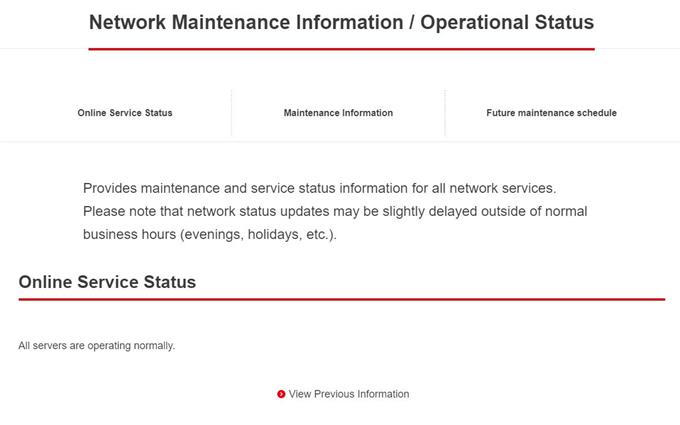
- Перезагрузите Nintendo Switch.
Если нет никаких известных сбоев или обслуживания сервера, следующая хорошая вещь, которую вы хотите сделать, это устранить неполадки консоли. Вы можете начать с обновления системы. Перезагрузите ваш коммутатор как обычно, чтобы увидеть, поможет ли это.
Вы также можете нажать и удерживать кнопку питания на вашем устройстве около 15 секунд, чтобы перезагрузить его. Сделайте это, если консоль перестала отвечать или если вы не можете вернуться на главный экран.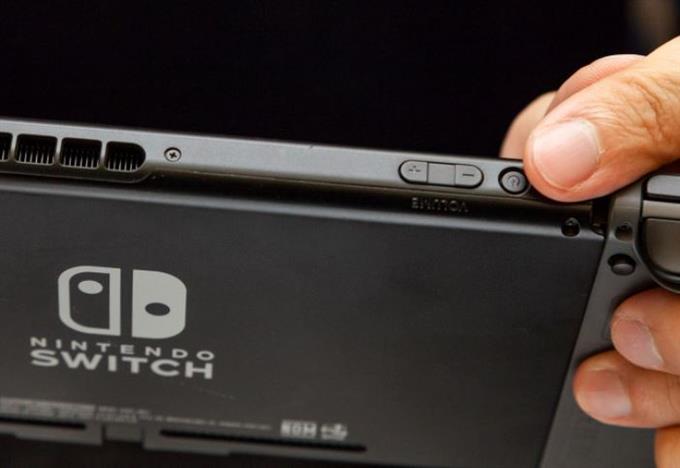
- Выключите и включите питание маршрутизатора и других сетевых устройств..
Если ошибка 2618-0516 не исчезнет, ваше следующее решение — перезагрузить модем или маршрутизатор. Мы рекомендуем вам очистить временную память устройства, отключив его от электрической розетки примерно на 30 секунд..
Если цикл питания не поможет, перейдите к следующему шагу.
- Запустите проверку интернет-соединения, чтобы проверить NAT и скорость соединения.
Есть две вещи, которые вы хотите проверить здесь. Один из них — узнать, какой тип NAT у вашей консоли, а другой — проверить скорость загрузки..
Чтобы получить эту информацию, вам нужно запустить тестирование интернет-соединения. Вот как:
-В меню HOME выберите значок «Настройки системы»..
-Прокрутите меню настроек системы и выберите Интернет..
-Выберите тестовое соединение.
-Дождаться результатов теста.
Как упоминалось выше, вы хотите, чтобы тип NAT вашего коммутатора был либо A, либо B. Если вы получаете C, D или F, это может быть причиной ошибки Animal Crossing New Horizons 2618-0516.
Чтобы изменить тип NAT, вам нужно перейти в настройки вашего маршрутизатора, чтобы вы могли выполнять переадресацию портов на коммутаторе. Если вы не знаете, как это сделать, проверьте документацию к маршрутизатору или обратитесь за помощью к своему поставщику услуг Интернета..
Другая возможная причина для Animal Crossing New Horizons 2618-0516 Ошибка — медленное или прерывистое подключение к Интернету. Если скорость загрузки вашего коммутатора ниже 3 Мбит / с, это может быть причиной того, что консоль не может поддерживать хорошее соединение с игровым сервером..
Также возможно, что у вас периодически возникают проблемы с подключением. Это означает, что ваше соединение, проводное или беспроводное, постоянно прерывается. Поскольку проблема с прерывистым подключением может быть вызвана множеством различных факторов, мы рекомендуем вам поговорить с вашим провайдером.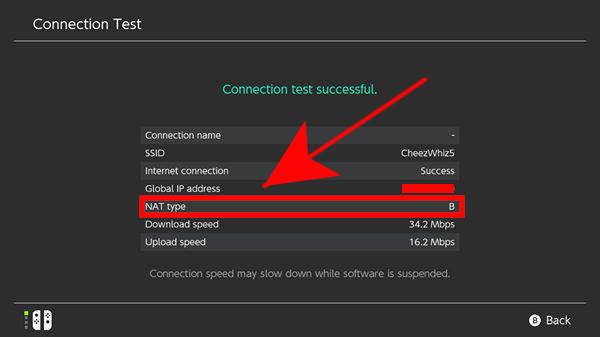
Посетите наш канал androidhow Youtube для получения дополнительной видео по устранению неполадок.
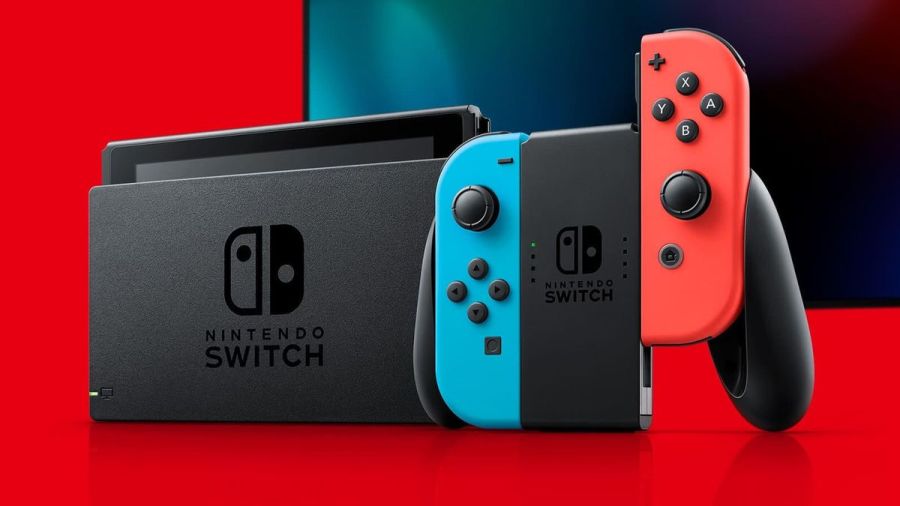
Image via Nintendo
The Nintendo Switch is an innovative console that has taken the world by storm. It has amazing capabilities that continue to wow users. Functionality is top-rate and usually pretty reliable. But what happens when that console isn’t working and is throwing up error codes?
It’s time to diagnose issues on the Nintendo Switch and fix it!
Note: To find the specific error code needed, hit ctrl+f on the keyboard.
Hardware
2153-0321
- This code means there is a serious audio-hardware issue
- The console will need to be physically repaired. Call Nintendo support for more info.
- A temporary workaround that works for some, but not all: turn off the «mute volume when headphones are unplugged» setting.
2168-0002
- This is a console crash error. It could be caused by either corrupted hardware or pirated content.
- If there is any pirated content on the Switch, delete the files immediately.
- Try rebooting the console.
- If rebooting doesn’t work, try making sure the system is up to date.
- If the above fails, the Switch may need to be physically repaired.
2115-0096
- Amiibo figure is not being accepted on the Switch.
- Check for system updates.
- Check the right Joy-Con to make sure it is working properly.
- Reset Amiibo data.
2153-1540
- This error code indicates the Switch is not functional.
- Restart the Switch.
- Check for updates.
- If this doesn’t work, call Nintendo Support. The Switch may need repairing.
2139-0006
- There is something wrong with the hardware.
- Call Nintendo Support. The console will need to be prepared.
General
2162-0002
- This is a crash error with multiple causes.
- Try restarting the console.
- Making sure Joy-Cons are charged.
- Once rebooted, make sure all parts of the Switch are up to date.
- If the crash error persists, contact Nintendo Support.
2813-6838 / 2813-6561
- The Nintendo eShop Card code attempting to be used is unable to be processed.
- Try the code again, checking the numbers carefully.
- Make sure the code isn’t intended for a different region.
- If the above doesn’t work, contact Nintendo Support.
2801-7199
- Facebook upload is not working.
- Try unlinking, then relinking the Facebook account.
- If this fails, check Facebook permissions on the Facebook site/app.
- If the error code persists, wait and try again later.
2124-4009
- This is a general functionality error code.
- Restart the Switch.
- If problems persist, there may be maintenance or an outage. Try again later.
2124-4517 /2181-4017
- Usually, there flagged unusual behavior on the Switch, preventing online service access.
- Wait and try again later.
- If the problem persists, contact Nintendo Support.
2124-3080
- The Switch cannot connect to online match-making.
- Online multiplayer is likely not available in your region.
2124-4007
- The Switch console being used has been permanently banned from connecting online, likely due to a breach of Terms of Service.
- Contact Nintendo Support.
2813-0055
- The Switch cannot redeem a download code because the software is not released to the public yet.
- Wait until the release date.
2813-1470
- The credit card being used in the eShop has been rejected.
- Delete and set up the card again.
2813-0040
- The download code attempting to be used has already been redeemed.
- Double-check the download code.
2005-0005 / 2005-0004
- This error means something in the Nintendo is likely corrupted.
- Turn off the Switch. Do not delete any data yet.
- Turn it back on and make sure the system is up to date.
- If this does not work, delete any offending DLC or pirated content.
- If the above doesn’t work, try a new MicroSD or format the current one.
2124-0291
- Transfer of user account to another Switch cannot be finished.
- Check that the user account isn’t already linked in some way to the second console.
- If so, delete that data and try the transfer again.
Software
2164-0020 / 2122-0082
- There is software on the Switch causing an error.
- Go to manage software.
- Delete the software causing this issue (likely the game that caused the crash).
- Restart the Switch. Put the game card back in, if it is not digital.
- Reinstall the software.
2162-0101
- A game cannot start because an update is required.
- Check for software updates.
2306-0819
- The Switch is unable to connect to online games.
- Make sure the Switch software is up to date.
2021-0003 / 2000-0000 / 2101-0002 /2107-0427
- The latest software is not being used.
- Check for software updates.
- Check for corrupted data.
2124-3000 / 2137-1508
- The Switch is unable to connect to an online service because it is not up to date.
- Update the console.
2813-0071
- The software is having a general issue with downloading on the eShop.
- Restart the console and try again.
2142-1099 / 2155-0400
- The Parental Controls app cannot connect to the internet. The console needs to be up to date.
- Update the console.
Internet Connection
2110-1100
- The Switch is unable to determine a network.
- Run through all internet troubleshooting settings:
- Make sure no objects are blocking the Switch.
- Check the network password again and retry.
- If failure, try either power cycling the home network or moving closer to the router.
- If the connection fails again, try turning off password requirements for the network.
- If all steps fail, check network settings for the home network.
- If this still fails, call Nintendo Support as there may be additional solutions. In some cases, the Switch may need repair.
- Run through all internet troubleshooting settings:
2811-7001
- An error in using an online service like eShop has occurred.
- Restart the console.
- Check internet connection.
- Restart network devices.
2110-2004
- The Switch is unable to determine a network.
- Run through all internet troubleshooting settings:
- Make sure no objects are blocking the Switch.
- Check the network password again and retry.
- If failure, try either power cycling the home network or moving closer to the router.
- If the connection fails again, try turning off password requirements for the network.
- If all steps fail, check network settings for the home network.
- Update the Router’s firmware.
- If the above doesn’t work, factory reset the router.
- If this still fails, call Nintendo Support as there may be additional solutions. In some cases, the Switch may need repair.
- Run through all internet troubleshooting settings:
2110-2091
- LAN Adapter is detected, but the Switch could not make a connection with the router or modem.
- Check to make sure the ethernet cable is secure.
- Try power cycling your home network.
- Use a different port on the router.
- Try a different ethernet cable.
2110-2201 / 2110-2214
- The router or access point alerted the Switch that an incorrect password was used.
- Confirm the connection password.
- Troubleshoot internet connection:
- Move the Switch closer to the router.
- Create a wireless internet connection file.
- Power cycle your network.
2110-1100
- A wireless network connection cannot be made. This is due to the Switch not detecting a network. (This can also sometimes mean, for those that have USB LAN, that the USB LAN is not properly set up)
- Create a new internet connection file.
- Move the Switch closer to the router.
- Power cycle the home network.
- Move anything blocking the Switch or router.
2110-2091
- The Switch cannot connect to a wired network.
- Check internet connection.
- Restart the Switch.
- Check DNS settings.
2110-2003
- There are connection issues related to failure to detect the LAN Adapter.
- Make sure the ethernet is attached.
- Power cycle the home network.
- Try a different router port.
- Try a different ethernet cable.
2110-2004 / 2110-2220 / 2110-2201 / 2110-2214
- Cannot connect to a specific wireless network. Usually, this is due to incorrect password use.
- Make sure no objects are blocking the Switch.
- Check the network password again and retry.
- If this does not work, try either power cycling the home network or moving closer to the router.
- If the connection fails again, try turning off password requirements for the network.
- If all steps fail, check network settings for the home network.
2110-3127
- Cannot connect to a specific wireless or wired network.
- Check DNS settings and make sure they are correct.
2110-3400
- Cannot connect to a specific wireless or wired network.
- Check web authentication permissions.
2122-2403 / 2211-0524
- This is a general error, usually caused by a needed software update or connection issues.
- Make sure your Switch is up to date.
- Check internet connection.
- Restart the console.
2811-1006
- The Switch is unable to connect to the Nintendo Account
- Make sure no objects are blocking the Switch.
- Check the network password again and retry.
- If failure, try either power cycling the home network or moving closer to the router.
- If the connection fails again, try turning off password requirements for the network.
- If all steps fail, check network settings for the home network.
2811-5001 / 2811-1028
- The Switch is unable to connect to the eShop or other online features.
- Make sure no objects are blocking the Switch.
- Check the network password again and retry.
- If failure, try either power cycling the home network or moving closer to the router.
- If the connection fails again, try turning off password requirements for the network.
- If all steps fail, check network settings for the home network.
2155-8006
- The Switch is unable to link a new Nintendo account to the console. This is usually due to a DNS error or general connection timeout.
- Make sure no objects are blocking the Switch.
- Check the network password again and retry.
- If failure, try either power cycling the home network or moving closer to the router.
- If the connection fails again, try turning off password requirements for the network.
- If all steps fail, check network settings for the home network.
2618-0513
- The Switch is unable to complete a match-making process.
- Try again.
- Test your internet connection.
- Power cycle your gateway.
- If this does not work, try updating your gateway’s firmware.
- If the above fails, contact Nintendo Support.
2160-0103 / 2306-0520 / 2618-0006 / 2618-0201 / 2618-0516
- Joining an online match, starting/completing the match-making process, or completing a match has failed. This is very likely a connection issue.
- Restart the console.
- Check the connection.
- Try a manual DNS alternate.
- Try power cycling your home network.
2160-0202
- Connecting to an online service has failed. This is likely a connection timeout issue.
- Make sure no objects are blocking the Switch.
- Check the network password again and retry.
- Try either power cycling the home network or moving closer to the router.
- If the connection fails again, try turning off password requirements for the network.
- If all steps fail, check network settings for the home network.
2155-8006
- The Switch is unable to link a new Nintendo account to the console. This is usually due to a DNS error or general connection timeout.
- Make sure no objects are blocking the Switch.
- Check the network password again and retry.
- If failure, try either power cycling the home network or moving closer to the router.
- If the connection fails again, try turning off password requirements for the network.
- If all steps fail, check network settings for the home network.
2124-8006 / 2137-8006
- A download cannot be completed. Usually, this is caused by connection timeout.
- Check DNS settings.
- Restart the console.
- Run through internet troubleshooting:
- If this does not work, manually enter an alternate DNS.
- If the above does not work, try either power cycling the home network or moving closer to the router.
- If the connection fails again, try turning off password requirements for the network.
- Try connecting to an alternate wireless band as the last step.
- Contact Nintendo Support if problems persist.
2810-1224
- Sign-in to either the Account or eShop has failed. The connection may also be an issue.
- Restart the console.
- Check connection signal. Then attempt regular activity again.
- If the above fails, contact Nintendo Support.
2137-0240
- Downloads cannot be completed. This is because of an internet issue, likely a timeout.
- Check internet connection.
- Troubleshoot internet issues:
- Power cycle the home network.
- Move any objects blocking the Switch or router.
- If able, connect to another wireless band.
- For wired connection troubleshooting:
- Restart network devices.
- If all the above fails, try updating the router’s firmware.
2124-8028
- Nintendo sign-in has failed. This is due to poor internet speeds or wireless issues.
- Check internet speed.
- Troubleshoot internet issues:
- Power cycle the home network.
- Move any objects blocking the Switch or router.
- If able, connect to another wireless band.
2124-8006-2124-8007
- This is an error code associated with a connection timeout or DNS error. It could also be a weak signal or slow internet.
- Check internet connection.
- Restart the Switch.
- Enter a different DNS.
- Run through internet troubleshooting:
- Move any objects blocking the Switch (if wireless).
- If the above does not work, try either power cycling the home network or moving closer to the wireless router.
- If the connection fails again, try turning off password requirements for the network.
- Try connecting to an alternate wireless band as the last step.
2160-8006-2160-8007
- A connection test cannot be completed.
- Check internet connection.
- Make sure you are connecting to the right network.
2618-0203
- Nintendo Switch cannot connect to an online service. This is possible due to issues with the DNS.
- Restart the console.
- Check the DNS settings.
- Try power cycling your home network.
- Manually enter an alternate DNS.
- Test the internet connection.
2142-0507
- The Parental Controls app cannot connect to the internet. The internet is not detected, likely due to a timeout.
- Restart the Switch.
- Check internet connection.
- Power cycle home network.
- Use a different network.
Related: 8 Best JRPGs on Nintendo Switch 2020
Maintenance and Server Issues
2813-0002
- There is a service outage preventing connection to the Nintendo eShop.
- Wait and try again later.
2618-0542
- The Switch is unable to join an online match. This is due to too many players.
- Wait and try and join a match later.
2613-1400
- The Switch will not create a credit card purchase. This is likely due to maintenance or server issues.
- Wait and try again later.
2306-0811
- The Switch will not connect to an online service. This is likely due to maintenance or server issues.
- Wait and try again later.
2801-7002
- Twitter uploads cannot be completed. This is likely due to maintenance or server issues.
- Wait and try again later.
2124-5119 / 2124-5249
- Nintendo Account Services is experiencing server issues or undergoing maintenance.
- Wait and try again later.
902-5998
- The Nintendo eShop is experiencing maintenance.
- Wait and try again later.
2810-1500
- Facebook sign-in cannot be completed.
- Restart the console.
- If the problem persists, it may be may server issues. Try again later.
2124-5002 / 2124-5200
- Sign-in to a pre-existing Nintendo Account has failed. This specific code determines this is an outage on Nintendo’s side.
- Wait and try again later.
2813-0009 / 2813-1400 / 2813-6835 / 2813-9804 /2813-9712
- There is a temporary service issue with the Nintendo eShop. It may have also timed out due to inactivity.
- If inactivity, relaunch the store.
- Wait and try again later.
2811-7503, 2811-7504
- There is a network outage to the Nintendo eShop.
- Wait and try again later.
2816-0700 / 2817-0700
- A maintenance error is popping up on general application use.
- Wait again and try later.
MicroSD
2002-2049-2002-2064 /2002-4690 / 2002-6201 / 2016-0247 / 2016-0602 / 2016-0641
- An error code while downloading software or updating a game has occurred. The MicroSD is likely at fault.
- Reset and check the MicroSD.
- Make sure data isn’t corrupted.
- Remove and reinsert MicroSD
- If the above doesn’t work, format the MicroSD.
- If all of the tips above do not work, try getting a new MicroSD or downloading directly to the Switch.
2002-2001 /2016-0390 / 2205-0123
- The MicroSD card cannot be accessed.
- Reset and check the MicroSD.
- Remove and reinsert MicroSD
- If the above doesn’t work, format the MicroSD.
- If all of the tips above do not work, try getting a new MicroSD or downloading directly to the Switch.
2002-4517 / 2002-4641-2002-4660 /2002-4741-2002-4760 / 2002-0007-2002-0008 /2002-4683
- Software for or from the eShop cannot be downloaded. This is a MicroSD issue.
- If a MicroSD is not being used, restart the console.
- Check for software updates.
- Remove and reinsert MicroSD
- If the above doesn’t work, format the MicroSD.
- If all of the tips above do not work, try getting a new MicroSD or downloading directly to the Switch.
2002-4301-2002-4463 / 2002-3005 /2002-3500-2002-3999 / 2002-0001 /2016-0601 / 2101-0001 / 2107-0445
- A MicroSD error has occurred while playing a game powering the Switch on (or waking from sleep mode).
- Restart the Switch.
- Check for software updates.
- Remove and reinsert MicroSD
- If the above doesn’t work, format the MicroSD.
- If all of the tips above do not work, try getting a new MicroSD or downloading directly to the Switch.
2002-1002 / 2002-2629-2002-2669
- A game cannot download or start. This will happen with a MicroSD.
- Check for software updates.
- Remove and reinsert MicroSD
- If the above doesn’t work, format the MicroSD.
- If all of the tips above do not work, try getting a new MicroSD or downloading directly to the Switch.
2002-2085
- The MicroSD cannot be recognized.
- Check for software updates.
- Remove and reinsert MicroSD
- If the above doesn’t work, format the MicroSD.
- If all do not work, try getting a new MicroSD or downloading directly to the Switch.
2005-0003
- There is an issue with the MicroSD and it is preventing downloads.
- Make sure the system is up to date.
- Find a new MicroSD or Repair the current MicroSD.
- If repairs fail and there is no other MicroSD for use, try downloading the software on the Switch system for later use.
Ranges
These sets of ranges tend to have the same meaning within their group. Make sure to search the specific code if these general tips do not help.
2110-1000 — 2110-1999
- An error code within this range means the Switch cannot connect to the wireless or wired network. Usually, the error occurred before, not as a timeout.
- Try power cycling your gateway.
- Place the Switch in a DMZ in gateway settings. Within those settings, forward ports to the Switch.
- Restart the console.
2110-2000 — 2110-2899 / 2110-2900 — 2110-2999 / 2110-3000 — 2110-3999
- An error code in this range means a connection was not made to a wireless or wired network. This error usually occurs during the action, such as a connection loss. The connection loss also could have occurred while obtaining the IP address.
- Make sure no objects are blocking the Switch.
- Check the network password again and retry.
- If failure, try either power cycling the home network or moving closer to the router.
- If the connection fails again, try turning off password requirements for the network.
- If all steps fail, check network settings for the home network.
2618-0501, 2618-0502 / 2306-0501, 2306-0502
- This error occurs when the Switch fails to join an online match.
- Make sure no objects are blocking the Switch.
- Check the network password again and retry.
- If the above doesn’t work, try either power cycling the home network or moving closer to the router.
- If the connection fails again, try turning off password requirements for the network.
- If all steps fail, check network settings for the home network.
2124-0200 — 2124-0269
- The user is attempting to use an online game feature while not logged in.
- Log in to the intended Nintendo account.
Games
These error codes are for specific video game titles.
2306-0820
- The Splatoon 2 Global Testfire demo will not launch.
- The demo sessions for this game are no longer available.
2-AABQA-1021
- An online match in Arms will not connect.
- Check your internet connection and try again.
2-BABBE-1000
- Ultra Street Fighter 2 Online will not connect.
- Check for a software update on the game.
- If this doesn’t work, check the internet connection.
Want to read more about Nintendo? Read Best Switch Multiplayer Games on Pro Game Guides.
Follow us on Twitter and Facebook to get updates on your favorite games!
Image via Nintendo
The Nintendo Switch is an innovative console that has taken the world by storm. It has amazing capabilities that continue to wow users. Functionality is top-rate and usually pretty reliable. But what happens when that console isn’t working and is throwing up error codes?
It’s time to diagnose issues on the Nintendo Switch and fix it!
Note: To find the specific error code needed, hit ctrl+f on the keyboard.
Hardware
2153-0321
- This code means there is a serious audio-hardware issue
- The console will need to be physically repaired. Call Nintendo support for more info.
- A temporary workaround that works for some, but not all: turn off the «mute volume when headphones are unplugged» setting.
2168-0002
- This is a console crash error. It could be caused by either corrupted hardware or pirated content.
- If there is any pirated content on the Switch, delete the files immediately.
- Try rebooting the console.
- If rebooting doesn’t work, try making sure the system is up to date.
- If the above fails, the Switch may need to be physically repaired.
2115-0096
- Amiibo figure is not being accepted on the Switch.
- Check for system updates.
- Check the right Joy-Con to make sure it is working properly.
- Reset Amiibo data.
2153-1540
- This error code indicates the Switch is not functional.
- Restart the Switch.
- Check for updates.
- If this doesn’t work, call Nintendo Support. The Switch may need repairing.
2139-0006
- There is something wrong with the hardware.
- Call Nintendo Support. The console will need to be prepared.
General
2162-0002
- This is a crash error with multiple causes.
- Try restarting the console.
- Making sure Joy-Cons are charged.
- Once rebooted, make sure all parts of the Switch are up to date.
- If the crash error persists, contact Nintendo Support.
2813-6838 / 2813-6561
- The Nintendo eShop Card code attempting to be used is unable to be processed.
- Try the code again, checking the numbers carefully.
- Make sure the code isn’t intended for a different region.
- If the above doesn’t work, contact Nintendo Support.
2801-7199
- Facebook upload is not working.
- Try unlinking, then relinking the Facebook account.
- If this fails, check Facebook permissions on the Facebook site/app.
- If the error code persists, wait and try again later.
2124-4009
- This is a general functionality error code.
- Restart the Switch.
- If problems persist, there may be maintenance or an outage. Try again later.
2124-4517 /2181-4017
- Usually, there flagged unusual behavior on the Switch, preventing online service access.
- Wait and try again later.
- If the problem persists, contact Nintendo Support.
2124-3080
- The Switch cannot connect to online match-making.
- Online multiplayer is likely not available in your region.
2124-4007
- The Switch console being used has been permanently banned from connecting online, likely due to a breach of Terms of Service.
- Contact Nintendo Support.
2813-0055
- The Switch cannot redeem a download code because the software is not released to the public yet.
- Wait until the release date.
2813-1470
- The credit card being used in the eShop has been rejected.
- Delete and set up the card again.
2813-0040
- The download code attempting to be used has already been redeemed.
- Double-check the download code.
2005-0005 / 2005-0004
- This error means something in the Nintendo is likely corrupted.
- Turn off the Switch. Do not delete any data yet.
- Turn it back on and make sure the system is up to date.
- If this does not work, delete any offending DLC or pirated content.
- If the above doesn’t work, try a new MicroSD or format the current one.
2124-0291
- Transfer of user account to another Switch cannot be finished.
- Check that the user account isn’t already linked in some way to the second console.
- If so, delete that data and try the transfer again.
Software
2164-0020 / 2122-0082
- There is software on the Switch causing an error.
- Go to manage software.
- Delete the software causing this issue (likely the game that caused the crash).
- Restart the Switch. Put the game card back in, if it is not digital.
- Reinstall the software.
2162-0101
- A game cannot start because an update is required.
- Check for software updates.
2306-0819
- The Switch is unable to connect to online games.
- Make sure the Switch software is up to date.
2021-0003 / 2000-0000 / 2101-0002 /2107-0427
- The latest software is not being used.
- Check for software updates.
- Check for corrupted data.
2124-3000 / 2137-1508
- The Switch is unable to connect to an online service because it is not up to date.
- Update the console.
2813-0071
- The software is having a general issue with downloading on the eShop.
- Restart the console and try again.
2142-1099 / 2155-0400
- The Parental Controls app cannot connect to the internet. The console needs to be up to date.
- Update the console.
Internet Connection
2110-1100
- The Switch is unable to determine a network.
- Run through all internet troubleshooting settings:
- Make sure no objects are blocking the Switch.
- Check the network password again and retry.
- If failure, try either power cycling the home network or moving closer to the router.
- If the connection fails again, try turning off password requirements for the network.
- If all steps fail, check network settings for the home network.
- If this still fails, call Nintendo Support as there may be additional solutions. In some cases, the Switch may need repair.
- Run through all internet troubleshooting settings:
2811-7001
- An error in using an online service like eShop has occurred.
- Restart the console.
- Check internet connection.
- Restart network devices.
2110-2004
- The Switch is unable to determine a network.
- Run through all internet troubleshooting settings:
- Make sure no objects are blocking the Switch.
- Check the network password again and retry.
- If failure, try either power cycling the home network or moving closer to the router.
- If the connection fails again, try turning off password requirements for the network.
- If all steps fail, check network settings for the home network.
- Update the Router’s firmware.
- If the above doesn’t work, factory reset the router.
- If this still fails, call Nintendo Support as there may be additional solutions. In some cases, the Switch may need repair.
- Run through all internet troubleshooting settings:
2110-2091
- LAN Adapter is detected, but the Switch could not make a connection with the router or modem.
- Check to make sure the ethernet cable is secure.
- Try power cycling your home network.
- Use a different port on the router.
- Try a different ethernet cable.
2110-2201 / 2110-2214
- The router or access point alerted the Switch that an incorrect password was used.
- Confirm the connection password.
- Troubleshoot internet connection:
- Move the Switch closer to the router.
- Create a wireless internet connection file.
- Power cycle your network.
2110-1100
- A wireless network connection cannot be made. This is due to the Switch not detecting a network. (This can also sometimes mean, for those that have USB LAN, that the USB LAN is not properly set up)
- Create a new internet connection file.
- Move the Switch closer to the router.
- Power cycle the home network.
- Move anything blocking the Switch or router.
2110-2091
- The Switch cannot connect to a wired network.
- Check internet connection.
- Restart the Switch.
- Check DNS settings.
2110-2003
- There are connection issues related to failure to detect the LAN Adapter.
- Make sure the ethernet is attached.
- Power cycle the home network.
- Try a different router port.
- Try a different ethernet cable.
2110-2004 / 2110-2220 / 2110-2201 / 2110-2214
- Cannot connect to a specific wireless network. Usually, this is due to incorrect password use.
- Make sure no objects are blocking the Switch.
- Check the network password again and retry.
- If this does not work, try either power cycling the home network or moving closer to the router.
- If the connection fails again, try turning off password requirements for the network.
- If all steps fail, check network settings for the home network.
2110-3127
- Cannot connect to a specific wireless or wired network.
- Check DNS settings and make sure they are correct.
2110-3400
- Cannot connect to a specific wireless or wired network.
- Check web authentication permissions.
2122-2403 / 2211-0524
- This is a general error, usually caused by a needed software update or connection issues.
- Make sure your Switch is up to date.
- Check internet connection.
- Restart the console.
2811-1006
- The Switch is unable to connect to the Nintendo Account
- Make sure no objects are blocking the Switch.
- Check the network password again and retry.
- If failure, try either power cycling the home network or moving closer to the router.
- If the connection fails again, try turning off password requirements for the network.
- If all steps fail, check network settings for the home network.
2811-5001 / 2811-1028
- The Switch is unable to connect to the eShop or other online features.
- Make sure no objects are blocking the Switch.
- Check the network password again and retry.
- If failure, try either power cycling the home network or moving closer to the router.
- If the connection fails again, try turning off password requirements for the network.
- If all steps fail, check network settings for the home network.
2155-8006
- The Switch is unable to link a new Nintendo account to the console. This is usually due to a DNS error or general connection timeout.
- Make sure no objects are blocking the Switch.
- Check the network password again and retry.
- If failure, try either power cycling the home network or moving closer to the router.
- If the connection fails again, try turning off password requirements for the network.
- If all steps fail, check network settings for the home network.
2618-0513
- The Switch is unable to complete a match-making process.
- Try again.
- Test your internet connection.
- Power cycle your gateway.
- If this does not work, try updating your gateway’s firmware.
- If the above fails, contact Nintendo Support.
2160-0103 / 2306-0520 / 2618-0006 / 2618-0201 / 2618-0516
- Joining an online match, starting/completing the match-making process, or completing a match has failed. This is very likely a connection issue.
- Restart the console.
- Check the connection.
- Try a manual DNS alternate.
- Try power cycling your home network.
2160-0202
- Connecting to an online service has failed. This is likely a connection timeout issue.
- Make sure no objects are blocking the Switch.
- Check the network password again and retry.
- Try either power cycling the home network or moving closer to the router.
- If the connection fails again, try turning off password requirements for the network.
- If all steps fail, check network settings for the home network.
2155-8006
- The Switch is unable to link a new Nintendo account to the console. This is usually due to a DNS error or general connection timeout.
- Make sure no objects are blocking the Switch.
- Check the network password again and retry.
- If failure, try either power cycling the home network or moving closer to the router.
- If the connection fails again, try turning off password requirements for the network.
- If all steps fail, check network settings for the home network.
2124-8006 / 2137-8006
- A download cannot be completed. Usually, this is caused by connection timeout.
- Check DNS settings.
- Restart the console.
- Run through internet troubleshooting:
- If this does not work, manually enter an alternate DNS.
- If the above does not work, try either power cycling the home network or moving closer to the router.
- If the connection fails again, try turning off password requirements for the network.
- Try connecting to an alternate wireless band as the last step.
- Contact Nintendo Support if problems persist.
2810-1224
- Sign-in to either the Account or eShop has failed. The connection may also be an issue.
- Restart the console.
- Check connection signal. Then attempt regular activity again.
- If the above fails, contact Nintendo Support.
2137-0240
- Downloads cannot be completed. This is because of an internet issue, likely a timeout.
- Check internet connection.
- Troubleshoot internet issues:
- Power cycle the home network.
- Move any objects blocking the Switch or router.
- If able, connect to another wireless band.
- For wired connection troubleshooting:
- Restart network devices.
- If all the above fails, try updating the router’s firmware.
2124-8028
- Nintendo sign-in has failed. This is due to poor internet speeds or wireless issues.
- Check internet speed.
- Troubleshoot internet issues:
- Power cycle the home network.
- Move any objects blocking the Switch or router.
- If able, connect to another wireless band.
2124-8006-2124-8007
- This is an error code associated with a connection timeout or DNS error. It could also be a weak signal or slow internet.
- Check internet connection.
- Restart the Switch.
- Enter a different DNS.
- Run through internet troubleshooting:
- Move any objects blocking the Switch (if wireless).
- If the above does not work, try either power cycling the home network or moving closer to the wireless router.
- If the connection fails again, try turning off password requirements for the network.
- Try connecting to an alternate wireless band as the last step.
2160-8006-2160-8007
- A connection test cannot be completed.
- Check internet connection.
- Make sure you are connecting to the right network.
2618-0203
- Nintendo Switch cannot connect to an online service. This is possible due to issues with the DNS.
- Restart the console.
- Check the DNS settings.
- Try power cycling your home network.
- Manually enter an alternate DNS.
- Test the internet connection.
2142-0507
- The Parental Controls app cannot connect to the internet. The internet is not detected, likely due to a timeout.
- Restart the Switch.
- Check internet connection.
- Power cycle home network.
- Use a different network.
Related: 8 Best JRPGs on Nintendo Switch 2020
Maintenance and Server Issues
2813-0002
- There is a service outage preventing connection to the Nintendo eShop.
- Wait and try again later.
2618-0542
- The Switch is unable to join an online match. This is due to too many players.
- Wait and try and join a match later.
2613-1400
- The Switch will not create a credit card purchase. This is likely due to maintenance or server issues.
- Wait and try again later.
2306-0811
- The Switch will not connect to an online service. This is likely due to maintenance or server issues.
- Wait and try again later.
2801-7002
- Twitter uploads cannot be completed. This is likely due to maintenance or server issues.
- Wait and try again later.
2124-5119 / 2124-5249
- Nintendo Account Services is experiencing server issues or undergoing maintenance.
- Wait and try again later.
902-5998
- The Nintendo eShop is experiencing maintenance.
- Wait and try again later.
2810-1500
- Facebook sign-in cannot be completed.
- Restart the console.
- If the problem persists, it may be may server issues. Try again later.
2124-5002 / 2124-5200
- Sign-in to a pre-existing Nintendo Account has failed. This specific code determines this is an outage on Nintendo’s side.
- Wait and try again later.
2813-0009 / 2813-1400 / 2813-6835 / 2813-9804 /2813-9712
- There is a temporary service issue with the Nintendo eShop. It may have also timed out due to inactivity.
- If inactivity, relaunch the store.
- Wait and try again later.
2811-7503, 2811-7504
- There is a network outage to the Nintendo eShop.
- Wait and try again later.
2816-0700 / 2817-0700
- A maintenance error is popping up on general application use.
- Wait again and try later.
MicroSD
2002-2049-2002-2064 /2002-4690 / 2002-6201 / 2016-0247 / 2016-0602 / 2016-0641
- An error code while downloading software or updating a game has occurred. The MicroSD is likely at fault.
- Reset and check the MicroSD.
- Make sure data isn’t corrupted.
- Remove and reinsert MicroSD
- If the above doesn’t work, format the MicroSD.
- If all of the tips above do not work, try getting a new MicroSD or downloading directly to the Switch.
2002-2001 /2016-0390 / 2205-0123
- The MicroSD card cannot be accessed.
- Reset and check the MicroSD.
- Remove and reinsert MicroSD
- If the above doesn’t work, format the MicroSD.
- If all of the tips above do not work, try getting a new MicroSD or downloading directly to the Switch.
2002-4517 / 2002-4641-2002-4660 /2002-4741-2002-4760 / 2002-0007-2002-0008 /2002-4683
- Software for or from the eShop cannot be downloaded. This is a MicroSD issue.
- If a MicroSD is not being used, restart the console.
- Check for software updates.
- Remove and reinsert MicroSD
- If the above doesn’t work, format the MicroSD.
- If all of the tips above do not work, try getting a new MicroSD or downloading directly to the Switch.
2002-4301-2002-4463 / 2002-3005 /2002-3500-2002-3999 / 2002-0001 /2016-0601 / 2101-0001 / 2107-0445
- A MicroSD error has occurred while playing a game powering the Switch on (or waking from sleep mode).
- Restart the Switch.
- Check for software updates.
- Remove and reinsert MicroSD
- If the above doesn’t work, format the MicroSD.
- If all of the tips above do not work, try getting a new MicroSD or downloading directly to the Switch.
2002-1002 / 2002-2629-2002-2669
- A game cannot download or start. This will happen with a MicroSD.
- Check for software updates.
- Remove and reinsert MicroSD
- If the above doesn’t work, format the MicroSD.
- If all of the tips above do not work, try getting a new MicroSD or downloading directly to the Switch.
2002-2085
- The MicroSD cannot be recognized.
- Check for software updates.
- Remove and reinsert MicroSD
- If the above doesn’t work, format the MicroSD.
- If all do not work, try getting a new MicroSD or downloading directly to the Switch.
2005-0003
- There is an issue with the MicroSD and it is preventing downloads.
- Make sure the system is up to date.
- Find a new MicroSD or Repair the current MicroSD.
- If repairs fail and there is no other MicroSD for use, try downloading the software on the Switch system for later use.
Ranges
These sets of ranges tend to have the same meaning within their group. Make sure to search the specific code if these general tips do not help.
2110-1000 — 2110-1999
- An error code within this range means the Switch cannot connect to the wireless or wired network. Usually, the error occurred before, not as a timeout.
- Try power cycling your gateway.
- Place the Switch in a DMZ in gateway settings. Within those settings, forward ports to the Switch.
- Restart the console.
2110-2000 — 2110-2899 / 2110-2900 — 2110-2999 / 2110-3000 — 2110-3999
- An error code in this range means a connection was not made to a wireless or wired network. This error usually occurs during the action, such as a connection loss. The connection loss also could have occurred while obtaining the IP address.
- Make sure no objects are blocking the Switch.
- Check the network password again and retry.
- If failure, try either power cycling the home network or moving closer to the router.
- If the connection fails again, try turning off password requirements for the network.
- If all steps fail, check network settings for the home network.
2618-0501, 2618-0502 / 2306-0501, 2306-0502
- This error occurs when the Switch fails to join an online match.
- Make sure no objects are blocking the Switch.
- Check the network password again and retry.
- If the above doesn’t work, try either power cycling the home network or moving closer to the router.
- If the connection fails again, try turning off password requirements for the network.
- If all steps fail, check network settings for the home network.
2124-0200 — 2124-0269
- The user is attempting to use an online game feature while not logged in.
- Log in to the intended Nintendo account.
Games
These error codes are for specific video game titles.
2306-0820
- The Splatoon 2 Global Testfire demo will not launch.
- The demo sessions for this game are no longer available.
2-AABQA-1021
- An online match in Arms will not connect.
- Check your internet connection and try again.
2-BABBE-1000
- Ultra Street Fighter 2 Online will not connect.
- Check for a software update on the game.
- If this doesn’t work, check the internet connection.
Want to read more about Nintendo? Read Best Switch Multiplayer Games on Pro Game Guides.
Follow us on Twitter and Facebook to get updates on your favorite games!
Некоторые пользователи Nintendo Switch сталкиваются с кодом ошибки коммутатора 2618-0516 (сбой процесса обхода NAT) при попытке подключиться к сети или при попытке запустить игру, которая включает компонент сетевой многопользовательской игры. Чаще всего этот код ошибки возникает в Animal Crossing и Splatoon 2.
Код ошибки коммутатора 2618-0516 (сбой процесса обхода NAT)
После тщательного изучения этой конкретной проблемы выясняется, что существует несколько различных сценариев, которые могут вызвать этот конкретный код ошибки. Вот список потенциальных виновников:
- Несогласованный диапазон DNS. Как выясняется, эта конкретная проблема часто возникает из-за несовместимого диапазона DNS, который определяет, что консоль назначает тип NAT D, что в конечном итоге блокирует входящие соединения для большинства игр P2P. Чтобы решить эту проблему, вам необходимо изменить настройки DNS и перейти на более надежный диапазон, например, предоставленный Google.
- Поврежденные кэшированные данные TCP / IP. Несогласованность в данных TCP и IP, которые хранятся на вашем маршрутизаторе, также может быть основной причиной этой ошибки. В этом случае вы можете решить проблему, обновив данные TCP / IP, перезагрузив или сбросив текущее сетевое устройство.
- Интернет-провайдер назначает диапазоны частных IP-адресов. Имейте в виду, что многие европейские интернет-провайдеры начали назначать частные IP-адреса, что может вызвать проблемы с некоторыми функциями коммутатора, построенными на одноранговых соединениях. Если этот сценарий применим, единственный способ решить проблему — связаться с вашим интернет-провайдером и попросить его переместить вас в диапазон общедоступных IP-адресов.
Теперь, когда вы знаете всех потенциальных виновников, вот список исправлений, которые другие затронутые пользователи успешно использовали для решения проблемы в своем случае:
Метод 1: изменение настроек DNS
Имейте в виду, что Nintendo решила блокировать тип NAT D (закрытый) в течение многих лет, и также известно, что тип NAT C вызывает множество основных проблем с играми P2P, такими как Splatoon 2.
Если вы застряли с типом NAT D или C и нет никаких способов обойти это, одно решение, которое может позволить вам обойти ошибку с кодом ошибки коммутатора 2618-0516 (сбой процесса обхода NAT), — это изменить текущие настройки DNS в чтобы игры P2P работали без проблем.
Многие затронутые пользователи переписали это конкретное исправление, чтобы оно было эффективным в ситуациях, когда они сталкивались с этой проблемой только при подключении к ограниченной сети колледжа / работы / общедоступной сети.
Если этот сценарий кажется применимым, следуйте приведенным ниже инструкциям, чтобы изменить настройки DNS по умолчанию на консоли Nintendo Switch:
- Перво-наперво, начните с нажатия на значок дома на контроллере Switch. Он расположен прямо под правым аналоговым джойстиком.
Нажатие кнопки House на Nintendo Switch
- Находясь в главном меню, используйте вертикальную полосу значков внизу, чтобы получить доступ к значку настроек.
Доступ к значку настроек
- Как только вы окажетесь в меню настроек, перейдите на вкладку «Интернет», а затем нажмите кнопку «Настройки Интернета» в только что появившемся меню.
- Затем вы должны увидеть список зарегистрированных сетей. Прокрутите его и выберите сеть, которую вы активно используете, затем нажмите A, чтобы получить доступ к контекстному меню, и выберите Настройки DNS из списка доступных опций.
доступ к меню настроек DNS
- После того, как вы войдете в меню DNS, выберите «Вручную» при первом запросе, затем перейдите в «Первичный DNS» и введите 8.8.8.8 в качестве первичного DNS.
- Далее введите 8.8.4.4. в качестве вторичного DNS и нажмите кнопку «Сохранить».
- Повторите действие, которое ранее вызывало ошибку, и посмотрите, устранена ли проблема.
Если этот сценарий неприменим или вы уже выполнили описанные выше действия, но по-прежнему сталкиваетесь с тем же сообщением об ошибке, перейдите к следующему потенциальному исправлению ниже.
Метод 2: Обновление кэшированных данных TCP / IP
Если изменение настроек DNS не помогло в вашем случае, следующим шагом должно стать устранение второй наиболее частой причины такого типа несогласованности (связанного с TCP или IP), которая препятствует возможности вашего коммутатора взаимодействовать с онлайн-сервером.
Если этот сценарий применим, у вас есть 2 разных способа решить эту проблему:
- Сброс вашего роутера
- Перезагрузка роутера
Если вы еще не пробовали это возможное исправление, начните с нажатия кнопки питания на задней панели маршрутизатора, чтобы выключить его, затем физически отключите кабель питания и держите его отключенным в течение полной минуты, чтобы убедиться, что конденсаторы питания полностью осушены.
Перезагрузка роутера
По истечении этого периода снова подсоедините кабель питания и снова нажмите кнопку питания, чтобы запустить резервное копирование сетевого устройства.
Если код ошибки коммутатора 2618-0516 (сбой процесса обхода NAT) все еще не устранен, вам следует перейти к процедуре сброса маршрутизатора.
Однако, прежде чем переходить к маршрутизатору, важно понимать, что эта операция приведет к сбросу ранее установленных вами пользовательских настроек, включая учетные данные PPPoE, перенаправленные порты, устройства из черного списка и т. Д.
Если вы понимаете последствия и хотите продолжить эту процедуру, вам понадобится острый предмет (игла, небольшая отвертка или зубочистка), чтобы перезагрузить маршрутизатор. Это необходимо, потому что в подавляющем большинстве случаев кнопка сброса встроена для предотвращения случайного нажатия.
Когда вы будете готовы, нажмите и удерживайте кнопку сброса примерно 10 секунд или пока не увидите, что все передние светодиоды одновременно мигают. После завершения процедуры сброса повторно установите подключение к Интернету и посмотрите, устранена ли проблема.
Примечание. Если ваш интернет-провайдер использует PPPoE, вам необходимо сначала повторно ввести предоставленные им учетные данные.
Если ошибка с кодом ошибки коммутатора 2618-0516 (сбой процесса обхода NAT) все еще возникает, вернитесь к следующему потенциальному исправлению ниже.
Способ 3. Связь с интернет-провайдером
Если ни один из вышеперечисленных методов не помог вам, и вы сталкиваетесь с этой проблемой при каждом действии, требующем подключения к многопользовательскому компоненту, возможно, вы имеете дело с интернет-провайдером, который использует частные IP-адреса, что может облегчить использование типа NAT. С.
В этом случае единственное, что вы можете сделать, чтобы решить проблему, — это связаться со своим интернет-провайдером и попросить его предоставить вам общедоступный IP-адрес. Это довольно распространено среди европейских интернет-провайдеров, которые находятся в авангарде применения политик для защиты анонимности пользователя.
Если вы подозреваете, что можете столкнуться с этой проблемой, вот краткое руководство, которое проведет вас через процесс определения типа NAT на вашем Nintendo Switch:
- На главной панели консоли Nintendo Switch откройте экран системных настроек.
Доступ к экрану настроек системы
- Как только вы окажетесь в меню «Параметры системы», щелкните вкладку «Интернет» в меню слева, затем перейдите к записи «Проверить соединение» в меню справа.
Доступ к меню Test Connection
- Подождите, пока тест будет окончательно завершен, затем проверьте букву, связанную с типом NAT, в списке результатов. Если это буква C, высока вероятность, что ваш интернет-провайдер использует частные IP-адреса.
Проверка буквы типа NAT с помощью функции проверки подключения