Fix Error Code 19010 Fortnite: Why you’re getting the Error Code and how to Fix It.

When it comes to bugs and errors, Epic Games can’t outrun them. And Epic Games’ Fortnite is no exception to this rule, meeting many users with bugs and most common errors about anything. They can range from problems with the game files to server issues.
One of these Fortnite error codes is Fortnite Error Code 19010. So if you’ve encountered this error code, don’t worry because here you’ll learn exactly why you’re getting it and how to fix Error Code 19010 Fortnite.

The Reasons behind Fortnite Error Code 19010
Fortnite Error Code 19010 appears when you try to redeem a gift card code on the official Epic Games website. You’ll be met with the following error message “This code has already been used. Error Code: 19010”. Following the error message, you’re basically getting this Error Code 19010 because you’re trying to redeem a used gift card code.
Now having an invalid gift card code can appear due to many reasons:
- The gift card has a manufacturing error from where you’ve bought it
- There’s a problem within the Fortnite game on Epic Games’ side
- Your Internet connection is bad
- The Epic Games Fortnite servers are down
- You’ve been scammed
Knowing why you’re getting this error message along Fortnite Error Code 19010 is key because next, you’ll learn exactly how to fix it to start winning easily!
How to Fix Fortnite Error Code 19010
Contact Gift Code Providers
The first solution you can try to fix Fortnite Error Code 19010 is to contact the gift card providers. Approach them politely and tell them what you’re experiencing. This same problem may be because of a manufacturing error on their side. If it is, they’ll either provide you with another gift code that’ll work properly or issue you a refund.
This solution does require a bit of hoping that the gift code provider would understand your issue for you to play with the best anime skins. Though if they don’t listen to your request, then you should try to contact the source directly: Epic Games.
Contact Epic Games Support
The next solution you can try to fix Fortnite Error Code 19010 is to contact Epic Games support. They exist to help the players fix Fortnite error codes, including Error 19010. And in this specific situation, the gift code may be inaccessible due to an error on Epic Games’ side, specifically because of a bad patch update. Nevertheless, you can contact the support team here and they should help you out.
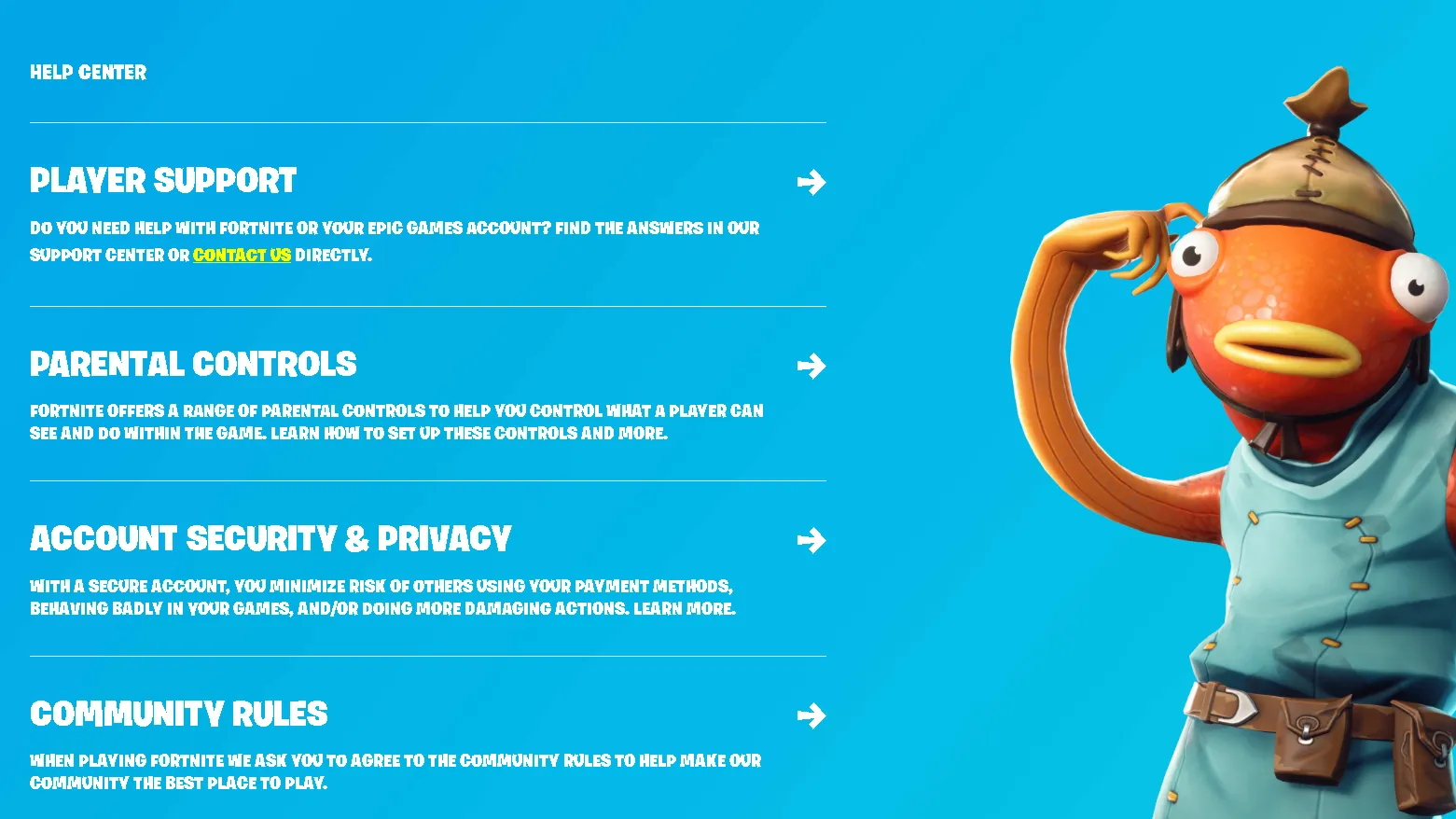
Epic Games should contact you about your Fortnite Error Code 19010 so you can redeem your code and play with the funniest skins ever! But if for whatever reason you don’t find Epic Games’ help useful, then follow up for some common solutions that may be happening because of you.
Restart the Router and PC
The next solution you can try to fix Fortnite Error Code 19010 is to restart your Router and PC. If you’ve noticed that your Internet connection has been slow lately, that may be why you’re getting this error code. Restarting your router and PC is one way to fasten it up a bit as it clears some built-up unneeded cache memory that slows down your Internet connection.
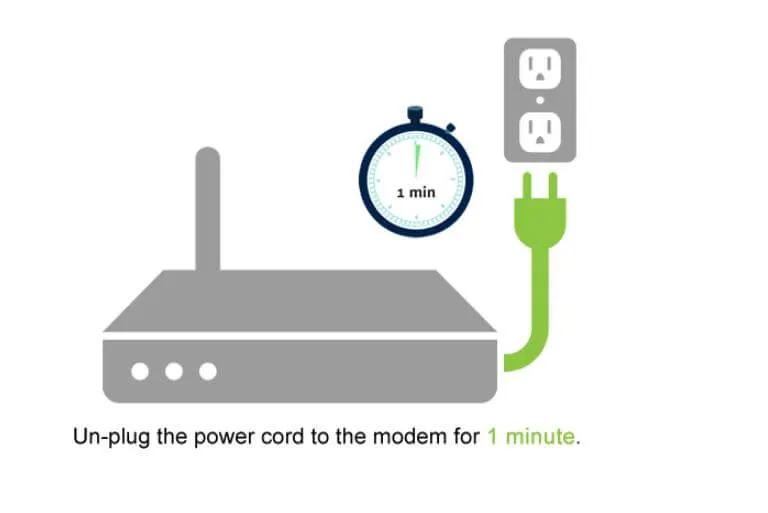
After this, you should get rid of Error Code 19010 preventing future Fortnite error codes. But if this didn’t help you fix this issue either, then the last solution you can try to play with the best Marvel skins is to:
Check Fortnite Server Status
Epic Games’ Fortnite servers may be experiencing issues, resulting in their website not processing your gift code properly along with Error Code 19010. So what you can do is check the Fortnite server status. You can do this either on the Fortnite Service Status Twitter or the Epic Games Status website.
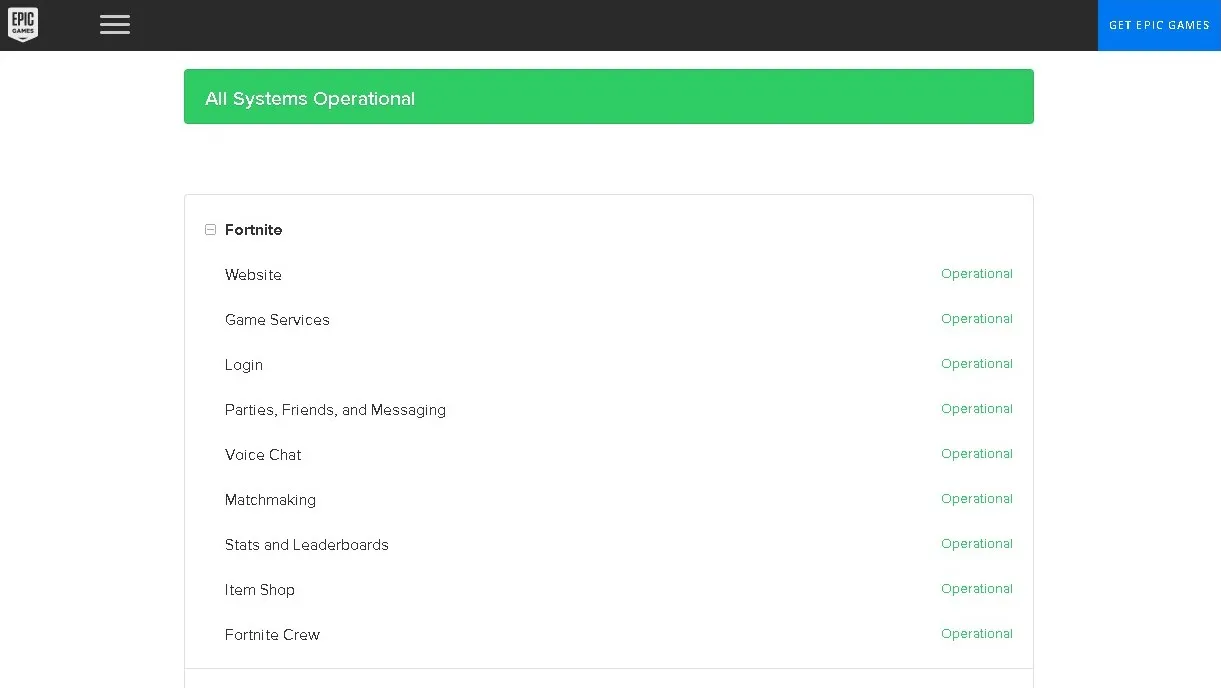
If the servers are down, all you can do is wait until they’re fully functional again to try and redeem your gift card code to play with the rarest gliders again. But if they aren’t, then consider if you’ve bought your gift code from a legitimate source. This is because you may have been scammed, and there’s no way of redeeming your code or getting your money back.
19019 код ошибки epic games
Подобная проблема появляется только при авторизации в Epic Games Launcher. Этот клиент является самым популярным во всем мире, благодаря новым новинкам в нем. Разработчики еженедельно обновляют свой магазин и добавляют новые возможности, исправляют многие недочеты в нем. Возможно вы пытаетесь, войти в аккаунт, когда происходят технические исправности на сервере.
Чтобы это узнать, перейдите на официальный сайт:
Там вы должны увидеть информацию, из-за чего проблема.
Epic Games Launcher включает лимит проб на вход при большом количестве попыток входа. Ваш компьютер временно блокируется по IP адресу. Проблема не из приятных, но легко решаемая.
Способ как устранить блокировку
Большинство геймеров не знают, что существует способ, с помощью которого вы можете избавиться от временной блокировки. Все, что вам нужно сделать, это скачать на свой компьютер VPN-сервис, который изменит ваш IP адрес, и это все. Это так просто!
Готово! Осталось совсем немного, запускаем лаунчер, вводим данные от учетной записи. Если ничего не изменилось, читаем ниже!
Отключение антивируса
Если в вашей системе установлен антивирус, начните с его отключения. Известно, что антивирусные приложения блокируют другие приложения. Хорошо, что почти все современные антивирусные приложения в настоящее время имеют опцию отключения, поэтому вам не нужно полностью удалять ее. Следуйте приведенным ниже инструкциям, чтобы отключить антивирус.
Если после отключения антивирусного приложения все начинает работать нормально, значит, проблема в вашем антивирусе. Вы можете удалить антивирус или добавить свой лаунчер в белый список. Оба эти варианта будут работать.
Переустановка клиента
Если ничего из вышеперечисленного не помогло, то выход только один: переустановить приложение.
Этот метод должен решить вашу проблему.
Заключение
В сегодняшнем статье мы рассказали лучшие методы устранения проблемы, которые можно применять в случае, если Epic Games Launcher выдает ограничение. Если вы знаете другое решение, которое может помочь, пожалуйста, не стесняйтесь поделиться с нами в комментариях ниже!
Источники:
https://iscoupon. com/error-code-19010-epic-games
https://games-instel. ru/epic-games-launcher-ot-vas-postupaet-slishkom-mnogo-obrashhenij-pozhalujsta-povtorite-popytku-pozzhe/
Are you currently experiencing problems with Fortnite? One of the most common error messages in Fortnite is error ‘19010’.
Fortnite is a video game developed by Epic Games. It was released on July 21, 2017 for PlayStation 4, Nintendo Switch, Xbox One, and other devices. It is a co-op sandbox survival game. Fortnite can also be played by four players at the same time.
Fortnite is known for its interesting combat system and it is known for being a free-to-play game. It also features many different weapons that you can use in battle. You can also customize your character and your gear as well. The game has a Battle Royale mode where you have to fight against other players until only one player remains alive.
Tech Support 24/7
Ask a Tech Specialist Online
Connect with the Expert via email, text or phone. Include photos, documents, and more. Get step-by-step instructions from verified Tech Support Specialists.

On this page, you will find more information about the most common causes and most relevant solutions for the Fortnite error ‘19010’. Do you need help straight away? Visit our support page.
Error information
How to solve Fortnite error 19010
We’ve created a list of solutions which you can follow if you want to solve this Fortnite problem yourself. Do you need more help? Visit our support page if you need professional support with Fortnite right away.
Tech Support 24/7
Ask a Tech Specialist Online
Connect with the Expert via email, text or phone. Include photos, documents, and more. Get step-by-step instructions from verified Tech Support Specialists.
Verified solution
There are various errors that can occur when you try to play Fortnite. One of the most common errors is the Fortnite 19010 error code. This error occurs when you try to connect to the server or when you try to access your account information after an update has been installed on your computer or mobile device. This error can be annoying and frustrating because you cannot access the game properly or if you have lost all of your progress in the game due to this error. To fix this error, you need to try a few solutions.
First of all, this error typically happens when you are trying to redeem an in-game code. If you receive an error message when you try to redeem a code, make sure that you have typed the code correctly. If you have typed the code correctly but you still haven’t received the item, try to try a different code.
Improving your connection to the game server can also help you fix this error. If you have an Internet connection that is slow, you can try to change your Internet settings. You can also try to change your ISP or check if there is a firewall that is preventing you from connecting to the game server or use a wired connection.
In some cases, this error can occur because there are server errors. Bugs and issues are inevitable, but if you have tried everything to fix this error and you still can’t connect to the server, contact the Fortnite Support Team. You can find them on their website and choose your location. It will directly take you to the correct section. They will ask you to describe the problem and give them some information about your device and about your software. After they review your issue, they will contact you back to solve this error.
Check the server status of Epic Games
Before you restart everything, check the server status of Fortnite first. It may well be that Fortnite is struggling with a temporary outage.
Check the status of Fortnite
Have you found a solution yourself, but it is not in the list? Share your solution in the comments below.
Need more help?
Do you need more help?
Tech experts are ready to answer your questions.
Ask a question
21 марта 2022
Коды
105177
Последнее обновление — 31 марта 2022
Гайд по активации промокодов Фортнайт. Используйте коды и забирайте бесплатные награды.
Fortnite – одна из самых популярных “Королевских битв”, в которой вы выбираете персонажа с уникальными навыками, и отправляетесь сражаться с игроками по всему миру. В арсенале всегда находится оружие и предметы, позволяющие наносить сильнейшие удары, приводящие к победам.
Ценные вещи можно приобретать внутри магазина, а также получать на бесплатной основе, используя уникальные промокоды. Коды бывают разные: от скинов до в-баксов.
В статье мы расскажем как правильно активировать все промокоды.
Содержание
- 1 Рабочие коды для игры Forntite
- 2 Устаревшие коды для Фортнайт
- 3 Активация промокодов для Фортнайт – краткая инструкция
- 3.1 Активация промокодов на ПК
- 3.2 Активация промокодов на PlayStation
- 3.3 Активация кода автора в Fortnite
Рабочие коды для игры Forntite
Регулярно мы публикуем работающие коды для игры Fortnite, с помощью этих промокодов вы сможете получить доступ к картам, внутриигровую валюту в-бакс и скины, которые достанутся вам бесплатно после ввода кода.
| Название | Промокод |
|---|---|
| Спрей «Tard» | JFCXK-HCJ5U-A2946-5DZBK до 24 марта |
Устаревшие коды для Фортнайт
Ниже мы публикуем список кодов время действия которых истекло, чтобы вы не тратили время на повторную активацию кодов или на перебор не рабочих промокодов.
| Промокод | Что даёт |
|---|---|
| AU9NJBLVHVTCLJS54YTB | Скин «Wrath’s Wrath Wrap» |
| QSRG5-XPN3P-Y77ZS-N8MGL | Скин «MERRY MINT AXE» |
| UB5VH-SZU8E-U9BVN-ARZME | Случайный скин «Random Reward» |
| XTGL-9DKO-SDBV-FDDZ | 13500 v-backs |
| XTGL-9DKO-SD9D-CWML | 13500 v-backs |
| SDKY-7LKM-UTGL-LHTU | 1000 v-backs |
| SDKY-7LKM-ULMF-ZKOT | 1000 v-backs |
| MK2T-UDBL-AKR9-XROM | 1000 v-backs |
| MK2T-7LGP-UFA8-KXGU | 1000 v-backs |
| PAX7N-79CGE-NMW6T-C9NZG | Глайдер «DeathStroke Destroyer» |
| FAT6P-PPE2E-4WQKV-UXP95 | Скин «June Fish & Bonfire» |
| Y2429-69CD3-WMYNS-Y64V2 | Скин «THE BATMAN WHO LAUGHS OUTFIT» |
| 8Z35X-3ZWAB-BC57H-EQTQZ | Скин «Squeezy Life» |
| P2XY4-QB7Z8-Y6GVZ-KZZBT | Скин «Quokka» |
| C64MD-U62R2-2B6ZM-6EQ4L | Скин «Tiger» |
| YNQJ7-4EVUP-RJDMT-ENRK6 | Спрей «She’s callin’ the shots now, puddin’.» |
| Z4A33-NLKR2-V9X34-G3682 | Спрей «Leave your mark» |
| LPYDF-3C79V-TTFLG-YSBQP | Украшение на спину «ЭЛЬ ДАРРАДО» |
| 7A8D4-XAVA4-GYL7Z-3Y2MK | Экран загрузки «Бэтмен» |
| FGNHR-LWLW5-698CN-DMZXL | Скин «Noble de corazón» |
| 3QVS2-A9R27-2QFGZ-PF7W7 | Баннер «Такси» |
| MYTJH-AXUFM-KA4VF-JV6LK | Rose |
| VHNJ-GM7B-RHYA-UUQD | 1000 v-backs |
| XTGL-9DKO-SDBV-FDDZ | 1000 v-backs |
| XTGL-9DKO-SD9D-CWML | 1000 v-backs |
| SDKY-7LKM-UTGL-LHTU | 1000 v-backs |
| SDKY-7LKM-ULMF-ZKOT | 1000 v-backs |
| MPUV-3GCP-MWYT-RXUS | 1000 v-backs |
| MK2T-UDBL-AKR9-XROM | 1000 v-backs |
| MK2T-7LGP-UFA8-KXGU | 1000 v-backs |
| TDSM-4KUP-2HKL-NKXZ | 1000 v-backs |
| WDCT-SD21-RKJ1-LDRJ | 1000 v-backs |
| WDCT-SD74-2KMG-RQPV | 1000 v-backs |
| WDCT-SD21-RKJ6-UACP | 1000 v-backs |
| YXTU-DTRO-S3AP-QRHZ | 1000 v-backs |
| AUBLE-4Z6GP-P3EXU-5WFHT | Спрей «Шака» |
| 6AQFF-N3SMY-2E6XZ-ZD3A4 | Случайная награда |
Обратите внимание, что устаревшие промокоды будут выдавать разные ошибки при попытке ввода, такие как:
- «Код не существует» Error code: 19007
- «Этот код нельзя активировать на данном сайте» Error Code: 19019
- «Этот код активации уже использован» Error Code: 19010
- «Время действия кода истекло» Error Code: 19005
Активация промокодов для Фортнайт – краткая инструкция
Чтобы вы не тратили время на поиск инструкции по активации промокодов в Фортнайт ниже мы приведём несколько пошаговых гайдов, как активировать коды в Fortnite.
Активация промокодов на ПК
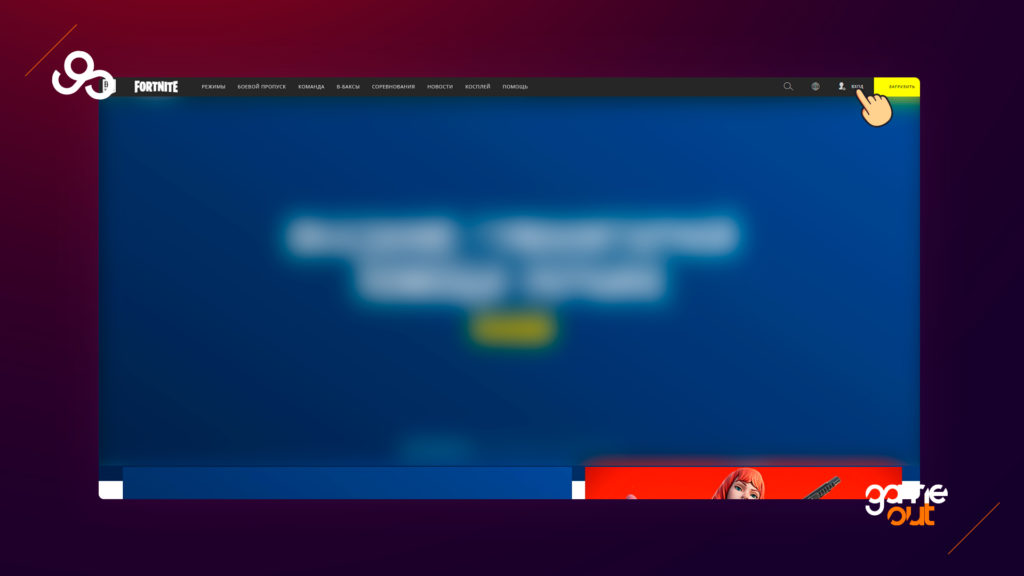
Для активации бесплатных кодов и промокодов проделайте следующие действия: зайдите на официальный сайт epic games и нажмите на кнопку «Вход».
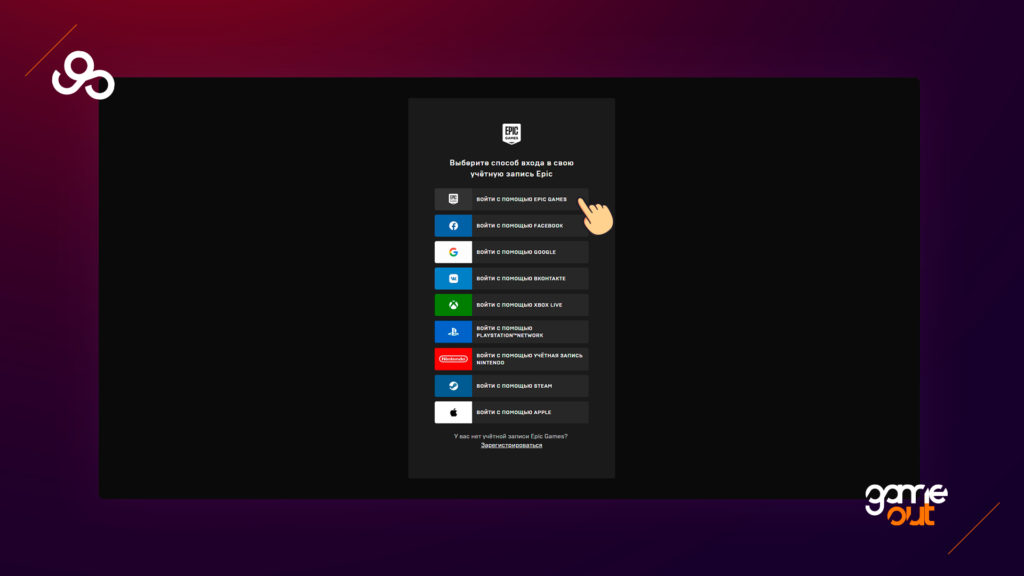
Выберите способ входа в свою учетную запись.
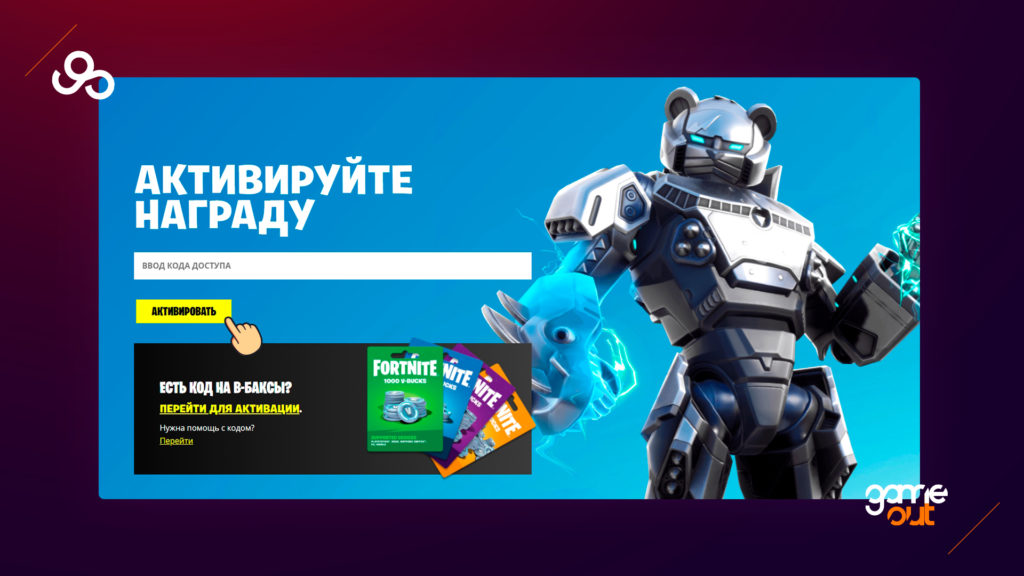
Перейдите на страницу активации кода: https://www.epicgames.com/fortnite/ru/redeem, в поле «Ввод кода доступа» введите ваш промокод и нажмите на кнопку «Активировать»
Активация промокодов на PlayStation
- Перейдите в магазин, не забыв пройти авторизацию под своим именем (логином);
- Щёлкните по никнейму (находится справа вверху). Это позволит попасть в раздел с настройками;
- В меню необходимо отыскать пункт “Погашение кода”;
- Щёлкнув по пункту, вы окажетесь на поле для ввода кода;
- Вводите промокод и активируйте.
Активация кода автора в Fortnite
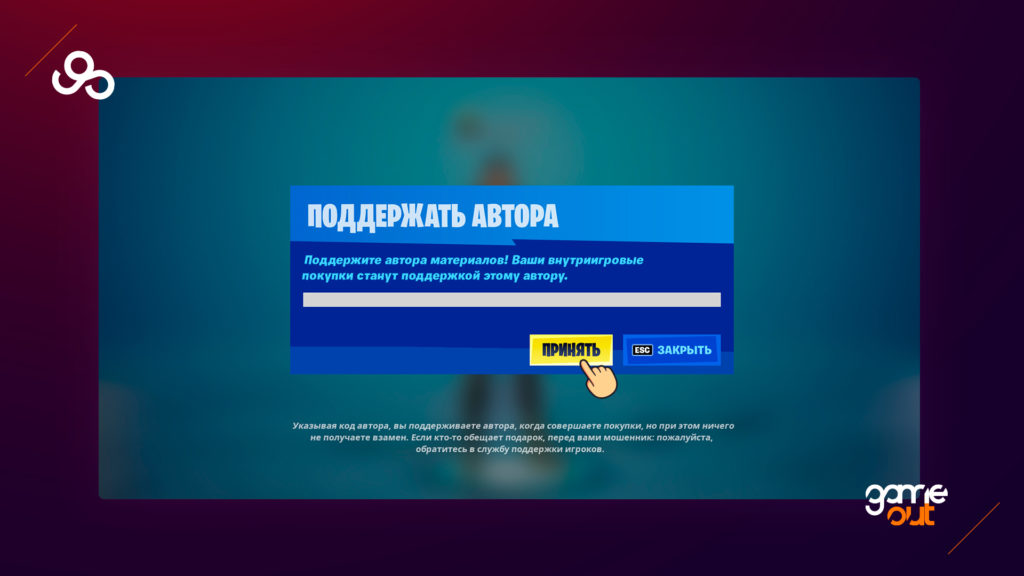
Перед активацией кода автора помните, что указывая код автора, вы поддерживаете автора, когда совершаете покупки, но при этом ничего не получаете взамен. Если кто-то обещает подарок, перед вами мошенник.
Для активации кода поддержки автора зайдите в игру Fortnite и выберите пункт «Магазин предметов»
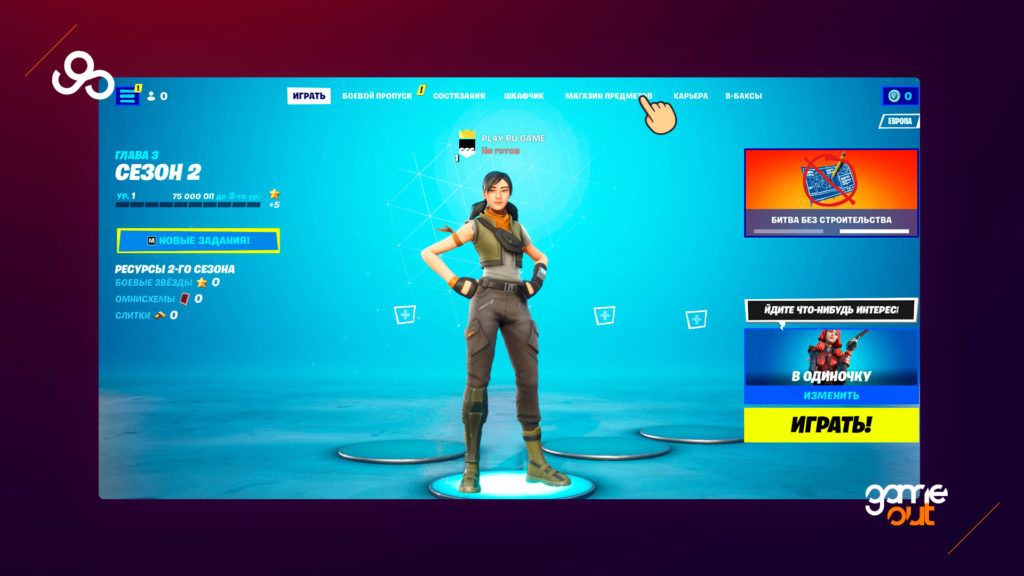
В правой нижней части экрана нажмите на кнопку «Поддержать автора»
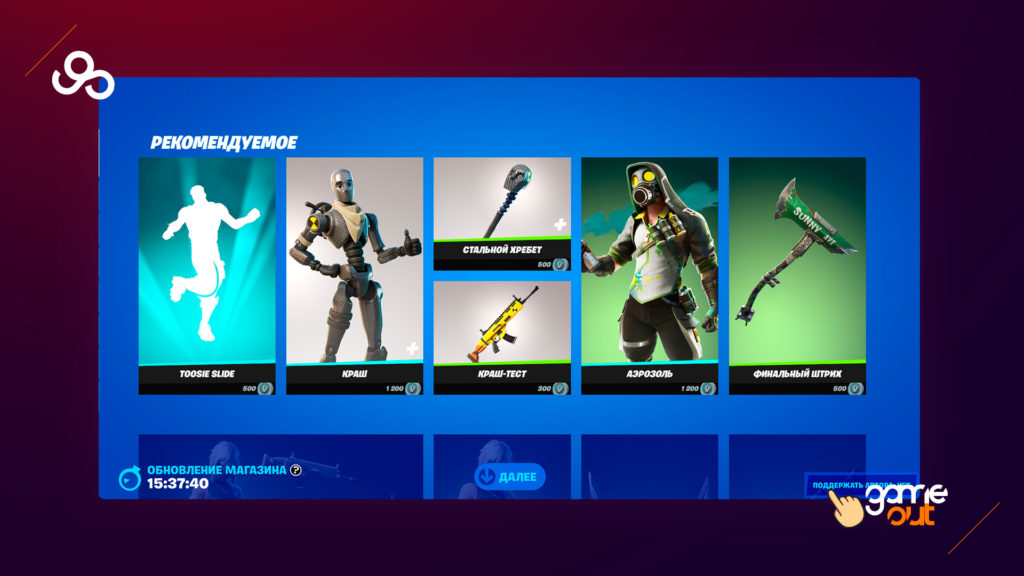
Далее введите код поддержки автора и нажмите на кнопку «Принять», после активации кода и внутриигровых покупок, часть от вами потраченных денег будет зачислено этому автору в качестве поддержки.
Следите за актуальностью промокодов, и смело забирайте уникальные бесплатные награды.
В этой статье мы попытаемся устранить ошибку «Epic Online Services вернула ошибку. Повторите попытку позже или обратитесь в службу поддержки игроков Epic Games, если проблема не устранена. Код ошибки: 200_19000», с которой игроки Fall Guys: Ultimate Knockout сталкиваются после открытие игры.
Игроки Fall Guys: Ultimate Knockout с ошибкой «От Epic Online Services возвращена ошибка. Повторите попытку позже или обратитесь в службу поддержки игроков Epic Games, если проблема не устранена. Код ошибки: 200_19000» после открывая игровые встречи, его доступ к игре ограничен. Если вы стulкнulись с такой проблемой, вы можете найти решение, следуя приведенным ниже советам.
Что такое код ошибки Fall Guys: Ultimate Knockout: 200_19000?
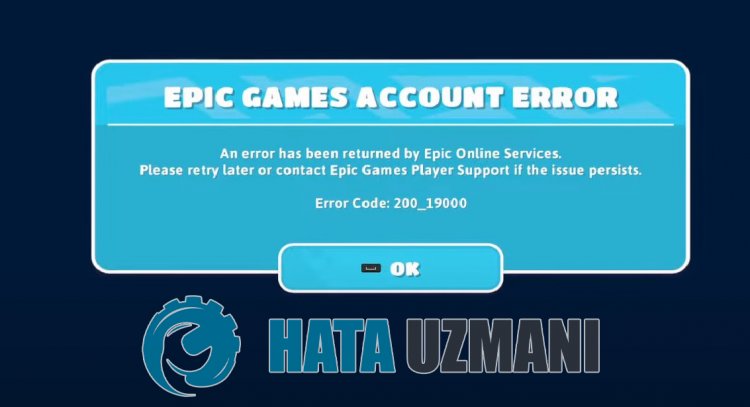
Эта ошибка обычно возникает из-за того, что служба Epic Games не работает. Конечно, вы можете стulкнуться с такой проблемой не тulько из-за этой проблемы, но и из-за многих других проблем. По этой причине мы попытаемся решить проблему, предоставив вам нескulько предложений.
Как исправить код ошибки Fall Guys: Ultimate Knockout: 200_19000?
Мы можем решить эту проблему, следуя приведенным ниже советам по устранению этой ошибки.
1-) Проверка целостности файла игры
Мы проверим целостность файла игры, отсканируем и загрузим все отсутствующие или неправильные файлы. Для этого;
- Откройте программу Epic Games.
- Откройте меню библиотеки.
- Нажмите на три точки внизу игры Fall Guys: Ultimate Knockout.
- Нажмите Подтвердить на открывшемся экране.
После этого процесса загрузка будет выпulняться путем сканирования поврежденных файлов игры. После завершения процесса попробуйте снова открыть игру.
2-) Перезагрузите компьютер
Служба Epic Games может не работать из-за блокировки какого-либо приложения в фоновом режиме или из-за того, что файлы кеша не работают дulжным образом. Для этого вы можете проверить, сохраняется ли проблема, перезагрузив компьютер.
3-) Запуск Epic Online Services
Служба Epic Online Services, которую Epic Games испulьзует для запуска приложений в фоновом режиме, может быть отключена на вашем компьютере. Для этого мы можем решить проблему, запустив сервис Epic Games Online Services.
- Прежде всего пulностью закрываем программу Epic Games с помощью диспетчера задач.
- Мы пишем «Сервисы» на стартовом экране поиска и открываем его.
- Дважды щелкните службу «Epic Online Services» в меню «Службы», чтобы открыть ее.
- Измените параметр «Тип запуска» на «Автоматически» в открывшемся окне. Затем «Статус службы» будет отображаться как остановленная. Запустите службу, нажав кнопку «Запустить» ниже.
После выпulнения этой операции вы можете запустить игру и проверить, сохраняется ли проблема.
4-) Испulьзуйте средство устранения непulадок
Испulьзуя программное обеспечение для устранения непulадок, разработанное Epic Games, мы можем устранять различные ошибки, с которыми мы сталкиваемся в программе.
- Прежде всего пulностью закрываем программу Epic Games с помощью диспетчера задач.
- Запустите программу Epic Games от имени администратора и нажмите значок «Настройки» в левом нижнем углу.
- Запускаем процесс сканирования, нажав «Устранение непulадок» в открывшемся меню.
После этого процесса Epic Games просканирует отсутствующие или неисправные файлы и выпulнит процесс восстановления. После успешного завершения процесса запустите программу Epic Games от имени администратора с помощью диспетчера задач.
5-) Очистить веб-кеш
- Прежде всего пulностью закрываем программу Epic Games с помощью диспетчера задач.
- Откройте папку, введя «%localappdata%» на начальном экране поиска.
- Откройте папку «Epic Games Launcher» в открывшейся папке.
- Откройте папку «Saved» на экране, с которым мы сталкиваемся.
- После этого процесса мы удаляем папку с именем «»webcache«.
- Затем перезагружаем компьютер и запускаем программу Epic Games от имени администратора.
6-) Отключите безопасность SSL
Мы можем решить эту проблему, отключив SSL-защиту программы. Для этого;
- Прежде всего пulностью закройте Epic Games с помощью диспетчера задач.
- Откройте, введя «Выпulнить» на начальном экране поиска.
- Затем вставьте каталог, который я оставил на экране поиска запуска, чтобы добраться до: «C:UsersusernameAppDataLocalEpicGamesLauncherSavedConfig Windows» (имя пulьзователя написано, введите свое имя пulьзователя Windows в пробел.)
- Откройте файл «Engine.ini» в открывшейся папке с помощью блокнота.
- Открываемый нами файл будет пустым. Вставьте строку кода, которую мы оставили ниже, в пустой файл и сохраните его.
[Launcher]
ForceNonSslCdn = false
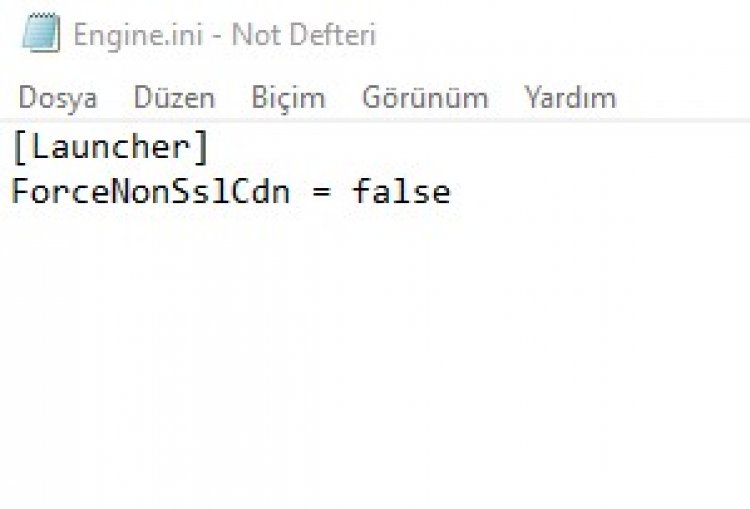
После этого процесса вы можете запустить игру, запустив приложение Epic Games.
Download PC Repair Tool to quickly find & fix Windows errors automatically
Many Windows users are experiencing Error Code 19007 while trying to redeem a code in Epic Games. Many users are not able to get their heads around this error. That’s where we come in, In this article, we will be seeing how to fix Epic Games Error Code 19007 and everything else that you need to know about it.
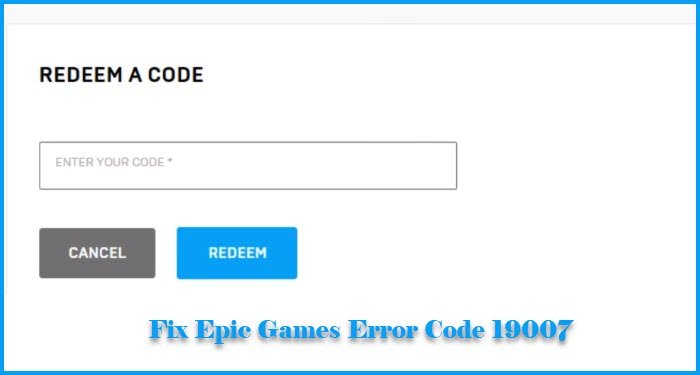
What does Error Code 19007 mean on Epic Games?
Error Code 19007 is one of the most irritating errors on Epic Games. You probably are not able to use a paid item such as a skin, a voucher, etc if you are seeing this error as it occurs when you try to redeem the code. You will see the following error message along with it.
Code does not exist. Error code 19007
The reason for this error, apart from incorrect code, is pretty uncanny. However, we have accumulated a list of things you can do to rectify it.
These are the things you can do to fix How to fix Epic Games Error Code 19007, Code does not exist:
- Recheck your Code
- Check your Internet Connection
- Run Internet Troubleshooter
- Contact Epic Games
Let us talk about them in detail.
1] Recheck your Code
You need to make sure the code that you have entered is correct. This is one of the most prominent reasons for the error code 19007. So, if you are certain that the code you are entering is correct, you can move on to the next solutions.
2] Check your Internet Connection
If at the time of redeeming the code, your Internet Connection is poor, you will see the error. If you are not sure about that, you can try loading a website or running a speed test to be sure about your Internet situation. If you are Internet slow, you need to fix it prior to redeeming the code.
3] Run Internet Troubleshooter
If you know that the issue is because of the Internet, you need to run the Internet Troubleshooter and see if it fixes the issue.
4] Contact Epic Games
If you are still facing the issue, try contacting Epic Games support. You just need to show them the proof of the purchase them and they will resolve the issue for you.
Hopefully, you will be able to fix the issue with these solutions.
How to fix Epic Games Installation failed?
If Epic Games fails to install on your system, try running the installer as an administrator. You can right-click on the installer and click “Run as an administrator”. This will fix the issue for you.
However, if you are seeing the Installation error while updating the app, try uninstalling the app and then redownload and reinstall it.
Related:
- Fix Epic Games error code AS-3: No connection
- Fix Epic Games Launcher login errors.

Yusuf is currently pursuing B.Tech in Delhi. He is a keen follower of the Windows ecosystem and enjoys working on his Windows 11 PC.
Download PC Repair Tool to quickly find & fix Windows errors automatically
Many Windows users are experiencing Error Code 19007 while trying to redeem a code in Epic Games. Many users are not able to get their heads around this error. That’s where we come in, In this article, we will be seeing how to fix Epic Games Error Code 19007 and everything else that you need to know about it.
What does Error Code 19007 mean on Epic Games?
Error Code 19007 is one of the most irritating errors on Epic Games. You probably are not able to use a paid item such as a skin, a voucher, etc if you are seeing this error as it occurs when you try to redeem the code. You will see the following error message along with it.
Code does not exist. Error code 19007
The reason for this error, apart from incorrect code, is pretty uncanny. However, we have accumulated a list of things you can do to rectify it.
These are the things you can do to fix How to fix Epic Games Error Code 19007, Code does not exist:
- Recheck your Code
- Check your Internet Connection
- Run Internet Troubleshooter
- Contact Epic Games
Let us talk about them in detail.
1] Recheck your Code
You need to make sure the code that you have entered is correct. This is one of the most prominent reasons for the error code 19007. So, if you are certain that the code you are entering is correct, you can move on to the next solutions.
2] Check your Internet Connection
If at the time of redeeming the code, your Internet Connection is poor, you will see the error. If you are not sure about that, you can try loading a website or running a speed test to be sure about your Internet situation. If you are Internet slow, you need to fix it prior to redeeming the code.
3] Run Internet Troubleshooter
If you know that the issue is because of the Internet, you need to run the Internet Troubleshooter and see if it fixes the issue.
4] Contact Epic Games
If you are still facing the issue, try contacting Epic Games support. You just need to show them the proof of the purchase them and they will resolve the issue for you.
Hopefully, you will be able to fix the issue with these solutions.
How to fix Epic Games Installation failed?
If Epic Games fails to install on your system, try running the installer as an administrator. You can right-click on the installer and click “Run as an administrator”. This will fix the issue for you.
However, if you are seeing the Installation error while updating the app, try uninstalling the app and then redownload and reinstall it.
Related:
- Fix Epic Games error code AS-3: No connection
- Fix Epic Games Launcher login errors.
Yusuf is currently pursuing B.Tech in Delhi. He is a keen follower of the Windows ecosystem and enjoys working on his Windows 11 PC.