Практически любой активный пользователь интернета при работе с сайтами сталкивался с ошибками. Особенно важно знать причину этих ошибок самому владельцу сайта.
Довольно часто проблемы, которыми вызваны ошибки, незначительны и решить их можно самостоятельно. Для начала нужно ознакомиться с типами самых распространенных ошибок, а затем уже и алгоритмом их устранения.
Виды ошибок
Ошибка протокола http может возникнуть, если файлы, запрошенные пользователем, не доходят к нему от сервера. В такой ситуации сервер сообщает пользователю код ошибки. Код ответа сервера бывает всего четырех видов: два успешных и два не успешных.
Список ошибок http (хх – любые цифры):
2хх — запрашиваемый запрос выполнен;
3хх — запрашиваемый запрос отправлен пользователю, тоже считается положительным кодом;
4хх — файл не был отправлен пользователю по причине ошибки. Этот код означает ошибку со стороны клиента;
5хх — ошибка сервера.
Ниже мы разберем два последних кода ответа сервера. Это наиболее частые ошибки, а их устранение не требует много времени.
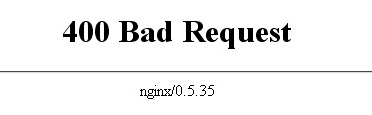
Ошибка 400 «Bad Request»
Если при запросе к сайту, вы получаете ошибку 400, значит в самом запросе допущена ошибка. Но такая ошибка может возникнуть, если вы пытаетесь войти в панель управления вашего сайта. Чаще всего это случается по 4 причинам:
- браузер заблокирован антивирусом;
- браузер заблокирован брэндмауэром Windows;
- большое количество cookies и файлов в кэше;
- нестабильное подключение к интернету.
Чтобы решить эту проблему, нужно по очереди проверить каждую возможную причину ее возникновения.
Браузер заблокирован антивирусом
Проверьте, чтобы ваш браузер не находился в списке запрещенных приложений вашего анивируса. Если находится, повысьте уровень доверия к нему и сохраните настройки.
Браузер заблокирован брэндмауэром.
В этом случае нужно временно отключить брэндмауэр, очистить cookies и cash, а затем обновить страницу в браузере. Если проблема решилась, нужно добавить браузер в разрешенные программы в брэндмауэре.
Куки и кэш (Сookies & cash)
Самое простое решение – просто очистите cookies и cash в браузере, а затем обновите страницу с ошибкой.
Нестабильное подключение к интернету.
Позвоните провайдеру, чтобы узнать, с чем связаны перебои. Возможно, у провайдера проводятся работы.

Ошибка 403 «Доступ запрещен»
Если ответ сервера – ошибка 403, значит, что доступ к запрашиваемым файлам запрещен. Самые часто встречающиеся причины:
- Некорректный индексный файл. Для исправления этой ошибки нужно создать такой файл или переименовать, если он уже имеется.
- Права доступа файла не дают веб-серверу его прочесть. Для решения проблемы нужно изменить права.
- Данные расположены в неверной директории. Для решения проверьте нахождение файлов в директории public_html.

Ошибка 404 – файл не найден
Такая ошибка означает, что сервер не находит данные по запросу. Основные причины ее возникновения:
- URL введен некорректно. Чтобы устранить ошибку, проверьте правильность написания ссылки.
- Запрашиваемый документ отсутствует. Чтобы устранить ошибку, нужно проверить, находится ли запрашиваемый файл в нужной директории.

Ошибка 500 – ошибка сервера
Чтобы узнать, что значит ошибка http с кодом 500, нужно проверить причины ее возникновения.
- Невозможность запуска скрипта. Если на документы указаны неверные права доступа, такие как 777, работа скриптов с этими файлами блокируется сервером. Чтобы устранить данную проблему, необходимо установить корректные права доступа к файлам.
- Ошибка в файле .htaccess. Возможно, ошибка в директиве. Чтобы устранить ошибку, включите error.log.
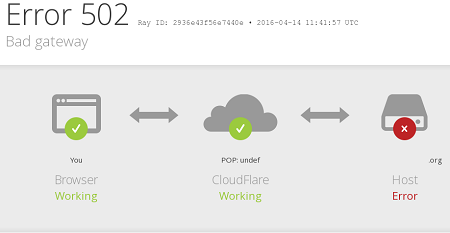
Ошибка 502 – Bad Gateaway
Такие статусы ошибок http, как 502, сообщают о том, сервер дал недопустимый ответ. Причины появления такой ошибки:
- Прокси-сервер работает неисправно. Убедитесь, что у вас есть доступ в сеть. Если доступ к другим сайтам имеется и интернет работает, удалите куки и очистите кэш.
- Недостаточность серверных ресурсов. Такая проблема может возникнуть, если ваш сайт превышает количество ресурсов, выделяемое вам хостингом на данном тарифном плане. Изучите тарифы хостинга и выберите себе более подходящий, предоставляющий больше ресурсов.
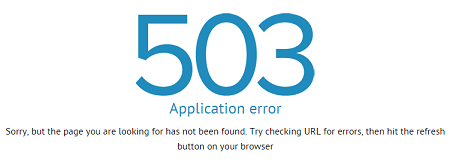
Ошибка 503 – Service Temporarily Unavailable
Каждый сайт, располагаясь на хостинге, имеет в распоряжении ограниченное количество рабочих процессов в зависимости от тарифа. Процессы выполняются по очереди и, чем больше процессов, тем сильнее забивается очередь, количество процессов в которой ограничено. Таким образом, если процесс не вмещается в установленный объем очереди, он не выполнятся. При этом сервер выдает ошибку «Сервис временно недоступен». Причины появления ошибки:
- Ограниченность времени работы скрипта. Так как через некоторое время скрипты прекращают свою работу, они могут не успеть передать большой файл. Чтобы устранить эту ошибку, отключите все плагины по очереди, выявляя из их числа самые тяжелые. Виновника следует заменить на аналогичный плагин или же отказаться от него вовсе.
- Высокое количество запросов. Причины возникновения:
- Ресурс ссылается на слишком большое количество файлов, загрузка каждого из которых занимает отдельный процесс. Для решения постарайтесь объединить как можно больше файлов в один.
- Спам и DDoS-атаки могут вызывать высокое количество запросов. В случае DDos-атаки, нужно постараться ее устранить.
Что делать при появлении ошибки
Даже на сайтах с самым лучшим обслуживанием периодически возникают ошибки. Для самостоятельного решения вам нужно понять причину возникновения http ошибки. Подобные знания помогут вам сэкономить время и ресурсы, ведь вам не нужно будет обращаться в техническую поддержку провайдера.
Improve Article
Save Article
Improve Article
Save Article
It has happened to almost everyone many times that when we want to access any website, some coded message shows up on the screen indicating that we can’t access the website. These codes with error message are basically called as HTTP error code. HTTP (HyperText Transfer Protocol) is a process through which the client interacts with the server. When accessing a web server, every HTTP request i.e. received by a server is responded with an HTTP status code, which is of 3 digits and is grouped into 5 different categories.
| Series Begin With | Code Indication |
|---|---|
| 1** | Informational |
| 2** | Success |
| 3** | Redirection |
| 4** | Client Error |
| 5** | Server Error |
- The series starts with 1**, 2** and 3** are fully functional requests and are discussed below.
- The series starts with 4** represents client side error which are discussed below.
- The series starts with 5** represents server side error and are discussed below.
Note: 4** and 5** is solvable by Troubleshoot.
1** Informational: The HTTP status codes in this class are intended to be provisional, which is sent by the server before any full and completed second response is sent.
- 100 – Continue: This status code indicates that only a part of the request has been received by the server without any problem and client should continue the request or ignore the response if the request has already finished.
- 101 – Switching Protocols: This status code is sent in response to an upgrade request header from the client and indicates the protocol which the server is switching to.
- 102 – Processing: This status code is used to inform the client that the server has accepted the complete request but has not yet completed it.
2** Success: The HTTP status codes in this class indicate successful completion of a request.
- 200 – Ok: This HTTP status code is a standard response for successful HTTP requests. The information returned with the response is dependent on the method used in the request, like: GET or POST or HEAD or TRACE.
- 201 – Created: This HTTP status code indicates that a new resource has been created as a result of the successful completion of a request.
- 202 – Accepted: This HTTP status code indicates that the request has been received and has been accepted for processing but although it may not be processed immediately.
- 203 – Non-Authoritative Information: This HTTP status code indicates that the request has been received and understood and the information sent back to the client as the response is from a third-party rather than from the original server.
- 204 – No Content: This HTTP status code indicates that the server has successfully processed the request but needs to return any content or maybe there is no need to send back any data.
- 205 – Reset Content: This HTTP status code is sent from the server to the client. It requests to reset the content from which the original document was sent.
- 206 – Partial Content: This HTTP status code indicates that the server is sending only a part of the requested resource due to a range header sent by the client.
- 207 – Multi-status: A multi-status response conveys information about multiple resources where message body is followed by an XML message and contains separate response codes.
3** Redirection: The HTTP status codes in this class indicates that additional action is required on the client-side in order to complete the request.
- 300 – Multiple Choices: This HTTP status code indicates multiple options for the resource that the client should choose one of them. It could be used to represent different file format options or different media presentations for the same content.
- 301 – Moved Permanently: This HTTP status code indicates that the URL of the requested resource has been changed permanently to a new URL. The response should also include new URL and any future references to that resource ought to use the new URL.
- 302 – Found: This HTTP status code indicates that the resource requested by the client has temporarily moved to a new URL. The temporary URL should be given by the Location field in the response.
- 303 – See Other: This HTTP status code indicates that the response/resources can be found at another URL using the GET method. When received in response to a POST/ PUT/ DELETE, it should be assumed that the server has received the data and the redirect should be issued with a separate GET message.
- 304 – Not Modified: This HTTP status code used for caching purposes. That means the resource has not been modified since last requested. Normally, when a document is cached, the date it was cached is stored. When the document is viewed next time, the client asks the server if the document has changed. If not, then the client just reloads the document from the cache.
- 305 – Use Proxy: This HTTP status code indicates that the client’s requested resource can be reached through a proxy mentioned in the location header. The address of the proxy has to be provided in the response. Not all clients implement this because of security reasons.
- 306 – Switch Proxy: This HTTP Status code indicates the subsequent requests should use the specified proxy. But it is no longer in use and is reserved for the future.
- 307 – Temporary Redirect: Here the server sends the HTTP response to direct the client to get the requested resource at another URL with the same method that was used in the previous request.
4** Client Error: The HTTP status codes in this class indicate the errors that are technically the result of a problem with the client’s request.
- 400 – Bad Request: This error code indicates the HTTP request that was sent to the server has invalid syntax.
Steps to Troubleshoot:- Check for errors in the URL (Uniform Resource Locator) which is the most common reason.
- Cookies linked with that site may be corrupted so clear the cookies and cache of the browser.
- Try to open the same webpage on separate web browser.
- 401 – Unauthorized: This error code indicates that the user trying to access the resource without having proper authentication. So that the user must provide credentials to view the protected resources.
Steps to Troubleshoot:- First check for the errors in the URL, if the URL is valid, then visit the main page and look for the link saying log in or secure access. Enter your credentials and then try again or if you don’t have valid credentials or forgot your password then follow the instructions to create a new account or reset your password.
- Clearing browser cache can solve this error because there might be invalid login information stored locally in your browser i.e. interrupting the login process.
- If the site shouldn’t need authorization, then this error message may be a mistake. Hence it is best to contact the website administrator.
- 403 – Forbidden: It generally occurs when the user made a valid request but the server is refusing to serve due to lack of permission to access the requested resource.
Troubleshoot Steps for Client:- Contact the ISP (Internet Service Provider), if the website is working for others.
- In order to get permission, you must speak to the website administrator to grant access.
- If the user keeps on getting this error, make sure www data contains proper permission to access file/read. Typically it means that the permission of the file should be set to read.
- Check .htaccess settings (.htaccess file controls the access of resources, specific to a certain range of IP address).
- It can also happen if your website doesn’t have an index file. If it is not, then you should rename your homepage as index.html / index.php.
- 404 – Not Found: This error code indicates that the user can communicate with the server but the server is unable to locate the requested resource/file.
Steps to Troubleshoot:- Check out the URL again if it contains any error.
- Refresh your web page by pressing F5 key.
- Clear your browser cache.
- Modify the DNS (Domain Name System) server. (Try it only if, the entire site gives you a 404 error)
5** Server Error: The HTTP status codes in this class indicates the server is aware that it has encountered an error or is otherwise incapable of performing the request.
- 500 – Internal Server Error: It is the most common server error and is usually referred to as catch all code error. This HTTP error code indicates that there is something wrong with the website server and the server is unable to detect the exact problem. Although this is not a problem from the client side but the client can attempt to resolve it by following steps.
Troubleshoot steps for Client:- May be there would be high web traffic. So by reloading the webpage by pressing F5 key can solve the issue.
- Clear your cookies and cache of your web browser.
- Check your website’s .htaccess file. Make sure that it is build properly.
- Check if there is any incorrect permission on files and folders.
- 502 – Bad Gateway: This HTTP error code indicates that the server is acting as a gateway or proxy server and unable to get a valid response from upstream servers or the origin server. This can occur because of the DNS issue.
Steps to Troubleshoot:- Reload the URL by pressing F5 key.
- Start a new browser session by closing all opened browser windows.
- Clear browser cache.
- Disable your CDN (Content Delivery Network) temporarily.
- Restart your network devices. (modem, router etc.)
- 503 – Service Unavailable: This error code indicates that the server is extra loaded or under maintenance and the service should become available at some point.
Steps to Troubleshoot:- Reload the URL by pressing F5 key.
- Restart your router, modem and your device.
- 504 – Gateway Timeout: This error indicates that the server is a gateway or proxy server and is unable to get a response from the backend server within the allowed time period.
Steps to Troubleshoot:- Try reloading the URL by pressing F5 key.
- Restart all your network equipments such as: modem, router etc.
- Check the proxy server settings in your browser or application and make sure they are correct.
- Change the DNS server. (if all the devices in your network are getting the same error)
- If still you are getting this error message code then contact the website administrator.
- And if still also you are getting this error then contact to your ISP.
Improve Article
Save Article
Improve Article
Save Article
It has happened to almost everyone many times that when we want to access any website, some coded message shows up on the screen indicating that we can’t access the website. These codes with error message are basically called as HTTP error code. HTTP (HyperText Transfer Protocol) is a process through which the client interacts with the server. When accessing a web server, every HTTP request i.e. received by a server is responded with an HTTP status code, which is of 3 digits and is grouped into 5 different categories.
| Series Begin With | Code Indication |
|---|---|
| 1** | Informational |
| 2** | Success |
| 3** | Redirection |
| 4** | Client Error |
| 5** | Server Error |
- The series starts with 1**, 2** and 3** are fully functional requests and are discussed below.
- The series starts with 4** represents client side error which are discussed below.
- The series starts with 5** represents server side error and are discussed below.
Note: 4** and 5** is solvable by Troubleshoot.
1** Informational: The HTTP status codes in this class are intended to be provisional, which is sent by the server before any full and completed second response is sent.
- 100 – Continue: This status code indicates that only a part of the request has been received by the server without any problem and client should continue the request or ignore the response if the request has already finished.
- 101 – Switching Protocols: This status code is sent in response to an upgrade request header from the client and indicates the protocol which the server is switching to.
- 102 – Processing: This status code is used to inform the client that the server has accepted the complete request but has not yet completed it.
2** Success: The HTTP status codes in this class indicate successful completion of a request.
- 200 – Ok: This HTTP status code is a standard response for successful HTTP requests. The information returned with the response is dependent on the method used in the request, like: GET or POST or HEAD or TRACE.
- 201 – Created: This HTTP status code indicates that a new resource has been created as a result of the successful completion of a request.
- 202 – Accepted: This HTTP status code indicates that the request has been received and has been accepted for processing but although it may not be processed immediately.
- 203 – Non-Authoritative Information: This HTTP status code indicates that the request has been received and understood and the information sent back to the client as the response is from a third-party rather than from the original server.
- 204 – No Content: This HTTP status code indicates that the server has successfully processed the request but needs to return any content or maybe there is no need to send back any data.
- 205 – Reset Content: This HTTP status code is sent from the server to the client. It requests to reset the content from which the original document was sent.
- 206 – Partial Content: This HTTP status code indicates that the server is sending only a part of the requested resource due to a range header sent by the client.
- 207 – Multi-status: A multi-status response conveys information about multiple resources where message body is followed by an XML message and contains separate response codes.
3** Redirection: The HTTP status codes in this class indicates that additional action is required on the client-side in order to complete the request.
- 300 – Multiple Choices: This HTTP status code indicates multiple options for the resource that the client should choose one of them. It could be used to represent different file format options or different media presentations for the same content.
- 301 – Moved Permanently: This HTTP status code indicates that the URL of the requested resource has been changed permanently to a new URL. The response should also include new URL and any future references to that resource ought to use the new URL.
- 302 – Found: This HTTP status code indicates that the resource requested by the client has temporarily moved to a new URL. The temporary URL should be given by the Location field in the response.
- 303 – See Other: This HTTP status code indicates that the response/resources can be found at another URL using the GET method. When received in response to a POST/ PUT/ DELETE, it should be assumed that the server has received the data and the redirect should be issued with a separate GET message.
- 304 – Not Modified: This HTTP status code used for caching purposes. That means the resource has not been modified since last requested. Normally, when a document is cached, the date it was cached is stored. When the document is viewed next time, the client asks the server if the document has changed. If not, then the client just reloads the document from the cache.
- 305 – Use Proxy: This HTTP status code indicates that the client’s requested resource can be reached through a proxy mentioned in the location header. The address of the proxy has to be provided in the response. Not all clients implement this because of security reasons.
- 306 – Switch Proxy: This HTTP Status code indicates the subsequent requests should use the specified proxy. But it is no longer in use and is reserved for the future.
- 307 – Temporary Redirect: Here the server sends the HTTP response to direct the client to get the requested resource at another URL with the same method that was used in the previous request.
4** Client Error: The HTTP status codes in this class indicate the errors that are technically the result of a problem with the client’s request.
- 400 – Bad Request: This error code indicates the HTTP request that was sent to the server has invalid syntax.
Steps to Troubleshoot:- Check for errors in the URL (Uniform Resource Locator) which is the most common reason.
- Cookies linked with that site may be corrupted so clear the cookies and cache of the browser.
- Try to open the same webpage on separate web browser.
- 401 – Unauthorized: This error code indicates that the user trying to access the resource without having proper authentication. So that the user must provide credentials to view the protected resources.
Steps to Troubleshoot:- First check for the errors in the URL, if the URL is valid, then visit the main page and look for the link saying log in or secure access. Enter your credentials and then try again or if you don’t have valid credentials or forgot your password then follow the instructions to create a new account or reset your password.
- Clearing browser cache can solve this error because there might be invalid login information stored locally in your browser i.e. interrupting the login process.
- If the site shouldn’t need authorization, then this error message may be a mistake. Hence it is best to contact the website administrator.
- 403 – Forbidden: It generally occurs when the user made a valid request but the server is refusing to serve due to lack of permission to access the requested resource.
Troubleshoot Steps for Client:- Contact the ISP (Internet Service Provider), if the website is working for others.
- In order to get permission, you must speak to the website administrator to grant access.
- If the user keeps on getting this error, make sure www data contains proper permission to access file/read. Typically it means that the permission of the file should be set to read.
- Check .htaccess settings (.htaccess file controls the access of resources, specific to a certain range of IP address).
- It can also happen if your website doesn’t have an index file. If it is not, then you should rename your homepage as index.html / index.php.
- 404 – Not Found: This error code indicates that the user can communicate with the server but the server is unable to locate the requested resource/file.
Steps to Troubleshoot:- Check out the URL again if it contains any error.
- Refresh your web page by pressing F5 key.
- Clear your browser cache.
- Modify the DNS (Domain Name System) server. (Try it only if, the entire site gives you a 404 error)
5** Server Error: The HTTP status codes in this class indicates the server is aware that it has encountered an error or is otherwise incapable of performing the request.
- 500 – Internal Server Error: It is the most common server error and is usually referred to as catch all code error. This HTTP error code indicates that there is something wrong with the website server and the server is unable to detect the exact problem. Although this is not a problem from the client side but the client can attempt to resolve it by following steps.
Troubleshoot steps for Client:- May be there would be high web traffic. So by reloading the webpage by pressing F5 key can solve the issue.
- Clear your cookies and cache of your web browser.
- Check your website’s .htaccess file. Make sure that it is build properly.
- Check if there is any incorrect permission on files and folders.
- 502 – Bad Gateway: This HTTP error code indicates that the server is acting as a gateway or proxy server and unable to get a valid response from upstream servers or the origin server. This can occur because of the DNS issue.
Steps to Troubleshoot:- Reload the URL by pressing F5 key.
- Start a new browser session by closing all opened browser windows.
- Clear browser cache.
- Disable your CDN (Content Delivery Network) temporarily.
- Restart your network devices. (modem, router etc.)
- 503 – Service Unavailable: This error code indicates that the server is extra loaded or under maintenance and the service should become available at some point.
Steps to Troubleshoot:- Reload the URL by pressing F5 key.
- Restart your router, modem and your device.
- 504 – Gateway Timeout: This error indicates that the server is a gateway or proxy server and is unable to get a response from the backend server within the allowed time period.
Steps to Troubleshoot:- Try reloading the URL by pressing F5 key.
- Restart all your network equipments such as: modem, router etc.
- Check the proxy server settings in your browser or application and make sure they are correct.
- Change the DNS server. (if all the devices in your network are getting the same error)
- If still you are getting this error message code then contact the website administrator.
- And if still also you are getting this error then contact to your ISP.
2 января, 2015 12:50 пп
15 292 views
| Комментариев нет
Cloud Server
При обращении к веб-серверу или приложению каждый поступивший HTTP-запрос получает в качестве ответа код состояния HTTP (англ. HTTP status code). Коды состояния HTTP – это трехзначные коды, сгруппированные в пять различных классов. Класс кода состояния можно определить по первой цифре:
- 1хх – информационные коды;
- 2хх – успех;
- 3хх – перенаправление;
- 4хх – ошибка клиента;
- 5хх – ошибка сервера.
Это руководство фокусируется на выявлении и устранении наиболее часто встречающихся кодов ошибок HTTP (то есть кодов состояния 4xx и 5xx) с точки зрения системного администратора. В некоторых ситуациях веб-сервер отвечает на запрос определенным кодом ошибки; рассмотрим общие возможные причины и решения.
Краткий обзор ошибок клиента и сервера
Ошибки клиента (коды состояния HTTP 400-499) возникают из-за HTTP-запросов, отправленных клиентом (веб-браузером или другим клиентом HTTP). Хотя данные типы ошибок связаны непосредственно с клиентом, системному администратору полезно знать, с какими кодами ошибок может столкнуться пользователь, чтобы определить, можно ли решить эту проблему в конфигурациях сервера.
Ошибки сервера (коды состояния HTTP 500-599) возникают тогда, когда веб-сервер не в состоянии обработать запрос из-за какой-либо ошибки или сбоя.
Общие советы по устранению ошибок HTTP
- При использовании веб-браузера для тестирования веб-сервера не забудьте обновить браузер после внесения изменений в настройки сервера.
- Проверяйте логи сервера, чтобы получить подробные сведения о том, как сервер обрабатывает запросы. Например, веб-серверы Apache и Nginx создают два файла по имени access.log и error.log, в которых можно найти соответствующую информацию.
- Запомните: определения кодов состояния HTTP являются частью стандарта, который реализуется обслуживающим запросы приложением. Это означает, что фактический код состояния, который возвращается в результате, зависит от того, как программное обеспечение сервера обрабатывает конкретную ошибку.
Ознакомившись с основными понятиями кодов состояния HTTP, приступим к обзору наиболее часто встречающихся ошибок.
Ошибка 400 Bad Request
Код статуса 400, или ошибка Bad Request («неверный запрос») означает, что синтаксис запроса HTTP, отправленного на сервер, неверен.
Как правило, причины возникновения ошибки 400 Bad Request таковы:
- Куки пользователя, связанные с сайтом, повреждены. Чтобы решить эту проблему,, попробуйте очистить кэш браузера и файлы cookie.
- Искаженный запрос из-за неисправного браузера.
- Искаженный запрос из-за ошибки пользователя при формировании HTTP-запроса вручную (например, неправильное использование curl).
Ошибка 401 Unauthorized
Код статуса 401, или ошибка Unauthorized («неавторизован») значит, что пользователь, пытающийся получить доступ к ресурсу, не прошел авторизацию (или не смог пройти ее, указав неверные учетные данные). Чтобы иметь возможность просматривать защищенный ресурс, пользователь должен предоставить корректные учетные данные.
Например, ошибка 401 Unauthorized может возникнуть, если пользователь пытается получить доступ к ресурсу, который защищен HTTP-авторизацией (как в этом руководстве по Nginx). В подобной ситуации ошибка 401 будет появляться снова и снова до тех пор, пока пользователь не предоставит корректный логин и пароль (который внесен в файл .htpasswd).
Ошибка 403 Forbidden
Код состояния 403, или ошибка Forbidden («запрещено») значит, что запрос пользователя был отправлен верно, но сервер отказывается обслуживать его в связи с отсутствием разрешения на доступ к запрашиваемому ресурсу. В этом разделе описаны наиболее распространенные причины возникновения ошибки 403.
Права на файл
Как правило, ошибка 403 случается, если пользователь, который запускает процесс веб-сервера, не имеет прав на чтение запрашиваемого файла.
Чтобы привести пример устранения ошибки 403, предположим, что:
- пользователь пытается получить доступ к индексному файлу (http://example.com/index.html);
- рабочий процесс веб-сервера принадлежит пользователю www-data;
- индексный файл на сервере находится в /usr/share/nginx/html/index.html.
Итак, если пользователь получает ошибку 403 Forbidden, убедитесь, что пользователь www-data имеет права на чтение файла. Как правило, в подобной ситуации нужно просто изменить права на файл. Это можно сделать несколькими способами, но в данном случае подойдет вот эта команда:
sudo chmod o=r /usr/share/nginx/html/index.html
Файл .htaccess
Еще одна потенциальная причина возникновения ошибки 403 (часто это делается намеренно) – использование файла .htaccess. При помощи файла .htaccess можно запретить конкретным IP-адресам (или диапазонам адресов) доступ к определенным ресурсам.
Если пользователи неожиданно получают ошибку 403 Forbidden, убедитесь, что она не была вызвана настройками файла .htaccess.
Несуществующий индексный файл
Если пользователь пытается получить доступ к каталогу, который не имеет стандартного индексного файла, а листинг каталога (directory listing) отключен, веб-сервер будет возвращать ошибку 403 Forbidden. Такое случится, если, например, пользователь попытается получить доступ к каталогу http://example.com/emptydir/, а в каталоге emptydir на сервере нет индексного файла. Листинг каталога можно включить в конфигурациях сервера.
Ошибка 404 Not Found
Код статуса 404, или ошибка Not Found («не найдено») значит, что пользователь может взаимодействовать с сервером, но требуемый файл или ресурс отсутствует.
Ошибки 404 могут возникнуть в самых различных ситуациях. Ниже приведен список советов, которые помогут устранить проблему в случае, если пользователь неожиданно получил 404 Not Found:
- Проверьте ссылку, которая направляет пользователя на сервер, на наличие ошибок или опечаток.
- Возможно, пользователь ввел неверный URL.
- Может быть, нужного файла не существует в указанном месте на сервере; убедитесь, что запрашиваемый ресурс не был перемещен или удален с сервера.
- Проверьте, правильно ли указано местонахождение корневого каталога (document root) в конфигурации сервера.
- Возможно, пользователь, которому принадлежит рабочий процесс веб-сервера, не имеет соответствующих прав, чтобы открыть каталог, в котором находится запрашиваемый файл. Для доступа к каталогу нужны права на чтение и выполнение.
- Если пользователь переходит к ресурсу по символической ссылке, убедитесь, что веб-сервер настроен для поддержки символических ссылок.
Ошибка 500 Internal Server Error
Код состояния 500, или ошибка Internal Server Error («внутренняя ошибка сервера») означает, что сервер не может обработать запрос по неизвестной причине. Иногда этот код появляется в ситуациях, когда более подходящими являются другие сообщения об ошибках 5xx.
Как правило, причиной данной ошибки является неправильная настройка сервера (например, искаженный файл .htaccess) или нехватка некоторых пакетов (к примеру, запуск файла PHP без предварительно установленного PHP).
Ошибка 502 Bad Gateway
Код состояния 502, или ошибка Bad Gateway («ошибочный шлюз») значит, что запрашиваемый сервер является шлюзом или прокси-сервером, и он не получает валидных ответов от серверов бэкэнда, которые на самом деле выполнили запрос.
Если речь идет об обратном прокси-сервере (например, о балансировщике нагрузки), убедитесь, что:
- с серверами бэкэнда (на которые пересылаются HTTP-запросы) все в порядке;
- обратный прокси настроен правильно, в его настройках указаны корректные бэкэнды;
- сетевое соединение между серверами бэкэнда и обратным прокси-сервером в порядке. Если серверы могут взаимодействовать на других портах, убедитесь, что эти порты не заблокированы брандмауэром;
- нужные сокеты существуют в корректном местонахождении и имеют соответствующие разрешения (если веб-приложение настроено слушать сокеты).
Ошибка 503 Service Unavailable
Код состояния 503, или ошибка Service Unavailable («сервис недоступен») означает, что сервер перегружен или находится на обслуживании; такой сервис должен стать доступным в течение некоторого времени.
Если сервер не находится на обслуживании, эта ошибка может указывать на то, что серверу не хватает ресурсов процессора или памяти для обработки всех входящих запросов, или что нужно настроить веб-сервер для обслуживания большего количества пользователей или процессов.
Ошибка 504 Gateway Timeout
Код состояния 504, или ошибка Gateway Timeout («шлюз не отвечает») значит, что данный сервер является шлюзом или прокси-сервером, и он не получает ответа от бэкэнда в пределах допустимого периода времени.
Как правило, это происходит по следующим причинам:
- Плохое сетевое соединение между серверами;
- Внутренний сервер, который выполняет запрос, работает слишком медленно;
- В настройках сервера задано слишком короткое время ожидания шлюза или прокси-сервера.
Заключение
Теперь вы знакомы с основными кодами ошибок HTTP и знаете некоторые пути решения этих проблем.
Если же вы столкнулись с ошибкой, которая не была охвачена данной статьей, или знаете другие удобные способы устранения ошибок HTTP, пожалуйста, опишите их в комментариях ниже.
Tags: Cloud Server, HTTP, HTTP status code, VPS
В статье мы расскажем, что означает ошибка 404 на сайте. Также она может называться:
- 404 page not found,
- http error 404,
- error 404.
Ниже мы опишем, почему возникает ошибка 404, а также как её отследить и исправить.
404 ошибка (http error 404) — что это значит?
Ошибка 404 page not found — это код ответа сервера. Что это значит?
Когда вы вводите адрес сайта, браузер запрашивает его стартовую страницу у сервера. Если сервер не может найти страницу, он сообщает об этом браузеру с помощью кода 404. Это сообщение отображается на экране пользователя в браузере.
Почему такое может произойти? Есть несколько возможных причин:
- Вы допустили ошибку при вводе адреса страницы или при открытии файла в браузере. Или браузеру не удалось найти IP-адрес сервера. Сервер не может найти и выдать данные потому, что вы дали ему неправильные «координаты». В таком случае вам достаточно просто исправить ошибку в URL-адресе, и вместо страницы с ошибкой 404 появятся искомые страница/файл.
- Данные (страница или файл) не размещены на сервере, или CMS неверно отвечает на запрос пользователя. В этом случае дело обстоит сложнее и быстро справиться с проблемой не получится. Чтобы устранить ошибку 404, определите, как создавался сайт, на котором обнаружена ошибка (на CMS или без использования CMS). От этого будет зависеть способ решения проблемы.
Мы рассмотрим, что делать с ошибкой 404 и как исправить.
Как убрать ошибку 404 на сайте, созданном на CMS (WordPress, Joomla, 1С-Битрикс и т.д.)
На сайтах, созданных с использованием CMS, встречаются различные страницы с ошибкой 404 (http status 404). В зависимости от типа страницы с ошибкой различаются причины возникновения и пути решения проблемы:
- Если вы видите на своём сайте стандартную ошибку 404 REG.RU:
В большинстве случаев проблема связана с отсутствием конфигурационного файла .htaccess. Как избавиться от ошибки 404? Создайте в корневой папке сайта пустой текстовый файл с расширением .htaccess и добавьте в него стандартные директивы для используемой CMS. Стандартные директивы приведены в статье: Файлы .htaccess для популярных CMS.
Важно: в панели управления cPanel файл .htaccess по умолчанию скрыт (т.е. он существует, но не виден). Следуйте инструкции, чтобы включить отображение файла. Затем сверьте его содержимое со стандартным.
Если файл .htaccess существует и его содержимое корректно, а ошибка 404 not found сохраняется, обратитесь в техническую поддержку.
- Если вы видите иную страницу ошибки, которую отдает CMS сайта. Например:
Ошибка на WordPress
Пользовательская ошибка 404 not found
Возможно, страница не создана или не опубликована на этапе размещения сайта в админке CMS. Также ошибка может быть связана с формированием «человекопонятных» ЧПУ-ссылок с помощью SEO-плагинов. Чтобы избавиться от проблемы, необходимо обратиться к веб-разработчикам сайта или на тематические форумы, на которых представлена необходимая техническая информация (ошибка http 404).
Как быстро устранить ошибку 404 на сайте, созданном без использования CMS
На сайтах, созданных без использования CMS, код ошибки 404 отображается следующим образом:
Что означает это сообщение? Запрашиваемые страница/файл отсутствуют или размещены в неправильной папке (не в корневой папке сайта).
Что делать? Откройте корневую папку сайта в панели управления хостингом и проверьте, находятся ли в ней файлы вашего сайта.
- Если искомые файлы отсутствуют, следуйте инструкции: Как загрузить файл в корневой каталог сайта? После размещения файлов в корневой папке ошибка 404 должна исчезнуть.
- Если файлы существуют и находятся в корневой папке, обратитесь в техническую поддержку.
Как находить и мониторить код ошибки 404?
Если вы владелец сайта, вы можете найти страницы с ошибкой с помощью специальных сервисов. Самые популярные сервисы:
- Яндекс.Вебмастер,
- Google Search Console,
- Screaming Frog.
Ниже мы описали, как работать с каждым из них.
Яндекс.Вебмастер
-
Авторизуйтесь в Яндекс.Вебмастер.
-
Перейдите в раздел Индексирование — Страницы в поиске:
HTTP status 404 — что это
- Выберите Исключенные страницы:
- Добавьте фильтр, при котором отобразятся результаты с ошибкой «404 page not found»:
Google Search Console
-
Авторизуйтесь в Google Search Console.
-
Разверните блок Индекс и выберите Покрытие:
404 ошибка: что это
- Используйте фильтр, который покажет код ошибки 404. Для этого перейдите в раздел Сведения и кликните Отправленный URL не найден (ошибка 404):
Ошибка 404: что значит и как исправить
Screaming Frog
-
Загрузите программу с официального сайта.
-
Установите её на компьютер.
-
Откройте программу, введите ссылку на сайт и нажмите Start:
- Перейдите во вкладку Response Code. Из выпадающего списка выберите фильтр Client Error (4xx):
Открывается только главная страница сайта, на внутренних страницах ошибка 404 или 500
Рассмотрим, что значит и как исправить ошибку отображения внутренних страниц сайта (error 404 или 500). Причиной проблемы является отсутствие файла .htaccess (либо он пустой, либо в нем не хватает необходимых директив для работы CMS). Решить проблему может замена текущего файла .htaccess стандартным для данной CMS.
На хостинге Linux
Если у вас ISPmanager, проверьте, не включены ли Автоподдомены. Если они включены, отключите их, проверьте актуальность проблемы.
В остальных случаях для устранения внутренней ошибки 404 или 500, перейдите в корневую папку сайта: Как узнать корневую папку сайта
Создайте файл .htaccess (или замените его) со следующим содержимым:
Файл .htaccess для Joomla
##

# @version $Id: htaccess.txt 14401 2010-01-26 14:10:00Z louis $
# @package Joomla
# @copyright Copyright (C) 2005 - 2010 Open Source Matters. All rights reserved.
# @license http://www.gnu.org/copyleft/gpl.html GNU/GPL
# Joomla! is Free Software
##
#####################################################
#  READ THIS COMPLETELY IF YOU CHOOSE TO USE THIS FILE
#
# The line just below this section: 'Options +FollowSymLinks' may cause problems
# with some server configurations.  It is required for use of mod_rewrite, but may already
# be set by your server administrator in a way that dissallows changing it in
# your .htaccess file.  If using it causes your server to error out, comment it out (add # to
# beginning of line), reload your site in your browser and test your sef url's.  If they work,
# it has been set by your server administrator and you do not need it set here.
#
#####################################################

##  Can be commented out if causes errors, see notes above.
Options +FollowSymLinks

#
#  mod_rewrite in use

RewriteEngine On

########## Begin - Rewrite rules to block out some common exploits
## If you experience problems on your site block out the operations listed below
## This attempts to block the most common type of exploit `attempts` to Joomla!
#
## Deny access to extension xml files (uncomment out to activate)
#<Files ~ ".xml$">
#Order allow,deny
#Deny from all
#Satisfy all
#</Files>
## End of deny access to extension xml files
RewriteCond %{QUERY_STRING} mosConfig_[a-zA-Z_]{1,21}(=|%3D) [OR]
# Block out any script trying to base64_encode crap to send via URL
RewriteCond %{QUERY_STRING} base64_encode.*(.*) [OR]
# Block out any script that includes a <script> tag in URL
RewriteCond %{QUERY_STRING} (<|%3C).*script.*(>|%3E) [NC,OR]
# Block out any script trying to set a PHP GLOBALS variable via URL
RewriteCond %{QUERY_STRING} GLOBALS(=|[|%[0-9A-Z]{0,2}) [OR]
# Block out any script trying to modify a _REQUEST variable via URL
RewriteCond %{QUERY_STRING} _REQUEST(=|[|%[0-9A-Z]{0,2})
# Send all blocked request to homepage with 403 Forbidden error!
RewriteRule ^(.*)$ index.php [F,L]
#
########## End - Rewrite rules to block out some common exploits

#  Uncomment following line if your webserver's URL
#  is not directly related to physical file paths.
#  Update Your Joomla! Directory (just / for root)

# RewriteBase /


########## Begin - Joomla! core SEF Section
#
RewriteCond %{REQUEST_FILENAME} !-f
RewriteCond %{REQUEST_FILENAME} !-d
RewriteCond %{REQUEST_URI} !^/index.php
RewriteCond %{REQUEST_URI} (/|.php|.html|.htm|.feed|.pdf|.raw|/[^.]*)$  [NC]
RewriteRule (.*) index.php
RewriteRule .* - [E=HTTP_AUTHORIZATION:%{HTTP:Authorization},L]
#
########## End - Joomla! core SEF Section
Файл .htaccess для WordPress
# BEGIN WordPress
<IfModule mod_rewrite.c>
RewriteEngine On
RewriteBase /
RewriteCond %{REQUEST_FILENAME} !-f
RewriteCond %{REQUEST_FILENAME} !-d
RewriteRule . /index.php [L]
</IfModule>
# END WordPress
Файл .htaccess для HostCMS
Options +FollowSymlinks
AddDefaultCharset Off

<IfModule mod_php4.c>

 php_flag magic_quotes_gpc off

 php_flag magic_quotes_runtime off

 php_flag register_globals off

</IfModule>

<IfModule mod_php5.c>

 php_flag magic_quotes_gpc off

 php_flag magic_quotes_runtime off
 php_flag register_globals off
</IfModule>
<IfModule mod_dir.c>
 DirectoryIndex index.php index.htm index.html
</IfModule>
<IfModule mod_rewrite.c>
 RewriteEngine On
 RewriteBase /
 RewriteCond %{REQUEST_FILENAME} !-f
 RewriteCond %{REQUEST_FILENAME} !-d
 RewriteRule ^(.*)$ /index.php
</IfModule>
Файл .htaccess для Bitrix
Options -Indexes

ErrorDocument 404 /404.php


<IfModule mod_php5.c>

  php_flag allow_call_time_pass_reference 1

  php_flag session.use_trans_sid off

  #php_value display_errors 1

  #php_value mbstring.func_overload 2
  #php_value mbstring.internal_encoding UTF-8
</IfModule>

<IfModule mod_rewrite.c>
  Options +FollowSymLinks
  RewriteEngine On
  RewriteCond %{REQUEST_FILENAME} !-f
  RewriteCond %{REQUEST_FILENAME} !-l
  RewriteCond %{REQUEST_FILENAME} !-d
  RewriteCond %{REQUEST_FILENAME} !/bitrix/urlrewrite.php$
  RewriteRule ^(.*)$ /bitrix/urlrewrite.php [L]
  RewriteRule .* - [E=REMOTE_USER:%{HTTP:Authorization}]
</IfModule>

<IfModule mod_dir.c>
  DirectoryIndex index.php index.html
</IfModule>

<IfModule mod_expires.c>
  ExpiresActive on
  ExpiresByType image/jpeg "access plus 3 day"
  ExpiresByType image/gif "access plus 3 day"
</IfModule>
Файл .htaccess для ModX
# MODx supports Friendly URLs via this .htaccess file. You must serve web

# pages via Apache with mod_rewrite to use this functionality, and you must

# change the file name from ht.access to .htaccess.

#

# Make sure RewriteBase points to the directory where you installed MODx.

# E.g., "/modx" if your installation is in a "modx" subdirectory.

#

# You may choose to make your URLs non-case-sensitive by adding a NC directive

# to your rule: RewriteRule ^(.*)$ index.php?q=$1 [L,QSA,NC]

RewriteEngine On
RewriteBase /

# Rewrite www.domain.com -> domain.com -- used with SEO Strict URLs plugin
#RewriteCond %{HTTP_HOST} .
#RewriteCond %{HTTP_HOST} !^example-domain-please-change.com [NC]
#RewriteRule (.*) http://example-domain-please-change.com/$1 [R=301,L]
#
# or for the opposite domain.com -> www.domain.com use the following
# DO NOT USE BOTH
#
#RewriteCond %{HTTP_HOST} .
#RewriteCond %{HTTP_HOST} !^www.example-domain-please-change.com [NC]
#RewriteRule (.*) http://www.example-domain-please-change.com/$1 [R=301,L]
#
# Rewrite secure requests properly to prevent SSL cert warnings, e.g. prevent
# https://www.domain.com when your cert only allows https://secure.domain.com
#RewriteCond %{SERVER_PORT} !^443
#RewriteRule (.*) https://example-domain-please-change.com.com/$1 [R=301,L]
#
# The Friendly URLs part
RewriteCond %{REQUEST_FILENAME} !-f
RewriteCond %{REQUEST_FILENAME} !-d
RewriteRule ^(.*)$ index.php?q=$1 [L,QSA]
#
# Make sure .htc files are served with the proper MIME type, which is critical # for XP SP2. Un-comment if your host allows htaccess MIME type overrides.
#AddType text/x-component .htc
#
# If your server is not already configured as such, the following directive
# should be uncommented in order to set PHP's register_globals option to OFF.
# This closes a major security hole that is abused by most XSS (cross-site
# scripting) attacks. For more information: http://php.net/register_globals
#
# To verify that this option has been set to OFF, open the Manager and choose
# Reports -> System Info and then click the phpinfo() link. Do a Find on Page
# for "register_globals". The Local Value should be OFF. If the Master Value
# is OFF then you do not need this directive here.
#
# IF REGISTER_GLOBALS DIRECTIVE CAUSES 500 INTERNAL SERVER ERRORS :
#
# Your server does not allow PHP directives to be set via .htaccess. In that
# case you must make this change in your php.ini file instead. If you are
# using a commercial web host, contact the administrators for assistance in
# doing this. Not all servers allow local php.ini files, and they should
# include all PHP configurations (not just this one), or you will effectively
# reset everything to PHP defaults. Consult www.php.net for more detailed
# information about setting PHP directives.
#
#php_flag register_globals Off
#
# For servers that support output compression, you should pick up a bit of
# speed by un-commenting the following lines.
#
#php_flag zlib.output_compression On
#php_value zlib.output_compression_level 5
#
# The following directives stop screen flicker in IE on CSS rollovers. If
# needed, un-comment the following rules. When they're in place, you may have
# to do a force-refresh in order to see changes in your designs.
#
#ExpiresActive On
#ExpiresByType image/gif A2592000
#ExpiresByType image/jpeg A2592000
#ExpiresByType image/png A2592000
#BrowserMatch "MSIE" brokenvary=1
#BrowserMatch "Mozilla/4.[0-9]{2}" brokenvary=1
#BrowserMatch "Opera" !brokenvary
#SetEnvIf brokenvary 1 force-no-vary
Файл .htaccess для Drupal
#

# Apache/PHP/Drupal settings:

#


# Protect files and directories from prying eyes.

<FilesMatch ".(engine|inc|info|install|make|module|profile|test|po|sh|.*sql|theme|tpl(.php)?|xtmpl)$|^(..*|Entries.*|Repository|Root|Tag|Template)$">

  Order allow,deny

</FilesMatch>

# Don't show directory listings for URLs which map to a directory.
Options -Indexes

# Follow symbolic links in this directory.
Options +FollowSymLinks

# Make Drupal handle any 404 errors.
ErrorDocument 404 /index.php

# Force simple error message for requests for non-existent favicon.ico.
<Files favicon.ico>
  # There is no end quote below, for compatibility with Apache 1.3.
  ErrorDocument 404 "The requested file favicon.ico was not found.
</Files>

# Set the default handler.
DirectoryIndex index.php index.html index.htm

# Override PHP settings that cannot be changed at runtime. See
# sites/default/default.settings.php and drupal_initialize_variables() in
# includes/bootstrap.inc for settings that can be changed at runtime.

# PHP 5, Apache 1 and 2.
<IfModule mod_php5.c>
  php_flag magic_quotes_gpc                 off
  php_flag magic_quotes_sybase              off
  php_flag register_globals                 off
  php_flag session.auto_start               off
  php_value mbstring.http_input             pass
  php_value mbstring.http_output            pass
  php_flag mbstring.encoding_translation    off
</IfModule>

# Requires mod_expires to be enabled.
<IfModule mod_expires.c>
  # Enable expirations.
  ExpiresActive On

  # Cache all files for 2 weeks after access (A).
  ExpiresDefault A1209600

  <FilesMatch .php$>
    # Do not allow PHP scripts to be cached unless they explicitly send cache
    # headers themselves. Otherwise all scripts would have to overwrite the
    # headers set by mod_expires if they want another caching behavior. This may
    # fail if an error occurs early in the bootstrap process, and it may cause
    # problems if a non-Drupal PHP file is installed in a subdirectory.
    ExpiresActive Off
  </FilesMatch>
</IfModule>

# Various rewrite rules.
<IfModule mod_rewrite.c>
  RewriteEngine on

  # Block access to "hidden" directories whose names begin with a period. This
  # includes directories used by version control systems such as Subversion or
  # Git to store control files. Files whose names begin with a period, as well
  # as the control files used by CVS, are protected by the FilesMatch directive
  # above.
  #
  # NOTE: This only works when mod_rewrite is loaded. Without mod_rewrite, it is
  # not possible to block access to entire directories from .htaccess, because
  # <DirectoryMatch> is not allowed here.
  #
  # If you do not have mod_rewrite installed, you should remove these
  # directories from your webroot or otherwise protect them from being
  # downloaded.
  RewriteRule "(^|/)." - [F]

  # If your site can be accessed both with and without the 'www.' prefix, you
  # can use one of the following settings to redirect users to your preferred
  # URL, either WITH or WITHOUT the 'www.' prefix. Choose ONLY one option:
  #
  # To redirect all users to access the site WITH the 'www.' prefix,
  # (http://example.com/... will be redirected to http://www.example.com/...)
  # uncomment the following:
  # RewriteCond %{HTTP_HOST} !^www. [NC]
  # RewriteRule ^ http://www.%{HTTP_HOST}%{REQUEST_URI} [L,R=301]
  #
  # To redirect all users to access the site WITHOUT the 'www.' prefix,
  # (http://www.example.com/... will be redirected to http://example.com/...)
  # uncomment the following:
  # RewriteCond %{HTTP_HOST} ^www.(.+)$ [NC]
  # RewriteRule ^ http://%1%{REQUEST_URI} [L,R=301]

  # Modify the RewriteBase if you are using Drupal in a subdirectory or in a
  # VirtualDocumentRoot and the rewrite rules are not working properly.
  # For example if your site is at http://example.com/drupal uncomment and
  # modify the following line:
  # RewriteBase /drupal
  #
  # If your site is running in a VirtualDocumentRoot at http://example.com/,
  # uncomment the following line:
  # RewriteBase /

  # Pass all requests not referring directly to files in the filesystem to
  # index.php. Clean URLs are handled in drupal_environment_initialize().
  RewriteCond %{REQUEST_FILENAME} !-f
  RewriteCond %{REQUEST_FILENAME} !-d
  RewriteCond %{REQUEST_URI} !=/favicon.ico
  RewriteRule ^ index.php [L]

  # Rules to correctly serve gzip compressed CSS and JS files.
  # Requires both mod_rewrite and mod_headers to be enabled.
  <IfModule mod_headers.c>
    # Serve gzip compressed CSS files if they exist and the client accepts gzip.
    RewriteCond %{HTTP:Accept-encoding} gzip
    RewriteCond %{REQUEST_FILENAME}.gz -s
    RewriteRule ^(.*).css $1.css.gz [QSA]

    # Serve gzip compressed JS files if they exist and the client accepts gzip.
    RewriteCond %{HTTP:Accept-encoding} gzip
    RewriteCond %{REQUEST_FILENAME}.gz -s
    RewriteRule ^(.*).js $1.js.gz [QSA]

    # Serve correct content types, and prevent mod_deflate double gzip.
    RewriteRule .css.gz$ - [T=text/css,E=no-gzip:1]
    RewriteRule .js.gz$ - [T=text/javascript,E=no-gzip:1]

    <FilesMatch "(.js.gz|.css.gz)$">
      # Serve correct encoding type.
      Header append Content-Encoding gzip
      # Force proxies to cache gzipped & non-gzipped css/js files separately.
      Header append Vary Accept-Encoding
    </FilesMatch>
  </IfModule>
</IfModule>
Файл .htaccess для NetCat
AddDefaultCharset windows-1251
ErrorDocument 404 /netcat/require/e404.php
<ifModule mod_rewrite.c>
RewriteEngine On
RewriteCond %{REQUEST_FILENAME} !-f
RewriteCond %{REQUEST_FILENAME} !-d
RewriteCond %{REQUEST_FILENAME} !-l
RewriteRule ^(.+)$ /netcat/require/e404.php?REQUEST_URI=$1 [L,QSA]
</ifModule>
Файл .htaccess для DLE
DirectoryIndex index.php
RewriteEngine On
RewriteBase /
# Редиректы
RewriteRule ^page/(.*)$ index.php?cstart=$1 [L]
# Сам пост
RewriteRule ^([0-9]{4})/([0-9]{2})/([0-9]{2})/page,([0-9]+),([0-9]+),(.*).html(/?)+$ index.php?subaction=showfull&year=$1&month=$2&day=$3&news_page=$4&cstart=$5&news_name=$6 [L]
RewriteRule ^([0-9]{4})/([0-9]{2})/([0-9]{2})/page,([0-9]+),(.*).html(/?)+$ index.php?subaction=showfull&year=$1&month=$2&day=$3&news_page=$4&news_name=$5 [L]
RewriteRule ^([0-9]{4})/([0-9]{2})/([0-9]{2})/print:page,([0-9]+),(.*).html(/?)+$ engine/print.php?subaction=showfull&year=$1&month=$2&day=$3&news_page=$4&news_name=$5 [L]
RewriteRule ^([0-9]{4})/([0-9]{2})/([0-9]{2})/(.*).html(/?)+$ index.php?subaction=showfull&year=$1&month=$2&day=$3&news_name=$4 [L]
RewriteRule ^([^.]+)/page,([0-9]+),([0-9]+),([0-9]+)-(.*).html(/?)+$ index.php?newsid=$4&news_page=$2&cstart=$3&seourl=$5&seocat=$1 [L]
RewriteRule ^([^.]+)/page,([0-9]+),([0-9]+)-(.*).html(/?)+$ index.php?newsid=$3&news_page=$2&seourl=$4&seocat=$1 [L]
RewriteRule ^([^.]+)/print:page,([0-9]+),([0-9]+)-(.*).html(/?)+$ engine/print.php?news_page=$2&newsid=$3&seourl=$4&seocat=$1 [L]
RewriteRule ^([^.]+)/([0-9]+)-(.*).html(/?)+$ index.php?newsid=$2&seourl=$3&seocat=$1 [L]
RewriteRule ^page,([0-9]+),([0-9]+),([0-9]+)-(.*).html(/?)+$ index.php?newsid=$3&news_page=$1&cstart=$2&seourl=$4 [L]
RewriteRule ^page,([0-9]+),([0-9]+)-(.*).html(/?)+$ index.php?newsid=$2&news_page=$1&seourl=$3 [L]
RewriteRule ^print:page,([0-9]+),([0-9]+)-(.*).html(/?)+$ engine/print.php?news_page=$1&newsid=$2&seourl=$3 [L]
RewriteRule ^([0-9]+)-(.*).html(/?)+$ index.php?newsid=$1&seourl=$2 [L]

# За день
RewriteRule ^([0-9]{4})/([0-9]{2})/([0-9]{2})(/?)+$ index.php?year=$1&month=$2&day=$3 [L]
RewriteRule ^([0-9]{4})/([0-9]{2})/([0-9]{2})/page/([0-9]+)(/?)+$ index.php?year=$1&month=$2&day=$3&cstart=$4 [L]
# За весь месяц
RewriteRule ^([0-9]{4})/([0-9]{2})(/?)+$ index.php?year=$1&month=$2 [L]
RewriteRule ^([0-9]{4})/([0-9]{2})/page/([0-9]+)(/?)+$ index.php?year=$1&month=$2&cstart=$3 [L]
# Вывод за весь год
RewriteRule ^([0-9]{4})(/?)+$ index.php?year=$1 [L]
RewriteRule ^([0-9]{4})/page/([0-9]+)(/?)+$ index.php?year=$1&cstart=$2 [L]
# вывод отдельному тегу
RewriteRule ^tags/([^/]*)(/?)+$ index.php?do=tags&tag=$1 [L]
RewriteRule ^tags/([^/]*)/page/([0-9]+)(/?)+$ index.php?do=tags&tag=$1&cstart=$2 [L]
# вывод для отдельного юзера
RewriteRule ^user/([^/]*)/rss.xml$ engine/rss.php?subaction=allnews&user=$1 [L]
RewriteRule ^user/([^/]*)(/?)+$ index.php?subaction=userinfo&user=$1 [L]
RewriteRule ^user/([^/]*)/page/([0-9]+)(/?)+$ index.php?subaction=userinfo&user=$1&cstart=$2 [L]
RewriteRule ^user/([^/]*)/news(/?)+$ index.php?subaction=allnews&user=$1 [L]
RewriteRule ^user/([^/]*)/news/page/([0-9]+)(/?)+$ index.php?subaction=allnews&user=$1&cstart=$2 [L]
RewriteRule ^user/([^/]*)/news/rss.xml(/?)+$ engine/rss.php?subaction=allnews&user=$1 [L]
# вывод всех последних новостей
RewriteRule ^lastnews/(/?)+$ index.php?do=lastnews [L]
RewriteRule ^lastnews/page/([0-9]+)(/?)+$ index.php?do=lastnews&cstart=$1 [L]
# вывод в виде каталога
RewriteRule ^catalog/([^/]*)/rss.xml$ engine/rss.php?catalog=$1 [L]
RewriteRule ^catalog/([^/]*)(/?)+$ index.php?catalog=$1 [L]
RewriteRule ^catalog/([^/]*)/page/([0-9]+)(/?)+$ index.php?catalog=$1&cstart=$2 [L]
# вывод непрочитанных статей
RewriteRule ^newposts(/?)+$ index.php?subaction=newposts [L]
RewriteRule ^newposts/page/([0-9]+)(/?)+$ index.php?subaction=newposts&cstart=$1 [L]
# вывод избранных статей
RewriteRule ^favorites(/?)+$ index.php?do=favorites [L]
RewriteRule ^favorites/page/([0-9]+)(/?)+$ index.php?do=favorites&cstart=$1 [L]
RewriteRule ^rules.html$ index.php?do=rules [L]
RewriteRule ^statistics.html$ index.php?do=stats [L]
RewriteRule ^addnews.html$ index.php?do=addnews [L]
RewriteRule ^rss.xml$ engine/rss.php [L]
RewriteRule ^sitemap.xml$ uploads/sitemap.xml [L]
RewriteCond %{REQUEST_FILENAME} !-d
RewriteRule ^([^.]+)/page/([0-9]+)/$ index.php?do=cat&category=$1&cstart=$2 [L]
RewriteRule ^([^.]+)/$ index.php?do=cat&category=$1 [L]
RewriteCond %{REQUEST_FILENAME} !-f
RewriteRule ^([^.]+)/rss.xml$ engine/rss.php?do=cat&category=$1 [L]
RewriteRule ^page,([0-9]+),([^/]+).html$ index.php?do=static&page=$2&news_page=$1 [L]
RewriteRule ^print:([^/]+).html$ engine/print.php?do=static&page=$1 [L]
RewriteCond %{REQUEST_FILENAME} !-f
RewriteRule ^([^/]+).html$ index.php?do=static&page=$1 [L]
Файл .htaccess для Opencart
Options +FollowSymlinks
RewriteEngine On
RewriteBase /
RewriteCond %{REQUEST_FILENAME} !-f
RewriteCond %{REQUEST_FILENAME} !-d
RewriteRule ^([^?]*) index.php?_route_=$1 [L,QSA]
Файл .htaccess для Webasyst
<FilesMatch ".md5$">
Deny from all
</FilesMatch>
DirectoryIndex index.php
Options -Indexes
# Comment the following line, if option Multiviews not allowed here
Options -MultiViews
AddDefaultCharset utf-8
<ifModule mod_rewrite.c>
RewriteEngine On
# Uncomment the following line, if you are having trouble
RewriteBase /
RewriteCond %{REQUEST_URI} !.(js|css|jpg|jpeg|gif|png|svg|ttf|eot|otf|woff|woff2)$ [or]
RewriteCond %{REQUEST_URI} apple-touch-icon.png$ [or]
RewriteCond %{REQUEST_METHOD} ^(POST|PUT|COPY|MOVE|DELETE|PROPFIND|OPTIONS|MKCOL)$ [or]
RewriteCond %{HTTP:Translate} ^.+$ [or]
RewriteCond %{HTTP_USER_AGENT} ^(DavClnt|litmus|gvfs|davfs|wdfs|WebDAV|cadaver|Cyberduck)
RewriteCond %{REQUEST_FILENAME} !-f
RewriteCond %{REQUEST_FILENAME} !-d
RewriteRule ^(.*)$ index.php [L,QSA]
</ifModule>
<ifModule mod_headers.c>
<FilesMatch ".(jpg|jpeg|png|gif|js|css|svg|ttf|eot|otf|woff|woff2)$">
Header set Cache-Control "max-age=3153600, public"
</FilesMatch>
</ifModule>
Если у вас хостинг Windows
На хостинге Windows файл .htaccess не поддерживается. Его функцию выполняет файл web.config. Если вы наблюдаете внутреннюю ошибку 404 или 500 на хостинге Windows, рекомендуем обратиться к разработчикам сайта или на тематические форумы с вопросом, как убрать 404, заменив файл web.config.
Что будет, если не исправлять ошибку 404
Во-первых, есть риск потерять потенциальных клиентов. Когда пользователь не получает информацию, которую искал, он уходит на другой сайт, который ему предложил браузер. Если ошибка встречается на веб-ресурсе часто, можно потерять и уже имеющихся пользователей, так как они решат, что использование такого сайта небезопасно.
Во-вторых, есть риск потерять хорошую позицию в поисковой выдаче. Сама по себе страница с ошибкой 404 не вызывает у поисковой системы недоверия. Она просто удаляется из индексации. Однако там могли находиться ключевые слова, которые могли повлиять положительно на поисковую выдачу. Если на сайте много страниц с ошибкой, тогда поисковые роботы действительно могут отнестись с недоверием ко всему веб-ресурсу и сайт может потерять высокий рейтинг.
Сделайте страницу 404 полезной
Ошибка 404 (страница не найдена) может появиться в любое время. Важно, чтобы пользователь при входе на эту страницу не потерял доверия к сайту. Страницы с ошибкой 404 можно создавать самостоятельно. Например, если у вас сайт на WordPress или вы пользуетесь услугой REG.Site, страницу с ошибкой можно легко создать с помощью плагина 404page.
Вот несколько советов по созданию страницы:
- дизайн этой страницы должен соответствовать всему ресурсу (цвет, шрифт, иллюстрации),
- поместите ссылку на главную страницу,
- добавьте дайджесты последних публикаций на сайте,
- поместите контакты организации (номер телефона, адрес) и службы поддержки,
- можно предложить действия для решения проблемы доступа к странице.
После посещения такой страницы посетитель хоть и не получит нужную информацию, однако у него останется положительное впечатление от посещения сайта, и в следующий раз он не откажется зайти на него снова.
Если перечисленные способы не помогли исправить ошибку, обратитесь в службу поддержки REG.RU.