Rules of Survival – проект, который сразу же привлек к себе внимание многих геймеров, особенно поклонников «жанра PUBG». Если у вас при попытке запустить игру появляется ошибка «This application requires OpenGL 4.1 or later and current» в RoS, то не спешите расстраиваться. Можно попробовать исправить эту проблему, и сделать это несложно.
OpenGL представляет собой библиотеку рендеринга, которая в процессе игры используется для отображения деталей и элементов. Данная технология взаимодействует с устройствами, на которых установлены дискретные и интегрированные видеокарты популярных производителей (AMD, NVIDIA).
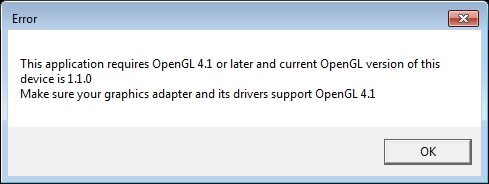
Ошибка This application requires OpenGL в Rules of Survival
Содержание
- Проверка совместимости
- Первый способ
- Способ второй
- Что делать при This application requires OpenGL?
- Наиболее эффективный способ
Проверка совместимости
Это процедуру лучше всего пройти до скачивания и установки самой игры. Не стоит забывать, что наиболее качественное воспроизведение RoS возможно только при полной совместимости и соответствии хотя бы минимальным системным требованиям. Как узнать, какую версию OpenGL поддерживает ваша видеокарта?
Первый способ
- Скачать «GPU Caps Viewer».
- Распаковать программу.
- Запустить, обратив внимание на строку с версией OpenGL.
Это самый простой способ получить нужную информацию о возможностях установленной видеокарты. Можно использовать более сложные утилиты.
GPU Caps Viewer для определения версии OpenGL
Способ второй
- Скачать «OpenGL Extensions Viewer».
- Установить утилиту.
- Изучить информацию в разделе OpenGL. Здесь же можно проверить версию дров и многое другое.
Обратите внимание, что поддержки версии OpenGL 4.0 бывает вполне достаточно, хотя существуют сообщения о рассматриваемой ошибке и на ней.
Прежде всего, если видеокарта поддерживает технологию, то проблем с запуском возникнуть не должно. Но если они случились, то нужно сделать следующее.
- Удалить временные файлы и системный кэш утилитами типа CCleaner.
- Отключить ненужные процессы в диспетчере задач. Проверьте фон и трей.
- Проверить апдейт дров видеокарты. Рекомендуется провести чистую установку последней версии драйверов.
- Убедиться, что установлены все необходимые для функционирования GPU и игры компоненты (последние версии Visual C++, .NET Framework).
- Проверить систему антивирусом, после чего отключить защиту на время запуска игры. Еще можно дезактивировать штатные механизмы защиты Виндоус (Защитник, брандмауэр).
- Попробовать установить Rules of Survival на другой диск.
- Проверить, что в пути к папке игры отсутствуют русские символы (кириллица).
Что еще может помочь? Если установлены 2 видеокарты, то запустить Rules of Survival на наиболее производительной. Для этого на ярлыке игры кликнуть ПКМ, выбрать «Запустить с графическим процессором» и в появившемся меню определить высокопроизводительный процессор. Данный порядок действий подходит для видюхи NVIDIA, но аналогичные действия можно осуществить и на аппаратуре других производителей.
Хуже всего ситуация обстоит с картами от Intel(R) HD Graphics. Даже приведенный далее способ исправления ошибки подходит редко. Владельцам таких лаптопов придется ждать выхода обновлений, в которых, возможно, проблему решат.
Если манипуляции оказались безрезультатными или система и железо не соответствуют требованиям, то можно попробовать решить проблему иначе.
Наиболее эффективный способ
Методов исправления ошибки на самом деле очень мало. По факту, лишь один способ оказался более-менее универсальным исправлением. Инструкция:
- Скачать файл opengl32.dll. Прокрутите вниз и выберите свою версию.
- Перетащить файлик в папку с игрой. Как правило, в комплекте идет 32 и 64-битная версия. Нужно выбрать вариант, соответствующий разрядности вашей системы.
- Запустить игру.
Совет. В некоторых случаях даже на 64-разрядных системах оказывается рабочим только 32-битная версия файлика.
Обратите внимание, что данный способ решения не является решением ошибки «This application requires OpenGL 4.1» в прямом смысле этого слова. Перенесенный файлик необходим для устранения различных графических проблем и используется с целью отладки. На разных ПК последствия внесенных изменений отличаются. Перенесенный opengl32.dll может скрыть кнопки, часть текста и прочие элементы интерфейса Rules of Survival. Однако появляется возможность запуска игры, скачивания пакетов обновлений и т. д.
Следует напомнить — что эта проблема, по-большому счету, баг игры, который разработчики должны исправить в ближайшее время. Дополнительно можно опробовать загрузку сторонних фикс файлов. Вот наглядная инструкция:
- Серверы
- NanoTech 1.16.5
- Wizard 1.16.5
- OneBlock 1.16.5
- UltimateTM 1.16.5
- RPG 1.16.5
- OceanBlock 1.16.5
- Industrial 1.12.2
- Space 1.12.2
- SkyFactory 1.12.2
- DraconicTM 1.12.2
- MaximumTM 1.12.2
- TechnoMagicLite 1.7.10
- TechnoMagicHard 1.7.10
- SkyTechnoMagic 1.7.10
- TechnoMagicRPG 1.7.10
- Magic 1.7.10
- HiTech 1.7.10
- Galaxy 1.7.10
- AllTopMods 1.7.10
- Донат
- Киты
- Правила
- Команды
- Ютуберам
- Рейтинги
- Лимиты
- Экономика
- Гайды
- Помощь
Проблемы с лаунчером
Проблемы при запуске лаунчера
Не запускается игра? На этой странице собраны наиболее распространённые ошибки.
Чаще всего проблема кроется в некорректной версии Java, либо недостаточном количестве оперативной памяти, либо в антивирусе.
Прежде всего, рекомендуется сделать следующие шаги:
1) Запустить лаунчер от имени администратора (ПКМ->Запуск от имени администратора)
2) Удалить старую Java
и установить новую под разрядность своей операционной системы (Windows 64bit,
Windows 32bit)
3) Отключить антивирус или добавить лаунчер в список исключения
4) В настройках лаунчера выделить 1,5 Гб оперативной памяти — этого должно хватить для комфортной игры. Если вы выделите памяти слишком много, вашему ПК может не хватить ресурсов для корректной работы приложения. Для версий 1.12.2 и 1.16.5 может потребоваться больше ОЗУ (пробуйте 2 Гб, 2,5 Гб и т.д.)
5) Перезапустить ПК
6) Полностью удалить папку с игрой и заново скачать лаунчер с сайта и установить его с нуля
7) Если нет соединения с лаунчером (или с сайтом), попробуйте изменить свой DNS с помощью программы DnsJumper (Fastest DNS -> … Test -> Apply DNS -> Закрыть окно -> Apply DNS)
8) Если нет соединения с лаунчером (или с сайтом) и смена DNS не помогает, попробуйте VPN
Если указанные выше действия не помогли вам, то попробуйте включить режим отладки в лаунчере и/или найти свою ошибку в списке ниже и следовать рекомендациям.
Если вы не нашли свою ошибку, либо решение вам не помогло, создайте тикет в Дискорд в канале «поддержка», мы постараемся вам помочь
Проблема соединения лаунчера с сервером


Причина возникновения: Отсутствие нормального соединения лаунчера с нашим сервером
Возможные решения:
1) Попробуйте изменить DNS с помощью этой программы (см. гифку выше): DnsJumper
2) Возможно соединение блокирует антивирус или брандмаур. Добавьте лаунчер в список исключений либо попробуйте отключить антивирус и брандмауэр
3) Плохое интернет соединение, проверьте свой интернет, попробуйте перезагрузить роутер, свой ПК
4) Ваша страна блокирует соединение, попробуйте включить VPN (в интернете полно инструкций). Либо наоборот, если вы используете VPN, лаунчер может блокировать выбранную страну из соображений безопасности, в этом случае попробуйте отключить VPN или изменить страну в VPN. Если используете Hamachi или Radmin, попробуйте отключить или удалить их.
5) Возможно лаунчер или веб-сайт просто перегружены или находятся в состоянии перезагрузки, попробуйте зайти через несколько секунд/минут
6) Если указанные действия не помогли вам, то создайте тикет в канале «поддержка» нашего Дискорд сервера
Connect error: javax.net.ssl.SSLHandshakeException: …

Ошибка создания JVM

Причина возникновения: Такая ошибка возникает при установленный 32-битной Java, в которой можно выделить максимум 2 Гб оперативной памяти, а вы пытаетесь выделить больше.
Решение:
1) Если у вас операционная система 32-битная, то рекомендуется выделить 1,5 Гб оперативной памяти в настройках лаунчера
2) Если у вас операционная система 64-битная, вам надо
удалить 32-битную java
и установить 64-битную (Windows 64bit), тогда оперативную память можно выделять больше 1,5 Гб
Java HotSpot(TM) 64-Bit Server VM warning: Using incremental CMS is deprecated and will likely be removed in a future release
Error occurred during initialization of VM
Could not reserve enough space for object heap
Process exit code 1
Или:
Could not reserve enough space for … KB object heap

Причина возникновения: У вас не хватает свободной оперативной памяти.
Решение: Закрыть все лишние приложение (браузер, другие игры и т.п.). Если этого недостаточно, то попробуйте выделить в настройках лаунчера меньше оперативной памяти, например 1,5 Гб.
JVM Error: Отказано в доступе

Причина: У лаунчера нет прав администратора
Решение: Запустить лаунчер от имени администратора (ПКМ по лаунчеру, «Запуск от имени администратора»). Либо войти в учетную запись администратора, если вы в гостевой учетной записи.
Ошибка разрядности Java

Причина: Неверная разрядность Java.
This application requires a Java Runtime Environment 1.8.0

Причина: Старая версия java
Exception class pro.gravit.launcher.request.RequestException: Access denied
Причина: Антивирус блокирует лаунчер
Решение: Отключить антивирус либо добавить лаунчер в список исключений. Желательно перекачать лаунчер.
Начать играть
Голосуй за нас


Наши серверы
Версия 1.16.5


Версия 1.12.2


Версия 1.7.10


Сейчас играет: 459 игроков
Пополнение счета
Содержание
- Что делать? Устанавливать или нет?
- this application requires a java runtime environment (different POV) #238
- Comments
- dhamann commented Jul 20, 2020 •
- aahlenst commented Jul 20, 2020
- hendrikebbers commented Jul 20, 2020
- dhamann commented Jul 20, 2020
- hendrikebbers commented Jul 20, 2020
- hendrikebbers commented Jul 20, 2020
- hendrikebbers commented Jul 20, 2020
- dhamann commented Jul 20, 2020
- dhamann commented Jul 20, 2020
- aahlenst commented Jul 21, 2020
- douph1 commented Jul 21, 2020
- dhamann commented Jul 21, 2020 •
- dhamann commented Jul 21, 2020 •
- dhamann commented Jul 21, 2020
- douph1 commented Jul 21, 2020
- douph1 commented Jul 21, 2020
- douph1 commented Jul 21, 2020
- dhamann commented Sep 13, 2020 •
- aahlenst commented Sep 14, 2020
- ttimasdf commented Feb 24, 2021 •
Что делать? Устанавливать или нет?
При запуске приложения Snaz вместо приложения, выскакивает табличка:
This application requires one of the following versions of the .NET
Framework:
.NETFramework,Version=v.4.5.2
Do you want to install this .NET Framework version now?
При нажатии ДА, перекидывает на сайт и скачивается программа NDP462-KB3151802-Web.exe
Что делать если эта ошибка? Предупреждения:
Программа установки может не работать надлежащим образом, поскольку на этом компьютере недоступна служба Центра обновления Windows.
Что делать если эта ошибка? Предупреждения:
Программа установки может не работать надлежащим образом, поскольку на этом компьютере недоступна служба Центра обновления Windows.
Что делать если эта ошибка? Предупреждения:
Программа установки может не работать надлежащим образом, поскольку на этом компьютере недоступна служба Центра обновления Windows.
Что делать если эта ошибка? Предупреждения:
Программа установки может не работать надлежащим образом, поскольку на этом компьютере недоступна служба Центра обновления Windows.
ТОЛЬКО СЕГОДНЯ И ТОЛЬКО ДЛЯ ТЕБЯ ПЕРЕВОЖУ ТЕКСТ В ОНЛАЙН ПЕРЕВОДЧИКЕ БЕСПЛАТНО.
This application requires one of the following versions of the .NET
Framework:
.NETFramework,Version=v.4.5.2
Do you want to install this .NET Framework version now?
Для этого приложения требуется одна из следующих версий .NET
Фреймворк:
.NetFramework, Version = v.4.5.2
Вы хотите установить эту версию .NET Framework сейчас?
Источник
this application requires a java runtime environment (different POV) #238
TL;DR: How to handle registry magic when using zip distribution? (for example after installing via scoop installer)
I do not know where to address my question (am aware this repo is for the installer), please be kind if you think this is the wrong place. i am open to recreating this issue somewhere else seen better fitting. but as i found the personally most fitting issue in this repo that is handling technicalities concerning the openjdk windows registry stuff i thought i post this issue here.
With issue #64 you created a way to use the installer to handle the registry magic . which is great! only i do not use the manual installer but use scoop to install java. scoop does not use the msi installer but extracts the zipped distribution . is there a way to reproduce the things the installer does concerning creation of the the required registry entries?
If there currently is no way . could the functionality be transformed to a utility that could be distributed inside the zipped distribution?
The text was updated successfully, but these errors were encountered:
JAVA_HOME is an environment variable an can be set using the GUI. Enter «environment variable» into the search field of Windows and the right option should pop up. The registry entries can be created manually using regedit. See https://docs.oracle.com/javase/9/install/installation-jdk-and-jre-microsoft-windows-platforms.htm#JSJIG-GUID-47C269A3-5220-412F-9E31-4B8C37A82BFB for the entries common Java software expects.
I assume setting JAVA_HOME is not the part that was asked here. If I understand @dhamann correctly he wants to add the JAR mimetype to be executed by Java for example. Is that right?
hi both of you, @aahlenst you are thinking in the right direction, @hendrikebbers you too!
. actually i would like to be able to do the stuff the installer does to the registry by running a utility that sets the values for the version that is distributed with the zip file.
running a jar via doubleclick is one use case, another would be running an executable file generated by launch4j
@aahlenst i probably would need to do the stuff you pointed me to . for every installed java version and for every next coming update again? how do other people using the zipped distribution handle this? (please point me to a better target for my question if the openjdk-installer repo is a not fitting place for this, i just do not know where to ask)
Is scoop like home-brew for windows? The project has 11k stars on GitHub. Maybe we should think about providing a script for scoop?
Looks like this is already available: https://github.com/ScoopInstaller/Java
Maybe the scripts just do not everything that the installer does. Looks like it sets the JAVA_HOME env but does no windows registry mutations: https://github.com/ScoopInstaller/Java/blob/master/bucket/adopt11-hotspot.json
ScoopInstaller/Scoop#3412 Scoop does not provide registry support at the moment.
hmm . i just tried it with the current installer . and it is like i want everything except the root node 🙂
would it be possible to put all the sub-entries of the root node in a second node that just sets the configuration? It could use the path supplied like shown in the screenshot below (i just painted that as a suggestive idea, the current dialog is also shown BELOW for reference)
Idea for different Dialog (two root nodes): 
Current Dialog (one root node): 
JAVA_HOME is an environment variable an can be set using the GUI. Enter «environment variable» into the search field of Windows and the right option should pop up. The registry entries can be created manually using regedit. See https://docs.oracle.com/javase/9/install/installation-jdk-and-jre-microsoft-windows-platforms.htm#JSJIG-GUID-47C269A3-5220-412F-9E31-4B8C37A82BFB for the entries common Java software expects.
hi @aahlenst the supplied info in the deep link is probably just the tip of the iceberg, i suppose? would i not also need some kind of reg entry for the directory that this keys point to? orcl url sadly does not mention anything like that there
dear @douph1 please excuse my «pulling you in» by mentioning . i read your very informative comments (for example: #64 (comment)) . currently the installer executes logic to manipulate registry values directly, right? (via wix-tooling?)
Could the installer maybe also create windows cmd / batch files that make it possible to re-execute that same registry-setting commands for the specific version? (although I just peeked into douph1@c79c7e8 and that seems rather complicated 🙂 ) Thank you for putting your time into this solution there, btw. Seems really challenging to find «the right» solution!
I’m not yet sure what the exact problem is. Therefore it is hard to recommend something and even more so to take action.
What do you want to achieve? Beyond applying «registry magic» to the ZIP files? Do you need multiple Java versions and an easy way to switch between them? Why is using an MSI not an option?
To write «Oracle Java Key» you must write to
HKLM only ( be root required )
The key path is based on :
- Major version (1.8 or later)
- JRE vs JDK
- know if you use Wow > Wow6432Node
But a key must not be overridden with an older key ( always pointed to the latest/newest Java )
As it depends of the version intended to be installed and already installed, just write reg key without the binary is useless and or/copy/paste reg key from one host to another is a bad idea.
.jar and .jnlp apply to HKMU (switches between hklm and hkcu depending on machine or user installation)
.jnlp apply only to Java 8
Adding/splitting the installer features in two groups will break actual feature level compatibility. So no
You can probably use a tool to monitor wich reg key is written by the installer
https://docs.microsoft.com/en-us/sysinternals/downloads/procmon
and then extract this key as registry patch
or create a list of command with https://docs.microsoft.com/fr-fr/windows-server/administration/windows-commands/reg-add
I’m not yet sure what the exact problem is. [. ]
Reproducing the windows registry settings that get set by the installer after having extracted (either by hand or by using a tool like scoop) the zip-distribution.
What do you want to achieve? [. ] Do you need multiple Java versions and an easy way to switch between them?
Why is using an MSI not an option?
it is an option. i can do it via the installer. i thought there might already exist a way to have every needed jdk installed and switch the windows registry settings separately.
To write «Oracle Java Key» you must write to
[. ]
[. ]
.jnlp apply only to Java 8
@douph1 thank you for all the input!
Adding/splitting the installer features in two groups will break actual feature level compatibility. So no
snap, i liked the idea 🙂
yes, that is what i tried yesternight . i tried to use a tool called regshot, which produced a bit too much noise (many background regchanges also in delta result) . hmm .
would you maybe be able to suggest relevant reg-branches i should monitor for changes, @douph1 ? I currently built the following reg-file . and am trying now to switch the current version. But i probably have not grasped the picture well enough.
but what about [HKLMSOFTWAREWOW6432NodeJavaSoft]? Do i need both? (Win10 Pro x64)
I am starting to fear this rabbit hole.
A batch file supplied with the zip distro that sets the right entries is probably also too complicated?
//last edit: please excuse the edit-storm. it has ended now.
i re-read the commandline parameter section of https://adoptopenjdk.net/installation.html#windows-msi and tried a different angle (and already thought bad of me not having thought of that before)
I tried to omit the FeatureMain option when calling the msi-installer . so for example:
could maybe have done everything except installing files to target dir. But that did not produce the envisioned result.
uh this is hard.
but what about [HKLMSOFTWAREWOW6432NodeJavaSoft]? Do i need both? (Win10 Pro x64)
no. it is intended for Java 32 on Win 64
Your title «this application requires a java runtime environment» seems linked to «launch4j»
and as mentionned in #64 launch4j can but don’t rely on JAVA_HOME by default.
By default it look only onto JavaSoft
so you must look/create (depending of the java version)
«CurrentVersion» on
- HKEY_LOCAL_MACHINESoftwareJavaSoft JRE
or/and - HKEY_LOCAL_MACHINESoftwareJavaSoft Java Runtime Environment (for 1.8)
and/or - HKEY_LOCAL_MACHINESOFTWAREJavaSoft JDK
and/or - HKEY_LOCAL_MACHINESOFTWAREJavaSoft Java Development Kit (for 1.8)
into a subkey corresponding to this «CurrentVersion»
create a key «JavaHome» with the JAVA_HOME ( = INSTALLDIR (without bin ) )
and eventually (but I don’t know if launch4j required it ) «RuntimeLib» if it is a JRE with the DllPath as here https://github.com/douph1/openjdk-installer/blob/master/wix/Includes/OpenJDK.Variables.wxi
and for file association with exe you must certainly look at microsoft documentation if you intended to rewrite all the magic as Wix-installer does
Just to name a «magic» thing ..
https://stackoverflow.com/questions/51715292/best-way-to-get-file-type-association-in-windows-10-from-command-line
on systems running Windows 8 or later
..a new registry key was introduced and Windows now writes the user choice to
«UserChoice»
HKEY_LOCAL_MACHINE or HKEY_CURRENT_USER
Both the «App Paths» and «Applications» registry subkeys are used to register and control the behavior of the system on behalf of applications. The App Paths subkey is the preferred location.
I’m even not sure if WIX/our usage of WIX installer use the new «App Paths» reg key
as I have already seen that .jar file association don’t work always.
After some weeks of inactivity i just re-read the whole thread and with this issue still being open i feel a bit of «something to do left» . so i would like to mention the rather hidden question of «my opening post» and leave the action of closing or further working on/with something to you. (You could also ask me to close it if that is the way to go)
If you think that this (something executable that would be included in the zip distribution) would be something that might be creatable . should i create a new issue asking for relating to just that (and relating to this issue as documentation of the thought process)?
In my first post i asked
«. is there a way to reproduce the things the installer does concerning creation of the the required registry entries?»
and in hindsight i might have clarified that i was not thinking of crafting the reproduction myself but that something like an executable script (or something similar) already might exist that would be included in each zip distribution.
@douph1 thank you especially for the last three thorough replies! Via your input i now have a better understanding of the windows client side peculiarities of the jre/jdk installation. Or the challenges applications have to find out about the configured java binaries to run with.
Thanks, too, to everyone who took the time to inspect this Issue. 🙂
If you really want to, you can create a PowerShell or batch script that does the registry alterations. But why? If you want that kind of automation, the MSI has you covered and even provides multiple safeguards you had to re-implement in the script. With something like scoop in the mix, it gets really hairy because you need to remove/update those entries. This is something that has to be solved by the application that manages you JDK installations.
For the record: I don’t think it makes sense for scoop or a similar tool to use the MSIs. VS Code does it and judging by the bug reports we get here, this wasn’t the right choice. If your tool does version management of JDKs, let your tool handle the registry stuff.
I just do some reverse engineering to a 32 bit executable produced by java. In fact, it just iterate over a hardcoded list of Registry path and iterate the subkeys inside it. and any one of them exists, it will work. The CurrentVersion key is in fact not check at all. The executable check the subkey name as version string, that ANY version above 1.8.0_45 will work so I randomly choose 1.11
So, All I need is put the following content inside a javahome.reg file, and double click it. and all exes requiring java works smoothly from now on.
You may tweak it a bit to suit your scenario. My openJDK version is jre-15.0.2.7-hotspot . besides, 64 bit or 32 bit doesn’t matter at all, so don’t care about WOW6432Node
Part of the list that any java executable will checked through:
Источник
New issue
Have a question about this project? Sign up for a free GitHub account to open an issue and contact its maintainers and the community.
By clicking “Sign up for GitHub”, you agree to our terms of service and
privacy statement. We’ll occasionally send you account related emails.
Already on GitHub?
Sign in
to your account
Closed
kriegaex opened this issue
Oct 17, 2016
· 50 comments
Comments

C:Usersxxx>java -version
openjdk version "1.8.0_72"
OpenJDK Runtime Environment (Zulu 8.13.0.5-win64) (build 1.8.0_72-b15)
OpenJDK 64-Bit Server VM (Zulu 8.13.0.5-win64) (build 25.72-b15, mixed mode)
When running the kse.exe on Windows as installed by your installer, I get a popup error message. Maybe the tool has problems finding the JRE because it specifically looks for Oracle JDK instead of OpenJDK, I have no idea. When running from the command line with java -jar kse.jar it works nicely.

KSE uses launch4j under Windows. As far as I know, launch4j searches the usual installation paths for a Java runtime. And it probably assumes the Oracle standard folder names.
What you can do as a workaround: Create a copy of the JRE folder in the KSE installation folder and rename it to «jre». That’s the path where launch4j/KSE searches first.
skirankumars31 reacted with hooray emoji
Would you mind re-testing this issue and, if necessary, file an upstream ticket at launch4j? OpenJDK is a relevant platform, I guess.
Is OpenJDK really relevant on Windows? There are no official builds for Windows, the Zulu builds are only 64bit and it’s quite cumbersome to compile OpenJDK on Windows.
Anyway, I’ll try to re-produce this issue and see what can be done about it.
I am currently coaching a Scrum team in the German bank industry. Because OpenJDK is used in production on Linux, all developers also use OpenJDK (Zulu) on their Windows workstations. So much for relevance. But I admit, this is just one project, I cannot speak for the rest of the software development world. Feel free to do whatever seems appropriate. Thank you for your swift response and for kindly considering our situation.
Okay, so I have checked the source code of launch4j and it searches the registry (not the file system) for entries from Oracle and IBM:
«SOFTWAREJavaSoftJava Runtime Environment»
«SOFTWAREJavaSoftJava Development Kit»
«SOFTWAREIBMJava2 Runtime Environment»
«SOFTWAREIBMJava Development Kit»
However, the Zulu installer creates the following registry entry:
«SOFTWAREAzul SystemsZulu»
There is already a feature request to add support for Zulu OpenJDK to launch4j:
https://sourceforge.net/p/launch4j/feature-requests/103/
It might help to comment on the feature request, so the author of launch4j notices that there is not only one user that wants this feature.
Also, as I have already mentioned, there is always the option to copy the jre folder into the KSE folder. KSE then uses this local runtime preferredly.

I know this is an old issue but since it is still relevant here is my solution:
Create a registry file with the following content and import it into your regsitry
Windows Registry Editor Version 5.00

[HKEY_LOCAL_MACHINESOFTWAREJavaSoft]

[HKEY_LOCAL_MACHINESOFTWAREJavaSoftJava Development Kit]
"CurrentVersion"="1.8"

[HKEY_LOCAL_MACHINESOFTWAREJavaSoftJava Development Kit1.8]
"JavaHome"="C:\Program Files\Zulu\zulu-8"
"MicroVersion"="0"
Obviously change the JavaHome to your Zulu installation. So far this works quite well for me.
ghost

mentioned this issue
Jan 28, 2019

Hi,
@chhe your version did not work for me, im running windows 10 Pro 64bit and i needed to change your workaround like so:
Windows Registry Editor Version 5.00

[HKEY_LOCAL_MACHINESOFTWAREWOW6432NodeJavaSoft]

[HKEY_LOCAL_MACHINESOFTWAREWOW6432NodeJavaSoftJava Runtime Environment]
"CurrentVersion"="11.0"

[HKEY_LOCAL_MACHINESOFTWAREWOW6432NodeJavaSoftJava Runtime Environment11.0]
"JavaHome"="C:\Users\thomas\scoop\apps\adoptopenjdk-openj9\current"
"MicroVersion"="0"```
this works for me.

On Windows, one possible solution is to create a directory link inside the KSE installation directory using the cmd.exe built-in mklink command (available in Vista/Server 2008 or newer); e.g.:
cmd /c mklink /d "C:Program Files (x86)KeyStore ExplorerJRE" "C:Program FilesAdoptOpenJDKJRE"
(change paths as appropriate, of course)
Is OpenJDK really relevant on Windows?
Now that Oracle is forcing corporate JRE users to a subscription model, yes it is.
I’ve tested the AdoptOpenJDK JRE 8 distribution and it seems that KSE works with it without any problems. (Launch4j doesn’t support it yet, but that’s a separate problem.)
The MSI installer of AdoptOpenJDK’s Java 8 distribution has an option to add registry entries that are compatible with Oracle’s JDK (under HKEY_LOCAL_MACHINESOFTWAREJavaSoftJava Development Kit):

If this option is selected launch4j (kse.exe) finds the AdoptOpenJDK installation and starts KSE just fine.
This is a new feature they have added to the AdoptOpenJDK MSI installer that didn’t exist when I posted earlier. This is good to know — thanks.

I tried Bill Stewart’s solution And it works OK with my OpenJDK 11 installation. I think it might be implemented in KeyStore Explorer’s setup. Something like «where is yout Java installation?».
Caveat: The 32-bit Launch4j will not detect the Oracle registry entries added by the 64-bit AdoptOpenJDK installer (you would have to install the 32-bit version of the JDK/JRE). But again: This is not KSE’s problem at all, but rather an issue with Launch4j. I have worked around this by creating a «launcher» script that uses the JAVA_HOME environment variable and launching javaw -jar kse.jar.
Caveat: The 32-bit Launch4j will not detect the Oracle registry entries added by the 64-bit AdoptOpenJDK installer (you would have to install the 32-bit version of the JDK/JRE).
That’s not true. Launch4j has a configuration option called «runtimeBits», which determines which registry paths are checked for JRE locations:
runtimeBits
Optional, defaults to 64/32; Allows to select between 64-bit and 32-bit runtimes.
For KSE it’s the default, which means both 64 bit and 32 bit Java runtimes are found.
I tried Bill Stewart’s solution And it works OK with my OpenJDK 11 installation. I think it might be implemented in KeyStore Explorer’s setup. Something like «where is yout Java installation?».
Then KSE won’t start anymore when the JRE location changes. The right place for detecting the JRE is the launcher. There has already been a patch provided for launch4j which solves this problem, but we’ll have to wait for the next release of launch4j.
That’s not true. Launch4j has a configuration option called «runtimeBits», which determines which registry paths are checked for JRE locations…For KSE it’s the default, which means both 64 bit and 32 bit Java runtimes are found.
Oddly, on one system, the registry values weren’t there even though the feature was selected in the installer. Repairing the AdoptOpenJDK JRE installation fixed the problem and indeed kse.exe works as needed even though only the 64-bit values are added. This is good. Thanks for the follow-up.

Now, of course, it’s requiring 1.8 in a day where OpenJDK 15 is released. Why don’t you set a minimum version with no maximum, instead of a specific version?

This is a problem. Becouse I have both 1.8 and 15 installed.
And if I click on JAR file it opens and works correctly with 15 AdoptOpenJDK
kaikramer
added a commit
that referenced
this issue
Nov 21, 2020

@lawrence-dol Java 1.8 is the minimum version. KSE works perfectly fine with Java 15. You just have to check the option to create the registry entry when installing AdoptOpenJDK as described on the download page.
@Mart-Bogdan Did you follow the instructions on the download page of KSE or a few comments above in this ticket (#52 (comment))?
As the launch4j project seems to be pretty dead (no release for more than two years), I have replaced launch4j with my own Windows launcher that uses the JAVA_HOME environment variable.
If you want to try the new launcher, you can download a beta version here:
kse.zip
Just replace kse.exe in your KSE installation with the file from the ZIP file.
The next release of KSE will include this new launcher.
@kaikramer
@lawrence-dol Java 1.8 is the minimum version. KSE works perfectly fine with Java 15. You just have to check the option to create the registry entry when installing AdoptOpenJDK as described on the download page.
Fair enough, though I already knew that from running it with JDK 15 using the -jar command line form. In my defense, I was believing the loader, which states, «This application requires a Java Runtime Environment 1.8.0», not «This application requires Java Runtime Environment 1.8.0 or later». The former is exact, the latter is a minimum.
For a while I was mistakenly under the impression that the loader was needed instead of being a mere convenience, and that the software require exactly that version. It would probably help the situation to include a basic command line in the «Running» section, along with a statement along the lines of «KSE can be run by simply launching the JAR or by using the Windows executable. blah blah blah».
Regardless, thanks for the program — it’s excellent and the loader issue is, in the end, a minor irritation at worst. I do appreciate your efforts and did not mean to sound ungrateful.
My recommendation on this front is that the launcher should perform several searches for increased robustness.
-
Search
HKLMSOFTWAREJavaSoftsubkeys for highest version number and useJavaHomevalue. -
Use value of
JAVA_HOMEenvironment variable. -
Use value of
JRE_HOMEenvironment variable. -
Search the path for
javaw.exeand use parent of parent subdirectory name.
In addition, the installer could create a JRE symlink in the application directory to the correct path.
FWIW I built an Inno Setup (IS) installer for KSE that adds the above features. The IS installer compiles to a bit larger size than NSIS but it looks and acts better (IMO) and can be localized fairly easily. (Let me know if you’re interested.)
In thinking about this a bit more, I wrote a launcher executable that uses a kse.ini file (same directory as .exe file) that looks like this:
[JavaHome]
Path=C:Program FilesAdoptOpenJDKJRE11
The launcher uses this path to launch a command line such as:
"java home pathbinjavaw.exe" -jar "kse install pathkse.jar" […]
The installer has a Select Java Runtime page where you specify the Java home directory (it does some auto-detect using JavaSoft registry values, JAVA_HOME and JRE_HOME environment variables, and it also searches the path). If you run a reinstall, it will rewrite the kse.ini file.
For anyone that wants to use KSE on Windows without the installer, you could provide a sample kse.ini file and a readme.txt that says you need to manually add the Java directory to it.
This would seem to be a simple and clean solution that provides a simple way to run KSE on Windows without needing symlinks, complicated searching in the executable, etc.
Thoughts?
That would be more than adequate, though I’m surprised you didn’t do the JVM location in the launcher rather than the installer, if the ini file is not present. Perhaps because the installer is Windows specific, but the launcher code is not?
But that said, anyone using the zip package likely has more than enough skill to be able to set the path manually.
I suppose this is one approach. My thought was that the work of finding the Java runtime feels more appropriate for install time rather than run time, and it’s not hard to reinstall (or just manually edit the kse.ini file).
@Bill-Stewart I really appreciate your efforts to improve KSE and at a later point in time I will certainly take a look at your Inno Setup installer.
However, a few comments above I have posted a pre-release version of the new KSE launcher. This is going to be the solution for the launcher issue for the next KSE release. It is not complete yet, but the next KSE release is still pretty far away.
As I have said earlier, the installer is not the right place to search for JREs. Updating or switching Java runtimes after the installation is obviously not handled. And I certainly don’t want to reinstall all my Java applications just because I have switched to another JRE. So the code for locating the JRE should be in the launcher, not in the installer.
In addition to the new launcher there will be a second version of KSE for Windows coming with the next release that includes a custom Java runtime. Providing a self-contained version of KSE is probably the best solution and it might also help with some tickets describing issues that I just cannot reproduce.
Providing a self-contained version of KSE is probably the best solution…
Hmmm. I’m not so sure. When it comes to cryptography, I want it to use the version I have installed. I think I’d be concerned if my keystore manager is using crypto from JSE 15, released, say in 2018, and it was 2025 and JSE 22 is the latest. Seems like bundling a JVM is just adding maintenance overhead.
Still, your project, your call.
And I certainly don’t want to reinstall all my Java applications just because I have switched to another JRE. So the code for locating the JRE should be in the launcher, not in the installer.
This is a persuasive argument in favor of including this logic in the launcher rather than the installer; I agree with this assessment.
After thinking about this some more, it seems this problem would be nicely solved on Windows by using a DLL that can detect a Java installation using the aforementioned techniques and return information about it. I wrote a prototype that exports 4 functions:
-
IsJavaInstalled()— returns non-zero if Java is detected, or 0 if not detected -
IsJava64Bit()— returns non-zero if the detected Java is 64-bit, or zero if not 64-bit -
GetJavaHome()— returns a unicode string in an output parameter containing the Java home directory location -
GetJavaVersion()— returns a unicode string in an output parameter containing the version number embedded injava.exe
I am doing some more testing, but it seems to me that this functionality would be useful not just to the KSE project but for anyone writing Java programs to be run on Windows.
@Bill-Stewart Sounds like a good idea. What language did you use?
It’s written in Object Pascal (FPC) and I have both x86 and x64 DLL binaries. The x86 version can detect 64-bit Java installations because it knows how to read the 64-bit registry and file system when running on a 64-bit OS.
Updated to v0.3. Replaced IsJava64Bit() function with a more generic IsBinary64Bit() function. (Useful in case Java detection fails but you know the path and filename of java.exe and want to know if it’s 32-bit or 64-bit.)
@Bill-Stewart I took a quick look at your JavaInfo project and like how well documented and easy to understand everything is. 👍
Not sure if this is a problem or not, but right now any Java installation that has a registry entry under «HKLMSOFTWAREJavaSoft» wins, no matter how old this Java version is.
For example, someone has an old Oracle Java 8 installation and then installs Azure Zulu 15, which creates a registry entry, but under «HKLMSOFTWAREAzul SystemsZulu» and adds its «bin» directory to the system path. JavaInfo will then still only find Java 8, which is not what the user would expect.
Something similar happens when AdoptOpenJDK 11 or 15 is installed and the option to set JAVA_HOME is checked (but not the JavaSoft option). Most users would expect that JAVA_HOME takes precedence over anything else.
One could argue that the user simply has to uninstall old Java JREs/JDKs, but an existing workaround is obviously not enough, otherwise this ticket would not have 34 comments.
@kaikramer Excellent feedback! It seems that JAVA_HOME/JRE_HOME/JDK_HOME should take precedence over the registry. This is sensible and I think you are right about that.
It seems we also need to add SOFTWAREAzul Systems to the registry search (I wasn’t aware of that JDK/JRE). Are there any other JDK/JRE I can add to the registry searching?
(Aside: Thanks to feedback from the Inno Setup developer, I am also going to change the license to LPGL so that others can use the DLL more freely.)
Thanks again for the feedback!
@Bill-Stewart launch4j searches the following registry locations:
«SOFTWAREJavaSoftJava Runtime Environment»,
«SOFTWAREJavaSoftJava Development Kit»,
«SOFTWAREJavaSoftJRE»,
«SOFTWAREJavaSoftJDK»,
«SOFTWAREAzul SystemsZulu»,
«SOFTWAREAzul SystemsZulu»,
«SOFTWAREIBMJava Runtime Environment»,
«SOFTWAREIBMJava Development Kit»,
Amazon Corretto by default creates a registry entry under «SOFTWAREJavaSoftJDK» and updates both JAVA_HOME and PATH, so nothing special to do here:

@kaikramer Outstanding, thanks! I agree that the environment variable (JAVA_HOME, etc.) should take precedence over the registry data.
@kaikramer I have published v0.4 using LPGL license and the suggested changes. Thanks for the feedback! Of course let me know if you have any other suggestions.
JavaInfo.dll has been updated to v1.0.0. I noticed that AdoptOpenJDK also adds registry data so I added that to the list of registry locations it searches. Per previous suggestions the search order is the following:
JAVA_HOME/JDK_HOME/JRE_HOMEenvironment variables (in that order)- Directories in
Path HKEY_LOCAL_MACHINESOFTWAREJavaSoftin registryHKEY_LOCAL_MACHINESOFTWAREIBMin registryHKEY_LOCAL_MACHINESOFTWAREAdoptOpenJDKin registryHKEY_LOCAL_MACHINESOFTWAREAzul SystemsZuluin registry
Thanks for the feedback!
@Bill-Stewart It makes sense that the environment variables have precedence over the registry entries, because the user can check/change them pretty easily. But IMHO all registry locations should be searched equally for the newest Java version.
3. `HKEY_LOCAL_MACHINESOFTWAREJavaSoft` in registry
4. `HKEY_LOCAL_MACHINESOFTWAREIBM` in registry
5. `HKEY_LOCAL_MACHINESOFTWAREAdoptOpenJDK` in registry
6. `HKEY_LOCAL_MACHINESOFTWAREAzul SystemsZulu` in registry
I would do these registry entries in 5,6,3,4 order. The JavaSoft and IBM entries are likely to be detritus from old installations, whereas AdoptOpenJDK and Azul, if they exist, are much more likely to be the current install.
Otherwise, I completely agree with this search order.
@lawrence-dol Thanks for the feedback! I am updating the DLL such that it returns the latest version across all registry subkey searches (as @kaikramer suggested — and I agree) so the specific order shouldn’t matter. We definitely need to search the JavaSoft subkey because it gets used by:
- AdoptOpenJDK if
JavaSoft (Oracle) registry keyscomponent selected at install (it is not selected by default) - Amazon Corretto if
Setup Registry Keyscomponent selected at install (it is selected by default) - Azul Zulu
- Oracle Java
Also FYI: From my testing the Azul SystemsZulu subkey should actually not ever get searched if the Zulu install completes successfully because Zulu adds itself to JavaSoft as noted above. (I added mainly for completeness.)
Released version 1.1.0 of the DLL. The search order is the following:
-
if
JAVA_HOME/JDK_HOME/JRE_HOMEenvironment variables (in that order) are defined, use as Java home directory. -
If environment variables above are not defined, search the directories named in the
Pathforjava.exe. -
If the environment variables are not defined and
java.exeis not in the path, then search the following registry subkeys for Java installations:HKEY_LOCAL_MACHINESOFTWAREAdoptOpenJDK
HKEY_LOCAL_MACHINESOFTWAREAzul SystemsZulu
HKEY_LOCAL_MACHINESOFTWAREIBM
HKEY_LOCAL_MACHINESOFTWAREJavaSoftThe registry search uses whichever of the above subkeys contains the Java home directory for the latest version of Java.
The Java version returned by the GetJavaVersion() DLL function is the file version of javahomebinjava.exe (where javahome is the Java home directory).
Thanks for all the feedback!

As the launch4j project seems to be pretty dead (no release for more than two years), I have replaced launch4j with my own Windows launcher that uses the JAVA_HOME environment variable.
…
The next release of KSE will include this new launcher.
This comment about the new launcher is from November 2020. The most current release is 5.4.4, built on Oct 4, 2020.
So with the most current release I just ran into this problem (requires JRE 1.8). I replaced the original kse.exe with the one from the ZIP and it works like a charm.
Would it be a big deal to build a version 5.4.5 with the new launcher?
Why I run into the problem:
I use Scoop to install almost everything I need on an almost «blank» windows machine without admin permissions. Therefore I don’t have any registry entries about Java and I never see or use the KSE installer. KSE and Java(s) are just dropped on the disk and JAVA_HOME/PATH vars are set.
It looks like @kaikramer has updated the Windows launcher executable to use JavaInfo.dll for the next version. JavaInfo.dll uses a variety of techniques to detect Java on Windows.
@sburkard The new launcher is not ready for a public release yet. Also, the next feature release of KSE (v5.5.0) is not that far away anymore.

I think the value of a kse.ini, as Bill suggested, is being overlooked here. If this file exists, kse.exe should treat it as the first stop in the Java runtime hunt, with a fallback to other techniques listed in the thread. I don’t like the idea of a bundled, self-contained, custom Java runtime.
Please note that AdoptOpenJDK is moving to adoptium.net and new MSI installers use the Eclipse Foundation registry subkey (rather than AdoptOpenJDK) — JavaInfo.dll has been updated to 1.3.0 to accommodate this change. Please test with latest Windows kse.exe launcher.
Closing tickets in preparation for release of KSE 5.5.0
- Печать
Страницы: [1] Вниз

Тема: Ошибка запуска приложений через Wine (Прочитано 1283 раз)
0 Пользователей и 1 Гость просматривают эту тему.

Оцелот
При запуске всех без исключения java-приложений с расширением exe через wine вылезает ошибка:
This application requires Java Runtime Environment 1.7.0
При закрытии окошка перенаправляет на сайт java.com/ru/download/linux_manual.jsp
На компе уже установлены Java8 и JRE8 от Oracle, ось — 14.04
« Последнее редактирование: 16 Мая 2015, 19:58:28 от Оцелот »
jtprog
Думаю как вариант поставить рядом JRE7 и сделать его используемым поумолчанию!
Сисадминю и иногда пишу об этом у себя в бложике
acetone
Снеси весь java-бутерброд который уже сложился и скачай с указанного тобой выше места.
Пошутил про демона — нажал иконку.
Оцелот
.acetone,
так сносил, использовал команду для удаления всех версий кроме последней (видел на форуме)
jtprog,
пробую.
Пользователь решил продолжить мысль [time]16 Май 2015, 21:22:04[/time]:
Воспользовался этим
http://www.linuxrussia.com/2014/05/oracle-java-ubuntu-manual.html
мануалом и поставил седьмой jre с официального сайта.
Тестирую.
Пользователь решил продолжить мысль [time]16 Май 2015, 21:23:45[/time]:
Всё то же самое, ошибка вновь появляется… Посносил всю джаву и ставлю заново с нуля.
Пользователь решил продолжить мысль 16 Мая 2015, 20:56:28:
.acetone,
Ничего.
« Последнее редактирование: 16 Мая 2015, 20:56:28 от Оцелот »
SergMris
Когда-то давно, еще с 10.04 я толи обновлял, толи доставлял необходимые компоненты. Их, помню, было очень много. А сейчас, если некая программа под вайном не запускается, то я забиваю…
Оцелот
SergMris,
Так то не просто программа, а TLauncher для майнкрафта 
Приспичило мне построить какую-нибудь кубическую ересь с плагином worldedit, а вот ни хрена…
svtv1
Это приложение требует Java Runtime Environmen
Создай новую тему, где зто найти, научись пользоваться переводчиком, а если серьезно, что за Java у тебя №?
И в дальнейшем конкретней описывай проблему, а люди помогут.
« Последнее редактирование: 20 Июня 2019, 06:14:00 от zg_nico »
«Если достаточно долго сидеть возле реки — мимо проплывет труп твоего врага»
- Печать
Страницы: [1] Вверх
I have an application emSignerGSTN in my windows 10 machine. But while trying to run the application, I get the error:
This application requires a jre 1.6.0
I have openjdk installation of Azul Zulu :
$ java -version
openjdk version "1.8.0_222"
OpenJDK Runtime Environment (Zulu 8.40.0.25-CA-win64) (build 1.8.0_222-b10)
OpenJDK 64-Bit Server VM (Zulu 8.40.0.25-CA-win64) (build 25.222-b10, mixed mode)

$ where java
C:Program FilesZuluzulu-8binjava.exe
The oracle java installation makes the application work. But I don’t want to install it. How can i solve this?
asked Aug 23, 2019 at 6:51

I resolved the problem. I have a JRE 1.8.0 installed in the machine. The problem is that the application doesn’t look into that path. Java installation path is:
C:Program FilesZuluzulu-8binjava.exe
Copy the JRE folder of zulu jdk C:Program FilesZuluzulu-8jre to emSigner installation path as C:Program Files (x86)eMudhra LimitedemSigneremSignerjre.
When running the application, emSigner will look for the JRE first in its installation path. Since it exists now, there is no need to look for an oracle JRE installation. Thus further errors are not shown.
answered Aug 23, 2019 at 9:18
AnjanaAKAnjanaAK
2,4954 gold badges31 silver badges59 bronze badges
1
-
#1
Это мне вылезает когда я пытаюсь открыть лаунчер если я нажимаю на него перекидывает на сайт Java,где там предлагают её скачать,очень много раз скачивал но теперь сама Java не запускается и не могу до сих пор зайти в лаунчер

ZeeM
Путешественник
- 26 Май 2018
- 49
- Реакции
- 30
-
#2
Вам нужно удалить старую версию java, скачав новую.
-
#3
Удаляете через панель управление Джаву (программы и компоненты), потом устанавливаете jdk джаву по ссылке https://pixelmon.pro/start для своей ОС, и потом выделяете память в настройках лаунчер
Последнее редактирование модератором: 21 Апр 2020
Бежатьjadx-gui-0.9.0.exe Время применения:
This application requires a Java Runtime Environment 1.8.0 (64-bit)
другой jadx-gui.exe Информация о приглашении может быть другой, низкая версия может быть:
This application requires a Java Runtime Environment 1.7.0
Не могу найти среду JREСтранно, очевидноjava -version,javac-versionКонсоль имеет вывод, информация составляет 1,8!

JADX-GUI-0.9.0.exe, обнаружил информацию реестра, декомпрессированную версию локальной версии конфигурации JRE, этот продукт не может быть распознан
Решение:
(1). Установите JRE (пакет установки EXE. Вы должны установить его в соответствии с подсказками, посмотрите, является ли это 1,7 или 1,8)
(2). На основании расширения версии добавьте информацию о реестре вручную
Windows Registry Editor Version 5.00
[HKEY_LOCAL_MACHINESOFTWAREJavaSoft]
[HKEY_LOCAL_MACHINESOFTWAREJavaSoftJava Runtime Environment]
«CurrentVersion»=»1.8»[HKEY_LOCAL_MACHINESOFTWAREJavaSoftJava Runtime Environment1.8]
«JavaHome»=»D:\DevInstall\Java\java1.8.0_191\jre1.8.0_191»
CurrentVersion: Смотрите информацию о приглашении самостоятельно, заполните 1.7 или 1.8
JavaHome:Заполните позицию JRE на местном диске (положение JRE, а не позиция JDK)
Скопируйте приведенный выше контент, создайте новый файл .reg, как показано ниже

Double -Click для запуска файлов .RER Suffix, запросите это, не все равно, нажмите напрямую

После окончания это так


