What should have been just another quick PowerShell script performing a WebRequest to get some data, turned into a debugging session when both the Invoke-RestMethod and Invoke-WebRequest PowerShell commands were returning; The underlying connection was closed: An unexpected error occurred on a send.
Invoke-RestMethod
Here is the PowerShell Invoke-RestMethod response that returns: The underlying connection was closed: An unexpected error occurred on a send.
Invoke-RestMethod : The underlying connection was closed: An unexpected error occurred on a send.
At line:1 char:15
+ ... postdata2 = Invoke-RestMethod -Uri $post.URL -Method Get -UserAgent $ ...
+ ~~~~~~~~~~~~~~~~~~~~~~~~~~~~~~~~~~~~~~~~~~~~~~~~~~~~~~~~~
+ CategoryInfo : InvalidOperation: (System.Net.HttpWebRequest:HttpWebRequest) [Invoke-RestMethod], WebException
+ FullyQualifiedErrorId : WebCmdletWebResponseException,Microsoft.PowerShell.Commands.InvokeRestMethodCommand
Invoke-WebRequest
Here is the PowerShell Invoke-WebRequest response that returns: The underlying connection was closed: An unexpected error occurred on a send.
Invoke-WebRequest : The underlying connection was closed: An unexpected error occurred on a send.
At line:3 char:21
+ ... $postdata = Invoke-WebRequest -Uri $post.URL -Method Get -UserAgent $ ...
+ ~~~~~~~~~~~~~~~~~~~~~~~~~~~~~~~~~~~~~~~~~~~~~~~~~~~~~~~~~
+ CategoryInfo : InvalidOperation: (System.Net.HttpWebRequest:HttpWebRequest) [Invoke-WebRequest], WebException
+ FullyQualifiedErrorId : WebCmdletWebResponseException,Microsoft.PowerShell.Commands.InvokeWebRequestCommand
Due to PowerShell defaults, it’s not unusual to have issues with TLS. The ambiguous nature of this error did however make me jump to the conclusion that I probably just needed to enforce TLS 1.2. This can be done using this PowerShell one-liner:
[Net.ServicePointManager]::SecurityProtocol = [Net.SecurityProtocolType]::Tls12
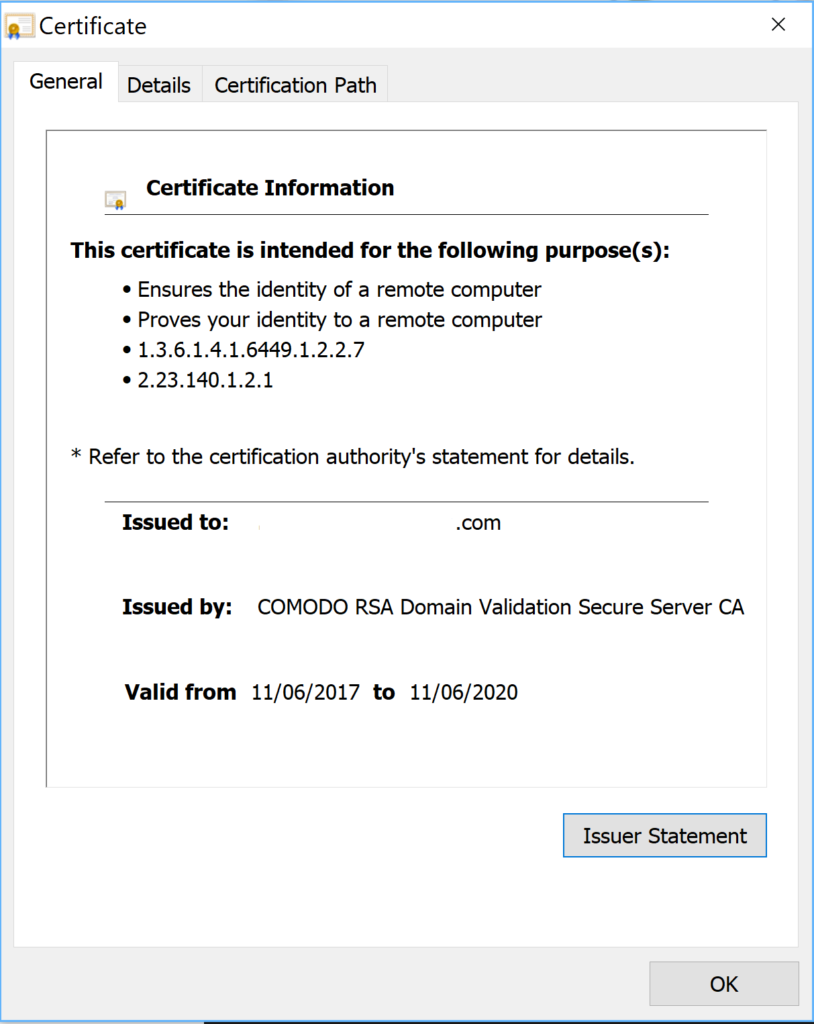
However, in this situation that wasn’t the fix. Thinking it was still TLS related I checked out the SSL Certificate for the URI I was making my webrequests against. Looking at the certificate showed it was valid.
Solution
After a lot of searching I was able to work around the problem using scenarios from (here and here), however they weren’t ideal.
The resolution and solution I’m using to resolve the problem is to allow TLS, TLS 1.1 and TLS 1.2.
Insert the following line before invoking your PowerShell WebRequest using either Invoke-RestMethod or Invoke-WebRequest.
[Net.ServicePointManager]::SecurityProtocol = [Net.SecurityProtocolType]::Tls -bor [Net.SecurityProtocolType]::Tls11 -bor [Net.SecurityProtocolType]::Tls12
Summary
Hopefully this helps others experiencing this error, and allows me to quickly find it again next time I encounter this issue.
Also checkout my PowerShell Snippets Vol 1 and Vol 2 for other simple resolutions to ambiguous errors and tasks.
The underlying connection was closed: an unexpected error occurred on a send.
To resolve the PowerShell “underlying connection was closed” error, in your PowerShell script enable TLS:
Add the following line before your Invoke-RestMethod or Invoke-WebRequest call;
- [Net.ServicePointManager]::SecurityProtocol = [Net.SecurityProtocolType]::Tls -bor
[Net.SecurityProtocolType]::Tls11 -bor [Net.SecurityProtocolType]::Tls12
Applies To : PowerShell
I am trying to connect to an external api website. I don’t know details around how REST/JSON works, but I want to use powershell to download a csv file via GET method. I could successfully connect via CURL, but with powershell I cannot, and am exhausted.
CURL:
curl.exe -v -H «Accept: application/json» -u APIKEY: «https://»
Powershell:
Invoke-RestMethod -Uri ‘https://’ -Headers @{«AUTHORIZATION»=»Basic «} -Method Get
I always receive following error:
the underlying connection was closed an unexpected error occurred on a send and the underlying connection was closed an unexpected error occurred on a receive
I tried using following script for certificate:
add-type @»
using System.Net;
using System.Security.Cryptography.X509Certificates;
public class TrustAllCertsPolicy : ICertificatePolicy {
public bool CheckValidationResult(
ServicePoint srvPoint, X509Certificate certificate,
WebRequest request, int certificateProblem) {
return true;
}
}
«@
[System.Net.ServicePointManager]::CertificatePolicy = New-Object TrustAllCertsPolicy
$result = Invoke-WebRequest -Uri «https://IpAddress/resource»
Source: http://stackoverflow.com/questions/11696944/powershell-v3-invoke-webrequest-https-error
still no luck.
Can someone help me understand what I am doing wrong?
Update# 2:
Basic is followed by Base64Encoded API KEY. This is what I see when I use the API Web, the one website provides:
{
«Accept»: «application/json»,
«Authorization»: «Basic Base64Encode»,
«Content-Length»: 0,
«x-forwarded-for»: «Source IP»
}
I upgraded to v4
PS C:> $PSVersionTable.PSVersion
Major Minor Build Revision
—– —– —– ——–
4 0 -1 -1
and also used:
[Net.ServicePointManager]::SecurityProtocol = [Net.SecurityProtocolType]::Tls12
since TLS1.2 is the requirement, still same error:
Invoke-RestMethod : The underlying connection was closed: An unexpected error occurred on a receive.
At line:1 char:1
+ Invoke-RestMethod -Method Get -Uri ‘https:////// …
+ ~~~~~~~~~~~~~~~~~~~~~~~~~~~~~~~~~~~~~~~~~~~~~~~~~~~~~~~~~~~~~~~~~~~~~~~~~~~~~~~~
+ CategoryInfo : InvalidOperation: (System.Net.HttpWebRequest:HttpWebRequest) [Invoke-RestMethod], We
eption
+ FullyQualifiedErrorId : WebCmdletWebResponseException,Microsoft.PowerShell.Commands.InvokeRestMethodCommand
If I don’t use https, then it says:
Unable to connect to the remote server
I have an existing REST API that accept x-www-form-urlencoded. The API need parameter apikey, and tested successfully in Postman as shown below.

However I need to invoke this API using Powershell.Below is my code :
$params = @{"apikey"="abcd1234"}
Invoke-WebRequest -Uri http://localhost:3030/api/v1/usergroupsync -Method POST -Body $params
#also tried below, no avail.
Invoke-RestMethod -Uri http://localhost:3030/api/v1/usergroupsync -Method POST -Body $params
However I encountered this error :
Invoke-WebRequest : The underlying connection was closed: An unexpected error occured on a receive At line:14 char:1
+ Invoke-WebRequest -Uri http://localhost:3030/api/v1/usergroupsync -Method POST -...
+==============================================================================
  + CategoryInfo : InvalidOperations: (System.Net.HttpWebRequest:HTTTpWebRequest) [Invoke-WebRequest], WebException
  + FullyQualifiedErrorId : WebcmdletWebResponseException,Microsoft.Powershell.Commands.InvokeWebRequest
If I remove -Body, there is no error, and Response was as expected «API Key is not valid» which means my REST API validate correctly.

So I suspect the reason if my issue is on the body? Any idea on how to solve this issue?
PS Version is 4.0.0
PS C:> $PSVersionTable.PSVersion

Major  Minor  Build  Revision
-----  -----  -----  --------
 4      0      -1     -1
-
#1
Привет всем, разбираюсь с telegram bot API, решил набросать основу на powershell. Но в самом начале ошибка:
Код:
PS C:bot> $token = "тут мой токен"
PS C:bot> $URL_get = "https://api.telegram.org/bot$token/getUpdates"
PS C:bot> $URL_set = "https://api.telegram.org/bot$token/sendMessage"
PS C:bot> Invoke-RestMethod -Uri $URL_get
Ошибка вот такая
Invoke-RestMethod : Базовое соединение закрыто: Непредвиденная ошибка при передаче.
строка:1 знак:1
+ Invoke-RestMethod -Uri $URL_get
+ ~~~~~~~~~~~~~~~~~~~~~~~~~~~~~~~
+ CategoryInfo : InvalidOperation: (System.Net.HttpWebRequest:HttpWebRequest) [Invoke-RestMethod], WebExc
eption
+ FullyQualifiedErrorId : WebCmdletWebResponseException,Microsoft.PowerShell.Commands.InvokeRestMethodCommand
Подскажите из за чего ??
Последнее редактирование модератором: 23.04.2020
-
#2
телеграм же запрещен, если из России запускаете, вот вы и не можете соединиться. Можно попробовать через прокси какой нибудь
-
#3
Привет всем, разбираюсь с telegram bot API, решил набросать основу на powershell. Но в самом начале ошибка:
Код:
PS C:bot> $token = "тут мой токен"
PS C:bot> $URL_get = "https://api.telegram.org/bot$token/getUpdates"
PS C:bot> $URL_set = "https://api.telegram.org/bot$token/sendMessage"
PS C:bot> Invoke-RestMethod -Uri $URL_get
Ошибка вот такая
Подскажите из за чего ??
попробуйте подключаться через прокси.

-
#4
Привет всем, разбираюсь с telegram bot API, решил набросать основу на powershell. Но в самом начале ошибка:
Код:
PS C:bot> $token = "тут мой токен"
PS C:bot> $URL_get = "https://api.telegram.org/bot$token/getUpdates"
PS C:bot> $URL_set = "https://api.telegram.org/bot$token/sendMessage"
PS C:bot> Invoke-RestMethod -Uri $URL_get
Ошибка вот такая
Подскажите из за чего ??
телеграм заблочен в РФ.
Попробуйте поискать бесплатный VPN, например TunnelBear или прокси
Последнее редактирование: 24.04.2020
-
#5
жаль, а есть аналоги телеграм ботов ?
-
#6
жаль, а есть аналоги телеграм ботов ?
Microsoft Bot Framework
Hi everyone,
To Introduce myself : Working as a Power BI Developer with PBI Admin access.
My Powershell script stoped working suddenly and prompting me an error saying the underlying connection was closed. This was all working fine few days back.

Here is a part of my script that calls REST API to export the reprot in pdf format.
Login-PowerBI
$groupid = «Hidden»
$Reportid = «Hidden»
$Folder = «c:temp»
$Body = «{`”format`”:`”pdf`”}»
$filename = $Folder + «PowerBIMetrics.pdf»
$StatusCheck=0
# Get token
$token = Get-PowerBIAccessToken -AsString
##write-host $token
# Building Rest API header with authorization token
$authHeader = @{
«Authorization»= $token
«Content-Type» = «application/json»
}
$url1 = «https://api.powerbi.com/v1.0/myorg/groups/$groupid/reports/$Reportid/ExportTo»
Invoke-RestMethod -Method Post -uri $url1 -Headers $authHeader -body $Body
I have tried to look for solution and many of them (Power BI community/ DBA) is saying I need to add extra line of code below before I execute the Invoke-ResMethod command line,
[Net.ServicePointManager]::SecurityProtocol = [Net.SecurityProtocolType]::Tls12
Unfortunately, I’m getting same error message.
Thank you.
Eric
I am pretty new to PowerShell and am trying to use REST methods for an application which require OAuth2.0 Authentication.
I have written the following using this https://msdn.microsoft.com/en-us/library/hh454950.aspx as a reference:
$ClientID = 'david_web'
$client_Secret = 'Secret_123'

$Uri = "https://target_server/api/token"

$Body = "grant_type=password=$ClientID&username=$client_Secret"

$admAuth=Invoke-RestMethod -Uri $Uri -Body $Body -Method Post

$HeaderValue = "Bearer " + $admauth

$uri = "https://target_server/api/v1.0/discovery";

$result = Invoke-RestMethod -Uri $uri -Headers @{Authorization = $HeaderValue}

$result.string.'#text'
When I run this I get:
Invoke-RestMethod : The underlying connection was closed: An unexpected error
occurred on a send.
If I try the following from Linux:
curl -k -i -X POST -d 'grant_type=password&username=david_web&password=Secret_123' https://target_server/api/token
It works but I have to include the -k option. How do I do the same on PowerShell?
Edit:
Running just this:
$ClientID = 'david_web'
$client_Secret = 'Secret_123'
$Uri = "https://target_server/api/token"
$Body = 'grant_type=password&username=$ClientID&password=$client_Secret'
$admAuth = Invoke-RestMethod -Method Post -Uri $Uri -Body $Body
Returns:
[ERROR] Invokenvoke-RestMethod : The underlying connection was closed: An unexpected error
[ERROR] occurred on a send.
[ERROR] At C:datavisual studio 2015ProjectsPSDiscoveryRESTGetToken.ps1:34 [ERROR] char:12
[ERROR] + $admAuth = Invoke-RestMethod -Method Post -Uri $Uri -Body $Body
[ERROR] + ~~~~~~~~~~~~~~~~~~~~~~~~~~~~~~~~~~~~~~~~~~~~~~~~~~~~
[ERROR] + CategoryInfo : InvalidOperation: (System.Net.HttpWebRequest:Htt
[ERROR] pWebRequest) [Invoke-RestMethod], WebException
[ERROR] + FullyQualifiedErrorId : WebCmdletWebResponseException,Microsoft.PowerShe
[ERROR] ll.Commands.InvokeRestMethodCommand
I am pretty new to PowerShell and am trying to use REST methods for an application which require OAuth2.0 Authentication.
I have written the following using this https://msdn.microsoft.com/en-us/library/hh454950.aspx as a reference:
$ClientID = 'david_web'
$client_Secret = 'Secret_123'

$Uri = "https://target_server/api/token"

$Body = "grant_type=password=$ClientID&username=$client_Secret"

$admAuth=Invoke-RestMethod -Uri $Uri -Body $Body -Method Post

$HeaderValue = "Bearer " + $admauth

$uri = "https://target_server/api/v1.0/discovery";

$result = Invoke-RestMethod -Uri $uri -Headers @{Authorization = $HeaderValue}

$result.string.'#text'
When I run this I get:
Invoke-RestMethod : The underlying connection was closed: An unexpected error
occurred on a send.
If I try the following from Linux:
curl -k -i -X POST -d 'grant_type=password&username=david_web&password=Secret_123' https://target_server/api/token
It works but I have to include the -k option. How do I do the same on PowerShell?
Edit:
Running just this:
$ClientID = 'david_web'
$client_Secret = 'Secret_123'
$Uri = "https://target_server/api/token"
$Body = 'grant_type=password&username=$ClientID&password=$client_Secret'
$admAuth = Invoke-RestMethod -Method Post -Uri $Uri -Body $Body
Returns:
[ERROR] Invokenvoke-RestMethod : The underlying connection was closed: An unexpected error
[ERROR] occurred on a send.
[ERROR] At C:datavisual studio 2015ProjectsPSDiscoveryRESTGetToken.ps1:34 [ERROR] char:12
[ERROR] + $admAuth = Invoke-RestMethod -Method Post -Uri $Uri -Body $Body
[ERROR] + ~~~~~~~~~~~~~~~~~~~~~~~~~~~~~~~~~~~~~~~~~~~~~~~~~~~~
[ERROR] + CategoryInfo : InvalidOperation: (System.Net.HttpWebRequest:Htt
[ERROR] pWebRequest) [Invoke-RestMethod], WebException
[ERROR] + FullyQualifiedErrorId : WebCmdletWebResponseException,Microsoft.PowerShe
[ERROR] ll.Commands.InvokeRestMethodCommand