-

selenur
- Почётный участник

- Сообщения: 4576
- Зарегистрирован: 21 авг 2013, 19:44
- Репутация: 1614
- Настоящее имя: Сергей
- Откуда: Новый Уренгой
- Контактная информация:
Re: 5.5 Вт проблема с прошивкой
Скорости холостого, и рабочего хода должна формировать сама программа генерации рисунка, если предполагается работа с тонами.
-
sany_sch
- Новичок
- Сообщения: 32
- Зарегистрирован: 28 авг 2016, 21:14
- Репутация: 10
- Настоящее имя: Александр
- Контактная информация:
Re: 5.5 Вт проблема с прошивкой
Сообщение
sany_sch » 30 авг 2016, 12:48
Сергей, Пробовал разные прошивки для ардуино. И там где «$3=6 (dir port invert mask:00000110)» и такую где это на $6 . Удаётся изменить направление только оси Х. А У никак не реагирует. Так-же не ужодит проблема с осью Z. Пробовал как описано Здесь: http://uc.org.ru/node/94. Не помогает скачивал от туда готовую прошивку — безрезультатно.
Может посоветуете Хорошую программу и прошивку для моего лазера 5,5 ватт. чтоб и выжигал и резал с одной установки. И чтоб и вектор и растр.
-
selenur
- Почётный участник
- Сообщения: 4576
- Зарегистрирован: 21 авг 2013, 19:44
- Репутация: 1614
- Настоящее имя: Сергей
- Откуда: Новый Уренгой
- Контактная информация:
Re: 5.5 Вт проблема с прошивкой
Сообщение
selenur » 30 авг 2016, 14:03
sany_sch писал(а):Сергей, Пробовал разные прошивки для ардуино. И там где «$3=6 (dir port invert mask:00000110)» и такую где это на $6 . Удаётся изменить направление только оси Х. А У никак не реагирует. Так-же не ужодит проблема с осью Z. Пробовал как описано Здесь: http://uc.org.ru/node/94. Не помогает скачивал от туда готовую прошивку — безрезультатно.
Может посоветуете Хорошую программу и прошивку для моего лазера 5,5 ватт. чтоб и выжигал и резал с одной установки. И чтоб и вектор и растр.
1) Залей свежую прошивку от сюда: https://github.com/grbl/grbl, и попробуй выполнить G-код, с настройкой $6=0, потом $6=1, и так до $6=7
Как вариант можешь использовать для проверки такой G-код:
Код: Выделить всё
G0 F300 M5
X0 Y0 Z0
X30 Y0 Z0
X30 Y30 Z0
X0 Y30 Z0
X0 Y0 Z0
Если мы подразумеваем, что начало координат в левом нижнем углу, то движение, будет по квадратной траектории, против часовой стрелки. Размер квадрата по которому будет движение, должен будет составить 30х30 мм.
2) Насчет совета по использованию программ, я тут не очень хороший советчик…
Из тех что бесплатные, знаю есть Gcodetools — http://www.cnc-club.ru/forum/viewtopic. … ols#p50881
Есть ещё моя, но пока ещё не доделана: http://selenur.ru/?p=379 — я сейчас как раз перешел на контроллер с GRBL прошивкой, и теперь доделываю генерацию растра.
-
sany_sch
- Новичок
- Сообщения: 32
- Зарегистрирован: 28 авг 2016, 21:14
- Репутация: 10
- Настоящее имя: Александр
- Контактная информация:
Re: 5.5 Вт проблема с прошивкой
Сообщение
sany_sch » 30 авг 2016, 15:30
Прошивку залил.
Пробую перемещать стрелками вверх-вниз, вправо-влево. Не реагирует. пишет error: undefined feed rate. После нажатия стрелок оси Z Начинает реагировать ось У но в обратную сторону. Ось Х только дёргается.
-
selenur
- Почётный участник
- Сообщения: 4576
- Зарегистрирован: 21 авг 2013, 19:44
- Репутация: 1614
- Настоящее имя: Сергей
- Откуда: Новый Уренгой
- Контактная информация:
Re: 5.5 Вт проблема с прошивкой
Сообщение
selenur » 30 авг 2016, 15:48
sany_sch писал(а): error: undefined feed rate
Означает не установлена скорость движения, нужно ввести команду «G0 F300» которая означает выполнять движение со скоростью 300 мм/мин.
И после этого движение при нажатии стрелок, заработает.
После включения контроллера, всегда нужно посылать команду, с какой скоростью двигаться, если управление ручное.
Если G-код сформирован программой, то там всегда в начале есть код типа G0 Fxxx или G1 Fххх.
-

Сергей Саныч
- Мастер
- Сообщения: 9116
- Зарегистрирован: 30 май 2012, 14:20
- Репутация: 2854
- Откуда: Тюмень
- Контактная информация:
Re: 5.5 Вт проблема с прошивкой
Сообщение
Сергей Саныч » 30 авг 2016, 17:06
selenur, в порядке информации: Команда F не влияет на G0. G0 всегда выполняется на максимальной скорости, а F действует только на G1, G2, G3 — то есть на команды рабочих перемещений.
Чудес не бывает. Бывают фокусы.
-
selenur
- Почётный участник
- Сообщения: 4576
- Зарегистрирован: 21 авг 2013, 19:44
- Репутация: 1614
- Настоящее имя: Сергей
- Откуда: Новый Уренгой
- Контактная информация:
Re: 5.5 Вт проблема с прошивкой
Сообщение
selenur » 30 авг 2016, 17:48
Сергей Саныч писал(а):selenur, в порядке информации: Команда F не влияет на G0. G0 всегда выполняется на максимальной скорости, а F действует только на G1, G2, G3 — то есть на команды рабочих перемещений.
Спасибо за информацию! я всегда предполагал что командой F можно было управлять скоростью G0 
В GRBL прошивке, ручное управление у меня так-же не работает, если при включении не послать g команду с командой f.
В контроллере от planet-cnc команда F всё-же влияет на скорость перемещения с G0.  как так…
-
sany_sch
- Новичок
- Сообщения: 32
- Зарегистрирован: 28 авг 2016, 21:14
- Репутация: 10
- Настоящее имя: Александр
- Контактная информация:
Re: 5.5 Вт проблема с прошивкой
Сообщение
sany_sch » 30 авг 2016, 20:49
Отчитываюсь. Ось Х дёргалась из-за отсутствия контакта  Задёргал я плату.
$3=3 дало нужный результат. 
selenur писал(а):
sany_sch писал(а): error: undefined feed rate
Означает не установлена скорость движения, нужно ввести команду «G0 F300» которая означает выполнять движение со скоростью 300 мм/мин.
И после этого движение при нажатии стрелок, заработает.
После включения контроллера, всегда нужно посылать команду, с какой скоростью двигаться, если управление ручное.
Если G-код сформирован программой, то там всегда в начале есть код типа G0 Fxxx или G1 Fххх.
Помогло. Вот странно. При нажатии стрелок оси Z посылается команда » G01 Z1 F260 » То есть F задаётся. А право- лево, верх-низ не задаётся. Отсюда вопрос: Можно ли эту F прописать в самом начале, чтоб всегда уже была?
selenur писал(а):Как вариант можешь использовать для проверки такой G-код:
Код: Выделить всё • Развернуть
G0 F300 M5
X0 Y0 Z0
X30 Y0 Z0
X30 Y30 Z0
X0 Y30 Z0
X0 Y0 Z0Если мы подразумеваем, что начало координат в левом нижнем углу, то движение, будет по квадратной траектории, против часовой стрелки. Размер квадрата по которому будет движение, должен будет составить 30х30 мм.
Попробовал. Получилось. Только квадрат со стороной около 75мм. Я так понимаю нужно менять шагмм
Пока по этой проблеме разобрался. Всем огромное спасибо. Не знаю как здесь благодарят, ставлю плюсики над сообщениями.
Буду переходить к изучению генерации G-кода. Есть несколько орнаментов в «Корел драв» какую программу посоветуете? Желательно на Русском и понятную.
-
sany_sch
- Новичок
- Сообщения: 32
- Зарегистрирован: 28 авг 2016, 21:14
- Репутация: 10
- Настоящее имя: Александр
- Контактная информация:
Re: 5.5 Вт проблема с прошивкой
Сообщение
sany_sch » 30 авг 2016, 21:02
sany_sch писал(а):
Попробовал. Получилось. Только квадрат со стороной около 75мм. Я так понимаю нужно менять шагмм
Подошло 80 шагмм.
-
selenur
- Почётный участник
- Сообщения: 4576
- Зарегистрирован: 21 авг 2013, 19:44
- Репутация: 1614
- Настоящее имя: Сергей
- Откуда: Новый Уренгой
-
Контактная информация:
Re: 5.5 Вт проблема с прошивкой
Сообщение
selenur » 30 авг 2016, 21:07
Команды $100 $101 и $102 как раз содержат параметры задающие количество шагов, поэтому правильно подобрав значения, должно всё получиться
-
Сергей Саныч
- Мастер
- Сообщения: 9116
- Зарегистрирован: 30 май 2012, 14:20
- Репутация: 2854
- Откуда: Тюмень
- Контактная информация:
Re: 5.5 Вт проблема с прошивкой
Сообщение
Сергей Саныч » 30 авг 2016, 21:47
selenur писал(а): контроллере от planet-cnc команда F всё-же влияет на скорость перемещения с G0.
Чем же тогда там G0 отличается от G1 ?
Чудес не бывает. Бывают фокусы.
-
selenur
- Почётный участник
- Сообщения: 4576
- Зарегистрирован: 21 авг 2013, 19:44
- Репутация: 1614
- Настоящее имя: Сергей
- Откуда: Новый Уренгой
- Контактная информация:
Re: 5.5 Вт проблема с прошивкой
Сообщение
selenur » 30 авг 2016, 22:12
Сергей Саныч писал(а):
selenur писал(а): контроллере от planet-cnc команда F всё-же влияет на скорость перемещения с G0.
Чем же тогда там G0 отличается от G1 ?
Особенностями реализации логики работы контроллера, наверное…
-
sany_sch
- Новичок
- Сообщения: 32
- Зарегистрирован: 28 авг 2016, 21:14
- Репутация: 10
- Настоящее имя: Александр
-
Контактная информация:
Re: 5.5 Вт проблема с прошивкой
Сообщение
sany_sch » 31 авг 2016, 05:53
Ещё возник такой вопрос: Допустим нужно нарисовать фигуру (любую). Скорость увеличивать уже нельзя, пропускает шаги. А линия всё равно «жирная». Как ещё уменьшить мощность лазера?
Вопрос о программе создания G-кода остаётся в силе.
-
selenur
- Почётный участник
- Сообщения: 4576
- Зарегистрирован: 21 авг 2013, 19:44
- Репутация: 1614
- Настоящее имя: Сергей
- Откуда: Новый Уренгой
- Контактная информация:
Re: 5.5 Вт проблема с прошивкой
Сообщение
selenur » 31 авг 2016, 06:15
Есть G-команда «Sxxxx» где xxxx число от нуля до 1000, данная команда позволяет на 11 выводе ардуины, генерировать PWM сигнал, и если у тебя в драйвере лазера есть такой вход, то можно будет ограничивать максимальную мощность. Если нет, то нужно смотреть что за драйвер, возможно в нем есть переменный резистор, или ещё что-то…..
Можешь попробовать ещё эту программу: https://sites.google.com/site/nikromsof … mp-v-gcode вроде бесплатная…
-
sany_sch
- Новичок
- Сообщения: 32
- Зарегистрирован: 28 авг 2016, 21:14
- Репутация: 10
- Настоящее имя: Александр
- Контактная информация:
Re: 5.5 Вт проблема с прошивкой
Сообщение
sany_sch » 31 авг 2016, 07:09
selenur писал(а):Есть G-команда «Sxxxx» где xxxx число от нуля до 1000, данная команда позволяет на 11 выводе ардуины, генерировать PWM сигнал, и если у тебя в драйвере лазера есть такой вход, то можно будет ограничивать максимальную мощность. Если нет, то нужно смотреть что за драйвер, возможно в нем есть переменный резистор, или ещё что-то…..
Можешь попробовать ещё эту программу: https://sites.google.com/site/nikromsof … mp-v-gcode вроде бесплатная…
Для точечных рисунков эту и пробую. Но нужна и для вектора. Если создал в Кореле.
Лазер «сидит», если не ошибаюсь на 12 пине. Задача стоит не переделывать ничего. Чтоб можно было в любой момент вернуться к начальным установкам.
Какая команда включает лазер?
-
selenur
- Почётный участник
- Сообщения: 4576
- Зарегистрирован: 21 авг 2013, 19:44
- Репутация: 1614
- Настоящее имя: Сергей
- Откуда: Новый Уренгой
- Контактная информация:
Re: 5.5 Вт проблема с прошивкой
Сообщение
selenur » 31 авг 2016, 07:30
sany_sch писал(а):
selenur писал(а):Есть G-команда «Sxxxx» где xxxx число от нуля до 1000, данная команда позволяет на 11 выводе ардуины, генерировать PWM сигнал, и если у тебя в драйвере лазера есть такой вход, то можно будет ограничивать максимальную мощность. Если нет, то нужно смотреть что за драйвер, возможно в нем есть переменный резистор, или ещё что-то…..
Можешь попробовать ещё эту программу: https://sites.google.com/site/nikromsof … mp-v-gcode вроде бесплатная…
Для точечных рисунков эту и пробую. Но нужна и для вектора. Если создал в Кореле.
Лазер «сидит», если не ошибаюсь на 12 пине. Задача стоит не переделывать ничего. Чтоб можно было в любой момент вернуться к начальным установкам.Какая команда включает лазер?
M3 включает, M5 -выключает, 12-й пин имеет на выходе 5 вольт, при включении, и 0 вольт при выключении.
А 11 пин можно использовать просто для регулировки силы прожига.
-
selenur
- Почётный участник
- Сообщения: 4576
- Зарегистрирован: 21 авг 2013, 19:44
- Репутация: 1614
- Настоящее имя: Сергей
- Откуда: Новый Уренгой
- Контактная информация:
Re: 5.5 Вт проблема с прошивкой
Сообщение
selenur » 31 авг 2016, 07:34
sany_sch писал(а): Но нужна и для вектора. Если создал в Кореле.
Тут я про другие программы не подскажу, может кто-то знает… ( т.к. пользуюсь своей, ссылку на которую давал выше)
-
Видеоглаз
- Новичок
- Сообщения: 17
- Зарегистрирован: 27 июн 2016, 12:46
- Репутация: 0
- Настоящее имя: Сергей
- Контактная информация:
Re: 5.5 Вт проблема с прошивкой
Сообщение
Видеоглаз » 31 авг 2016, 12:49
Здравствуйте, у меня такой же гравер. Простите что вопрос не про прошивку. Сначала резал потом перестал хотя настройки я не менял. гравировка кстати тоже сильно ухудшилась. Я думаю что сам лазер сильно садится при резке. Наверно его можно использовать только в точечном режиме иначе через неделю можно выкидывать. Ваш гравер сейчас нормально режет? Вопрос к создателю темы, но буду рад любым ответам.
-
selenur
- Почётный участник
- Сообщения: 4576
- Зарегистрирован: 21 авг 2013, 19:44
- Репутация: 1614
- Настоящее имя: Сергей
- Откуда: Новый Уренгой
- Контактная информация:
Re: 5.5 Вт проблема с прошивкой
Сообщение
selenur » 31 авг 2016, 13:13
Видеоглаз писал(а):Здравствуйте, у меня такой же гравер. Простите что вопрос не про прошивку. Сначала резал потом перестал хотя настройки я не менял. гравировка кстати тоже сильно ухудшилась. Я думаю что сам лазер сильно садится при резке. Наверно его можно использовать только в точечном режиме иначе через неделю можно выкидывать. Ваш гравер сейчас нормально режет? Вопрос к создателю темы, но буду рад любым ответам.
Возможно перегрев лазера происходил, из-за чего и произошло ухудшение работы….
-
sany_sch
- Новичок
- Сообщения: 32
- Зарегистрирован: 28 авг 2016, 21:14
- Репутация: 10
- Настоящее имя: Александр
-
Контактная информация:
Re: 5.5 Вт проблема с прошивкой
Сообщение
sany_sch » 31 авг 2016, 14:08
Видеоглаз писал(а):Здравствуйте, у меня такой же гравер. Простите что вопрос не про прошивку. Сначала резал потом перестал хотя настройки я не менял. гравировка кстати тоже сильно ухудшилась. Я думаю что сам лазер сильно садится при резке. Наверно его можно использовать только в точечном режиме иначе через неделю можно выкидывать. Ваш гравер сейчас нормально режет? Вопрос к создателю темы, но буду рад любым ответам.
Вы вентилятор использовали чтоб дым сдувать? может линза закоптилась?
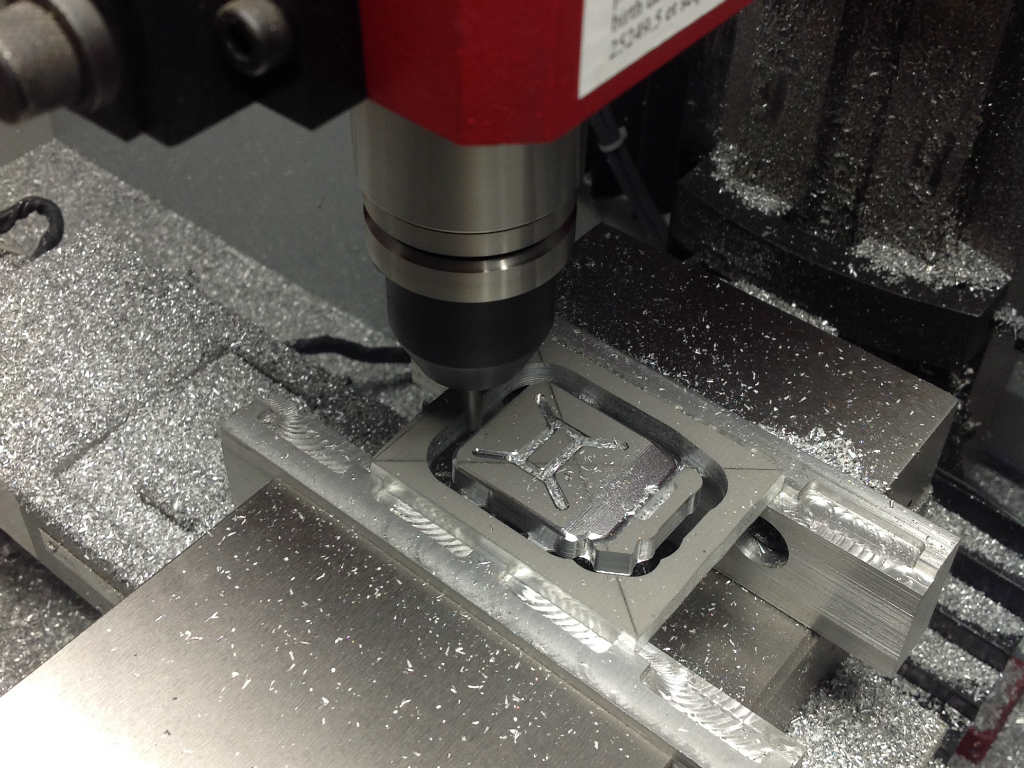
Introduction – GRBL Feed Rate
Congratulations on getting your CNC machine running. By now you should have adjusted a few of the GRBL settings. If not then before setting your GRBL feed rate, I recommend you set the steps per mm at the very least. Click the following link for a guide that will walk you through the process for the x,y and z axis Steps per mm ($100, $101, $102). GRBL settings 101
Now that your machine moves to the location you want, it’s time to see if we can get the machine there faster. The following guide outlines the process of setting your GRBL feed rate.
Why Does Feed Rate Matter?
Many times, your machine will have to rapid to a location before or between cuts. Depending on what you are cutting and how big that part is, this can add up to a significant amount of time. Especially if your max GRBL feed rate settings are not optimized. In my case, I was able to more than double the safe speed of my machine. This meant that the machine moved to the cutting positions faster and didn’t waste time slowly moving to the next cut. I saw a significant drop in cycle time, the amount of time it takes to cut a given part.
Again these settings deal with the machine limits. The actual cutting feed rates in your gcode program are set in your CAM software. These settings represent the upper limit of what the machine will do even if the gcode program tells the machine to move faster.
GRBL Feed Rate Settings
We are interested in maximizing the following the GRBL feed rate parameters. These are accessed through the command interface portion of Universal GCode Sender (UGCS).
$110=635.000 – X – Max Rate (mm/min)
$111=635.000 – Y – Max Rate (mm/min)
$112=635.000 – Z – Max Rate (mm/min)
Not to worry, we don’t need any fancy math to define these settings. We will use a series of tests and iterate to find the optimal GRBL feed rate settings.
For a complete list of GRBL Settings, download the GRBL Settings Pocket Guide
Maximum Speed – GRBL Definition
Max Rate – Sets the maximum speed for a given axis. The machine will not move faster than the values set here. This is the feed rate the machine will use when you type a G00 command.
Understand You Baseline
The first thing we want to do is capture the baseline settings. This way, we can go back to these if we make a mistake while updating one of the new settings.
1. Power on your machine
2. Open Universal Gcode Sender (UGCS) and view your current settings by typing $$ in the Command box under the Command tab.
You should get a list that looks something like the following.
**** Connected to COM3 @ 115200 baud ****
Grbl 0.9j [‘$’ for help]
>>> $$
$0=10 (step pulse, usec)
$1=25 (step idle delay, msec)
$2=0 (step port invert mask:00000000)
$3=3 (dir port invert mask:00000011)
$4=0 (step enable invert, bool)
$5=0 (limit pins invert, bool)
$6=0 (probe pin invert, bool)
$10=3 (status report mask:00000011)
$11=0.010 (junction deviation, mm)
$12=0.002 (arc tolerance, mm)
$13=1 (report inches, bool)
$20=0 (soft limits, bool)
$21=0 (hard limits, bool)
$22=0 (homing cycle, bool)
$23=0 (homing dir invert mask:00000000)
$24=25.000 (homing feed, mm/min)
$25=500.000 (homing seek, mm/min)
$26=250 (homing debounce, msec)
$27=1.000 (homing pull-off, mm)
$100=314.960 (x, step/mm)
$101=314.960 (y, step/mm)
$102=78.740 (z, step/mm)
$110=800.000 (x max rate, mm/min)
$111=800.000 (y max rate, mm/min)
$112=350.000 (z max rate, mm/min)
$120=10.000 (x accel, mm/sec^2)
$121=10.000 (y accel, mm/sec^2)
$122=10.000 (z accel, mm/sec^2)
$130=200.000 (x max travel, mm)
$131=200.000 (y max travel, mm)
$132=200.000 (z max travel, mm)
ok
3. Highlight lines $0 through $132 and copy the information (use “Ctrl C”). Next, open “Notepad” or your preferred text editor and paste the settings into a new file. Save the file as “GRLB_Settings_Baseline.txt”.
We are interested in settings $110, $111 & $112. Note, those show above are my final settings. The initial GRBL feed rate values were significantly lower.
X Axis Max Speed
1. Review the value in $110
2. Add about 100 to the value and send the new setting by typing $110=”new value” (Note, just enter a number without the “”.) For example, my first iteration was $110=200.000
3. Next jog the machine to the far left of the allowable travel. This gives us as much room as possible to test our new speed setting. Use the keyboard or jog buttons under the ”Machine Control” tab.
4. Next select the Command tab.
5. Type the following gcode command “G00 X4” This will tell the machine to move 4 inches in the positive X direction at the maximum feed rate.
CAUTION – Be sure your machine has at least 4 inches of travel in the X axis. If not, then adjust the command in step 5 and reduce the travel by using a number that is slightly smaller than the allowable travel of your machine in the the X direction.
6. Press enter then watch and listen to your machine as it moves.
7. Does the machine run smoothly? If so, you can go back to step 2 and repeat the process. This will help you sneak up on the upper speed limits of your hardware setup. Does the machine struggle and sound like it’s tearing itself apart? That means you have found the upper limit of the speed. Move onto step 8. Also, if the machine moves as fast as your are comfortable with then move on to step 8.
8. Take the last setting you entered into the machine and multiply by .9, this is your final speed setting value for the X axis. Enter this final value in the $110 setting variable by typing $110=”final value” in the Command box under the command tab.
9. Do one last check using this new value. Jog the machine as far in the negative X direction as possible. Then under the Command Tab type “G00 X4” The machine should move smoothly without any grinding. If that is the case, move on to set the Y axis feed rate.
Y Axis Max Speed
1. Adjust the max speed in the Y direction by starting with the value you found for the X axis. Enter that by typing $111=”value”
2. Jog the machine to the forward most position of the allowable travel using the keyboard or jog buttons under the ”Machine Control” tab. This gives us as much room as possible to test our new speed setting.
3. In the Command box under the Command tab Type the following gcode “G00 Y3” This will tell the machine to move 3 inches in the Y direction. (Note, I used 3 inches because of the travel limits on my machine. If you have a larger machine, you may want to use more of the available travel. If you have a smaller machine, be sure to use a smaller value.)
4. Press enter then watch and listen to your machine as it moves.
5. Does the machine run smoothly? If so, you can go back to step 1 and add 100 to the value then repeat the process. This will help you sneak up on the GRBL feed rate upper limit of your hardware setup. Does the machine struggle and sound like it’s tearing itself apart? That means you have found the GRBL feed rate upper limit. Move onto step 6.
6. Take the last setting you entered into the machine and multiply by .9, this is your final speed setting value for the Y axis. Enter this final value in the $111 setting variable by typing $111=”final value” in the Command box under the command tab. In my case, I found 800.000 to be the GRBL feed rate upper limit for my machine.
7. Do one last check using this new value. Jog the machine as far in the negative Y direction as possible. Then under the Command Tab type “G00 Y3” The machine should move smoothly without any grinding. If that is the case, move to the Z axis.
Z Axis Max Speed
1. Review the value in $112
2. Add about 50 to the value and send the new setting by typing $112=”new value” (Note, just enter a number without the “”.) For example, my first iteration was $112=200.000
3. Jog the machine to the lowest Z axis position using the keyboard or jog buttons under the ”Machine Control” tab. This gives us as much room as possible to test our new speed setting.
4. Using the Command box under the Command tab Type the following gcode command “G00 Z4” This will tell the machine to move 4 inches in the positive Z direction (up). (Note, here we want to move the Z axis up against gravity. This way we know that the max speed will work in both the Z positive (up) and Z negative (down) directions.)
5. Press enter then watch and listen to your machine as it moves.
6. Does the machine run smoothly? If so, you can go back to step 2 and repeat the process. This will help you sneak up on the upper speed limits of your hardware setup. Does the machine struggle and sound like it’s tearing itself apart? That means you have found the upper limit of the speed. Move onto step 7.
7. Take the last setting you entered into the machine and multiply by .9, this is your final speed setting value for the Z axis. Enter this final value in the $112 setting variable by typing $112=”final value” in the Command box under the command tab.
Conclusion
A few simple tweaks can really make life easier in the long run. By maximizing your GRBL feed rate settings, you will save time with every part you make. Saving a few seconds in your machining operations might not seem like much initially, but over time they really add up. I haven’t seen any problems with my gShield with my higher GRBL feed rate settings . I encourage you to try tweaking some of your settings. What do you have to lose? If it doesn’t work just go back to the last setting that did work.
The process outlined above is a guide to find the maximum GRLB feed rate settings that your physical hardware will allow. If you are just starting out, you may want to consider using 25% of these maximum values to start. As you grow more comfortable with your machine, you can increase the GRBL feed rate settings until you are back up to the maximum values found above.
If you have any questions, feel free to contact me at Tim@DIYMachining.com
Thanks for reading. Until next time… Tim
I have had some problem like this.
I suspect that the line 20 in your code is the culprit, it has a movement command without the feedrate.
But If you encounter other problems I have found out a strange behavior:
If you have a G(0123) movement and then this movement change in another G(0123) movement something happens and it raise the error.
This code works, (I have used it with grbl 0.9i to cut some part).
Note that when i change the motion (the second line) I have to not specify the feedrate until i make a G0 move in the end and so on, but i prefer to prefix each movement with the appropriate G(0123) word, otherwise i get an error of undefined command (It strange but I’m struggling with it for almost a day prior to figure it out ) :
G1 Z-8.520 F250.000 <— Here i made a plunge move in the workpiece
G1 X1.277 F1500.000 <— Here i begin to cut the piece and stated a more useful feedrate
G1 X1.489 Z-9.000
G1 X9.787
G1 X10.000 Z-6.402
G1 X10.213 Z-4.951
((( many othe G1 movement here )))
G1 X47.660 Z-4.245
G1 X57.447
G0 Z0.250 F5000.000 <— (You have to put here a new feedrate otherwise it will raise an error)
Error 0 – STATUS_OK
All Good, This is an error code suggesting that there is NO error
Error 1 – STATUS_EXPECTED_COMMAND_LETTER
Gcodes should start with a Letter, what ever was just sent to GRBL did not
Error 2 – STATUS_BAD_NUMBER_FORMAT
The number part of the Gcode was invalid
Error 3 – STATUS_INVALID_STATEMENT
Usualy a bad GRBL Specific $ instruction
Error 4 – STATUS_NEGATIVE_VALUE
Negative value received for an expected positive value.
Error 5 – STATUS_SETTING_DISABLED
A call to a disabled function was issued – EG you issued $H for homing but your $20 (homing enable) parameter is set to 0 (off)
Error 6 – STATUS_SETTING_STEP_PULSE_MIN
Your $0 (step pulse time) is to short, set it back to its default value, $0=10
Error 7 – STATUS_SETTING_READ_FAIL
Corrupt EEPROM values, you will need to reconfigure all your $ values as they have been reset to default – this time once you have worked them all out, make a copy! This is a rare error.
Error 8 – STATUS_IDLE_ERROR
You have issued a command only allowed when the machine active state is Idle. Example you sent $$ while the Active state was run (job was in progress)
Error 9 – STATUS_SYSTEM_GC_LOCK
machine is locked in error of some sort, and you tried to issue a movement command. Did you forget to $X the machine? Or is it sitting on a Limit Switch?
Error 10 – STATUS_SOFT_LIMIT_ERROR
You will see this if you try to enable soft limits without also enabling homing cycle. Soft limits cannot work unless you first home the machine so it knows where it is!
Error 11 – STATUS_OVERFLOW
GRBL has a max number of charactors it will accept in one command, it received on that was too long – often happens when CAM software puts long comments in file
Error 12 – STATUS_MAX_STEP_RATE_EXCEEDED
You tried to set a Step rate that was too high, look at your $110, $111,$112 values!
Error 13 – STATUS_CHECK_DOOR
You have the safety door funtion turned on and it is showing not closed…close it
Error 14 – STATUS_LINE_LENGTH_EXCEEDED
You should not see this error and if you do you should know what it means!
Error 15 – STATUS_TRAVEL_EXCEEDED
You have got soft limits turned on and configured, and the job your trying to run is larger than you have told grbl that your machine actualy is. Either fix your soft limit values and if they are correct, look at why your cam setup is trying to use more space than you actually have.
Error 16 – STATUS_INVALID_JOG_COMMAND
Jogging command issued was not valid, possibly forgot the =… part
Error 17 – STATUS_SETTING_DISABLED_LASER
Probrably happened when you turned on $32 wthout enableing PWM – We don’t know a lot about this error – email us if you work it out and we can add it to this list
Error 20 – STATUS_GCODE_UNSUPPORTED_COMMAND
Unsupported or invalid g-code command found in block.
Error 21 – STATUS_GCODE_MODAL_GROUP_VIOLATION
Read: http://linuxcnc.org/docs/html/gcode/overview.html#_modal_groups
Error 22 – STATUS_GCODE_UNDEFINED_FEED_RATE
You cannot issue a movement if no feed rate has been set – so issue something like F1000 (feed at 1000mm/min) before sending a movement command. You will likely only see this error when bashing stuff into the command prompt and not when using a gui
Error 23 – STATUS_GCODE_COMMAND_VALUE_NOT_INTEGER
Look into the command you sent, did it include a non integer value?
Error 24 – STATUS_GCODE_AXIS_COMMAND_CONFLICT
Two G-code commands that both require the use of the XYZ axis words were detected in the block.
Error 25 – STATUS_GCODE_WORD_REPEATED
A G-code word was repeated in the block.
Error 26 – STATUS_GCODE_NO_AXIS_WORDS
A G-code command implicitly or explicitly requires XYZ axis words in the block, but none were detected.
Error 27 – STATUS_GCODE_INVALID_LINE_NUMBER
N line number value is not within the valid range of 1 – 9,999,999 – why not turn off line numbers in your CAM software
Error 28 – STATUS_GCODE_VALUE_WORD_MISSING
A G-code command was sent, but is missing some required P or L value words in the line.
Error 29 – STATUS_GCODE_UNSUPPORTED_COORD_SYS
Grbl supports six work coordinate systems G54-G59. G59.1, G59.2, and G59.3 are not supported.
Error 30 – STATUS_GCODE_G53_INVALID_MOTION_MODE
The G53 G-code command requires either a G0 seek or G1 feed motion mode to be active. A different motion was active.
Error 31 – STATUS_GCODE_AXIS_WORDS_EXIST
There are unused axis words in the block and G80 motion mode cancel is active.
Error 32 – STATUS_GCODE_NO_AXIS_WORDS_IN_PLANE
A G2 or G3 arc was commanded but there are no XYZ axis words in the selected plane to trace the arc.
Error 33 – STATUS_GCODE_INVALID_TARGET
The motion command has an invalid target. G2, G3, and G38.2 generates this error, if the arc is impossible to generate or if the probe target is the current position.
Error 34 – STATUS_GCODE_ARC_RADIUS_ERROR
A G2 or G3 arc, traced with the radius definition, had a mathematical error when computing the arc geometry. Try either breaking up the arc into semi-circles or quadrants, or redefine them with the arc offset definition.
Error 35 – STATUS_GCODE_NO_OFFSETS_IN_PLANE
A G2 or G3 arc, traced with the offset definition, is missing the IJK offset word in the selected plane to trace the arc.
Error 36 – STATUS_GCODE_UNUSED_WORDS
There are unused, leftover G-code words that aren’t used by any command in the block.
Error 37 – STATUS_GCODE_G43_DYNAMIC_AXIS_ERROR
The G43.1 dynamic tool length offset command cannot apply an offset to an axis other than its configured axis. The Grbl default axis is the Z-axis.
Error 38 – STATUS_GCODE_MAX_VALUE_EXCEEDED
You sent a number higher than expected, maybe for a tool change you tried to select tool 50000 or something?
ALARM 1 – EXEC_ALARM_HARD_LIMIT
Hard Limit Error, A limit switch was triggered, this always results in the end of your job. The only time a limit switch should be hit is during a homing cycle, at any other time it will stop the system. Either your machine went to far in one direction and hit a switch or you have electrical noise getting into your limit switch wiring. Do not restart your jhob without rehoming or resetting / confirming the machines position, it will unliely be correct still!
ALARM 2 – EXEC_ALARM_SOFT_LIMIT
Soft Limit Error, Either you or a Gcode file tried to send some axis past further than you have suggested it can in your $130, $131 ,$132 parameters
ALARM 3 – EXEC_ALARM_ABORT_CYCLE
The Estop was hit! Same as a hard limit, just a different button – look at details above for Alarm 1
ALARM 4 – EXEC_ALARM_PROBE_FAIL_INITIAL
Grbl was expecting your probe to be in a state other than that it is before starting a probing cycle – ie your tool is already touching the probe or similar
ALARM 5 – EXEC_ALARM_PROBE_FAIL_CONTACT
Z axis was sent down as far as it dared (instructed) and did not hit a switch. Instead of digging to china it assumes you forgot to put an aligator clip on or that something else is wrong and so stops.
ALARM 6 – EXEC_ALARM_HOMING_FAIL_RESET
Reset was issued during a homing cycle, or maybe falsely triggered by electrical noise in your system/environment if your estop button is connected to the Abort pin and not to the reset pin that is
ALARM 7 – EXEC_ALARM_HOMING_FAIL_DOOR
Safety door was opened during a homing cycle, or maybe falsely triggered by electrical noise in your system/environment
ALARM 8 – EXEC_ALARM_HOMING_FAIL_PULLOFF
Grbl tries to pull back of a switch and hit it a second time (slowly) during a homing cycle. Your Homing Pulloff value was not sufficient to enable the axis to move far enough away from the switch. Increase $27 to maybe 3 or 5mm – $27=5.000
ALARM 9 – EXEC_ALARM_HOMING_FAIL_APPROACH
When homing, grbl will not travel further than the values in parameters $130, $131 ,$132 while trying to locate a limit switch. So even if your soft limits are off, make sure these values are correct or larger than your machine. Homing fail. Could not find limit switch within search distance. Defined as 1.5 * max_travel on search and 5 * pulloff on locate phases.”
Hold 0 – Hold complete. Ready to resume
Hold 1 – Hold in-progress. Reset will throw an alarm
Door 0 – Door closed. Ready to resume.
Door 1 – Machine stopped. Door still ajar. Can’t resume until closed.
Door 2 – Door opened. Hold (or parking retract) in-progress. Reset will throw an alarm.
Door 3 – Door closed and resuming. Restoring from park, if applicable. Reset will throw an alarm.

Updated 2 years ago
|
Error Code |
Error Message |
Error Description |
|
1 |
Expected Command Letter |
G-code words consist of a letter and a value. Letter was not found. |
|
2 |
Bad Number Format |
Missing the expected G-code word value or numeric value format is not valid |
|
3 |
Invalid Statement |
Grbl ‘$’ system command was not recognized or supported. |
|
4 |
Value < 0 |
Negative value received for an expected positive value. |
|
5 |
Homing Disabled |
Homing cycle failure. Homing is not enabled via settings. |
|
7 |
EEPROM Read Fail |
An EEPROM read failed. Auto-restoring affected EEPROM to default values. |
|
8 |
Not Idle |
Grbl ‘$’ command cannot be used unless Grbl is IDLE. Ensures smooth operation during a job. |
|
9 |
G-Code Lock |
G-code commands are locked out during alarm or jog state. |
|
10 |
Homing Not Enabled |
Soft limits cannot be enabled without homing also enabled. |
|
11 |
Line Overflow |
Max characters per line exceeded. File most likely formatted improperly |
|
14 |
Line Length Exceeded |
Build info or startup line exceeded EEPROM line length limit. Line not stored. |
|
15 |
Travel Exceeded |
Jog target exceeds machine travel. Jog command has been ignored. |
|
17 |
Setting Disabled |
Laser mode requires PWM output. |
|
20 |
Unsupported Command |
Unsupported or invalid g-code command found in block. This usually means that you used the wrong Post-Processor to make your file, or that some incompatible code within needs to be manually deleted. |
|
21 |
Modal Group Violation |
More than one g-code command from same modal group found in block. |
|
22 |
Undefined Feed Rate |
Feed rate has not yet been set or is undefined. |
|
23-38 |
Invalid G-code |
Error codes 23-38 all give different reasons for a file failing. To look up further, google «GRBL Error Code [Insert Number] for more information. |
How did we do?
ОШИБКИ (ERRORS)
Error 0
– STATUS_OK
Всё нормально, этот код ошибки указывает на то, что ошибок нет.
Error 1 – STATUS_EXPECTED_COMMAND_LETTER
Команда G-кода должна начинаться с буквы.
Error 2 – STATUS_BAD_NUMBER_FORMAT
Числовая часть G-кода некорректна
Error 3 – STATUS_INVALID_STATEMENT
Некорректная инструкция (команда), орпеделяемая через $
Error 4 – STATUS_NEGATIVE_VALUE
Получено отрицательное значение вместо ожидаемого положительного.
Error 5 – STATUS_SETTING_DISABLED
Был произведен вызов отключенной функции.
Например, вы ввели $H для возврата в «дом», но параметр $20 (активация поиска «дома») установлен в 0 (выкл.)
Error 6 – STATUS_SETTING_STEP_PULSE_MIN
Значение параметра $0 (длительность импульса шага) слишком мало, нужно вернуть его к занчению по-умолчанию, $0=10
Error 7 – STATUS_SETTING_READ_FAIL
Повреждено содержимое EEPROM, настройки сброшены в значения по-умолчанию.
Вам требуется переконфигурировать $ параметры. После конфигурации, сделайте копию настроек.
Error 8 – STATUS_IDLE_ERROR
Вы ввели команду, разрешенную только в том случае, если активным состоянием контроллера является «Неактивен».
Например, вы отправили команду $$ во время выполнения другого задания.
Error 9 – STATUS_SYSTEM_GC_LOCK
Станок был заблокирован из-за какой-то ошибки, и вы пытались подать команду движения.
Вы забыли разблокировать? Или ось упёрлась в концевой выключатель?
Error 10 – STATUS_SOFT_LIMIT_ERROR
Вы получите эту ошибку, если попытаетесь включить мягкие ограничения, не включая цикл возврата в «дом».
Мягкие ограничения не могут работать, если вы сначала не вернете машину «домой», чтобы она знала, где находится!
Error 11 – STATUS_OVERFLOW
GRBL имеет максимальное количество символов, которые он может принять в одной команде.
Т.е. команда слишком длинная. Это часто случается, CAM-софт помещает длинные комментарии в файл.
Error 12 – STATUS_MAX_STEP_RATE_EXCEEDED
Вы пытались установить слишком высокую скорость перемещения осей, проверьте значения $110, $111, $112.
Error 13 – STATUS_CHECK_DOOR
У вас включена функция контроля открытия защитной двери, и эта ошибка показывает, что дверь не закрыта… Закройте дверь — дует
Error 14 – STATUS_LINE_LENGTH_EXCEEDED
(Только для Grbl-Mega) Информация о сборке или строка запуска превысили лимит длины строки EEPROM.
Error 15 – STATUS_TRAVEL_EXCEEDED
Выход за пределы софт-лимитов.
Либо исправьте значения мягких пределов, или, если они верны, посмотрите, почему станок пытается использовать больше места, чем у вас есть на самом деле.
Error 16 – STATUS_INVALID_JOG_COMMAND
Неверная jog-команда, возможно, забыли «=» (знак равно)
Error 17 – STATUS_SETTING_DISABLED_LASER
Laser mode requires PWM output.
Предположительно выпадает, если активирован режим лазера ($32=1) и отключен ШИМ,
т.е. для лазера необх. ШИМ-управление.
Error 20 – STATUS_GCODE_UNSUPPORTED_COMMAND
Обнаружена неподдерживаемая или ошибочная команда G-кода в блоке.
Error 21 – STATUS_GCODE_MODAL_GROUP_VIOLATION
В блоке обнаружено более одной команды g-кода из одной модальной группы.
Читать: G Code Overview
Error 22 – STATUS_GCODE_UNDEFINED_FEED_RATE
Вы не можете выполнить движение, если не была задана скорость подачи, поэтому перед отправкой команды движения
введите что-то вроде F100 (подача со скоростью 100 мм/мин).
Скорее всего, вы увидите эту ошибку только при запуске команд из командной строки.
Error 23 – STATUS_GCODE_COMMAND_VALUE_NOT_INTEGER
Команда, которую вы отправили содержит нецелое значение.
Error 24 – STATUS_GCODE_AXIS_COMMAND_CONFLICT
В блоке были обнаружены две команды G-кода, обе из которых требуют использования букв названия оси (XYZ).
Error 25 – STATUS_GCODE_WORD_REPEATED
Повтор G-кода в блоке.
Error 26 – STATUS_GCODE_NO_AXIS_WORDS
Команда G-кода неявно или явно требует букв названия оси XYZ в блоке, что не было обнаружено.
Error 27 – STATUS_GCODE_INVALID_LINE_NUMBER
Номер строки N находится за пределами допустимого диапазона от 1 до 9 999 999.
Отключите нумерацию строк в CAM-софте.
Error 28 – STATUS_GCODE_VALUE_WORD_MISSING
Была отправлена команда G-кода, но в строке отсутствуют некоторые требуемые слова значений P или L.
Error 29 – STATUS_GCODE_UNSUPPORTED_COORD_SYS
Grbl поддерживаются 6 вариантов систем рабочих координат.
Это G54-G59.
G59.1, G59.2, и G59.3 — не поддерживаются.
Error 30 – STATUS_GCODE_G53_INVALID_MOTION_MODE
Команда G-кода G53 требует, чтобы был активен либо режим поиска G0, либо режим подачи G1.
Было другое перемещение.
Error 31 – STATUS_GCODE_AXIS_WORDS_EXIST
There are unused axis words in the block and G80 motion mode cancel is active.
Error 32 – STATUS_GCODE_NO_AXIS_WORDS_IN_PLANE
Для команды дуги (arc) G2 или G3, не задано плоскости, т.е. нет слов оси XYZ для трассировки дуги.
Error 33 – STATUS_GCODE_INVALID_TARGET
Команда движения имеет недопустимую цель.
G2, G3 и G38.2 генерируют эту ошибку, если невозможно создать дугу или если целью датчика (probe) является текущая позиция.
Error 34 – STATUS_GCODE_ARC_RADIUS_ERROR
Дуга G2 или G3, построенная с помощью определения радиуса, имела математическую ошибку при вычислении геометрии дуги.
Попробуйте либо разбить дугу на полукруги или квадранты, либо переопределить их с помощью определения смещения дуги.
Error 35 – STATUS_GCODE_NO_OFFSETS_IN_PLANE
В дуге G2 или G3, отслеживаемой с помощью определения смещения, отсутствует слово смещения IJK в выбранной плоскости для трассировки дуги.
Error 36 – STATUS_GCODE_UNUSED_WORDS
Есть неиспользованные, оставшиеся слова G-кода, которые не используются ни одной командой в блоке.
Error 37 – STATUS_GCODE_G43_DYNAMIC_AXIS_ERROR
Команда динамической коррекции длины инструмента G43.1 не может применить коррекцию к другой оси,
кроме сконфигурированной. Ось по умолчанию Grbl — это ось Z.
Error 38 – STATUS_GCODE_MAX_VALUE_EXCEEDED
Вы отправили число больше, чем ожидалось, возможно, для смены инструмента вы пытались выбрать инструмент 50000 или что-то в этом роде?
СООБЩЕНИЯ ТРЕВОГИ (ALARM)
ALARM 1
– EXEC_ALARM_HARD_LIMIT
Ошибка жесткого предела, т.е. сработал концевой выключатель, это всегда приводит к окончанию работы, кроме режима поиска дома.
ALARM 2 – EXEC_ALARM_SOFT_LIMIT
Ошибка мягкого предела, вы или команда Gcode пытались отправить какую-то ось дальше, чем предполагается в параметрах $130,131,132.
ALARM 3 – EXEC_ALARM_ABORT_CYCLE
Нажат аварийный стоп! Это всегда приводит к мгновенному окончанию работы.
ALARM 4 – EXEC_ALARM_PROBE_FAIL_INITIAL
Grbl ожидал, что ваш датчик будет находиться в состоянии, отличном от того, в котором он был до начала цикла измерения, то есть ваш инструмент уже касается датчика. Или щуп касается токопроводящей заготовки.
ALARM 5 – EXEC_ALARM_PROBE_FAIL_CONTACT
Ось Z была опущена вниз, на заданную величину, но не достигла срабатывания.
Возможно, вы забыли надеть «крокодил» или что что-то еще не так, и поэтому процесс будет прерван.
ALARM 6 – EXEC_ALARM_HOMING_FAIL_RESET
Останов был произведен во время цикла возврата в «дом» или, возможно, ложное срабатывание из-за помех.
ALARM 7 – EXEC_ALARM_HOMING_FAIL_DOOR
Дверца безопасности была открыта во время цикла поиска «дома» или, возможно, ложно сработала из-за помех.
ALARM 8 – EXEC_ALARM_HOMING_FAIL_PULLOFF
Мало значение величины отскока от концевика при поиске дома и концевик не вернулся в исходное состояние. Увеличьте $27 до 3 или 5 мм (Например $27=5.000)
ALARM 9 – EXEC_ALARM_HOMING_FAIL_APPROACH
Ошибка поиска «дома». Не удалось найти концевой выключатель на расстоянии поиска.
При перемещении в исходное положение grbl не будет перемещаться дальше значений, указанных в параметрах $130, $131, $132 при попытке найти концевой выключатель.
Поэтому, даже если мягкие пределы отключены, убедитесь, что эти значения верны или больше, чем у вашей машины.
ПРОЧИЕ СООБЩЕНИЯ.
Hold 0 – Удержание завершено. Готов продолжить.
Hold 1 – Удержание. Сброс вызовет тревогу.
Door 0 – Дверь закрыта. Готов продолжить.
Door 1 – Стоп машина! Дверь все еще приоткрыта. Не может быть продолжено до закрытия.
Door 2 – Дверь открыта. Выполняется удержание. Сброс вызовет тревогу.
Door 3 – Дверь закрыта и процесс возобновлён. Сброс вызовет тревогу.
- Home
- gSender
- Full Documentation
- GRBL Alarms & Errors
Page Contents
- Alarms
- Errors

The GRBL firmware has a whole list of Alarms and Error codes that you can encounter when running your CNC. gSender will always display a question mark when there’s an alarm which you can hover over for more information about why it happened and errors will appear as a hovering box in the bottom corner of the visualizer.

| Alarm Code | Message | Description | Example |
| 1 | Hard limit | Hard limit has been triggered. Machine position is likely lost due to sudden halt. Re-homing is highly recommended. | Example |
| 2 | Soft limit | Soft limit alarm. G-code motion target exceeds machine travel. Machine position retained. Alarm may be safely unlocked. | Example |
| 3 | Abort during cycle | Reset while in motion. Machine position is likely lost due to sudden halt. Re-homing is highly recommended. May be due to issuing g-code commands that exceed the limit of the machine. | |
| 4 | Probe fail | Probe fail. Probe is not in the expected initial state before starting probe cycle when G38.2 and G38.3 is not triggered and G38.4 and G38.5 is triggered. | Example |
| 5 | Probe fail | Probe fail. Probe did not contact the workpiece within the programmed travel for G38.2 and G38.4. | Example |
| 6 | Homing fail | Homing fail. The active homing cycle was reset. | |
| 7 | Homing fail | Homing fail. Safety door was opened during homing cycle. | |
| 8 | Homing fail | Homing fail. Pull off travel failed to clear limit switch. Try increasing pull-off setting or check wiring. | |
| 9 | Homing fail | Homing fail. Could not find limit switch within search distances. Try increasing max travel, decreasing pull-off distance, or check wiring. |
Errors
| Error Code | Message | Description |
| 1 | Expected command letter | G-code words consist of a letter and a value. Letter was not found. |
| 2 | Bad number format | Missing the expected G-code word value or numeric value format is not valid. |
| 3 | Invalid statement | Grbl ‘$’ system command was not recognized or supported. |
| 4 | Value < 0 | Negative value received for an expected positive value. |
| 5 | Setting disabled | Homing cycle failure. Homing is not enabled via settings. |
| 6 | Value < 3 μsec | Minimum step pulse time must be greater than 3μsec. |
| 7 | EEPROM read fail. Using defaults | An EEPROM read failed. Auto-restoring affected EEPROM to default values. |
| 8 | Not idle | Grbl ‘$’ command cannot be used unless Grbl is IDLE. Ensures smooth operation during a job. |
| 9 | G-code lock | G-code commands are locked out during alarm or jog state. |
| 10 | Homing not enabled | Soft limits cannot be enabled without homing also enabled. |
| 11 | Line overflow | Max characters per line exceeded. Received command line was not executed. |
| 12 | Step rate > 30kHz | Grbl ‘$’ setting value cause the step rate to exceed the maximum supported. |
| 13 | Check Door | Safety door detected as opened and door state initiated. |
| 14 | Line length exceeded | Build info or startup line exceeded EEPROM line length limit. Line not stored. |
| 15 | Travel exceeded | Jog target exceeds machine travel. Jog command has been ignored. |
| 16 | Invalid jog command | Jog command has no ‘=’ or contains prohibited g-code. |
| 17 | Setting disabled | Laser mode requires PWM output. |
| 20 | Unsupported command | Unsupported or invalid g-code command found in block. |
| 21 | Modal group violation | More than one g-code command from same modal group found in block. |
| 22 | Undefined feed rate | Feed rate has not yet been set or is undefined. |
| 23 | Invalid gcode ID:23 | G-code command in block requires an integer value. |
| 24 | Invalid gcode ID:24 | More than one g-code command that requires axis words found in block. |
| 25 | Invalid gcode ID:25 | Repeated g-code word found in block. |
| 26 | Invalid gcode ID:26 | No axis words found in block for g-code command or current modal state which requires them. |
| 27 | Invalid gcode ID:27 | Line number value is invalid. |
| 28 | Invalid gcode ID:28 | G-code command is missing a required value word. |
| 29 | Invalid gcode ID:29 | G59.x work coordinate systems are not supported. |
| 30 | Invalid gcode ID:30 | G53 only allowed with G0 and G1 motion modes. |
| 31 | Invalid gcode ID:31 | Axis words found in block when no command or current modal state uses them. |
| 32 | Invalid gcode ID:32 | G2 and G3 arcs require at least one in-plane axis word. |
| 33 | Invalid gcode ID:33 | Motion command target is invalid. |
| 34 | Invalid gcode ID:34 | Arc radius value is invalid. |
| 35 | Invalid gcode ID:35 | G2 and G3 arcs require at least one in-plane offset word. |
| 36 | Invalid gcode ID:36 | Unused value words found in block. |
| 37 | Invalid gcode ID:37 | G43.1 dynamic tool length offset is not assigned to configured tool length axis. |
| 38 | Invalid gcode ID:38 | Tool number greater than max supported value. |
ERRORs
ERROR 0 – STATUS_OK All Good, This is an error code suggesting that there is NO error
ERROR 1 – STATUS_EXPECTED_COMMAND_LETTER Gcodes should start with a Letter, what ever was just sent to GRBL did not
ERROR 2 – STATUS_BAD_NUMBER_FORMAT The number part of the Gcode was invalid
ERROR 3 – STATUS_INVALID_STATEMENT Usualy a bad GRBL Specific $ instruction
ERROR 4 – STATUS_NEGATIVE_VALUE Negative value received for an expected positive value.
ERROR 5 – STATUS_SETTING_DISABLED A call to a disabled function was issued – EG you issued $H for homing but your $20 (homing enable) parameter is set to 0 (off)
ERROR 6 – STATUS_SETTING_STEP_PULSE_MIN Your $0 (step pulse time) is to short, set it back to its default value, $0=10
ERROR 7 – STATUS_SETTING_READ_FAIL Corrupt EEPROM values, you will need to reconfigure all your $ values as they have been reset to default – this time once you have worked them all out, make a copy! This is a rare error.
ERROR 8 – STATUS_IDLE_ERROR You have issued a command only allowed when the machine active state is Idle. Example you sent $$ while the Active state was run (job was in progress)
ERROR 9 – STATUS_SYSTEM_GC_LOCK machine is locked in error of some sort, and you tried to issue a movement command. Did you forget to $X the machine? Or is it sitting on a Limit Switch?
ERROR 10 – STATUS_SOFT_LIMIT_ERROR You will see this if you try to enable soft limits without also enabling homing cycle. Soft limits cannot work unless you first home the machine so it knows where it is!
ERROR 11 – STATUS_OVERFLOW GRBL has a max number of charactors it will accept in one command, it received on that was too long – often happens when CAM software puts long comments in file
ERROR 12 – STATUS_MAX_STEP_RATE_EXCEEDED You tried to set a Step rate that was too high, look at your $110, $111,$112 values! ERROR 13 – STATUS_CHECK_DOOR You have the safety door funtion turned on and it is showing not closed…close it
ERROR 14 – STATUS_LINE_LENGTH_EXCEEDED You should not see this error and if you do you should know what it means!
ERROR 15 – STATUS_TRAVEL_EXCEEDED You have got soft limits turned on and configured, and the job your trying to run is larger than you have told grbl that your machine actualy is. Either fix your soft limit values and if they are correct, look at why your cam setup is trying to use more space than you actually have.
ERROR 16 – STATUS_INVALID_JOG_COMMAND Jogging command issued was not valid, possibly forgot the =… part
ERROR 17 – STATUS_SETTING_DISABLED_LASER Probrably happened when you turned on $32 wthout enableing PWM – We don’t know a lot about this error – email us if you work it out and we can add it to this list
ERROR 20 – STATUS_GCODE_UNSUPPORTED_COMMAND Unsupported or invalid g-code command found in block.
ERROR 21 – STATUS_GCODE_MODAL_GROUP_VIOLATION Read: http://linuxcnc.org/docs/html/gcode/overview.html#_modal_groups
ERROR 22 – STATUS_GCODE_UNDEFINED_FEED_RATE You cannot issue a movement if no feed rate has been set – so issue something like F1000 (feed at 1000mm/min) before sending a movement command. You will likely only see this error when bashing stuff into the command prompt and not when using a gui
ERROR 23 – STATUS_GCODE_COMMAND_VALUE_NOT_INTEGER Look into the command you sent, did it include a non integer value?
ERROR 24 – STATUS_GCODE_AXIS_COMMAND_CONFLICT Two G-code commands that both require the use of the XYZ axis words were detected in the block.
ERROR 25 – STATUS_GCODE_WORD_REPEATED A G-code word was repeated in the block.
ERROR 26 – STATUS_GCODE_NO_AXIS_WORDS A G-code command implicitly or explicitly requires XYZ axis words in the block, but none were detected.
ERROR 27 – STATUS_GCODE_INVALID_LINE_NUMBER N line number value is not within the valid range of 1 – 9,999,999 – why not turn off line numbers in your CAM software
ERROR 28 – STATUS_GCODE_VALUE_WORD_MISSING A G-code command was sent, but is missing some required P or L value words in the line.
ERROR 29 – STATUS_GCODE_UNSUPPORTED_COORD_SYS Grbl supports six work coordinate systems G54-G59. G59.1, G59.2, and G59.3 are not supported.
ERROR 30 – STATUS_GCODE_G53_INVALID_MOTION_MODE The G53 G-code command requires either a G0 seek or G1 feed motion mode to be active. A different motion was active.
ERROR 31 – STATUS_GCODE_AXIS_WORDS_EXIST There are unused axis words in the block and G80 motion mode cancel is active.
ERROR 32 – STATUS_GCODE_NO_AXIS_WORDS_IN_PLANE A G2 or G3 arc was commanded but there are no XYZ axis words in the selected plane to trace the arc.
ERROR 33 – STATUS_GCODE_INVALID_TARGET The motion command has an invalid target. G2, G3, and G38.2 generates this error, if the arc is impossible to generate or if the probe target is the current position.
ERROR 34 – STATUS_GCODE_ARC_RADIUS_ERROR A G2 or G3 arc, traced with the radius definition, had a mathematical error when computing the arc geometry. Try either breaking up the arc into semi-circles or quadrants, or redefine them with the arc offset definition.
ERROR 35 – STATUS_GCODE_NO_OFFSETS_IN_PLANE A G2 or G3 arc, traced with the offset definition, is missing the IJK offset word in the selected plane to trace the arc.
ERROR 36 – STATUS_GCODE_UNUSED_WORDS There are unused, leftover G-code words that aren’t used by any command in the block.
ERROR 37 – STATUS_GCODE_G43_DYNAMIC_AXIS_ERROR The G43.1 dynamic tool length offset command cannot apply an offset to an axis other than its configured axis. The Grbl default axis is the Z-axis.
ERROR 38 – STATUS_GCODE_MAX_VALUE_EXCEEDED You sent a number higher than expected, maybe for a tool change you tried to select tool 50000 or something?
ALARMs
ALARM 1 – EXEC_ALARM_HARD_LIMIT Hard Limit Error, A limit switch was triggered, this always results in the end of your job. The only time a limit switch should be hit is during a homing cycle, at any other time it will stop the system. Either your machine went to far in one direction and hit a switch or you have electrical noise getting into your limit switch wiring. Do not restart your jhob without rehoming or resetting / confirming the machines position, it will unliely be correct still!
ALARM 2 – EXEC_ALARM_SOFT_LIMIT Soft Limit Error, Either you or a Gcode file tried to send some axis past further than you have suggested it can in your $130, $131 ,$132 parameters
ALARM 3 – EXEC_ALARM_ABORT_CYCLE The Estop was hit! Same as a hard limit, just a different button – look at details above for Alarm 1
ALARM 4 – EXEC_ALARM_PROBE_FAIL_INITIAL Grbl was expecting your probe to be in a state other than that it is before starting a probing cycle – ie your tool is already touching the probe or similar
ALARM 5 – EXEC_ALARM_PROBE_FAIL_CONTACT Z axis was sent down as far as it dared (instructed) and did not hit a switch. Instead of digging to china it assumes you forgot to put an aligator clip on or that something else is wrong and so stops.
ALARM 6 – EXEC_ALARM_HOMING_FAIL_RESET Reset was issued during a homing cycle, or maybe falsely triggered by electrical noise in your system/environment if your estop button is connected to the Abort pin and not to the reset pin that is
ALARM 7 – EXEC_ALARM_HOMING_FAIL_DOOR Safety door was opened during a homing cycle, or maybe falsely triggered by electrical noise in your system/environment
ALARM 8 – EXEC_ALARM_HOMING_FAIL_PULLOFF Grbl tries to pull back of a switch and hit it a second time (slowly) during a homing cycle. Your Homing Pulloff value was not sufficient to enable the axis to move far enough away from the switch. Increase $27 to maybe 3 or 5mm – $27=5.000
ALARM 9 – EXEC_ALARM_HOMING_FAIL_APPROACH When homing, grbl will not travel further than the values in parameters $130, $131 ,$132 while trying to locate a limit switch. So even if your soft limits are off, make sure these values are correct or larger than your machine. Homing fail. Could not find limit switch within search distance. Defined as 1.5 * max_travel on search and 5 * pulloff on locate phases.
Etc.
HOLD 0 – HOLD COMPLETE. READY TO RESUME
HOLD 1 – HOLD IN-PROGRESS. RESET WILL THROW AN ALARM
DOOR 0 – DOOR CLOSED. READY TO RESUME.
DOOR 1 – MACHINE STOPPED. DOOR STILL AJAR. CAN’T RESUME UNTIL CLOSED.
DOOR 2 – DOOR OPENED. HOLD (OR PARKING RETRACT) IN-PROGRESS. RESET WILL THROW AN ALARM.