I have just installed docker and then try running hello-worldprogram.
My server is behind proxy of company. So, I set proxy environment variables according to manual from docker in a file named /etc/systemd/system/docker.service.d/http-proxy.conf:
[Service]
Environment="HTTP_PROXY=http://username:password@server:8080"
Environment="HTTPS_PROXY=https://username:password@server:8080"
Environment="NO_PROXY=localhost,127.0.0.1,localaddress,.localdomain.com"
But, while run $ sudo docker run hello-world. I get the error
Unable to find image 'hello-world:latest' locally
docker: Error response from daemon: Get https://registry-1.docker.io/v2/: proxyconnect tcp: tls: first record does not look like a TLS handshake.
See 'docker run --help'.
This is docker version:
Client: Docker Engine - Community
 Version:           19.03.9
 API version:       1.40
 Go version:        go1.13.10
 Git commit:        9d988398e7
 Built:             Fri May 15 00:25:34 2020
 OS/Arch:           linux/amd64
 Experimental:      false

Server: Docker Engine - Community
 Engine:
  Version:          19.03.9
  API version:      1.40 (minimum version 1.12)
  Go version:       go1.13.10
  Git commit:       9d988398e7
  Built:            Fri May 15 00:24:07 2020
  OS/Arch:          linux/amd64
  Experimental:     false
 containerd:
  Version:          1.2.6
  GitCommit:        894b81a4b802e4eb2a91d1ce216b8817763c29fb
 runc:
  Version:          1.0.0-rc8
  GitCommit:        425e105d5a03fabd737a126ad93d62a9eeede87f
 docker-init:
  Version:          0.18.0
  GitCommit:        fec3683
This is docker info ( I hidden informations about proxy of my company ):
Client:
 Debug Mode: false

Server:
 Containers: 0
  Running: 0
  Paused: 0
  Stopped: 0
 Images: 0
 Server Version: 19.03.9
 Storage Driver: overlay
  Backing Filesystem: extfs
  Supports d_type: true
 Logging Driver: json-file
 Cgroup Driver: cgroupfs
 Plugins:
  Volume: local
  Network: bridge host ipvlan macvlan null overlay
  Log: awslogs fluentd gcplogs gelf journald json-file local logentries splunk syslog
 Swarm: inactive
 Runtimes: runc
 Default Runtime: runc
 Init Binary: docker-init
 containerd version: 894b81a4b802e4eb2a91d1ce216b8817763c29fb
 runc version: 425e105d5a03fabd737a126ad93d62a9eeede87f
 init version: fec3683
 Security Options:
  apparmor
  seccomp
   Profile: default
 Kernel Version: 4.15.0-65-generic
 Operating System: Ubuntu 16.04.6 LTS
 OSType: linux
 Architecture: x86_64
 CPUs: 48
 Total Memory: 31.31GiB
 Name: SPP00007867
 ID: EEZD:GC4D:IWYF:2MVR:RLXW:MAZU:EQPV:A3FY:RFUY:6NXP:EJNG:TRMD
 Docker Root Dir: /mnt/docker-data
 Debug Mode: false
 HTTP Proxy: http://xxxxx:xxxxx@xxx:8080
 HTTPS Proxy: http://xxxxx:xxxxx@xxx:8080
 No Proxy: localhost,127.0.0.1,localaddress,.localdomain.com
 Registry: https://index.docker.io/v1/
 Labels:
 Experimental: false
 Insecure Registries:
  127.0.0.0/8
 Live Restore Enabled: false

WARNING: No swap limit support
WARNING: the overlay storage-driver is deprecated, and will be removed in a future release.
Can anyone help me ? Thank All !!!
Environment
Dashboard version: 0.6.1
Kubernetes version: v1.8.6
Operating system: ubuntu
Node.js version:
Go version:
Steps to reproduce
I have installed kubernetes-dashboard using helm. The command used was
helm install --name kubernetes-dashboard stable/kubernetes-dashboard --namespace kube-system --set rbac.create=false --set ingress.enabled=true
But then when am accessing it using the ingress hostname its giving and SSL related error. As per pod logs
2018/03/16 14:58:41 http: TLS handshake error from 100.96.3.7:56916: tls: first record does not look like a TLS handshake
The ingress looks like
metadata:
  annotations:
    kubernetes.io/tls-acme: "true"
    nginx.ingress.kubernetes.io/auth-signin: https://$host/oauth2/sign_in
    nginx.ingress.kubernetes.io/auth-url: https://$host/oauth2/auth
  creationTimestamp: 2018-03-16T14:16:48Z
  generation: 3
  labels:
    app: kubernetes-dashboard
    chart: kubernetes-dashboard-0.6.1
    heritage: Tiller
    release: kubernetes-dashboard
  name: kubernetes-dashboard
  namespace: kube-system
  resourceVersion: "4072579"
  selfLink: /apis/extensions/v1beta1/namespaces/kube-system/ingresses/kubernetes-dashboard
  uid: aa54f4f0-2924-11e8-aedc-0a717f21e61e
spec:
  rules:
  - host: dashboard.atkubernetes-lab.com
    http:
      paths:
      - backend:
          serviceName: kubernetes-dashboard
          servicePort: 443
        path: /
  tls:
  - hosts:
    - dashboard.atkubernetes-lab.com
    secretName: dashboard-tls
Observed result
I am able to access the dashboard via API and token, but just the via the ingress resource it’s not and ending up in error as I mentioned above.
Expected result
I am expecting to have the dashboard rendering properly when access via dashboard.atkubernetes-lab.com.
Comments
It could be a config issue on my side, but any insights would be of great help. I am using kubernetes-dashboard on few of my other clusters, which are installed using helm. But they are not on the latest version, in the sense its using the image before 443 port was enforced.
Thanks
Problem
When we kubectl as follows, sometimes, we get this error or exception:
[email protected]:~# kubectl get nodes

Unable to connect to the server: tls: first record does not look like a TLS handshake
Environment
-
Docker: Server Version: 19.03.13
-
Kubectl version
Client Version: version.Info{Major:"1", Minor:"17", GitVersion:"v1.17.3", GitCommit:"06ad960bfd03b39c8310aaf92d1e7c12ce618213", GitTreeState:"clean", BuildDate:"2020-02-13T18:06:54Z", GoVersion:"go1.13.8", Compiler:"gc", Platform:"darwin/amd64"}

Server Version: version.Info{Major:"1", Minor:"18", GitVersion:"v1.18.6", GitCommit:"dff82dc0de47299ab66c83c626e08b245ab19037", GitTreeState:"clean", BuildDate:"2020-07-15T16:51:04Z", GoVersion:"go1.13.9", Compiler:"gc", Platform:"linux/amd64"}
Reason
This error :
Unable to connect to the server: tls: first record does not look like a TLS handshake
is caused by the network proxy settings of your client.
Solution
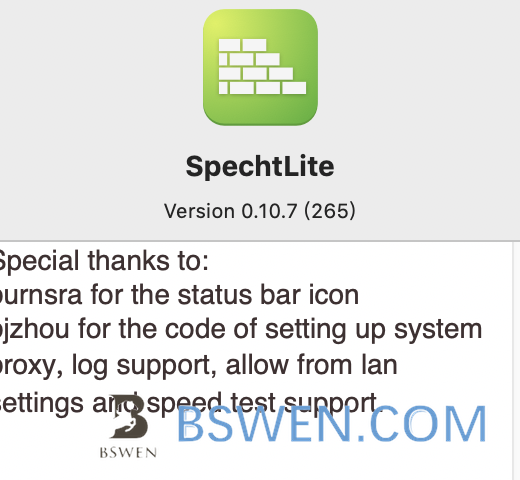
Because I am using spechtLite as system proxy as follows:
A proxy’s definition from wikipedia.org is as follows :
a proxy server is a server application or appliance that acts as an intermediary for requests from clients seeking resources from servers that provide those resources.[1] A proxy server thus functions on behalf of the client when requesting service, potentially masking the true origin of the request to the resource server.
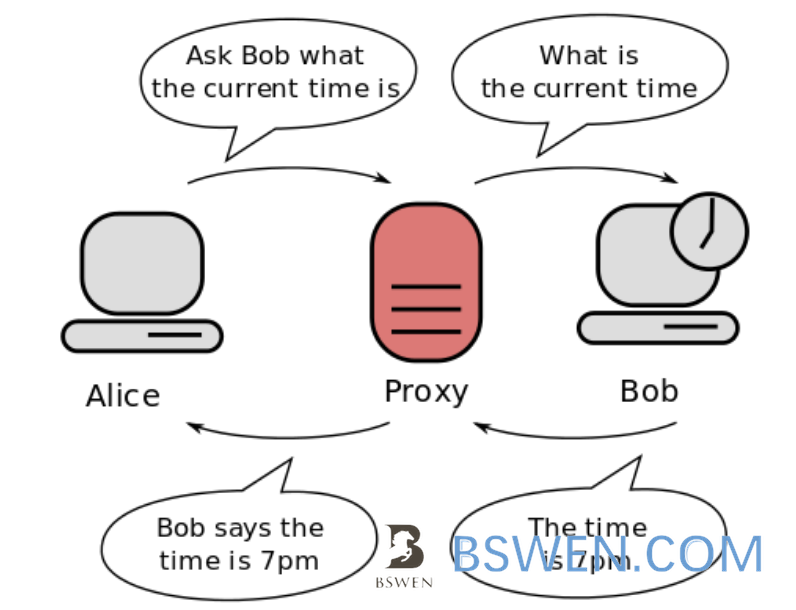
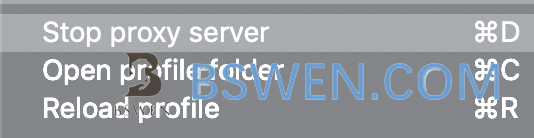
If the proxy fails, then the connection would fail, So I choose to stop the proxy server as follows:
Restart the terminal , and then re-execute the command as follows:
➜  ~ k get nodes
NAME              STATUS   ROLES               AGE   VERSION
bswen-k8s-app2    Ready    worker              8d   v1.18.6
bswen-k8s-app3    Ready    worker              8d   v1.18.6
bswen-k8s-app4    Ready    worker              8d   v1.18.6
bswen-k8s-app5    Ready    worker              8d   v1.18.6
bswen-k8s-app1    Ready    worker              8d   v1.18.6
➜  ~
Everything works!