Exchange Online Exchange Server 2016 Enterprise Edition Exchange Server 2016 Standard Edition Exchange Server 2013 Enterprise Exchange Server 2013 Standard Edition Exchange Server 2010 Enterprise Exchange Server 2010 Standard Еще…Меньше
Заметка Мастер гибридной конфигурации, включенный в консоль управления обменом в Microsoft Exchange Server 2010, больше не поддерживается. Поэтому больше не следует использовать старый мастер гибридной конфигурации. Вместо этого используйте мастер гибридной конфигурации Office 365, который доступен в http://aka.ms/HybridWizard. Для получения дополнительной информации см.
ПРОБЛЕМА
Предположим, что у вас есть гибридное развертывание на месте Exchange Server и Exchange Online в Office 365, и что вы перемещаете почтовый ящик из предварительной организации в организацию Exchange Online. Когда пользователь пытается отправить обновления в элементы календаря, которые существовали до перемещения почтового ящика, он получает следующее сообщение об ошибке:
Это сообщение не может быть отправлено. Попробуйте отправить сообщение позже или свяжитесь с администратором сети. У вас нет разрешения на отправку сообщения от имени указанного пользователя. Ошибка: 0x80070005-0x0004dc-0x000524.
Эта проблема не возникает, когда пользователь отправляет обновления для новых элементов календаря, которые были созданы после перемещения почтового ящика. Кроме того, другие пользователи, которые отвечают на сообщения электронной почты, отправленные пользователем до перемещения почтового ящика, могут получать отчеты о недоставке (NDR).
ПРИЧИНА
Значение атрибута LegacyExchangeDN изменяется во время перемещения почтового ящика. Эта проблема возникает, если старый атрибут LegacyExchangeDN не был добавлен в качестве адреса X500 на адреса электронной почты получателя при перемещении почтового ящика.
РЕШЕНИЕ
Вручную обновляйте адреса электронной почты пользователя, добавляя значение атрибута LegacyExchangeDN в качестве адреса X500. Для этого определите, что такое адрес X500, а затем добавьте его на адреса электронной почты пользователя.
Шаг 1: Определить адрес X500
Попроси внутренний ответ пользователя на адрес электронной почты, отправленный пользователем до того, как его почтовый ящик был перемещен. NDR будет содержать строку IMCEAEX, которая может быть преобразована в адрес X500. Информацию о том, как преобразовать адрес получателя в IMCEAEX NDR в адрес X500, см. Метод 2 в разделе «Разрешение» следующей статьи базы знаний Microsoft:
2807779 IMCEAEX не доставка доклад при отправке сообщений электронной почты для внутреннего пользователя в Офис е 365 посвященный
Шаг 2: Добавить адрес X500 на адреса электронной почты пользователя
В Exchange Server 2016 или Exchange Server 2013:
-
В центре биржевого админа нажмите получателей,а затем щелкните почтовые ящики.
-
Выберите почтовый ящик пользователя, а затем нажмите Edit.
-
Нажмите адрес электронной почты,а затем нажмите Добавить.
-
При вводе пользовательского адреса типа поле, введите X500.
-
В поле адреса электронной почты введите адрес X500. Например: /О’л;Exchangeorg’gt;/ОУ-ПЕРВАЯ АДМИНИСТРАТИВНЫЕ ГРУПП/КН-РЕЦИПИЕС/КНЗ/КНЗ/Пользователь1
-
Подождите или принудительу снизить каталог.
В Exchange Server 2010:
-
Откройте консоль управления обменом, расширьте конфигурацию получателя,а затем нажмите почтовый ящик.
-
Нажмите справа на почтовый ящик пользователя, а затем нажмите Свойства.
-
На вкладке Адреса электронной почты нажмите Добавить,нажмите пользовательский адрес,а затем введите адрес X500. Например: /О’л;Exchangeorg’gt;/ОУ-ПЕРВАЯ АДМИНИСТРАТИВНЫЕ ГРУПП/КН-РЕЦИПИЕС/КНЗ/КНЗ/Пользователь1
-
Подождите или принудительу снизить каталог.
ДОПОЛНИТЕЛЬНАЯ ИНФОРМАЦИЯ
Все еще нужна помощь? Перейдите к сообществу Майкрософт или форумам Exchange TechNet.
Нужна дополнительная помощь?
- Remove From My Forums
-
Question
-
I am having a few users receive the following error when responding or emailing a new meeting out.
From: System Administrator
Sent: Thursday, August 25, 2016 2:10 PM
Subject: Undeliverable: Meeting — MichaelYour message did not reach some or all of the intended recipients.
Subject: Meeting — Michael
Sent: 8/25/2016 2:10 PMThe following recipient(s) cannot be reached:
‘Lindsay’ on 8/25/2016 2:10 PM
This message could not be sent. Try sending the message again later, or contact your network administrator. You do not have the permission to send the message on behalf of the specified user. Error is [0x80070005-0x0004dc-0x000524].A few things that are different that any of the other posts I have read.
1 — Lindsay is an external email address.
2 — On prem Exchange 2016 CU1 server
3 — No one is sending as someone. No one should need to have «Send As» permissions, as Michael is sending as himself.
Some things that might affect this.
1 — This users and computers are in a domain, but work from home. So generally are not signed into the domain when working.
2 — When this errors occurs, when Michael responds to an email it also includes himself to reply to.
3 — Sometimes after a reboot the problem temporarily goes away.
It is like outlook forgets who he is.
-
#1
Добрый день! Exchange server 2019 не отправляет почту от имени другого ящика. Точнее я подключил себе дополнительный ящик и от его имени пытаюсь отправить, права дал. Но почти сразу приходит отлуп.
Сообщение не было получено одним или несколькими получателями.
Тема: test3
Отправлено: 25.05.2021 15:33
Невозможно достичь следующих получателей:
25.05.2021 15:33
Не удалось отправить это сообщение. Попробуйте отправить его позднее или обратитесь к администратору сети. У вас нет прав для отправки сообщения вместо указанного пользователя. Ошибка: [0x80070005-0x0004dc-0x000524].
Последнее редактирование модератором: 26.05.2021

-
#3
Если права настроены верно то такая ошибка может возникать если адресат от имени которого отправляем письмо, скрыт в глобальной адресной книге
Посмотрите разрешения на почтовый ящик
Get-Mailbox it | Get-MailboxPermission
Последнее редактирование: 01.11.2021
-
#4
Помогло в свое время это
Solution:
1.Close Outlook
2.Delete the offline address book folders in
Windows 7: C:UsersusernameAppDataLocalMicrosoftOutlookOffline Address Books
Windows XP: C:Documents and SettingsusernameLocal SettingsApplication DataMicrosoftOutlookOffline Address Books
3.Open Outlook and let it download a new copy of the offline address book.
3.1 Send/Receive Tab
3.2. Send/Reveive Groups
3.3 Download Address Book
3.4 Choose Full Details and Global Address List
- Remove From My Forums
-
Question
-
Hi,
I have move user from on premise to Exchange Online but now user can’t send as or send on behalf of the user/shared mailbox.
When user try to send email they get Undeliverable message.
Your message did not reach some or all of the intended recipients.
Subject: test
Sent: 12/02/2019 10:16The following recipient(s) cannot be reached:
user Email Account on 12/02/2019 10:16
This message could not be sent. You do not have the permission to send the message on behalf of the specified user.__________________________________________________
Diagnostic information for administrators:
__________________________________________________Error is [0x80070005-0x000004dc-0x00000524].
Exchange response headers:
request-id: b1cd5353-9e5e-4510-bd19-f39607a2c332
X-ServerApplication: Exchange/15.20.1601.011
X-FEServer: LO2P265CA0471
X-BEServer: CWLP265MB0817
X-CalculatedBETarget: CWLP265MB0817.GBRP265.PROD.OUTLOOK.COM
X-RequestId: {F640039A-66DA-47D0-AED8-735BFEF896F3}:145
X-ClientInfo: {5634CAAD-162F-4E71-9CB8-DF44BFB4C241}:116960023
X-ElapsedTime: 82
X-BackEndHttpStatus: 200
X-ResponseCode: 0
X-DiagInfo: CWLP265MB0817
X-RequestType: Execute
__________________________________________________ROPs Summary:
0: ropRelease (1) Processed(1) Completed(0)
ROP result: 0
Response codes: 0
1: ropSetProps (10) Processed(1) Completed(0)
ROP result: 0
Response codes: 0
2: ropSetProps (10) Processed(1) Completed(0)
ROP result: 0
Response codes: 0
3: ropFlushRecipients (14) Processed(1) Completed(0)
ROP result: 0
Response codes: 0
4: ropSetProps (10) Processed(1) Completed(0)
ROP result: 0
Response codes: 0
5: ropTransportSend (74) Processed(1) Completed(0)
ROP result: 0
Response codes: 1244
__________________________________________________Response Exceptions:
ROP Index: 5
ROP Associated: ropTransportSend (74)
Microsoft.Exchange.Data.Storage.SendAsDeniedException: Can’t transport send message. —> Microsoft.Mapi.MapiExceptionSendAsDenied: MapiExceptionSendAsDenied: Unable to transport send message. (hr=0x80070005, ec=1244)
Diagnostic context:
Lid: 55847 EMSMDBPOOL.EcPoolSessionDoRpc called [length=3765]
Lid: 43559 EMSMDBPOOL.EcPoolSessionDoRpc returned [ec=0x0][length=156][latency=1]
Lid: 52176 ClientVersion: 15.20.1601.11
Lid: 50032 ServerVersion: 15.20.1601.6011
Lid: 35180
Lid: 23226 — ROP Parse Start —
Lid: 27962 ROP: ropDeletePropsNoReplicate [122]
Lid: 27962 ROP: ropSetProps [10]
Lid: 27962 ROP: ropFlushRecipients [14]
Lid: 31418 — ROP Parse Done —
Lid: 55847 EMSMDBPOOL.EcPoolSessionDoRpc called [length=126]
Lid: 43559 EMSMDBPOOL.EcPoolSessionDoRpc returned [ec=0x0][length=416][latency=1]
Lid: 52176 ClientVersion: 15.20.1601.11
Lid: 50032 ServerVersion: 15.20.1601.6011
Lid: 35180
Lid: 23226 — ROP Parse Start —
Lid: 27962 ROP: ropSetProps [10]
Lid: 27962 ROP: ropTransportSend [74]
Lid: 17082 ROP Error: 0x4DC
Lid: 44949
Lid: 21921 StoreEc: 0x4DC
Lid: 27962 ROP: ropExtendedError [250]
Lid: 1494 —- Remote Context Beg —-
Lid: 38698
Lid: 37692
Lid: 44092
Lid: 41232
Lid: 60208
Lid: 37136
Lid: 34608
Lid: 55056
Lid: 42768
Lid: 56112
Lid: 52807
Lid: 33016 StoreEc: 0x4DC
Lid: 40748 qdwParam: 0x38870D0000000001
Lid: 57132 qdwParam: 0x0
Lid: 63016 dwParam: 0x4A
Lid: 39640 StoreEc: 0x4DC
Lid: 45434 Guid: 2d0832ce-e1f0-4e41-b0c0-370d2c1799dc
Lid: 10786 dwParam: 0x0 Msg: 15.20.1601.011:CWLP265MB0817:1915280b-dab0-4a2e-9306-77a2cbcfe695
Lid: 1750 —- Remote Context End —-
Lid: 31418 — ROP Parse Done —
Lid: 22753
Lid: 21817 ROP Failure: 0x4DC
Lid: 59285
Lid: 46997 StoreEc: 0x4DC
at Microsoft.Mapi.MapiExceptionHelper.ThrowIfError(String message, Int32 hresult, IExInterface iUnknown, Exception innerException, MapiStore mapiStore)
at Microsoft.Mapi.MapiUnk.ThrowIfError(String message, Int32 hr)
at Microsoft.Mapi.MapiMessage.TransportSendMessage(PropValue[]& propsToReturn)
at Microsoft.Exchange.Data.Storage.MapiAccessor.TransportSendMessage(Object mapiObject, ExTimeZone timezone, PropertyDefinition[]& propertyDefinitions, Object[]& propertyValues)
— End of inner exception stack trace —
at Microsoft.Exchange.Data.Storage.MapiAccessor.TransportSendMessage(Object mapiObject, ExTimeZone timezone, PropertyDefinition[]& propertyDefinitions, Object[]& propertyValues)
at Microsoft.Exchange.Data.Storage.CoreItem.TransportSend(PropertyDefinition[]& properties, Object[]& values)
at Microsoft.Exchange.RpcClientAccess.Handler.Message.TransportSend()
at Microsoft.Exchange.RpcClientAccess.Handler.RopHandler.<>c__DisplayClass154_0.<TransportSend>b__0()
at Microsoft.Exchange.RpcClientAccess.Handler.ExceptionTranslator.TryExecuteCatchAndTranslateExceptions[TResult](Func`1 protectedCode, Func`2 errorCodeExtractor, Boolean noThrow, TResult& result, Exception& exception, ErrorCode& errorCode)Transport-Send failed: failure enum(25), HResult(0x00000000), EC(1244).
Transport-Send failed: failure enum(22), HResult(0x00000000), EC(1244).
Submit-Message failed: message id(6), failure enum(13), HResult(0x80070005), EC(1244).-
Edited by
Tuesday, February 12, 2019 10:27 AM
-
Edited by
Answers
-
After appling this to account, it was able to use on-prim permission
Get-AdUser -Filter * | Set-AdObject -Replace @{msExchRecipientDisplayType=-1073741818}
#Get-RemoteMailbox | ForEach { Get-AdUser -Identity $_.Guid -Properties msExchRecipientDisplayType | Format-Table -AutoSize DistinguishedName, msExchRecipientDisplayType}
Also you can do it this way too.
$UserCredential = Get-Credential
$Session = New-PSSession -ConfigurationName Microsoft.Exchange -ConnectionUri https://outlook.office365.com/powershell-liveid/ -Credential $UserCredential -Authentication Basic -AllowRedirection
Import-PSSession $Session -DisableNameChecking

Add-RecipientPermission "User" -Trustee "group which need access" -AccessRights SendAS
-
Proposed as answer by
Niko.Cheng
Monday, February 18, 2019 1:12 AM -
Marked as answer by
lalaJee
Monday, February 18, 2019 8:36 AM
-
Proposed as answer by
- Remove From My Forums
-
Question
-
Hi,
I have move user from on premise to Exchange Online but now user can’t send as or send on behalf of the user/shared mailbox.
When user try to send email they get Undeliverable message.
Your message did not reach some or all of the intended recipients.
Subject: test
Sent: 12/02/2019 10:16The following recipient(s) cannot be reached:
user Email Account on 12/02/2019 10:16
This message could not be sent. You do not have the permission to send the message on behalf of the specified user.__________________________________________________
Diagnostic information for administrators:
__________________________________________________Error is [0x80070005-0x000004dc-0x00000524].
Exchange response headers:
request-id: b1cd5353-9e5e-4510-bd19-f39607a2c332
X-ServerApplication: Exchange/15.20.1601.011
X-FEServer: LO2P265CA0471
X-BEServer: CWLP265MB0817
X-CalculatedBETarget: CWLP265MB0817.GBRP265.PROD.OUTLOOK.COM
X-RequestId: {F640039A-66DA-47D0-AED8-735BFEF896F3}:145
X-ClientInfo: {5634CAAD-162F-4E71-9CB8-DF44BFB4C241}:116960023
X-ElapsedTime: 82
X-BackEndHttpStatus: 200
X-ResponseCode: 0
X-DiagInfo: CWLP265MB0817
X-RequestType: Execute
__________________________________________________ROPs Summary:
0: ropRelease (1) Processed(1) Completed(0)
ROP result: 0
Response codes: 0
1: ropSetProps (10) Processed(1) Completed(0)
ROP result: 0
Response codes: 0
2: ropSetProps (10) Processed(1) Completed(0)
ROP result: 0
Response codes: 0
3: ropFlushRecipients (14) Processed(1) Completed(0)
ROP result: 0
Response codes: 0
4: ropSetProps (10) Processed(1) Completed(0)
ROP result: 0
Response codes: 0
5: ropTransportSend (74) Processed(1) Completed(0)
ROP result: 0
Response codes: 1244
__________________________________________________Response Exceptions:
ROP Index: 5
ROP Associated: ropTransportSend (74)
Microsoft.Exchange.Data.Storage.SendAsDeniedException: Can’t transport send message. —> Microsoft.Mapi.MapiExceptionSendAsDenied: MapiExceptionSendAsDenied: Unable to transport send message. (hr=0x80070005, ec=1244)
Diagnostic context:
Lid: 55847 EMSMDBPOOL.EcPoolSessionDoRpc called [length=3765]
Lid: 43559 EMSMDBPOOL.EcPoolSessionDoRpc returned [ec=0x0][length=156][latency=1]
Lid: 52176 ClientVersion: 15.20.1601.11
Lid: 50032 ServerVersion: 15.20.1601.6011
Lid: 35180
Lid: 23226 — ROP Parse Start —
Lid: 27962 ROP: ropDeletePropsNoReplicate [122]
Lid: 27962 ROP: ropSetProps [10]
Lid: 27962 ROP: ropFlushRecipients [14]
Lid: 31418 — ROP Parse Done —
Lid: 55847 EMSMDBPOOL.EcPoolSessionDoRpc called [length=126]
Lid: 43559 EMSMDBPOOL.EcPoolSessionDoRpc returned [ec=0x0][length=416][latency=1]
Lid: 52176 ClientVersion: 15.20.1601.11
Lid: 50032 ServerVersion: 15.20.1601.6011
Lid: 35180
Lid: 23226 — ROP Parse Start —
Lid: 27962 ROP: ropSetProps [10]
Lid: 27962 ROP: ropTransportSend [74]
Lid: 17082 ROP Error: 0x4DC
Lid: 44949
Lid: 21921 StoreEc: 0x4DC
Lid: 27962 ROP: ropExtendedError [250]
Lid: 1494 —- Remote Context Beg —-
Lid: 38698
Lid: 37692
Lid: 44092
Lid: 41232
Lid: 60208
Lid: 37136
Lid: 34608
Lid: 55056
Lid: 42768
Lid: 56112
Lid: 52807
Lid: 33016 StoreEc: 0x4DC
Lid: 40748 qdwParam: 0x38870D0000000001
Lid: 57132 qdwParam: 0x0
Lid: 63016 dwParam: 0x4A
Lid: 39640 StoreEc: 0x4DC
Lid: 45434 Guid: 2d0832ce-e1f0-4e41-b0c0-370d2c1799dc
Lid: 10786 dwParam: 0x0 Msg: 15.20.1601.011:CWLP265MB0817:1915280b-dab0-4a2e-9306-77a2cbcfe695
Lid: 1750 —- Remote Context End —-
Lid: 31418 — ROP Parse Done —
Lid: 22753
Lid: 21817 ROP Failure: 0x4DC
Lid: 59285
Lid: 46997 StoreEc: 0x4DC
at Microsoft.Mapi.MapiExceptionHelper.ThrowIfError(String message, Int32 hresult, IExInterface iUnknown, Exception innerException, MapiStore mapiStore)
at Microsoft.Mapi.MapiUnk.ThrowIfError(String message, Int32 hr)
at Microsoft.Mapi.MapiMessage.TransportSendMessage(PropValue[]& propsToReturn)
at Microsoft.Exchange.Data.Storage.MapiAccessor.TransportSendMessage(Object mapiObject, ExTimeZone timezone, PropertyDefinition[]& propertyDefinitions, Object[]& propertyValues)
— End of inner exception stack trace —
at Microsoft.Exchange.Data.Storage.MapiAccessor.TransportSendMessage(Object mapiObject, ExTimeZone timezone, PropertyDefinition[]& propertyDefinitions, Object[]& propertyValues)
at Microsoft.Exchange.Data.Storage.CoreItem.TransportSend(PropertyDefinition[]& properties, Object[]& values)
at Microsoft.Exchange.RpcClientAccess.Handler.Message.TransportSend()
at Microsoft.Exchange.RpcClientAccess.Handler.RopHandler.<>c__DisplayClass154_0.<TransportSend>b__0()
at Microsoft.Exchange.RpcClientAccess.Handler.ExceptionTranslator.TryExecuteCatchAndTranslateExceptions[TResult](Func`1 protectedCode, Func`2 errorCodeExtractor, Boolean noThrow, TResult& result, Exception& exception, ErrorCode& errorCode)Transport-Send failed: failure enum(25), HResult(0x00000000), EC(1244).
Transport-Send failed: failure enum(22), HResult(0x00000000), EC(1244).
Submit-Message failed: message id(6), failure enum(13), HResult(0x80070005), EC(1244).-
Edited by
Tuesday, February 12, 2019 10:27 AM
-
Edited by
Answers
-
After appling this to account, it was able to use on-prim permission
Get-AdUser -Filter * | Set-AdObject -Replace @{msExchRecipientDisplayType=-1073741818}
#Get-RemoteMailbox | ForEach { Get-AdUser -Identity $_.Guid -Properties msExchRecipientDisplayType | Format-Table -AutoSize DistinguishedName, msExchRecipientDisplayType}
Also you can do it this way too.
$UserCredential = Get-Credential
$Session = New-PSSession -ConfigurationName Microsoft.Exchange -ConnectionUri https://outlook.office365.com/powershell-liveid/ -Credential $UserCredential -Authentication Basic -AllowRedirection
Import-PSSession $Session -DisableNameChecking

Add-RecipientPermission "User" -Trustee "group which need access" -AccessRights SendAS
-
Proposed as answer by
Niko.Cheng
Monday, February 18, 2019 1:12 AM -
Marked as answer by
lalaJee
Monday, February 18, 2019 8:36 AM
-
Proposed as answer by
Skip to content
Situation: The userA has full permissions and send as permissions of another userB. However, when userA tries to send email as UserB, userA receives undeliverable message: This message could not be sent. You do not have the permission to send the message on behalf of the specified user. Error is [0x80070005-0x000004dc-0x00000524].
Troubleshooting:
1. With Outlook open, go to Send/Receive>Send/Receive Group, download Address Group.
2. Repair Office.
3. Reset Outlook profile.
4. Deleting everything within the “Offline Address Books” folder. To do that, close Microsoft Outlook and try deleting everythingwithin the “Offline Address Books” folder. It will re-populate.
In Windows 8 it is located here: C:UsersUsernameAppDataLocalMicrosoftOutlook.
5. Uncheck the Use Cached Exchange mode option in the Outlook 2016 client for a test.

Bob Lin
Bob Lin, Chicagotech-MVP, MCSE & CNE
Data recovery, Windows OS Recovery, Networking, and Computer Troubleshooting on
http://www.ChicagoTech.net
How to Install and Configure Windows, VMware, Virtualization and Cisco on
http://www.HowToNetworking.com
View all posts by Bob Lin
Abstract: You got rights for an additional Exchange mailbox (e.g. your workmade), but when you try to send emails from this mailbox you got an error message.
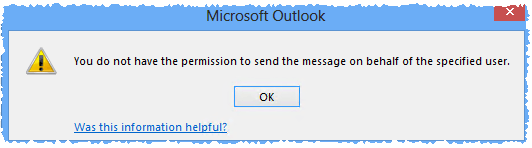
The full error message you got is:
Subject: Undeliverable: Subject_of_Message
Your message did not reach some or all of the intended recipients.

Subject: Subject_Of_Message
Sent: Date_and_Time

The following recipient(s) cannot be reached:
Recipient_Name on Date_And_Time
This message could not be sent. Try sending the message again later, or contact your network administrator. Error is [0x80070005-00000000-00000000].
or
Subject: Undeliverable: Subject_of_Message
Your message did not reach some or all of the intended recipients.

Subject: Subject_Of_Message
Sent: Date_and_Time
The following recipient(s) cannot be reached:
Recipient_Name on Date_And_Time

This message could not be sent. Try sending the message again later, or contact your network administrator. You do not have the permission to send the message on behalf of the specified user. Error is [0x80070005-0x0004dc-0x000524].
Possible solution 01:
- You have Full Access and Send On Behalf Of permissions to a shared mailbox in an Exchange Server environment.
- You configure a Microsoft Outlook profile for the shared mailbox and enter your own credentials to access it.
- You send an email message from this Outlook profile.
- You do not have the password to the shared mailbox and do not use it as an additional account.
In this scenario as explained in KB 3045224 you need Send As permissions.
Possible solution 02:
Clean the AutoComplete cache as explained in KB 287623.
Possible solution 03:
It could take some time until the internal Exchange (hold by the Information Store) process updates the content, so that the user can perform these actions. This is due to the reason that MS Exchange update content from the ActiveDirectory every two hours (if not changed). This is controlled by the “Mailbox Cache Age Limit” & “Reread Logon Quotas Interval” entries “HKLMSystemCurrentControlSetServicesMSExchangeISParametersSystem”. Additional to that time the GAL must be updated as well. So depending on your configuration an additional wait time apply here.
Possible solution 04:
If the delegation isn´t working after a reasonable time passed you should try to update the OAB by hand. If that isn´t solving the issue delete the OAB by hand and fully download it. You can also reset the whole Outlook profile and delete all pending files from the user Outlook Profile folder before you restart Outlook.
Possible solution 05:
Remove the shared mailbox from your Outlook configuration, then restart outlook and re-add the shared mailbox
Possible solution 06:
Delete all email addresses from the “From:” box (which is seen when you send an email). The use the “display name” from the shared box in that field to re-add it. This will force that the client check the GAL and reload the correct permissions.
Possible solution 07:
As explained here, a re-set from the permissions on the shared mailbox seamed to solve the issue for some users. So use:
Add-ADPermission -Identity “YourSharedMailbox” -User “YourADAccessGroup” -AccessRights ExtendedRight -ExtendedRights “Send As”
Add-MailboxPermission -Identity “YourSharedMailbox” -User “YourADAccessGroup” -AccessRights FullAccess -InheritanceType All
Possible solution 08:
If that issue happen when a user was moved from on premise to Exchange Online, check if an LegacyExchangeDN email address was added as explained in KB 3131416. If that isn´t the case add it manually.
Possible solution 09:
As mentioned here, this issue could happen if the account is hidden. So make sure that this isn´t case. If it is unhide it, let the GAL update and retry it.
Possible solution 10:
Make sure the user has only “Send As” and not additional to that “Send on Behalf Of” rights.