Список ошибок Epson 4880/4800
Когда пишет на панели MNT REQ.
0002 Срок жизни мотора каретки заканчивается (сбросьте счётчики в режиме обслуживания 3)
0004 Не удаётся проверить дюзы
0008 Ошибка даты и времени (заменить батарейку, переустановить)
0010 Multi Sensor Error
0020 Срок жизни печатающей головки заканчивается
0040 Срок жизни двигателя прочистки заканчивается (Сбросить счётчик)
0080 Дата и время не установлены (установтть)
0100 Батарейка для даты и времени села (заменить)
0200 Срок жизни ролика подачи бумаги заканчивается ( Больше 75000 листов) (Сбросить счётчик)
Error Codes (Service)
00000088 Что-то не то с датой и временем (перезалить прошивку)
00000101 Закончился срок службы двигателя каретки (Зайти в режим обслуживания 3 -> Clear counter -> CR Motor)
00000103 Сдохла батарейка (заменить на материнке)
00000105 Закончился срок службы печатающей головки
00010000 Ошибка считывания показаний сенсора мотора подачи бумаги (протереть энкодерный диск, датчик)
00010001 Мотор подачи бумаги пропускает шаги (прочистить механику, смазать, не помогло — заменить)
00010002 Слишком большая нагрузка мотора подачи бумаги (проверить механику, смазать, не помогло — заменить)
00010003 Paper Feed Motor in-position time-out
00010004 Ошибка считывания положения каретки (протереть энкодерную ленту и датчик)
00010005 Мотор каретки пропускает шаги (смазать подшипники, проверить натяжку ремня, заменить мотор каретки)
00010006 Carriage Motor overcurrent (Check for mechanical binding, If not replace motor)
00010007 Carriage Motor in-position time-out
00010008 Servo interrupt watchdog time-out
00010009 System interrupt watchdog time-out
0001000A Carriage home position error (Check Sensor and mechanical components)
0001000C Platen Gap home position error (Check Sensor and mechanical components)
0001000F Carriage Motor PWM output faulty
00010010 Paper Feed Motor PWM output faulty
0001001B Head driver (TG) temperature error
0001001D Ошибка движения каретки (Проверить, что бы каретка легко ходила от руки, смазать подшипники, заменить мотор)
0001001E Paper feed servo parameter error
00010020 CSIC read / write error
00010022 Ошибка типа чернил, что-то не так с чипами на них (не те или сдохшие)
00010023 RTC (Real Time Clock) (Reset RTC)
00010025 CSIC ROM communication error
00010026 RTC (Real Time Clock) communication error
00010028 Ошибка головки (Прочистить контакты шлейфов, проверить на обрыв, если не помогло, только замена головки )
00010029 Unidentified NMI
0001002A Carriage ASIC ECU error
0001002B Paper feed ASIC ECU error
0001002D Закончился срок жизни механизма прочистки (сбросить счётчики, заменить движок)
0001002F 360 DPI writing time out error
00010030 Multi Sensor failure (1. Check sensor, 2. calibrate sensor, 3. replace sensor)
00010031 ASF (Auto Sheet Feeder) home position error (Check Sensor and mechanical components)
00010032 ASF (Auto Sheet Feeder) Drive Switch error (Check Sensor and mechanical components)
00010033 Exit Roller home position error (Check Sensor and mechanical components)
00010034 Eject Roller lifted (Customer Safety Sensor on the eject roller)
00010035 Pump Home Position Error (Check Sensor and mechanical components)
00010036 Type B 1394 (Firewire) board installation (Remove Firewire Card / not allowed)
00010037 Ошибка с датчиком температуры головки (подождать)
00010038 Ошибка датчика температуры головки
00010039 PG adjustment value NVRAM error
0001003A PG adjustment value NVRAM error
0001003B Ошибка с блокировкой каретки / отрезным ножом
0001003C Ошибка с блокировкой каретки / отрезным ножом
0001003D Ошибка с блокировкой каретки / отрезным ножом
00020000 NVRAM error
00020002 SDRAM error
00020003 BOOT program SUM error
00020009 Flash memory SUM error
0002000A Ошибка загрузки прошивки
0002000B Internal memory shortage error (похоже, когда с каким-то из чипов картриджей что-то не то, в основном с чипом танкера отходов)
0002000C Review error
100000E0 CPU address error (load misalignment)
10000100 CPU address error (storage misalignment)
10000180 CPU reserve command code exception error
100001A0 CPU slot illegal command exception error
100001C0 AC disruption (AC Power) (Unplug and wait 30 sec., then plug back in)
100005C0 CPU DMA address error
0003xxxxx – 0Dxxxxxxx Ошибка процессора -материнку в топку
Решение частых проблем с подачей/протяжкой бумаги:
Рулонная бумага
Проверьте датчики, используя Режим обслуживания 2 → Self Testing → Test → Sensor
— Rear Det (первый дачик на пути рулонной бумаги)
— RearAD (второй датчик на пути рулонной бумаги)
Бумага из лотка
Проверьте датчики, используя Режим обслуживания 2 → Self Testing → Test → Sensor
— P Det (первый датчик на пути листовой бумаги, расположенный у правого входного ролика)
— RearAD (второй датчик на пути листовой бумаги — оптический)
Датчик RearAD может быть откалиброван с помощью Режим обслуживания 2 → Self Testing →Adjustment → RearAD
Эпидемия у принтеров, что ли…
Сначала аналогичная ошибка 00010004, причём подёргаешь шлейф над ПГ (широкий), ошибка пропадает, но после печати одной футболки, — опять. И так раз 7, а затем трещётка (вал двигателя прокручивается при застопоренной ПГ и трещит о ремень), ошибка — 0001001D и всё.
Причин оказалось сразу две:
1. Трещётка и ошибка — 0001001D — сгорел соленоид. Правда, читал, что его не прозванивают, а замеряют сопротивление, и вдобавок проконсультировался с сервисным мастером — он мне про соленоид сказал, что тот при прямой прозвонке не звенит (за что купил, за то и продаю…). Ну, тут я ничего сказать не могу — и не звенел, и сопротивление стремилось в бесконечность, — явный обрыв.
2. В контактной группе, куда входит шлейф на ПГ, некоторые контакты отошли (было дело…, шлейф в месте контактов был слегка искривлён, но в разъём вошел… а, вон оно как получилось…). Лечение — булавкой отогнуты контакты внутри этой контактной группы и всё заработало, ошибка пропала.
Пилять, поменялось всё, что было можно (энкодорный датчик, энкодерную ленту, соленоид, шлейф), и вот такая хрень оказалась…
-
balaikin2
service req 00010004 на Epson9600
Меняли кареточную оптопару, теперь выдает ошибка service req 00010004, кто сталкивался напишите плз.
-
АЛЕКСЕЙ
Сообщение АЛЕКСЕЙ » 16 июн 2008 17:51
Посмотри экондер и ленту (по высоте- должен фотоэлемент через ленту просвечивать)
-
balaikin2
Сообщение balaikin2 » 17 июл 2008 20:42
лента в порядке, оптопару заказал новую, жду
-
vovsick
Сообщение vovsick » 08 дек 2009 17:46
та же ошибка 00010004. закончил печать и тут же встал.включаю машину. ошибка высвечивается сразу же, после того как прижимаешь бумагу.беда прям
-
vovsick
Сообщение vovsick » 09 дек 2009 11:47
что такое экондер, где находится, как выглядит?
-
ВикторВ
Сообщение ВикторВ » 09 дек 2009 14:06
лента для позиционирования головки
по всей ширине принтера
как узкая длинная лента
-
vovsick
Сообщение vovsick » 15 дек 2009 15:32
спасибо. нашел я все экондеры. ошибка связана с 4 вещами.Экондер, датчик, двигатель и материнская плата.у меня похоже сдохла материнка.люди добрые, может кому-нибудь не нужна материнка к epson 9400 и он может мне ее пожертвовать не дорого.я свечку за вас поставлю 
Вернуться в «Принтеры EPSON»
Кто сейчас на конференции
Сейчас этот форум просматривают: нет зарегистрированных пользователей и 1 гость
Epson 4880 Error Code SERVICE REQ 00010004
now we are solve the problem for Epson 4880C Error Code from display SERVICE REQ 00010004.
for this Error code is means the printer
can not get Decoder information to the board, so we are suggest to do
follows to solve the problem!
1. Use industrial alcohol to
clear the “raster”and «Decoder». this step must clear to do , maybe also
you need to eyes see whether has any smudge on the «Raster»
2. check the small cable from
Decoder to the yellow board . and check the big cable to the yellow
board, check the 2 cable whether connect good. (Note: can also use
industrial alcohol to clear cable 2 of side chips, and re-serk it.
Popular posts from this blog
Free Download Cracked ArtCam Software for Cnc machine

Get it Free Download Cracked version ArtCam Software for Your Cnc machine,Cnc Router. Completed Steps To you know How to Install Artcam Software. What Are ArtCam Software?Donwload Link is On this article. 1.The ArtCAM software product series is a unique CAD modeling and CNC and CAM processing solution produced by the British company Delcam. It is the preferred CAD/CAM software solution for complex three-dimensional three-dimensional relief design, jewelry design and processing. It can quickly convert two-dimensional ideas into 3D Art Products 2.Artcam Software is one big Function Software for All Cnc Routers: And For Cnc Cutting Machine, Cnc Engraving Machine. 3.It is easy to Design Cuts, 2D Engravers, 3D engravers For Your Cnc Router. How To install This Artcam Software After You Download? Please step by step to Follow This Video To install .( Because this is cracked Artcam, so you need to Watch the installation video to setup the Software .). 4. Please Keep In Touch With Us. We hav
Free Download Type3 Software For Cnc Router 3D Designs
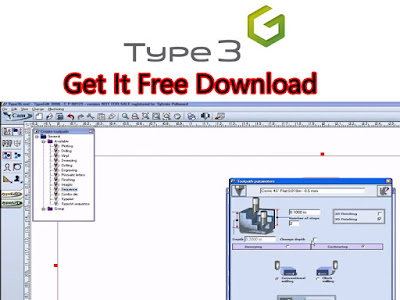
The Best Cnc Router Design Software Type 3 Download. Get Free Donwload Type3 CAM CAD Software For Your Cnc Machine 2D 3D Engraving Creation. What Is The Type3 Software? Type3 is a French 2D 3D Design software, its relief effect is amazing. It can quickly and effectively transform simple two-dimensional graphics or photos into extraordinary reliefs To All Cnc Machine. Type3 can accurately calculate the three-dimensional tool path, optimize the machine processing path, and finally generate the CNC machining machine path, and finally generate the CNC machining machine code. You can freely select various tools and drills such as cone, spherical, cylindrical, etc. for engraving. The type EditTypeEdit-graphics generation module can quickly arrange text and make various graphics, and can accurately calculate various two-dimensional and three-dimensional tool paths, and it can project or envelop the tool paths on any complex surface. Finally, the tool path is converted into machine code to
Free Download Maintop Rip For DX5 DX7 XP600 Printer
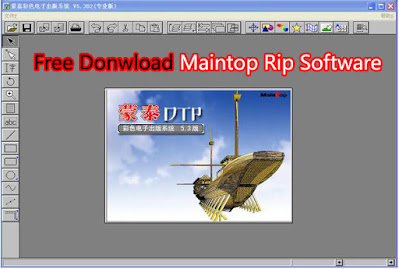
Maintop Rip Software For Your Large format DX5 DX7 XP600 Printer. What Are Maintop Sofware Rip SoftWare for all printer machine feature. download Maintop Rip version IS MainTopV5.3C0 Professional Edition. you can get free download link on end of this page 1. RIP PS, EPS, PDF, JPG, TIF documents directly 2. Previewing all kinds of documents before and after RIP 3. Previewing 4 colors dots freely in dividing and combining 4. Printing pasteup after the interpretation of PS files 5. Pasteup freely for defferent printing assignments 6. transfer nonstandard PS files to standard ones Maintop rip software for DX5/DX7/XP600/TX800 Print head All printer. Free Download Link is Here : Maintop Rip version IS MainTopV5.3C0 Professional Welcome To Leave a Comment to us , also very glad to you if you share this article to Large format Printer All Friends.
Download USB Driver For Dx7 Dx5 XP600 Printer
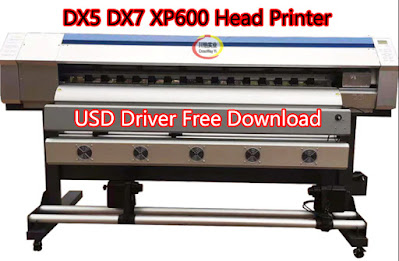
Get Here To Free Donwload: USB Driver For Our 1.6M 1.8M DX5 DX7 XP600 Printhead Large format Printer. What Is This USB Driver For Your Epson Head Printer? What Printer Will Suitable For This Driver Installation . This USB Driver Is For Connecting Our Dx5 Dx7 Xp600 Printhead Large format Printer With Your Computer. It is a necessary Steps For You Installation to Our Large format printer 1800 Series. If you Don’t Have This USB Driver , Please Donwload It On Our This Article End Page. Now Let Us To See How To Setup Our This USB Driver To our This Printer. 01. Donwload Our This USB Driver. 02. Click Your Computer Control Panel 03. Click Your Computer Programs 04. See Your Computer Show You a New device, and click it to update USB Driver, Then Choose Our This USB Driver To Update. 05. So Your Computer Show You This device USB Driver Install successful . More Over, Let Us See Our This Best DX7 DX5 XP600 Head Large format printer How is Works. Why You Choose Our This Brand DX7 DX5 XP
ThorX6 Software USB Driver Free Donwload For Metal Marking System
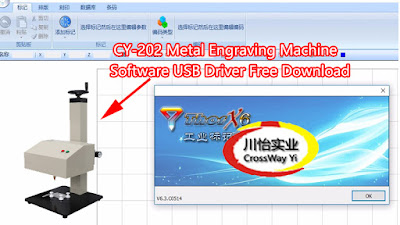
ThorX6 Software Is The Metal Engraving System. Now here To get Free Download ThorX6 Software USB Driver. (Compatible For All Windows 32bt 64bt with English and More Other Language Operation) ThorX6 is The Best metal marking machine software. Through ThorX6 users can input the content that needs to be engraved into the computer. Through the software, the marking machine can move according to a certain trajectory. ThorX6 is a very professional marking machine software , If you need it, you can get the download link in this article . How is About Our Metal Engraver Work With This Thorx6? 1. It can Direct Engraving on steel, copper, aluminum, plastic and other materials and various signs. 2. It can print English characters,Logos,Drawing Lines, CAD, Arabic numerals and arbitrary patterns. 3. The serial number is automatically incremented, and the serial number, VIN code, etc. can be engraved. 4. The Engraving needle has high impact frequency and fast marking speed, which can meet the needs
EPSON Stylus Pro 7600/9600
Explanation:
During initial operation at power on or during CR Motor operation, there may be a
case where the encoder pulse signal is not input at specified intervals. In such a
case, this message is displayed and the printer stops operating.
Cause of trouble:
Broken wire for the CR motor encoder, inverted wiring for A and B pulses,
disconnected connector for the encoder or motor, or inverted wiring for the motor.
Points to be checked:
1.
The CR Encoder and the T Fence must be free from dust and dirt or any other
foreign matters.
2.
The CR Timing Belt must be free from any defects and the belt must be in
proper tension.
3.
The carriage must slide smoothly, free from undue load.
4.
Measure the resistance value of the CR Motor. (5.8Ω)
5.
Execute encoder checking by
diagnostics menu.
6.
All the harness must be connected properly and free from short circuit or
broken wire.
Remedy:
Replace the CR Encoder Sensor ASSY (p.178).
•
(Refer to
«CR Encoder Sensor Mounting Position Adjustment»
Replace the
CR Motor ASSY (p.180).
•
(Refer to
«CR Timing Belt Tension Adjustment»
Replace the
MAIN Board (C472 MAIN) (p.207).
•
Check to see if the timing fence for detection of the encoder pulse is removed
•
Check for dirt, paper dust or damage to the timing fence
•
Troubleshooting
«5.2.2.4 Encoder «(p225)
in the self-
(p.268))
(p.263))
3.2.4.7 CR motor out of step (00010005)
Explanation:
During CR Motor operation, there may be a case where the encoder pulse signal
within the specified range is not input within a specified period of time or the pulse
width is extremely long. In such a case, the CR Motor is judged to be out-of-step,
so that this message is displayed and the printer stops operating.
Cause of trouble:
•
The error counter has reached the out-of-step pulse count because of
impossible movement of the carriage, bumping of the carriage or dirty timing
fence.
•
Defective motor.
Points to be checked:
1.
The CR Encoder and the T Fence must be free from dust and dirt or any other
foreign matters.
2.
The CR Timing Belt must be free from any defects and the belt must be in
proper tension.
3.
The carriage must slide smoothly, free from undue load.
4.
Measure the resistance value of the CR Motor. (5.8Ω)
5.
Execute encoder checking by
diagnostics menu.
6.
All the harness must be connected properly and free from short circuit or
broken wire.
7.
Check the carriage home position sensor.
Remedy:
Replace the
CR Motor ASSY (p.180).
•
(Refer to
«CR Timing Belt Tension Adjustment»
Replace the
MAIN Board (C472 MAIN) (p.207).
•
Replace the
CR_HP Sensor ASSY (p.183).
•
Replace the
CR Encoder Sensor ASSY (p.178).
•
(Refer to
«CR Encoder Sensor Mounting Position Adjustment»
Replace the
CR Encoder Scale (Timing Fence) (p.184).
•
Check to see if the timing fence for detection of the encoder pulse is not
•
installed correctly.
Check for dirt, paper dust or damage to the timing fence
•
Error Display
Revision A
«5.2.2.4 Encoder «(p225)
in the self-
(p.263))
(p.268))
137