That output is the output from the env command, not the content of any «normal» /etc/environment file.
These type of errors during package adds and updates usually can be cleared by running this command:
$ dpkg --configure -a
And, although the similar error I just received when doing upgrades in Ubuntu Mate 18 was not resolved by running the command, it has in fact worked for me until last night in every other case.
Related packages being upgraded during times when LTS versions are fading into the past, along with their software updates that match the deps, and you start getting this stuff happen again, much like when when Ubuntu 14.x.x was reaching EOL.
It is much better now, and dist-upgrade has been working better than ever, BUT here that problem seems to have popped its head up again.
Solved:
https://askubuntu.com/questions/1069702/dpkg-error-processing-package-install-info
My exact package issue was with locales but the rest is exactly the same and the solution needs adjustment to the package you are having issues with.
Sorry about the bad formatting. This is my first post here and with code remarks after 25 years on the internet I don’t really care if that is wrong just sending the right answer without going back to my main terminal to reply to this.
I have tried the solution provided by the link above. It worked instantly on this system I am writing from and remoted into.
The usual dpkg command fails, and will continue to endlessly. Been there, done that.
# dpkg --configure -a
Setting up locales (2.31-0ubuntu9) ...
/var/lib/dpkg/info/locales.postinst: 64: /var/lib/dpkg/info/locales.postinst: locale-gen: not found
dpkg: error processing package locales (--configure):
 installed locales package post-installation script subprocess returned error exit status 127
Errors were encountered while processing:
 locales
root@main:~# mv /var/lib/dpkg/info/locales.postinst /var/lib/dpkg/info/locales.postinst.bad
root@main:~# apt-get update
Hit:1 http://us.archive.ubuntu.com/ubuntu focal InRelease
Get:2 http://security.ubuntu.com/ubuntu focal-security InRelease [107 kB]
Get:3 http://us.archive.ubuntu.com/ubuntu focal-updates InRelease [111 kB]
Hit:4 http://archive.canonical.com/ubuntu xenial InRelease
Get:5 http://us.archive.ubuntu.com/ubuntu focal-backports InRelease [98.3 kB]
Fetched 317 kB in 1s (427 kB/s)
Reading package lists... Done
root@mine-hive-main:~# dpkg --configure -a
Setting up locales (2.31-0ubuntu9) ...
From there all is well, again, with dpkg and apt.
script returned error exit status 127 или dpkg returned an error code (1)
Возился я как-то с установкой php5-rrd и так довозился, что после этого у меня не устанавливалась ни одна софтина, и даже при попытке исправить зависимости, я получил ошибку:
Оказывается, такие ошибки возникают у многих, и решаются они тоже весьма интересно (обратите внимание на файл, который я выделил в ошибке).
Так вот, открываем этот файл /var/lib/dpkg/info/php5-rrd.postrm и удаляем там все, а затем вписываем в него следующее:
сохраняем и закрываем файл, собственно это и есть решение проблемы 🙂 после чего в консоле например запускаем исправление зависимостей:
Вот и все, всем удачки!
Обычно ошибка выглядит так:
Удалите кеш пакетов:
Удалите осиротевшие пакеты:
Обновите список пакетов:
Обычно этого достаточно.
Если вы запутались с зависимостями, поможет интеллектуальное обновление системы:
Если установка была прервана, то следует переустановить пакет
Если репозиторий недоступен, исправить:
Если невозможно удалить/переустановить пакет, исправить:
Добавление нового репозитория
Пример добавления репозитория:
echo ‘deb http://cz.archive.ubuntu.com/ubuntu xenial main universe’ >> /etc/apt/sources.list.d/ubuntu-xenial-main-universe.list
apt-update
Если появится ошибка невалидности ключей:
Значит, нужно добавить указанные в сообщении ключи в доверенные:
Источник
Как решить ошибку “sub process usr bin dpkg returned an error code 1″ в Ubuntu
Если вы столкнулись с ошибкой с «sub process usr bin dpkg returned an error code 1» при установке программного обеспечения на Ubuntu Linux, вот как вы можете это исправить.
Одной из распространенных проблем в Ubuntu и других дистрибутивах на основе Debian являются ломанные пакеты.
Вы пытаетесь обновить систему или установить новый пакет, и столкиваеиесь с такой ошибкой, как «Sub-process /usr/bin/dpkg returned an error code 1.
Вот что случилось на днях.
Я пытался установить радио приложение на Ubuntu, и система вернула мне эту ошибку:
Здесь важны последние три строки:
Это говорит мне, что пакет полярная polar-bookshelf является причиной . Это может иметь решающее значение для устранения этой ошибки.
Решение проблемы Sub-process /usr/bin/dpkg returned an error code (1)
Попробуем исправить этот сломанный пакет.
Я покажу вам несколько методов, которые вы можете попробовать по одному.
Они простые в использовании и просто без проблем осуществимы.
Вы должны попытаться запустить sudo apt update, а затем попытаться установить новый пакет или обновиться после каждого из описанных здесь методов.
Способ 1: переконфигурировать базу данных пакетов
Первый метод, который вы можете попробовать, – перенастроить базу данных пакетов.
Вероятно, база данных повреждена при установке пакета.
Реконфигурация часто устраняет проблему.
Способ 2: Использовать принудительную установку
Если установка ранее прервалась, вы можете попробовать установить пакет принудительно:
Способ 3. Попробуйте удалить проблемный пакет.
Способ 4. Удалите информационные файлы с информацией о проблемном пакете
Это должно быть вашим последним прибежищем.
Вы можете попробовать удалить файлы, связанные с пакетом, из /var/lib/dpkg/info.
Вам нужно немного узнать о базовых командах Linux, чтобы выяснить, что происходит, и как использовать их с вашей проблемой.
В моем случае у меня была проблема с polar-bookhelof.
Источник
How to Solve “Sub-process /usr/bin/dpkg returned an error code (1)” In Ubuntu
It’s not uncommon to run into an issue of broken packages in Ubuntu and other Debian-based distributions. Sometimes, when you upgrade the system or install a software package, you may encounter the ‘Sub-process /usr/bin/dpkg returned an error code’ error.
For example, a while back, I tried to upgrade Ubuntu 18.04 and I bumped into the dpkg error as shown below.
This indicates that the google-chrome-stable package is either broken or corrupt. There are a few workarounds to this problem, so don’t throw in the towel yet or discard your system.
Solution 1: Reconfiguring the dpkg Package
One of the triggers of this error is a corrupted dpkg database. This can be caused by the sudden interruption of the installation of a software package. Reconfiguring the database is one way to resolve this issue.
To do this, simply execute the command:
This reconfigures the unpacked packages that were not installed during the installation process.
Solution 2: Force Install the Troublesome Package
Sometimes, errors can occur during the installation of software packages. When such happens, you can force install the package using the -f option as shown.
The -f option & —fix-broken can be interchangeably used to fix broken dependencies resulting from an interrupted package or cached package download.
Solution 3: Purge the Bad or Corrupted Software Package
If the first two solutions did not fix the problem, you can remove or purge the problematic software package as shown.
For example, in my case, purging the Google chrome package fixed the issue.
Then invoke the commands below to remove all the old, unused, and unnecessary packages which also frees up space on your hard drive.
Solution 4: Remove all the Files Associated with the Package
Lastly, you can manually remove all the associated with the troublesome package. First, you need to find these files which are located in the /var/lib/dpkg/info directory as shown.
After listing the files, you can move them to the /tmp directory as shown
Alternatively, you can use the rm command to manually remove the files.
Finally, update the package lists as shown:
You can thereafter give it another shot in reinstalling the software package.
Conclusion
This type of dpkg error points to an issue with the package installer usually caused by the interruption of an installation process or a corrupt dpkg database.
Any of the above-mentioned solutions should fix this error. If you have come this far, then it’s our hope that the issue has been successfully resolved and that you were able to reinstall your software package.
Tutorial Feedback.
If You Appreciate What We Do Here On TecMint, You Should Consider:
TecMint is the fastest growing and most trusted community site for any kind of Linux Articles, Guides and Books on the web. Millions of people visit TecMint! to search or browse the thousands of published articles available FREELY to all.
If you like what you are reading, please consider buying us a coffee ( or 2 ) as a token of appreciation.

We are thankful for your never ending support.
Источник
Fix “Sub-process /usr/bin/dpkg returned an error code (1)” In Ubuntu
Today I tried to upgrade my Ubuntu 20.04 LTS desktop and I encountered with this error — «Sub-process /usr/bin/dpkg returned an error code (1)». It is one of the common issue in Ubuntu and other DEB-based systems.
This error usually happens due to a failed application installation, or if the dpkg package installer becomes corrupted or interrupted in mid-way while installing a package.
Here are the commands that I tried to upgrade my Ubuntu desktop:
And. here is the error message:
Fix «Sub-process /usr/bin/dpkg returned an error code (1)» In Ubuntu
If you encountered with an error like above, worry not! Here, I have given a few workarounds to solve «Sub-process /usr/bin/dpkg returned an error code (1)» issue in Ubuntu and its variants such as Linux Mint, Pop OS.
Solution 1 — Reconfigure dpkg database
If the package installation process is stopped or interrupted in mid-way, the dpkg database might be corrupted. Reconfiguring dpkg database may solve this issue.
To reconfigure dpkg database, simply run:
This command will try to fix the corrupted dpkg database and then reconfigure all broken packages. This command usually fixes the dpkg returned an error code (1) problem. If it didn’t solve the issue for any reason, follow the subsequent solutions.
Solution 2 — Force install the application
If the first method didn’t work, run the following command to perform force install:
Here, -f (or —fix-broken ) option will attempt to correct the Ubuntu system with broken dependencies.
If these two solutions didn’t help and the issue still persists, try the next solution.
Solution 3 — Remove the problematic application .deb file from the local cache folder and reinstall it
As you see in the error message (the last two lines), the eog package is causing this error.
For those wondering, eog (short for Eye of GNOME) is the official and default image viewer for the GNOME desktop environment. So this package is problematic and doesn’t let me to upgrade my Ubuntu.
When you install a package, it will be downloaded and saved in the cache folder /var/cache/apt/archives/ .
To fix this error, remove the cached package using command:
Replace eog_3.36.2-0ubuntu1_amd64.deb with your package.
Clean the package cache folder:
Update the source lists:
Upgrade your system:
Finally, get the fresh package from official repositories and reinstall it like below:
This solution worked for me.
Solution 4 — Remove the problematic application
This should be your last resort. If none of the above methods help, remove the problematic package from your system like below:
This command will remove eog with all its configuration files from the system.
And also find and remove all files associated with the broken package.
To find all files related to a package, run:
Sample output:
Remove them manually.
That’s it. At this stage, any one of the these four solutions should have helped you to fix «Sub-process /usr/bin/dpkg returned an error code (1)» in Ubuntu and other DEB-based systems.
Solutions to other common problems in Ubuntu:
Источник
Linux Mint Forums
Welcome to the Linux Mint forums!
SOLVED: update manager and software manager not working
SOLVED: update manager and software manager not working
Post by kjvonly » Fri Sep 14, 2012 1:17 am
Last week I installed Linux Mint 13 Maya on my new HDD. My old windows 7 HDD died and since I was sick of Windows I decided to go to linux. Well, long story short yesterday and today software manager will not install software, and now update manager won’t even update. Here’s the error for update manager, as far as software manager is concerned you hit «install» and the install button disappears it appears to install, but low and behold, it doesn’t. what is going on? I’m hoping i didn’t make the wrong choice transitioning to linux
E: install-info: subprocess installed post-installation script returned error exit status 127
Setting up install-info (4.13a.dfsg.1-8ubuntu2) .
/var/lib/dpkg/info/install-info.postinst: 32: /var/lib/dpkg/info/install-info.postinst: update-info-dir: not found
dpkg: error processing install-info (—configure):
subprocess installed post-installation script returned error exit status 127
Errors were encountered while processing:
install-info
W: Waited for dpkg —assert-multi-arch but it wasn’t there — dpkgGo (10: No child processes)
E: Sub-process /usr/bin/dpkg returned an error code (1)
A package failed to install. Trying to recover:
Setting up install-info (4.13a.dfsg.1-8ubuntu2) .
/var/lib/dpkg/info/install-info.postinst: 32: /var/lib/dpkg/info/install-info.postinst: update-info-dir: not found
dpkg: error processing install-info (—configure):
subprocess installed post-installation script returned error exit status 127
Errors were encountered while processing:
install-info

Re: update manager and software manager not working
Post by caf4926 » Fri Sep 14, 2012 2:17 am
Re: update manager and software manager not working
Post by kjvonly » Fri Sep 14, 2012 8:07 pm
Sorry, I’m a total newbie. Last time i used linux was in high school. red hat back in the 90’s
When I type that in this is what I get:
$ sudo apt-get —fix-broken
[sudo] password for chris:
apt 0.8.16
exp12ubuntu10.2 for amd64 compiled on Jun 15 2012 15:08:48
Usage: apt-get [options] command
apt-get [options] install|remove pkg1 [pkg2 . ]
apt-get [options] source pkg1 [pkg2 . ]
apt-get is a simple command line interface for downloading and
installing packages. The most frequently used commands are update
and install.
Commands:
update — Retrieve new lists of packages
upgrade — Perform an upgrade
install — Install new packages (pkg is libc6 not libc6.deb)
remove — Remove packages
autoremove — Remove automatically all unused packages
purge — Remove packages and config files
source — Download source archives
build-dep — Configure build-dependencies for source packages
dist-upgrade — Distribution upgrade, see apt-get(8)
dselect-upgrade — Follow dselect selections
clean — Erase downloaded archive files
autoclean — Erase old downloaded archive files
check — Verify that there are no broken dependencies
changelog — Download and display the changelog for the given package
download — Download the binary package into the current directory
Options:
-h This help text.
-q Loggable output — no progress indicator
-qq No output except for errors
-d Download only — do NOT install or unpack archives
-s No-act. Perform ordering simulation
-y Assume Yes to all queries and do not prompt
-f Attempt to correct a system with broken dependencies in place
-m Attempt to continue if archives are unlocatable
-u Show a list of upgraded packages as well
-b Build the source package after fetching it
-V Show verbose version numbers
-c=? Read this configuration file
-o=? Set an arbitrary configuration option, eg -o dir::cache=/tmp
See the apt-get(8), sources.list(5) and apt.conf(5) manual
pages for more information and options.
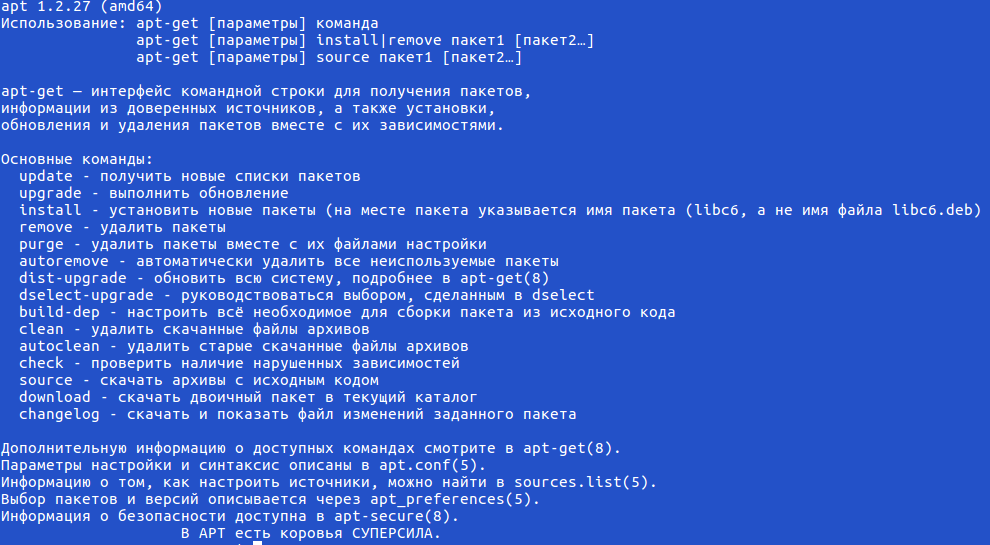
This APT has Super Cow Powers.
So I guess I need to know what else I need to type in for options and switches
Источник
Возился я как-то с установкой php5-rrd и так довозился, что после этого у меня не устанавливалась ни одна софтина, и даже при попытке исправить зависимости, я получил ошибку:
# apt-get -f install
Reading package lists… Done
Building dependency tree
Reading state information… Done
The following packages will be REMOVED:
php5-rrd
0 upgraded, 0 newly installed, 1 to remove and 46 not upgraded.
1 not fully installed or removed.
After this operation, 42.0 kB disk space will be freed.
Do you want to continue [Y/n]? Y
(Reading database … 39480 files and directories currently installed.)
Removing php5-rrd …
/var/lib/dpkg/info/php5-rrd.postrm: 26: php5dismod: not found
dpkg: error processing php5-rrd (—remove):
subprocess installed post-removal script returned error exit status 127
configured to not write apport reports
Errors were encountered while processing:
php5-rrd
E: Sub-process /usr/bin/dpkg returned an error code (1)
Оказывается, такие ошибки возникают у многих, и решаются они тоже весьма интересно (обратите внимание на файл, который я выделил в ошибке).
Так вот, открываем этот файл /var/lib/dpkg/info/php5-rrd.postrm и удаляем там все, а затем вписываем в него следующее:
#!/bin/sh
set -e
сохраняем и закрываем файл, собственно это и есть решение проблемы 🙂 после чего в консоле например запускаем исправление зависимостей:
# apt-get -f install
Вот и все, всем удачки!
p.s. Полезные команды:
Обычно ошибка выглядит так:
E: Неудовлетворённые зависимости. Попытайтесь выполнить 'apt-get -f install', не указывая имени пакета, (или найдите другое решение).
Удалите кеш пакетов:
sudo apt-get clean
Удалите осиротевшие пакеты:
sudo apt-get autoremove
Обновите список пакетов:
sudo apt-get update
Исправьте зависимости:
sudo apt-get -f install
Обычно этого достаточно.
Если вы запутались с зависимостями, поможет интеллектуальное обновление системы:
sudo apt-get dist-upgrade
Если установка была прервана, то следует переустановить пакет
sudo apt-get install --reinstall имя_пакета
Если репозиторий недоступен, исправить:
-
/etc/apt/sources.list — главный список репозиториев
-
/etc/apt/sources.list.d — каталог для сторонних репозиториев
Если невозможно удалить/переустановить пакет, исправить:
-
/var/lib/dpkg/status — список установленных пакетов
-
/var/lib/dpkg/available — список доступных для скачивания пакетов
Добавление нового репозитория
Пример добавления репозитория:
echo ‘deb http://cz.archive.ubuntu.com/ubuntu xenial main universe’ >> /etc/apt/sources.list.d/ubuntu-xenial-main-universe.list
apt-update
Если появится ошибка невалидности ключей:
The following signatures couldn't be verified because the public key is not available: NO_PUBKEY 40976EAF437D05B5 NO_PUBKEY 3B4FE6ACC0B21F32
Reading package lists... Done
W: GPG error: http://cz.archive.ubuntu.com/ubuntu xenial InRelease: The following signatures couldn't be verified because the public key is not available: NO_PUBKEY 40976EAF437D05B5 NO_PUBKEY 3B4FE6ACC0B21F32
E: The repository 'http://cz.archive.ubuntu.com/ubuntu xenial InRelease' is not signed.
N: Updating from such a repository can't be done securely, and is therefore disabled by default.
N: See apt-secure(8) manpage for repository creation and user configuration details.
Значит, нужно добавить указанные в сообщении ключи в доверенные:
apt-key adv —keyserver keyserver.ubuntu.com —recv-keys 40976EAF437D05B5 3B4FE6ACC0B21F32
теперь следующая команда не выдаст ошибки:
apt-update
Удачки.
30.10.2013 12:57
Если вы столкнулись с ошибкой с «sub process usr bin dpkg returned an error code 1» при установке программного обеспечения на Ubuntu Linux, вот как вы можете это исправить.
Одной из распространенных проблем в Ubuntu и других дистрибутивах на основе Debian являются ломанные пакеты.
Вы пытаетесь обновить систему или установить новый пакет, и столкиваеиесь с такой ошибкой, как «Sub-process /usr/bin/dpkg returned an error code 1.
Вот что случилось на днях.
Я пытался установить радио приложение на Ubuntu, и система вернула мне эту ошибку:
Unpacking python-gst-1.0 (1.6.2-1build1) ...
Selecting previously unselected package radiotray.
Preparing to unpack .../radiotray_0.7.3-5ubuntu1_all.deb ...
Unpacking radiotray (0.7.3-5ubuntu1) ...
Processing triggers for man-db (2.7.5-1) ...
Processing triggers for desktop-file-utils (0.22-1ubuntu5.2) ...
Processing triggers for bamfdaemon (0.5.3~bzr0+16.04.20180209-0ubuntu1) ...
Rebuilding /usr/share/applications/bamf-2.index...
Processing triggers for gnome-menus (3.13.3-6ubuntu3.1) ...
Processing triggers for mime-support (3.59ubuntu1) ...
Setting up polar-bookshelf (1.0.0-beta56) ...
ln: failed to create symbolic link '/usr/local/bin/polar-bookshelf': No such file or directory
dpkg: error processing package polar-bookshelf (--configure):
subprocess installed post-installation script returned error exit status 1
Setting up python-appindicator (12.10.1+16.04.20170215-0ubuntu1) ...
Setting up python-gst-1.0 (1.6.2-1build1) ...
Setting up radiotray (0.7.3-5ubuntu1) ...
Errors were encountered while processing:
polar-bookshelf
E: Sub-process /usr/bin/dpkg returned an error code (1)
Здесь важны последние три строки:
Errors were encountered while processing:
polar-bookshelf
E: Sub-process /usr/bin/dpkg returned an error code (1)
Это говорит мне, что пакет полярнаяpolar-bookshelf является причиной. Это может иметь решающее значение для устранения этой ошибки.
Решение проблемы Sub-process /usr/bin/dpkg returned an error code (1)
Попробуем исправить этот сломанный пакет.
Я покажу вам несколько методов, которые вы можете попробовать по одному.
Они простые в использовании и просто без проблем осуществимы.
Вы должны попытаться запустить sudo apt update, а затем попытаться установить новый пакет или обновиться после каждого из описанных здесь методов.
Способ 1: переконфигурировать базу данных пакетов
Первый метод, который вы можете попробовать, – перенастроить базу данных пакетов.
Вероятно, база данных повреждена при установке пакета.
Реконфигурация часто устраняет проблему.
sudo dpkg --configure -aСпособ 2: Использовать принудительную установку
Если установка ранее прервалась, вы можете попробовать установить пакет принудительно:
sudo apt-get install -fСпособ 3. Попробуйте удалить проблемный пакет.
sudo apt remove Способ 4. Удалите информационные файлы с информацией о проблемном пакете
Это должно быть вашим последним прибежищем.
Вы можете попробовать удалить файлы, связанные с пакетом, из /var/lib/dpkg/info.
Вам нужно немного узнать о базовых командах Linux, чтобы выяснить, что происходит, и как использовать их с вашей проблемой.
В моем случае у меня была проблема с polar-bookhelof.
Поэтому я искал файлы, связанные с ним:
ls -l /var/lib/dpkg/info | grep -i polar-bookshelf
-rw-r--r-- 1 root root 2324811 Aug 14 19:29 polar-bookshelf.list
-rw-r--r-- 1 root root 2822824 Aug 10 04:28 polar-bookshelf.md5sums
-rwxr-xr-x 1 root root     113 Aug 10 04:28 polar-bookshelf.postinst
-rwxr-xr-x 1 root root      84 Aug 10 04:28 polar-bookshelf.postrm
Теперь мне нужно удалить эти файлы:
sudo mv /var/lib/dpkg/info/polar-bookshelf.* /tmpКак удалить / установить пакет, который не установлен полностью?
Я пошел, чтобы установить bsnes на днях, и по любой причине установка не удалась. Теперь я не могу обновить, установить новые пакеты или выполнить какие-либо команды apt-get, так как все они пытаются обработать этот поврежденный пакет и дают сбой. Попытка установить новый пакет также обрекает его на такую же участь. Я получаю ошибку:
Setting up google-chrome-stable (33.0.1750.152-1) ...
/var/lib/dpkg/info/google-chrome-stable.postinst: 124: /var/lib/dpkg/info/google-chrome-stable.postinst: update-alternatives: not found
dpkg: error processing google-chrome-stable (--configure):
 subprocess installed post-installation script returned error exit status 127
Setting up bsnes (0.088-7) ...
/var/lib/dpkg/info/bsnes.postinst: 5: /var/lib/dpkg/info/bsnes.postinst: update-alternatives: not found
dpkg: error processing bsnes (--configure):
 subprocess installed post-installation script returned error exit status 127
Errors were encountered while processing:
 google-chrome-stable
 bsnes
E: Sub-process /usr/bin/dpkg returned an error code (1)
Я искал в Google и здесь, в Ask Ubuntu, но не нашел работающего решения. Обычно предлагаем исправить это запустить следующее:
sudo apt-get clean && sudo apt-get autoremove
sudo apt-get -f install
sudo dpkg --configure -a
Это, однако, не работает. Все команды apt-get терпят неудачу с той же ошибкой, что и выше, и команда dpkg просто не помогает. Другое дело, что они часто предлагают очистить его через Synaptic или командную строку, что также не помогает.
Спасибо за помощь
Ответы:
Для опытных пользователей используйте на свой страх и риск.
Согласно следующему сообщению об ошибке:
subprocess installed post-installation script returned error exit status 127
Вы можете отредактировать /var/lib/dpkg/info/[package_name].postinstи прокомментировать все (или еще лучше, попытайтесь понять это и определить проблему), затем apt-getповторите попытку .
Обратите внимание, что, хотя в этом конкретном вопросе сообщение касается «после установки», оно могло бы упомянуть, например, «до удаления» или «после удаления» (в этом случае расширение файла для редактирования было бы .prermили .postrm) ,
Кроме тех, которые вы уже опубликовали, есть несколько других команд, которые могут быть полезны.
-
Autoclean очищает локальный репозиторий извлеченных файлов пакетов.
sudo apt-get autoclean -
Принудительная установка / удаление пакетов. With Используйте с осторожностью
sudo apt-get --force-yes install <pkgname>а также
sudo apt-get --force-yes remove <pkgname>
Также, как всегда, вы можете использовать dpkgдля установки, удаления и очистки пакетов.
-
устанавливать
sudo dpkg -i <pkgname> -
Удалить
sudo dpkg -r <pkgname> -
чистка
sudo dpkg -P <pkgname>
Таким образом, после еще большего количества поисков в Google и очень внимательного прочтения сообщений об ошибках снова возникает dpkgнеобходимость переустановки.
sudo apt-get install --reinstall dpkg
То, что это была проблема (если кто-то ищет и видит это), это то, что update-alternatives: not foundбыло в сообщении об ошибке. Как только dpkg был переустановлен, остальные пакеты установились как обычно автоматически.
Вы можете удалить файл пакета по этому /var/lib/dpkg/info/пути и обновить источник.
sudo rm /var/lib/dpkg/info/[package_name].*
sudo dpkg --configure -a
sudo apt-get update
Затем переустановите пакет sudo apt-get install [package_name]
доктор
Если все остальное терпит неудачу. Я сначала изменил каталог на:
cd /var/lib/dpkg/info
затем я удалил все с .postinst:
sudo rm *.postinst
затем обновите репозиторий
sudo apt-get update
тогда все вернулось к норме, когда я сделал:
sudo apt-get --force-yes install openjdk-7-jre-headless
Если ничего не помогает, вы можете вручную удалить пакет dpkg. Бег sudo dpkg -P bsnesдолжен продувать bsnes.
В моем случае apt-get install -fсработало. Я устанавливал mysql-workbench-community
Ранее пробовал apt autoclean
Я видел эту ошибку dpkg из-за некоторых отсутствующих зависимостей, которые можно исправить, установив в принудительном режиме (установка зависимостей)
sudo apt-get install -f --reinstall coreutils init-system-helpers
После запуска выше, вы можете установить / обновить / удалить / очистить как обычно для любых пакетов.

nasa111
[b]root@linuxxx-System-Product-Name:~# sudo dpkg --configure -a[/b]
dpkg: зависимости пакетов не позволяют настроить пакет idle-python3.8:
 idle-python3.8 зависит от python3.8, однако:
  Пакет python3.8 пока не настроен.
dpkg: ошибка при обработке пакета idle-python3.8 (--configure):
проблемы зависимостей — оставляем не настроенным
dpkg: зависимости пакетов не позволяют настроить пакет python3.8-dbg:
python3.8-dbg зависит от python3.8 (= 3.8.2-1+bionic1), однако:
Пакет python3.8 пока не настроен.
dpkg: ошибка при обработке пакета python3.8-dbg (--configure):
проблемы зависимостей — оставляем не настроенным
dpkg: зависимости пакетов не позволяют настроить пакет python3.8-venv:
python3.8-venv зависит от python3.8 (= 3.8.2-1+bionic1), однако:
Пакет python3.8 пока не настроен.
dpkg: ошибка при обработке пакета python3.8-venv (--configure):
проблемы зависимостей — оставляем не настроенным
dpkg: зависимости пакетов не позволяют настроить пакет python3.8-gdbm-dbg:i386:
python3.8-gdbm-dbg:i386 зависит от python3.8-dbg, однако:
Пакет python3.8-dbg пока не настроен.
python3.8-gdbm-dbg:i386 зависит от python3.8-gdbm (= 3.8.0-1+bionic2), однако:
Пакет python3.8-gdbm:i386 не установлен.
Версия python3.8-gdbm в системе, предоставляемая python3-gdbm:i386 — <нет>.
dpkg: ошибка при обработке пакета python3.8-gdbm-dbg:i386 (--configure):
проблемы зависимостей — оставляем не настроенным
dpkg: зависимости пакетов не позволяют настроить пакет python3.8-dev:
python3.8-dev зависит от python3.8 (= 3.8.2-1+bionic1), однако:
Пакет python3.8 пока не настроен.
dpkg: ошибка при обработке пакета python3.8-dev (--configure):
проблемы зависимостей — оставляем не настроенным
dpkg: зависимости пакетов не позволяют настроить пакет python3.8-tk-dbg:i386:
python3.8-tk-dbg:i386 зависит от python3.8-dbg, однако:
Пакет python3.8-dbg пока не настроен.
python3.8-tk-dbg:i386 зависит от python3.8-tk (= 3.8.0-1+bionic2), однако:
Пакет python3.8-tk:i386 не установлен.
Версия python3.8-tk в системе, предоставляемая python3-tk:i386 — <нет>.
dpkg: ошибка при обработке пакета python3.8-tk-dbg:i386 (--configure):
проблемы зависимостей — оставляем не настроенным
dpkg: зависимости пакетов не позволяют настроить пакет libpython3.8-testsuite:
libpython3.8-testsuite зависит от python3.8 (>= 3.8.2-1+bionic1), однако:
Пакет python3.8 пока не настроен.
dpkg: ошибка при обработке пакета libpython3.8-testsuite (--configure):
проблемы зависимостей — оставляем не настроенным
dpkg: зависимости пакетов не позволяют настроить пакет python3.8-examples:
python3.8-examples зависит от python3.8 (>= 3.8.2-1+bionic1), однако:
Пакет python3.8 пока не настроен.
dpkg: ошибка при обработке пакета python3.8-examples (--configure):
проблемы зависимостей — оставляем не настроенным
При обработке следующих пакетов произошли ошибки:
idle-python3.8
python3.8-dbg
python3.8-venv
python3.8-gdbm-dbg:i386
python3.8-dev
python3.8-tk-dbg:i386
libpython3.8-testsuite
python3.8-examples
[b]root@linuxxx-System-Product-Name:~# sudo apt install synaptic[/b]
Чтение списков пакетов… Готово
Построение дерева зависимостей
Чтение информации о состоянии… Готово
Вы можете запустить «apt --fix-broken install» для исправления этих ошибок.
Следующие пакеты имеют неудовлетворённые зависимости:
 python3.8-gdbm-dbg : Зависит: python3.8-gdbm (= 3.8.0-1+bionic2)
 python3.8-tk-dbg : Зависит: python3.8-tk (= 3.8.0-1+bionic2)
 synaptic : Зависит: libept1.5.0 но он не будет установлен
            Рекомендует: libgtk2-perl (>= 1:1.130) но он не будет установлен
            Рекомендует: rarian-compat но он не будет установлен
E: Неудовлетворённые зависимости. Попытайтесь выполнить «apt --fix-broken install», не указывая имени пакета (или указав решение).
[b]root@linuxxx-System-Product-Name:~# sudo synaptic[/b]
sudo: synaptic: команда не найдена
[b]root@linuxxx-System-Product-Name:~# apt --fix-broken install[/b]
(Чтение базы данных … на данный момент установлено 208080 файлов и каталогов.)
Подготовка к распаковке …/python3.8-gdbm_3.8.0-1+bionic2_i386.deb …
Распаковывается python3.8-gdbm:i386 (3.8.0-1+bionic2) …
dpkg: ошибка при обработке архива /var/cache/apt/archives/python3.8-gdbm_3.8.0-1+bionic2_i386.deb (--unpack):
 попытка перезаписать «/usr/lib/python3.8/lib-dynload/_gdbm.cpython-38-i386-linux-gnu.so», который уже имеется в пакете python3-gdbm:i386 3.6.9-1~18.04
Подготовка к распаковке …/python3.8-tk_3.8.0-1+bionic2_i386.deb …
Распаковывается python3.8-tk:i386 (3.8.0-1+bionic2) …
dpkg: ошибка при обработке архива /var/cache/apt/archives/python3.8-tk_3.8.0-1+bionic2_i386.deb (--unpack):
 попытка перезаписать «/usr/lib/python3.8/lib-dynload/_tkinter.cpython-38-i386-linux-gnu.so», который уже имеется в пакете python3-tk:i386 3.6.9-1~18.04
dpkg-deb: ошибка: вставка subprocess was killed by signal (Обрыв канала)
При обработке следующих пакетов произошли ошибки:
 /var/cache/apt/archives/python3.8-gdbm_3.8.0-1+bionic2_i386.deb
 /var/cache/apt/archives/python3.8-tk_3.8.0-1+bionic2_i386.deb
E: Sub-process /usr/bin/dpkg returned an error code (1)
« Последнее редактирование: 14 Мая 2020, 21:20:41 от Aleksandru »