#1

OFFLINE
vasily.th
-

- Пользователи
-

- 5 сообщений
Абитуриент
- Пол:Мужчина
- Из:Yoshkar-Ola
Отправлено 27 Май 2018 — 10:26
Здравствуйте господа! Недавно, после переустановки на рабочем компьютере винды встал такой вопрос по ucancam v10.7
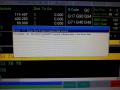
В частности,после прокатки цикла обработки вылезает вот такая ошибка:
Motion 17 ZAxis First Positive Softawre limit exceed
Coordinate 40 The1Nc ProgramL87. exceed software limit or hardware limit
Станок Velberg 2130 atc,4 оси,поворотная А.Стойка SYNTEC 6mb.
Буду признателен, если присоветуете как это можно вылечить,всем удачного дня!
Прикрепленные изображения
-
0
- Наверх
#2
OFFLINE
NeoN
Отправлено 06 Июнь 2018 — 01:08
G53 z50.000
Это ошибка, выше нулевого датчика никак….
G53 z0.000
Правильный вариант
-
0
- Наверх
#3
OFFLINE
ArtTeM
Отправлено 30 Август 2018 — 19:18
Здравствуйте,подскажите пожалуйста имеется станок VANGUARD к2135аt-l syntec 6ma, приезжал наладчик все наладил, объяснил, на следующий день запустил станок все вроде работает, как начинает работать шпиндель сразу выдаёт две ошибки
Сильно прошу не пинать, я новичок в этом деле заранее спасибо!!!
Motion 17 ZAxis First Positive Softawre limit exceed
Coordinate 40 The1Nc ProgramL6 exceed software limit or hardware limit
-
0
- Наверх
#4
OFFLINE
mihams
Отправлено 30 Август 2018 — 19:30
или корректора не выставили, или программа кривая
скорее всего первое)
-
0
- Наверх
#5
OFFLINE
ArtTeM
Отправлено 30 Август 2018 — 19:47
-
0
- Наверх
#6
OFFLINE
ArtTeM
Отправлено 31 Август 2018 — 12:29
или корректора не выставили, или программа кривая
скорее всего первое)
все проверили корректора,программу,все ок,начинает работать без ошибок как шпиндель раскрутится так опять ошибки эти.
-
0
- Наверх
#7
OFFLINE
MiG
MiG
- Пол:Мужчина
- Из:Россия , Ковров
Отправлено 31 Август 2018 — 13:24
Значит плохо проверили.
У вас после раскрутки шпинделя станок должен начать движение
(судя по всему подняться по оси z).
Но или значение корректора не верное ,
или ноль заготовки по оси z не правильно задан,
или в программе слишком высокий подъем назначен.
Вот стойка и сообщает что :
[Motion 17 ZAxis First Positive Softawre limit exceed]
= превышен софтлимит позитив(вверх) по оси z.
[Coordinate 40 The1Nc ProgramL6 exceed software limit or hardware limit]
= В 6 строке программы превышение софт или хард лимита.
Сообщение отредактировал MiG: 31 Август 2018 — 13:45
-
0
- Наверх
#8
OFFLINE
ArtTeM
Отправлено 31 Август 2018 — 14:15
Спасибо большое за ответ,сейчас все перепроверю,и выставлю заново.
-
0
- Наверх
#9
OFFLINE
ArtTeM
Отправлено 04 Сентябрь 2018 — 14:17
Спасибо за ответы,разобрался,координаты по z не правильно были выставлены,все выставил,ноль по z ,и перемерял инструмент,теперь все ок!
-
0
- Наверх
-
12-29-2017, 01:20 PM
#1

Registered
Hi
I am running first simple program, 2 circles 2 different tools. Tools measured..
I get 2 alarms:
Motion 18 Zaxis first negative software limit exceeded
Coordinate 40 the 1ncprogramL8 exceed software limit or hardware limit.Please help
Sent from my SM-G920F using Tapatalk
-
12-29-2017, 01:59 PM
#2
Registered
Re: Syntec software limit exceeded
Sound like the machine is going to run out of travel, how big are the circles, and how big is your machine bed. you could try resetting again. It’s the Z that’s more worrying though.Can you give a bit more info may be post the program
-
12-29-2017, 02:14 PM
#3
Registered
Re: Syntec software limit exceeded
 Originally Posted by Kev Brook

Sound like the machine is going to run out of travel, how big are the circles, and how big is your machine bed. you could try resetting again. It’s the Z that’s more worrying though.Can you give a bit more info may be post the program
Yes its an issue with z levels..
I need to get hold of z levels understanding and retry
Thanks
Sent from my SM-G920F using Tapatalk
-
12-29-2017, 09:24 PM
#4
Registered
Re: Syntec software limit exceeded
Originally Posted by Bascil
Yes its an issue with z levels..
I need to get hold of z levels understanding and retryThanks
Sent from my SM-G920F using Tapatalk
Managed.. set levels correctly in machine and vcarve..
ThanksSent from my SM-G920F using Tapatalk
-
01-15-2018, 02:34 PM
#5
Registered
Re: Syntec software limit exceeded
Hi Bascil,
Have you resolved your problem?
-
01-16-2018, 03:11 PM
#6
Registered
Re: Syntec software limit exceeded
Originally Posted by feedr8cnc
Hi Bascil,
Have you resolved your problem?
Yes.. correct g45 and z levels in vcarve..
Sent from my SM-G920F using Tapatalk
Hi,
Been working with this machine for a couple of years now, and can´t make work the 4th axis.
The controller its the Syntec 6MB.
We are using as post processor the Fanuc (with g91)/incremental and editing by hand our g-code changing the g21 (just need to change for g71), and removing the duplicated T on the tool changes (also wrong T number), but a part of these small things the machine does his job pretty well.
We have had some other troubles but was fixed pretty easy as well, they where:
Z homing different positions: Metal plate was slightly off and sensor didn´t detected well, just bended closer and works nice so far.
Rotary axis not at 90 degrees with bed: Modified the 90 degrees values on machine parameters.
Adjusted as well the position of the tools in the tool holder and tool height tester in the machine parameters to make as accurate as possible.
Just wish to know if someone it´s in the same situation as me and can point me in the right direction to make the 4th axis work, if it´s just small modifications on the g-code (g 68.2 or g 53.1 send a message error) or any other way.
Thanks !
-

Rover a3.30
- Опытный

- Сообщения: 271
- Зарегистрирован: 09 ноя 2017 13:57
- Благодарил (а): 3 раза
- Поблагодарили: 7 раз
Ошибка AXS 843 Positioning out of up software limit
Сообщение
Rover a3.30 » 09 ноя 2017 17:41
добрый день помогите и мне разобраться с с ошибкой 843,станок работает только на левой стороне,когда включаю на правую выбивает ошибку843,я так понимаю,что проблема с програмным пределом,выше написано про режим manual и т,д,а где поменять эти програмные пределы?в каких настройках поменять для оси x ?за неграмотность sorry,я сомоучка в rover
-

demonlibra
- Администратор
- Сообщения: 7352
- Зарегистрирован: 11 сен 2008 08:20
- Благодарил (а): 21 раз
- Поблагодарили: 98 раз
Re: NC-1000 Ошибка AXS 843 Positioning out of up software limit
#6
Сообщение
demonlibra » 09 ноя 2017 20:39
Rover a3.30 писал(а): ↑09 ноя 2017 20:26
Скорость перемещения по осям X/Y/Z
100/ 80/ 30 м/мин
Рабочая зона X/Y/Z
3060 мм/ 1260 мм/ 150 мм
Ход по осям X/Y/Z
3528 мм/ 1635 мм/ 200 мм
Всё это никакого отношения к вашей проблеме не имеет.
Rover a3.30 писал(а): ↑09 ноя 2017 20:14спасибо,что откликнулись,но у меня все совершенно не такое
И такое у Вас тоже есть. START -> CNI WRT -> Machine data -> Password -> serbs -> OK -> TECHNICAL_DATA -> MACHINE_DATA -> AXES -> X


Rover a3.30 писал(а): ↑09 ноя 2017 20:14какой програмный предел на rover a 3.30 нужно выставлять
Конкретную цифру вам никто не скажет. Тут уже подробно описал как определить Ваше значение
viewtopic.php?p=4087#p4087
Rover a3.30 писал(а): ↑09 ноя 2017 20:14если я не ошибаюсь,то эти параметры не поменять с доступом 10(proman)
proman — это 5-й уровень
serbs — 10-й (вам этого уровня хватит для всего)
Здесь есть пароли
viewtopic.php?p=3931#p3931
Не бойся поломать. Бойся не починить ))

-
demonlibra
- Администратор
- Сообщения: 7352
- Зарегистрирован: 11 сен 2008 08:20
- Благодарил (а): 21 раз
- Поблагодарили: 98 раз
Re: Ошибка AXS 843 Positioning out of up software limit
#10
Сообщение
demonlibra » 09 ноя 2017 21:13
Возможно у Вас что-то не так с аварийными концевиками. Или возможно ошибка при выключенном управляющем не появляется.
На фото концевики и правый кулачок, который задает правый аппаратный предел. На противоположной стороне такая же планка с кулачком обнуления и левым аппаратным пределом.
Доведите концевик примерно до касания кулачка. Минус 5 мм — вот вам и ваш программный предел.
Не помню точно, но вроде еще нужно в окне QUOTE выбрать тип координаты ABSOLUTE.
Сделайте как написано в пункте 1 и поймете тот ли тип координаты выбран.

Не бойся поломать. Бойся не починить ))
-
demonlibra
- Администратор
- Сообщения: 7352
- Зарегистрирован: 11 сен 2008 08:20
- Благодарил (а): 21 раз
- Поблагодарили: 98 раз
Re: Ошибка AXS 843 Positioning out of up software limit
#12
Сообщение
demonlibra » 09 ноя 2017 21:33
Раз у Вас слева всё работает, то параметр «003 Software limit down» не трогайте.
Перед тем как что-то менять делайте снимки экрана. После изменений EDIT -> SAVE
Возможно после изменений потребуется выключить/включить станок.
У Вас справа все программы не работают? Частенько проблема бывает с длиной и зоной безопасности горизонтальных сверл, не хватает хода оси X.
Не бойся поломать. Бойся не починить ))



Advertisement
-
rustli -
Aug 30th 2019 -
Thread is Unresolved
-
- #1
Hi,
Our Kuka lbr iiwa 7 R800 got outside its hardware limits in 5th axis about 0.7°. I have read few topics about it here and with this topic I was able to run KRF mode. But I cant find master/unmaster buttons. I got into the mastering menu, but there is no buttons. I have found some photo on the internet where there was software buttons aside every axis, but I dont have them there as can be seen in the attached picture (in both T1 and KRF mode)
Does anyone know what am I doing wrong?
Thanks
-
- #2
did you try a reboot? What do you see under the tool menu?
-
- #3
yes, rebooted several times. And there is nothing under the menu, the only option is «No tool»
-
- #4
are you sure that is the case? how exactly did you get into this situation? was it by moving robot or by deploying software? reason i ask is because everything is red.
-
- #5
Are you sure the robot is connected to the Sunrise Controller or you have the right Installation for your Arm? Because you seem to have errors everywhere.
-
- #6
We got the armed installed by Kuka employee and everything seemed to work. I got into this situation by jogging in world coordinates mode on the pendant
-
- #7
And it is connected to the sunrise controller — I can change The safety configurations etc.
-
- #8
It’s hard to tell from here. Can you upload your project?
-
- #9
Well, I get in state when MediaFlange and Station are in «green», but still can not umaster the axis to get to the hardware limits. And I am not sure if this is related somehow, but «Protocol» shows error as can be seen in attached picture
-
- #10
I have had this issue before:
To fix it please start a remote desktop or connect a display + keyboard + mouse to the robot, then minimize to the desktop and follow these steps:
1) Open a standard cmd window
2) Type puttytel -vio, this will open PuttyTel, click YES if a dialog appears
3) Enter the command SRThinMMAdmin_setPositionReference x,0 in PuttyTel and confirm with Enter. Observe upper/lower case (x is the axis index — 0 stands for axis 1 and 6 stands for axis 7)
4) Move the affected axis to its mechanical zero position
5) If the axis has independently mastered itself, it must first be unmastered
6) Then master the axis
Hope this helps
-
- #11
I have had this issue before:
To fix it please start a remote desktop or connect a display + keyboard + mouse to the robot, then minimize to the desktop and follow these steps:
1) Open a standard cmd window
2) Type puttytel -vio, this will open PuttyTel, click YES if a dialog appears
3) Enter the command SRThinMMAdmin_setPositionReference x,0 in PuttyTel and confirm with Enter. Observe upper/lower case (x is the axis index — 0 stands for axis 1 and 6 stands for axis 7)
4) Move the affected axis to its mechanical zero position
5) If the axis has independently mastered itself, it must first be unmastered
6) Then master the axis
Hope this helps
Display More
Tried your method, but did not work… In attachment is picture with error i get
-
- #12
And the error while trying to master from pendant.
Thanks for every help
-
- #13
Hi Rustli,
Did you manage to sort this issue?
I have the same issue here. See attached image.
And the error while trying to master from pendant.
Thanks for every help
Create an account or sign in to comment
You need to be a member in order to leave a comment
Sign in
Already have an account? Sign in here.
Sign in Now
4.3.2
Function
Every axis has a hardware (HW) limit switch for each traversing direction, which prevents the slide from moving out of the
slide bed.
If the hardware limit switch is crossed, the PLC signals this to the NC via IS «Hardware limit switch plus/minus»
(DB380x.DBX1000.1 or .0) and the movement of all axes is stopped. The braking method can be specified via MD36600
BRAKE_MODE_CHOICE (braking behavior at hardware limit switch).
Effectiveness
HW limit switch monitoring is active after the control has started up in all modes.
Effect
● When a hardware limit switch is passed in either direction, alarm 21614 «Hardware limit switch + or -» is triggered.
● The axis is stopped according to the setting in MD36600 BRAKE_MODE_CHOICE (braking behavior at hardware limit
switch).
● If the axis is assigned to an interpolatory grouping with other axes, then these are also stopped according to the method
selected in MD36600 BRAKE_MODE_CHOICE (braking behavior at hardware limit switch).
● The direction keys in the approach direction are disabled.
Remedy
● Reset
● Move in the opposite direction (in «JOG» mode)
● Correct the program
4.3.3
Software limit switches
Function
They are used to limit the maximum traversing range on each individual axis.
There are two pairs of software limit switches for each machine axis. They are defined in the machine axis system using the
following machine data:
MD36100 POS_LIMIT_MINUS (1st software limit switch minus)
MD36110 POS_LIMIT_PLUS (1st software limit switch plus)
MD36120 POS_LIMIT_MINUS2 (2nd software limit switch minus)
MD36130 POS_LIMIT_PLUS2 (2nd software limit switch plus)
Effectiveness
● Software (SW) limit switch monitoring is activated after reference point approach in all modes.
● The position of the software limit switch can be approached.
● The 2nd software limit switch can be activated via the «2nd software limit switch plus/minus» interface signal
(DB380x.DBX1000.3 or .2) from the PLC. The change becomes active immediately. The 1st software limit switch
plus/minus is then de-activated.
● The SW limit switch monitoring does not function for endlessly turning rotary axes, i.e. if MD30310 ROT_IS_MODULO =
1. (Modulo conversion for rotary axis and spindle)
Effect/reactions
Based on the mode, different responses to an attempted software limit switch violation are possible:
AUTO, MDA:
● The block that would violate the software limits switches is not started. The previous block is terminated properly.
Function Manual
01/2017
29