Just posting a quick tale since I couldn’t find great information while I was frantically Googling earlier.
The above error appears to be a memory corruption somewhere on one of the feed motor drivers. The error text on the screen wasn’t very helpful, «Turn the main power off/on; If the device does not recover, contact your dealer or service representative»
I unplugged the printer and plugged it back in, there was no signs of life. No noises, no screen, no lights. I tried unplugging it again and leaving it for 5 minutes, still nothing. I sat around for 45 minutes, called Canon, and JUST before they were ready to send me a refurb replacement unit, they asked me to try and plug it back in one more time.
It turns out one solution for this problem is to just let it sit unplugged for a long time to allow some memory on some board to clear. Doesn’t make much logical sense to me, but apparently this flash chip needs 45 minutes to clear and capacitors to drain.
Hope some future searcher finds this helpful. I was sure I was doomed.
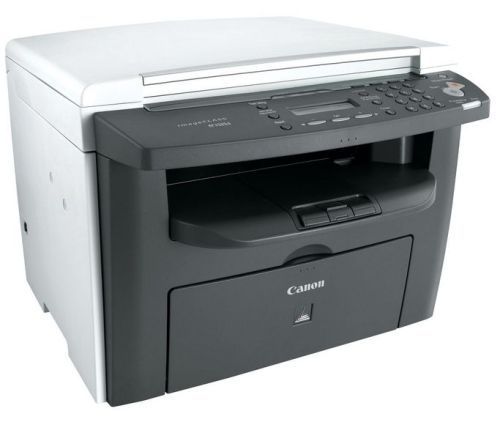
Коды ошибок:
Системные ошибки
E198 — Flash ROM write error (ошибка записи ROM)
E674 — Modem error (ошибка модема)
Ошибка сканера
E225 — CIS lamp has a fault (неисправность лампы CIS)
Ошибки принтера
E000 — The High-voltage PCB has a fault (неисправность платы PCB)
E100 — The scanner assembly has a fault (неисправность узла сканера)
Коммуникационные ошибки
0001 — Nothing G3 signal received within 35 sec (потеря сигнала G3 в течение 35 секунд)
0003 — Received DIS after sending DIS signal
0004 — Received DCN after sending DTC signal
0009 — Can’t receive any signal within 35 sec. in manual polling mode (невозможно принять сигнал в течение 35 секунд в ручном режиме)
0010 — Received DCN signal after sending DTC signal in Polling Rx
0011 — Can’t receive any correct response after sending DTC signal (невозможно принять правильный ответ после отправки сигнала DTC)
0012 — Remote side Password not match in Polling Rx/our side no any file to be polling
0013 — Can’t receive carrier within 6 sec. after sending CFR in date phase C
0014 — Can’t receive T.30 signal after sending FTT signal (невозможно принять сигнал T.30)
0016 — Receive DCN signal after sending PTT signal
0017 — Can’t receive any response from remote side after sending DIS
0018 — Can’t detect energy within 6 sec after sending FTT command
0019 — Received DCN signal sending CFR signal
001A — No energy on line over 6 sec. within phase C before any corrected ECM frame
001D — Can’t detect flag after sending CFR signal
001E — Timeout in V.17 ECM Rx phase C
0020 — Can’t correct frame within 6 sec at phase C
0021 — File full.
0022 — Owing to noise interference on the line, receiving side can’t receive correct data within specified time (no ECM)
0023 — Can’t receive correct signal after sending CFR signal
0030 — Can’t receive any signal within 6 sec. At phase D
0031 — Received incorrect signal at phase D (not EOP, MPS, EOM, DCN, PPS_Q, PPS_Q,etc)
0032 — Can’t receive carrier within 6 sec after sending MCF or RTP, RTN signal
0033 — Received DCN signal at ohase D within pages (not last page)
0039 — In non_ECM mode, when machine alredy received the data dosen’t receive 13.1 seconds
001F — Can’t detect any G3 signal within 35 sec after sending DTC signal
003F — Remote side TSI not define in machine one touch or speed dial directory
0040 — Can’t receive carrier within 6 sec. after sending CTR
0041 — Can’t receive carrier within 6 sec. after sending PPR
0042 — Can’t receive correct signal after sending RNR signal
0043 — Receive incorrect signal at phase D in ECM mode
0044 — Can’t receive carrier/FSK signal within 6 sec. After sending MCF. ln ECM mode.
0047 — Can’t receive correct signal or DCN received after sending ERR signal.
0048 — Can’t receive correct signal after receive PPS_PRI_Q
004B — Can’t detect correct FSK signal even through detected FSK tone within 6 sec.
004C — Handshake fail during re-train or between page in V34 Rx
004E — Receive DCN signal after sending DIS in V.34
004F — Remote side disconnected after sending ANSam in V.8 phase
0050 — Can’t receive any correct signal after detected CJ signal in V.8 phase
0051 — Can’t receive phase 3 signal after phase 2 within 20 seconds in V.34
0053 — Modem disconnect after phase 4 in V.34
0054 — Remote side disconnect after phase 4 in V.8
0055 — Receive incorrect signal after sending DIS signal in V.34
0056 — Modem disconnect after sending CFR in V.34
0058 — Can’t detect image signal within 6 sec after modem enter to primary phase in V.34
005A — Modem cannot detect any correct ECM frame with 3 minutes in phase C
005B — Modem can’t detect control channel with 12 sec in phase C
005C — Detect busy tone within control channel after phase C
005D — Modem can’t detect any correct ECM frame with 12 sec in phase C
005E — Can’t detect control channel signal after received RCP frame within 6 sec
005F — Can’t detect silence after sending JM signal for polling TX function
0060 — There are no any bullietin files to be polled in V.34
0061 — Machine cannot detect V.21 or V.8 signal with 35 sec
0062 — Modem disconnect in phase D after our side sending out flags sequence in control channel
0063 — Can’t receive any flag sequence in control channel within 25 sec in phase D
0064 — Can’t detect any control channel signal in phase D within 60 sec even through energy still on the line
0065 — Can’t detect any control channel signal within 60 sec after detect sillence in phase D
0066 — Can’t receive T.30 signal or carrier after sending CFR in V.34
0069 — Capability no match paper size after received is DCS signal
0070 — User press stop key within receiving
0071 — Memory full within receiving
0080 — Can’t detect any G3 signal within 35 sec. specified by ITU-T in phase B
0081 — Received DTC signal in transmission phase
0082 — Transmitting unit receives a signal other than DIS or DTC. And DCN in phase B
0083 — Detected FSK signal, but Can’t receive any signal within 35 sec
0084 — Detect DCN signal in phase B
0085 — Transmitting unit sending DCS 3 times consecutively, but each time responds with DIS/DTC
0086 — Detected responds signal other than DTC,DIS,FTT,DCN or CFR after sending DCS
0087 — Training attempt has failed because speed unit can’t adjust to low lower speed
0088 — Received DCN signal after sending out DCS signal
008B — Receivers protcol of DIS is received, but it is not compatible with our machine
008C — Remote side or our side not support capability
008D — Receivers protocol of DIS is received, but remote side can’t receive document temporary, may because by run out of paper or other reason
008F — Modem not ready to received V.34 data within 6 sec after received CFR signal
0090 — Called side document not ready for our polling
0091 — Can’t receive any commabd after send DCN signal 3 times consecutively
0093 — Received DCN signal after sending out DCN signal
0094 — Time out during transmit ECM frame or RCP command
0095 — Wrong ID number
0096 — SUBADDRESS/PASSWORD capability not match in polling Rx mode
009A — Can’t detect any signal after sending CI signal.
009D — Remote side hang up before V.34 modem enter phase 2 state in V.34 polling Rx
009E — Manual Tx over 15 minutes whin in phase C by non-ECM mode
00A0 — User stop or cancel transmission job
00A1 — Document JAM within transmission
00AE — Can’t finished V.8 procedure or detect V.21 signal after CM signal
00AF — Modem can’t enter into control channel after TX side sending out RCP signal
for V34
00B1 — Can’t finish V.8 procedure or detect V.21 signal after ANSam signal within 35 sec
00B2 — Can’t detect phase 2 signal after our side sending CJ signal within 30 sec
00B3 — Can’t detect correct V.21 or JM signal after sending CM or CJ signal
00B4 — Can’t detect correct phase 2 signal within 25 second after CM/JM signal exchange
00B5 — Can’t detect phase 3 signal after Phase 2
00B6 — Can’t detect phase 4 signal within 25 sec after CM/JM exchange
00B8 — Remote side disconnect after our side sending DCS signal in V.34
00BA — Cannot received correct signal after our side sending DTC signal in V.34
00BB — Every time our side received DIS signal after sending DTC in V.34
00BC — Modem can’t ready within 10 second after entering primary channel in V.34
00BD — Can’t detect correct V.21 or JM signal after detected FSK frequency
00BE — Remote side no document to be polled after V.8 handshaking
00BF — Capability no match after V.8 handshaking
00C1 — At phase-D, transmitting units out EOP 3 times consecutively, but receive no answer from receiving unit
00C2 — Remote side disconnect after sending out V.8 CM signal
00C4 — After sending MPS signal, the received is not one of MCF, RTN, PIP, PIN, RTP, DCN
00C5 — Received DCN signal after sending MPS signal
00C9 — At phase D, sending MPS 3 times consecutively, but no answer from receiveing unit
00CA — After sending EOP signal, the received is not one of MCF, RTN, PIP, PIN, PRI-EOP, DCN, RTP.
00CB — After sending EOP signal, the received is DCN signal
00CF — Received incorrect signal after sending DTC signal for V.34 polling
00D0 — Received ERR signal after sending EOR_NULL
00D1 — Received incorrect response after sending PPS_EOP signal
00D2 — Received DCN after sending PPS_EOP signal
00D3 — Received DCN after sending PPS_NULL signal
00D8 — Can’t detect correct phase 3 signal for poling
00D9 — Can’t detect correct phase 3 signal after detect silence after phase 2
00DA — Can’t detect phase 4 signal within 30 sec
00DB — Can’t received any T.30 signal within 30 sec within phase 4
00DC — Received T.30 signal in phase 4 other than DCS, DIS or DTC
00DE — Remote side no SUB capability
00E0 — At phase-D, transmitting units out PPS_NULL 3 times consecutively but receive not answer
00E1 — Received incorrect response after sending PPS_NULL
00E2 — Can’t receive any response in RR response procedure after sending PPS_NULL
00E4 — At phase D, transmitting units out PPS_MPS 3 times consecutivery but receive no answer
00E5 — Received incorrect response after sending PPS_MPS signal
00E6 — Can’t receive any response in RR response procedure after sending PPS_MPS
00E7 — Reseived DCN after sending PPS_MPS
00E8 — At phase-D, transmitting units out PPS_EOP 3 times consecutively but receive no answer
00E9 — Receive PIN signal after sent last page data
00EA — Can’t receive any response in RR response procedure after sending PPS_EOP
00EE — At phase-D, transmitting units out EOR_NULL 3 times consecutively but receive no answer
00EF — Received incorrect response after sending EOR_NULL
00F0 — Can’t receive any response in RR response procedure after sending EOR_NULL
00F1 — At phasa-D, transmitting units out EOR_MPS 3 times consecutively but receive no answer
00F2 — Received incorrect response after sending EOR_MPS
00F3 — Received ERR signal after sending EOR_MPS
00F4 — Can’t receive any response in RR response procedure after sending EOR_MPS
00F5 — At phasa-D, transmitting units out EOR_EOP 3 times consecutively but receive no answer
00F6 — Received incorrect response after sending EOR_EOP
00F7 — After Received ERR, our side can’t received response after sending EOR_EOP command
00FC — Can’t receive any response after sending CTC
00FD — Can’t speed down to lower speed
00FE — Memory full for transmission
00FF — REDAIL ALL FAIL
Все владельцы принтеров рано или поздно сталкиваются с ошибками в работе устройств. В статье разберём популярные ошибки принтеров Canon и расскажем, как их избежать.
Если у Вас нет уверенности в том, что Вы разберётесь, нет времени или парк оргтехники большой — обращайтесь в сервисный центр RuPrinters.
Если на принтере возникает замятие бумаги, на ЖД-дисплее отображается её код и загорается сигнальная лампочка. Затем, на экране компьютера отображается сообщение об ошибке. Для некоторых ошибок есть код поддержки, по которым можно определить, что случилось и как можно решить проблему.
Давайте рассмотрим самые популярные ошибки из-за которых устройство отказывается работать.
1. В принтере закончилась бумага
Загрузите бумагу или, если она уже загружена, попробуйте удалить всю пачку целиком, а затем проделайте следующие манипуляции:
пролистайте пачку,
выровняйте края перед загрузкой.
Загрузите пачку обратно в лоток и обязательно используйте направляющие, чтобы идеально выровнять бумаге перед подачей.
2. Ошибка E02 (код поддержки 1000, 1003, 3442, 3443, 3444, 3445)
Часто такая ошибка возникает, когда в устройство попадают мятые или скрученные листы бумаги. Чтобы распрямить листы, на них можно положить тяжёлый предмет на 10-15 минут.
Также, эту ошибку может вызывать влажная бумага. Подсушите её на обычной батарее или высушите на солнце.
Если бумага слишком толстая или тонкая — это также может вызвать ошибку E02. Обратите внимание на инструкцию к принтеру, прежде чем покупать бумагу.
Ещё одна причина возникновения этой ошибки — проблема с роликами подачи бумаги, которые не могут поднять лист. Такое часто бывает, если ролик долго используется. Аккуратно протрите его тряпкой, смоченной в спирте. У некоторых аппаратов есть возможность очистки ролика через панель управления принтером. Выберите на панели управления «чистый ролик» и устройство произведёт самоочищение.
Если ошибка не исчезла, попробуйте переустановить картриджи, предварительно отключив принтер от розетки.
Если Вы провели все манипуляции, но ошибка не пропадает — возможно, неисправны датчики бумаги. С их заменой может помочь только сервисный инженер.
Что делать, чтобы избежать возникновения этой ошибки:
не перегружайте лоток бумагой. В нём долго быть не более 50 листов (для обычного принтера).
регулярно устраняйте все загрязнения, возникающие на пути прохождения бумаги (можно использовать фен для устранения пыли из принтера).
установите правильный размер бумаги через ПК или панель управления.
3. Ошибка E03 (код поддержки 1203)
Эта ошибка открытой задней крышки. Закройте крышку и нажмите «ОК» на панели управления. Если бумага осталась внутри принтера — медленно вытяните её. Отключите принтер от розетки и подождите 10-15 минут. А затем попробуйте повторить процесс печати.
Если ошибка не пропадает — проверьте, не сломан ли датчик крышки. Внимательно осмотрите те места, где находятся верхние крепления крышки. На крышке осмотрите элементы соединения крышки и принтера.
4. Ошибка E03 (код поддержки 1300)
Это ошибка, указывающая на замятие бумаги. Отключите принтер от розетки, устраните бумагу. Подождите 10-15 минут.
Включите принтер и попробуйте печатать.
5. Ошибка E04 (код поддержки 168А), ошибка E05 (1401, 1403, 1430, 1485), ошибка E014 (код поддержки 1684), ошибка E15 (код поддержки 1682), ошибка E09 (код поддержки 1890)
После замены картриджей часто возникает ошибка, указывающая на то, что чернильный картридж установлен неправильно или он неисправен.
Самое простое — попробуйте переустановить картриджи: извлеките картридж из устройства и протрите внешнюю электронную часть мягкой тканью. Установите картридж на место, подключите устройство к розетке. А затем удерживайте кнопку «стоп» не менее 10 секунд. Принтер перегрузится.
Если проблема осталась — нужно поменять картриджи на новые, желательно из другой партии.
Обратите внимание, что эти ошибки чаще всего возникают тогда, когда используются восстановленные, неоригинальные картриджи. Аппараты Canon очень чувствительны к неоригинальным расходникам. Старайтесь использовать только фирменные оригинальные картриджи.
Также эти ошибки могут возникать потому, что после установки картриджей, на них осталась упаковка.
6. Ошибка E08 (код поддержки 1700,1701, 1712, 1713,1714,1715)
Это ошибка заполнения бункера сброса тонера. Нажмите «ОК» на панели управления и продолжайте печатать. Сообщение будет появляться до того момента, пока бункер не заполнится на 100%. После этого принтер остановится.
Немного о том, как принтер понимает, что абсорбер заполнен:
Время от времени принтер проводит самостоятельную чистку печатающих элементов (например в струйных устройствах, он пытается прочистить печатающую головку, удалив засохшие чернила). Все чернила и тонер, используемые в процессе чистки, попадают в бункер для сбора тонера или чернил (зависит от типа вашего устройства). Принтер считает, сколько листов было напечатано и сколько чисток проведено. И на основе этой информации подсчитывает заполненность ёмкости.
Сбросить абсорбер несложно. Найдите руководство для вашей модели принтера в сети. Только помните, что иногда после этой процедуры, перенаполненный «памперс» начнёт подтекать, что испортит устройство. И более правильно всё же заменить бункер отработки на том этапе, на котором это просит сделать принтер.
7. Ошибка E11 (код поддержки 4102,4103)
Неправильные настройки бумаги или размер листа. Нажмите кнопку отмены печати, а затем измените настройки размера бумаги на ПК и повторите задание.
8. Ошибка E12 (код поддержки 4100)
Файл не может быть напечатан — при возникновении подобной ошибки, отключите принтер от розетки на несколько минут. Удалите файл из очереди печати и попробуйте снова выполнить задание.
9. Ошибка E13 (код поддержки 1686), ошибка E16 (код поддержки 1688)
Эта ошибка показывает, что закончились чернила. Если вы хотите продолжить печатать, подержите кнопку «стоп» не менее 10 секунд. После этого принтер перегрузится и какое-то время даст попечатать.
Но это ненадолго. Правильнее заменить картридж с красителем на новый.
10. Ошибка E23 (код поддержки 3446)
Проблема с конфигурацией IP. Проверьте соединение wi-fi и нажмите кнопку «ОК».
Если ошибка не пропала — перегрузите роутер и/ или поменяйте настройки wi-fi.
11. Ошибки E31, E37, E45
Проблема с wi-fi: не удалось подключить к сети.
Нажмите кнопку «ОК» и проверьте настройки подключения, обратившись к инструкции Вашего принтера и роутера.
Выполните перенастройку, если это возможно.
12. Ошибка E32
Не удаётся найти беспроводной маршрутизатор во время настройки.
Нажмите кнопку «ОК» и отключите от сети роутер. Подождите 10-15 минут и попробуйте снова подключиться.
13. Ошибка E33
Невозможно подключиться, тк к принтеру подключено несколько маршрутизаторов.
Нажмите «ОК» и отключите принтер. Подождите пару имнут и попробуйте включить его. Ту же операцию проделайте с роутером: отключите его на несколько минут, а затем включите.
14. Ошибка E34 (код поддержки 3440), ошибка E36 (код ошибки 3441)
Простое беспроводное подключение не удалось.
Выключите роутер и попробуйте перенастроить wi-fi.
15. Ошибка E38
Не удаётся подключиться к маршрутизатору, нет возможности изменить настройки локальной сети.
Нажмите «ОК» и проверьте: включен ли режим wi-fi на принтере. Проверьте — тот ли роутер выбрал принтер. Проверьте данные подключения: логин и пароль.
Перегрузите маршрутизатор.
16. Ошибка E39 (код поддержки 495A)
Произошла ошибка в общении по wi-fi или в режиме ожидания.
Выключите принтер на несколько минут. Проверьте — подключился ли он к wi-fi.
17. Ошибка E46
Не могу подключиться к интернету.
Нажмите «ОК» и перегрузите роутер.
18. Ошибка E47, E48 и E51
Невозможно подключиться к серверу.
Нажмите «ОК», перегрузите принтер и роутер.
Если Вы используете Google Cloud, убедитесь, что Вы зарегистрированы в системе.
19. Ошибка E49
Не удалось подключиться к интернету, потому что сетевое подключение готовиться.
Нажмите «ОК», перегрузите принтер и роутер.
20. Ошибка E50
Не удалось получить содержимое.
Нажмите «ОК», перегрузите принтер. Попробуйте распечатать другой файл.
Если получилось, возможно, предыдущий файл слишком большой или повреждён.
Если не получилось распечатать другой файл, переустановите драйвера принтера и проверьте провода wi-fi и/или USB-шнур.
21. Ошибка E57
Сканирование листа печатающей головки завершилось неуспешно.
Нажмите «ОК», убедитесь в том, что стекло экспонирования и лист не загрязнены. Убедитесь, что выбран правильный лоток для бумаги.
Распечатайте тест сопел. Могут быть забиты дюзы печатающей головки.
Попробуйте прочистить сопла и повторить предыдущее задание.
22. Ошибка E59 (код поддержки 2114)
Настройки бумаги не соответствуют заявленным.
Нажмите кнопку «стоп» и убедитесь, что размер бумаги соответствует настройкам.
23. Ошибка 61 (код поддержки 3412), ошибка 64
Принтеру не удалось выполнить сканирование.
Убедитесь, что документ размещен на экспонирующем стекле правильно. Если ошибка не пропала — укажите размер листа в настройках.
24. Ошибка E62
Во время сканирования возникла непредвиденная ошибка.
Проверьте крышку сканера и нажмите «ОК». Измените настройки на те же самые и попробуйте ещё раз сканировать документ.
25. Ошибка E65
Не удалось сохранить отсканированный документ, тк память принтера переполнена.
Нажмите кнопку «ОК» и уменьшите разрешение сканирования. Отсканируйте лист повторно.
Если не помогло — уменьшите количество сканируемых листов.
Перезагрузите драйвер принтера.
26. Ошибка E02 (код поддержки 5100)
Нажмите кнопку «стоп» и откройте крышку принтера. Отсоедините кабель подключения. Убедитесь, что в принтере нет застрявшей бумаги, скрепок и других инородных тел.
Эта ошибка может возникать, если Вы давно не выполняли ТО и подвижные части давно не смазывались маслом.
Также убедитесь, что внутри нет следов внешних повреждений.
Переустановите картриджи.
Устраните замятие, если оно есть.
Иногда, эта ошибка может возникать из-за установленной СНПЧ. Переустановите систему подачи чернил. И попробуйте снова печатать.
27. Ошибка P03 (код поддержки 6000)
Ошибка застревания бумаги.
Если внутри нет застрявшей бумаги — выключите и включите принтер через 5 минут.
Если ошибка не пропала — проверьте:
Если после этого ошибка не пропала — принтер придётся сдать в ремонт.
Если у Вас отображаются другие ошибки — обращайтесь в RuPrinters за консультацией. Можно по телефону, через форму на сайте или через чат, установленный на сайте.
Коды ошибок, актуальные для Canon imagePROGRAF iPF670, iPF605, iPF770, iPF750, iPF710, iPF650, iPF700, iPF785, iPF610, iPF765, iPF680, iPF760, iPF510, iPF780, iPF600, iPF500, iPF685, iPF720, iPF670e, iPF671, iPF671e (для картриджей PFI-102, PFI-104, PFI-107).
Группы ошибок
| Code | Diagnosis | Что значит |
| 0181xxxx-xxxx | Ink warning | Некритичная ошибка чернил |
| 0180xxxx-xxxx | Printhead warning | Некритичная ошибка печатающей головки |
| 0184xxxx-xxxx | Maintenance cartridge warning | Некритичная ошибка картриджа |
| 0134xxxx-xxxx | GARO warning | Некритичная ошибка растрового драйвера |
| 0303xxxx-xxxx | Cover error | Ошибка крышки принтера |
| 0301xxxx-xxxx 0306xxxx-xxxx 0386xxxx-xxxx |
Media error | Ошибки загрузки носителя (например, бумаги) |
| 0313xxxx-xxxx | Sensors, fans, motors error | Ошибки датчиков, моторов и вентиляторов |
| 0380xxxx-xxxx | Printhead error | Ошибки печатающей головки |
| 0381xxxx-xxxx 0383xxxx-xxxx |
Ink error | Ошибки чернил |
| 0384xxxx-xxxx | Maintenance cartridge error | Ошибки картриджа отработки |
| 0387xxxx-xxxx | Cutter unit error | Ошибки резака |
| 0389xxxx-xxxx | Media take-up unit error | Ошибки устройства приёма носителя |
| 0390xxxx-xxxx | Firmware error | Ошибки прошивки |
| Exxx-xxxx | Service call error | Ошибки сервисного режима |
Ошибки с кодами и расшифровкой
| Сообщение на экране | Код ошибки | Проблема | Способ устранения проблемы |
| Ink Level: Check | 0180104-1000 | BK ink tank near-empty | Замените картриджи. |
| Ink Level: Check | 0180101-1001 | Y ink tank near-empty | |
| Ink Level: Check | 0180102-1002 | M ink tank near-empty | |
| Ink Level: Check | 0180103-1003 | C ink tank near-empty | |
| Ink Level: Check | 0180106-1006 | MBK ink tank near-empty | |
| Ink Level: Check | 0180106-1007 | MBK2 ink tank near-empty | |
| Problem with Printhead. Check printing results |
01800500-1010 | Number of non-discharging nozzles in printhead: Warning level | Очистите печатающие головки. Замените печатающие головки. Проверьте датчики печатающих головок. |
| Prepare for maint cart replacement. | 01841001-281A | Maintenance cartridge near-full | Замените картридж обслуживания. |
| Prepare for parts replacement. Call for service. |
Parts counter W1 level | Проверьте датчик деталей в меню обслуживания. | |
| Parts replacement time has passed. Call for service. |
Parts counter W2 level | After checking the parts counter in service mode, replace any part whose counter is nearing the error value. После проверки датчика деталей в сервисном меню, замените деталь, указанную в ошибке. |
|
| GARO W1221 | 01341221-1030 | GARO (image mode): Unknown command | Verify the transmitted data before reprinting. Проверьте загруженные данные перед повтором печати. |
| GARO W1222 | 01341222-1031 | GARO (image mode): Invalid parameter count (no parameters) | |
| GARO W1223 | 01341223-1032 | GARO (image mode): Required parameter missing | |
| GARO W1225 | 01341225-1034 | GARO (image mode): Other warning | |
| GARO W1226 | 01341226-103A | GARO (image mode): Image processing table error | |
| GARO W1231 | 01341231-1035 | GARO (setup): Unknown command | |
| GARO W1232 | 01341232-1036 | GARO (setup): Invalid parameter count | |
| GARO W1233 | 01341233-1037 | GARO (setup): Required parameter missing | |
| GARO W1234 | 01341234-1038 | GARO (setup): Data out of bounds | |
| GARO W1235 | 01341235-1039 | GARO (setup): Other warning | |
| End of paper feed. Cannot feed paper more. | Forced feed limit | Check the remaining quantity of roll media. Проверьте количество бумаги. |
|
| This type of paper is not compatible with HP-GL/2. | 01860006-1015 | Non-support paper of HP-GL/2 | Замените бумагу на совместимую. Exchange for the compatible paper to HP-GL/2. |
| GL2:W0501 The memory is full. |
01340501-1040 | Memory full (HP-GL/2) | Проверьте, нет ли области печати без изображения. Проверьте загруженные данные перед повтором запуска печати. Check if there is the non-image area of the print. Verify the transmitted data before reprinting. |
| GL2:W0904 The memory is full. |
01340904-1048 | Overflow of Polygon buffer (HP-GL/2) | |
| GL2:W0903 The memory is full. |
01340903-1047 | Overflow of replot buffer (HP-GL/2) | |
| GL2:W0502 The parameter is out of range. |
01340502-1041 | Invalid parameter (HP-GL/2) | Проверьте загруженные данные перед повтором печати. Verify the transmitted data before reprinting. |
| GL2:W0504 This command is not supported. |
01340504-1043 | Invalid command (HP-GL/2) | |
| Mail box nearly full. Delete unwanted data |
011A1001-2901 | The free hard disk space left for Personal Boxes in the printer’s hard disk does not have more than 1 GB, combined. | Удалите ненужные задания в личных блоках заданий. Delete unneeded jobs stored in Personal Boxes. |
| Mail box full. Now printing without saving data. |
01861003-2902 | 100 jobs are stored in the Personal Box. | Удалите ненужные задания в личных блоках заданий. Delete unneeded jobs stored in Personal Boxs. |
| Not much ink is left. Prepare to replace the ink. |
01810103-1003 | C ink tank near-empty | Замените синий картридж. Renew the C ink tank |
| Not much ink is left. Prepare to replace the ink. |
01810102-1002 | M ink tank near-empty | Замените пурпурный картридж Renew the M ink tank. |
| Not much ink is left. Prepare to replace the ink. |
01810101-1001 | Y ink tank near-empty | Замените желтый картридж. Renew the Y ink tank. |
| Not much ink is left. Prepare to replace the ink. |
01810106-1006 | MBK ink tank near-empty | Замените матовый черный картридж. Renew the MBK ink tank. |
| Not much ink is left. Prepare to replace the ink. |
01810104-1000 | BK ink tank near-empty | Замените фото-черный картридж. Renew the BK ink tank. |
| Ink tank is empty. Replace the ink tank. |
01810303-1403 | C ink tank empty | Замените синий картридж. Renew the C ink tank. |
| Ink tank is empty. Replace the ink tank. |
01810302-1402 | M ink tank empty | Замените пурпурный картридж. Renew the M ink tank. |
| Ink tank is empty. Replace the ink tank. |
01810301-1401 | Y ink tank empty | Замените желтый картридж. Renew the Y ink tank. |
| Ink tank is empty. Replace the ink tank. |
01810306-1406 | MBK ink tank empty | Замените матовый черный картридж. Renew the MBK ink tank. |
| Ink tank is empty. Replace the ink tank. |
01810304-1400 | BK ink tank empty | Замените фото-черный картридж. Renew the BK ink tank. |
| No ink tank loaded. Check ink tank. |
01810103-1413 | C ink tank removal | Вставьте синий картридж. Attach the C ink tank. |
| No ink tank loaded. Check ink tank. |
01810102-1412 | M ink tank removal | Вставьте пурпурный картридж. Attach the M ink tank. |
| No ink tank loaded. Check ink tank. |
01810101-1411 | Y ink tank removal | Вставьте желтый картридж. Attach the Y ink tank. |
| No ink tank loaded. Check ink tank. |
01810106-1416 | MBK ink tank removal | Вставьте матовый черный картридж. Attach the MBK ink tank. |
| No ink tank loaded. Check ink tank. |
01810104-1410 | BK ink tank removal | Вставьте фото-черный картридж. Attach the BK ink tank. |
| The paper is too small. | 013200D2-1051 | Size clip error | Проверьте формат загруженной бумаги. Замените бумагу. Check the media size check. Change the media size. |
| Maximum jobs stored. Delete unwanted data. |
011A1006-2907 | Saved jobs exceed the Personal Box capacity. | Нажмите кнопку “стоп” чтобы отменить задание. Удалите задания из очереди. Удалите ненужные задания, хранящиеся на жестком диске. Press the stop button to cancel the print job. Delete print jobs from the queue. Delete unneeded jobs stored on the hard disk. |
| PHead needs cleaning. Press Online to clear error. |
03800500-280C | Printhead found to have many non-discharging nozzles during a non-discharging inspection (printing paused) | Очистите печатающую головку. Проверьте состояние дюз через сервисное меню. Замение печатающую головку. Clean the printhead. Identify the nozzles in a nozzle check pattern. Replace the printhead. |
| Paper size not detected. Lift the release lever and reload the paper. |
03010000-200C | Unable to detect the leading end of paper | Проверьте край бумаги. Перезагрузите бумагу. Check the leading end of paper. Reload the paper. |
| Leading edge detection error. Lift the release lever and align leading edge with orange line. |
03010000-200D | Unable to detect the trailing end of cut sheet | Проверьте длину листа. Проверьте, нет ли замятия. Check the sheet length. Check to see if paper has not jammed. |
| Paper size not detected. Lift the release lever and reload the paper. |
03010000-2017 | Paper (right) edge detection error | Проверьте правый край бумаги. Выберите верный тип бумаги. Check the right edge of paper. Check the paper type. |
| Paper size not detected. Lift the release lever and reload the paper. |
03010000-2018 | Paper (left) edge detection error | Проверьте левый край бумаги. Выберите правильный тип бумаги. Check the left edge of paper. Check the paper type. |
| Cannot adjust printhead. Press Online to clear the error and readjust printhead. |
03863000-2820 | Printhead registration unadjustable | Проверьте бумагу на отсутствие пятен. Проверьте, нет попадает ли солнечный свет на отпечаток. Прочистите печатающую головку. Check the paper on which a pattern is printed for smears. Check the environment for interferences from outside light. Clean the printhead. |
| Cannot adjust printhead. Press Online to clear the error and readjust printhead. |
03863000-2821 | LF unadjustable | Проверьте бумагу на отсутствие пятен. Проверьте, нет попадает ли солнечный свет на отпечаток. Прочистите печатающую головку. Check the paper on which a pattern is printed for smears. Check the environment for interferences from outside light. Clean the printhead. |
| Cannot print as specified. Lift the release lever and replace paper with A4/ LTR (vertical) or larger. |
03010000-2E1F | Undersized paper loaded for internal printing (A4 or larger) | Замените бумагу на формат A4/Letter или любую большего формата. Replace with A4/Letter or any larger-sized paper. |
| Cannot print as specified. Lift the release lever and replace paper with A3/ Ledger (vertical) or larger. |
03010000-2E1F | Undersized paper loaded for internal printing (A3 or larger) | Замените бумагу на формат A3/11″x17″ или любую большего формата. Replace with A3/11″x17″ or any larger-sized paper. |
| Cannot print as specified. Lift the release lever and replace roll with 10 in. wide or larger roll. |
03010000-2E1F | Undersized paper loaded for internal printing (roll media) | Замените бумагу на рулон шириной не меньше 10 дюймов. Replace with roll media at least 10 inches in width. |
| Cannot detect paper Remove paper and press Load/Eject. |
03010000-2E25 | Paper jam while feeding/ejecting/printing | Устраните замятие и перезагрузите бумагу. Remove the paper jam and reload the paper. |
| Cannot feed paper Lift the release lever and reload paper. |
03010000-2E27 | Paper jam during feeding/printing/ejection | Перезагрузите бумагу. Reload the paper. |
| This paper cannot be used. Check supported paper sizes. |
03010000-200E | Undersized paper (cut sheets/roll media) | Замените бумагу на больший формат. Replace with larger-sized paper. |
| This paper cannot be used. Check supported paper sizes. |
03010000-200F | Oversized paper (cut sheets/roll media) | Замените бумагу на меньший формат. Replace with smaller-sized paper. |
| Use another paper. Press Online to clear the error. |
03010000-2F33 | Unadjustable because of transparent media | Замените бумагу на совместимую. Replace with adjustable media. |
| Paper loaded askew. Lift the release lever. |
03016000-2010 | Skew | Исправьте наклон бумаги и перезагрузите ее. Correct the skew in the paper and reload it. |
| Paper size not detected. Reload paper. |
03010000-200A | Unable to detect the paper width (Paper loaded at an improper position) | Перезагрузите бумагу. Reload the paper |
| Paper jam. Press Load/Eject and reload the paper. |
03010000-2E27 | Paper jam during feeding/printing/ejection | Перезагрузите бумагу. Reload the paper |
| Paper size not detected. Lift the release lever and reload the paper. |
03010000-200C | Roll media loading size detection failure | Перезагрузите рулонный носитель. Reload the roll media. |
| Cannot adjust eccentric. Press Online to clear the error. |
03863000-2822 | Eccentricity correction disabled | Проверьте, нет ли замятия бумаги. Check to see if paper has not jammed. |
| Sheet printing is selected. Press Load/Eject and load sheets. |
03860002-2E02 | Data with a cut sheet specification has been received but no cut sheets are loaded. | Загрузите листы бумаги в лоток. Load cut sheets at the paper tray port. |
| Roll printing is selected, but sheets are loaded. Press OK, remove the sheets, and load a roll. |
03860002-2E0A | Data with a roll media specification has been received when a cut sheet tray is loaded. | Замените рулонный носитель. Replace with roll media. |
| Roll printing is selected. Press Load/Eject and load a roll. |
03060A00-2E00 | Data with a roll media specification has been received but no roll media are loaded. | Загрузите рулонный носитель. Load roll media. |
| No Roll Feed Unit. Turn printer off and install roll feed unit. |
03060A00-2E0E | Roll media unit not installed | Загрузите рулонный носитель. Install the roll media unit. |
| The roll is empty. Lift the release lever and replace the roll. |
03060A00-2E1B | Roll media end | Загрузите новый рулон. Renew the supply of roll media. |
| Wrong paper feed slot for this paper type. Press Load/Eject and reload the paper. |
03061000-2E15 | Paper type mismatch | Проверьте тип бумаги и перезагрузите ее. Check the type of paper that can be fed and reload the paper. |
| Manual printing is selected, but a roll is loaded. Press Load/Eject and remove the roll. |
03860001-2E0C | Data with a cut sheet specification has been received when roll media are loaded. | Загрузите листы бумаги в лоток. Load cut sheets at the paper tray port. |
| Hardware error. 03130031-2E23 Turn off printer, wait, then turn on again. |
03130031-2E23 | Cutter unit failure | Проверьте резак. Check the cutter unit. |
| Hardware error. 03130031-2E14 Turn off printer, wait, then turn on again. |
03130031-2F14 | Writing to the ASIC register disabled | Замените главную плату контроллера. Replace the main controller PCB |
| Hardware error. 03130031-2E16 Turn off printer, wait, then turn on again. |
03130031-2F16 | Mist fan error | Проверьте вентилятор. Check the mist fan. |
| Hardware error. 03130031-2E17 Turn off printer, wait, then turn on again. |
03130031-2F17 | Suction fan lock detection error | Проверьте всасывающий вентилятор. Check the suction fan. |
| Hardware error. 03130031-2E20 Turn off printer, wait, then turn on again. |
03130031-2F20 | Purge motor cam position error | Проверьте блок очистки. Check the purge unit. |
| Hardware error. 03130031-2E22 Turn off printer, wait, then turn on again. |
03130031-2F22 | Pump travel timeout | Проверьте блок очистки. Check the purge unit. |
| Hardware error. 03130031-2E23 Turn off printer, wait, then turn on again. |
03130031-2F23 | Purge motor error Pump inoperable | Проверьте блок очистки. Check the purge unit. |
| Hardware error. 03130031-2E25 Turn off printer, wait, then turn on again. |
03130031-2F25 | Unable to detect the carriage motor home position | Проверьте каретку. Проверьте датчики на наличие пятен. Check the carriage unit. Check the linear encoder for smears. |
| Hardware error. 03130031-2E26 Turn off printer, wait, then turn on again. |
03130031-2F26 | Carriage inoperable | Проверьте каретку и окружающие ее части. Check the carriage unit and surrounding parts. |
| Hardware error. 03130031-2E27 Turn off printer, wait, then turn on again. |
03130031-2F27 | Carriage travel timeout | Проверьте каретку и окружающие ее части. Check the carriage unit and surrounding parts. |
| Hardware error. 03130031-2E1F Turn off printer, wait, then turn on again. |
03130031-2F1F | Pump cam sensor error | Проверьте блок очистки. Check the purge unit. |
| Hardware error. 03130031-2E2A Turn off printer, wait, then turn on again. |
03130031-2F2A | Unable to detect the feed roller home position | Проверьте датчики ролика подачи бумаги и окружающие его части. Проверьте, не замята ли бумага. Check the feed roller encoder and surrounding part. Check to see if paper has not jammed. |
| Hardware error. 03130031-2E29 Turn off printer, wait, then turn on again. |
03010000-2F29 | Feed motor timeout (Roll media) | Проверьте ролик подачи бумаги. Проверьте рулон бумаги. Проверьте, нет ли замятия бумаги. Check the roll feed unit. Check roll media. Check to see if paper has not jammed in the printer. |
| Hardware error. 03130031-2E2E Turn off printer, wait, then turn on again. |
03130031-2F2E | Roll travel timeout | Проверьте ролик подачи бумаги. Check the roll feed unit. |
| Hardware error. 03130031-4027 Turn off printer, wait, then turn on again. |
03130031-4027 | Lift travel timeout error | Проверьте каретку и окружающие ее части. Check the carriage unit and surrounding parts. |
| Hardware error. 03130031-2E13 Turn off printer, wait, then turn on again. |
03130031-2F13 | A/D converter external trigger output stop detection hardware error 1 | Попробуйте очистить ленту энкодера, а также очистите направляющую каретки. Эта ошибка распространена на широкоформатных принтерах Canon и обычно устраняется путем очистки направляющей и ленты. Направляющая каретки (рельс) должен быть сухим.Если это не поможет – нужно менять печатающую голову. |
| Hardware error. 03130031-2F32 Turn off printer, wait, then turn on again. |
03130031-2F32 | Multi sensor error | Проверьте, не попадает ли свет на устройство. Замените мультисенсорный блок. Check the environment for interferences from outside light. Replace the multi sensor unit. |
| Hardware error. 03130031-2F3A Turn off printer, wait, then turn on again. |
03130031-2F3A | Valve motor error | Проверьте блок подачи чернил. Check the ink supply unit. |
| Hardware error. 03130031-2F3B Turn off printer, wait, then turn on again. |
03130031-2F3B | CS communication error | Вытащите чернильные картриджи, затем снова вставьте их. Проверьте главную плату контроллера. Remove the ink tanks and then reload them. Check the main controller PCB. |
| Hardware error. 03130031-2F70 Turn off printer, wait, then turn on again. |
03130031-2F70 | Ошибка заполнения промежуточных чернильных ёмкостей. | Как устранить |
| Hardware error. 03130031-2F71 Turn off printer, wait, then turn on again. |
03130031-2F71 | Ошибка заполнения промежуточной чернильной ёмкости (левой). | Как устранить |
| Hardware error. 03130031-2F72 Turn off printer, wait, then turn on again. |
03130031-2F72 | Ошибка заполнения промежуточной чернильной ёмкости (правой). | Как устранить |
| Hardware error. 03130031-260E Turn off printer, wait, then turn on again. |
03130031-260E | Gap detection error | Проверьте каретку и окружающие ее части. Замените главную плату контроллера. Check the carriage unit and surrounding parts. Replace the main controller PCB. |
| Hardware error. 03130031-2618 Turn off printer, wait, then turn on again. |
03130031-2618 | VH voltage error | Проверьте блок питания. Check the power supply unit. |
| Hardware error. 03130031-260F Turn off printer, wait, then turn on again. |
03130031-260F | Gap reference surface error | Replace the reference surface sheet. |
| Roll feed unit error Turn off printer and check roll feed unit |
03060B00-2E24 | Roll feed unit failure | Замените блок подачи рулона. Replace the roll feed unit. |
| Unknown file. Check file format. Turn off printer, wait a while, then turn it on again. |
03900001-4049 | ROM data for another model has been transferred. | Загрузите верные данные. Transmit valid ROM data. |
| Unknown file. Check file format. Turn off printer, wait a while, then turn it on again. |
03900001-4042 | MIT data transfer failure | Проверьте данные перед загрузкой. Verify the validity of MID data before transferring it. |
| Hardware error. 03130031-2F2B Turn off printer, wait, then turn on again. |
03130031-2F2B | LF operation failure | Проверьте, не застряла ли бумага. Проверьте двигатель подачи и ролик подачи.Check to see if paper has not jammed. Check the feed motor and feed roller. |
| Printhead error Open top cover and replace the printhead. |
03800200-2802 | Invalid printhead installed | Замените печатающую головку. Replace printhead |
| Printhead error Open top cover and replace the right printhead. |
03800300-2801 | Printhead DI compensation failure | Замените печатающую головку. Replace printhead |
| Printhead error Open top cover and replace the right printhead. |
03800400-2803 | Printhead EEPROM error | Замените печатающую головку. Replace printhead |
| Hardware error. 03800500-2F40 Turn off printer, wait, then turn on again. |
03800500-2F40 | The non-discharge of all colors and chips(A/B, EVEN/ODD) and nozzles is detected (проблема с поступлением чернил в/из печатающей головки.) | Проверьте трубки для чернил и окружающие детали. Проверьте блок очистки печатающей головки и окружающие детали. Проверьте датчик управления головкой и окружающие детали. Убедитесь, что печатающая головка установлена правильно. Если визуально все чисто и корректно подключено, нужно пробовать: Заменить датчик управления головкой. Заменить главную плату контроллера. Замените печатающую головку. Замените каретку. |
| Hardware error. 03800500-2F2F Turn off printer, wait, then turn on again. |
03800500-2F2F | Non-discharging error | Проверьте датчик управления печатающей головкой. Замените датчик управления печатающей головкой. Замените печатающую головку. Identify the head management sensor unit Replace the head management sensor unit Replace the printhead |
| Hardware error. 03800500-2F30 Turn off printer, wait, then turn on again. |
03800500-2F30 | Non-discharging position adjustment error | Проверьте датчик управления печатающей головкой. Замените датчик управления печатающей головкой. Замените печатающую головку. Identify the head management sensor unit Replace the head management sensor unit Replace the printhead |
| Ink tank is empty. Press OK and replace ink tank. |
03810104-2500 | Bk ink tank empty | Замените картридж BK Renew the Bk ink tank |
| Ink tank is empty. Press OK and replace ink tank. |
03810101-2501 | Y ink tank empty | Замените картридж Y. Renew the Y ink tank |
| Ink tank is empty. Press OK and replace ink tank. |
03810102-2502 | M ink tank empty | Замените картридж M. Renew the M ink tank |
| Ink tank is empty. Press OK and replace ink tank. |
03810103-2503 | C ink tank empty | Замените картридж C. Renew the C ink tank |
| Ink tank is empty. Press OK and replace ink tank. |
03810106-2506 | MBk ink tank empty | Замените картридж MBK. Renew the MBk ink tank |
| Ink tank is empty. Press OK and replace ink tank. |
03810106-2507 | MBk2 ink tank empty | Замените картридж MBK. Renew the MBk ink tank |
| Ink insufficient. Press OK and replace ink tank. |
03810204-2580 | Low on the Bk ink tank (as during cleaning) | Замените на заполненный картридж BK Replace with a fully replenished Bk ink tank |
| Ink insufficient. Press OK and replace ink tank. |
03810201-2581 | Low on the Y ink tank (as during cleaning) | Замените на заполненный картридж Y Replace with a fully replenished Y ink tank |
| Ink insufficient. Press OK and replace ink tank. |
03810202-2582 | Low on the M ink tank (as during cleaning) | Замените на заполненный картридж M Replace with a fully replenished M ink tank |
| Ink insufficient. Press OK and replace ink tank. |
03810203-2583 | Low on the C ink tank (as during cleaning) | Замените на заполненный картридж C Replace with a fully replenished C ink tank |
| Ink insufficient. Press OK and replace ink tank. |
03810206-2586 | Low on the MBk ink tank (as during cleaning) | Замените на заполненный картридж MBK Replace with a fully replenished MBk ink tank |
| Ink insufficient. Press OK and replace ink tank. |
03810204-2590 | Low on the Bk ink tank (during pre-printing checks) | Замените на заполненный картридж BK Replace with a fully replenished Bk ink tank |
| Ink insufficient. Press OK and replace ink tank. |
03810201-2591 | Low on the Y ink tank (during pre-printing checks) | Замените на заполненный картридж Y Replace with a fully replenished Y ink tank |
| Ink insufficient. Press OK and replace ink tank. |
03810202-2592 | Low on the M ink tank (during pre-printing checks) | Замените на заполненный картридж M Replace with a fully replenished M ink tank |
| Ink insufficient. Press OK and replace ink tank. |
03810203-2593 | Low on the C ink tank (during pre-printing checks) | Замените на заполненный картридж C Replace with a fully replenished C ink tank |
| Ink insufficient. Press OK and replace ink tank. |
03810206-2596 | Low on the MBk ink tank (during pre-printing checks) | Замените на заполненный картридж MBK Replace with a fully replenished MBk ink tank |
| Ink tank error. Press OK and replace ink tank. |
03830204-2540 | Bk ink tank ID error | Замените картридж BK на подходящий. Replace with a valid Bk ink tank |
| Ink tank error. Press OK and replace ink tank. |
03830201-2541 | Y ink tank ID error | Замените картридж Y на подходящий. Replace with a valid Y ink tank |
| Ink tank error. Press OK and replace ink tank. |
03830202-2542 | M ink tank ID error | Замените картридж M на подходящий Replace with a valid M ink tank |
| Ink tank error. Press OK and replace ink tank. |
03830203-2543 | C ink tank ID error | Замените картридж C на подходящий. Replace with a valid C ink tank |
| Ink tank error. Press OK and replace ink tank. |
03830206-2546 | MBk ink tank ID error | Замените картридж MBK на подходящий. Replace with a valid MBk ink tank |
| Ink tank error. Press OK and replace ink tank. |
03830206-2547 | MBk2 ink tank ID error | Замените картридж MBK на подходящий. Replace with a valid MBk ink tank |
| No ink tank loaded. Press OK and check ink tank. |
03830104-2520 | BK ink tank not installed | Установите картридж BK. Install a Bk ink tank |
| No ink tank loaded. Press OK and check ink tank. |
03830101-2521 | Y ink tank not installed | Установите картридж Y. Install a Y ink tank |
| No ink tank loaded. Press OK and check ink tank. |
03830102-2522 | M ink tank not installed | Установите картридж M. Install a M ink tank |
| No ink tank loaded. Press OK and check ink tank. |
03830103-2523 | C ink tank not installed | Установить картридж C. Install a C ink tank |
| No ink tank loaded. Press OK and check ink tank. |
03830106-2526 | MBK ink tank not installed | Установите картридж MBK. Install a MBk ink tank |
| No ink tank loaded. Press OK and check ink tank. |
03830106-2527 | MBK2 ink tank not installed | Установите картридж MBK. Install a MBk ink tank |
| Top cover is open. Turn off printer, wait a while, and turn it on again. |
03031000-2F38 | Top cover abnormally open | Закройте верхнюю крышку и включите принтер заново. Close the top cover and turn on the printer again. |
| Ink tank cover is open. Turn off printer, wait a while, and turn it on again. |
03031000-2E10 | Ink tank cover abnormally open | Закройте крышку картриджного отсека и заново включите принтер. Close the ink tank cover and turn on the printer again. |
| Maintenance cartridge full. Replace the maintenance cartridge. |
03841001-2819 | Maintenance cartridge full | Замените картридж обслуживания. Renew the maintenance cartridge. |
| No Maintenance Cartridge capacity. Replace the maintenance cartridge. |
03841001-281B | Not enough space in the maintenance cartridge prior to cleaning | Замените картридж обслуживания. Replace the maintenance cartridge. |
| Maintenance cartridge problem. Replace the maintenance cartridge. |
03841201-2816 | Maintenance cartridge EEPROM error | Замените картридж обслуживания. Renew the maintenance cartridge. |
| Maintenance cartridge problem. Replace the maintenance cartridge. |
03841201-2817 | Maintenance cartridge ID error | Замените картридж обслуживания. Renew the maintenance cartridge. |
| Borderless printng not possible. Check roll position. Online: Print Load/Eject: Change Paper |
03861001-2405 | Paper loaded at a position inaccessible for borderless printing | Проверьте, установлен ли ограничитель для печати без полей. Перезагрузите бумагу. Check to see if a borderless printing spacer is installed. Reload the paper. |
| Borderless printng not possible. Check paper size setting. Online: Print Load/Eject: Change Paper |
03861001-2406 | Data unfit for borderless printing | Проверьте размер бумаги. Замените бумагу. Check the paper size. Change the paper size. |
| Insufficient paper for job Online: Print Stop: Stop Printing Load/Eject: Change Paper |
03862000-2E09 | Not enough roll media on remaining roll media quantity detection | Возобновите подачу бумаги. Renew the supply of roll media. |
| Cannot cut paper. Lift the release lever and reload the paper. |
03870001-2015 | Cutting failure | Отрежьте бумагу вручную. Проверьте нож. Cut paper manually. Check the cutter. |
| Cannot adjust optic axis. Press Online to clear the error. |
03863000-2824 | Optical axis error | Проверьте мультидатчик. Проверьте датчик управления печатающей головкой. Check the multi sensor. Check the head management sensor. |
| This type of paper is not compatible with HP-GL/ 2. Online: Print Stop: Stop Printing Load/Eject: Change Paper |
03061000-2E15 | Non-support media of HP-GL/2 | Замените бумагу на совместимую с HP-GL/2. Exchange for the compatible paper to HP-GL/2 before reprinting. |
| Mail box full. Delete unwanted data on your computer to resume printing. Press Stop to cancel printing. |
031A1001-2905 | The job store executed when the free hard disk space left for Personal Boxes in the printer’s hard disk is full. | Удалите ненужные задачи из личного блока заданий. Delete unneeded jobs stored in Personal Boxes. |
| Mail box full. Cannot save. Delete unwanted data on your computer to resume printing. Press Stop to cancel printing. |
031A1006-2906 | The store executed when 32 jobs are stored in the Personal Box. | Удалите ненужные задачи из личного блока заданий. Delete unneeded jobs stored in Personal Boxes. |
| Hard disk error. Press OK to reformat |
031A1002-2908 | Hard disk format error | Нажмите кнопку ОК для форматирования жесткого диска. Когда форматирование будет завершено, принтер автоматически перезагрузится. Press the [OK] button to start reformatting the hard disk. When formatting is finished, the printer automatically restarts. |
| File read error. Turn off printer, wait a while, and turn it on again. Invalid files will be deleted. |
031A1002-2909 | Hard disk file error | Перезагрузите принтер. Только поврежденные файлы будут удалены, и принтер перезагрузится. Restart the printer. Only the corrupted files will be deleted, and the printer will restart. |
| Hardware error. 03800500-2F31 Turn off printer, wait, then turn on again. |
03800500-2F31 | Non-discharge detection optical axis error | Проверьте датчик управления печатающей головкой. Замените датчик управления печатающей головкой. Замените печатающую головку. Check the head management sensor. Replace the head management sensor. Replace the printhead. |
| Hardware error. 03130031-2F3C Turn off printer, wait, then turn on again. |
03130031-2F3C | LF pressure error | Проверьте прижимной ролик и окружающие его части. Замените узел привода прижимного ролика. Check the pinch roller and surrounding part. Replace the pinch roller pressure drive unit. |
| No printhead Install printhead. |
03800100-2800 | Printhead not installed | Установите печатающую головку. Install the printhead. |
| Wrong printhead. Open top cover and replace the printhead. | 03800200-2811 | Printhead version error | Замените печатающую головку. Replace the printhead. |
| No maintenance cartridge. Check the maintenance cartridge. |
03841101-2818 | Mauntenance cartridge not installed | Установите картридж обслуживания. Install the maintenance cartridge. |
| This type of media is not compatible with HP-GL/ 2. | 03860006-2825 | Paper type mismatch at HP-GL/2 printing | Замените бумагу на совместимую с HP-GL2 перед возобновлением печати. Exchange for the compatible paper to HP-GL/2 before reprinting. |
| Cannot cut paper. Lift the release lever and reload the paper. |
03870001-2019 | Cut failure (during jam occure) | Проверьте резак и окружающие его части. Замените резак. Check the cutter unit and surrounding part. Replace the cutter. |
| Insufficient paper for job | 03862001-2E31 | Not enough roll media | Возобновите подачу бумаги. Renew the supply of roll media. |
| Paper jam. Manually rewind roll all the way and press OK. |
03010000-2E3A | Madia load failure | Проверьте блок захвата и подачи бумаги. Проверьте, нет ли замятия бумаги. Check the pick-up unit and roll media. Check to see if paper has not jammed. |
| Sheet printing is selected. Press Load/Eject and load sheets. | 03060100-2E02 | Cut sheet in not set | Загрузите листы бумаги в лоток. Load cut sheets at the paper tray port. |
| Borderless printng not possible. Check supported paper. | 03861001-2408 | Borderless printing disabled (unsupported size) | Проверьте размер носителя. Check the media size. Change the media size. |
| Borderless printng not possible. Paper stretched or shrank. Confirm usage cond. of the paper. |
03861001-2407 | Borderless printing disabled (engine detection) | Перезагрузите бумагу. Reload the paper. |
| Roll printing is selected. Press Load/Eject and load a roll. | 03060A00-2E35 | Roll media is not loaded for internal printing. | Перезагрузите рулог бумаги. Reload the roll media. |
Ошибки в сервисном режиме
| Code | Description | Action |
| E141-4046 | Number of recovery rotations reaching 50,000 or more | Замените комплект очистки, затем обновите счетчик деталей в сервисном режиме. Replace the purge kit, and then clear the parts counter in the service mode. |
| E146-4001 | Borderless/flow idle ejection/mist recovery count error | Замените блок для отработанных чернил или вентилятор тумана или поглотитель отработанных чернил или мультисенсор, а затем обновите счетчик запчастей в сервисном режиме. Replace the waste ink tank unit or mist fan or waste ink absorber or multi sensor reference, and then clear the parts counter in the service mode. |
| E161-403E | Abnormal temperature rise in printhead | Замените печатающую головку. Replace the printhead. |
| E194-404A | Non-discharging nozzle count error | Замените блок датчика управления головкой, а затем очистите счетчик деталей в сервисном режиме.Replace the head management sensor unit, and then clear the parts counter in the service mode. |
| E196-4040 | Checksum error | Замените главную плату контроллера. Replace the main controller PCB. |
| E196-4041 | Flash memory erase error | Замените главную плату контроллера. Replace the main controller PCB. |
| E196-4042 | Flash memory write error | Замените главную плату контроллера Replace the main controller PCB. |
| E196-4045 | EEPROM write error | Замените главную плату контроллера. Replace the main controller PCB. |
| E196-404C | Serial number mismatch between boards | Execute PCB replacement mode or replace the main controller PCB. |
| E196-404D | Machine ID mismatch between boards | Замените главную плату контроллера Replace the main controller PCB. |
| E196-404E | EEPROM read error | Замените главную плату контроллера. Replace the main controller PCB. |
| E198-401C | RTC error | Замените литиевую батарею или замените главную плату контроллера.Replace the lithium battery or replace the main controller PCB. |
| E198-401D | RTC low battery error | Замените литиевую батарею или замените главную плату контроллера.Replace the lithium battery or replace the main controller PCB. |
| E198-401E | RTC clock stop | Замените литиевую батарею или замените главную плату контроллера.Replace the lithium battery or replace the main controller PCB. |
| E199-404B | Temperature/humidity sensor board connector out of position | Проверьте разъем платы датчика температуры / влажности или замените плату.Check the temperature/humidity sensor board connector or replace the board. |
| E602-401A | HDD failure | Замените жесткий диск. Replace the HDD unit. |
| E602-401B | HDD connection error | Проверьте разъем жесткого диска. Замените жесткий диск. Check the HDD connector/Replace the HDD unit. |
| E144-4047 | Number of carrriage scan operation is full | Замените рулонный блок, затем обновите счетчик деталей в сервисном меню. Replace the tube unit, and then clear the parts counter in the service mode. |
| E144-4048 | Printhead ink filling failure | Замените печатающую головку. Replace the printhead. |
| E196-4043 | Memory error | Выполните обновление прошивки или замените главную плату контроллера.Execute firmware update or replace the main controller PCB. |
| E196-4044 | Firmware size error | Выполните обновление прошивки или замените главную плату контроллера.Execute firmware update or replace the main controller PCB. |
Firmware or main controller PCB
<Countermeasure>
1) Upgrade the firmware.
2) Replace the main controller PCB.
<Cause>
The RTC of the main controller is not found.
The battery capacity is low.
<Probable fault location>
Lithium battery or main controller
<Countermeasure>
1) Start up the printer in the service mode, and then turn off the power.
2) Replace the lithium battery.
3) Replace the main controller
6.2 Location of Connectors and Pin Arrangement
6.2.1 Main controller PCB
J1801
Pin
Signal name
Number
1
RGV20(+5V)
2
RGV20(+5V)
3
RGV20(+5V)
4
GND
5
GND
6
GND
7
VM
J3601
J3602
J3202
J3401
J3401
J3101
J3101
J3301
J3002
J3001
F-6-1
T-6-1
IN/OUT
IN
IN
IN
—
—
—
IN
J3201
J1801
J2801
J2501
J2601
J2701
J2702
J2502
Function
Power supply (+5V)
Power supply (+5V)
Power supply (+5V)
GND
GND
GND
Power supply (+32V)
Chapter 6
0014-1083
0013-7814
6-19