How to solve error E015-0001 on Canon i-SENSYS MF series printers
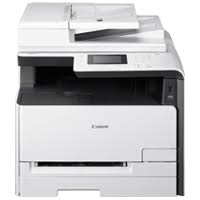
Here are some solutions to solves error code 015-0001 on printers Canon i-SENSYS MF623C, MF8350Cdn, mf9280cdn, etc
Solution 1: Description Developing roller release operation defect
After the specified time from rotating the main motor for the
developing roller depress/release, the output of the developing home
position sensor does not change.Causes: Developing home position sensor defect, Main motor defect, DC controller PCB defect
Remedy:
Check the connector of the developer home position sensor,
main motor, DC controller PCB
Replace the developer home position
sensor
Replace the main motor
Replace the DC controller PCB
Solution 2: Cassette 1 lift-up errorAfter lift-up of the Lifting Plate of the cassette of the host machine started, ON status of the Lifter Sensor of the cassette of the host machine was not detected within the specified period of time.
Remedy. While the cassette of the host machine is removed, turn ON the power and insert the cassette, then check the operation sound of the motor.
When there is operation sound of the motor, check if the Lifting Plate has been lifted up.
When the Lifting Plate has been lifted up:
1-1. Check that the Lifter Sensor of the cassette of the host machine is properly installed.
1-2. Check the harness/connector between the Engine Controller PCB and the Lifter Sensor.
1-3. Replace the Lifter Sensor.1-4. Replace the Engine Controller PCB.
When the Lifting Plate has not been lifted up:
2-1. Check the condition of the gear at the host machine side (missing teeth, swing).
2-2. Check the harness/connector between the Engine Controller PCB and the Lifter Solenoid of
the cassette of the host machine.
2-3. Replace the Lifter Solenoid.
2-4. Replace the Pickup Motor of the cassette of the host machine.
2-5. Replace the Driver PCB.
2-6. Replace the Engine Controller PCB.
When there is no operation sound of the motor, check the followings:
3-1. Check the harness/connector between the Engine Controller PCB and the Pickup Motor of
the cassette of the host machine.
3-2. Check the condition of the gear at the host machine side (missing teeth, swing).
3-3. Check the Pickup Motor.
3-4. Replace the Driver PCB.
3-5. Replace the Engine Controller PCB.
Popular posts from this blog
The error B204 could happen after a cartridge replacement. First of all, when installing, remove the cartridges from the plastic package, but do not drill any plastic membranes, as this will cause this error when placing the cartridge. The error may also appear if you change a completely empty cartridge: when installing a full cartridge, the printer enters a cleaning cycle, but the printhead has not yet received ink from the newly inserted cartridge. Here are some tips to cancel this error B204:: Solution 1: Remove the cartridges Power the printer for 2 minutes Switch on the printer Install the cartrdiges Solution 2: Switch on the printer Unplug the power cable Open the cover Move the print head carriage manually to the usual place where it goes for the cartridge change (If the printhead carriage is not movable, reconnect and then turn on the printer, then unplug it again when the head carriage is in the moving position). Change the cartridges. Close the fr
MAJ11/06/17 Error B200 means the printhead voltage or temperature is not normal. The Printhead could be defective…. but first, try these solutions below: Solution 1 : Disconnect the power cable from the printer. Wait 1 hour. Connect the power cable Solution 2 : Check and Clean Head contact pin condition of the carriage unit Check Cable connection especially the carriage FFC Solution 3 : Turn off the power Open the panel Turn on the power Wait for print carriage to start moving to the left. Let it go past half way Before print carriage reaches left hand side shut the cover. Leave the Printer turned on Solution 4 : Unplug the power cable. Open the printer Push the whole print head mechanic to the center While the printer still open, plug the power and turn it ON. When the printhead still moving and is going to the very LEFT, close the cover. Wait until its boot up. Solution 4a: Take out all of the ink cartridges Lift up the gr
MAJ 25/08/17 The Service Tool V3400 allow to reset the counter of some Canon printers. For the error code 006 , try this : Solution 1: Check your cartridges: an empty cartridge can lead to error 006 Solution 2 : After you avec clicked on «Main», wait a few minutes. If the error still here, restarts the Service Tool Solution 3 : Close the service tool Disconnect the USB cable from the printer After 10 seconds, plug back the cable to the printer On Windows, click next when appears «New device» Open the service tool
 Dislikes: 0
-
04-13-2017
#1

Junior Member

- Rep Power
- 0
E015-0001 for i-sensys MF623Cn
hello
i have Canon i-sensys MF623cn ,code error E015-0001
help me please
-
04-13-2017
#2
Re: E015-0001 for i-sensys MF623Cn
Developing Home Position Sensor did not detect.Probably timing issue.
Practice makes perfect
If it ain’t broke, don’t fix it
A picture is worth a thousand words
If you want something done right, you have to do it yourself
-
04-13-2017
#3
Re: E015-0001 for i-sensys MF623Cn
 Originally Posted by miswindev

hello
i have Canon i-sensys MF623cn ,code error E015-0001
help me please============================================
not sure if MF623cn is same as below model ????
————————————————————————on the MF634dw
E015-0001— Cassette 1 lift-up error
Detection Description After lift-up of the Lifting Plate of the cassette of the host machine started, ON status of the Lifter
Sensor of the cassette of the host machine was not detected within the specified period of time.
Remedy 1. While the cassette of the host machine is removed, turn ON the power and insert the cassette,
then check the operation sound of the motor.
When there is operation sound of the motor, check if the Lifting Plate has been lifted up.
When the Lifting Plate has been lifted up:
1-1. Check that the Lifter Sensor of the cassette of the host machine is properly installed.
1-2. Check the harness/connector between the Engine Controller PCB and the Lifter Sensor.
1-3. Replace the Lifter Sensor.1-4. Replace the Engine Controller PCB.
When the Lifting Plate has not been lifted up:
2-1. Check the condition of the gear at the host machine side (missing teeth, swing).
2-2. Check the harness/connector between the Engine Controller PCB and the Lifter Solenoid of
the cassette of the host machine.
2-3. Replace the Lifter Solenoid.
2-4. Replace the Pickup Motor of the cassette of the host machine.
2-5. Replace the Driver PCB.
2-6. Replace the Engine Controller PCB.
When there is no operation sound of the motor, check the followings:
3-1. Check the harness/connector between the Engine Controller PCB and the Pickup Motor of
the cassette of the host machine.
3-2. Check the condition of the gear at the host machine side (missing teeth, swing).
3-3. Check the Pickup Motor.
3-4. Replace the Driver PCB.
3-5. Replace the Engine Controller PCB.**Knowledge is time consuming, exhausting and costly for a trained Tech.**

-
04-15-2017
#4
Junior Member
- Rep Power
- 0
Re: E015-0001 for i-sensys MF623Cn
thank’s
when Remove the thermal fuse cable from the power supply «SECONDARY PRIMARY» (FM0-3910(200v)) and run machine display error E000-0000, then off machine and reconnect the cable , run machine It works well for an hour after it returns off the error E015-0001
Where is the problem exactly ?
-
04-16-2017
#5
Re: E015-0001 for i-sensys MF623Cn
Originally Posted by miswindev
thank’s
when Remove the thermal fuse cable from the power supply «SECONDARY PRIMARY» (FM0-3910(200v)) and run machine display error E000-0000, then off machine and reconnect the cable , run machine It works well for an hour after it returns off the error E015-0001
Where is the problem exactly ?
u can’t remove thermal connection cable and expect printer to not error out in a E000-000 code

are u a tech ?? if so u would know that

====================
did u check thisE015 — 0001 = Error in Developing Disengagement MotorDescription = Change in signal status of the Developing Home Position Sensor could not be detected althougha specified period of time has passed after rotating the Main Motor for engagement/disengagement operation of the Developing Cylinder.
Remedy =
1. Check the connectors connecting the Developing Home Position Sensor, Main Motorand the DC Controller PCB.
2. Replace the Developing Home Position Sensor.
3. Replace the Main Motor.
4. Replace the DC Controller PCBLast edited by teckat; 04-16-2017 at 04:22 PM.
**Knowledge is time consuming, exhausting and costly for a trained Tech.**
-
04-16-2017
#6
Re: E015-0001 for i-sensys MF623Cn
[QUOTE=teckat;559303]
u can’t remove thermal connection cable and expect printer to not error out in a E000-000 code
are u a tech ?? if so u would know that
====================
were is a link to Basic USER GUIDE e-Manual—-i-SENSYSMF729Cx MF728Cdw MF724Cdw MF628Cw MF623Cn
http://ug.oipsrv.net/USRMA-0340-zz-S…tmls/home.html
================================================== ====================================
i-SENSYS MF729Cx, MF728Cdw, MF726Cw, MF724Cdw, MF628Cw, MF624Cw , MF623Cn Series
did u check thisE015 — 0001 = Error in Developing Disengagement MotorDescription = Change in signal status of the Developing Home Position Sensor could not be detected althougha specified period of time has passed after rotating the Main Motor for engagement/disengagement operation of the Developing Cylinder.
Remedy =
1. Check the connectors connecting the Developing Home Position Sensor, Main Motorand the DC Controller PCB.
2. Replace the Developing Home Position Sensor.
3. Replace the Main Motor.
4. Replace the DC Controller PCB**Knowledge is time consuming, exhausting and costly for a trained Tech.**
-
04-16-2017
#7
Junior Member
- Rep Power
- 0
Re: E015-0001 for i-sensys MF623Cn
thank’s teckatdid you have service manual for MF623Cn or Series ?
-
04-28-2017
#8
Junior Member
- Rep Power
- 0
Re: E015-0001 for i-sensys MF623Cn
so the code E015-001 is disappear, but the display code error E000-0000 after moments
help me please
-
04-28-2017
#9
Re: E015-0001 for i-sensys MF623Cn
**Knowledge is time consuming, exhausting and costly for a trained Tech.**
-
03-31-2020
#10
Junior Member
- Rep Power
- 0
Re: E015-0001 for i-sensys MF623Cn
Hello
I have almost the same error code, E015 — 0000, with Canon MF 735cx. Do you have any idea where to search the problem?
Thank you in advance
Originally Posted by teckat
The DC controller determines failures of the fixing assembly under conditions below to stop the fixing heater drive signal output
(FSRD+, FSRD-) and shut off relay and power supply to the heater. At the same time, it notifies the failure occurrence to the main
controller.
1. Start-up failure detection
� The thermistor temperature does not exceed startup temperature 1 within the pre-defined time after start-up of the heater
from the waiting status.
� The thermistor temperature does not exceed startup temperature 2 within the pre-defined time after reaching startup
temperature 1 upon start-up of the heater from the waiting status.
� The thermistor temperature does not reach the target temperature within the pre-defined time after heater temperature
control during initial rotation.
[Related error code] : E000-0000
E000 0000= Error in temperature rising of Fixing Assembly
Temperature of the Fixing Assembly did not reach a certain temperature within the specified
period of time.
1. Check the connector connection between the Fixing Assembly and the DC Controller
PCB.
2. Replace the Fixing Assembly.
3. Replace the DC Controller PCB.
Bookmarks
Bookmarks

Posting Permissions
- You may not post new threads
- You may not post replies
- You may not post attachments
- You may not edit your posts
- BB code is On
- Smilies are On
- [IMG] code is On
- [VIDEO] code is On
- HTML code is Off
Forum Rules
Модератор: vetal


 Собственно ситуация такова, ничто не предвещало беды!
Приехали на замену картриджа. А он вышел в такую ошибку и при этом и мы в шоке и хозяин принтера, т.к. это всего то вторая заправка черного картриджа. (принтеру 1,5 месяца от покупки)
Дело было к вечеру, я его и с картриджами и без них включал — одинаково, никак… Слышно что он как то «пробуксовывает что ли… »
Ну думаю подумаю до завтра (тоесть уже сегодня)… Отчасти понял что проблема время от времени встречается в этих принтерах…
Кто имеет мысли на сей счет просьба высказаться!
Добавлено спустя 11 минут 37 секунд:
Документации не нашел. Но по ошибке вот
Оба аппарата работают на 731 картридже
-

vovanfun
- Испачкался тонером
-

- Персональный альбом

 dviz » Вс дек 13, 2015 2:04 pm
antina писал(а):У меня когда принтер возмущался , что то, то возила его в ремонт в Киев [url]…[/url], сделали мне его там, и работает как шелковый, теперь если вдруг чуть не так печатает. Я ему говорю, — что в ремонт захотелось,? …И он тут же начинает хорошо работать.
Неплохая попытка ))
-

dviz
- Блуждающий заряд
-
- Персональный альбом
-
-
Canon G1010 series, G2010 series, G3010 series, G4010 series
Verter в форуме Файлообменник
- 0
- 3285
Verter

Ср авг 19, 2020 12:00 pm
-
Canon G1010 series, G2010 series, G3010 series, G4010 series
-
-
Canon IR 2018 выдает ошибку «out of toner change toner»
Sveterkom в форуме Принтеры, МФУ, копиры формата A3
- 11
- 9608
Goldwater
Чт окт 08, 2020 11:29 pm
-
Canon IR 2018 выдает ошибку «out of toner change toner»
-
-
Canon G1000 series, G2000 series, G3000 series Service Manua
Verter в форуме Файлообменник
- 10
- 5493
Azelus
Пт июн 12, 2020 4:46 am
-
Canon G1000 series, G2000 series, G3000 series Service Manua
-
-
Canon IR 3225 «засыпает»
johnnybravo в форуме Принтеры, МФУ, копиры формата A3
- 4
- 6973
johnnybravo
Пн июл 23, 2012 1:32 pm
-
Canon IR 3225 «засыпает»
-
-
Canon IR 1018 «Download Standby»
goldsmith в форуме Принтеры, МФУ, копиры формата A3
- 13
- 16653
Hammerzem
Пт дек 30, 2016 1:25 pm
-
Canon IR 1018 «Download Standby»
Вернуться в Принтеры, МФУ, факсы, копиры формата A4
Кто сейчас на форуме
Сейчас этот форум просматривают: нет зарегистрированных пользователей и гости: 88