Ошибка опустошения печатающей головки B504 чаще всего возникает на принтерах и МФУ Canon Maxify, когда картриджи PGI-1400/PGI-2400 (или аналоги) были полностью опустошены – до такой степени, что чернил не осталось в печатающей головке. Обычно такое бывает с перезаправляемыми картриджами и СНПЧ, когда пользователь пропустил заправку и воздух стал поступать прямо в головку. Также краска может вытечь, если:
1) заправлять ПЗК в принтере,
2) установить ПЗК с открытым заправочным отверстием,
3) открыть оба отверстия на емкостях СНПЧ,
4) опустить емкости СНПЧ слишком низки,
5) вставить ПЗК не до конца,
6) использовать вперемешку оригинальные картриджи и ПЗК/СНПЧ.
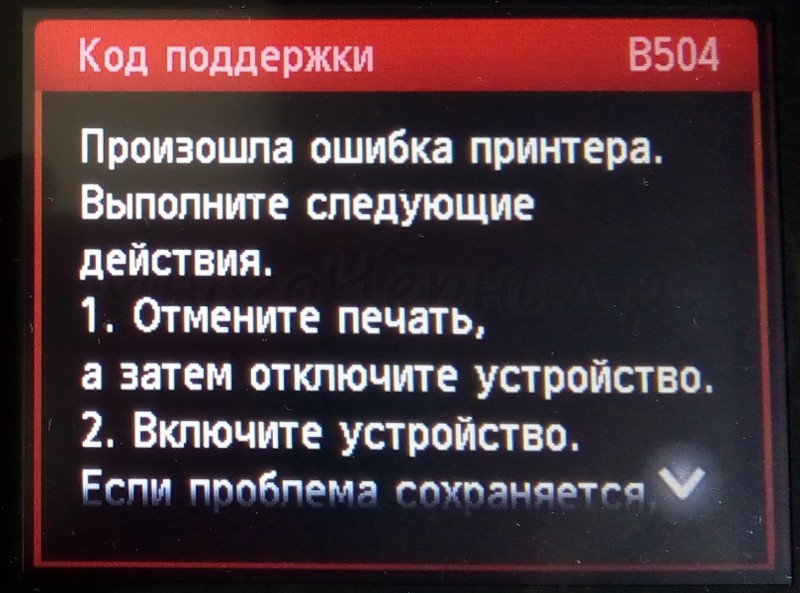
Есть два способа снятия ошибки:
1) Запустить глубокую прочистку для заполнения головки, однако принтер может повторно выдавать ошибку, не давая завершить процедуру. Кроме того, на картриджах, с которыми проблема возникла, прочистку запустить обычно уже невозможно, так как устройство выводит из строя чипы картриджей. Поэтому для запуска прочистки нужно использовать имеющиеся исправные картриджи (например, отложенные оригинальные), либо менять чипы на ПЗК/СНПЧ, либо покупать новые картриджи.
2) Ошибка может не исчезнуть после прокачки через меню, в таком случае рекомендуется вручную заполнить ПГ чернилами. Для этого нужно снять голову и с помощью насадки или трубки от капельницы закачать в каждый канал чернила, как при промывке головки на Maxify.
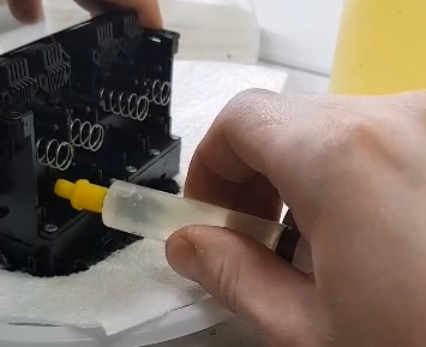
После того, как головка будет заполнена, ошибка исчезнет. При этом на картриджах, с которыми возникла ошибка, скорее всего придется заменить чипы, так как принтер из соображений безопасности выводит из строя чипы “плохих” картриджей.
11.07.2019
Ремонт принтеров и МФУ Canon
2
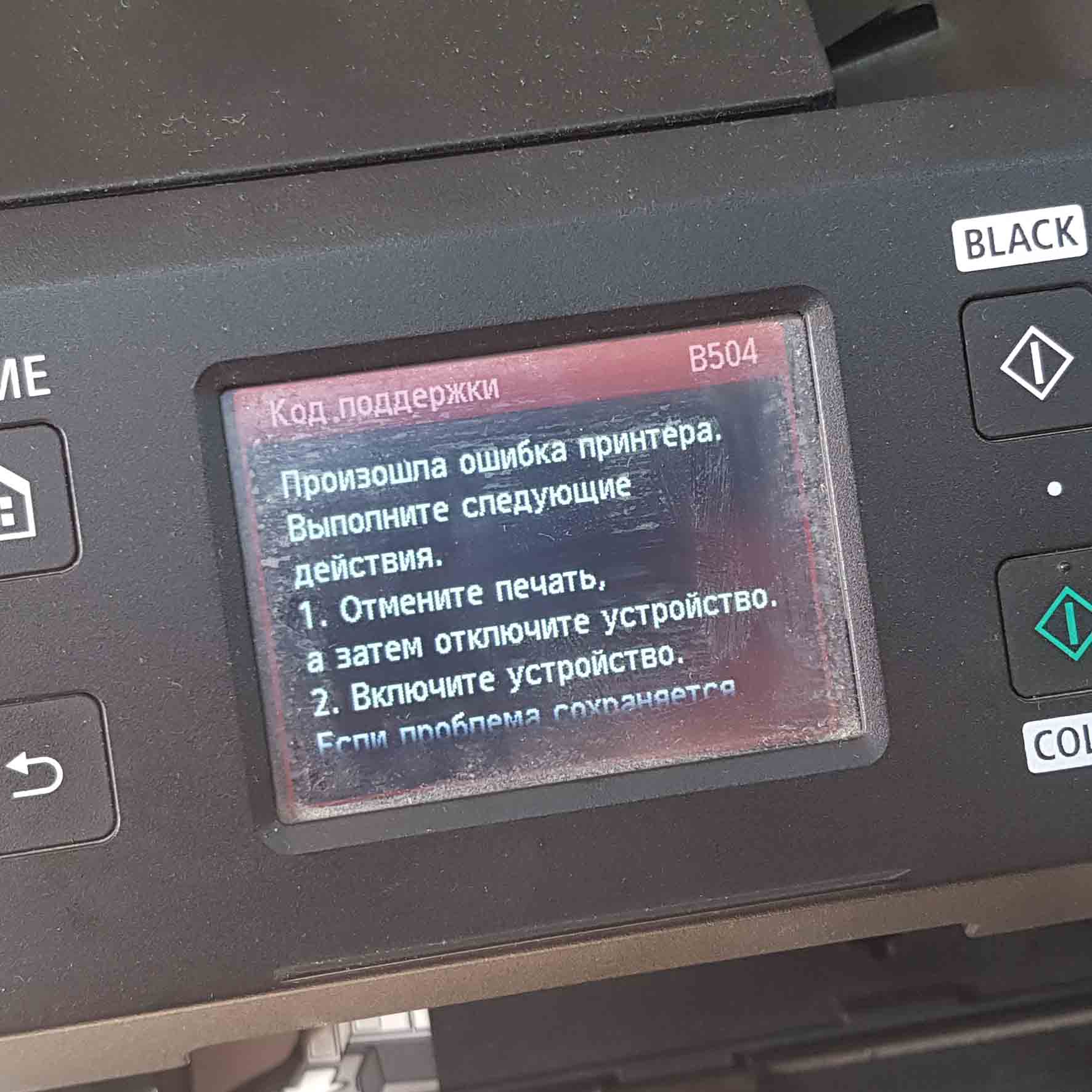
В случае возникновения у Canon MAXIFY MB2340 ошибки Код поддержки B504 необходимо извлечь картриджи из принтера и заправить их совместимыми чернилами, рекомендуем использовать пигментные чернила Canon InkTec C5000-100:
-

4 в наличии
Код: 20049
Чернила Canon InkTec (C5000-100MB) Black Pigment (чёрные), пигментные, 100 мл.
237.00 руб.
Купить -

5 в наличии
Код: 20046
Чернила Canon InkTec (C5000-100MC) Cyan Pigment (голубые, синие), пигментные, 100 мл.
248.00 руб.
Купить -

5 в наличии
Код: 20048
Чернила Canon InkTec (C5000-100MM) Magenta Pigment (розовый), пигментные, 100 мл.
248.00 руб.
Купить -

5 в наличии
Код: 20047
Чернила Canon InkTec (C5000-100MY) Yellow Pigment (жёлтые), пигментные, 100 мл.
248.00 руб.
Купить
или установить новые оригинальные картриджи соответствующие вашей модели принтера, в нашем случае это Canon PGI-1400.
В случаях, когда картриджи принтера были полностью использованы, зачастую, это касается перезаправляемых картриджей, до такой степени, что чернил не осталось в печатающей головке, возможно потребуется оперативное вмешательство с промывкой ПГ. Т.к. принтер определяет отсутствие чернил в печатающей головке и снова же выдает ошибку B504 не давая выполнить прочистку головки, что бы докачать чернила в печатающую головку. Поэтому, крайне не рекомендую допускать полного окончания чернил в картриджах, это избавит принтер от ошибок и позволит прослужить печатающей головке вашего принтера более длительный срок.
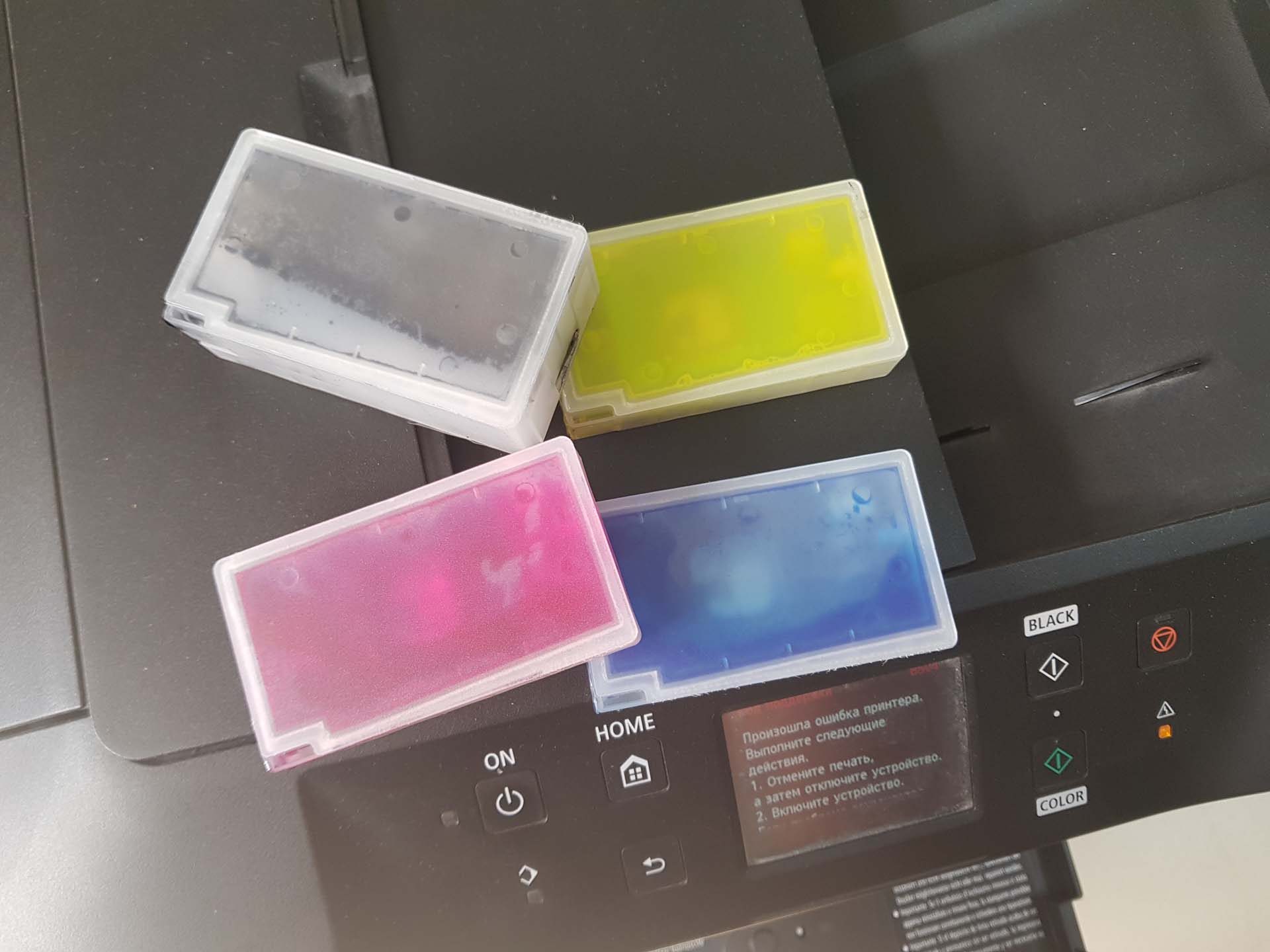
Как извлечь картриджи у Canon MAXIFY MB2340 и других подобных моделей, показано в этой записи.
Осуществить ремонт или прошивку вашего принтера в г. Симферополь вы можете в сервисном центре по ул. Старозенитная, д.9 (вход со стороны забора). Обращайтесь пожалуйста в рабочее время с 9.00-18.00 по номеру +7 (978) 797-66-90
После заправки и установки картриджей в принтер:
необходимо выполнить глубокую очистку печатающей головки:
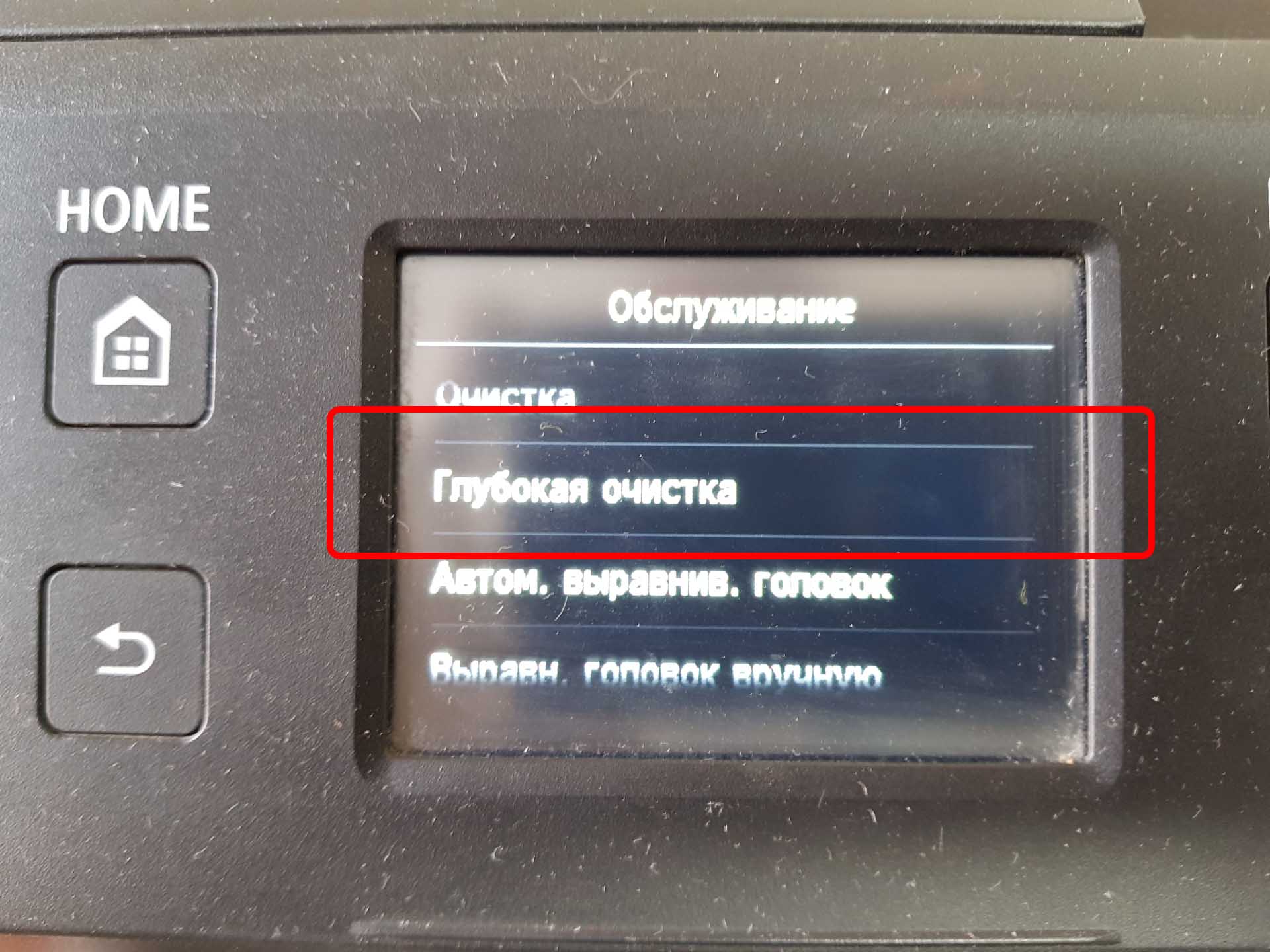
После, распечатать тест дюз (Образец провер. сопел) и убедиться, что все цвета качественно печатают:
Если качество печати не удовлетворительное, попробовать сделать прочистку еще раз, не более, если качество печати не улучшится, возможно, необходима замена печатающей головки.
Рекомендуемые товары:
-
В наличии
Код: 00012
Adjustment program Epson TX320F, BX305F, TX325F, WorkForce 325, WorkForce 323, ME OFFICE 620F
811.20 руб.
Купить -
В наличии
Код: 00025
Дамп микросхемы MX29LV160DT для Canon i-SENSYS MF6140dn
459.00 руб.
Купить -

10 в наличии
Код: 41012
Перезаправляемые картриджи (ПЗК, ДЗК) для Epson XP-510, XP-520, XP-600, XP-605, XP-610, XP-615, XP-620, XP-625, XP-700, XP-710, XP-720, XP-800, XP-820
1,120.00 руб.
Купить -
В наличии
Код: 00034
Дамп микросхемы MX29LV160DT MX29LV160AT для Canon i-SENSYS MF5940dn
402.00 руб.
Купить
Комментарии для сайта Cackle
Written by on Jun 20, 2016
The Canon B504 error code is a built in protection to stop the delicate resistors in the print-head from overheating and self destructing. The problem occurs when there is no ink flowing to the print-head to keep it cool, which can occur when a cartridge is run completely dry or no ink is flowing. What happens when you go to insert a new cartridge, is that the printer automatically looks to do a default printhead clean, but if it finds no ink present at the print-head, this is when it will report the dreaded B504 error.
This can happen with genuine OEM cartridges or Generic cartridges — it is an issue with the printer and NOT the cartridges, but there is a fix for this error message, read on.
The below instructions can fix the B504 error and also most «recognition» issues, error codes, or poor printing problems with the Maxify model printers.
——
Instructions for use of the Canon PGI-1600XL / PGI-2600XL compatible cartridges
Important
:
- When installing remove cartridges from the plastic wrapping but do not pierce any of the plastic membranes as this will occur automatically during the cartridge instillation.
- If one or more cartridges are removed from the printer for any reason when they are fully exhausted or when no ink is flowing, you may experience an error code such as B504. This is due to the printer design, not due to the cartridge design. It happens because when you install a new cartridge, the printer automatically goes into a cleaning cycle, but if there is no ink in the print-head, it will generate a B504 error and prevent the printer from operating.
- Note: Understand that the reason behind the B504 error warning is to prevent the print-head from being damaged when the printer senses that no ink is present at the print-head. Canon printers utilise a «Thermal Print-head» which is the most delicate part of the printer and usually the first component to fail. If ink is not flowing through the print-head while in use the minute resistors in the print-head can get so hot that they simply burn out. Canon for some reason are quick to blame the use of generic cartridges for this problem however this has nothing at all to do with the use of generic inks.
The solution to the B504 error code
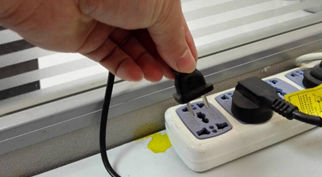
i. With the printer turned on, unplug the power cord and open the front cover.
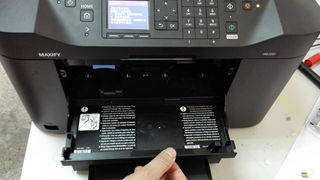
ii. Move the print-head cart manually to the location of cartridge replacement (if the print-head cart is not movable, plug the printer back on / switch it on and then unplug it again when the print-head cart is in a movable position)
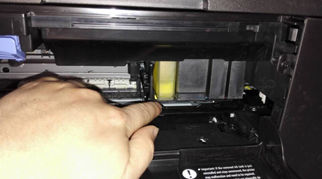
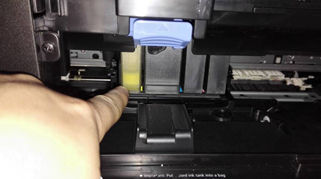
iii. Place your index finger above the cartridge you wish to change, and press on the fastener that is located under the black plectrum, you will hear a clicking sound, and the cartridge will eject. Change other cartridges in this way as needed.
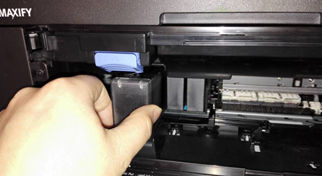
After replacing with new cartridge (s), close the front printer cover, plug in the power cord and restart the printer for normal use.
Fix the Canon B504 Error by doing a hard reset on your printer
If you dont have any results from the above procedure follow the instructions on the following video and do a full reset on your printers memory:
How to Remove Cartridges from Canon Maxify MB2020, MB2320, MB5020, MB5320, iB4020
When your Canon Maxify printer displays the B504 error message the ink cartridges cannot be removed. There is a method however to remove the cartridges even while the B504 error is displayed.It is not recommended to do this however unless you have run out of options. By following the instructions in the following video you can remove and replace cartridges without damaging the printer. Remember that if you follow this procedure correctly you shouldn’t need to apply excessive force to any part of the printer.
search terms: Canon Maxify, MB2020, MB2320, MB5020, MB5320, iB4020, remove ink cartridges, B504 error message, Maxify printer remove cartridges, cartridges stuck, jammed
Are you a Canon printer user and facing the issue of Canon Printer Error b504 while working with it? You have landed on the correct page! Before knowing the ways by which you can fix the error, you need to understand the root cause behind it and then work accordingly.
Cause of Canon Printer Error b504
It usually happens with the printers that the print head if the printers get overheat and may undergo self-destruction. This issue occurs when there is no flow of ink to the print head to keep it cool. So, it probably occurs when the cartridge is completely dry or no ink is flowing through the cartridge. So when you decide to insert in it a new cartridge, it happens that the printer does not find any ink present in the printhead, and that is the time when it reports the error b504.
So, this is the root cause behind the Canon Printer Error b504. Now, here are some ways mentioned by which you can fix this error in your printer.
Steps to Fix Canon Printer Error b504?
So, the Canon Printer Error b504 is a kind of error that demands instant fix. If nit fixed instantly, you may start facing serious issues with your printhead. So, here are the steps that you need to follow to fix your Canon Error b504.
- The first step is to turn your printer off, thus u plugging all the power cords and cables.
- The next step is to open the front cover so as the print cart moves manually.
- If your print card is not moveable, so plugin all the power cables and switch in the power of your printer. Once done, unplug it again and shift it to a movable position.
- Now, the next step is to identify the cartridge that you are wanting to change or replace. For this, keep your index finger on that cartridge and press on the fastener.
- As soon as you hear the sound of the click, the cartridge will eject out.
- Once you are done with this process of cartridge replacement, then close the front cover of the printer and restart your printer by plugging in back all the power cords.
This solution will help you to fix the Canon Printer Error b504. Even if this method is unable to solve this issue, then you need to get proper guidance by calling at customer care service of Canon.
Get Instant Help by Canon Printer Support Experts
In case, after following the above steps, if you are unable to remove this error from your printer and it is again popping up on your screen, then Don’t worry you can contact Canon Printer Support Experts Dial 1-878-999-8893. The experts at the Canon Printer Support will provide you the best solution. our Experts are available 24X7, so feel free to contact us at your convenience!
Check the solution for the error: canon tr4500 setup