Hello Friends, In this article I have listed 35+ Best HTML CSS 404 Page Templates which are available on CodePen.
Best Collection of 404 error page design
#1: 404 Page – Lost In Space

404 Page – Lost In Space, which was developed by Saleh Riaz Qureshi. Moreover, you can customize it according to your wish and need.
Author: Saleh Riaz Qureshi
Created on: April 23, 2018
Made with: HTML, CSS & JS
Tags: 404 Page Lost In Space
#2: 404 SVG animated page concept

404 SVG animated page concept, which was developed by Volodymyr Hashenko. Moreover, you can customize it according to your wish and need.
Author: Volodymyr Hashenko
Created on: October 7, 2016
Made with: HTML & CSS
Tags: 404 SVG animated page concept
#3: Oops! 404 error page template

Oops 404 error page design, which was developed by Israa Adnan. Moreover, you can customize it according to your wish and need.
Author: Israa Adnan
Created on: June 30, 2021
Made with: HTML & CSS
Tags: Oops 404 error page template
#4: Simple 404 page error template

Simple 404 page error template, which was developed by Naved khan. Moreover, you can customize it according to your wish and need.
Author: Naved khan
Created on: June 18, 2018
Made with: HTML & CSS
Tags: Simple 404 page error template
#5: Yeti 404 Page

Yeti 404 Page, which was developed by Darin. Moreover, you can customize it according to your wish and need.
Author: Darin
Created on: August 17, 2018
Made with: HTML, CSS(SCSS) & JS
Tags: Yeti 404 Page
#6: 404 Page UI

404 Page UI, which was developed by Rafaela Lucas. Moreover, you can customize it according to your wish and need.
Author: Rafaela Lucas
Created on: November 27, 2019
Made with: HTML, CSS(SCSS) & JS
Tags: daily ui 404 Page
#7: Fargo 404 page template

Fargo 404 page design, which was developed by Nate Watson. Moreover, you can customize it according to your wish and need.
Author: Nate Watson
Created on: November 18, 2015
Made with: HTML(Pug), CSS(SCSS) & JS
Tags: Fargo 404 page design
#8: GSAP 404 typed message using SplitText
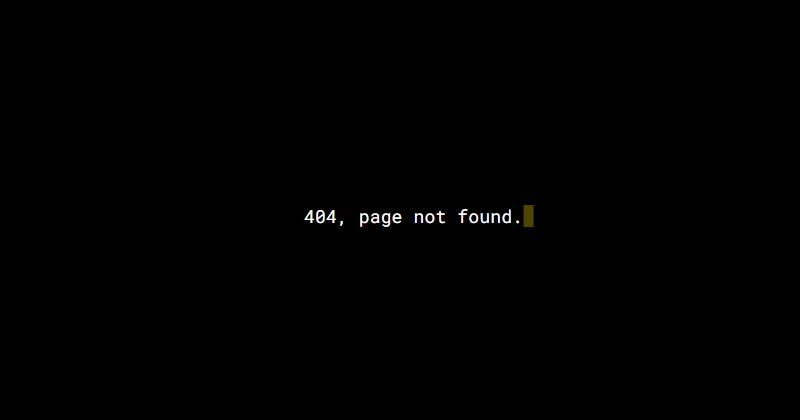
GSAP 404 typed message using SplitText, which was developed by Selcuk Cura. Moreover, you can customize it according to your wish and need.
Author: Selcuk Cura
Created on: October 22, 2017
Made with: HTML, CSS(SCSS) & JS
Tags: GSAP 404 typed message using SplitText
#9: Mars 404 Error Page

Mars 404 Error Page, which was developed by Asyraf Hussin. Moreover, you can customize it according to your wish and need.
Author: Asyraf Hussin
Created on: September 2, 2018
Made with: HTML & CSS
Tags: Mars 404 Error Page
#10: 404 Error Page Template Example

404 Error Page Design, which was developed by Ricardo Prieto. Moreover, you can customize it according to your wish and need.
Author: Ricardo Prieto
Created on: November 4, 2017
Made with: HTML & CSS
Tags: 404 Error Page Design

#11: CSS 404 page template

CSS 404 page template, which was developed by agathaco. Moreover, you can customize it according to your wish and need.
Author: agathaco
Created on: July 28, 2018
Made with: HTML(Pug) & CSS(SCSS)
Tags: CSS 404 page
#12: Error 404 Page not found
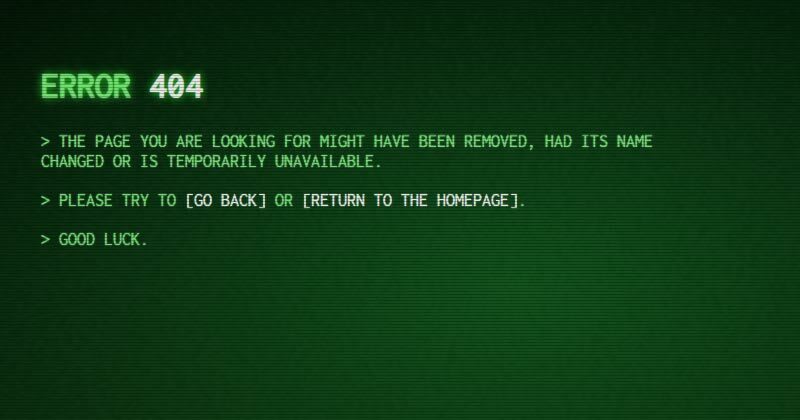
Error 404 Page not found, which was developed by Robin Selmer. Moreover, you can customize it according to your wish and need.
Author: Robin Selmer
Created on: August 22, 2017
Made with: HTML & CSS(SCSS)
Tags: Error 404 Page not found
#13: Neon – 404 html template

Neon – 404 html template, which was developed by Tibix. Moreover, you can customize it according to your wish and need.
Author: Tibix
Created on: August 27, 2019
Made with: HTML & CSS(SCSS)
Tags: Neon 404 html template
#14: Sassy page not found template

Sassy page not found template, which was developed by Justin Juno. Moreover, you can customize it according to your wish and need.
Author: Justin Juno
Created on: May 7, 2020
Made with: HTML & CSS(SCSS)
Tags: page not found template
#15: Animated 404 page design html

Animated 404 page design html, which was developed by Jaymie Rosen. Moreover, you can customize it according to your wish and need.
Author: Jaymie Rosen
Created on: October 15, 2017
Made with: HTML, CSS & JS
Tags: Animated 404 page design html
#16: Pure CSS Error Page 404 vampire
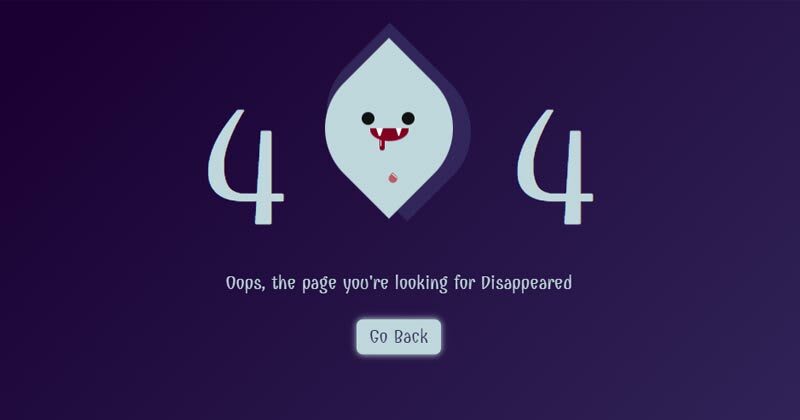
Pure CSS Error Page 404 vampire, which was developed by Omar Dsooky. Moreover, you can customize it according to your wish and need.
Author: Omar Dsooky
Created on: August 10, 2017
Made with: HTML & CSS
Tags: Pure CSS Error Page 404 vampire
#17: Simple 404 Error page

Simple 404 Error page, which was developed by vineeth.tr. Moreover, you can customize it according to your wish and need.
Author: vineeth.tr
Created on: April 12, 2016
Made with: HTML & CSS(SCSS)
Tags: Simple 404 Error page
#18: HTML CSS 404 Crying Baby Page Template

HTML CSS 404 Crying Baby Page Template, which was developed by vineeth.tr. Moreover, you can customize it according to your wish and need.
Author: vineeth.tr
Created on: October 12, 2016
Made with: HTML(Pug) & CSS(SCSS)
Tags: HTML CSS 404 Crying Baby Page Template
#19: CSS Train 404 Page

CSS Train 404 Page, which was developed by Carla. Moreover, you can customize it according to your wish and need.
Author: Carla
Created on: November 3, 2018
Made with: HTML & CSS
Tags: CSS Train 404 Page
#20: Pure CSS Animated 404 error page template

Pure CSS Animated 404 error page template, which was developed by Sergio. Moreover, you can customize it according to your wish and need.
Author: Sergio
Created on: March 27, 2018
Made with: HTML & CSS(SCSS)
Tags: Pure CSS Animated 404 error page template
#21: SVG 404 page not found template

SVG 404 page not found template, which was developed by Sylvain Lepinard. Moreover, you can customize it according to your wish and need.
Author: Sylvain Lepinard
Created on: August 9, 2019
Made with: HTML & CSS(SCSS)
Tags: SVG 404 page not found template
#22: Fully responsive 404 page

Fully responsive 404 page, which was developed by Kasper De Bruyne. Moreover, you can customize it according to your wish and need.
Author: Kasper De Bruyne
Created on: February 18, 2020
Made with: HTML, CSS(SCSS) & JS
Tags: Fully responsive 404 page
#23: Responsive custom 404 page

Responsive custom 404 page, which was developed by Ash. Moreover, you can customize it according to your wish and need.
Author: Ash
Created on: September 28, 2017
Made with: HTML & CSS
Tags: Responsive custom 404 page
#24: Wild West 404 Error page Concept
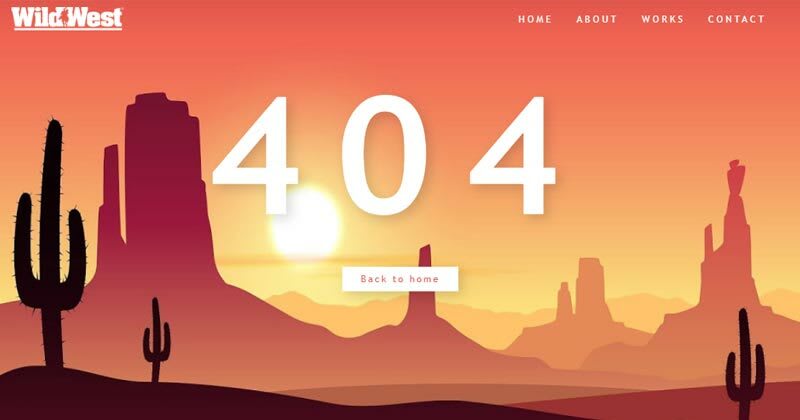
Wild West 404 Error page Concept, which was developed by Zissis Vassos. Moreover, you can customize it according to your wish and need.
Author: Zissis Vassos
Created on: August 26, 2019
Made with: HTML & CSS
Tags: Wild West 404 Error page Concept
#25: html template 404

html template 404, which was developed by Jhey. Moreover, you can customize it according to your wish and need.
Author: Jhey
Created on: March 23, 2020
Made with: HTML(Pug), CSS & JS
Tags: html template 404
#26: Windows 10 style 404 error design

Windows 10 style 404 error design, which was developed by Marco Peretto. Moreover, you can customize it according to your wish and need.
Author: Marco Peretto
Created on: February 8, 2019
Made with: HTML & CSS
Tags: 404 error design
#27: 404 Error Page: Animated SVG GSAP
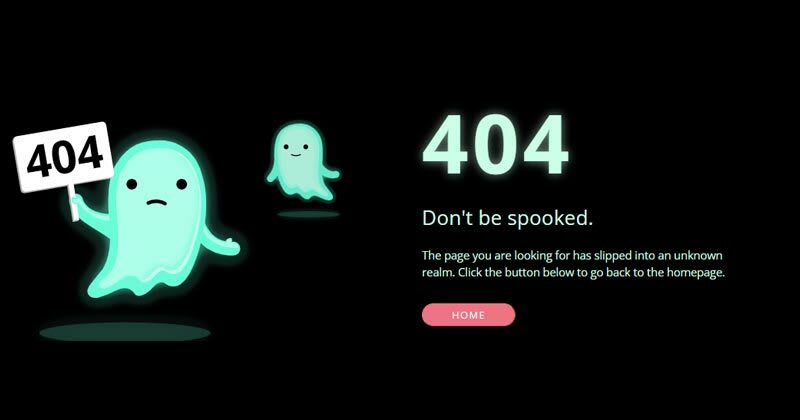
404 Error: Animated SVG GSAP, which was developed by christine i. Moreover, you can customize it according to your wish and need.
Author: christine i
Created on: February 22, 2020
Made with: HTML, CSS & js
Tags: 404 Error
#28: Custom 404 error page design

Custom 404 error page design, which was developed by Muhammad Rauf. Moreover, you can customize it according to your wish and need.
Author: Muhammad Rauf
Created on: December 3, 2021
Made with: HTML & CSS
Tags: Custom 404 error page design
#29: Oops! page not found template

Oops! page not found template, which was developed by Swarup Kumar Kuila. Moreover, you can customize it according to your wish and need.
Author: Swarup Kumar Kuila
Created on: August 14, 2020
Made with: HTML & CSS
Tags: page not found template
#30: Awesome 404 page not found

Awesome 404 page not found, which was developed by gavra. Moreover, you can customize it according to your wish and need.
Author: gavra
Created on: April 19, 2014
Made with: HTML, CSS & JS
Tags: Awesome 404 page not found
#31: Error 404: Monument Valley inspiration

Error 404: Monument Valley inspiration, which was developed by Sussie Casasola. Moreover, you can customize it according to your wish and need.
Author: Sussie Casasola
Created on: April 29, 2018
Made with: HTML(Pug) & CSS(Sass)
Tags: Error 404
#32: 404 page

404 page, which was developed by Julia. Moreover, you can customize it according to your wish and need.
Author: Julia
Created on: September 7, 2018
Made with: HTML & CSS(Sass)
Tags: 404 page
#33: 404 SVG Error Based Page
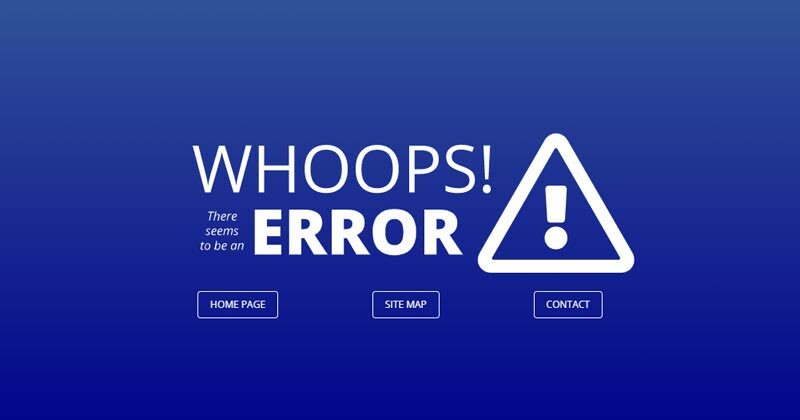
404 SVG Error Based Page, which was developed by Dave Pratt. Moreover, you can customize it according to your wish and need.
Author: Dave Pratt
Created on: September 6, 2017
Made with: HTML & CSS(SCSS)
Tags: 404 SVG Error Based Page
#34: bootstrap 404 error page template
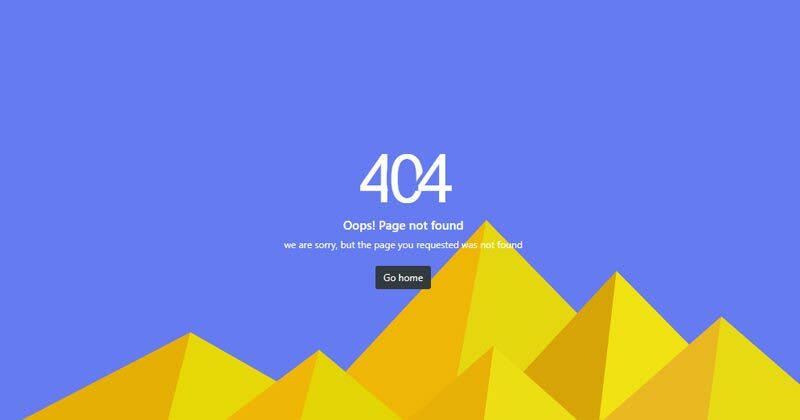
bootstrap 404 error page template, which was developed by Aji. Moreover, you can customize it according to your wish and need.
Author: Aji
Created on: June 26, 2021
Made with: HTML & CSS
Tags: bootstrap 404 error page template
#35: Cool 404 error page

Cool 404 error page, which was developed by Anton Lukin. Moreover, you can customize it according to your wish and need.
Author: Anton Lukin
Created on: November 1, 2018
Made with: HTML & CSS
Tags: Cool 404 error page
#36: 404 error template

404 error template, which was developed by Natalia. Moreover, you can customize it according to your wish and need.
Author: Natalia
Created on: January 4, 2021
Made with: HTML & CSS
Tags: 404 error template
Our Awesome Tools
#01: Lenny Face
#02: Fancy Text Generator
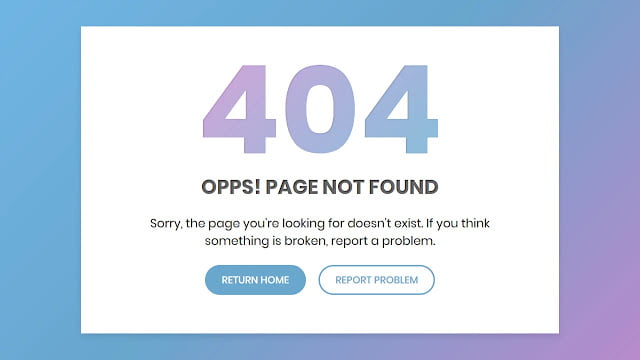
Hello readers, Today in this blog you’ll learn how to create a Custom 404 Error Page using only HTML & CSS. Earlier I have shared many blogs related to Web Design like (Responsive Footer Design, Responsive Drop-down Menu, and Responsive Sidebar Menu). But now I’m going to create a 404 Error page which is also a part or section of the Website.
The HTTP 404, 404 Not Found, or 404 Page Not Found error message is a Hypertext Transfer Protocol (HTTP) standard response code, in computer network communications, to indicate that the browser was able to interact with a given server but the server could not locate what was requested. This error displays when the user-requested page or URL doesn’t exist on a particular site.
In this program (Custom 404 Error Page Design), at first, on the webpage, there is a linear-gradient background with a white container box. Inside the box, there is title text, description, and two buttons. That 404 text has a mask animation that means there is gradient-color animation that flows top to bottom. This error page is created only for design purposes and it won’t redirect you to any other page when you click on the buttons.
If you’re feeling difficult to understand what I am saying. You can watch a full video tutorial on this program (Custom 404 Error Page Design).
Video Tutorial of Custom 404 Error Page Design
As you have seen the actual text mask moving animation in the video and I believe you understood the basic codes behind creating this error page. This is a pure CSS program so there are no vast codes used to create this program. Nowadays every website has its custom 404 error page which helps to inform the user about their requested pages are not exist on the website.
You can also create this type of error page and use it on your projects and HTML pages. If you know JavaScript then you can add advanced features to this program and take this program to the next level. If you like this program (Custom 404 Error Page Design) and want to get source codes. You can easily get the source codes of this program. To get the source codes you just need to scroll down.
You might like this:
- Awesome Pagination Design
- Responsive Footer Section Design
- Responsive Sidebar Menu Design
- Responsive Drop-down Menu Bar
Custom 404 Error Page Design [Source Codes]
To create this program (Custom 404 Error Page Design). First, you need to create two Files one HTML File and another one is CSS File. After creating these files just paste the following codes in your file.
First, create an HTML file with the name of index.html and paste the given codes in your HTML file. Remember, you’ve to create a file with .html extension.
<!DOCTYPE html>
<!-- Created By CodingNepal -->
<html lang="en" dir="ltr">
   <head>
      <meta charset="utf-8">
      <title>404 Error Page | CodingNepal</title>
      <link rel="stylesheet" href="style.css">
   </head>
   <body>
      <div id="error-page">
         <div class="content">
            <h2 class="header" data-text="404">
               404
            </h2>
            <h4 data-text="Opps! Page not found">
               Opps! Page not found
            </h4>
            <p>
               Sorry, the page you're looking for doesn't exist. If you think something is broken, report a problem.
            </p>
            <div class="btns">
               <a href="https://www.codingnepalweb.com/">return home</a>
               <a href="https://www.codingnepalweb.com/">report problem</a>
            </div>
         </div>
      </div>
   </body>
</html>
Second, create a CSS file with the name of style.css and paste the given codes in your CSS file. Remember, you’ve to create a file with .css extension.
@import url('https://fonts.googleapis.com/css?family=Poppins:400,500,600,700&display=swap');
*{
  margin: 0;
  padding: 0;
  outline: none;
  box-sizing: border-box;
  font-family: 'Poppins', sans-serif;
}
body{
  height: 100vh;
  background: -webkit-repeating-linear-gradient(-45deg, #71b7e6, #69a6ce, #b98acc, #ee8176, #b98acc, #69a6ce, #9b59b6);
  background-size: 400%;
}
#error-page{
  position: absolute;
  top: 10%;
  left: 15%;
  right: 15%;
  bottom: 10%;
  display: flex;
  align-items: center;
  justify-content: center;
  background: #fff;
  box-shadow: 0px 5px 10px rgba(0,0,0,0.1);
}
#error-page .content{
  max-width: 600px;
  text-align: center;
}
.content h2.header{
  font-size: 18vw;
  line-height: 1em;
  position: relative;
}
.content h2.header:after{
  position: absolute;
  content: attr(data-text);
  top: 0;
  left: 0;
  right: 0;
  background: -webkit-repeating-linear-gradient(-45deg, #71b7e6, #69a6ce, #b98acc, #ee8176, #b98acc, #69a6ce, #9b59b6);
  background-size: 400%;
  -webkit-background-clip: text;
  -webkit-text-fill-color: transparent;
  text-shadow: 1px 1px 2px rgba(255,255,255,0.25);
  animation: animate 10s ease-in-out infinite;
}
@keyframes animate {
  0%{
    background-position: 0 0;
  }
  25%{
    background-position: 100% 0;
  }
  50%{
    background-position: 100% 100%;
  }
  75%{
    background-position: 0% 100%;
  }
  100%{
    background-position: 0% 0%;
  }
}
.content h4{
  font-size: 1.5em;
  margin-bottom: 20px;
  text-transform: uppercase;
  color: #000;
  font-size: 2em;
  max-width: 600px;
  position: relative;
}
.content h4:after{
  position: absolute;
  content: attr(data-text);
  top: 0;
  left: 0;
  right: 0;
  text-shadow: 1px 1px 2px rgba(255,255,255,0.4);
  -webkit-background-clip: text;
  -webkit-text-fill-color: transparent;
}
.content p{
  font-size: 1.2em;
  color: #0d0d0d;
}
.content .btns{
  margin: 25px 0;
  display: inline-flex;
}
.content .btns a{
  display: inline-block;
  margin: 0 10px;
  text-decoration: none;
  border: 2px solid #69a6ce;
  color: #69a6ce;
  font-weight: 500;
  padding: 10px 25px;
  border-radius: 25px;
  text-transform: uppercase;
  transition: all 0.3s ease;
}
.content .btns a:hover{
  background: #69a6ce;
  color: #fff;
}
That’s all, now you’ve successfully created a Custom 404 Error Page Design using HTML & CSS. If your code doesn’t work or you’ve faced any error/problem then please comment down or contact us from the contact page.
обновлено: 13.02.2020 1566399901
Александр Коваленко, CEO/founder агентства Advermedia.ua, опыт в SEO более 10 лет.
Канал автора в телеграм: @seomnenie
Информация о статье

Заголовок
Ошибка 404 — что означает, как создать и настроить
Описание
Все о 404 ошибке: 1. Что означает 404 2. Как создать страницу 404 3. Как найти ошибки 404 на сайте 4. Как исправить
Автор
Организация
advermedia.ua
Логотип

 Loading…

CEO/founder агентства Advermedia.ua, опыт в SEO более 10 лет.
Канал автора в телеграм: @seomnenie
Новые материалы
Подписаться на телеграм канал СEO Advermedia Мнение SEO
Публикуем интересные материалы из блога и разбираем вопросы по SEO от подписчиков!

https://t.me/seomnenie
Подписаться
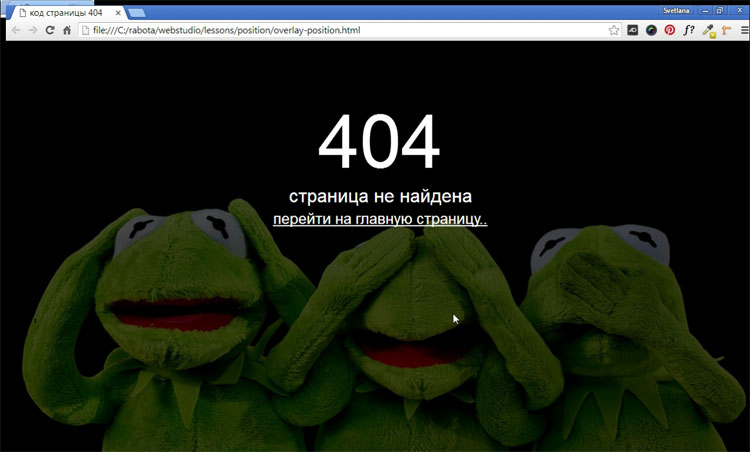
Постараюсь не сильно вдаваться в подробности, что такое 404-ая страница, достаточно открыть гугл и по запросу «Как сделать 404 страницу» — Вы обнаружите огромное количество сайтов с подробным описанием, что это такое. Я просто хочу поделиться с читателем своим способом создания 404-ой страницы. И вот, что у нас должно получиться в итоге.
Почему обязательно надо делать свою 404-ую страницу?
Главная и единственная причина – это не потерять посетителя. У каждого пользователя наверняка возникала такая ситуация, когда нажимая на ссылки на каком-нибудь сайте, браузер вместо запрашиваемой страницы показывал свою дефолтную страницу ошибки. Ошибка возникает в результате неправильно введенного запроса или запрашиваемая страница, была удалена самим веб-мастером. В таком случае все посетители ведут себя одинаково – закрывают страницу и уходят с вашего сайта.
Хватит воду лить! Давай конкретику!
Создаем два файла – 404.html и .htaccess (этот файл без имени, но с расширением htaccess), который автоматически перенаправляет посетителя на 404.html, в случае возникновения ошибки. Чтобы перенаправление работало, в этот файл надо прописать одну единственную строку:
ErrorDocument 404 http://www.site.ru/404.html
Когда оба файла будут готовы, залить их на сервер в корень домена.
Мы уже создали пустой файл 404.html и теперь будем наполнять HTML кодом саму 404 страницу, активно применяя HTML5 и CSS3. Я придумал свой способ, как сделать простую и красивую 404 страницу.
Первым делом нужно подобрать большую и качественную картинку или фотографию размером не менее 1200×750 пикселей. Существует много сайтов со свободной лицензией, откуда можно скачать очень качественные фотографии. Я бесплатно скачал с популярного сайта pixabay.com это забавное изображение.

Я хочу расположить картинку как фон на все окно браузера и в центре браузера написать – 404 страница не найдена и поставить ссылку на главную. Разберем подробнее самые важные моменты.
Эффект полупрозрачности RGBA
Выбранное изображение слишком яркое, надо его слегка затемнить, тогда текст будет более читаемый. Эффект полупрозрачного затемнения, можно получить используя RGBA, прописав в стилях блока следующую строчку кода:
background: rgba (0, 0, 0, 0.7);
Первые три буквы обозначают – красный, зеленый, синий и они равны нулю (то есть получаем черный цвет). А последняя буква «а» – представляет собой альфа-канал, отвечающий за полупрозрачность элемента. В нашем случае цифра 0.7 – говорит о 70% затемнения. Шкала от полной прозрачности до полной непрозрачности находиться между нулем и единицей (0…1).
Позиционирование элементов
Для правильной верстки моего примера 404 страницы, без понимания как работает свойство position, будет трудно. Посмотрев на конечный результат 404 страницы, нам надо понять структуру HTML документа. Здесь мы видим три слоя, наложенных друг на друга. Нижний слой <body> – сама картинка, средний в теге <div> – полупрозрачный блок затемнения и верхний <div> – текст. Наша задача задать нужное позиционирование содержимого этих слоев.
У среднего слоя будет абсолютное позиционирование, поскольку положение элемента (блок затемнения) задается относительно краев браузера с нулевыми отступами.
position: absolute;
Верхний текстовый слой позиционируем относительно элемента среднего слоя.
position: relative;
Код страницы 404
Имея этот готовый код и меняя только само изображение, можно наделать себе массу разных «ошибочных» страниц.
<!DOCTYPE html>

<html>

<head>

<meta charset="utf-8">

<title>Код страницы 404</title>

<style>

html { height: 100%; }

body {

  background: url(your_image.jpg) no-repeat;

  background-size: cover; /* Масштабирует картинку сохраняя пропорции */

  }

.over {

  background: rgba(0, 0, 0, 0.7); /* Цвет фона и значение прозрачности */

  position: absolute; /* Абсолютное позиционирование */

  left: 0; right: 0; top: 0; bottom: 0; /* Отступы от краев браузера */

  }

.404 {

  margin-top: 100px;

  text-align: center; /* Выравнивание текста по центру */

  font-size: 10em;

  color: #fcf9f9;

  position: relative; /* Относительное позиционирование */

  z-index: 2; /* Порядок наложения элемента по высоте */

  }

.notfound {

  text-align: center;

  color: #fff;

  font-size: 2em;

  position: relative; /* Относительное позиционирование */

  z-index: 2; /* Порядок наложения элемента по слоям в глубину */

  }

.notfound a {

  color: #fff;

  font-size: 0.8em;

  }

.notfound a:hover {

  color: yellow;

  text-decoration: none;

  }

</style>

</head>

<body>

<div class="over"></div>

<div class="404">404</div>

<div class="notfound">страница не найдена<br>

<a href="#"> перейти на главную страницу..</a>

</div>

</body>

</html>
Если Вы планируете заниматься созданием сайтов на заказ, то разобраться во всех тонкостях верстки, используя HTML5 и CSS3, Вам поможет мой видеокурс.
-

Создано 05.10.2017 01:11:33
-

Михаил Русаков
Копирование материалов разрешается только с указанием автора (Михаил Русаков) и индексируемой прямой ссылкой на сайт (http://myrusakov.ru)!
Добавляйтесь ко мне в друзья ВКонтакте: http://vk.com/myrusakov.
Если Вы хотите дать оценку мне и моей работе, то напишите её в моей группе: http://vk.com/rusakovmy.
Если Вы не хотите пропустить новые материалы на сайте,
то Вы можете подписаться на обновления: Подписаться на обновления
Если у Вас остались какие-либо вопросы, либо у Вас есть желание высказаться по поводу этой статьи, то Вы можете оставить свой комментарий внизу страницы.
Если Вам понравился сайт, то разместите ссылку на него (у себя на сайте, на форуме, в контакте):
-
Кнопка:
Она выглядит вот так:

-
Текстовая ссылка:
Она выглядит вот так: Как создать свой сайт
- BB-код ссылки для форумов (например, можете поставить её в подписи):
Try to understand how referencing an external stylesheet works. If the CSS file is in the same folder as the html file then the link should look like:
<link rel="stylesheet" href="StyleSheetName.css" />
If instead, the CSS file is in a folder (say ABCFolder) which is contained in the same folder as the HTML file (i.e. the ABCFolder and HTML file are at the same level) then the link tag should look like this:
<link rel="stylesheet" href="ABCFolder/StyleSheetName.css" />
Now, if the CSS file is in a folder (say XYZFolder) which is contained in a folder one level above the HTML file (i.e. the XYZFolder and HTMLContainerFolder are at the same level and HTMLContainerFolder contains HTML file) then the link tag should look like this:
<link rel="stylesheet" href="../XYZFolder/StyleSheetName.css" />
To make it clear, you always ‘relatively’ specify the folder path with respect to the HTML file.
You can also provide absolute path of the stylesheet though relatively paths are more advisable.
Hope this helps.
There can be many reasons a user cannot gain access to a website. One of these is known as a 404! error. Quite simply an HTML 404! error message is a Hypertext Transfer Protocol (HTTP) status code indicating the server could not find the requested website. In other words, your web browser can connect with the server, but the specific page you are trying to access cannot be reached. In this tutorial, we will build an HTML 404 error web page to customize what the visitor sees when they land there. We will use some CSS as well to further enhance the page.
Why the 404! HTML Error Appears
When an HTTP 404 appears on your screen, it means that although the server is reachable, the specific page you are looking for is not. The web page is either broken, or it no longer exists. The 404 error code can appear in any browser, regardless of the type of browser you are using.
There are several reasons why you might be getting an HTTP 404 code:
- One typical trigger for an error 404 message is when the page has been deleted from the website.
- The page was moved to another URL and the redirection was done incorrectly.
- You entered an incorrect URL address.
- Although it happens very rarely, sometimes the server malfunctions.
- The entered domain name does not exist anymore.
Unfortunately, broken links are often left for long periods of time after the page has been deleted or moved. Even when web owners maintain their web sites, sometimes the owner may delete the site, or change the name of the site. This means that when someone clicks on an “old” link, they will no longer be able to find that site. Unfortunately, due to many people putting up URLS to web sites all over the place, there will ultimately be links that actually link to nowhere.
It is common for owners of websites to not check their external links regularly which leads to users trying to access a dead link. Web maintenance is essential for this reason.
Create a “Page Not Found” HTML Web Page
If a visitor to your website reaches an old and non-existent web page, the server that hosts that website will show a “404” error that basically says the page can not be found. Instead of allowing the server to show a bland, default error page, you can create one of your own and get as creative as you want with it.
Let us jump into step one of our tutorial.
Step 1: Create an HTML Landing Web Page
Let us start by simply creating a basic HTML page. This will be the foundation for creating a more exciting and informative 404! Error web page for visitors to land on.
Open a text editor, save the file as “shorelinesurfteam.html” and put in the following HTML code. Save your file again when done.
<html><head>
<style type=text/css>
</style></head>
<body>
</body></html>
To assist those who have landed on this “non-existent” page, you can add some helpful information to guide them on the right path. Perhaps add some information as to why the page does not exist anymore. Add something like this into the HTML. Feel free to copy the following code and resave your html file.
<html>
<head>
<style type=text/css>
</style>
</head>
<body><p>This was a web page for an organization that used to exist. This organization no longer exists as it has been replaced with a new organization to teach surf kids the values and love of the ocean. The new site is: https://www.pleasurepointsurfclub.com/
<br><br>
If you came upon this page by mistake, try checking the URL in your web browser.</p>
</body>
</html>
The following illustration identifies the text we added to make the page more informative.

To punch up the text font, let us add a style. Copy the following code and resave your HTML file.
!DOCTYPE html><html><head>
<style type=text/css>
p { color: blue; font-weight: 900; font-size: 20px; font-family: Helvetica, Arial, sans-serif; }
</style></head>
<body><p>This was a web page for an organization that used to exist. This organization no longer exists as it has been replaced with a new organization to teach surf kids the values and love of the ocean. The new site is: https://www.pleasurepointsurfclub.com/
<br><br>
If you came upon this page by mistake, try checking the URL in your web browser.</p>
</body></html>
Add an image and change your text color to a custom hex color if you want as well by adding the HTML to reference the image. The image can go in your root directory as well.
!DOCTYPE html><html><head>
<style type=text/css>
p { color: #0ecc8a; font-weight: 900; font-size: 20px; font-family: Helvetica, Arial, sans-serif; }
</style></head>
<body>
<a href="#"><img src="site.jpg"></a>
<p>This was a web page for an organization that used to exist. This organization no longer exists as it has been replaced with a new organization to teach surf kids the values and love of the ocean. The new site is: https://www.pleasurepointsurfclub.com/
<br><br>
If you came upon this page by mistake, try checking the URL in your web browser.</p>
</body></html>
Step 2: Tell the Server to Use Your HTML 404! Error Page
Create a “.htaccess” file. This text file serves the purpose of passing on instructions to the server.
There might already be a .htaccess file in the root folder of your web hosting space. If there is, download it and amend that. It may be a hidden file. If so, you may need to adjust your server settings so that you can view this file.
In this “.htaccess” file you will need to add this line:
ErrorDocument 404 /shorelinesurfteam.html
This is all you need to add. You do not need to add any HTML code.
What this does is tell the server that when it encounters a 404 error, it should load the shorelinesurfteam.html file in the root folder.
Step 3: Save .htaccess File to the Root Directory
Save your “.htaccess” file and upload it to the root folder of your web site. When the server encounters a not-found error, your error page will be shown.
Now when a visitor finds the web page (per our code above)
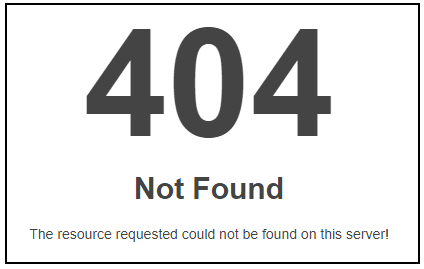
Instead of seeing this:

They will see the following more informative and friendly error page that you have created.
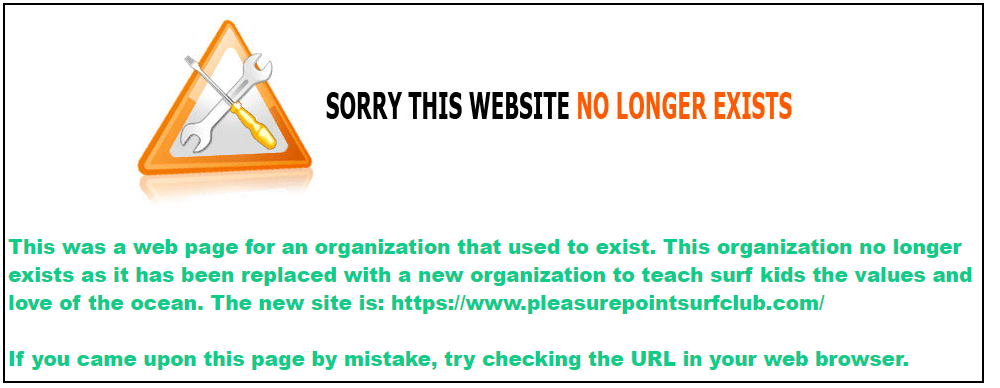
To make the green text stand out more, you can add a div element with a color background as such:
<head>
<style type=text/css>
p {
color: #0ecc8a;
font-weight: 900;
font-size: 20px;
font-family: Helvetica, Arial, sans-serif;
}
div {
background-color: gray;
}
</style>
</head>
<body>
<a href=”#”><img src=”site.jpg”></a>
<div>
<p>This was a web page for an organization that used to exist. This organization no longer exists as it has been replaced with a new organization to teach surf kids the values and love of the ocean. The new site is: https://www.pleasurepointsurfclub.com/
<br><br>
If you came upon this page by mistake, try checking the URL in your web browser.</p>
</div>
</body>
</html>
This will yield the following:
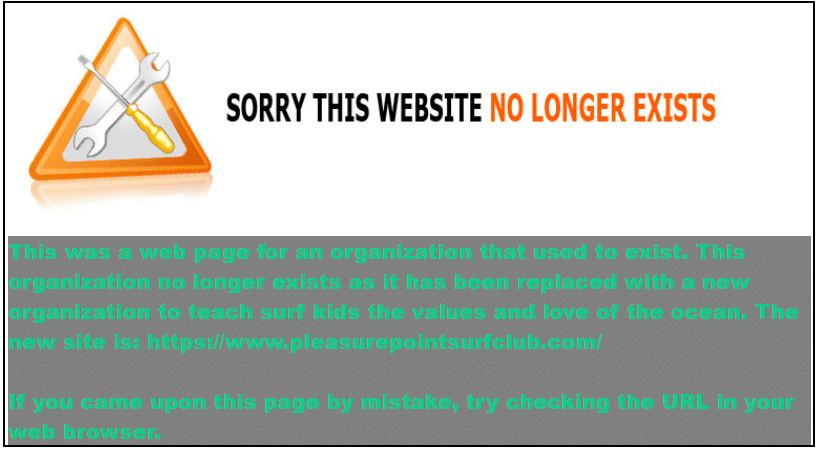
Now, you can be as artistic as you like to create your fancy, informative 404.html page. Always keep the visitor to the page in mind to enhance their experience.
See the HTML Font Families to learn how to enhance your text, and also check out the CSS Background Tutorial to learn how to enhance the background of your web page.
Where to Next?
This introduction to the 404 page error should provide a starting point for further inquiry into web page management and the unlimited creative aspects that HTML offers. In the next blogs, you will be able to explore other areas of HTML design. Continue to be inspired, explore further and dive deeper into the world of web design.
Enroll in our Intro to Programming Nanodegree program today!
Start Learning
В этой статье мы расскажем, почему стоит делать уникальную страницу 404 для сайта и как правильно её оформлять. Покажем удачные и неудачные примеры оформления таких страниц.
В конце статьи вас ждет бесплатный чек-лист и шаблон технического задания на дизайн страницы с 404-ой ошибкой.
Зачем оформлять страницу 404 Not Found?
Существует 2 основные причины появления 404-ой ошибки:
- неправильно введён адрес ссылки;
- страница была удалена.
Пытаясь попасть на несуществующую страницу, пользователь видит ошибку 404 Not Found. Стандартная страница с 404-ой ошибкой никак не связана с вашим сайтом. Именно поэтому большинство пользователей стараются как можно скорее закрыть ее.
Вот так оставлять нельзя:

Рисунок 1. Стандартная страница 404 Not Found
Правильно оформленная страница поможет удержать на сайте заблудившихся посетителей и тем самым улучшить показатели.
Приведем пример количества посещений страницы с 404-ой ошибкой на сайтах, с которыми мы работаем.
Сайт 1:
- 1 143 477 просмотров сайта за год;
- 42 114 просмотров страницы 404 за год (или 3,85%).
Приведем для сравнения такие цифры: у самого популярного раздела каталога 218 011 просмотров за год (19%), что всего в 5 раз превышает количество просмотров 404-ой страницы. А у раздела, который находится на 6 месте по количеству просмотров за год, эта цифра составляет 14 935 просмотров (или 1,3%), что в 3 раза меньше, чем у страницы 404.
Сайт 2:
- 64 625 просмотров сайта за год;
- 547 просмотров страницы 404 за год (или 0,84%).
Из 11 разделов на сайте целых 4 раздела имеют меньше просмотров, чем страница 404.
Только представьте, какое большое количество посетителей сайта попадает на страницу 404-ой ошибки, и в ваших силах удержать и заинтересовать их.
При желании вы можете проверить свой сайт на количество посещений страницы с 404-ой ошибкой через Яндекс.Метрику. Как это сделать, подробно описано в инструкции от Яндекса.
Как оформить страницу ошибки
Существует 5 вариантов:
1. Оставить стандартную страницу ошибки браузера. Но ведь мир и так довольно жесток 🙁

Рисунок 2. Мем
2. Сделать страницу креативной и интересной:

Gif 1. Страница 404 с анимацией с сайта https://rabota.gk-rte.ru/404
На странице 404-ой ошибки посетитель видит анимацию с отсчетом времени до столкновения. В итоге столкновение, конечно, не происходит, но пользователь может задержаться на странице из интереса, чтобы увидеть, чем все закончится. Это, в свою очередь, улучшает поведенческие факторы — увеличивается время на сайте и уменьшается показатель отказов.
3. Сделать страницу полезной для посетителя, помочь ему найти нужную информацию:

Рисунок 3. Страница 404 с полезным контентом с сайта https://drarthurkhristenko.ru/404
Попадая на несуществующую страницу на сайте пластического хирурга, посетитель видит основные услуги, которые оказывает доктор.
4. Совместить предыдущие 2 варианта:

Рисунок 4. Страница 404 с полезным контентом и креативом с сайта https://www.coca-cola.ru/404
Отличный пример совмещения креатива и полезной для посетителя информации на сайте Coca-cola.
Наша рекомендация: используйте именно такой вариант при оформлении страницы с 404-ой ошибкой.
5. Использовать промокод на скидку:

Рисунок 5. Страница 404 с промокодом с сайта https://www.planeta-sport.ru/404/
Хороший пример совмещения креатива и промокода на скидку в спортивном интернет-магазине. Это красивое “извинение” за то, что страницы не существует. В итоге вместо досады или раздражения у пользователя появится дополнительный стимул сделать у вас покупку.

Рисунок 6. Мем
Шапка и футер — оставляем?
Если пользователь знаком с вашим сайтом, то попав на страницу 404, внешне отличающуюся от самого сайта, он решит, что попал не по адресу, и уйдёт. Или перейдёт на главную, а резкая разница в цвете и общем оформлении доставит ему неприятные эмоции. Оба варианта — так себе.
Наша рекомендация: оставить шапку и футер при оформлении страницы с 404-ой ошибкой. Тем более так рекомендует Google:
“Страница 404 должна быть выполнена в том же стиле (включая элементы навигации), что и основной сайт.” — Google.
Создаем блок с ошибкой 404
Это этап креатива. Подумайте над интересным оформлением. Можно взять за основу сферу вашего бизнеса: какие услуги вы оказываете, что продаете.

Рисунок 7. Пример 404-ой страницы на сайте https://kolesa.kz/404/
Сайт по продаже автомобилей использует оригинальную фразу “Докатились” и тут же предлагает посмотреть объявления. Из минусов здесь можно отметить тёмный фон, так как на основном сайте он светлый.

Рисунок 8. Пример 404-ой страницы на сайте https://www.pixar.com/404
* Перевод: “Не плачь. Это всего лишь 404 ошибка. То, что ты ищешь, могло переместиться в долгосрочную память.”

Рисунок 9. Пример 404-ой страницы на сайте https://www.lego.com/ru-ru/404

Рисунок 10. Пример 404-ой страницы на сайте https://www.f1news.ru/404/
Если не получается придумать интересный дизайн, опираясь на деятельность вашего сайта, то рекомендуем использовать минимализм (да простят нас дизайнеры), как на примерах ниже.

Рисунок 11. Пример 404-ой страницы на сайте https://www.tinkoff.ru/404/

Рисунок 12. Пример 404-ой страницы на сайте https://www.aviasales.ru/404

Рисунок 13. Пример 404-ой страницы на сайте https://www.kinopoisk.ru/404/
Определившись с идеей оформления, не забывайте, что дизайн страницы с 404-ой ошибкой должен быть выполнен в общей стилистике самого сайта.
И не стоит делать этот блок слишком большим, выходя за пределы первого экрана. Вряд ли посетитель этой страницы захочет прокручивать экран вниз.
Текст для страницы с ошибкой 404
Пользователю должно быть понятно, что запрашиваемая страница недоступна. Наша задача — помочь ему быстро сориентироваться. На этом этапе составьте сообщение, которое не вызовет отторжения.
Примеры:
- Извините, такой страницы у нас нет. Мы поможем найти нужную информацию.
- Извините, такой страницы у нас нет. Но есть много другой полезной информации.
Элементы навигации
Google рекомендует разместить на странице 404-ой ошибки ссылки на самые популярные статьи или записи блога, а также на главную страницу.
Если ваш сайт предоставляет услуги или продаёт товары, то добавьте ссылку на каталог и основные услуги/товары.

Рисунок 14. Пример 404-ой страницы на сайте https://www.mann-ivanov-ferber.ru/404/
Если на вашем сайте есть блог, то добавьте ссылку на сам блог и на самые популярные статьи.

Рисунок 15. Пример 404-ой страницы на сайте https://www.nytimes.com/404
Например, The New York Times добавил на страницу 404-ой ошибки самые популярные статьи, которыми чаще всего делятся их читатели.
Возможность сообщить о неработающей ссылке
Дайте посетителю возможность пожаловаться на неработающую ссылку. Вы можете не отвечать на эти сообщения, но сделайте такой функционал.
Опишите в техническом задании для программистов, как должна работать эта кнопка. Добавьте ссылку на сайт, где есть та функция, которую вы хотите повторить.
Если это будет всплывающая форма заявки, то опишите дизайнеру, как она должна выглядеть.

Рисунок 16. Пример отработки кнопки “Сообщить о нерабочей ссылке” со страницы https://enjoyme.ru/404/
Основные рекомендации
Резюмируем основные рекомендации из данной статьи:
- Оформите страницу 404 в том же стиле, что и весь сайт. Это касается элементов навигации, шрифта, цвета.
- Подготовьте понятный и короткий текст, который не вызовет отторжения у пользователя. Ему должно быть ясно, что запрашиваемая страница недоступна.
- Добавьте креатив в оформление, чтобы удержать посетителя на сайте.
- Добавьте ссылки на главную страницу, основные категории и услуги, а также на самые популярные статьи или записи блога.
- Вся информация должна помещаться на первом экране. Нет смысла добавлять больше: вряд ли посетитель страницы 404 будет скроллить вниз.
- Дайте пользователю возможность сообщать о неработающих ссылках, даже если не собираетесь проверять эти сообщения.
Блок-схема
Как только вы определитесь с оформлением, нужно нарисовать блок-схему.
И не забудьте подробно описать в техническом задании, как должен выглядеть каждый элемент.
Если вы никогда не составляли блок-схемы или хотите получить больше информации об их составлении, то рекомендуем прочитать нашу статью “Как сделать ТЗ на дизайн сайта бесплатно самому: подробная инструкция”.

Рисунок 17. Пример составленной блок-схемы для 404 страницы Ant-team.ru
Итоги и бонусы
Страница 404 должна выполнять 2 действия: удерживать посетителя на сайте и давать ему самую популярную и полезную информацию, благодаря которой он будет дальше путешествовать по сайту и создавать трафик.
И чтобы процесс создания страницы с 404-ой ошибкой не принес вам лишней головной боли, предлагаем воспользоваться нашим чек-листом и шаблоном технического задания, где подробно описан каждый шаг (читайте красный текст):
- Чек-лист на дизайн для страницы 404
- Шаблон ТЗ на дизайн для страницы 404
А чтобы было ещё понятнее, можете воспользоваться примером заполнения шаблона ТЗ и нарисованной блок-схемой:
- Пример ТЗ на дизайн для страницы 404 Ant-Team
- Блок-схема 404 Ant-Team
Это настоящее техническое задание, которое мы заполняли для нашей страницы 404-ой ошибки.
Автор статьи: Кирилл Агафонов (Ant-team.ru)
P.s. Подписывайтесь на наш телеграм-канал t.me/seoantteam, чтобы первыми узнавать о выходе новых материалов.
При написании статьи использованы источники:
- https://developers.google.com/search/docs/advanced/crawling/soft-404-errors?hl=ru&visit_id=637885645086554669-667034082&rd=1#93641
- https://yandex.ru/support/metrica/stand-out/informative-page-404.html#informative-page-404
What is a 404 Error?
The 404 error is what a webpage returns after a user tries to open a webpage that does not exist. The visitor may have mistyped the webpage URL or the webpage might have been moved completely. It may also be caused by your pages having an incorrect linking either internally or externally.
When some of the resources are removed from your web server, it may result in a 404 error too. You changed the link of your content, and thus the previous link was rendered useless and cannot be located online.
Another thing that causes the 404 error is when a crawler from a search engine tries to find a generic page that you do not have on your site. Note that having too many 404 errors from your site is lethal for your site traffic.
HTML CODE
<!DOCTYPE html>
<html>
<head>
<title></title>
<link rel=»stylesheet» type=»text/css» href=»style.css»>
<link href=»https://fonts.googleapis.com/css?family=Montserrat&display=swap» rel=»stylesheet»>
</head>
<body>
<div class=»main_body»>
<div class=»center_body»>
<h1>404</h1>
<h2>PAGE NOT FOUND</h2>
<p>LETS C! DONATION FOR SUPPORT: PhonePay = vinodbahadur@ybl GooglePay: vbthapa55@oksbi</p>
<a href=»https://www.thapatechnical.com/» target=»_blank»> go to homepage</a>
</div>
</div>
</body>
</html>
CSS CODE
*{ margin: 0; padding: 0; box-sizing: border-box;
font-family: ‘Montserrat’, sans-serif;}
.main_body{
width: 100%; height: 100vh;
background-image: url(‘images/blurbg.jpg’);
background-repeat: no-repeat;
background-size: 100% 100%;
display: flex;
justify-content: center;
align-items: center;
}
.center_body{
width: 65%;
height: 70%;
background-image: url(‘images/bg.jpg’);
background-repeat: no-repeat;
background-size: 100% 100%;
display: flex;
flex-direction: column;
justify-content: center;
align-items: center;
transition: all 0.5s linear;
}
.center_body h1{
font-size: 200px;
color: white;
letter-spacing: 5px;
font-weight: 700;
text-shadow: 10px 9px 3px #74b9ff;
transition: all 1s linear;
}
.center_body h2{
color: white;
font-size: 26px;
font-weight: 700;
text-transform: uppercase;
}
.center_body p{
color: white;
font-weight: 400;
text-align: center;
margin: 20px auto;
}
.center_body a{
font-size: 14px;
text-decoration: none;
text-transform: uppercase;
display: inline-block;
color: blue;
background: white;
padding: 15px 30px;
box-shadow: 5px 4px 15px -5px #0046d5;
border-radius: 40px;
transition: all 0.5s linear;
}
.center_body:hover h1{
text-shadow: 9px 6px 3px #b2bec3;
}
.center_body:hover a{
color: white;
background: blue;
}